Insider KB5030316 Windows 11 Insider Beta 22621.2271 and 22631.2271 - Sept. 6


UPDATE 9/12:


 Windows Blogs:

Hello Windows Insiders, today we are releasing Windows 11 Insider Preview Build 22621.2271 and Build 22631.2271 (KB5030316) to the Beta Channel.
  • Build 22631.2271 = New features rolling out.
  • Build 22621.2271 = New features off by default.

KB5027397 Enablement Package for Windows 11 Beta build 22621.xxx (22H2) to build 22631.xxx (23H2)


REMINDER: Insiders who were previously on Build 22624 will automatically get moved to Build 22631 via an enablement package. The enablement package artificially increments the build number for the update with new features getting rolled out and turned on to make it easier to differentiate from devices with the update with features off by default. This approach is being used for the Beta Channel only and is not indicative of any changes or plans for final feature rollouts.

Insiders who landed in the group with new features turned off by default (Build 22621.xxxx) can check for updates and choose to install the update that will have features rolling out (Build 22631.xxxx).

Changes and Improvements in Build 22631.2271

[Windows Ink]

  • The Windows Ink improvements introduced with Build 22631.2050 that enabled inking directly onto edit fields is being temporarily disabled for Windows Insiders in the Beta Channel while we fix some bugs impacting the usability of this experience.

Fixes in Build 22631.2271

[File Explorer]

  • Fixed an issue where the progress wheel in the tab would get stuck showing that File Explorer was loading a folder when the loading had already finished.
  • Fixed an issue where rapidly opening two File Explorer windows might make explorer.exe crash.
  • Fixed an issue which could make explorer.exe crash when navigating away from Home.
  • Fixed an issue where trying to open Gallery after new images had been added might result in a crash.
  • Made a few more fixes to help improve File Explorer launch performance, including fixing a leak which would impact performance over time.
  • Fixed an issue where File Explorer sorting changes wouldn’t persist in folders after you navigated away and back.
  • Fixed an issue which could cause the icons in File Explorer tabs to be incorrect.

[Windows Copilot]

  • Fixed an issue that was causing the Windows Copilot icon in the taskbar to be flipped backwards for right-to-left languages.

[Input]

  • Fixed a high hitting tabtip.exe crash that may have impacted the ability to type in the last couple flights.

[Settings]

  • Fixed an issue where switching search to be an icon in Taskbar Settings could cause explorer.exe to crash.

[Dev Drive]

  • Fixed an issue where it wasn’t possible to paste a folder path to mount into the dialog when creating a new Dev Drive.

[Task Manager]

  • Fixed an issue that could cause Task Manager to crash when using the end task option in the Details page recent builds.

[HDR Wallpaper]

  • Fixed a sporadic explorer.exe crash related to the use of an HDR wallpaper.

[Other]

  • Fixed an issue where trying to take window mode screenshots was taking screenshots of the entire screen instead of the app in focus for some Insiders.

Microsoft Store Update

Windows Insiders in all channels running version 22308.1401.x.x of the Microsoft Store and higher will see the following improvement rolling out:

New Game Pass page: Explore and subscribe to PC Game Pass or Game Pass Ultimate through our new dedicated page. With the new experience, you can learn about Game Pass benefits, such as exclusive games, deals, free perks, EA Play, and more. It’s also easier to discover, jump in, and play your next favorite game, including Day One games, new games on Game Pass, Bethesda games, and more.

New Game Pass page in the Microsoft Store.

FEEDBACK: Please file feedback in Feedback Hub (WIN + F) under Microsoft Store.

About the Beta Channel

The Beta Channel is the place we preview experiences that are closer to what we will ship to our general customers. Because the Dev and Beta Channels represent parallel development paths from our engineers, there may be cases where features and experiences show up in the Beta Channel first. However, this does not mean every feature we try out in the Beta Channel will ship. We encourage Insiders to read this blog post that outlines the ways we’ll try things out with Insiders in both the Dev and Beta Channels.

Important Insider Links

Thanks,
Amanda & Brandon


 Source:


Check Windows Updates


UUP Dump:

64-bit ISO download:

ARM64 ISO download:

 
Last edited:
There we have it!

1694049455730.png
 

My Computer My Computer

At a glance

Windows 11Intel® Xeon® X5690 3.47GHz Six-CoreG.Skill PC3-12800 1600MHz 24GBNVIDIA GeForce GTX 1050
OS
Windows 11
Computer type
PC/Desktop
Manufacturer/Model
Asus/Custom Build
CPU
Intel® Xeon® X5690 3.47GHz Six-Core
Motherboard
Asus P6T Deluxe v2
Memory
G.Skill PC3-12800 1600MHz 24GB
Graphics Card(s)
NVIDIA GeForce GTX 1050
Sound Card
SoundMAX ADI AD2000B HD Audio
Monitor(s) Displays
Acer T232HL Touch Screen
Screen Resolution
1920 x 1080 @ 60Hz
Hard Drives
6 Crucial MX500 SSD 1TB each.
PSU
Thermaltake Toughpower Gold 850W
Case
Thermaltake Armor VA8000SWA
Cooling
Thermaltake Air Cooling System
Keyboard
Illuminated Multimedia LED Keyboard
Mouse
M16 Dual Mode Illuminated Mouse - Bluetooth / 2.4 GHz Mode
Internet Speed
800 Mbps
Browser
Edge / Opera / Vivaldi / Chrome / Firefox / Brave
Antivirus
Windows Defender Security
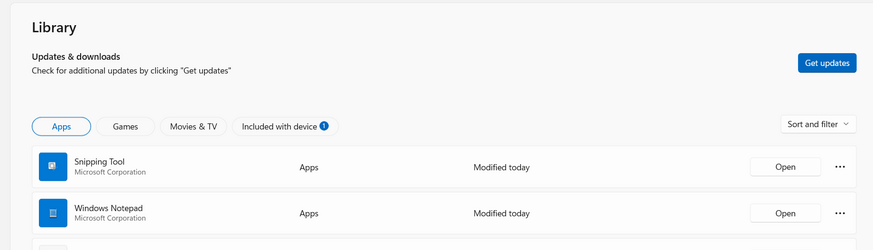
Has any other build update been released this late in the day (at least where I am)?
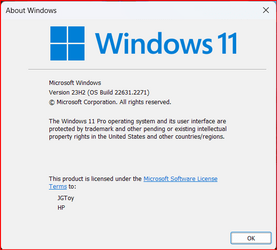
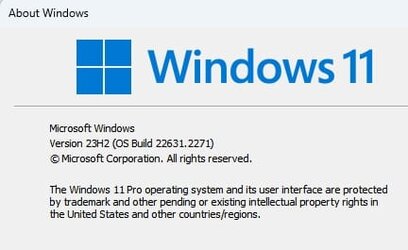
Anyhow, got it. Plus, the Update Stack Package. :thumbsup:
 

Attachments

  • Screen Shot 09-06-23 at 09.54 PM.JPG
    Screen Shot 09-06-23 at 09.54 PM.JPG
    16 KB · Views: 2
  • Screen Shot 09-06-23 at 09.52 PM.JPG
    Screen Shot 09-06-23 at 09.52 PM.JPG
    4.8 KB · Views: 1

My Computer My Computer

At a glance

Windows 11 25H2 Pro (RP 26200.9168)
OS
Windows 11 25H2 Pro (RP 26200.9168)
Computer type
PC/Desktop
Manufacturer/Model
Alienware
For those who does not see copilot have you tried this. Install vivetool. after that open vivetool with a elevated command and run: vivetool /enable /id:44774629,44850061,44776738,42105254,41655236. Then restart the copmputer and copilot should be there.
 

My Computer My Computer

At a glance

Windows 11I5 1140032 gbGigabyte aorus 1650 super windforce
OS
Windows 11
Computer type
PC/Desktop
Manufacturer/Model
Homemade
CPU
I5 11400
Motherboard
Gigabyte b560m aurus pro ax
Memory
32 gb
Graphics Card(s)
Gigabyte aorus 1650 super windforce
Sound Card
Asus Xonar
Monitor(s) Displays
IIyama prolite xb3270qs
Screen Resolution
2560 x 1440
Hard Drives
samsung 980 pro 1 tb
samsung 980 pro 0,5 tb
Case
Cooler Master silenzio
Downloaded fine. The install process was slower than usual.
 

My Computer My Computer

At a glance

Windows 11 Pro 25H2 26200.9168Ryzen 5 760032 Gb DDR5 6000Hz Corsair VengeanceSapphire Pulse RX 7600
OS
Windows 11 Pro 25H2 26200.9168
Computer type
PC/Desktop
Manufacturer/Model
Home built
CPU
Ryzen 5 7600
Motherboard
Gigabyte B650M Aorus Elite AX Ice
Memory
32 Gb DDR5 6000Hz Corsair Vengeance
Graphics Card(s)
Sapphire Pulse RX 7600
Sound Card
Internal Realtek
Monitor(s) Displays
Samsung 32" Odyssey G5 G50D QHD
Screen Resolution
2560 x 1440
Hard Drives
WD Black SN 770 1Tb; SanDisk SDSSDA240G ; Seagate 2Tb HDD
PSU
MSI MAG A750GL
Case
Enermax Marbleshell MS21
Cooling
Thermaltake Peerless Assassin 120 White ARGB, 3 x 120 intake, 1 x 120 exhaust
Keyboard
Aukey KM-G12
Mouse
Razer Basilisk v3 Pro 35K
Internet Speed
1 Gb/s up & 800 Mb/s down
Browser
Brave / Edge
Antivirus
Windows / Malwarebytes

My Computers My Computers

  • At a glance

    Win 11 Pro (25H2 RP)Intel(R) Core(TM) i5-9300H CPU @ 2.40GHz 2.40...32GBNvidia GeForce GTX 1650, Intel UHD 630
    OS
    Win 11 Pro (25H2 RP)
    Computer type
    Laptop
    Manufacturer/Model
    Acer AN515-54
    CPU
    Intel(R) Core(TM) i5-9300H CPU @ 2.40GHz 2.40 GHz
    Memory
    32GB
    Graphics Card(s)
    Nvidia GeForce GTX 1650, Intel UHD 630
    Monitor(s) Displays
    Acer CB272D
    Screen Resolution
    1920x1080
    Hard Drives
    256GB and 1T SSD
    Internet Speed
    500MB
    Browser
    Edge (Stable)
    Antivirus
    Microsoft Defender
  • At a glance

    Win 11 Pro (RP)Intel(R) Core(TM) Ultra 9 275HX (2.70 GHz)32GB DDR5-5600NVIDIA® GeForce RTX™ 5060 8GB
    Operating System
    Win 11 Pro (RP)
    Computer type
    Laptop
    Manufacturer/Model
    Lenovo Legion 5 16IAX10 - Type 83NX
    CPU
    Intel(R) Core(TM) Ultra 9 275HX (2.70 GHz)
    Memory
    32GB DDR5-5600
    Graphics card(s)
    NVIDIA® GeForce RTX™ 5060 8GB
    Monitor(s) Displays
    Acer CB272D
    Screen Resolution
    1920x1080 75Hz
    Hard Drives
    WD Green SN3000 (2TB)
    Samsung Portable T5 (2TB)
    Keyboard
    Logi MX Keys
    Mouse
    Logi MX Anywhere 3
    Internet Speed
    500MB
    Browser
    Edge
    Antivirus
    MS Defender
Successfully installed. DISM and SFC reported no problems:

Screenshot 2023-09-07 124212.png
 

My Computers My Computers

  • At a glance

    Windows 11 Pro 22631.3810/Windows 11 RP 24H2 VMIntel Celeron N4000 @ 1.10GHz Gemini Lake 14nm8GB RamIntel UHD Graphics 600 (Lenovo)
    OS
    Windows 11 Pro 22631.3810/Windows 11 RP 24H2 VM
    Computer type
    Laptop
    Manufacturer/Model
    Lenovo
    CPU
    Intel Celeron N4000 @ 1.10GHz Gemini Lake 14nm
    Motherboard
    LENOVO LNVNB161216 (U3E1)
    Memory
    8GB Ram
    Graphics Card(s)
    Intel UHD Graphics 600 (Lenovo)
    Sound Card
    Realtek High Definition Audio Intel Display Audio
    Monitor(s) Displays
    Generic PnP Monitor (1920x1080@60Hz)
    Screen Resolution
    1920x1080
    Hard Drives
    512GB Western Digital WDC PC SN530 SDBPMPZ-512G-1101 (Unknown (SSD))
    Keyboard
    Laptop Keyboard
    Mouse
    G5 Gaming Mouse
    Internet Speed
    50mbps/50mbps
    Browser
    Chrome/Edge
    Antivirus
    Microsoft Defender
  • At a glance

    Windows 11 RP 24H2 VMIntel Celeron N4000 @ 1.10GHz Gemini Lake 14nm8GB RamIntel UHD Graphics 600 (Lenovo)
    Operating System
    Windows 11 RP 24H2 VM
    Computer type
    Laptop
    Manufacturer/Model
    Lenovo
    CPU
    Intel Celeron N4000 @ 1.10GHz Gemini Lake 14nm
    Motherboard
    LENOVO LNVNB161216 (U3E1)
    Memory
    8GB Ram
    Graphics card(s)
    Intel UHD Graphics 600 (Lenovo)
    Sound Card
    Realtek High Definition Audio Intel Display Audio
    Monitor(s) Displays
    Generic PnP Monitor (1920x1080@60Hz)
    Screen Resolution
    1920x1080
    Keyboard
    Laptop Keyboard
    Mouse
    G5 Gaming Mouse
    Internet Speed
    50mbps/50mbps
    Browser
    Chrome/Edge
    Antivirus
    Microsoft Defender
Downloading today, didn't expect it yesterday Wednesday. So downloading in my 2 Lenovos
 

My Computers My Computers

  • At a glance

    Windows 11 ProIntel Core i9-14900HX32 GBIntel UHD Graphics, NVIDIA RTX 4070 Laptop
    OS
    Windows 11 Pro
    Computer type
    Laptop
    Manufacturer/Model
    Lenovo Legion 7i 16IRX9
    CPU
    Intel Core i9-14900HX
    Motherboard
    LENOVO LNVNB161216 Chipset HM 770
    Memory
    32 GB
    Graphics Card(s)
    Intel UHD Graphics, NVIDIA RTX 4070 Laptop
    Sound Card
    Realtek in-built
    Screen Resolution
    3200x2000 200% Scale
    Hard Drives
    C: HDD 1 TB SAMSUNG MZVL21T0HCLR-00BL2
    D: HDD 1 TB CRUCIAL CT1000P3PSSD8
    Antivirus
    BitDefender Free
  • At a glance

    Windows 11 ProI7 10750H32 GBIntel UHD - NVIDIA 1650 Ti Max-Q
    Operating System
    Windows 11 Pro
    Computer type
    Laptop
    Manufacturer/Model
    Lenovo ThinkPad X1 3Gen Extreme
    CPU
    I7 10750H
    Motherboard
    Intel MW-490
    Memory
    32 GB
    Graphics card(s)
    Intel UHD - NVIDIA 1650 Ti Max-Q
    Sound Card
    Realtek in-built
    Screen Resolution
    3840x2160 225% Scale
    Hard Drives
    C: WDC PC SN730 SDBQNTY-1T00-1001 (1 TB)
    D: KINGSTON SNV2S2000G (2 TB)
    Antivirus
    BitDefender
Both machines updated properly, however, only my laptop is able to build the uup dump iso which is running now. 8 cores/16 threads seem to take forever compared to my 13900k but at least it works.

I wonder if my MSI bios is to blame for the issue as they released a beta for cpu issues today.
Today MSI released updates to intel me and a cpu driver to complement the bios update they release and I applied all 3. Afterwards I can run UUP Dump without the LZX compression erroring out.
 

My Computers My Computers

  • At a glance

    Windows 11 ProIntel Core i9 14900k, Intel UHD 770 integrated32gb G.Skill Trident Z5 7200Gigabyte RTX 4090 Gaming OC
    OS
    Windows 11 Pro
    Computer type
    PC/Desktop
    Manufacturer/Model
    Self Built
    CPU
    Intel Core i9 14900k, Intel UHD 770 integrated
    Motherboard
    Gigabyte Z790 Aorus Master X
    Memory
    32gb G.Skill Trident Z5 7200
    Graphics Card(s)
    Gigabyte RTX 4090 Gaming OC
    Sound Card
    EVGA Nu Audio, Razer Kraken V3 Pro, Realtek Onboard
    Monitor(s) Displays
    Dell U4025QW nano IPS monitor, Samsung Odyssey G75F, Wisecoco 12.6" IPS sensor panel
    Screen Resolution
    5120X2160 x 2 1920x515
    Hard Drives
    WD Black SN8100, Samsung 990 Pro x 3, WD BLACK SN850x, WD Black 8tb HD
    PSU
    FSP Hydro PTM Pro 1350w
    Case
    Thermaltake Level 20 XT
    Cooling
    ARCTIC Liquid Freezer III 420 ARGB in push/pull, Antec Prism X 120mm ARGB Fans x 15
    Keyboard
    Razer Blackwidow V4 Pro
    Mouse
    Razer Basilik V3 Pro on Razer Firefly V2 mouse pad.
    Internet Speed
    950 Mbps cable primary, 6Mbps secondary vdsl
    Browser
    Chrome primary, FF-Edge-IE secondary
    Antivirus
    Norton 360 Premium
    Other Info
    I sit on a Libernovo Omni chair.😍 Sound by Fosi Audio DA-2120C pushing Magnat Series 503 bookshelf speakers and a SVS SB-1000 Pro subwoofer.
  • At a glance

    Windows 11 ProIntel 14900HX32gb ddr 5 5600Nvidia RTX 4090 mobile
    Operating System
    Windows 11 Pro
    Computer type
    Laptop
    Manufacturer/Model
    2023 Acer Predator Helios 18
    CPU
    Intel 14900HX
    Motherboard
    factory
    Memory
    32gb ddr 5 5600
    Graphics card(s)
    Nvidia RTX 4090 mobile
    Sound Card
    onboard
    Monitor(s) Displays
    18" 250hz IPS
    Screen Resolution
    2560X1600
    Hard Drives
    Samsung 9100 Pro, 990 Pro
    PSU
    factory 330W
    Case
    factory
    Cooling
    factory
    Keyboard
    individual key argb
    Mouse
    touchpad
    Internet Speed
    WiFi 7, 2.5gb ethernet
    Browser
    Chrome primary, FF-IE and Edge secondary
    Antivirus
    Norton 360 Premium
    Other Info
    Acer will not allow WD Black SN8100 to function in m.2 slot 0 and Crucial T710 ssd's to function in either slot.
These updates are beginning to roll out to Windows Insiders in the Beta Channel! Blog post updated. ^BLB


My Computers My Computers

  • At a glance

    Windows 11 Pro for WorkstationsIntel i7-8700K 5 GHz64 GB (4x16GB) G.SKILL TridentZ RGB DDR4 3600...ASUS ROG-STRIX-GTX1080TI-O11G-GAMING (11GB GD...
    OS
    Windows 11 Pro for Workstations
    Computer type
    PC/Desktop
    Manufacturer/Model
    Custom self build
    CPU
    Intel i7-8700K 5 GHz
    Motherboard
    ASUS ROG Maximus XI Formula Z390
    Memory
    64 GB (4x16GB) G.SKILL TridentZ RGB DDR4 3600 MHz (F4-3600C18D-32GTZR)
    Graphics Card(s)
    ASUS ROG-STRIX-GTX1080TI-O11G-GAMING (11GB GDDR5X)
    Sound Card
    Integrated Digital Audio (S/PDIF)
    Monitor(s) Displays
    2 x Samsung Odyssey G75 27"
    Screen Resolution
    2560x1440
    Hard Drives
    1TB Samsung 990 PRO M.2,
    4TB Samsung 990 PRO M.2,
    TerraMaster F8 SSD Plus NAS
    PSU
    Seasonic Prime Titanium 850W
    Case
    Thermaltake Core P3 wall mounted
    Cooling
    Corsair Hydro H115i
    Keyboard
    Amazon Basics Wired Full Keyboard MD005
    Mouse
    Logitech MX Master 4
    Internet Speed
    2 Gbps Download and 100 Mbps Upload
    Browser
    Chrome and Edge
    Antivirus
    Microsoft Defender
    Other Info
    Logitech Z625 speaker system,
    Logitech BRIO 4K Pro webcam,
    HP Color LaserJet Pro MFP M477fdn,
    CyberPower CP1500PFCLCD
    Galaxy S23 Plus phone
  • At a glance

    Windows 11 ProSnapdragon X Elite (12 core) 3.42 GHz16 GB LPDDR5x-7467 MHz
    Operating System
    Windows 11 Pro
    Computer type
    Laptop
    Manufacturer/Model
    Surface Laptop 7 Copilot+ PC
    CPU
    Snapdragon X Elite (12 core) 3.42 GHz
    Memory
    16 GB LPDDR5x-7467 MHz
    Monitor(s) Displays
    15" HDR
    Screen Resolution
    2496 x 1664
    Hard Drives
    1 TB SSD
    Internet Speed
    Wi-Fi 7 and Bluetooth 5.4
    Browser
    Chrome and Edge
    Antivirus
    Microsoft Defender

My Computers My Computers

  • At a glance

    Windows 11 Pro 22631.3810/Windows 11 RP 24H2 VMIntel Celeron N4000 @ 1.10GHz Gemini Lake 14nm8GB RamIntel UHD Graphics 600 (Lenovo)
    OS
    Windows 11 Pro 22631.3810/Windows 11 RP 24H2 VM
    Computer type
    Laptop
    Manufacturer/Model
    Lenovo
    CPU
    Intel Celeron N4000 @ 1.10GHz Gemini Lake 14nm
    Motherboard
    LENOVO LNVNB161216 (U3E1)
    Memory
    8GB Ram
    Graphics Card(s)
    Intel UHD Graphics 600 (Lenovo)
    Sound Card
    Realtek High Definition Audio Intel Display Audio
    Monitor(s) Displays
    Generic PnP Monitor (1920x1080@60Hz)
    Screen Resolution
    1920x1080
    Hard Drives
    512GB Western Digital WDC PC SN530 SDBPMPZ-512G-1101 (Unknown (SSD))
    Keyboard
    Laptop Keyboard
    Mouse
    G5 Gaming Mouse
    Internet Speed
    50mbps/50mbps
    Browser
    Chrome/Edge
    Antivirus
    Microsoft Defender
  • At a glance

    Windows 11 RP 24H2 VMIntel Celeron N4000 @ 1.10GHz Gemini Lake 14nm8GB RamIntel UHD Graphics 600 (Lenovo)
    Operating System
    Windows 11 RP 24H2 VM
    Computer type
    Laptop
    Manufacturer/Model
    Lenovo
    CPU
    Intel Celeron N4000 @ 1.10GHz Gemini Lake 14nm
    Motherboard
    LENOVO LNVNB161216 (U3E1)
    Memory
    8GB Ram
    Graphics card(s)
    Intel UHD Graphics 600 (Lenovo)
    Sound Card
    Realtek High Definition Audio Intel Display Audio
    Monitor(s) Displays
    Generic PnP Monitor (1920x1080@60Hz)
    Screen Resolution
    1920x1080
    Keyboard
    Laptop Keyboard
    Mouse
    G5 Gaming Mouse
    Internet Speed
    50mbps/50mbps
    Browser
    Chrome/Edge
    Antivirus
    Microsoft Defender
I'm seeing them too. :-)
 

My Computers My Computers

  • At a glance

    Windows 11 ProIntel Core i9 14900k, Intel UHD 770 integrated32gb G.Skill Trident Z5 7200Gigabyte RTX 4090 Gaming OC
    OS
    Windows 11 Pro
    Computer type
    PC/Desktop
    Manufacturer/Model
    Self Built
    CPU
    Intel Core i9 14900k, Intel UHD 770 integrated
    Motherboard
    Gigabyte Z790 Aorus Master X
    Memory
    32gb G.Skill Trident Z5 7200
    Graphics Card(s)
    Gigabyte RTX 4090 Gaming OC
    Sound Card
    EVGA Nu Audio, Razer Kraken V3 Pro, Realtek Onboard
    Monitor(s) Displays
    Dell U4025QW nano IPS monitor, Samsung Odyssey G75F, Wisecoco 12.6" IPS sensor panel
    Screen Resolution
    5120X2160 x 2 1920x515
    Hard Drives
    WD Black SN8100, Samsung 990 Pro x 3, WD BLACK SN850x, WD Black 8tb HD
    PSU
    FSP Hydro PTM Pro 1350w
    Case
    Thermaltake Level 20 XT
    Cooling
    ARCTIC Liquid Freezer III 420 ARGB in push/pull, Antec Prism X 120mm ARGB Fans x 15
    Keyboard
    Razer Blackwidow V4 Pro
    Mouse
    Razer Basilik V3 Pro on Razer Firefly V2 mouse pad.
    Internet Speed
    950 Mbps cable primary, 6Mbps secondary vdsl
    Browser
    Chrome primary, FF-Edge-IE secondary
    Antivirus
    Norton 360 Premium
    Other Info
    I sit on a Libernovo Omni chair.😍 Sound by Fosi Audio DA-2120C pushing Magnat Series 503 bookshelf speakers and a SVS SB-1000 Pro subwoofer.
  • At a glance

    Windows 11 ProIntel 14900HX32gb ddr 5 5600Nvidia RTX 4090 mobile
    Operating System
    Windows 11 Pro
    Computer type
    Laptop
    Manufacturer/Model
    2023 Acer Predator Helios 18
    CPU
    Intel 14900HX
    Motherboard
    factory
    Memory
    32gb ddr 5 5600
    Graphics card(s)
    Nvidia RTX 4090 mobile
    Sound Card
    onboard
    Monitor(s) Displays
    18" 250hz IPS
    Screen Resolution
    2560X1600
    Hard Drives
    Samsung 9100 Pro, 990 Pro
    PSU
    factory 330W
    Case
    factory
    Cooling
    factory
    Keyboard
    individual key argb
    Mouse
    touchpad
    Internet Speed
    WiFi 7, 2.5gb ethernet
    Browser
    Chrome primary, FF-IE and Edge secondary
    Antivirus
    Norton 360 Premium
    Other Info
    Acer will not allow WD Black SN8100 to function in m.2 slot 0 and Crucial T710 ssd's to function in either slot.
As usual, I first noticed the update offer on this forum and checked in settings. It took 2 attempts to get it installed, which was fairly painless and it seems to work ok.
 

My Computers My Computers

  • At a glance

    W11 pro betaAthlon 3000G16Gb Crucial DDR4 2400onboard cpu
    OS
    W11 pro beta
    Computer type
    PC/Desktop
    Manufacturer/Model
    home built
    CPU
    Athlon 3000G
    Motherboard
    Asrock A320M-HDV r4.0
    Memory
    16Gb Crucial DDR4 2400
    Graphics Card(s)
    onboard cpu
    Sound Card
    onboard
    Monitor(s) Displays
    LG 22EA53
    Screen Resolution
    1920 x 1080
    Hard Drives
    WD black SN750 M2 500Gb
    PSU
    500W Seasonic core 80+gold non modular
    Case
    Fractal Design Define R2
    Cooling
    front 2 x 120mm rear 100mm stock psu
    Internet Speed
    135/20
    Browser
    Firefox and edge
    Antivirus
    Windows Security and free Malwarebytes
  • At a glance

    W11 pro 64 beta (from W10 pro system builder ...Ryzen 7 5700G4 x 8Gb Corsair Vengeance LPX 3000 DDR4onboard cpu
    Operating System
    W11 pro 64 beta (from W10 pro system builder pack)
    Computer type
    PC/Desktop
    Manufacturer/Model
    homebuilt
    CPU
    Ryzen 7 5700G
    Motherboard
    MSI B450 tomahawk max II
    Memory
    4 x 8Gb Corsair Vengeance LPX 3000 DDR4
    Graphics card(s)
    onboard cpu
    Sound Card
    motherboard
    Monitor(s) Displays
    AOC 27
    Screen Resolution
    2560 x 1440
    Hard Drives
    WD 1Tb Black M2 SN850X on Asus hyper M2 X16 max V2 card
    PSU
    Be Quiet 400 semi modular 80+gold
    Case
    Coolermaster Silencio 650
    Cooling
    140mm front, 120 rear Akasa Vegas Chroma AM
    Internet Speed
    135/20
    Browser
    edge/Firefox
    Antivirus
    WD plus Malwarebytes free
For those who does not see copilot have you tried this. Install vivetool. after that open vivetool with a elevated command and run: vivetool /enable /id:44774629,44850061,44776738,42105254,41655236. Then restart the computer and copilot should be there.
Thanks for this tip, I have the vivetool gui version installed on my computer because at least for me I find it easier to work with. Do I have enable each id# separately or can I enter them as a croup of id's with each one separated by a comma ?
 

My Computers My Computers

  • At a glance

    Windows11Pro (x64)Intel(R) Core(TM) i5-3470 CPU @ 3.20GHz 3.20 GHz8.00 GB (7.88 GB usable)
    OS
    Windows11Pro (x64)
    Computer type
    PC/Desktop
    Manufacturer/Model
    HP/HP8300EliteSFF
    CPU
    Intel(R) Core(TM) i5-3470 CPU @ 3.20GHz 3.20 GHz
    Memory
    8.00 GB (7.88 GB usable)
  • At a glance

    Windows11Pro(x64)Intel(R) Core(TM) i5-3320M CPU @ 2.60GHz 2.60...8.00 GB (7.82 GB usable)Intel (R) HD Graphics 4000
    Operating System
    Windows11Pro(x64)
    Computer type
    Laptop
    Manufacturer/Model
    Lenovo/T430
    CPU
    Intel(R) Core(TM) i5-3320M CPU @ 2.60GHz 2.60 GHz
    Motherboard
    Lenovo 2349KB7
    Memory
    8.00 GB (7.82 GB usable)
    Graphics card(s)
    Intel (R) HD Graphics 4000
    Sound Card
    Realtek High Definition Audio
    Hard Drives
    SSD 222.79 GB
For those who does not see copilot have you tried this. Install vivetool. after that open vivetool with a elevated command and run: vivetool /enable /id:44774629,44850061,44776738,42105254,41655236. Then restart the copmputer and copilot should be there.
Please disregard my previous comment concerning the installation of copilot, upon entering each id # separately I now have the copilot feature icon showing on my taskbar. THANKS
 

My Computers My Computers

  • At a glance

    Windows11Pro (x64)Intel(R) Core(TM) i5-3470 CPU @ 3.20GHz 3.20 GHz8.00 GB (7.88 GB usable)
    OS
    Windows11Pro (x64)
    Computer type
    PC/Desktop
    Manufacturer/Model
    HP/HP8300EliteSFF
    CPU
    Intel(R) Core(TM) i5-3470 CPU @ 3.20GHz 3.20 GHz
    Memory
    8.00 GB (7.88 GB usable)
  • At a glance

    Windows11Pro(x64)Intel(R) Core(TM) i5-3320M CPU @ 2.60GHz 2.60...8.00 GB (7.82 GB usable)Intel (R) HD Graphics 4000
    Operating System
    Windows11Pro(x64)
    Computer type
    Laptop
    Manufacturer/Model
    Lenovo/T430
    CPU
    Intel(R) Core(TM) i5-3320M CPU @ 2.60GHz 2.60 GHz
    Motherboard
    Lenovo 2349KB7
    Memory
    8.00 GB (7.82 GB usable)
    Graphics card(s)
    Intel (R) HD Graphics 4000
    Sound Card
    Realtek High Definition Audio
    Hard Drives
    SSD 222.79 GB
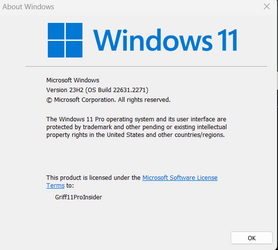
22631.2271 Downloaded the upgrade CU through Win11 Update, and the entire process from start to finish took ~3 minutes, tops. No problems to report so far. The desktop icon refresh bug seems completely fixed in this build, glad to say!
 

My Computer My Computer

At a glance

Win11 Experimental Channel for 26H2 buildsAMD R7 7800X3DGSkill 2x16GB @ 6400MT/sXFX 9070 XT SWIFT tri-fan (PCIe5.0)
OS
Win11 Experimental Channel for 26H2 builds
Computer type
PC/Desktop
Manufacturer/Model
a cherry-picked assembly
CPU
AMD R7 7800X3D
Motherboard
MSI x870 Tomahawk Wi-Fi, 8-layer, 2 oz copper, server PCB
Memory
GSkill 2x16GB @ 6400MT/s
Graphics Card(s)
XFX 9070 XT SWIFT tri-fan (PCIe5.0)
Sound Card
Creative Labs G8 USB External Sound device, Gaming DAC, Sound Card & Earphone AMP.. HIGHLY RECOMMENDED, btw. Totally changed my opinion of external USB sound. I like!...;)
Monitor(s) Displays
Philips 42" OLED @ 4k
Screen Resolution
3840x2160
Hard Drives
*Boot: Samsung 980 Pro 2 TB NVMe (PCIe4x4)
*Samsung 980 EVO NVMe 500GB (PCIe 4x4)
*Kingston SNV3S2000G 2TB NVMe (PCIe4x4)
*Samsung 960 EVO 250GB NVMe(PCIe3x2)
*8TB Toshiba x300 HDD
*ST4000DM004 S3 4TB HDD
PSU
Gigabyte 850W Gold, Rev 2
Case
Lian Li Lancool 217, white, with wood trim, very nice looking--tired of black, 5-fans standard
Cooling
Air coutesy Lian Li
Keyboard
Cherry MX 2.0S RGB
Mouse
Razer Basilisk V3 24k DPI
Internet Speed
~950Mbps down and up!
Browser
Firefox x64 DE
Antivirus
Defender
Other Info
Great New system. Exceeds my expectations by quite a bit, btw. I love the USB G8 SoundBlaster, it's quite an improvement over the G6!
My first post here !

Anyway, I have installed the last build and I have yet to have Copilot. I had it in a previous build and then no more, I was expecting it to come back. The weird thing, vivetools tells me it is enabled (I checked the 4 Id up there in the thread) but it is not in the taskbar and not in the taskbar settings as well. I am also not on an Azure Account, so I do not know what is wrong there.
 

My Computer My Computer

At a glance

Windows 11 22631.2271Ryzen 5600X16GBRTX 2070
OS
Windows 11 22631.2271
Computer type
PC/Desktop
CPU
Ryzen 5600X
Motherboard
B550M
Memory
16GB
Graphics Card(s)
RTX 2070
Monitor(s) Displays
LCD
Screen Resolution
Full HD
Hard Drives
SSD
Internet Speed
Fiber
Browser
Edge
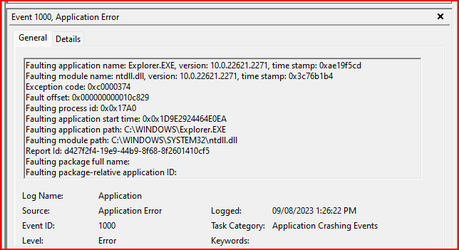
No Joy here, it still crashing!

1694205234288.png

:ffs:
 

My Computer My Computer

At a glance

Windows 11Intel® Xeon® X5690 3.47GHz Six-CoreG.Skill PC3-12800 1600MHz 24GBNVIDIA GeForce GTX 1050
OS
Windows 11
Computer type
PC/Desktop
Manufacturer/Model
Asus/Custom Build
CPU
Intel® Xeon® X5690 3.47GHz Six-Core
Motherboard
Asus P6T Deluxe v2
Memory
G.Skill PC3-12800 1600MHz 24GB
Graphics Card(s)
NVIDIA GeForce GTX 1050
Sound Card
SoundMAX ADI AD2000B HD Audio
Monitor(s) Displays
Acer T232HL Touch Screen
Screen Resolution
1920 x 1080 @ 60Hz
Hard Drives
6 Crucial MX500 SSD 1TB each.
PSU
Thermaltake Toughpower Gold 850W
Case
Thermaltake Armor VA8000SWA
Cooling
Thermaltake Air Cooling System
Keyboard
Illuminated Multimedia LED Keyboard
Mouse
M16 Dual Mode Illuminated Mouse - Bluetooth / 2.4 GHz Mode
Internet Speed
800 Mbps
Browser
Edge / Opera / Vivaldi / Chrome / Firefox / Brave
Antivirus
Windows Defender Security
All installed with no problem and no issues thus far
 

My Computers My Computers

  • At a glance

    windows 10 & 11AMD Ryzen 7X64GbRadeon RX 480 8Gb
    OS
    windows 10 & 11
    Computer type
    PC/Desktop
    Manufacturer/Model
    iBuyPower (special build)
    CPU
    AMD Ryzen 7X
    Motherboard
    Asus Prime x370 Pro
    Memory
    64Gb
    Graphics Card(s)
    Radeon RX 480 8Gb
    Monitor(s) Displays
    Samsung UHD 27 inch
    Screen Resolution
    UHD
    Hard Drives
    3 Samsung 1 TB SSD each; 1 Samsung PCIe M.2 at 2 TB
  • At a glance

    Windows 11 proAMD 9 5900X32 GbNvidia GeForce RTX 3080 Ti 12 GB GDDR6X
    Operating System
    Windows 11 pro
    Computer type
    PC/Desktop
    Manufacturer/Model
    IBuyPower
    CPU
    AMD 9 5900X
    Motherboard
    Asus x570 ROG Crosshair VIII Dark Hero WI-FI 6E ARGB
    Memory
    32 Gb
    Graphics card(s)
    Nvidia GeForce RTX 3080 Ti 12 GB GDDR6X
    Sound Card
    3D PREMIUM surround sound onboard
    Monitor(s) Displays
    Samsung 32 inch UHD curved monitor
    Screen Resolution
    UHD
    Hard Drives
    Samsung 980 pro 2 tb gen 4 NVMe ssd
    PSU
    850 watt consair RM850X
    Case
    Lian Li LANCOOL ONE tempered glass RGB gaming case
    Cooling
    DEEPCOOL GAMERSTORM RGB 240 mm CASTLE 240EX liquid cooler
    Keyboard
    Ares m.2 gaming keyboard
    Mouse
    Ares m.2 gaming optical mouse
    Internet Speed
    450
    Browser
    Firefox / Edge
    Antivirus
    Windows defender
    Other Info
    With all this gaming rig I am not a gamer!
For those who does not see copilot have you tried this. Install vivetool. after that open vivetool with a elevated command and run: vivetool /enable /id:44774629,44850061,44776738,42105254,41655236. Then restart the copmputer and copilot should be there.
Thank You that worked just fine! :thumbsup:
 

My Computers My Computers

  • At a glance

    Windows11 Pro 26200.9128Intel Core i9 14900F (24 -Core, 68 MB Total C...32GB DDR5RTX 4080 Super w/610.74
    OS
    Windows11 Pro 26200.9128
    Computer type
    PC/Desktop
    Manufacturer/Model
    Dell Alienware Aurora R16
    CPU
    Intel Core i9 14900F (24 -Core, 68 MB Total Cache)
    Motherboard
    Dell Alienware
    Memory
    32GB DDR5
    Graphics Card(s)
    RTX 4080 Super w/610.74
    Sound Card
    Realtec
    Monitor(s) Displays
    Corsair XENEON 32QHD165
    Screen Resolution
    2560 X 1440
    Hard Drives
    1-2TB Samsung 990 Pro PCIe NVMe M2 SSD
    1-4TB Samsung 990 Pro PCIe NVMe M2 SSD
    PSU
    1000 Watt Platinum Dell
    Case
    Alienware
    Cooling
    Liquid Closed Loop
    Keyboard
    Corsair Strafe RGB
    Mouse
    Logitech MK270 Wireless
    Internet Speed
    100Gb's Down-20 Up
    Browser
    Firefox 153.0.1
    Antivirus
    Defender
    Other Info
    Very Quiet And Fast
    CyberPower UPS CP1500PFCLCD
  • At a glance

    PClinuxOS Mate (2025.7)13th Gen Inter(R) Core(TM) i3-1315U64 GB DDR4 @3200 MHz.Internal
    Operating System
    PClinuxOS Mate (2025.7)
    Computer type
    PC/Desktop
    Manufacturer/Model
    Intel
    CPU
    13th Gen Inter(R) Core(TM) i3-1315U
    Motherboard
    Intel
    Memory
    64 GB DDR4 @3200 MHz.
    Graphics card(s)
    Internal
    Sound Card
    None
    Monitor(s) Displays
    Dell 2419HGCF
    Screen Resolution
    1920 X 1080
    Hard Drives
    SAMSUNG 980 PRO SSD 2TB, PCIe 4.0 M.2 2280
    PSU
    Chicony 30 Watt
    Case
    Small
    Keyboard
    Dell
    Mouse
    Razor
    Internet Speed
    1GB
    Browser
    Slimjet

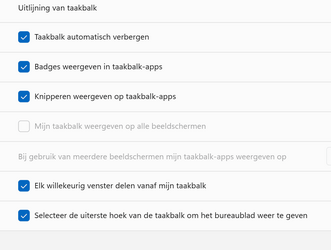
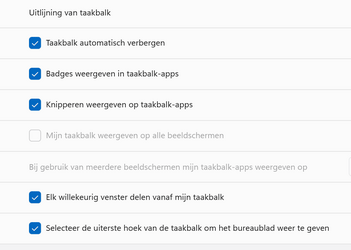
Hello, For some reeason I do not have the choice to enable seconds on the taskbar any more with this build.

1694413613390.png
Anyone an idea?
 

Attachments

  • 1694413519498.png
    1694413519498.png
    14.5 KB · Views: 1

My Computer My Computer

At a glance

Windows 11I5 1140032 gbGigabyte aorus 1650 super windforce
OS
Windows 11
Computer type
PC/Desktop
Manufacturer/Model
Homemade
CPU
I5 11400
Motherboard
Gigabyte b560m aurus pro ax
Memory
32 gb
Graphics Card(s)
Gigabyte aorus 1650 super windforce
Sound Card
Asus Xonar
Monitor(s) Displays
IIyama prolite xb3270qs
Screen Resolution
2560 x 1440
Hard Drives
samsung 980 pro 1 tb
samsung 980 pro 0,5 tb
Case
Cooler Master silenzio

Latest Support Threads

Back
Top Bottom