UPDATE 1/04:
 www.elevenforum.com
Hello Windows Insiders, today we are releasing Windows 11 Insider Preview Build 22635.2915 (KB5033456) to the Beta Channel. This will be our last Beta Channel flight until January 2024.
REMINDER: All Windows Insiders in the Beta Channel will now be on the same build (Build 22635.xxxx) via an enablement package. For Windows Insiders in the Beta Channel who want to be the first to get features gradually rolled out to you, you can turn ON the toggle (shown in the image below) to get the latest updates as they are available via Settings > Windows Update. Over time, we will increase the rollouts of features to everyone with the toggle turned on. Should you keep this toggle off, new features will gradually be rolled out to your device over time once they are ready.
 www.elevenforum.com
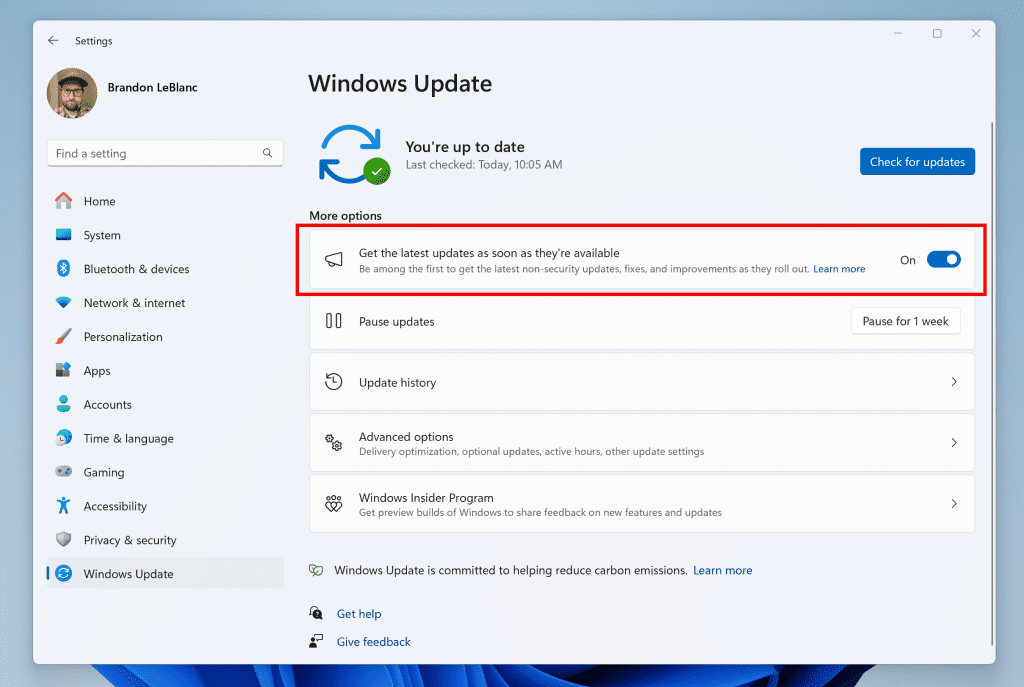
Turn on the toggle to get the latest updates as they are available to get new features rolled out to you.
Going forward, we will document changes in Beta Channel builds in two buckets: new features, improvements, and fixes that are being gradually rolled out for Insiders who have turned on the toggle to get the latest updates as they are available and then new features, improvements, and fixes available to everyone in the Beta Channel.
When voice access is turned on for the first time, you will be prompted to download a speech model to enable on-device recognition of voice data. In case voice access does not find a speech model matching your display language, you can still choose to proceed ahead to use voice access in English (United States).
 www.elevenforum.com
 www.elevenforum.com
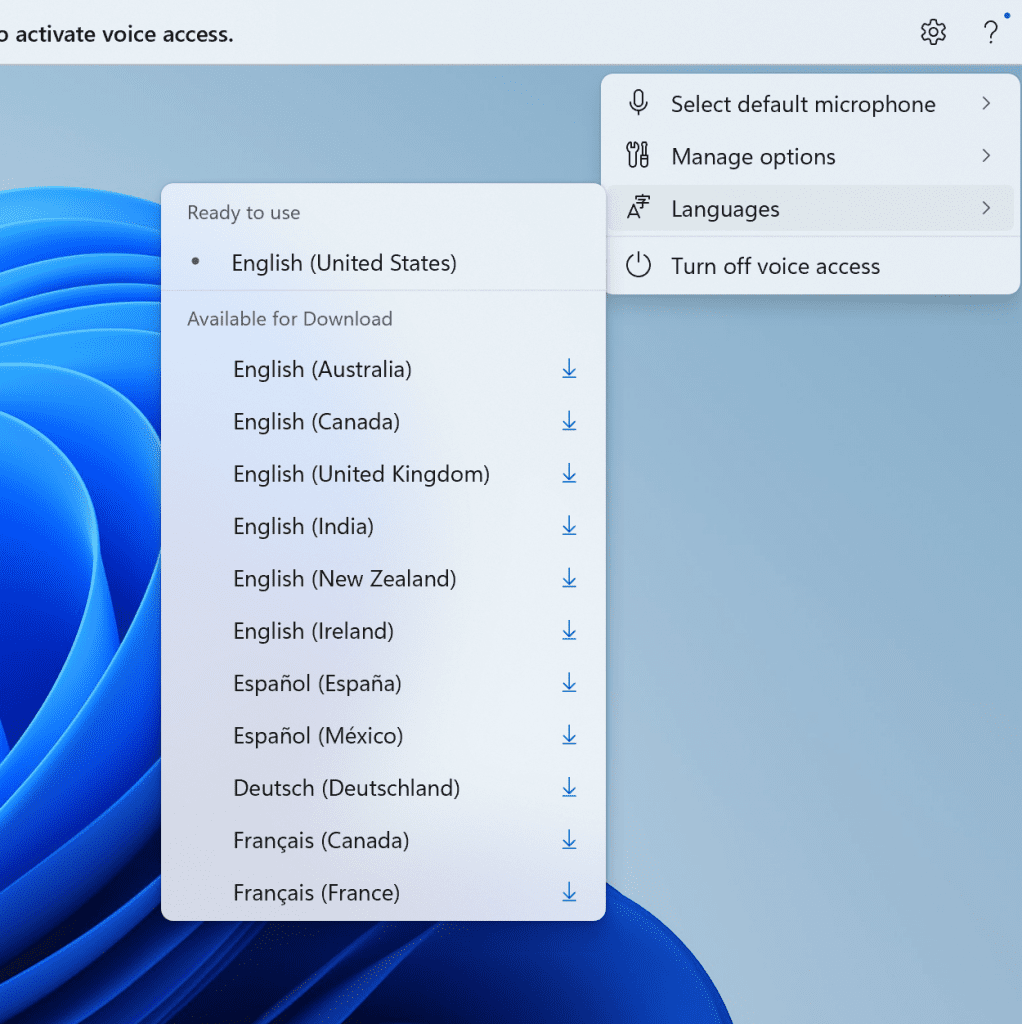
New languages under settings on the voice access bar.
You can always switch to a different language by navigating to Settings > Language on the voice access bar.
Multi-display support: You can now use all voice access features on multiple displays, including number and grid overlays which were previously unavailable on any display other than the primary one.
The grid overlay feature has been further developed to allow you to not only interact with the screen you are currently using, but also quickly switch to another display. You can also use the drag and drop feature to move files, apps, and documents from one display to another.
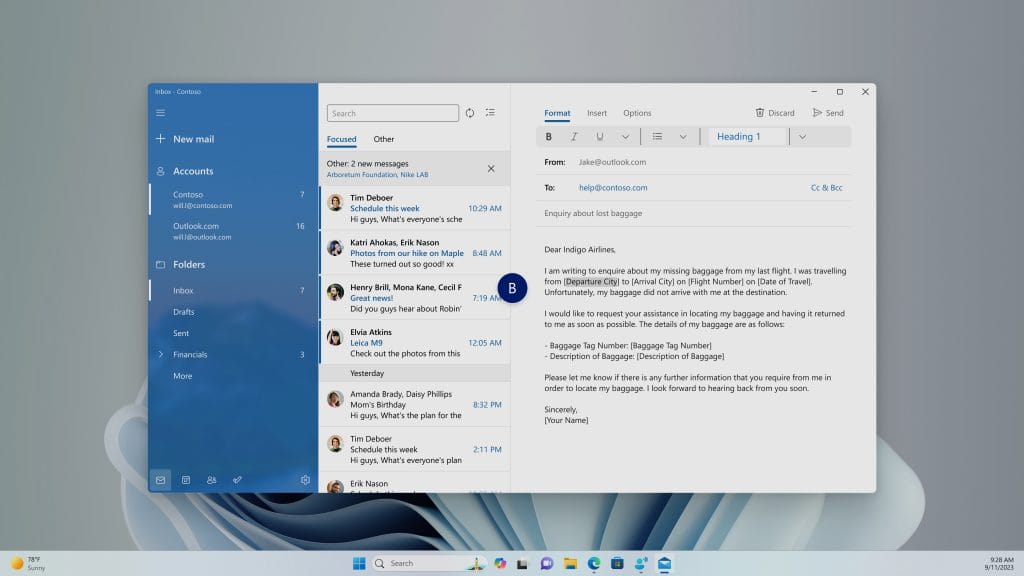
You can use either the alphabet or NATO phonetic in your command to shift focus to another display.
After invoking the grid overlay, use to quickly shift to focus to another display. You can use either the alphabet or NATO phonetic in your command; for example, “B” or “Bravo” would both be valid as shown in the above screenshot.
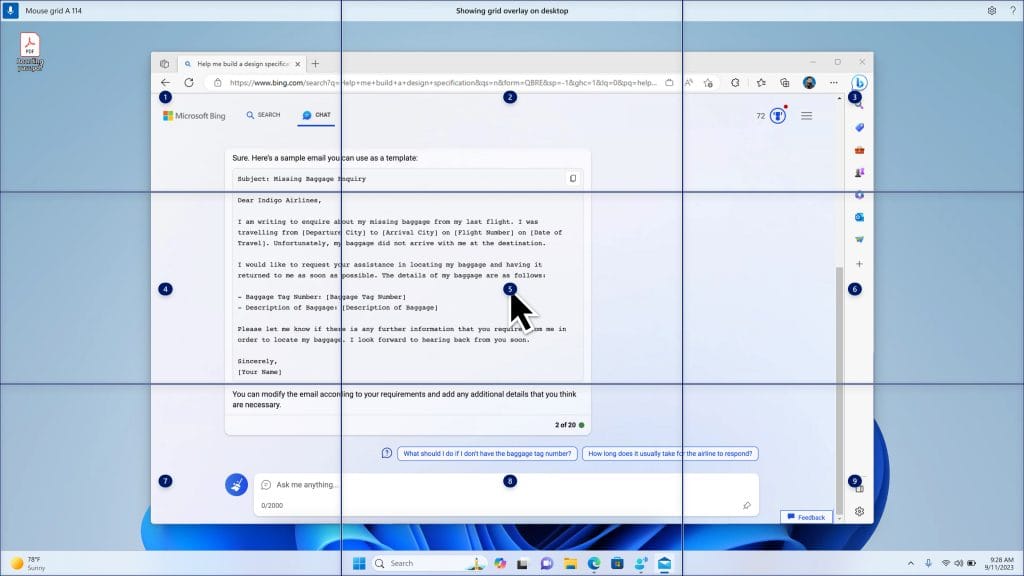
Use mouse grid command to move your mouse to a specific point on a specific display.
You can also use the accelerated command “mouse grid ..” to quickly move your mouse to a specific point on a specific display. In this case we used “mousegrid A 114” as shown in the above screenshot.
Voice shortcuts: We are introducing voice shortcuts or custom commands to enable you to create your very own command. This is currently available if you use voice access in English.
 www.elevenforum.com
Creating commands that map to single action, such as opening a URL, or a series of actions performed in sequence, is easy. To get started, say “what can I say” and click on the “Voice shortcuts” tab on the left panel, or use the command “show voice shortcuts” to directly launch the voice shortcuts page. Then, click on the Create Command button to begin the process.
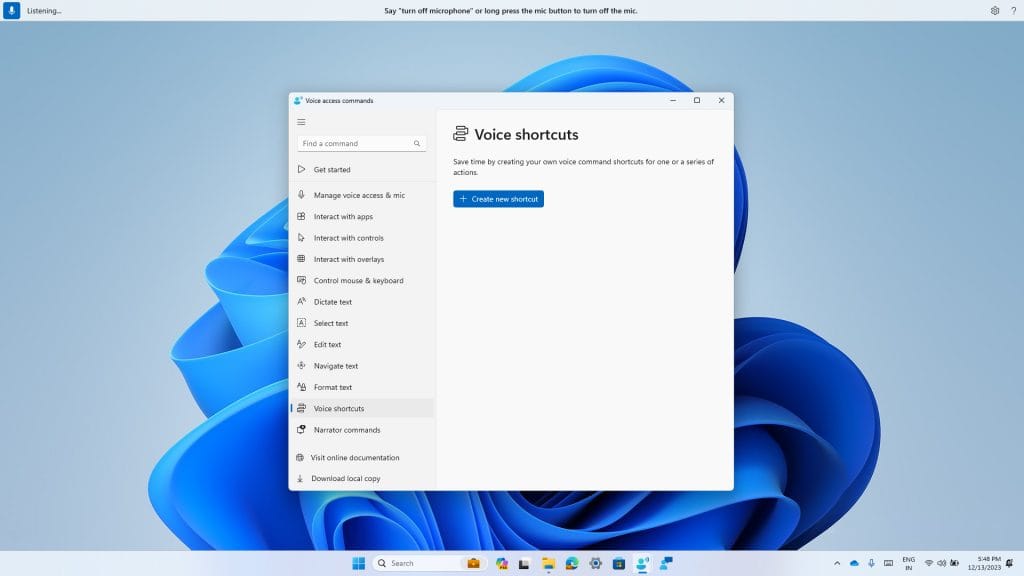
New voice shortcuts tab for creating custom commands in voice access.
Create a command by using either voice or any other input modality. Give it a name, select one or multiple actions, fill in the necessary information and then click “Create”. Your command is now ready to be used.
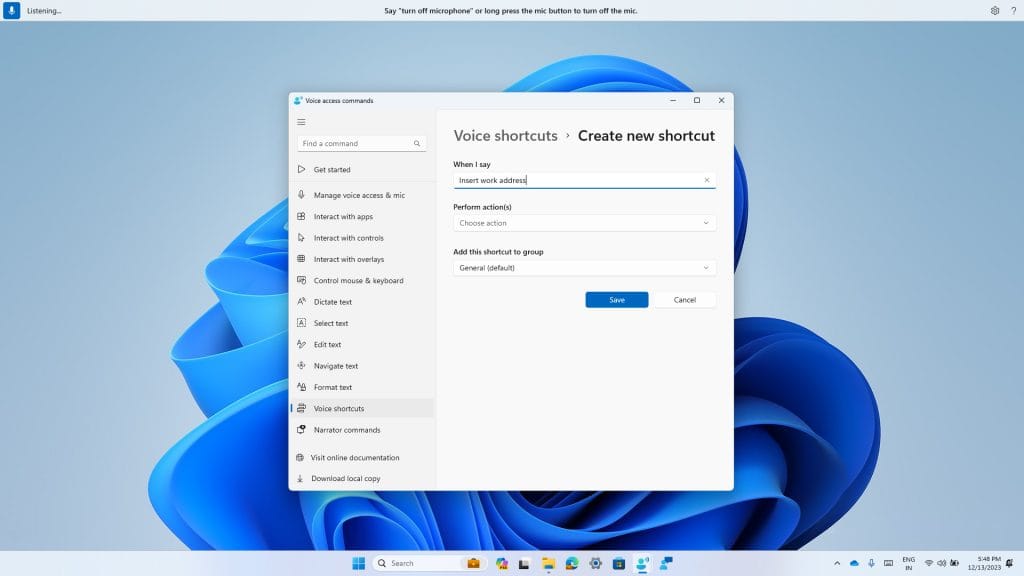
Creating a new custom command to use in voice access.
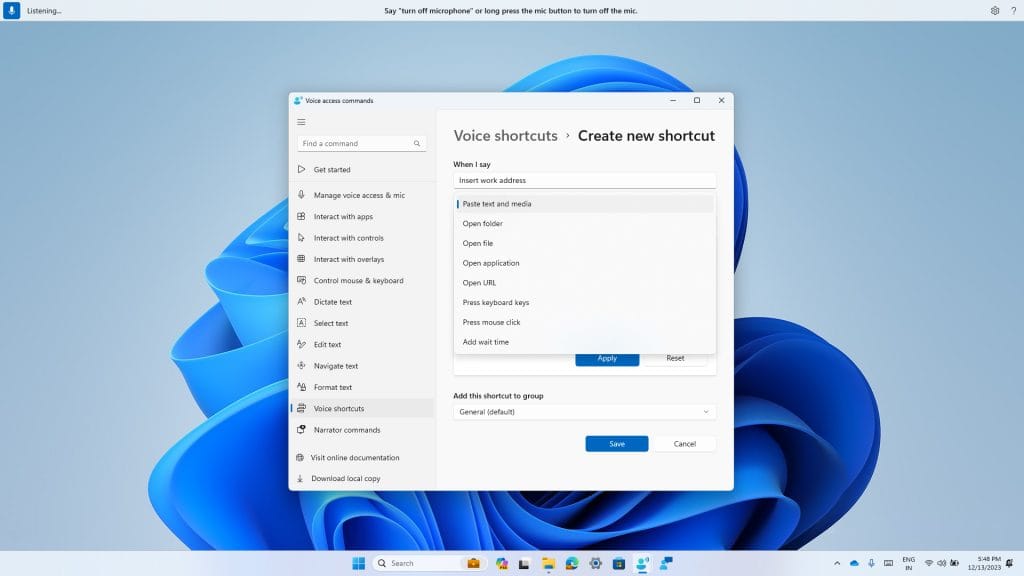
Select one or multiple actions for a custom command in voice access.
You can view all the voice shortcuts you have created either from the command help page or by using the command “show voice shortcuts”.
FEEDBACK: Please file feedback in Feedback Hub (WIN + F) under Accessibility > Voice Access.
Dedicated mode for Windows 365 Boot: We are now launching a new mode for Windows 365 Boot – dedicated mode. You can now boot to your Windows 365 Cloud PC from your designated company-owned device. You will be able to seamlessly login to your Windows 365 Cloud PC from Windows 11 login screen using password-less authentication methods like Windows Hello for Business. The new dedicated mode also comes with fast account switcher experience to effortlessly switch profiles to login in, personalized experience with your username and password, display picture on lock and login screen, remember your username, etc. The feature will begin to get enabled for Windows 365 customers via a private preview in early 2024.
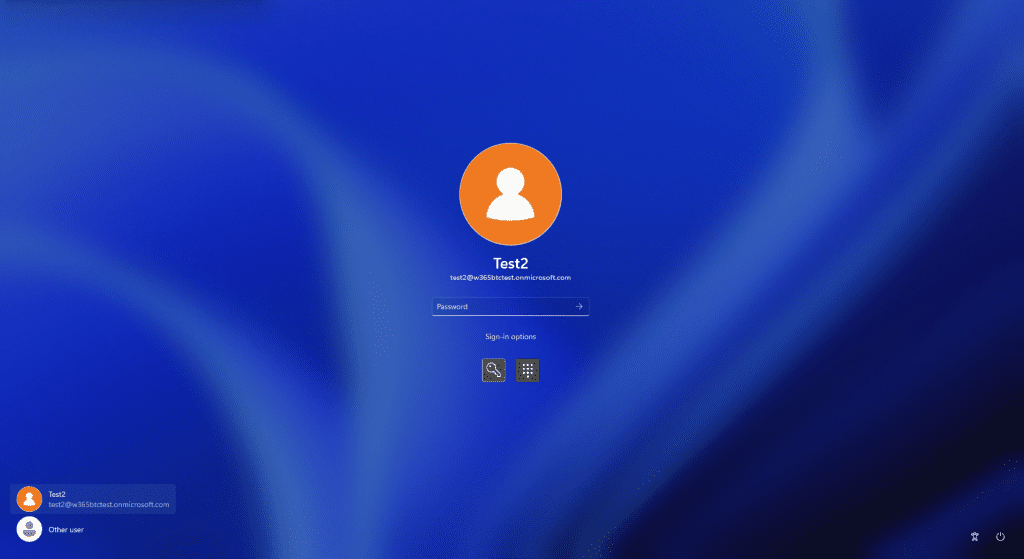
Login screen showing fast account switching with Windows 365 Boot.
Customized company logo and name for Windows 365 Boot: In shared mode, organizations can now customize the login page to include their company branding from Intune. The feature will begin to get enabled for Windows 365 customers via a private preview in early 2024.
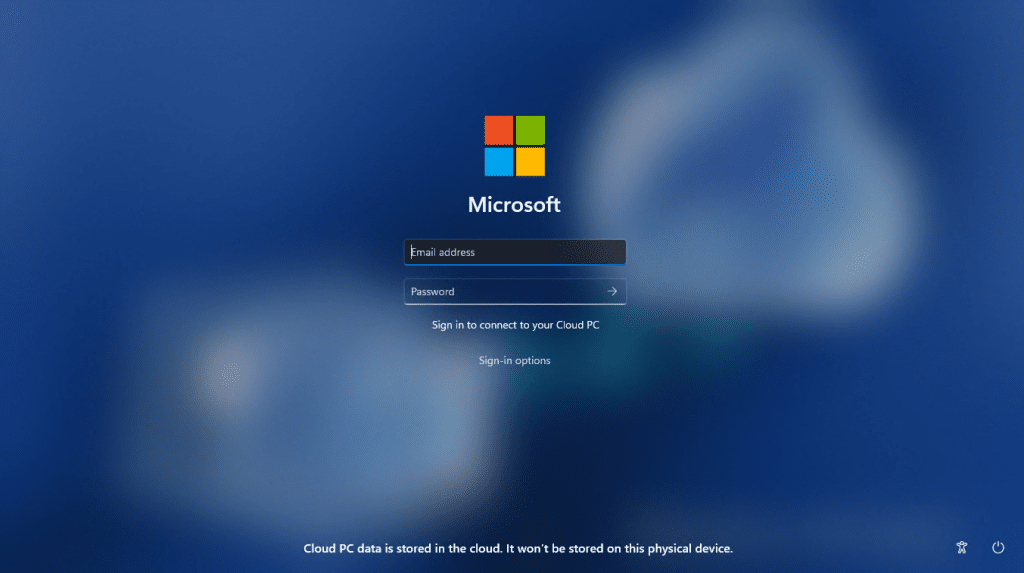
Example of customized logo and name on the login screen.
Fail fast mechanism for Windows 365 Boot: You no longer need to wait for the sign in process to the Cloud PC to complete only to find out Windows 365 Boot failed due to network issues or incomplete setup. The smart logic proactively informs users to resolve network issues or complete app setup so users can experience a smooth login to their Cloud PC.
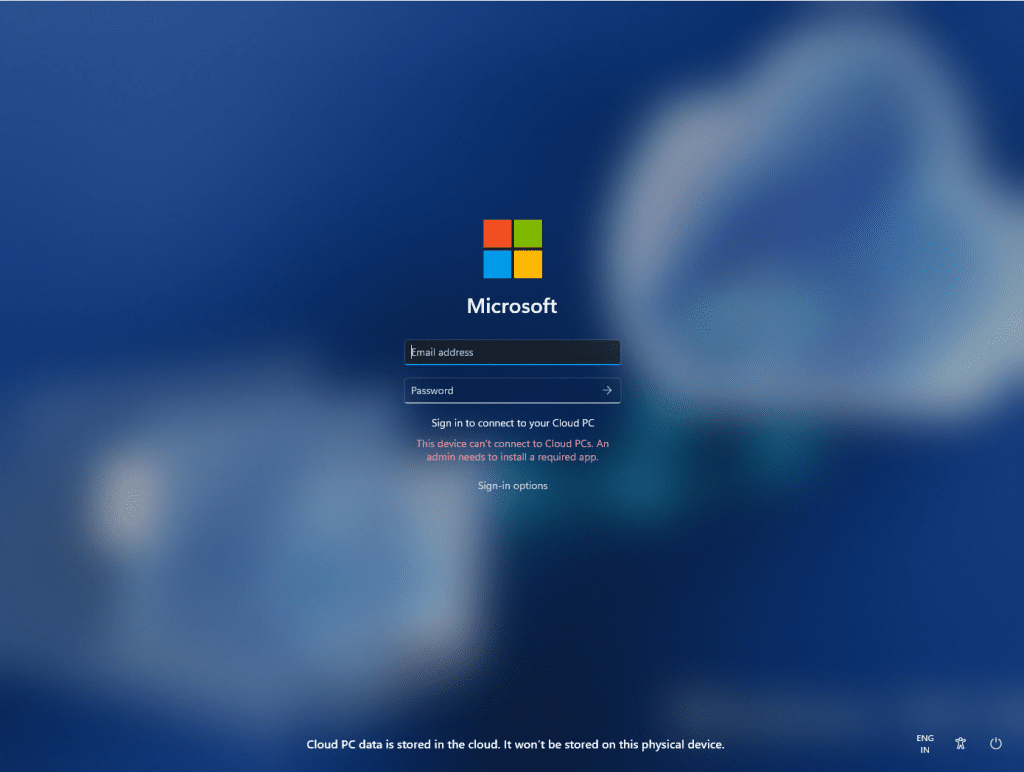
Warning at login for setup issues.
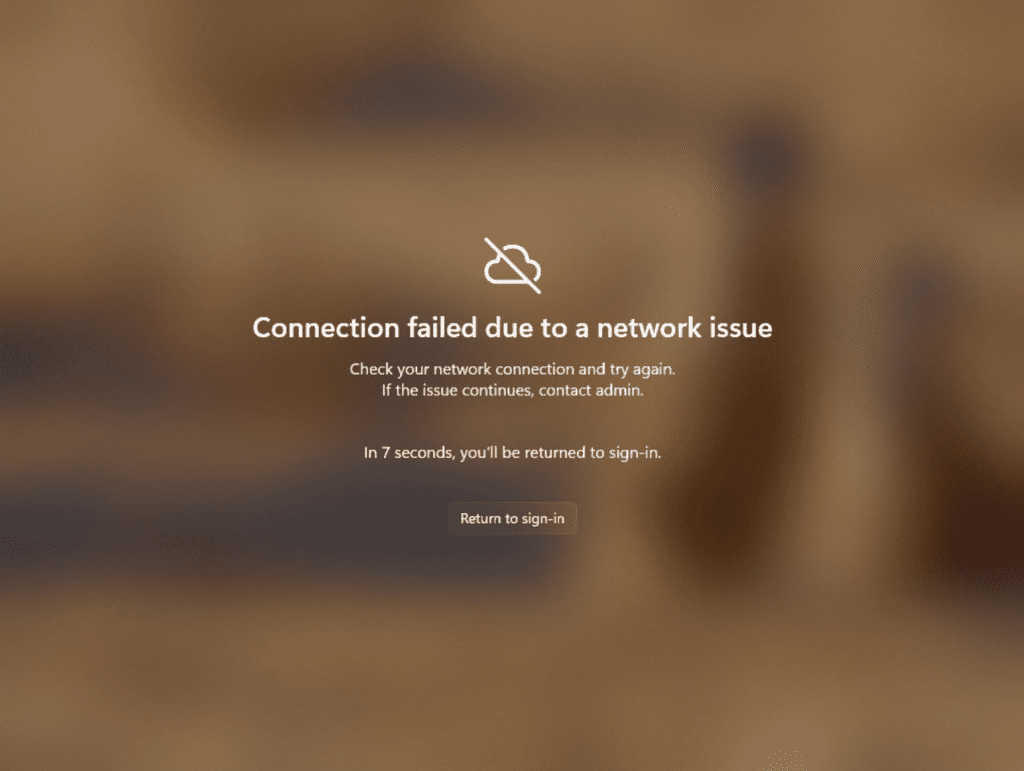
Notification when there are network issues trying to connect.
Manage local PC settings through Windows 365 Boot: With this feature, it is now easier for you to access and manage sound, display, and other device specific settings of their local PC directly from your Cloud PC in under Windows 365 Boot.
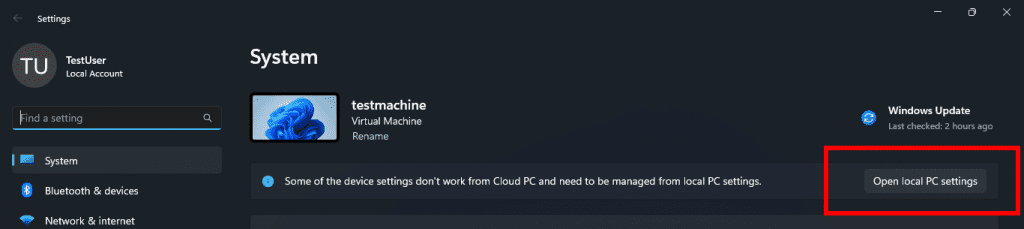
Button to open local PC settings while in Windows 365 Boot.
FEEDBACK: Please file feedback in Feedback Hub (Win + F) under Windows 365.
Improved disconnect experience for Windows 365 Switch: You can now disconnect from their Cloud PC directly from their local PC. This can be done by going to Local PC > Task view > Right click on the Cloud PC button > Disconnect. We have also added tooltips on disconnect and sign-out options in the Cloud PC Start menu so that you can differentiate between these functionalities.
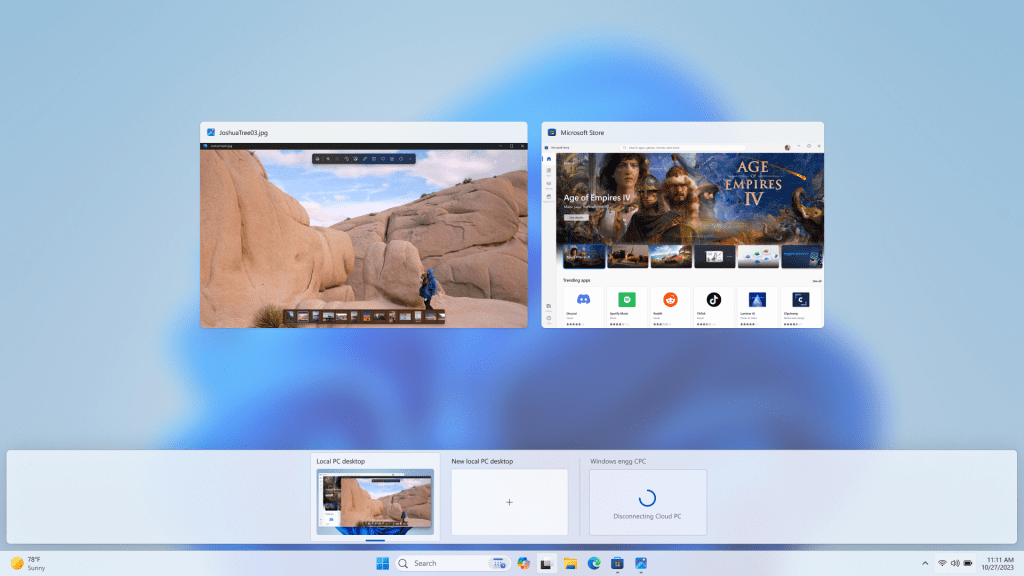
Disconnect experience for a Cloud PC as shown in Task view.
Desktop indicators to differentiate between Cloud PC and local PC for Windows 365 Switch: You will now see the term “Cloud PC” and “Local PC” on the desktop indicator when you switch between your respective PCs.
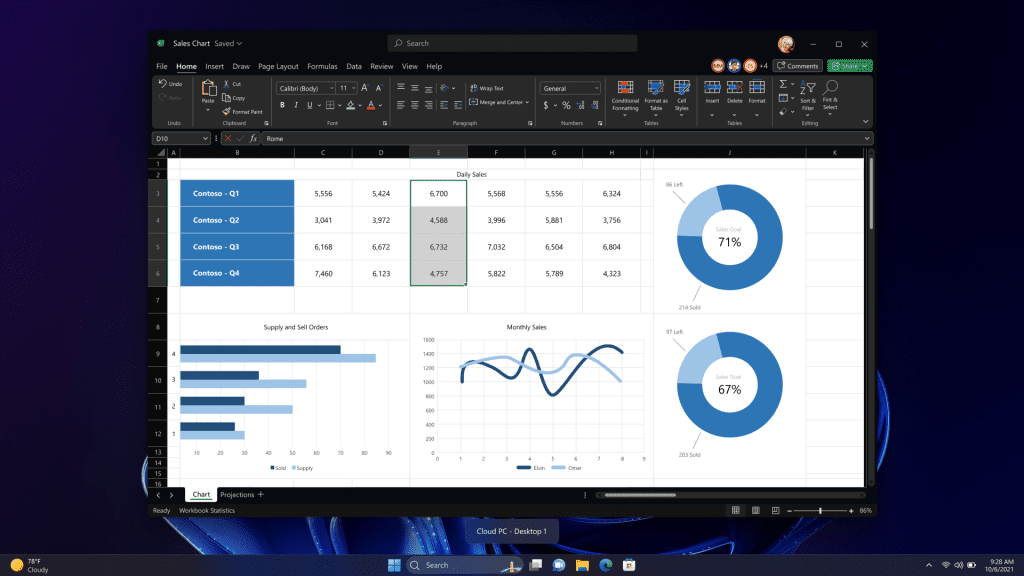
New Cloud PC or Local PC label on the desktop indicator.
Gracefully handling increased connection time for Windows 365 Switch to Frontline Cloud PC: You will now see updates regarding the Cloud PC connection status and the connection timeout indicator while waiting on the connection screen. In case there is an error, you will now be able to copy the correlation ID using the new copy button in the error screen for quicker resolution.
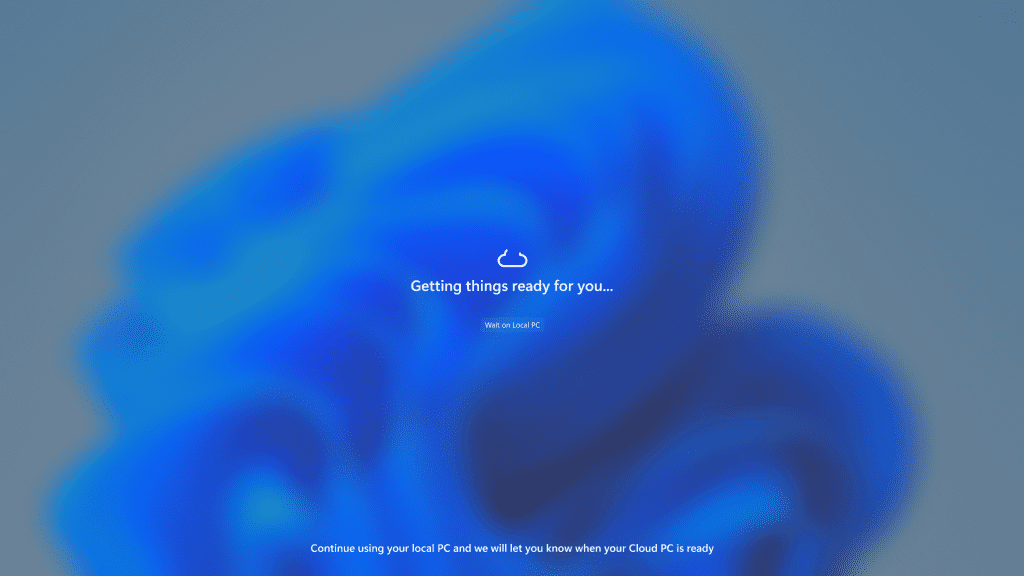
Text indicating the Connection status on the connection screen.
FEEDBACK: Please file feedback in Feedback Hub (Win + F) under Desktop Environment > Switch to Cloud PC (From Task view).
Edit with Notepad: Easily access Notepad for file modifications directly from File Explorer. Just right-click on any file or multiple files in File Explorer to find the [Edit with Notepad] option in the context menu, a quick and streamlined way to open and edit files in Notepad.
 www.elevenforum.com
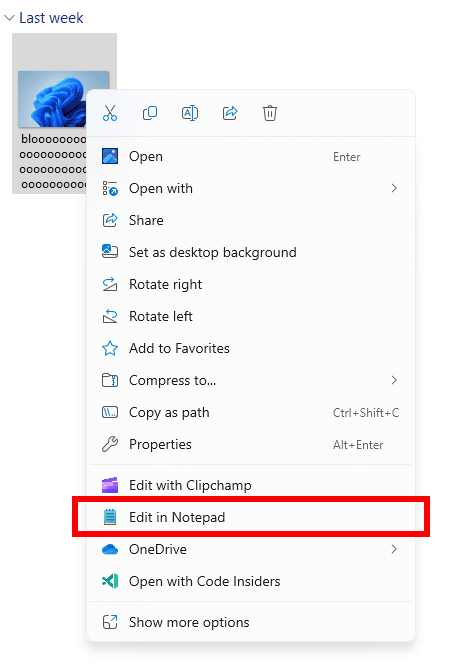
New Edit with Notepad option in the context menu in File Explorer.
Character Count: Keep track of your document’s length with the new character count display in the status bar. When text is selected, the status bar shows the character count for both the selected text and the entire document. If no text is selected, the character count for the entire document is displayed, ensuring you always have a clear view of your document’s length.
 www.elevenforum.com
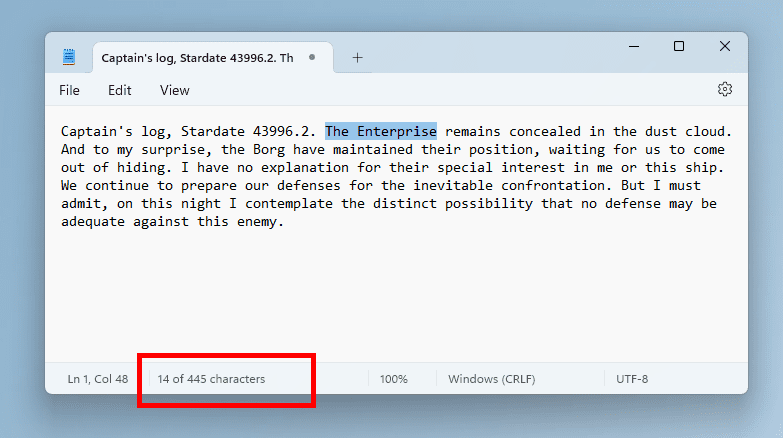
Character count for selected text in Notepad.
FEEDBACK: Please file feedback in Feedback Hub (WIN + F) under Apps > Notepad.
*Getting new features: For Windows Insiders in the Beta Channel who want to be the first to get features gradually rolled out to you, you can turn ON the toggle to get the latest updates as they are available via Settings > Windows Update. Over time, we will increase the rollouts of features to everyone with the toggle turned on. Should you keep this toggle off, new features will gradually be rolled out to your device over time once they are ready.
**Availability of Copilot in Windows: Copilot in Windows in preview is being rolled out gradually to Windows Insiders in select global markets. The initial markets for the Copilot in Windows preview include North America, United Kingdom and parts of Asia and South America. It is our intention to add additional markets over time.
Amanda & Brandon

 blogs.windows.com
Check Windows Updates
UUP Dump:
64-bit ISO download:

ARM64 ISO download:
 www.elevenforum.com
KB5034212 Windows 11 Insider Beta Build 22635.2921 (23H2) - Jan. 4
UPDATE 1/11: https://www.elevenforum.com/t/kb5034215-windows-11-insider-beta-build-22635-3061-23h2-jan-11.21535/ Windows Blogs: Hello Windows Insiders, today we are releasing Windows 11 Insider Preview Build 22635.2921 (KB5034212) to the Beta Channel. REMINDER: All Windows Insiders in the Beta...
www.elevenforum.com
Windows Blogs:
Hello Windows Insiders, today we are releasing Windows 11 Insider Preview Build 22635.2915 (KB5033456) to the Beta Channel. This will be our last Beta Channel flight until January 2024.
REMINDER: All Windows Insiders in the Beta Channel will now be on the same build (Build 22635.xxxx) via an enablement package. For Windows Insiders in the Beta Channel who want to be the first to get features gradually rolled out to you, you can turn ON the toggle (shown in the image below) to get the latest updates as they are available via Settings > Windows Update. Over time, we will increase the rollouts of features to everyone with the toggle turned on. Should you keep this toggle off, new features will gradually be rolled out to your device over time once they are ready.
Enable or Disable Get Latest Updates as soon as available in Windows 11
This tutorial will show you how to turn on or off "Get the latest updates as soon as they are available" in Windows 11. Starting with Windows 11 build 22621.1635, Microsoft added a new "Get the latest updates as soon as they are available" toggle under Settings > Windows Update. When you turn...
www.elevenforum.com
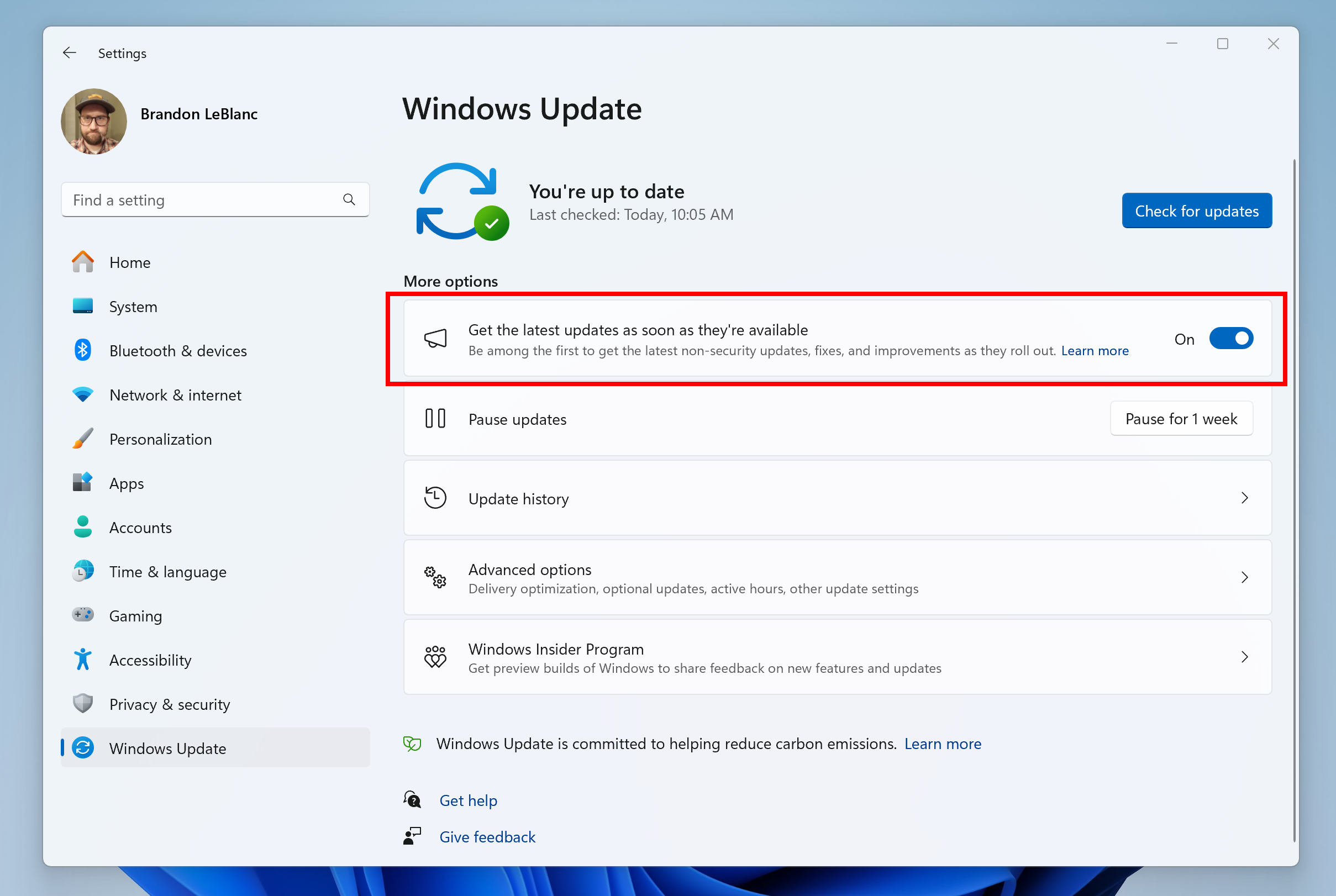
Turn on the toggle to get the latest updates as they are available to get new features rolled out to you.
Going forward, we will document changes in Beta Channel builds in two buckets: new features, improvements, and fixes that are being gradually rolled out for Insiders who have turned on the toggle to get the latest updates as they are available and then new features, improvements, and fixes available to everyone in the Beta Channel.
New features gradually being rolled out to the Beta Channel with toggle on*
Extended languages, multi-display support, and custom commands for voice access
Extended language support: We have extended voice access to support other languages such as French (France), French (Canada), German, Spanish (Spain) and Spanish (Mexico).When voice access is turned on for the first time, you will be prompted to download a speech model to enable on-device recognition of voice data. In case voice access does not find a speech model matching your display language, you can still choose to proceed ahead to use voice access in English (United States).
Turn On or Off Voice Access in Windows 11
This tutorial will show you how to turn on or off voice access for your account in Windows 11. Voice access is a new experience starting with Windows 11 build 22518 that enables everyone, including people with mobility disabilities, to control their PC and author text using only their voice and...
www.elevenforum.com
Install Voice Access Language in Windows 11
This tutorial will show you how to download and install speech pack languages for Voice Access for your account in Windows 11. Voice access is a new feature in Windows 11 that enables everyone, including people with mobility disabilities, to control their PC and author text using only their...
www.elevenforum.com
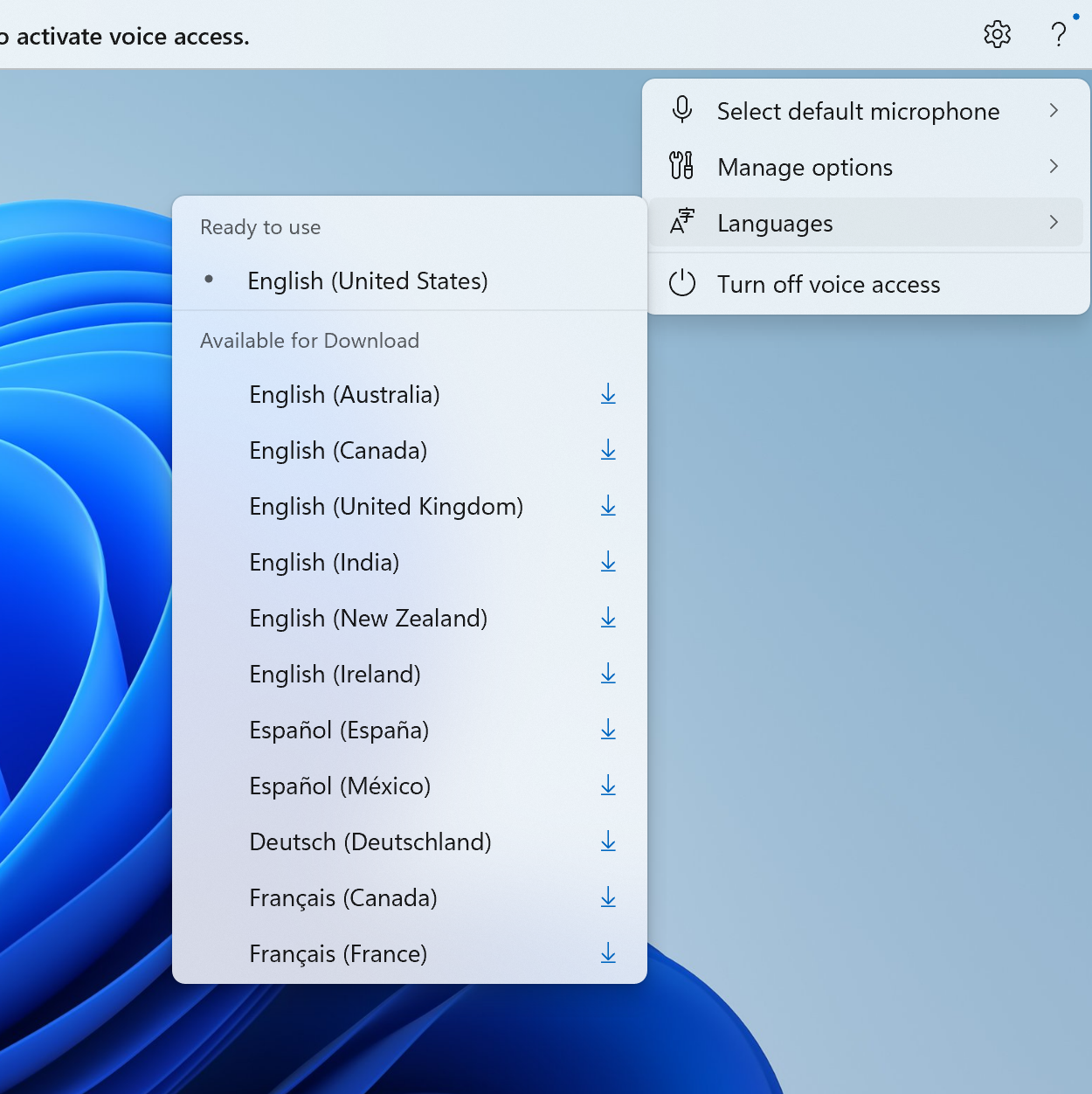
New languages under settings on the voice access bar.
You can always switch to a different language by navigating to Settings > Language on the voice access bar.
Multi-display support: You can now use all voice access features on multiple displays, including number and grid overlays which were previously unavailable on any display other than the primary one.
The grid overlay feature has been further developed to allow you to not only interact with the screen you are currently using, but also quickly switch to another display. You can also use the drag and drop feature to move files, apps, and documents from one display to another.
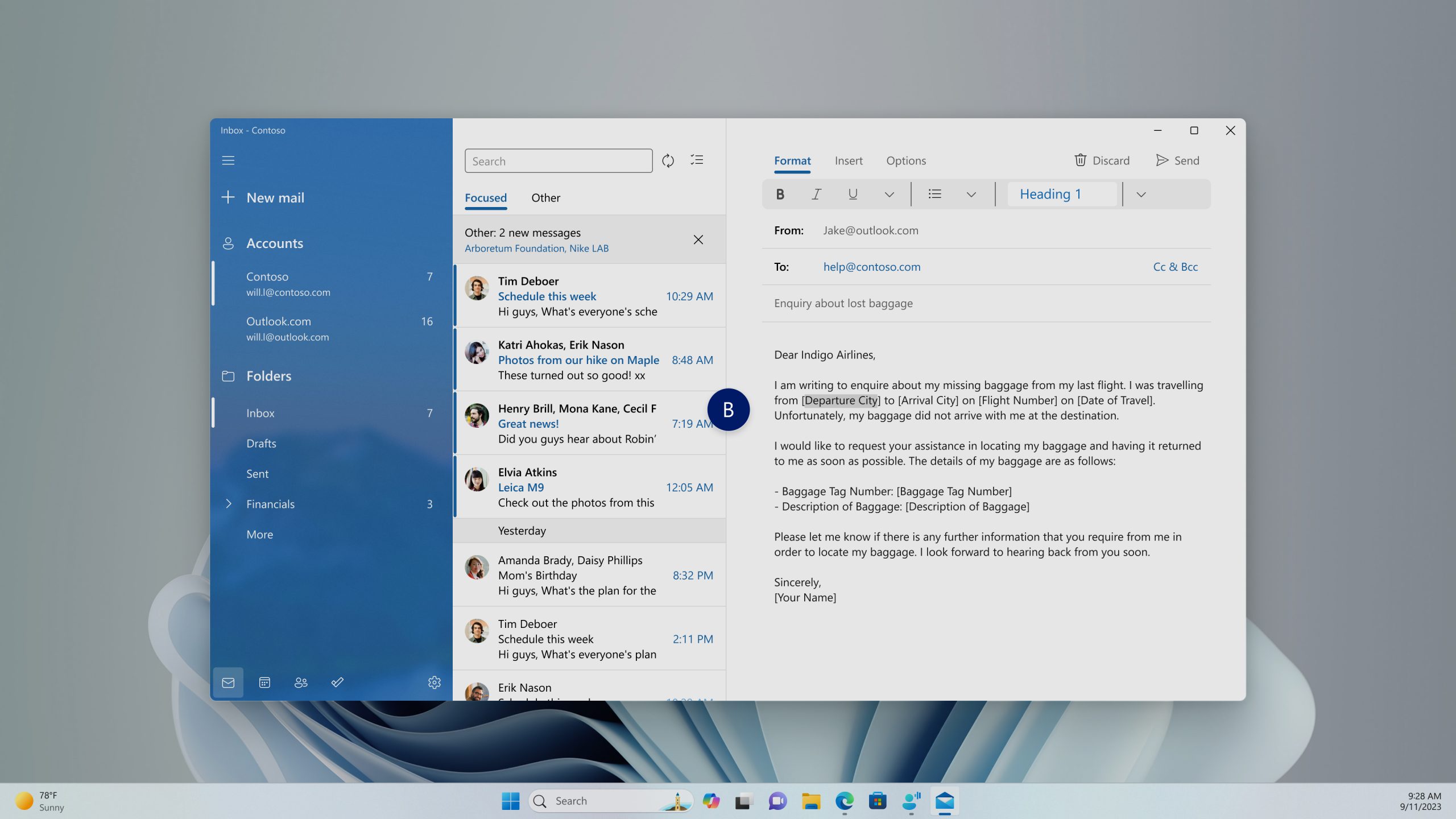
You can use either the alphabet or NATO phonetic in your command to shift focus to another display.
After invoking the grid overlay, use to quickly shift to focus to another display. You can use either the alphabet or NATO phonetic in your command; for example, “B” or “Bravo” would both be valid as shown in the above screenshot.
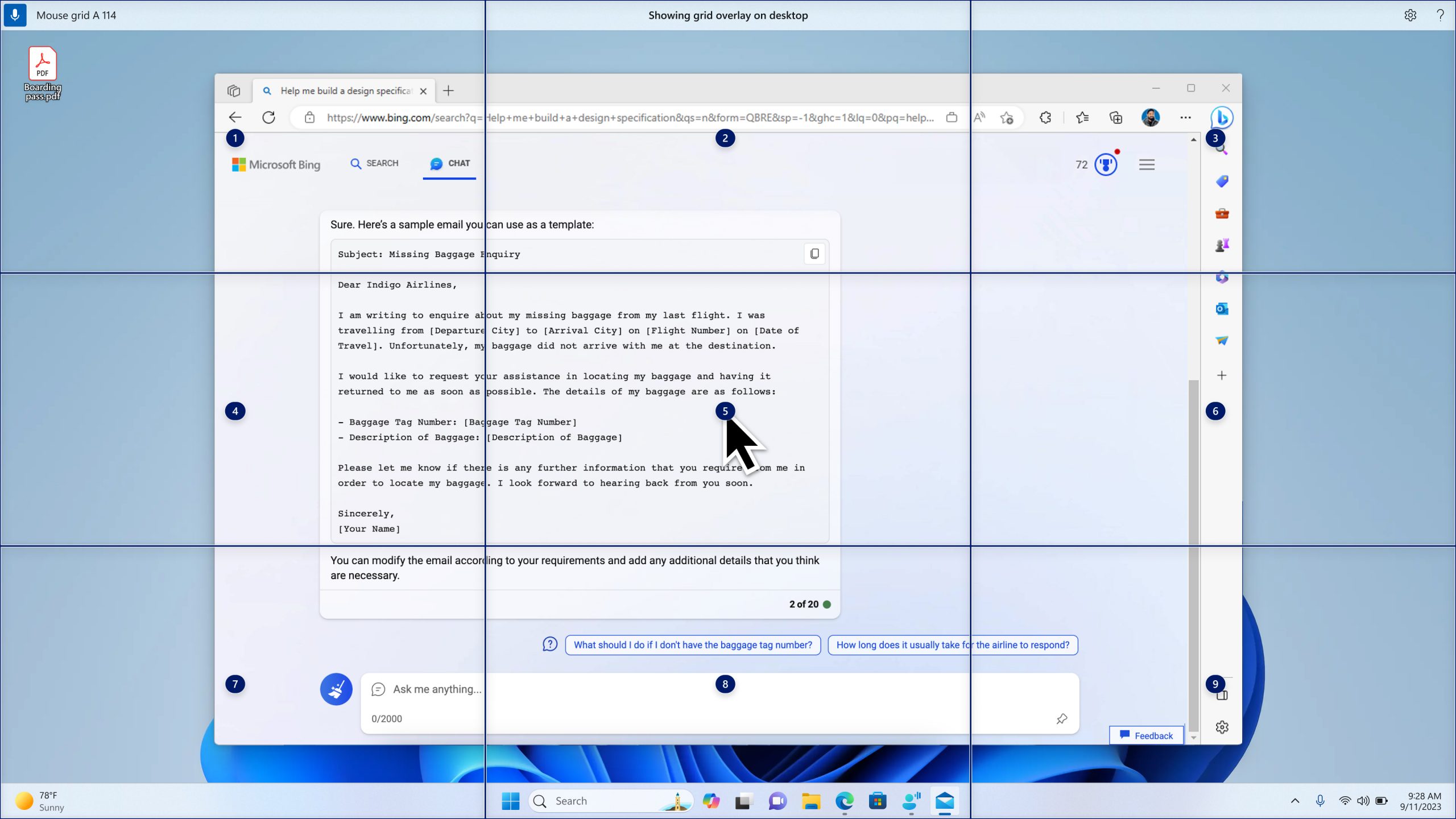
Use mouse grid command to move your mouse to a specific point on a specific display.
You can also use the accelerated command “mouse grid ..” to quickly move your mouse to a specific point on a specific display. In this case we used “mousegrid A 114” as shown in the above screenshot.
Voice shortcuts: We are introducing voice shortcuts or custom commands to enable you to create your very own command. This is currently available if you use voice access in English.
Create Voice Shortcuts for Custom Commands in Voice Access in Windows 11
This tutorial will show you how to create voice shortcuts for custom commands to use in voice access for your account in Windows 11. Voice access is a new experience starting with Windows 11 build 22518 that enables everyone, including people with mobility disabilities, to control their PC and...
www.elevenforum.com
Creating commands that map to single action, such as opening a URL, or a series of actions performed in sequence, is easy. To get started, say “what can I say” and click on the “Voice shortcuts” tab on the left panel, or use the command “show voice shortcuts” to directly launch the voice shortcuts page. Then, click on the Create Command button to begin the process.
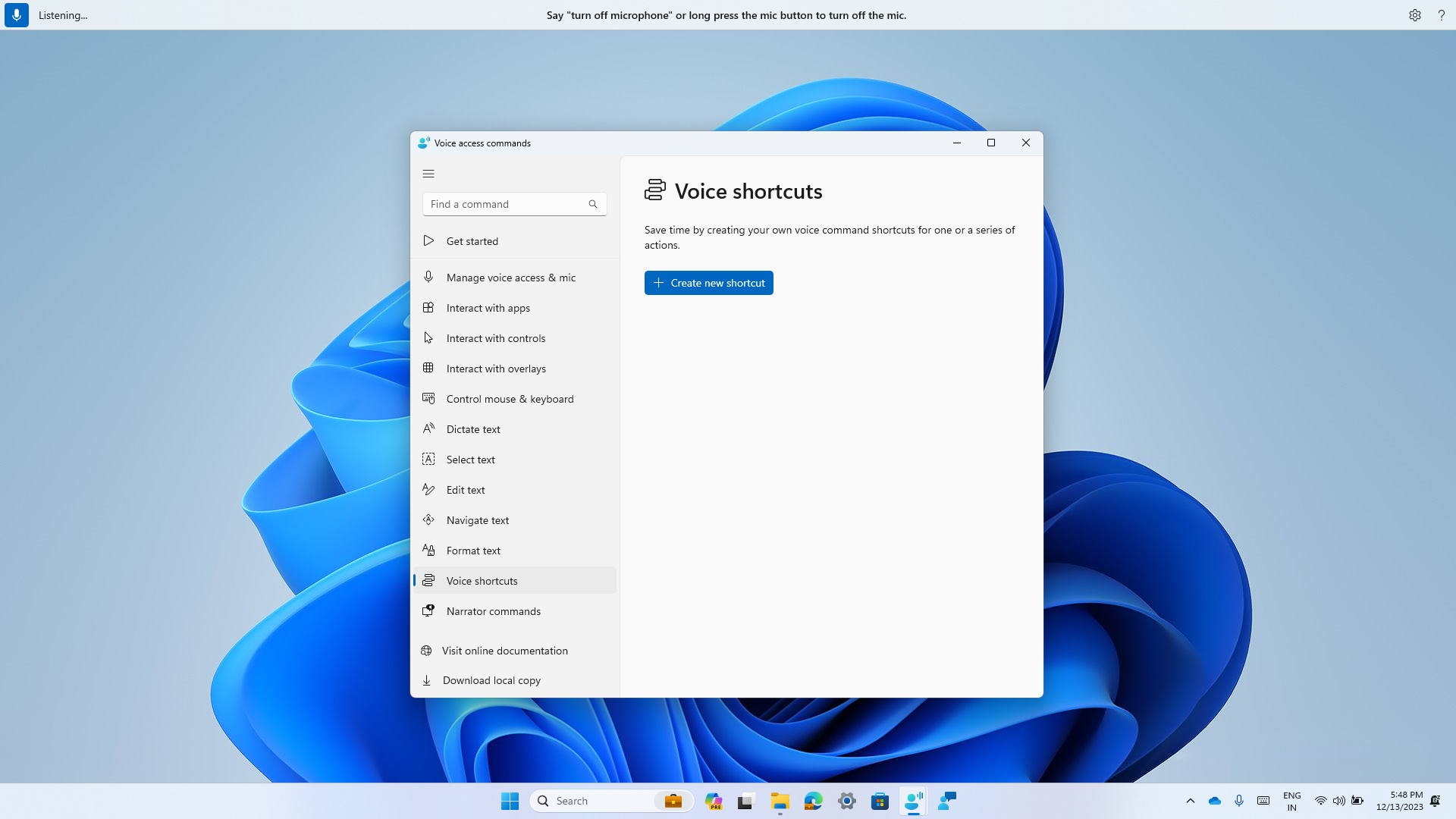
New voice shortcuts tab for creating custom commands in voice access.
Create a command by using either voice or any other input modality. Give it a name, select one or multiple actions, fill in the necessary information and then click “Create”. Your command is now ready to be used.
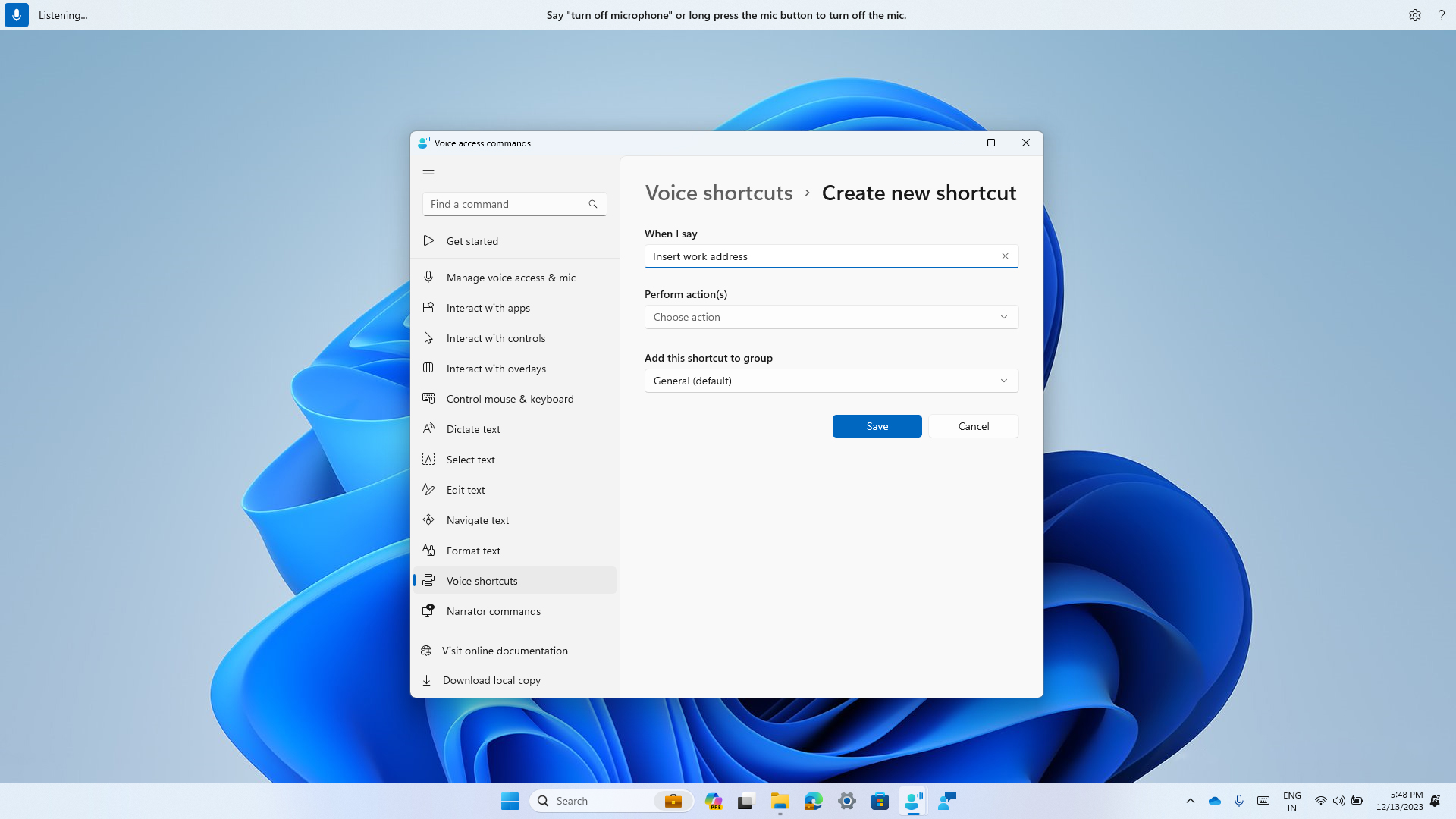
Creating a new custom command to use in voice access.
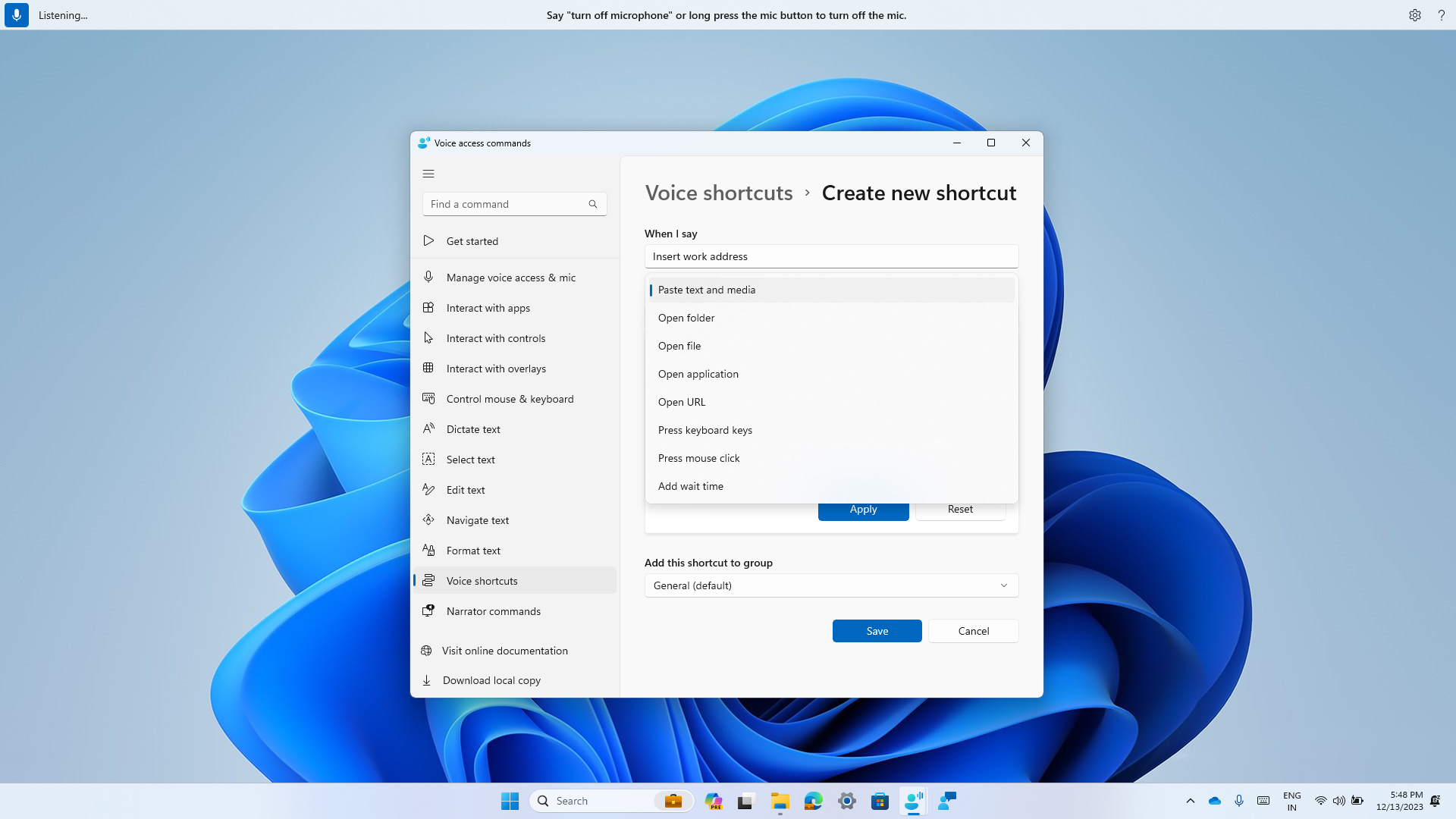
Select one or multiple actions for a custom command in voice access.
You can view all the voice shortcuts you have created either from the command help page or by using the command “show voice shortcuts”.
FEEDBACK: Please file feedback in Feedback Hub (WIN + F) under Accessibility > Voice Access.
Improving discoverability of screen casting in Windows 11
Casting from your Windows PC allows you to wirelessly extend your display to another nearby PC, TV, or other external displays. We are introducing improvements that focus on educating users about the Cast feature and improving its discoverability in Windows 11. Those improvements include:- When doing multitasking activities on your PC such as often switching between windows to complete a task or using Snap Assist to organize your screen space, we will provide the suggestion to Cast via a notification toast.
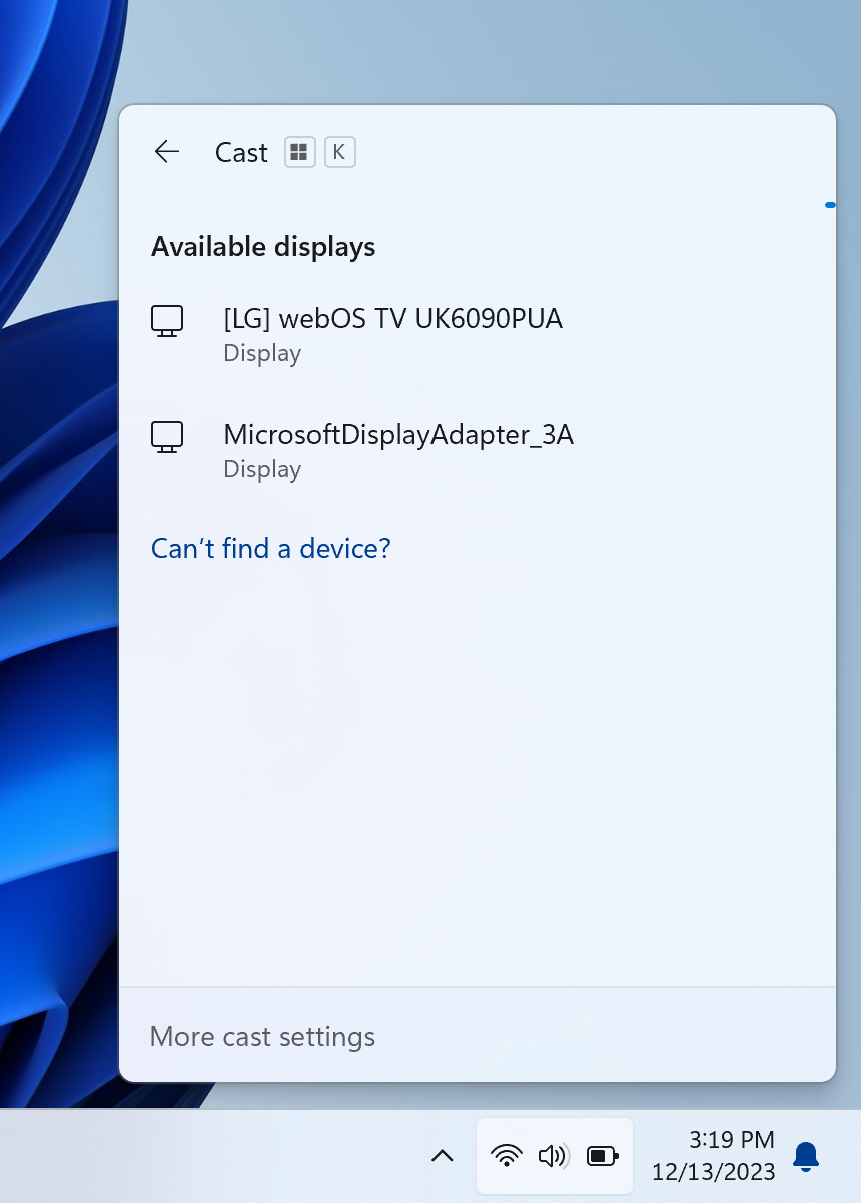
- We have updated the Cast flyout in Quick Settings with additional support for you in case you face any trouble discovering nearby displays, fixing connections, and more.
Connect to Wireless Display with Miracast in Windows 11
This tutorial will show you how to wirelessly connect your Windows 11 PC to a TV, projector, another PC, or other kind of external display that supports Miracast. Miracast is a wireless technology your PC, laptop, or tablet can use to project your screen to wireless TVs, projectors, and...
www.elevenforum.com
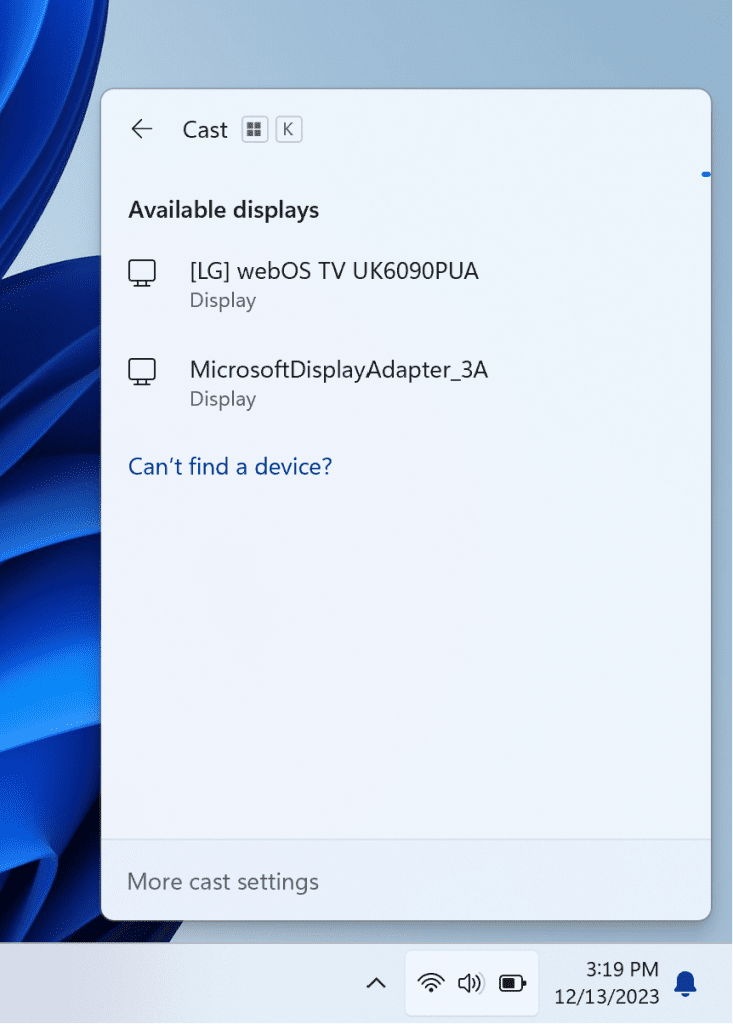
Cast flyout in Quick Settings now shows link for troubleshooting device discovery and other casting issues.
FEEDBACK: Please file feedback in Feedback Hub (WIN + F) under Display and Graphics > Wireless Display and Casting.
New features and improvements for Windows 365 Boot
The following improvements are beginning to roll out for Windows 365 Boot. (Local PC and Cloud PC should be on the same Beta Channel build.) Also check out this month’s Windows Insider webcast on-demand here featuring the Windows 365 team!Dedicated mode for Windows 365 Boot: We are now launching a new mode for Windows 365 Boot – dedicated mode. You can now boot to your Windows 365 Cloud PC from your designated company-owned device. You will be able to seamlessly login to your Windows 365 Cloud PC from Windows 11 login screen using password-less authentication methods like Windows Hello for Business. The new dedicated mode also comes with fast account switcher experience to effortlessly switch profiles to login in, personalized experience with your username and password, display picture on lock and login screen, remember your username, etc. The feature will begin to get enabled for Windows 365 customers via a private preview in early 2024.
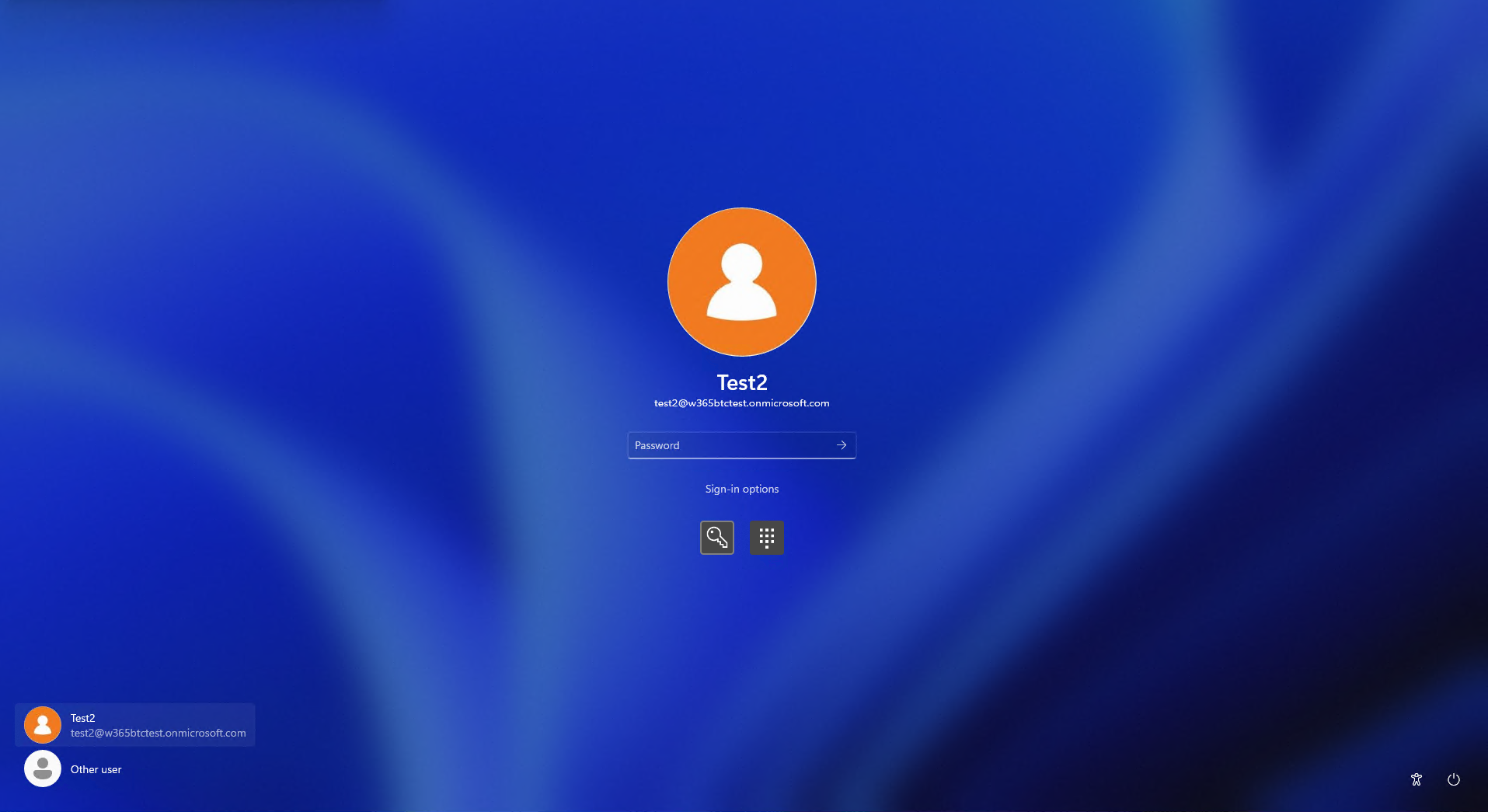
Login screen showing fast account switching with Windows 365 Boot.
Customized company logo and name for Windows 365 Boot: In shared mode, organizations can now customize the login page to include their company branding from Intune. The feature will begin to get enabled for Windows 365 customers via a private preview in early 2024.
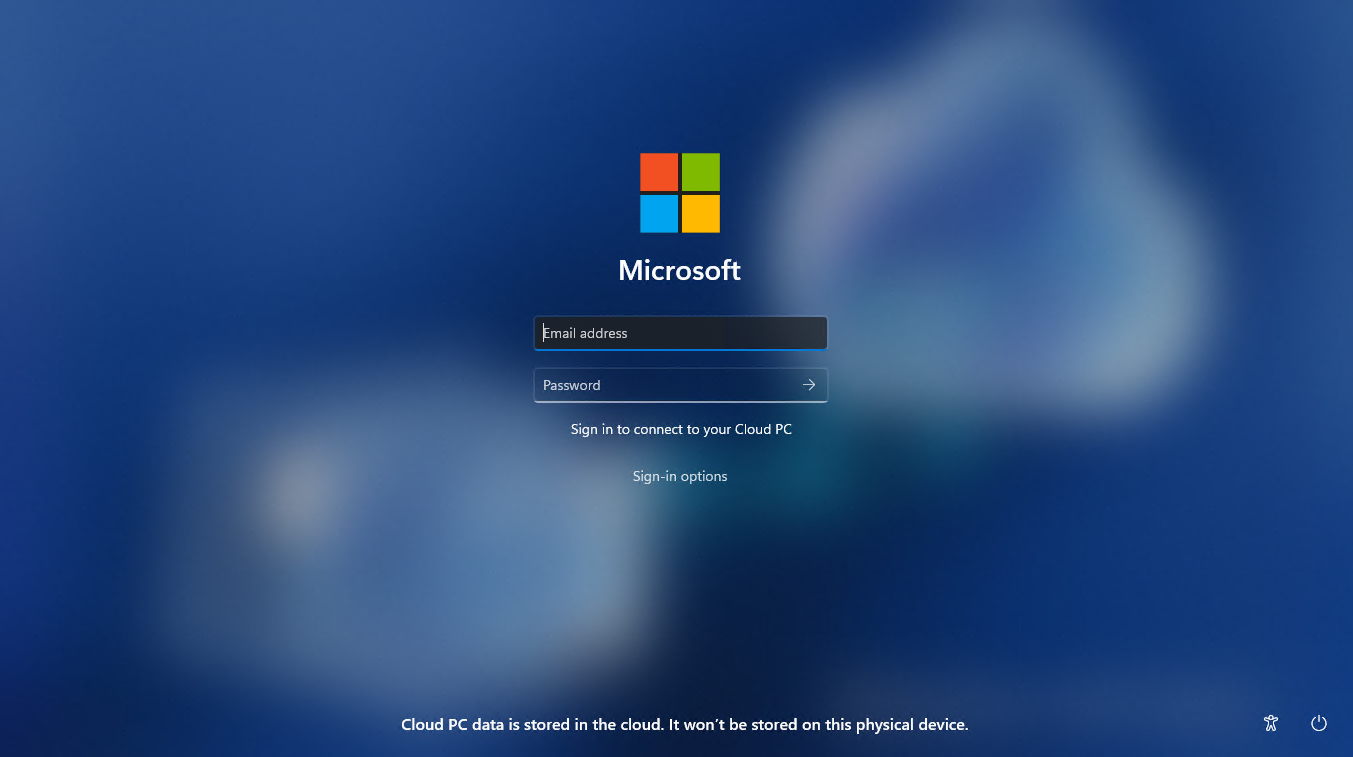
Example of customized logo and name on the login screen.
Fail fast mechanism for Windows 365 Boot: You no longer need to wait for the sign in process to the Cloud PC to complete only to find out Windows 365 Boot failed due to network issues or incomplete setup. The smart logic proactively informs users to resolve network issues or complete app setup so users can experience a smooth login to their Cloud PC.
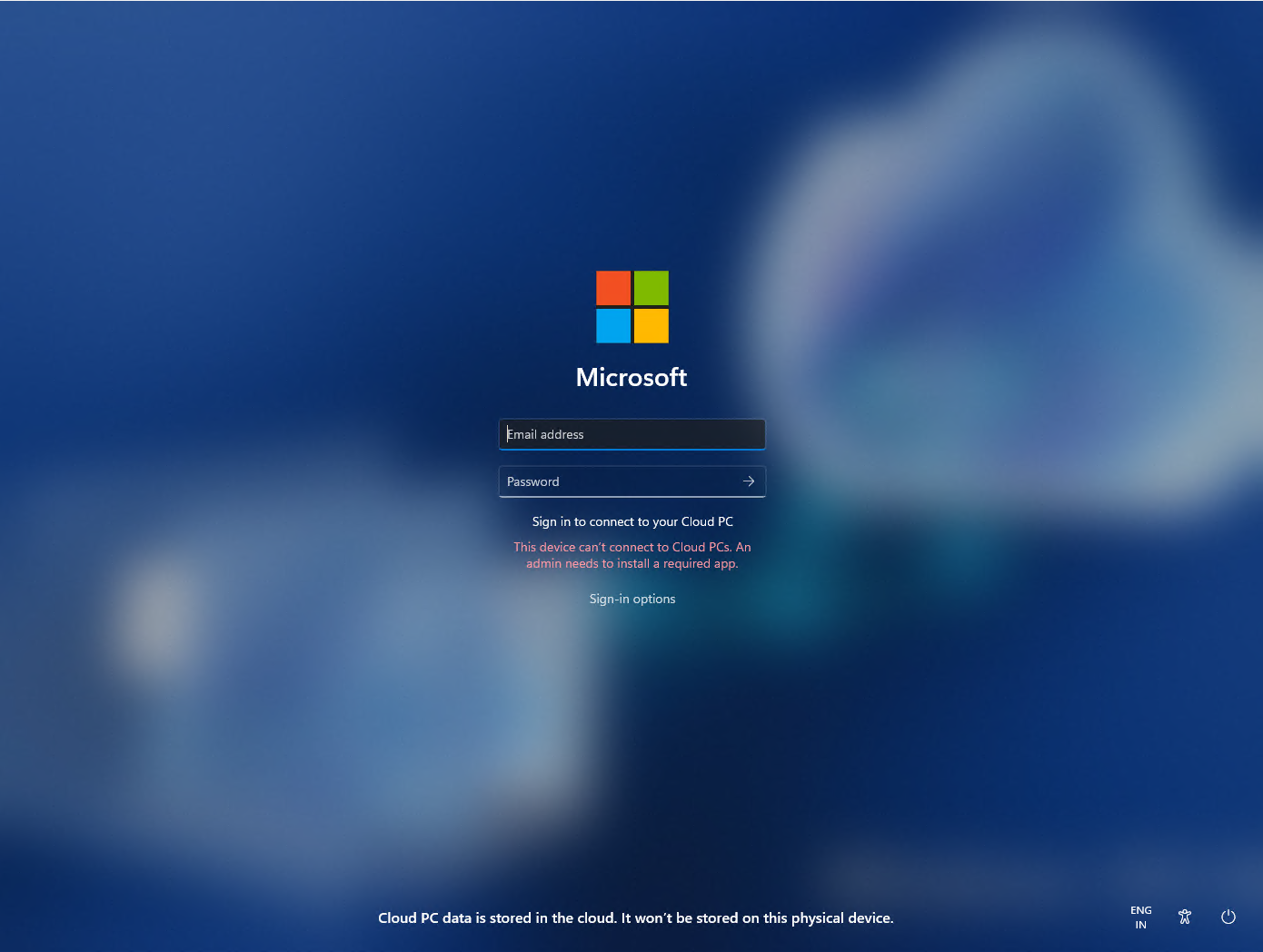
Warning at login for setup issues.
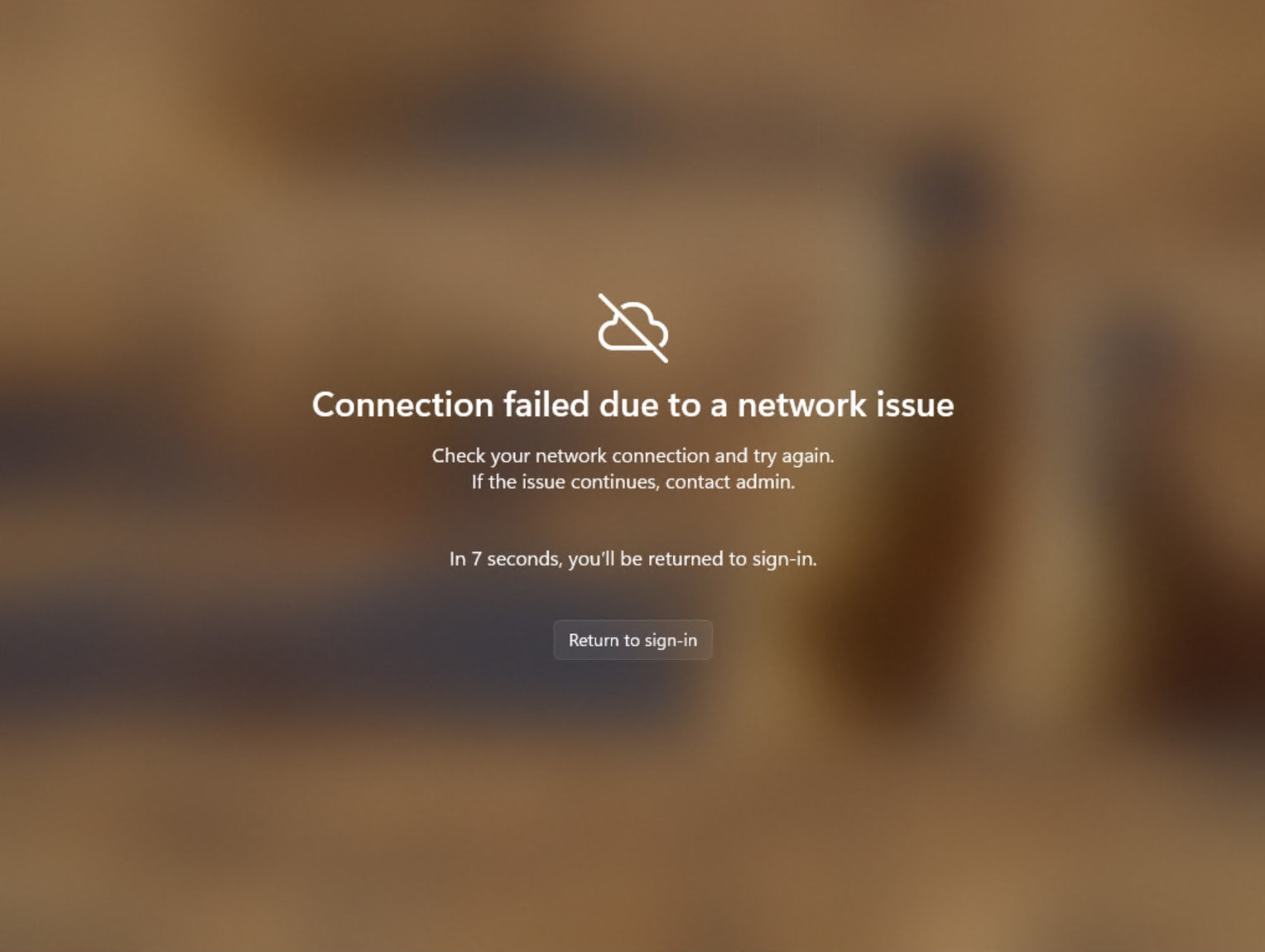
Notification when there are network issues trying to connect.
Manage local PC settings through Windows 365 Boot: With this feature, it is now easier for you to access and manage sound, display, and other device specific settings of their local PC directly from your Cloud PC in under Windows 365 Boot.
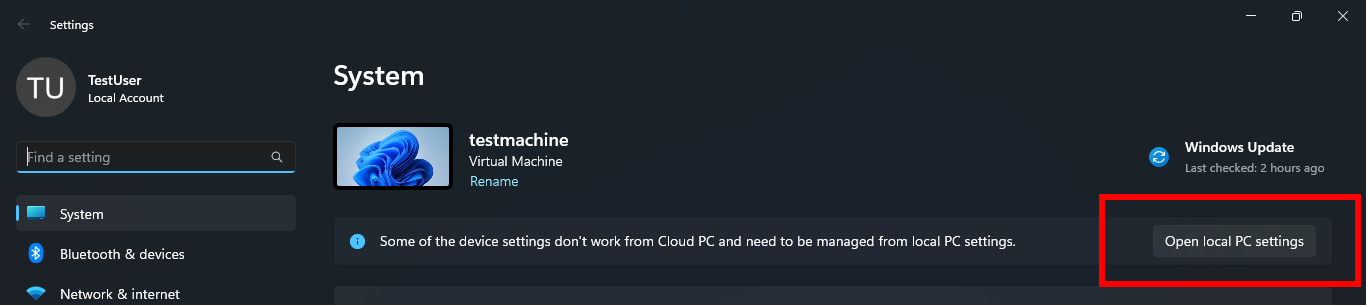
Button to open local PC settings while in Windows 365 Boot.
FEEDBACK: Please file feedback in Feedback Hub (Win + F) under Windows 365.
New features and improvements for Windows 365 Switch
The following improvements are beginning to roll out for Windows 365 Switch. (Local PC and Cloud PC should be on the same build.) Also check out this month’s Windows Insider webcast on-demand here featuring the Windows 365 team!Improved disconnect experience for Windows 365 Switch: You can now disconnect from their Cloud PC directly from their local PC. This can be done by going to Local PC > Task view > Right click on the Cloud PC button > Disconnect. We have also added tooltips on disconnect and sign-out options in the Cloud PC Start menu so that you can differentiate between these functionalities.
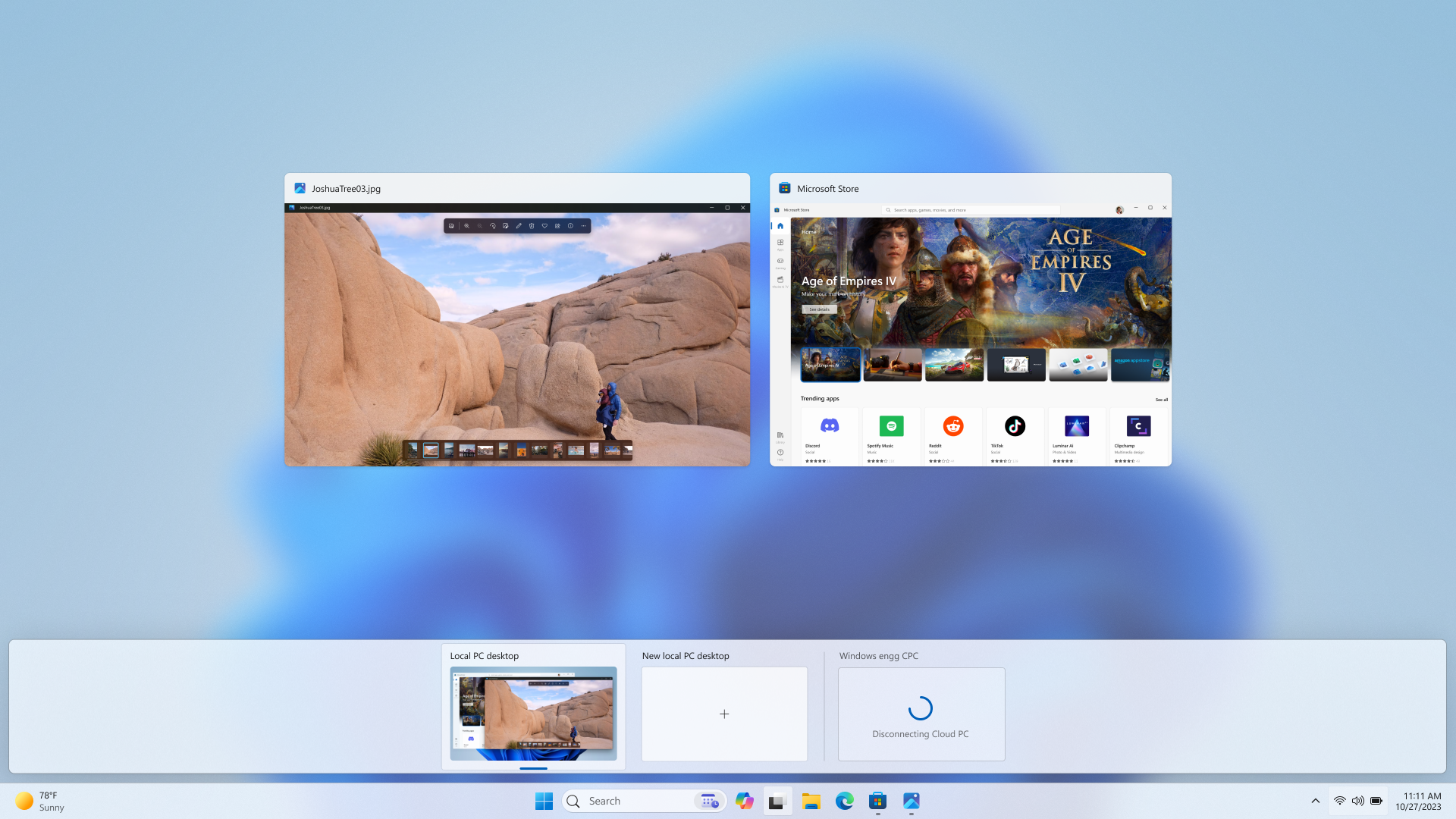
Disconnect experience for a Cloud PC as shown in Task view.
Desktop indicators to differentiate between Cloud PC and local PC for Windows 365 Switch: You will now see the term “Cloud PC” and “Local PC” on the desktop indicator when you switch between your respective PCs.
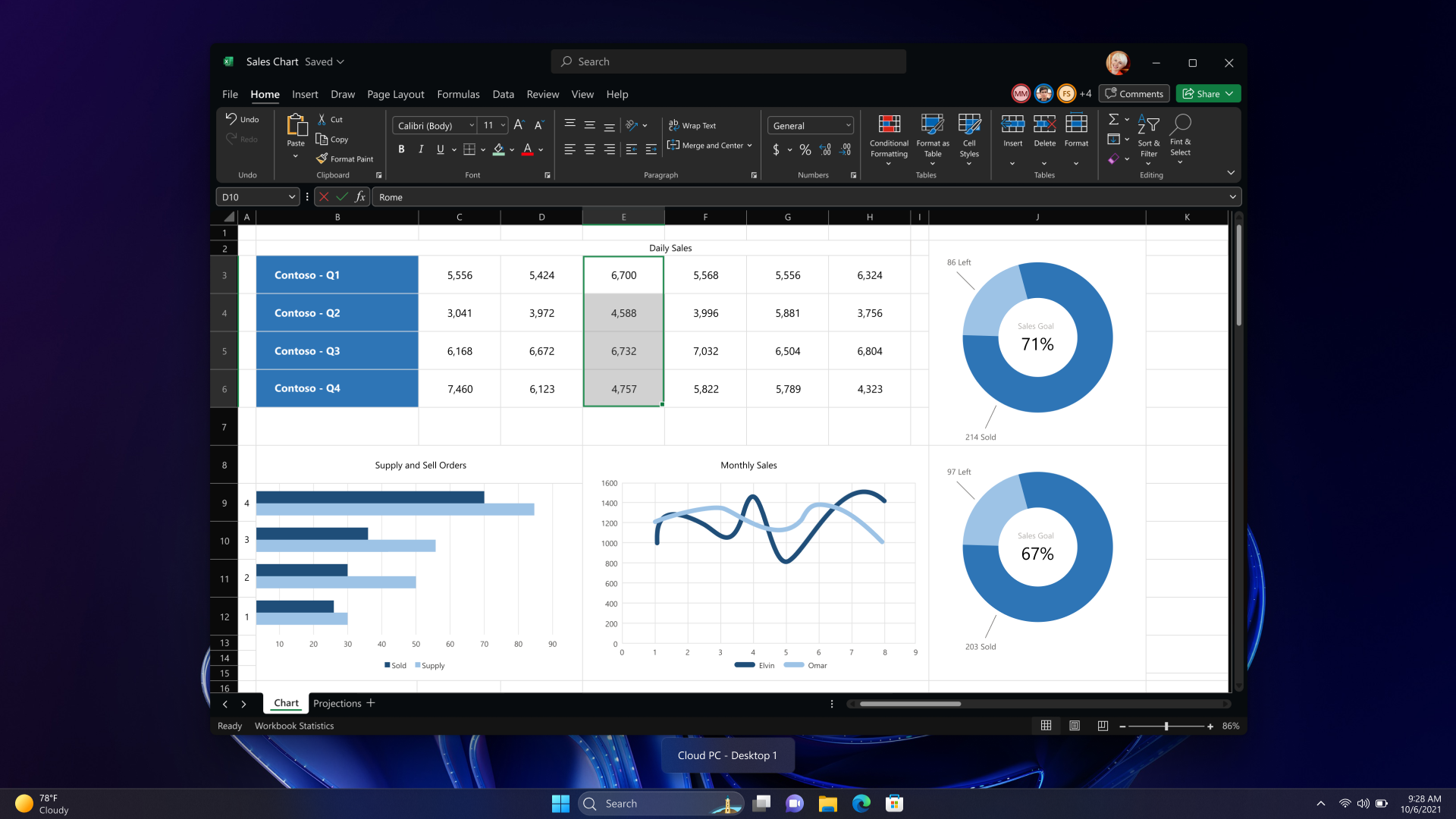
New Cloud PC or Local PC label on the desktop indicator.
Gracefully handling increased connection time for Windows 365 Switch to Frontline Cloud PC: You will now see updates regarding the Cloud PC connection status and the connection timeout indicator while waiting on the connection screen. In case there is an error, you will now be able to copy the correlation ID using the new copy button in the error screen for quicker resolution.
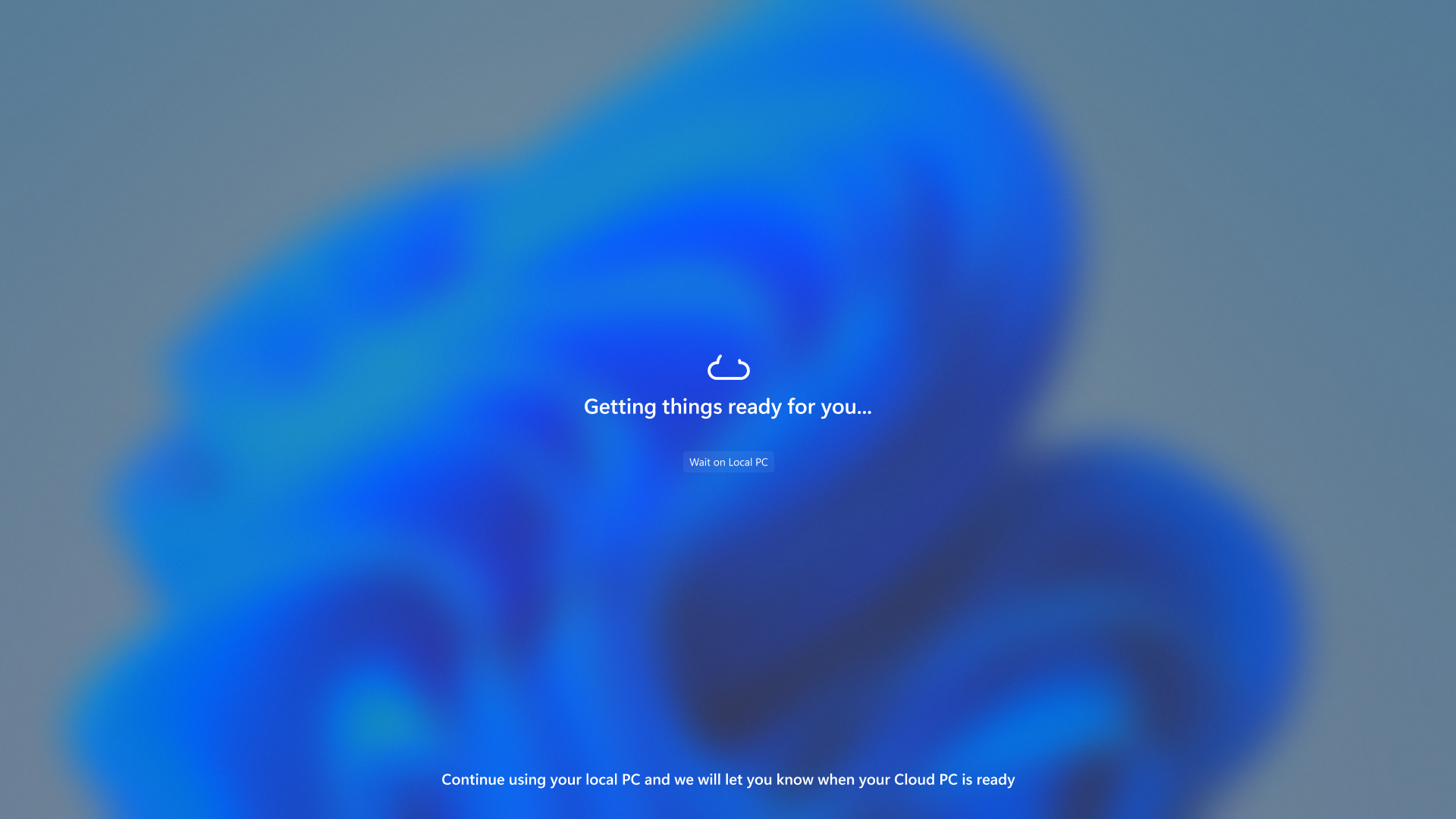
Text indicating the Connection status on the connection screen.
FEEDBACK: Please file feedback in Feedback Hub (Win + F) under Desktop Environment > Switch to Cloud PC (From Task view).
Changes and Improvements gradually being rolled out to the Beta Channel with toggle on*
[General]
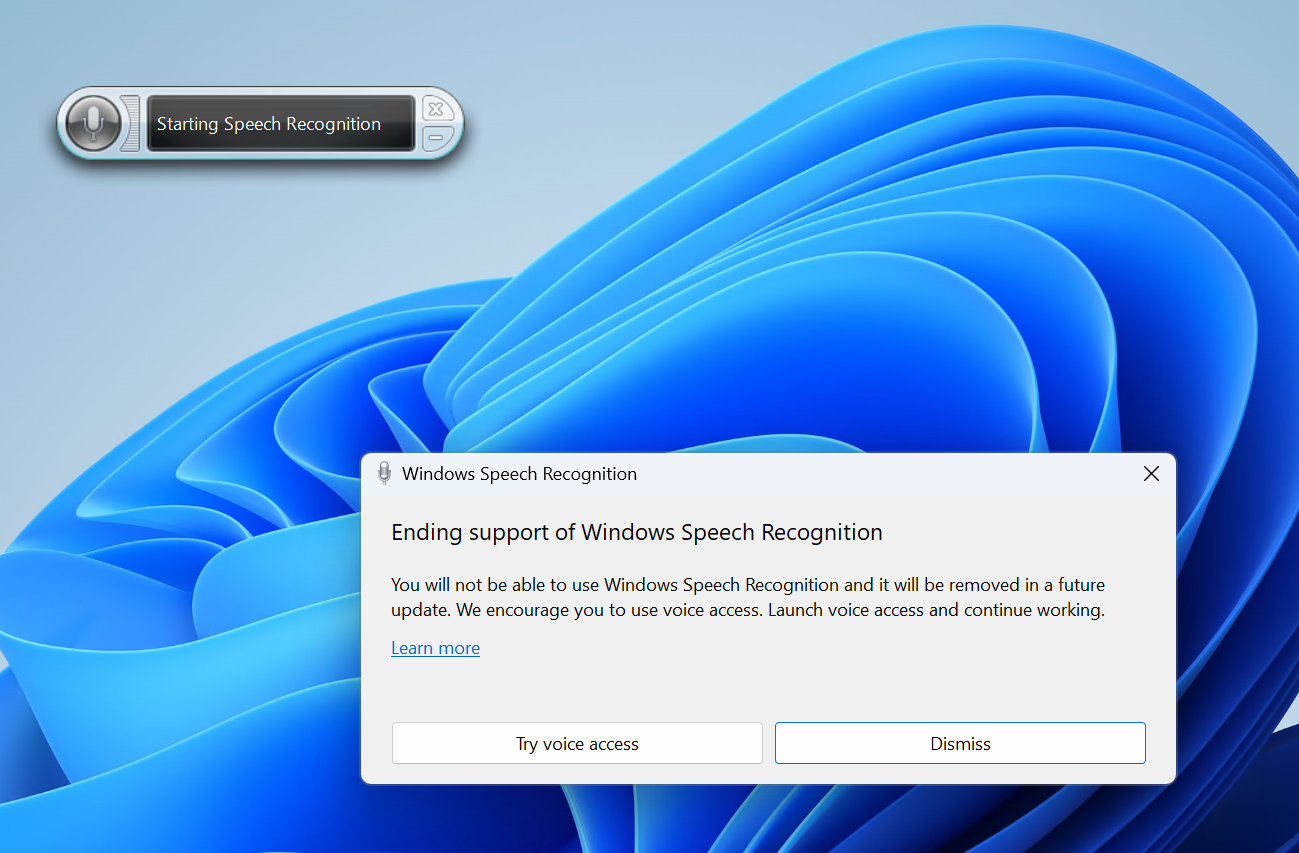
- Windows 11 is transitioning from Windows Speech Recognition (WSR) to voice access. WSR is being deprecated. A dialog will pop up when WSR is opened directing you to try voice access and we have also added a banner under Settings > Accessibility > Speech as well. Voice access, our new assistive technology in Windows 11, uses on-device speech recognition, enabling control of your PC and authoring text without an internet connection. It will support multiple languages and custom commands in a future update (these features are now available for Windows Insiders to try in the Beta Channel as noted above). We recommend WSR users try and start using voice access today.
Turn On or Off Voice Access in Windows 11
This tutorial will show you how to turn on or off voice access for your account in Windows 11. Voice access is a new experience starting with Windows 11 build 22518 that enables everyone, including people with mobility disabilities, to control their PC and author text using only their voice and...
www.elevenforum.com
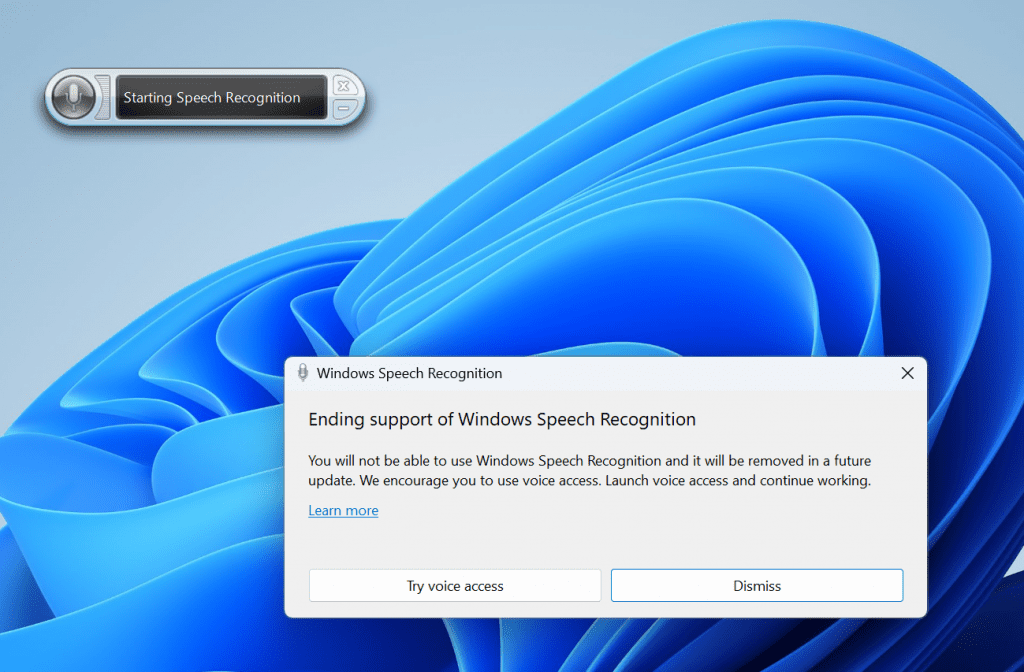
Dialog directing you to try voice access when opening Windows Speech Recognition.
[Nearby Sharing]
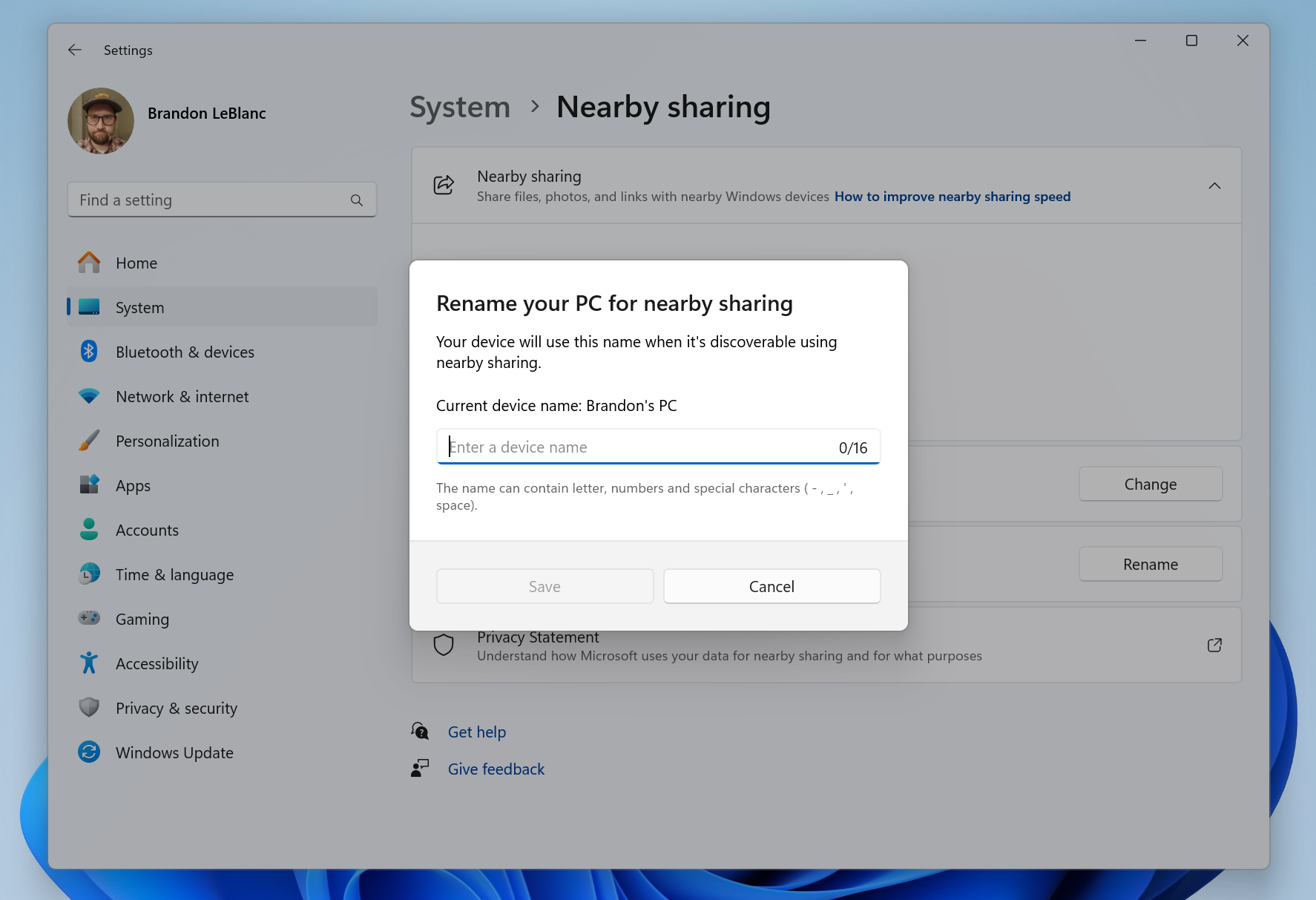
- We are introducing the ability to quickly give your device a more friendly name to identify sharing to and from with nearby share under Settings > System > Nearby sharing.
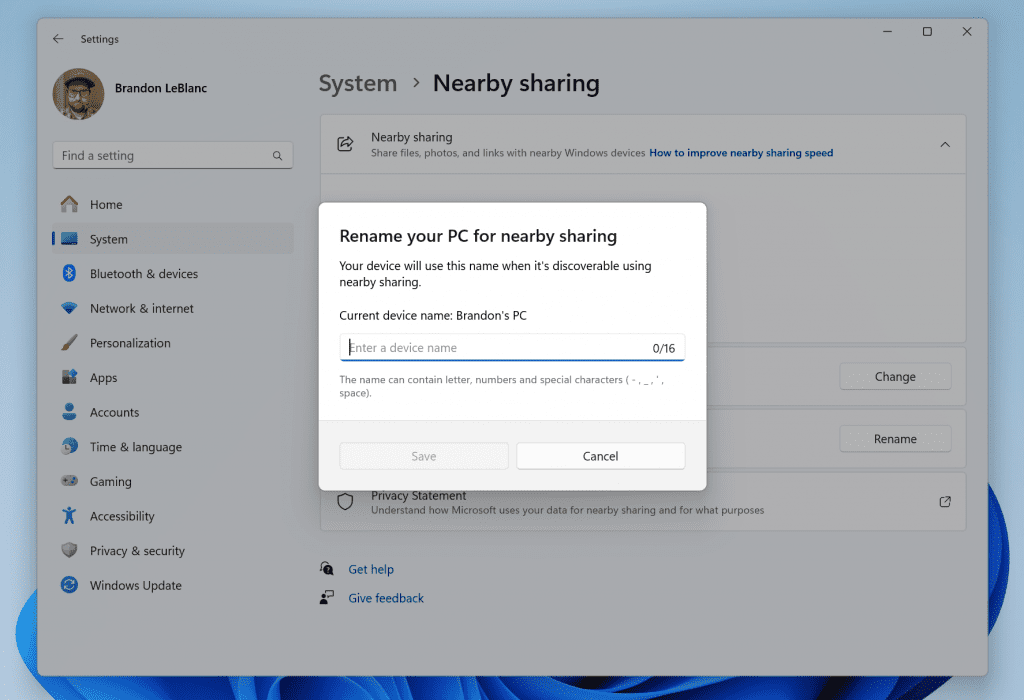
Give your device a more friendly name to identify sharing to and from with nearby share.
[Narrator]
- Narrator users can now use voice access to open applications, dictate text and interact with elements on the screen using their voice. Narrator users can use voice access to give Narrator commands using their voice . For e.g., “speak faster”, “read next line”, etc. To get started, search for “voice access” in Windows search and set it up.
Turn On or Off Narrator in Windows 11
This tutorial will show you how to turn on or off Narrator for your account in Windows 11. Narrator is a screen reader included with Windows 11 that describes what's on your screen. Narrator lets you use your PC without a mouse to complete common tasks if you’re blind or have low vision. It...
www.elevenforum.com
Fixes gradually being rolled out to the Beta Channel with toggle on*
[Task Manager]
- When creating a dump file for a process, the dump file location should be selectable now, so you can copy it out.
[Desktops]
- Made some improvements to help address an issue where the background could be seen jumping when switching between desktops.
Notepad Update
We are rolling out an update for Notepad (version 11.2311.33.0) to Windows Insiders in the Beta Channel that introduces the following improvements:Edit with Notepad: Easily access Notepad for file modifications directly from File Explorer. Just right-click on any file or multiple files in File Explorer to find the [Edit with Notepad] option in the context menu, a quick and streamlined way to open and edit files in Notepad.
Add or Remove "Edit in Notepad" Context Menu in Windows 11
This tutorial will show you how to add or remove the "Edit in Notepad" context menu for your account or all users in Windows 11. Notepad is a fast and simple text editor that can be used to view, edit, and search through plain text documents instantly. Starting with Notepad version...
www.elevenforum.com
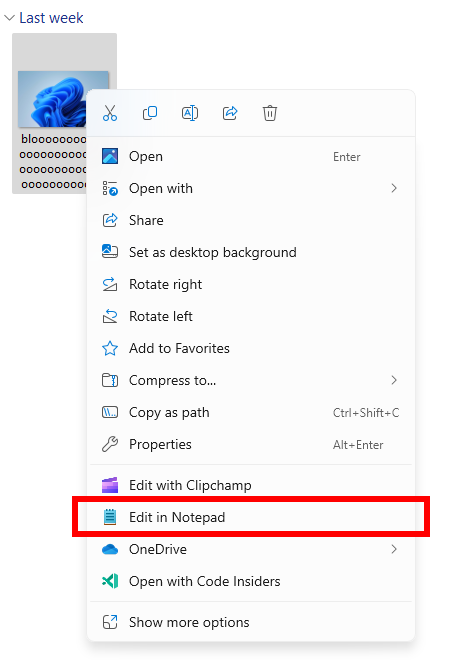
New Edit with Notepad option in the context menu in File Explorer.
Character Count: Keep track of your document’s length with the new character count display in the status bar. When text is selected, the status bar shows the character count for both the selected text and the entire document. If no text is selected, the character count for the entire document is displayed, ensuring you always have a clear view of your document’s length.
See Character Count in Notepad app in Windows 11
This tutorial will show you how to see the character count of text in the Notepad app in Windows 11. Notepad is a fast and simple text editor that can be used to view, edit, and search through plain text documents instantly. Starting with Notepad version 11.2311.29.0, you can now keep track of...
www.elevenforum.com
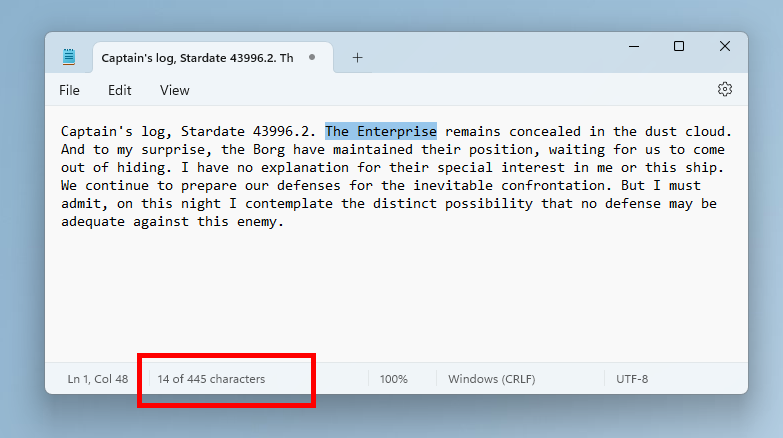
Character count for selected text in Notepad.
FEEDBACK: Please file feedback in Feedback Hub (WIN + F) under Apps > Notepad.
About the Beta Channel
The Beta Channel is the place we preview experiences that are closer to what we will ship to our general customers. Because the Dev and Beta Channels represent parallel development paths from our engineers, there may be cases where features and experiences show up in the Beta Channel first. However, this does not mean every feature we try out in the Beta Channel will ship. We encourage Insiders to read this blog post that outlines the ways we’ll try things out with Insiders in both the Dev and Beta Channels.*Getting new features: For Windows Insiders in the Beta Channel who want to be the first to get features gradually rolled out to you, you can turn ON the toggle to get the latest updates as they are available via Settings > Windows Update. Over time, we will increase the rollouts of features to everyone with the toggle turned on. Should you keep this toggle off, new features will gradually be rolled out to your device over time once they are ready.
**Availability of Copilot in Windows: Copilot in Windows in preview is being rolled out gradually to Windows Insiders in select global markets. The initial markets for the Copilot in Windows preview include North America, United Kingdom and parts of Asia and South America. It is our intention to add additional markets over time.
Important Insider Links
- Want to learn how we made Windows 11? Check out the Inside Windows 11 website to hear and meet our makers from Engineering, Design and Research to share their insights and unique perspectives throughout this journey.
- You can check out our Windows Insider Program documentation here.
- Check out Flight Hub for a complete look at what build is in which Insider channel.
Amanda & Brandon
Source:
Announcing Windows 11 Insider Preview Build 22635.2915 (Beta Channel)
Hello Windows Insiders, today we are releasing Windows 11 Insider Preview Build 22635.2915 (KB5033456) to the Beta Channel. This will be our last Beta Channel flight until January 2024. REMINDER: All Windows Insider
blogs.windows.com
Check Windows Updates
UUP Dump:
64-bit ISO download:
Select language for Windows 11 Insider Preview 10.0.22635.2915 (ni_release) amd64
Select language for Windows 11 Insider Preview 10.0.22635.2915 (ni_release) amd64 on UUP dump. UUP dump lets you download Unified Update Platform files, like Windows Insider updates, directly from Windows Update.
uupdump.net
ARM64 ISO download:
Select language for Windows 11 Insider Preview 10.0.22635.2915 (ni_release) arm64
Select language for Windows 11 Insider Preview 10.0.22635.2915 (ni_release) arm64 on UUP dump. UUP dump lets you download Unified Update Platform files, like Windows Insider updates, directly from Windows Update.
uupdump.net
UUP Dump - Download Windows Insider ISO
UUP Dump is the most practical and easy way to get ISO images of any Insider Windows 10 or Windows 11 version, as soon as Microsoft has released a new build. UUP Dump creates a download configuration file according to your choices, downloads necessary files directly from Microsoft servers, and...
www.elevenforum.com
Last edited:





 Sound by Fosi Audio DA-2120C pushing Magnat Series 503 bookshelf speakers and a SVS SB-1000 Pro subwoofer.