UPDATE 8/29:
 www.elevenforum.com
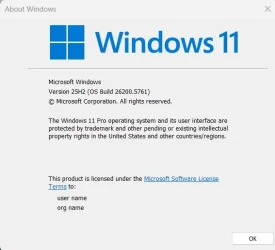
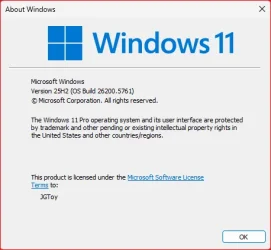
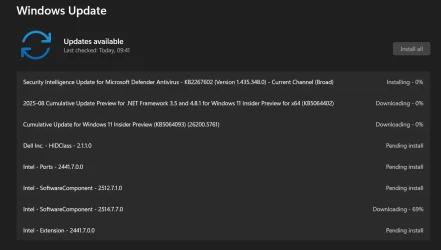
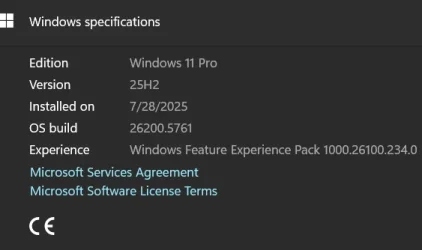
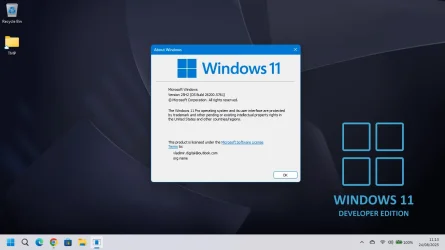
Hello Windows Insiders, today we are releasing Windows 11 Insider Preview Build 26200.5761 (KB5064093) to the Dev Channel.
Changes in Dev Channel builds and updates are documented in two buckets: new features, improvements, and fixes that are being gradually rolled out for Insiders who have turned on the toggle to get the latest updates as they are available (via Settings > Windows Update*) and then new features, improvements, and fixes rolling out to everyone in the Dev Channel. For more information, see the Reminders section at the bottom of this blog post.
 www.elevenforum.com
 www.elevenforum.com
First, start listening to one of your favorite songs or episodes in the Spotify app on your Android phone. On your PC (running the latest Insider Preview builds in the Dev or Beta Channels) a ‘Resume alert’ will appear on your taskbar. When you click on that alert, Spotify’s desktop app will open and the same track will now continue playing on your PC.
 www.elevenforum.com
 www.elevenforum.com
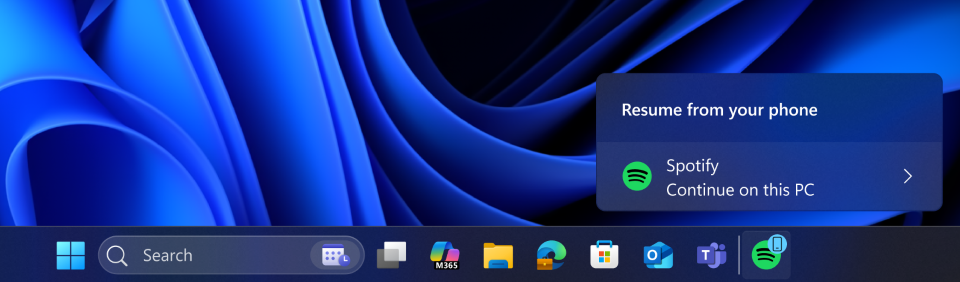
A cross-device resume taskbar alert indicating that you can continue using Spotify app from your phone, now on your PC.
If the Spotify app is not installed on your PC, when you click on the alert it will initiate a 1-click installation from the Microsoft Store and will automatically download and open the app for you. You will then be prompted to sign into your Spotify account.
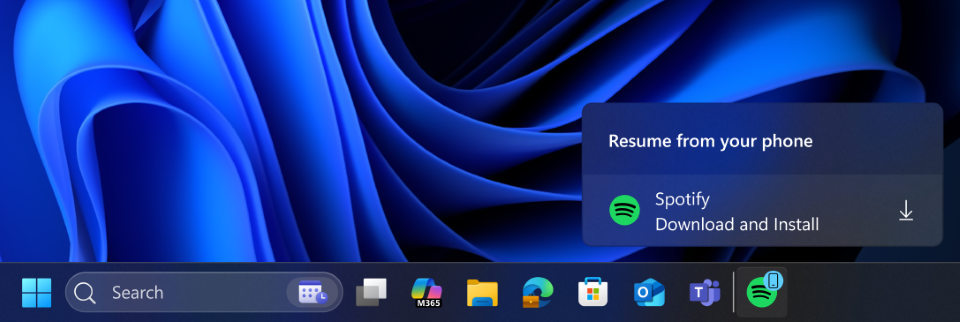
A cross-device resume taskbar alert indicating that you can download and install Spotify app to resume on your PC.
Please note that you will need to use the same Spotify account on both your Android phone and your PC.
Here is how you can get set up to try this feature out:
As mentioned above – this feature is gradually rolling out so if you do not see it after completing these steps, please be patient and once the feature is rolled out to you, you will see this experience light up for you on your PC.
For App Developers: We invite app developers to integrate with Resume and offer your users the ability to seamlessly continue tasks from phone app on PC app. Click here to learn more about integrating Resume into your app.
FEEDBACK: Please file feedback in Feedback Hub (WIN + F) under Devices and Drivers > Linked Phone.
 www.elevenforum.com

Lock screen with new battery icon and percentage showing on the bottom right.
FEEDBACK: Please file feedback in Feedback Hub (WIN + F) under Desktop Environment > Lock screen.
Amanda & Brandon

 blogs.windows.com
Check Windows Updates
UUP Dump:
64-bit ISO download:

ARM64 ISO download:
 www.elevenforum.com
 www.elevenforum.com
KB5064089 Windows 11 Insider Dev build 26220.5770 (25H2) - Aug. 29
UPDATE 9/05: https://www.elevenforum.com/t/kb5065779-windows-11-insider-dev-build-26220-5790-25h2-sep-5.39561/ Windows Insider Blog: Hello Windows Insiders, today we are releasing Windows 11 Insider Preview Build 26220.5770 (KB5064089) to the Dev Channel. Please note the major build number has...
www.elevenforum.com
Windows Insider Blog:
Hello Windows Insiders, today we are releasing Windows 11 Insider Preview Build 26200.5761 (KB5064093) to the Dev Channel.
Changes in Dev Channel builds and updates are documented in two buckets: new features, improvements, and fixes that are being gradually rolled out for Insiders who have turned on the toggle to get the latest updates as they are available (via Settings > Windows Update*) and then new features, improvements, and fixes rolling out to everyone in the Dev Channel. For more information, see the Reminders section at the bottom of this blog post.
Enable or Disable Get Latest Updates as soon as available in Windows 11
This tutorial will show you how to turn on or off "Get the latest updates as soon as they are available" in Windows 11. Starting with Windows 11 build 22621.1635, Microsoft added a new "Get the latest updates as soon as they are available" toggle under Settings > Windows Update. When you turn...
www.elevenforum.com
New features gradually being rolled out to the Dev Channel with toggle on*
Ability to seamlessly resume apps from Android phone on PC
We are beginning to gradually roll out the ability to seamlessly resume using your favorite apps from your Android phone on your Windows 11 PC to Windows Insiders in the Dev and Beta Channels. To start with, you will be able to resume or continue listening to your favorite Spotify tracks and episodes right from where you left off on the Spotify app on your Android phone.
Enable or Disable Resume App from Device and Continue on Windows 11 PC
This tutorial will show you how to enable or disable cross device Resume (aka: Hand Off) apps for your account or all users in Windows 11. Resume (aka: Hand Off) allows you to start something in an app on one device (ex: Android phone) and continue on your PC. Starting with Windows 11 build...
www.elevenforum.com
First, start listening to one of your favorite songs or episodes in the Spotify app on your Android phone. On your PC (running the latest Insider Preview builds in the Dev or Beta Channels) a ‘Resume alert’ will appear on your taskbar. When you click on that alert, Spotify’s desktop app will open and the same track will now continue playing on your PC.
Resume Apps from Android Phone on Windows 11 PC
This tutorial will show you how to seamlessly resume using your favorite apps from your Android phone on your Windows 11 PC. Microsoft rolled out the ability to seamlessly resume using your favorite apps from your Android phone on your Windows 11 PC to Windows Insiders in the Dev and Beta...
www.elevenforum.com
Enable or Disable Resume from Android Mobile Device on Windows 11 PC
This tutorial will show you how to turn on or off the Resume feature for Android mobile devices (phone) linked to your account on a Windows 11 PC. Starting with Windows 11 build 26200.5761 (Dev 25H2), build 26120.5761 (Beta 24H2), and build 28020.1619 (Canary 26H1), Microsoft is beginning to...
www.elevenforum.com
A cross-device resume taskbar alert indicating that you can continue using Spotify app from your phone, now on your PC.
If the Spotify app is not installed on your PC, when you click on the alert it will initiate a 1-click installation from the Microsoft Store and will automatically download and open the app for you. You will then be prompted to sign into your Spotify account.
A cross-device resume taskbar alert indicating that you can download and install Spotify app to resume on your PC.
Please note that you will need to use the same Spotify account on both your Android phone and your PC.
Here is how you can get set up to try this feature out:
- Turn on access to your phone.
- On your PC, go to Settings > Bluetooth & devices > Mobile devices.
- Switch “Allow this PC to access your mobile devices” to On.
Enable or Disable Allow PC to Access your Mobile Devices in Windows 11
This tutorial will show you how to turn on or off "Allow this PC to access content and capabilities from your mobile devices" for your Microsoft account in Windows 11. Now you can link and manage your mobile devices directly from your PC. This link between your Android device and PC provides...
www.elevenforum.com
- Click the “Manage devices” button and follow the steps to connect your Android phone.
Link Android Mobile Device to Microsoft Account on Windows 11 PC
This tutorial will show you how to add (link) Android phone mobile device to your Microsoft account to manage on a Windows 11 PC. Now you can link and manage your mobile devices directly from your PC. This link between your Android device and PC provides instant access to your mobile device...
www.elevenforum.com
- Set up the Link to Windows app on your phone.
- On your Android phone, open the Link to Windows app.
- Make sure you allow the app to run in the background (this keeps the Resume feature working reliably).
- Try the feature.
- Open Spotify on your phone and play a track or episode.
- You should see a Resume alert on your PC’s taskbar.
As mentioned above – this feature is gradually rolling out so if you do not see it after completing these steps, please be patient and once the feature is rolled out to you, you will see this experience light up for you on your PC.
For App Developers: We invite app developers to integrate with Resume and offer your users the ability to seamlessly continue tasks from phone app on PC app. Click here to learn more about integrating Resume into your app.
FEEDBACK: Please file feedback in Feedback Hub (WIN + F) under Devices and Drivers > Linked Phone.
Improving the battery iconography on lock screen
Our new and improved battery icons have been designed to communicate the battery status of your PC with just a quick glance – and we’re bringing them to the lock screen.
Check Battery Status for Estimated Time and Percentage Remaining in Windows 11
This tutorial will show you how to check the battery status for estimated time and percentage remaining in Windows 11. If you have a Windows 11 device that runs on battery power, you can check the battery status to see the estimated time and percentage remaining battery life left to know when...
www.elevenforum.com
Lock screen with new battery icon and percentage showing on the bottom right.
FEEDBACK: Please file feedback in Feedback Hub (WIN + F) under Desktop Environment > Lock screen.
Changes and Improvements gradually being rolled out to the Dev Channel with toggle on*
[Click to Do (Preview)]
The following changes and improvements are rolling out for Click to Do on Copilot+ PCs:- By pressing and holding two fingers anywhere on your screen (on your Copilot+ PC with a touch screen), you can simultaneously launch Click to Do, select the entity under your finger and see relevant actions. This new invocation method provides the ability to use touch with an accelerated entry point into Click to Do, like Win + Click when using a mouse or touchpad today.
Open Click to Do in Windows 11
This tutorial will show you different ways to open Click to Do on a Windows 11 Copilot+ PC. Click to Do (preview) helps you get things done faster by identifying text and images on your screen that you can take actions with. Click to Do analyzes what's on screen and then you can choose the text...
www.elevenforum.com
[Agent in Settings]
The following changes and improvements are rolling out for agent in Settings on Copilot+ PCs:- We now provide a direct navigation link to the corresponding settings page from the agent search results.

Find a Setting in Settings app in Windows 11
This tutorial will show you how to search to find a setting within the Settings app in Windows 11. Microsoft designed Settings to be beautiful, easy to use and inclusive of all your Microsoft experiences in Windows 11. Settings has left-handed navigation that persists between pages, and...
www.elevenforum.com
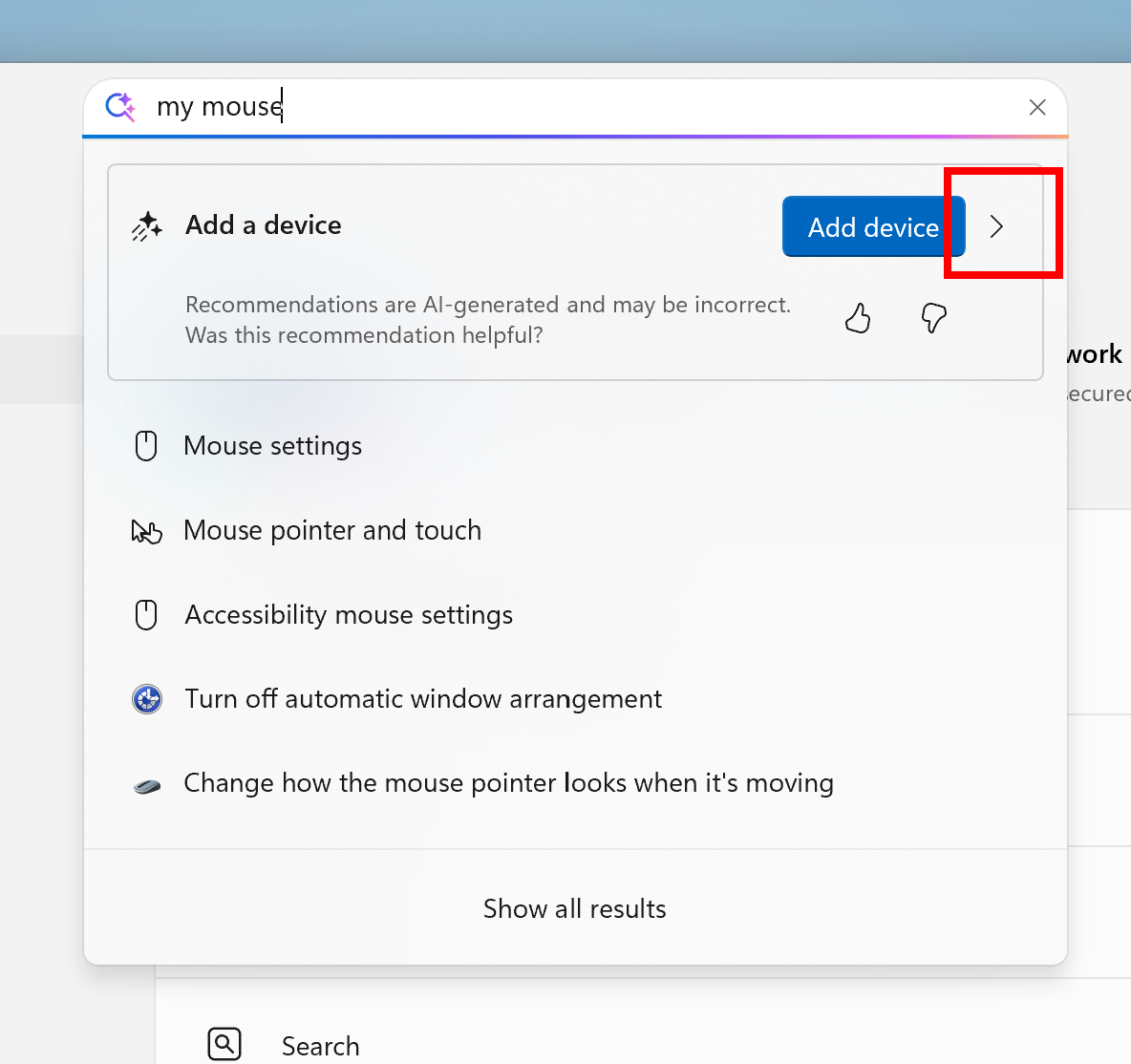
New navigation link in the agent search results in Settings highlighted in a red box.
[Automatic Super Resolution]
The following changes and improvements are rolling out for Automatic Super Resolution (Auto SR) on Snapdragon-powered Copilot+ PCs:- We have simplified the settings controls and added streamlined ways to configure Auto SR directly from toast notifications.
Enable or Disable Automatic Super Resolution in Windows 11
This tutorial will show you how to enable or disable using Automatic Super Resolution (AI upscaler) for your account in Windows 11. Automatic Super Resolution (Auto SR) seamlessly integrates with Windows on a Copilot+ PC with a Qualcomm® Snapdragon® X Elite processor to automatically enhance a...
www.elevenforum.com
[Input]
- We’re adding a new keyboard shortcut to make it easier for you to insert an En dash (–) or Em dash (—) while typing anywhere in Windows. Going forward, pressing WIN + Minus (-) will insert En dash, and WIN + Shift + Minus (-) will insert Em dash. Note – if you have Magnifier running, WIN + Minus (-) will still zoom out Magnifier, rather than inserting an En dash.

Type Special Characters and Symbols in Windows 11
This tutorial will show you different ways to find and type special characters, accents (diacritical mark), and symbols in Windows 11. Starting with Windows 11 build 262100.6725 (24H2), Microsoft is adding a new keyboard shortcut to make it easier for you to insert an En dash (–) or Em dash (—)...
www.elevenforum.com
[Windows Share]
- In the last few Dev and Beta flights, we have begun trying out the ability to pin your favorite apps in the Windows share window.

Pin or Unpin Apps on Windows Share in Windows 11
This tutorial will show you how to pin or unpin apps in Windows Share for your account in Windows 11. You can use Windows Share to share a file or link with an app. Starting with Windows 11 build 262100.6725 (24H2) and build 28020.2991 (Beta 26H1), you can pin your favorite apps in the Windows...
www.elevenforum.com

New pinning option for apps in the Windows share window highlighted in a red box.
Fixes gradually being rolled out to the Dev Channel with toggle on*
[Settings]
- Did some work to help improve performance of loading the apps list on the Apps > Installed apps page.
- Fixed an issue which was causing the new “Copy current user settings to the welcome screen and system accounts” under Time & Language > Language & Region option to crash Settings for some Insiders.
[Windows Hello]
- Did some work to address an issue where Windows Hello might recognize your face on the login screen, however it would still fail and then prompt you to enter your pin. If you continue experiencing issues, you may need to go to the Facial Recognition section under Settings > Accounts > Sign-in options and select Improve recognition.
[Other]
- Did some underlying work to help improve performance when gaming with game bar or other overlays on top of your game. This may particularly help those with multiple monitors which have different refresh rates. As always, if you’re experiencing game performance issues, please file feedback including a trace of the issue, following these steps. Thanks Windows Insiders who’ve shared feedback so far!
Fixes for everyone in the Dev Channel
[For developers]
- The issue causing Visual Studio to crash on Arm64 PCs when running various scenarios that depend on Windows Presentation Foundation (WPF) will be fixed after installing the KB5064402 .NET update.
Known issues
[Recall]
- Windows Insiders in the EEA may hit in issue where Recall is not working correctly on their PCs after the most recent Dev and Beta Channel flights. To get back into a working state – please go to Settings > Privacy & security > Recall & snapshots > Advanced settings > Reset Recall and click “Reset Recall”.
[File Explorer]
- For some users, the Shared section in File Explorer Home may be visible even if there is no content to display.
[Settings]
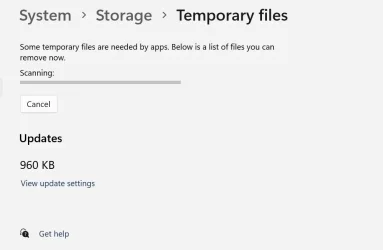
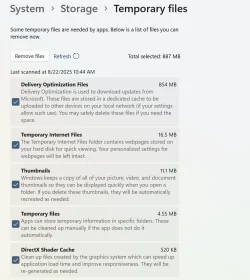
- We’re investigating reports that Settings > System > Storage > Temporary files is getting stuck when scanning files. We are also investigating previous Windows Installations also not showing.
[Xbox Controllers]
- Some Insiders are experiencing an issue where using their Xbox Controller via Bluetooth is causing their PC to bugcheck. Here is how to resolve the issue. Open Device Manager by searching for it via the search box on your taskbar. Once Device Manager is open, click on “View” and then “Devices by Driver”. Find the driver named “oemXXX.inf (XboxGameControllerDriver.inf)” where the “XXX” will be a specific number on your PC. Right-click on that driver and click “Uninstall”.
Reminders for Windows Insiders in the Dev Channel
- Windows Insiders in the Dev Channel receive updates based on Windows 11, version 25H2 via an enablement package (Build 26200.xxxx). For more information on Windows 11, version 25H2 – see this blog post.
- Many features in the Dev Channel are rolled out using Controlled Feature Rollout technology, starting with a subset of Insiders and ramping up over time as we monitor feedback to see how they land before pushing them out to everyone in this channel.
- For Windows Insiders in the Dev Channel who want to be the first to get features gradually rolled out to you, you can turn ON the toggle to get the latest updates as they are available via Settings > Windows Update*. Over time, we will increase the rollouts of features to everyone with the toggle turned on. Should you keep this toggle off, new features will gradually be rolled out to your PC over time once they are ready.
- Features and experiences included in these builds may never get released as we try out different concepts and get feedback. Features may change over time, be removed, or replaced and never get released beyond Windows Insiders. Some of these features and experiences could show up in future Windows releases when they’re ready.
- Some features in active development we preview with Windows Insiders may not be fully localized and localization will happen over time as features are finalized. As you see issues with localization in your language, please report those issues to us via Feedback Hub.
- Please note that some accessibility features may not work with features like Recall and Click to Do while in preview with Windows Insiders.
- Because the Dev and Beta Channels represent parallel development paths from our engineers, there may be cases where features and experiences show up in the Beta Channel first.
- Check out Flight Hub for a complete look at what build is in which Insider channel.
Amanda & Brandon
Source:
Announcing Windows 11 Insider Preview Build 26200.5761 (Dev Channel)
Hello Windows Insiders, today we are releasing Windows 11 Insider Preview Build 26200.5761 (KB5064093) to the Dev Channel. Changes in Dev Channel builds and updates are documented in two buckets: new features, impro
blogs.windows.com
Check Windows Updates
UUP Dump:
64-bit ISO download:
Select language for Windows 11 Insider Preview 10.0.26200.5761 (ge_release_upr) amd64
Select language for Windows 11 Insider Preview 10.0.26200.5761 (ge_release_upr) amd64 on UUP dump. UUP dump lets you download Unified Update Platform files, like Windows Insider updates, directly from Windows Update.
uupdump.net
ARM64 ISO download:
Select language for Windows 11 Insider Preview 10.0.26200.5761 (ge_release_upr) arm64
Select language for Windows 11 Insider Preview 10.0.26200.5761 (ge_release_upr) arm64 on UUP dump. UUP dump lets you download Unified Update Platform files, like Windows Insider updates, directly from Windows Update.
uupdump.net
UUP Dump - Download Windows Insider ISO
UUP Dump is the most practical and easy way to get ISO images of any Insider Windows 10 or Windows 11 version, as soon as Microsoft has released a new build. UUP Dump creates a download configuration file according to your choices, downloads necessary files directly from Microsoft servers, and...
www.elevenforum.com
Sync Clock Time with Internet Time Server in Windows 11
This tutorial will show you how to manually synchronize the clock time with an Internet time server for all users in Windows 11. Time is a measure in which events can be ordered from the past through the present into the future, and also the measure of durations of events and the intervals...
www.elevenforum.com
Last edited:







 Sound by Fosi Audio DA-2120C pushing Magnat Series 503 bookshelf speakers and a SVS SB-1000 Pro subwoofer.