UPDATE 10/31:

 www.elevenforum.com
Hello Windows Insiders, today we are releasing Windows 11 Insider Preview Build 26120.6982 (KB5067109) to the Beta Channel for Windows Insiders on Windows 11, version 24H2.
Changes in Beta Channel builds and updates are documented in two buckets: new features/improvements, and fixes that are being gradually rolled out for Insiders who have turned on the toggle to get the latest updates as they are available (via Settings > Windows Update*) and then new features, improvements, and fixes rolling out to everyone in the Beta Channel. For more information, see the Reminders section at the bottom of this blog post.
 www.elevenforum.com
Amanda

 blogs.windows.com
Check Windows Updates
UUP Dump:
64-bit ISO download:

ARM64 ISO download:
 www.elevenforum.com
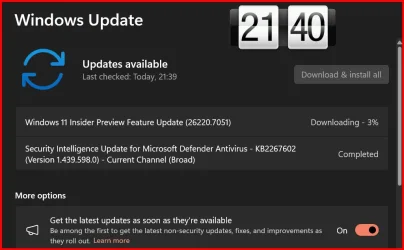
KB5067115 Windows 11 Insider Dev and Beta build 26220.7051 (25H2) - Oct. 31
UPDATE 11/07: https://www.elevenforum.com/t/kb5070300-windows-11-insider-dev-and-beta-build-26220-7070-25h2-nov-7.41786/ Windows Insider Blog: Update: 11/5 – We are rolling out Quality Update 26220.7052. This update does not include anything new, doesn’t require a reboot, and is designed to...
www.elevenforum.com
Windows Insider Blog:
Hello Windows Insiders, today we are releasing Windows 11 Insider Preview Build 26120.6982 (KB5067109) to the Beta Channel for Windows Insiders on Windows 11, version 24H2.
Changes in Beta Channel builds and updates are documented in two buckets: new features/improvements, and fixes that are being gradually rolled out for Insiders who have turned on the toggle to get the latest updates as they are available (via Settings > Windows Update*) and then new features, improvements, and fixes rolling out to everyone in the Beta Channel. For more information, see the Reminders section at the bottom of this blog post.
Enable or Disable Get Latest Updates as soon as available in Windows 11
This tutorial will show you how to turn on or off "Get the latest updates as soon as they are available" in Windows 11. Starting with Windows 11 build 22621.1635, Microsoft added a new "Get the latest updates as soon as they are available" toggle under Settings > Windows Update. When you turn...
www.elevenforum.com
New features gradually being rolled out to the Beta Channel with toggle on*
[Windows Search Box]
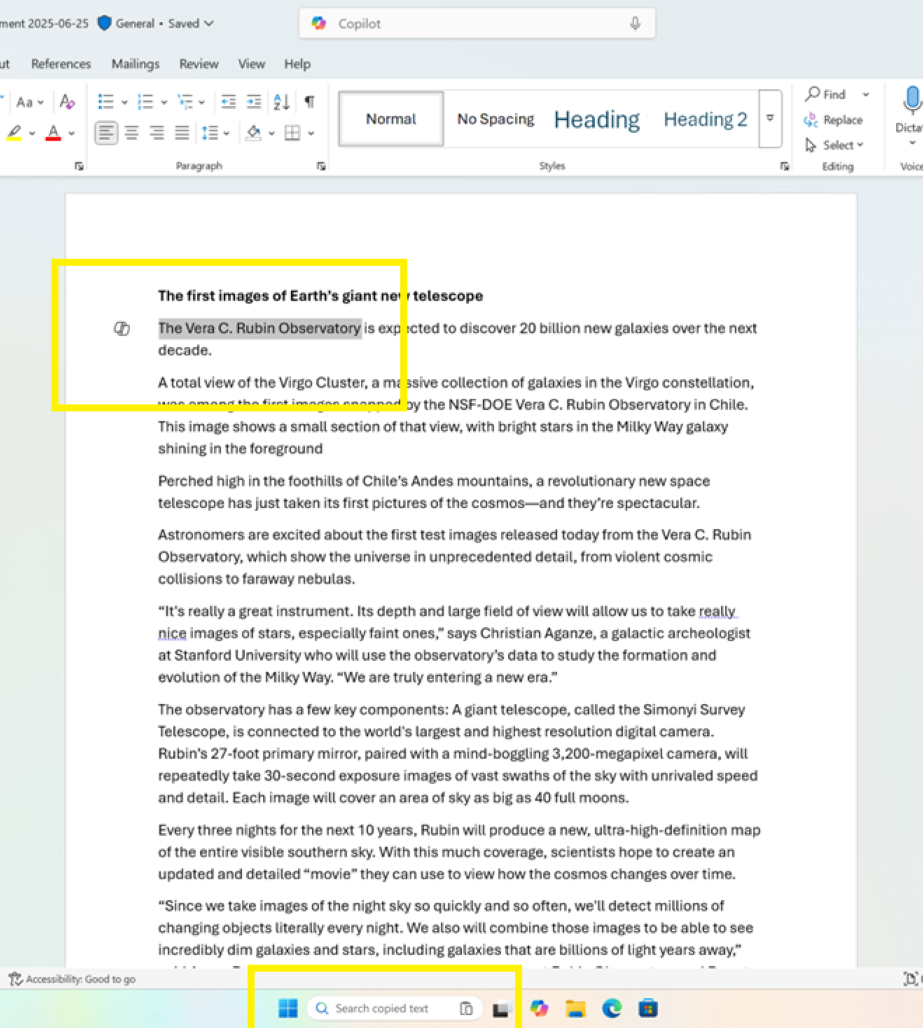
- In this update, we are introducing Copy & Search, a feature that allows you to search the text in your clipboard with a single click. When you copy text anywhere in Windows, a paste gleam will appear in your search box. Click on this gleam and your copied text will appear in the search field, allowing you to search instantly. To get started:
- Copy text from a document, webpage, or app.
- After copying text, the paste gleam will appear in the search box on the taskbar.
- Click the paste gleam to search for the copied text.
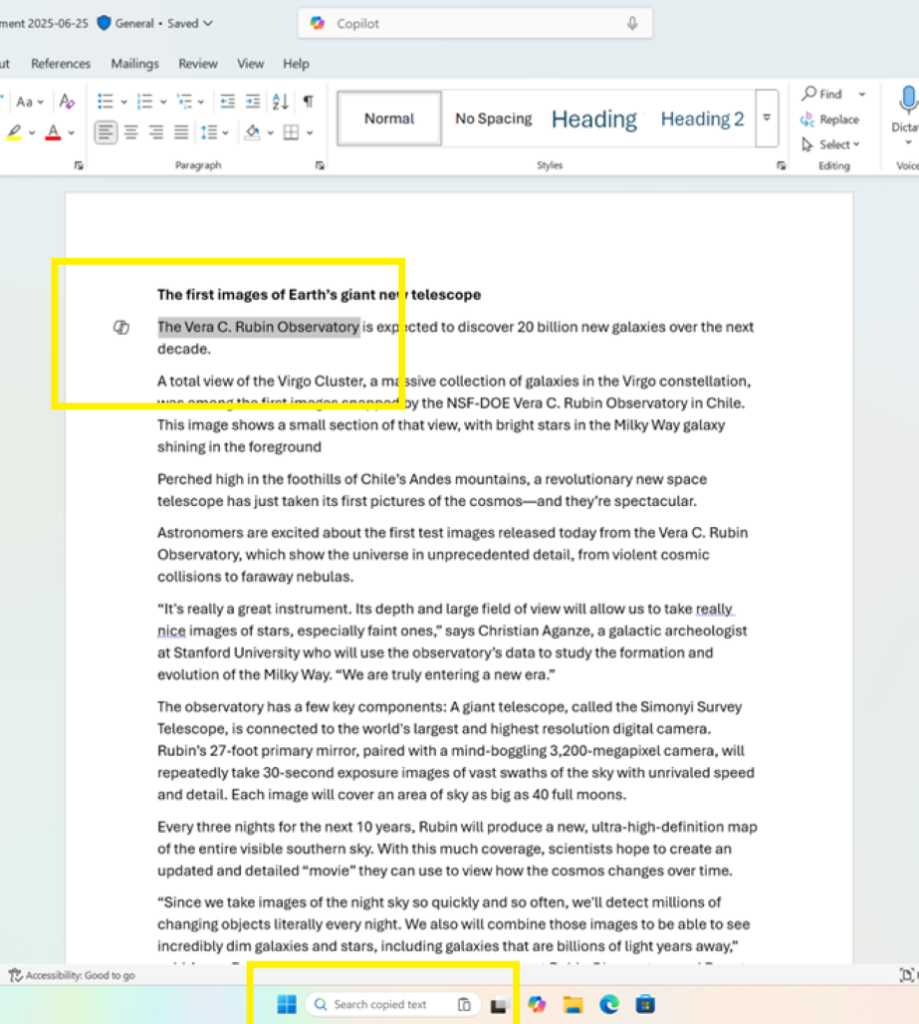
Copying any text in Windows (in this case Office) adds a paste gleam to in the Search field on Taskbar.
[Voice Typing]
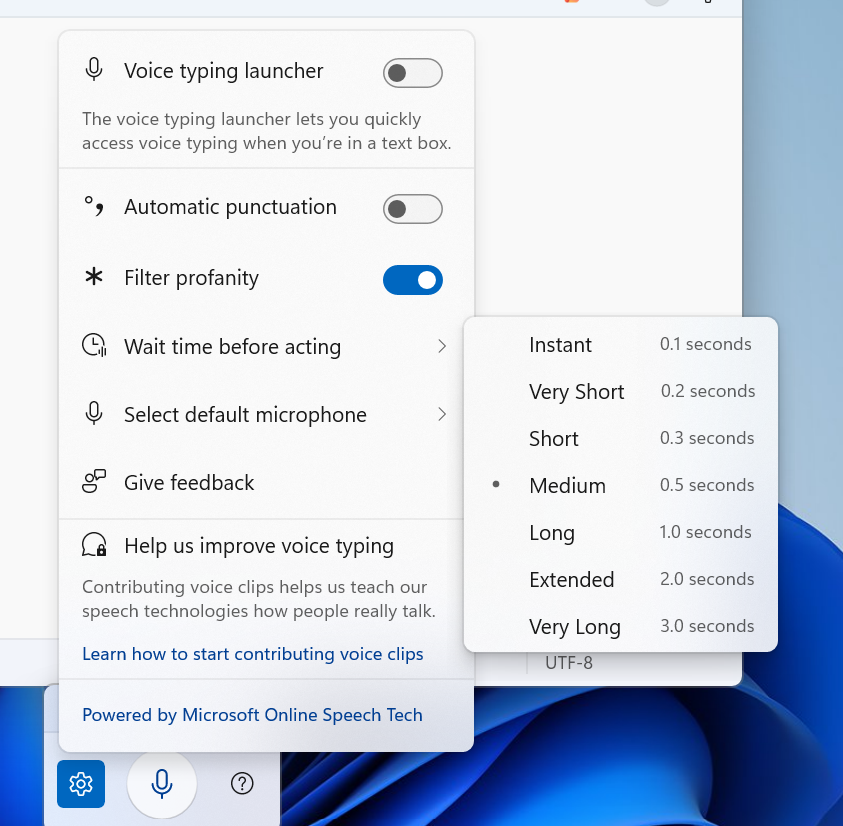
For customers on Copilot+ PCs,We are introducing a new ‘Wait time before acting’ setting in Voice Typing, allowing users to configure the delay before a voice command is executed. This provides greater flexibility for users with varying speech patterns, enabling more accurate recognition whether speaking slowly or quickly. (Update: This is rolling out for all desktop types, not just Copilot+ PCs.)

Change Voice Typing "Wait time before acting" in Windows 11
This tutorial will show you how to change the Voice Typing "Wait time before acting" on voice command setting for your account in Windows 11. Voice typing allows you to enter text on your PC by speaking. Starting with Windows 11 build 26100.7705 (24H2) and build 26200.7705 (25H2), Microsoft...
www.elevenforum.com
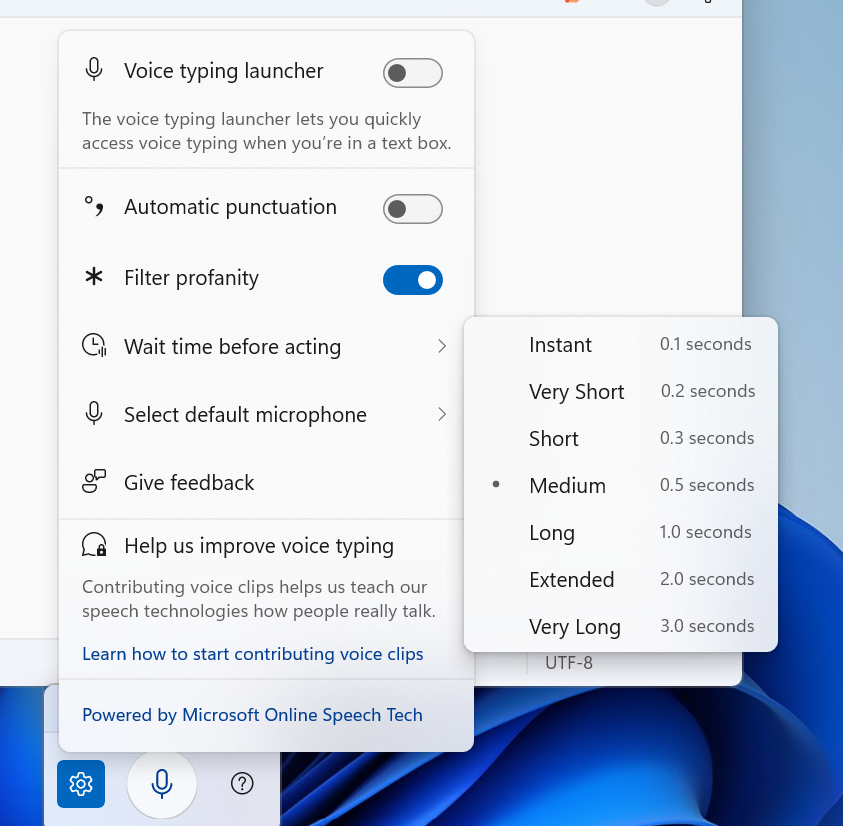
Voice typing settings supports “Wait time before acting” with timing options like “Instant – 0.1 seconds” to “Very Long – 3.0 seconds”
[Proactive Memory Diagnostics]
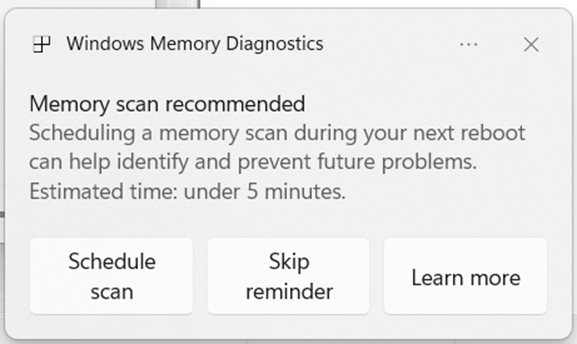
- We’re introducing a new feature that helps improve system reliability. If your PC experiences a bugcheck (unexpected restart), you may see a notification when signing in suggesting a quick memory scan. If you choose to run it, the system will schedule a Windows Memory Diagnostic scan to run during your next reboot (taking 5 minutes or less on average) and then continue to Windows. If a memory issue is found and mitigated, you will see a notification post-reboot. Please note:
- This early flight includes all bugcheck codes as triggers while we study the relationship between memory corruption and crashes. Future builds will refine targeting.
- Currently this is experience not supported on Arm64 devices, systems with Administrator Protection, or BitLocker without Secure Boot.
Run Windows Memory Diagnostics Tool in Windows 11
This tutorial will show you how to manually run the Windows Memory Diagnostics Tool to check for memory problems in Windows 10 and Windows 11. The Windows Memory Diagnostics Tool can help you identify and diagnose problems with system memory (RAM) when you suspect your PC has a memory problem...
www.elevenforum.com
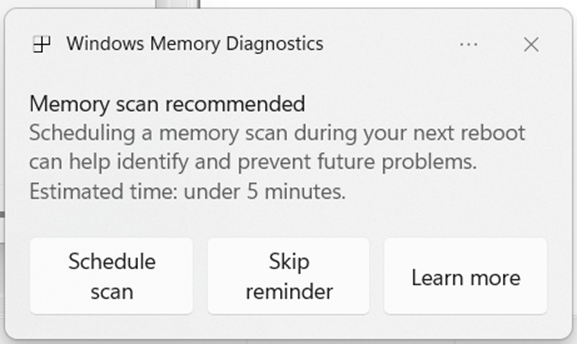
Windows Memory Diagnostics dialog recommending a scan during next reboot.
Changes and Improvements gradually being rolled out to the Beta Channel with toggle on*
[Settings]
- Device Cards in Settings has been updated to provide more clarity on information about your device for better readability and streamlined navigation for improved user experience.
- In Settings About, we’ve enhanced it to deliver a more structured and intuitive experience, empowering users with device insights, and seamless navigation to related device components – including quick access to Storage settings.
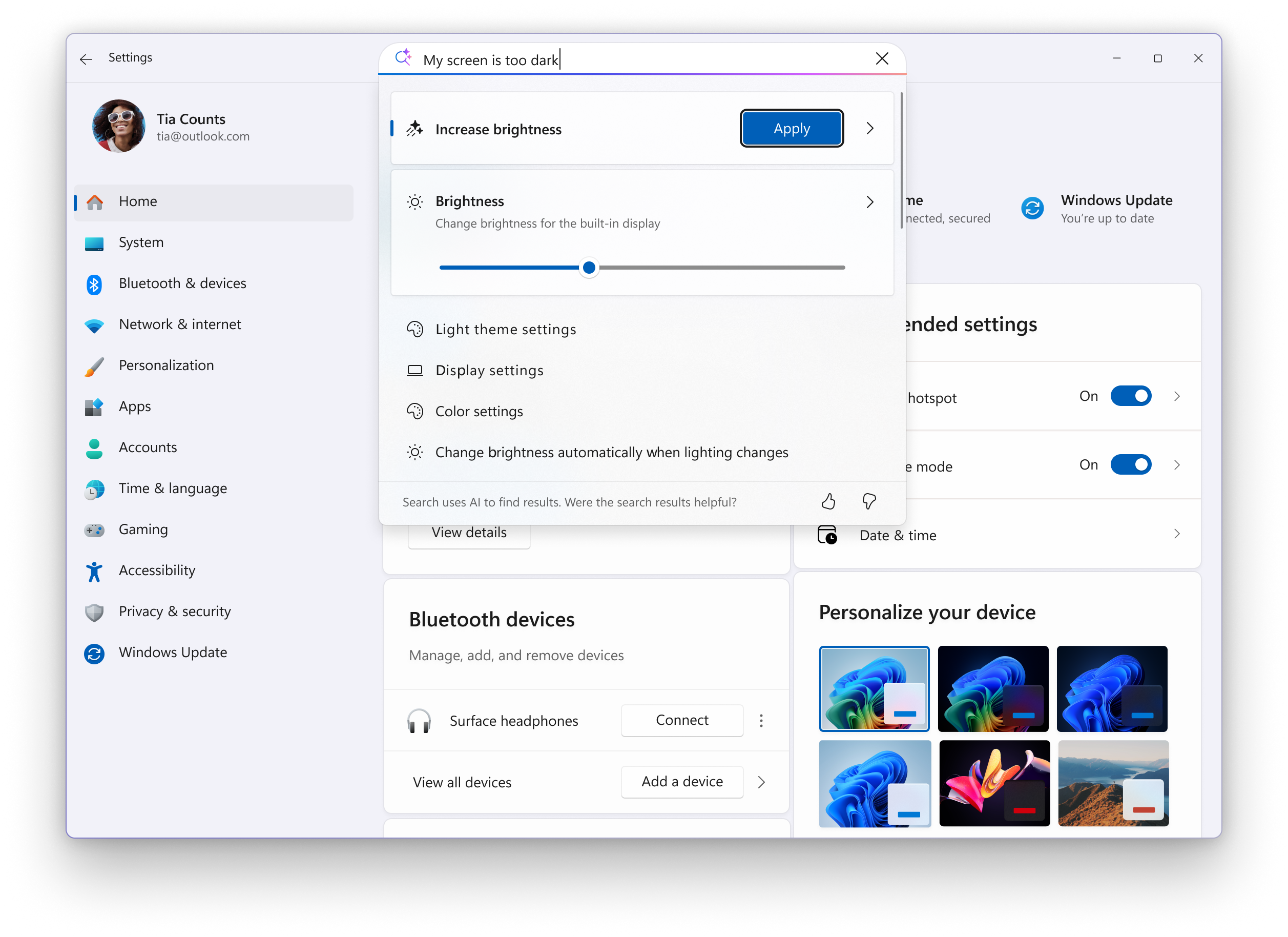
- Search: You can now scroll through all search results directly in the flyout, without needing to open a separate results page.

Find a Setting in Settings app in Windows 11
This tutorial will show you how to search to find a setting within the Settings app in Windows 11. Microsoft designed Settings to be beautiful, easy to use and inclusive of all your Microsoft experiences in Windows 11. Settings has left-handed navigation that persists between pages, and...
www.elevenforum.com
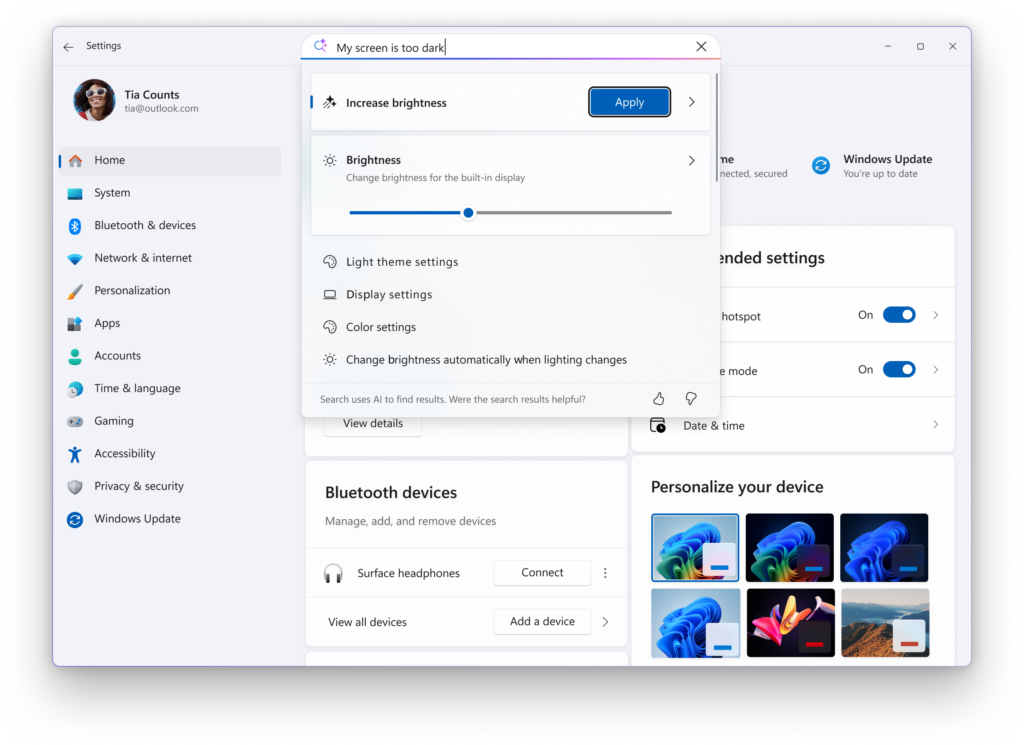
A scrollbar is added to Settings search results flyout to show all results.
[Click to Do]
- We’re helping users discover more actions in Click to Do!
- A helpful hint now appears as you launch Click to Do, assisting unfamiliar users in discovering powerful actions that help you work quickly and intuitively.
- Known issue: When there are multiple monitors, the hint appears on every display, and closing one of them does not dismiss the others.
[Start menu]
- Windows Insiders with the larger Start menu flyout will now notice that the Windows Search flyout now matches in size. This update aims to create a smoother transition when searching. The feature relies on the updated Start menu rolled out to WIP earlier this year.
[File Explorer]
- File Explorer Home on-hover actions for faster file management (previously released to Insiders with MSA) is now available for enterprise customers.
[Taskbar]
- We’re restarting the rollout of the new animations on taskbar– appreciate your patience.
[Windows Studio Effects]
- Windows Studio Effects now offers support on additional, alternative, cameras as a part of a gradual rollout to Windows Insiders on Snapdragon-powered and AMD Copilot+ PCs, previously only available to Intel®-powered Copilot+ PCs.

Enable or Disable Windows Studio Effects for Camera in Windows 11
This tutorial will show you how to turn on or off using Windows Studio Effects for a camera on Windows 11 Copilot+ PC. Windows Studio Effects is the collective name of AI-powered video call and audio effects that are available on Copilot+ PCs and select Windows 11 devices with compatible NPUs...
www.elevenforum.com

Change Default Camera Settings and Studio Effects in Windows 11
This tutorial will show you how to change or reset the default brightness, contrast, and other available image settings and Studio Effects for a camera in Windows 11. Having a camera as part of your Windows device or system lets you make Skype video calls, take pictures, etc. Many apps and...
www.elevenforum.com
Fixes gradually being rolled out to the Beta Channel with toggle on*
[General]
- Fixed an issue causing text actions that use Phi Silica in Click to Do and Recall to not work correctly on the previous build.
[Taskbar]
- Fixed an issue where hovering over the taskbar with a pen was making the taskbar prematurely hide for some Insiders recently.
- Fixed an issue where voice access wasn’t working correctly when attempting to interact with the taskbar (calling out a number wasn’t invoking that item).
[Input]
- Fixed an issue where if you used the touch keyboard to input your password on the login screen, it might not disappear after logging into your PC.
[File Explorer]
- Fixed an issue where the search icon in File Explorer might infinitely loop in an animation recently.
[Widgets]
- If you’ve been experiencing an issue recently with widgets not being able to log in, that should be resolved now.
[Administrator Protection]
- Fixed an issue when running an app as administrator where the text in the UAC prompt might be truncated.
[Task Manager]
- Fixed an issue which was causing some apps and their processes to not be grouped correctly.
[Other]
- Updated the buttons to have rounded corners when you’re shutting down your PC and are prompted if you want to shut down anyway despite running apps.
Known Issues
[General]
- [NEW] We’re investigating an underlying issue leading to keyboards or other USB devices not working for a small number of Insiders after the latest flights.
[Taskbar & System Tray]
- We’re investigating an issue which is causing the Start menu to not open for some Insiders on click, although it will open if you press the Windows key. It’s believed this issue may also potentially impact the notification center (which you can open with WIN + N).
- [NEW] We’re investigating an issue where for some Insiders apps aren’t showing in the system tray when they should be.
[File Explorer]
- Copy progress might flash when clicking more or less details in dark mode version of the copy dialog.
- Scrollbar and footer are missing and showing a white block instead when text is scaled in dark mode version of the copy dialog.
Reminders for Windows Insiders in the Beta Channel
- Windows Insiders in the Beta Channel on Windows 11, version 24H2 will receive updates based on Windows 11, version 24H2 via an enablement package (Build 26120.xxxx).
- Updates delivered to the Beta Channel are in a format that offers a preview of enhancements to servicing technology on Windows 11, version 24H2. To learn more, see Introducing Windows 11 checkpoint cumulative updates | Windows IT Pro Blog.
- Many features in the Beta Channel are rolled out using Controlled Feature Rollout technology, starting with a subset of Insiders and ramping up over time as we monitor feedback to see how they land before pushing them out to everyone in this channel.
- For Windows Insiders in the Beta Channel who want to be the first to get features gradually rolled out to you, you can turn ON the toggle to get the latest updates as they are available via Settings > Windows Update*. Over time, we will increase the rollouts of features to everyone with the toggle turned on. Should you keep this toggle off, new features will gradually be rolled out to your PC over time once they are ready.
- Features and experiences included in these builds may never get released as we try out different concepts and get feedback. Features may change over time, be removed, or replaced and never get released beyond Windows Insiders. Some of these features and experiences could show up in future Windows releases when they’re ready.
- Some features in active development we preview with Windows Insiders may not be fully localized and localization will happen over time as features are finalized. As you see issues with localization in your language, please report those issues to us via Feedback Hub.
- Please note that some accessibility features may not work with features like Recall and Click to Do while in preview with Windows Insiders.
- Because the Dev and Beta Channels represent parallel development paths from our engineers, there may be cases where features and experiences show up in the Beta Channel first.
- Check out Flight Hub for a complete look at what build is in which Insider channel.
Amanda
Source:
Announcing Windows 11 Insider Preview Build 26120.6982 (Beta Channel)
Hello Windows Insiders, today we are releasing Windows 11 Insider Preview Build 26120.6982 (KB5067109) to the Beta Channel for Windows Insiders on Windows 11, version 24H2. Changes in Beta Channel b
blogs.windows.com
Check Windows Updates
UUP Dump:
64-bit ISO download:
Select language for Windows 11 Insider Preview Feature Update (26120.6982) amd64
Select language for Windows 11 Insider Preview Feature Update (26120.6982) amd64 on UUP dump. UUP dump lets you download Unified Update Platform files, like Windows Insider updates, directly from Windows Update.
uupdump.net
ARM64 ISO download:
Select language for Windows 11 Insider Preview Feature Update (26120.6982) arm64
Select language for Windows 11 Insider Preview Feature Update (26120.6982) arm64 on UUP dump. UUP dump lets you download Unified Update Platform files, like Windows Insider updates, directly from Windows Update.
uupdump.net
UUP Dump - Download Windows Insider ISO
UUP Dump is the most practical and easy way to get ISO images of any Insider Windows 10 or Windows 11 version, as soon as Microsoft has released a new build. UUP Dump creates a download configuration file according to your choices, downloads necessary files directly from Microsoft servers, and...
www.elevenforum.com
Last edited: