UPDATE 11/21:
 www.elevenforum.com
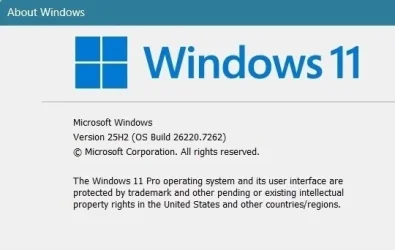
Hello Windows Insiders, today we are releasing Windows 11 Insider Preview Build 26220.7262 (KB5070303) to the Dev & Beta Channels.
As a reminder we are offering the same builds to both the Dev & Beta Channels on Windows 11, version 25H2.
If you are an Insider in the Dev Channel, you now have a window to switch from the Dev Channel to the Beta Channel if you would like. This window will only be open for as long as we’re releasing the same 25H2-based updates across both the Dev and Beta Channels. After we move Dev Channel forward to a higher build number, the opportunity to switch between these channels will close. When the Dev Channel jumps ahead, things might not be as stable as the Dev Channel is today, so we highly encourage you to evaluate which channel you would like to be in during the time in which the window to switch is open.
 www.elevenforum.com
Changes in Dev & Beta Channel builds and updates are documented in two buckets: new features, improvements, and fixes that are being gradually rolled out for Insiders who have turned on the toggle to get the latest updates as they are available (via Settings > Windows Update*) and then new features, improvements, and fixes rolling out to everyone in the Dev & Beta Channels. For more information, see the Reminders section at the bottom of this blog post.
 www.elevenforum.com
When reading with Narrator or listening to text in Magnifier, HD voices provide clearer audio and smoother flow. This helps reduce listening fatigue during long sessions and makes it easier to stay focused on the content. While natural voices are available in multiple languages, HD voices are currently offered in English (United States). Both Narrator and Magnifier allow you to personalize your experience by adjusting voice speed and switching between voices anytime.
 www.elevenforum.com
To enable in Narrator
 www.elevenforum.com
 www.elevenforum.com
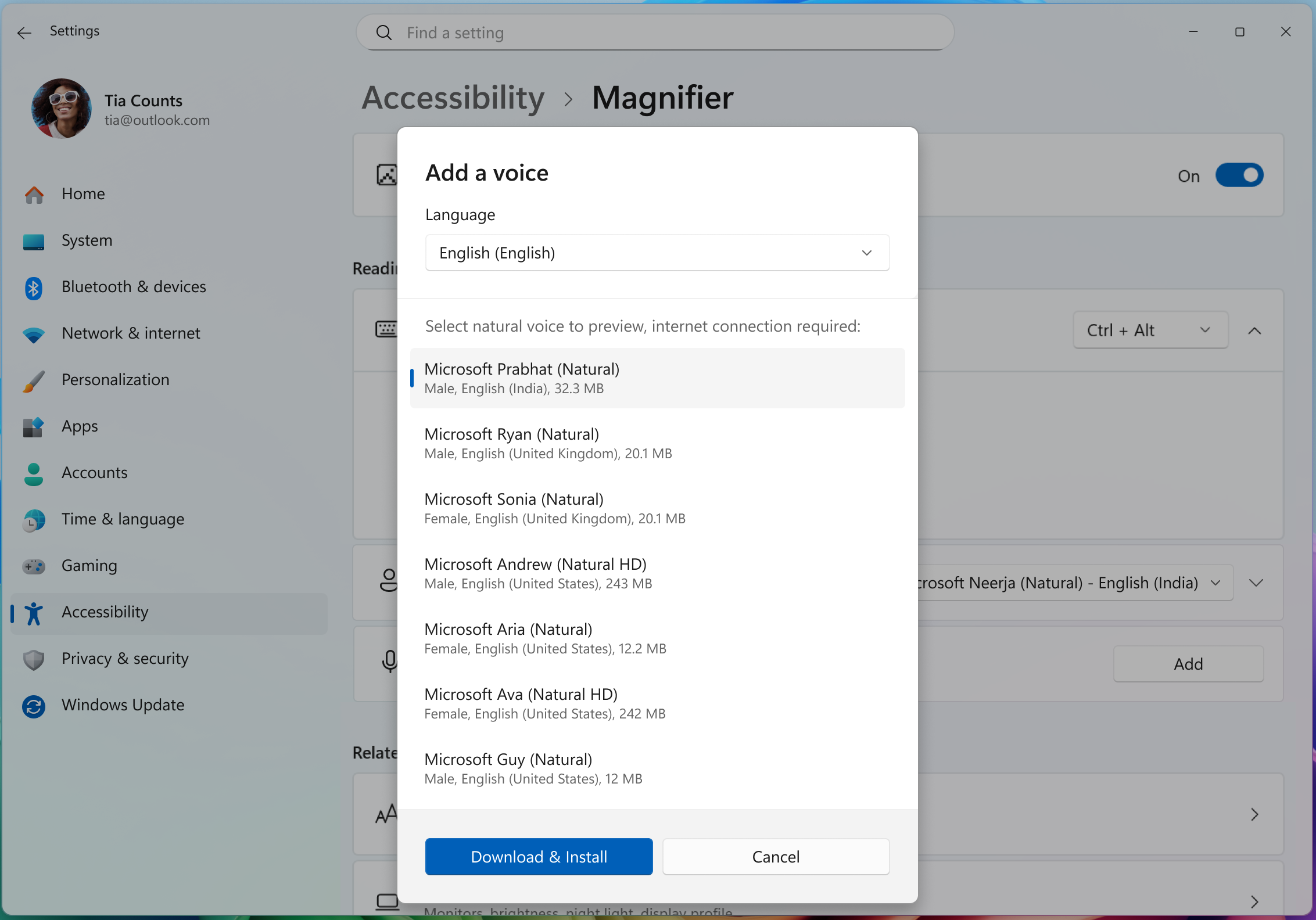
Magnifier also supports natural voices, including new HD options for even clearer, more lifelike speech. To enable:
Windows Insider Program Team

 blogs.windows.com
Check Windows Updates
UUP Dump:
64-bit ISO download:

ARM64 ISO download:
 www.elevenforum.com
KB5070307 Windows 11 Insider Dev and Beta build 26220.7271 (25H2) - Nov. 21
Windows Insider Blog: Hello Windows Insiders, today we are releasing Windows 11 Insider Preview Build 26220.7271 (KB5070307) to the Dev & Beta Channels. As a reminder we are offering the same builds to both the Dev & Beta Channels on Windows 11, version 25H2. If you are an Insider in the Dev...
www.elevenforum.com
Windows Insider Blog:
Hello Windows Insiders, today we are releasing Windows 11 Insider Preview Build 26220.7262 (KB5070303) to the Dev & Beta Channels.
As a reminder we are offering the same builds to both the Dev & Beta Channels on Windows 11, version 25H2.
If you are an Insider in the Dev Channel, you now have a window to switch from the Dev Channel to the Beta Channel if you would like. This window will only be open for as long as we’re releasing the same 25H2-based updates across both the Dev and Beta Channels. After we move Dev Channel forward to a higher build number, the opportunity to switch between these channels will close. When the Dev Channel jumps ahead, things might not be as stable as the Dev Channel is today, so we highly encourage you to evaluate which channel you would like to be in during the time in which the window to switch is open.
Change Windows Insider Program Channel in Windows 11
This tutorial will show you how to change your Windows Insider Program channel to the Beta, Experimental, or Release Preview channel to get Insider preview builds of Windows 11 on your PC. Flighting is the process of running Windows Insider Preview Builds on your device. When you run these...
www.elevenforum.com
Changes in Dev & Beta Channel builds and updates are documented in two buckets: new features, improvements, and fixes that are being gradually rolled out for Insiders who have turned on the toggle to get the latest updates as they are available (via Settings > Windows Update*) and then new features, improvements, and fixes rolling out to everyone in the Dev & Beta Channels. For more information, see the Reminders section at the bottom of this blog post.
Enable or Disable Get Latest Updates as soon as available in Windows 11
This tutorial will show you how to turn on or off "Get the latest updates as soon as they are available" in Windows 11. Starting with Windows 11 build 22621.1635, Microsoft added a new "Get the latest updates as soon as they are available" toggle under Settings > Windows Update. When you turn...
www.elevenforum.com
New features gradually being rolled out with toggle on*
HD Voices in Narrator and Magnifier
Narrator and Magnifier now support high-definition voices for English (United States), powered by Azure’s latest on-device text-to-speech models. These voices use generative AI to adjust tone and pacing for more natural, expressive speech.When reading with Narrator or listening to text in Magnifier, HD voices provide clearer audio and smoother flow. This helps reduce listening fatigue during long sessions and makes it easier to stay focused on the content. While natural voices are available in multiple languages, HD voices are currently offered in English (United States). Both Narrator and Magnifier allow you to personalize your experience by adjusting voice speed and switching between voices anytime.
Add Natural Voices to Narrator and Magnifier in Windows 11
This tutorial will show you how to add (install) natural voices to Narrator and Magnifier for your account in Windows 11. Narrator is a screen reader included with Windows 11 that describes what's on your screen. Narrator lets you use your PC without a mouse to complete common tasks if you’re...
www.elevenforum.com
To enable in Narrator
- Open Settings → Accessibility → Narrator.
- Navigate to “add a natural voice” button
- Download your preferred HD voice.
- Switch voices or adjust speed anytime in Narrator settings.
Change Narrator Voice in Windows 11
This tutorial will show you how to change the voice Narrator uses for speech by default for your account in Windows 11. Narrator is a screen reader included with Windows 11 that describes what's on your screen. Narrator lets you use your PC without a mouse to complete common tasks if you’re...
www.elevenforum.com
Change Narrator Voice Speed, Pitch, and Volume in Windows 11
This tutorial will show you how to change the speed, pitch, and volume of the Narrator voice for your account in Windows 11. Narrator is a screen reader included with Windows 11 that describes what's on your screen. Narrator lets you use your PC without a mouse to complete common tasks if...
www.elevenforum.com
Magnifier also supports natural voices, including new HD options for even clearer, more lifelike speech. To enable:
- Open Settings → Accessibility → Magnifier.
- Navigate to “add a natural voice” button
- Download your preferred voice.
- Change voices or adjust speed anytime in Magnifier settings.

Change Magnifier Voice in Windows 11
This tutorial will show you how to change the voice Magnifier uses to read by default for your account in Windows 11. Magnifier makes part or all of your screen bigger so you can see words and images better. You can also have Magnifier read text on your screen aloud. Magnifier can use natural...
www.elevenforum.com

Change Magnifier Voice Speed in Windows 11
This tutorial will show you how to change the voice speed Magnifier uses to read for your account in Windows 11. Magnifier makes part or all of your screen bigger so you can see words and images better. You can also have Magnifier read text on your screen aloud. Magnifier can use natural...
www.elevenforum.com
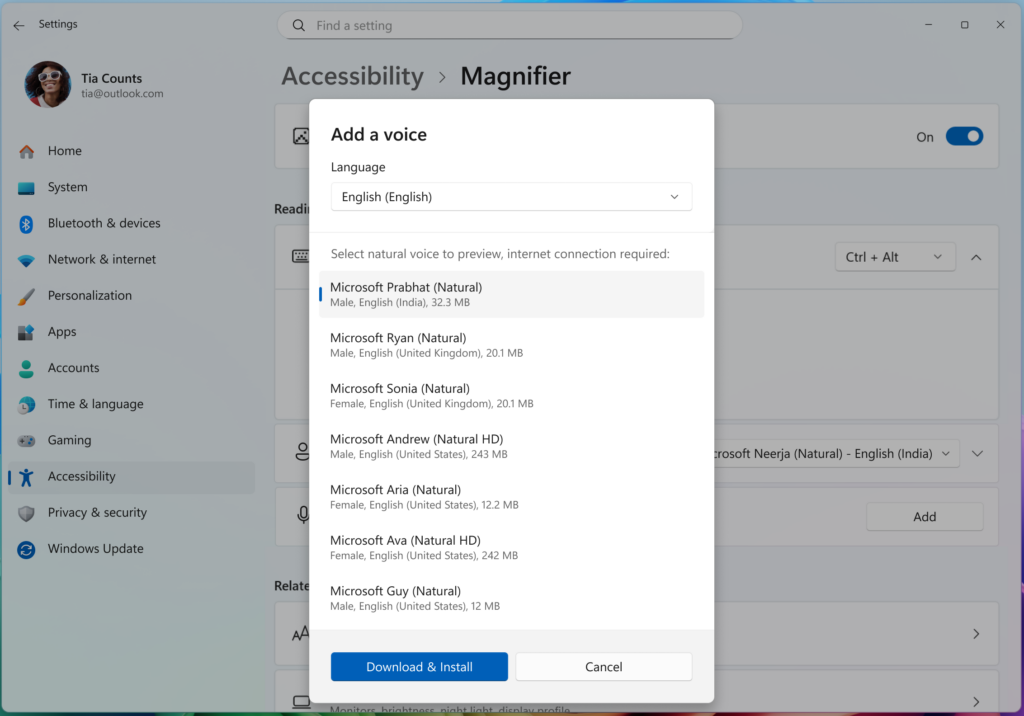
UI showing list of voices that can be downloaded in Magnifier.
Narrator now supports math
- We’re introducing the first phase of Math reading in Narrator, bringing clearer and more natural math experiences to users who are blind or have low vision. With this update, equations in Microsoft 365 apps such as Word can now be read in a structured way that reflects how they’re meant to be understood. Math is at the heart of STEM education and learning, and this improvement helps ensure that students and professionals can independently explore equations, formulas, and scientific notations with confidence.
- To try out this experience, turn on Narrator (press Win + Ctrl + Enter) and open a Word document containing mathematical equations. Use any of the standard Narrator reading commands to hear equations read aloud in a more natural, structured way. We’re continuing to refine this experience and plan to expand it to more scenarios in the future.
- FEEDBACK: Please file feedback in Feedback Hub (WIN + F) under Accessibility > Narrator.

Turn On or Off Narrator in Windows 11
This tutorial will show you how to turn on or off Narrator for your account in Windows 11. Narrator is a screen reader included with Windows 11 that describes what's on your screen. Narrator lets you use your PC without a mouse to complete common tasks if you’re blind or have low vision. It...
www.elevenforum.com
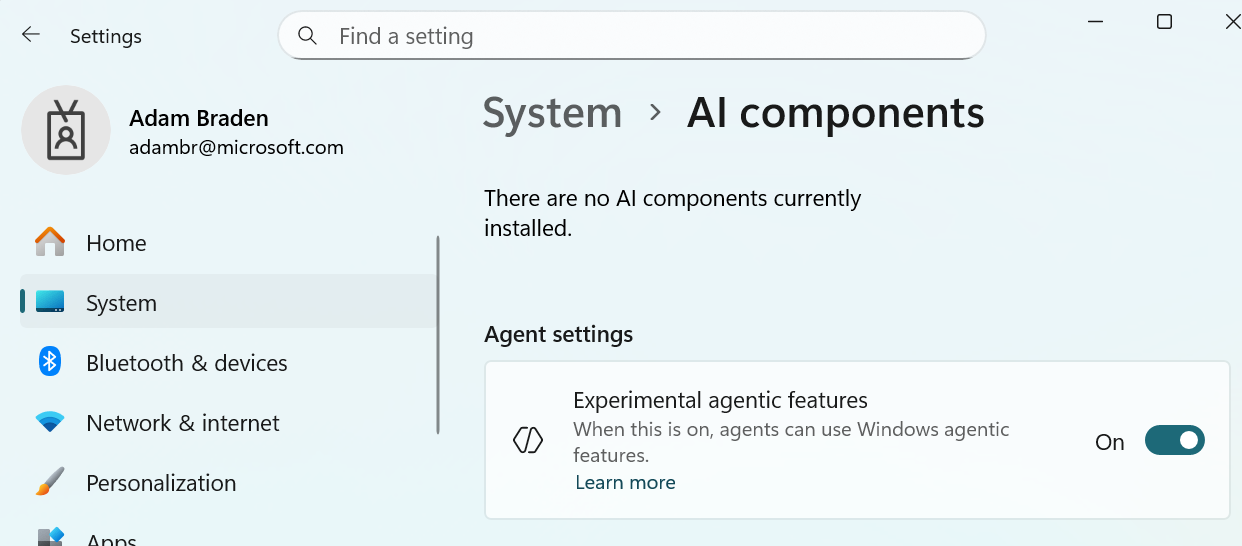
AI Components Setting
- New “Experimental agentic features” toggle in the Settings app. This setting, under System->AI Components, allows agents to use new Windows agentic features. More information can be found here: Experimental Agentic Features – Microsoft Support.

Enable or Disable Experimental Agentic Features in Windows 11
This tutorial will show you how to enable or disable experimental agentic features for all users in Windows 11. Starting with Windows 11 build 26220.7262 (Dev and Beta), Microsoft has added a new Experimental agentic features toggle in the Settings app that allows agents to use new Windows...
www.elevenforum.com

UI showing the Windows Settings app, specifically under System – AI components where users can activate the “Experimental agentic features” toggle.
Changes and Improvements gradually being rolled out with toggle on*
[Click to Do]
- The Click to Do context menu is being updated with a streamlined design, making it simpler to locate what you need. Frequently used actions like Copy, Save, Share, and Open will now be easier to access directly from the context menu.
- Whenever a large image or table appears on your screen, the context menu will automatically pop up, making it quicker and easier to access the actions and results you need.

Use Click to Do in Windows 11
This tutorial will show you how to use Click to Do to perform AI actions with text and images for your account on a Windows 11 Copilot+ PC. Click to Do (preview) helps you get things done faster by identifying text and images on your screen that you can take actions with. Click to Do analyzes...
www.elevenforum.com
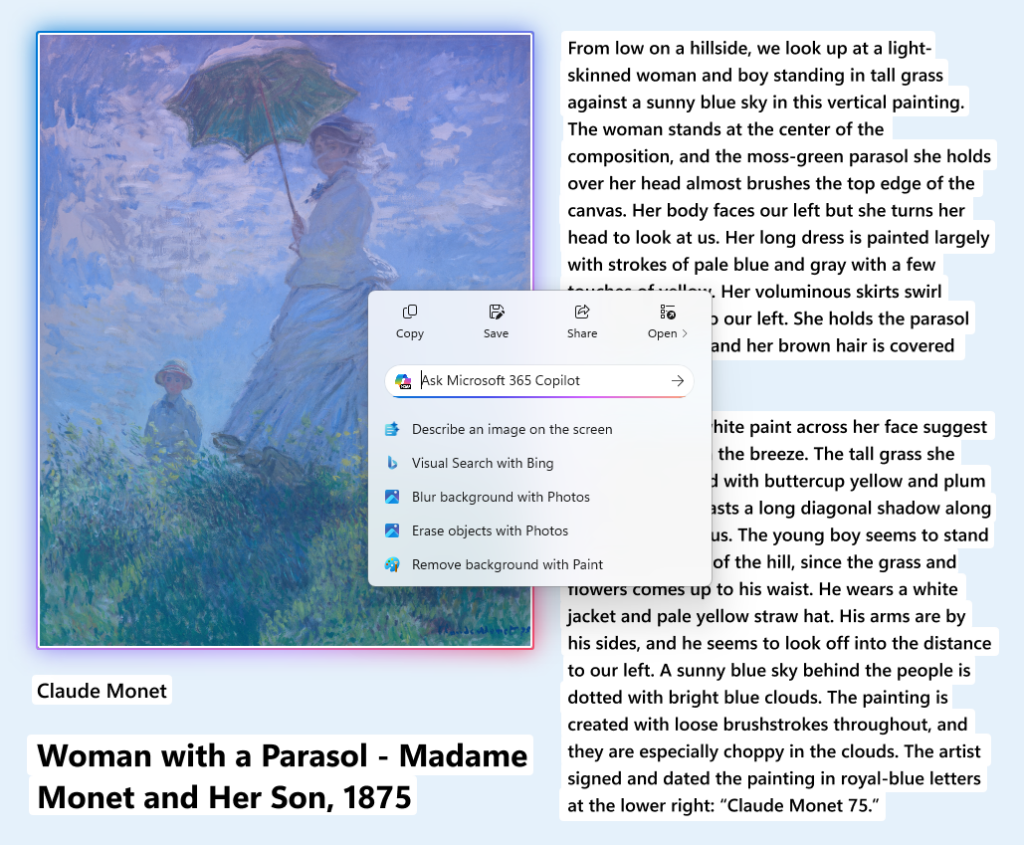
UI showing the context menu automatically appearing to provide quick access to common actions.
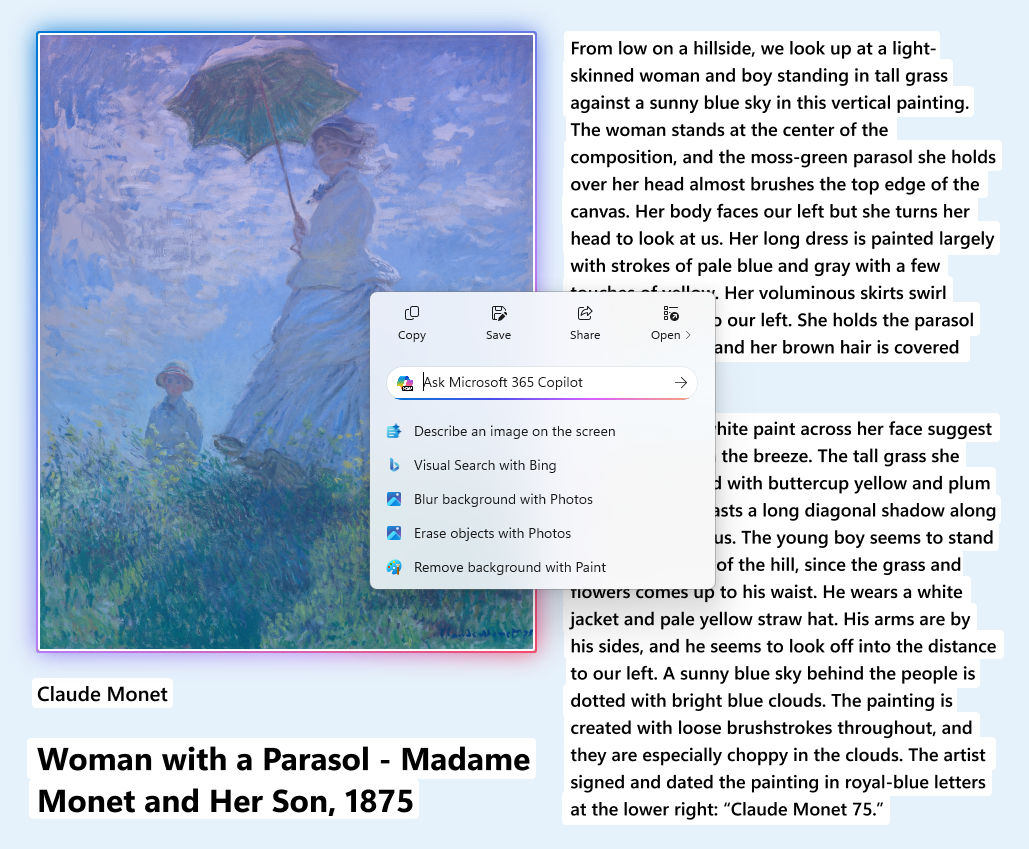
Image Object Selection Update
Teaching Tip Updates
- Teaching tips and introduction screen in tutorial mode have been improved.
- A new “Launch Tutorial” button and refreshed instructions make it easier for users to start the tutorial.
[Input]
- Pens that support haptic feedback will now deliver tactile responses during certain interactions with the system UI. For example, you may feel vibrations when hovering over the close button or when snapping and resizing windows.
[File Explorer]
- We are reconfiguring the CFR that supported AI Actions in File Explorer – Insiders may see a temporary loss in image actions and Copilot summary actions as this is relaunched and gradually rolled out to Insiders in the Dev & Beta Channels.

Use AI Actions in File Explorer in Windows 11
This tutorial will show you how to use AI actions in File Explorer for your account in Windows 11. Starting with Windows 11 build 262100.6725 (24H2), Microsoft is introducing AI actions in File Explorer. With AI actions in File Explorer, you can interact more deeply with your files by...
www.elevenforum.com
- We’re temporarily stopping the roll out of the ability for newly launched File Explorer folders to open in tabs instead of windows, as it wasn’t working correctly. Appreciate your patience.

Open Desktop Folders and External Folder Links in New Tab in File Explorer in Windows 11
This tutorial will show you how to turn on or off always open desktop folders and external folder links in new tab in same File Explorer window for your account in Windows 11. Currently, you can set to either always Open each folder in the same window (default) or Open each folder in its own...
www.elevenforum.com
- We’re working on consolidating the share options in the context menu into a single entry point. (Updated 11/17)
[Administrator Protection]
- We’re temporarily stopping the rollout of administrator protection feature. Appreciate your patience. (Updated 11/17)

Enable or Disable Administrator Protection for Admin Approval Mode in Windows 11
This tutorial will show you how to enable or disable Administrator Protection for admin approval mode elevations in Windows 11. Starting with Windows 11 build 26100.9278 (24H2) and build 26200.9278 (25H2), Administrator protection aims to protect free-floating admin rights for administrators...
www.elevenforum.com
Fixes gradually being rolled out with toggle on*
[General]
- Fixed an issue resulting in mouse and keyboard not working for some Insiders in WinRE / Advanced Startup.
[Taskbar]
- Fixed an issue recently causing some Insiders to see a message saying they don’t have an eligible camera for Recall when they did.
[Task Manager]
- Fixed an issue where the Task Manager process wasn’t stopping correctly after closing Task Manager. As a result of this, you may have also seen Task Manager unexpectedly open on boot.
[Settings]
- Fixed an issue where the Virtual Workspaces options weren’t working correctly in Settings > System > Advanced. As part of this fix, the option is now available again for Insiders.
Known issues
[Taskbar & System Tray]
- We’re investigating an issue which is causing the Start menu to not open for some Insiders on click, although it will open if you press the Windows key. It’s believed this issue may also potentially impact the notification center (which you can open with WIN + N).
- We’re investigating an issue where for some Insiders apps aren’t showing in the system tray when they should be.
[File Explorer]
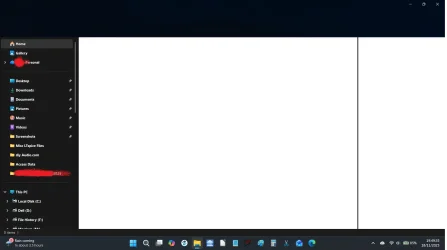
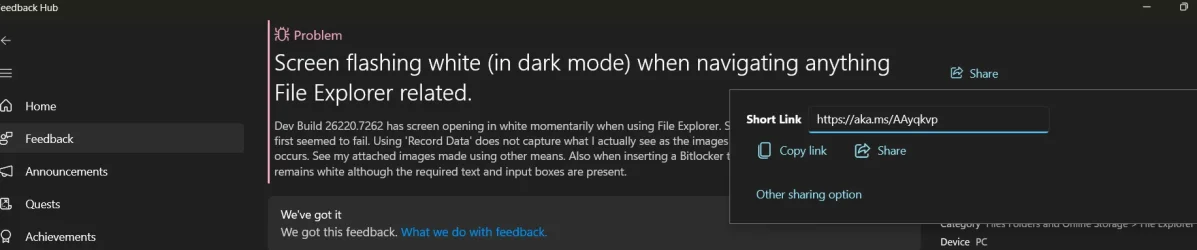
- Copy progress might flash when clicking more or less details in dark mode version of the copy dialog.
- Scrollbar and footer are missing and showing a white block instead when text is scaled in dark mode version of the copy dialog.
[.NET Framework and Visual Studio]
- [NEW] Insiders using ARM64 PCs may observe crashes with Visual Studio or applications that depend on .NET Framework. To resolve the problem, scan for Windows Updates and install the latest .NET Framework update.
Reminders for Windows Insiders in the Dev & Beta Channels
- Updates are based on Windows 11, version 25H2 via an enablement package (Build 26220.xxxx).
- Many features are rolled out using Controlled Feature Rollout technology, starting with a subset of Insiders and ramping up over time as we monitor feedback to see how they land before pushing them out to everyone in this channel.
- For Windows Insiders who want to be the first to get features gradually rolled out to you, you can turn ON the toggle to get the latest updates as they are available via Settings > Windows Update*. Over time, we will increase the rollouts of features to everyone with the toggle turned on. Should you keep this toggle off, new features will gradually be rolled out to your PC over time once they are ready.
- Features and experiences included in these builds may never get released as we try out different concepts and get feedback. Features may change over time, be removed, or replaced and never get released beyond Windows Insiders. Some of these features and experiences could show up in future Windows releases when they’re ready.
- Some features in active development we preview with Windows Insiders may not be fully localized and localization will happen over time as features are finalized. As you see issues with localization in your language, please report those issues to us via Feedback Hub.
- Check out Flight Hub for a complete look at what build is in which Insider channel.
Windows Insider Program Team
Source:
Announcing Windows 11 Insider Preview Build 26220.7262 (Dev & Beta Channels)
Hello Windows Insiders, today we are releasing Windows 11 Insider Preview Build 26220.7262 (KB5070303) to the Dev & Beta Channels. As a reminder we are offering the same builds to both the Dev & Beta Channel
blogs.windows.com
Check Windows Updates
UUP Dump:
64-bit ISO download:
Select language for Windows 11 Insider Preview Feature Update (26220.7262) amd64
Select language for Windows 11 Insider Preview Feature Update (26220.7262) amd64 on UUP dump. UUP dump lets you download Unified Update Platform files, like Windows Insider updates, directly from Windows Update.
uupdump.net
ARM64 ISO download:
Select language for Windows 11 Insider Preview Feature Update (26220.7262) arm64
Select language for Windows 11 Insider Preview Feature Update (26220.7262) arm64 on UUP dump. UUP dump lets you download Unified Update Platform files, like Windows Insider updates, directly from Windows Update.
uupdump.net
UUP Dump - Download Windows Insider ISO
UUP Dump is the most practical and easy way to get ISO images of any Insider Windows 10 or Windows 11 version, as soon as Microsoft has released a new build. UUP Dump creates a download configuration file according to your choices, downloads necessary files directly from Microsoft servers, and...
www.elevenforum.com
Last edited: