UPDATE 2/27:
 www.elevenforum.com
Hello Windows Insiders, today we are releasing Windows 11 Insider Preview Build 28020.1619 to the Canary Channel (KB 5077230)
 www.elevenforum.com
Windows Insider Program Team

 blogs.windows.com
Check Windows Updates
UUP Dump:
64-bit ISO download:

ARM64 ISO download:
 www.elevenforum.com
KB5077240 Windows 11 Insider Canary build 28020.1673 (26H1) - Feb. 27
Windows Insider Blog: Hello Windows Insiders, today we are releasing Windows 11 Insider Preview Build 28020.1673 to the Canary Channel. (KB 5077240) https://www.elevenforum.com/t/enable-or-disable-get-latest-updates-as-soon-as-available-in-windows-11.13821/ What’s new in Canary Build...
www.elevenforum.com
Windows Insider Blog:
Hello Windows Insiders, today we are releasing Windows 11 Insider Preview Build 28020.1619 to the Canary Channel (KB 5077230)
What’s new in Canary Build 28020.1619
Changes and Improvements gradually being rolled out with toggle on*
Enable or Disable Get Latest Updates as soon as available in Windows 11
This tutorial will show you how to turn on or off "Get the latest updates as soon as they are available" in Windows 11. Starting with Windows 11 build 22621.1635, Microsoft added a new "Get the latest updates as soon as they are available" toggle under Settings > Windows Update. When you turn...
www.elevenforum.com
[Cross Device Resume]
- This update expands the functionality of Cross‑Device Resume, which Microsoft first introduced in the May 2025 Windows non-security update (KB5058499). You can continue activities from your Android phone on your PC based on the apps and services you use, including resuming Spotify playback, working in Word, Excel, or PowerPoint, or continuing a browsing session.

Resume Apps from Android Phone on Windows 11 PC
This tutorial will show you how to seamlessly resume using your favorite apps from your Android phone on your Windows 11 PC. Microsoft rolled out the ability to seamlessly resume using your favorite apps from your Android phone on your Windows 11 PC to Windows Insiders in the Dev and Beta...
www.elevenforum.com

Enable or Disable Resume from Android Mobile Device on Windows 11 PC
This tutorial will show you how to turn on or off the Resume feature for Android mobile devices (phone) linked to your account on a Windows 11 PC. Microsoft rolled out the ability to seamlessly resume using your favorite apps from your Android phone on your Windows 11 PC to Windows Insiders in...
www.elevenforum.com
- Vivo Android phone users can continue browsing from Vivo Browser on their PC.
- If you use an Android phone from HONOR, OPPO, Samsung, Vivo, or Xiaomi, you can resume online files that you opened in the Microsoft Copilot app on your phone and continue working on them on your PC. Files open in the corresponding Microsoft 365 app on your PC if it is installed. If the app is not installed, the files open in your default web browser. This feature does not support offline files stored only on your phone.
[Personalize what Narrator announces]
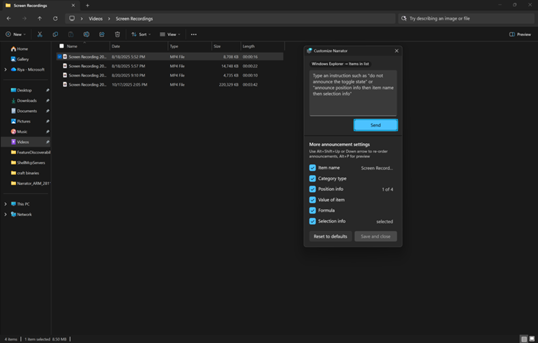
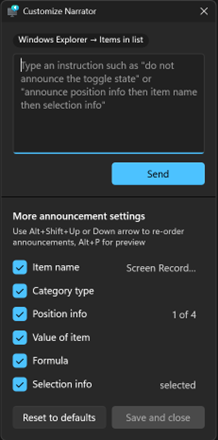
- Narrator now gives you more control over how it announces on‑screen controls. You can choose which details are spoken and adjust their order to match how you navigate apps. These settings apply throughout the app to help reduce extra speech and make Narrator easier to follow.
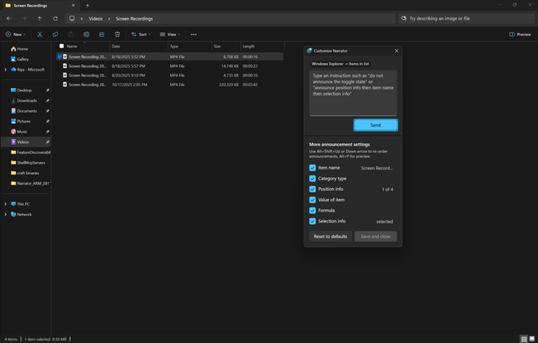
UI showing the Narrator customization panel in Windows 11.
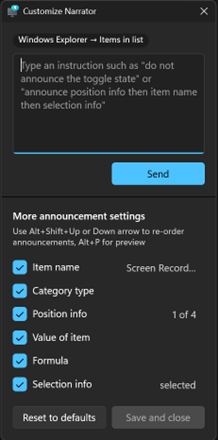
UI showing the Narrator customization panel adjustable announcement settings in Windows 11.
[Windows Hello]
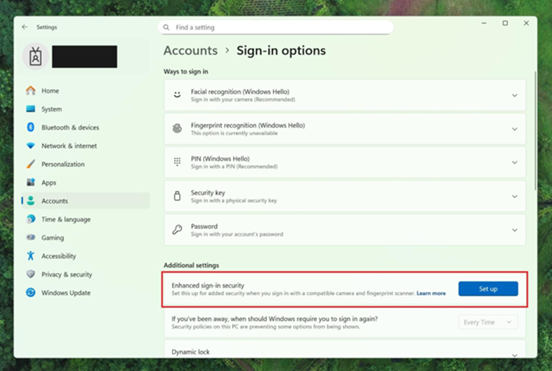
- Windows Hello Enhanced Sign-in Security Now Supports Peripheral Fingerprint Sensors: Windows Hello Enhanced Sign-in Security (ESS) is expanding to support peripheral fingerprint sensors in Windows 11. Previously, ESS was only available on PCs with built-in biometric sensors, but now Windows 11 PCs, including desktops and Copilot+ PCs, can benefit from the most secure sign-in experience Windows Hello has to offer. Just plug in a supported ESS fingerprint reader, head to Settings > Accounts > Sign-in options and follow the prompts to enroll.

Enable or Disable Enhanced Sign-in Security in Windows 11
This tutorial will show you how to enable or disable Enhanced Sign-in Security for all users in Windows 11. Windows Hello enables biometrics or PIN authentication, eliminating the need for a password. Biometric authentication uses facial recognition or fingerprint to prove a user's identity in...
www.elevenforum.com
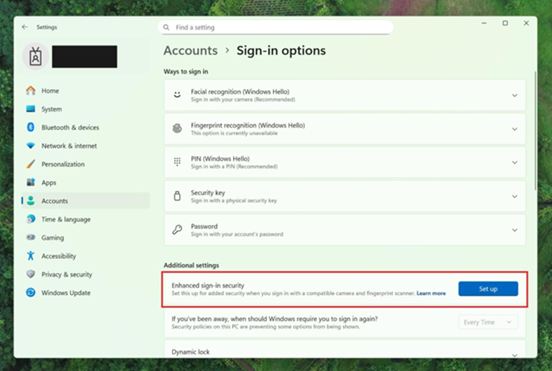
Settings dialog showing where additional settings has an option outlined in red for “Enhanced sign-in security” with a button for “Set up”.
[Voice Typing]
- We are introducing a new ‘Wait time before acting’ setting in Voice Typing, allowing users to configure the delay before a voice command is executed. This provides greater flexibility for users with varying speech patterns, enabling more accurate recognition whether speaking slowly or quickly. (Update: This is rolling out for all desktop types, not just Copilot+ PCs.)

Change Voice Typing "Wait time before acting" in Windows 11
This tutorial will show you how to change the Voice Typing "Wait time before acting" on voice command setting for your account in Windows 11. Voice typing allows you to enter text on your PC by speaking. Starting with Windows 11 build 26100.7705 (24H2) and build 26200.7705 (25H2), Microsoft...
www.elevenforum.com
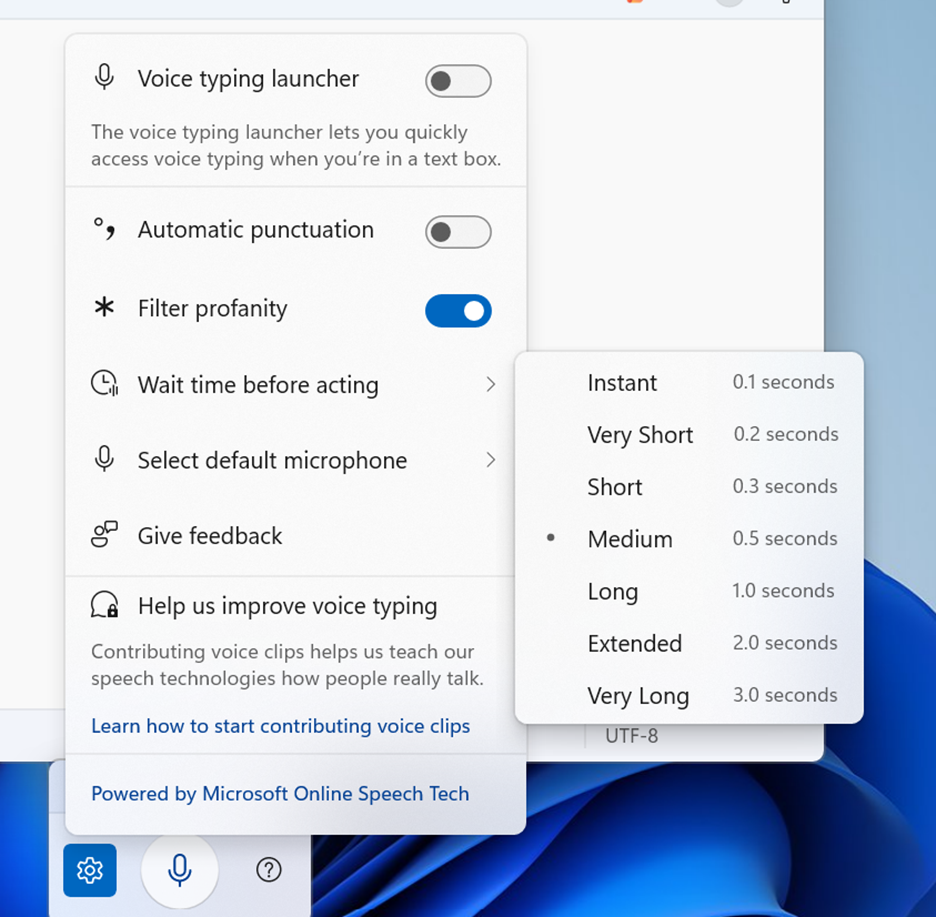
Voice typing settings supports “Wait time before acting” with timing options like “Instant – 0.1 seconds” to “Very Long – 3.0 seconds”.
[Voice Access]
- We’re introducing a more streamlined setup flow to make it even easier to get started with Voice Access. The redesigned flow helps download the right speech model for your language of choice; select your preferred input microphone & highlights what Voice Access can help you do on your PC.

Turn On or Off Voice Access in Windows 11
This tutorial will show you how to turn on or off voice access for your account in Windows 11. Voice access is a new experience starting with Windows 11 build 22518 that enables everyone, including people with mobility disabilities, to control their PC and author text using only their voice and...
www.elevenforum.com
[Settings Agent Language Expansion]
- Last September, we announced that Agent in Settings experience was expanded to include French in Dev and Beta Now, the languages supported by the Settings Agent continue to be expanded. The following locales and languages are supported with this release:
Current:- English: en-gb, en-us
- French: fr-fr, fr-ca
- German: de-de
- Portuguese: pt-br, pt-pt
- Spanish: es-es, es-mx
- Korean: ko-kr
- Japanese: ja-jp
- Hindi: hi-in
- Italian: it-it
- Chinese (Simplified): zh-cn
[General]
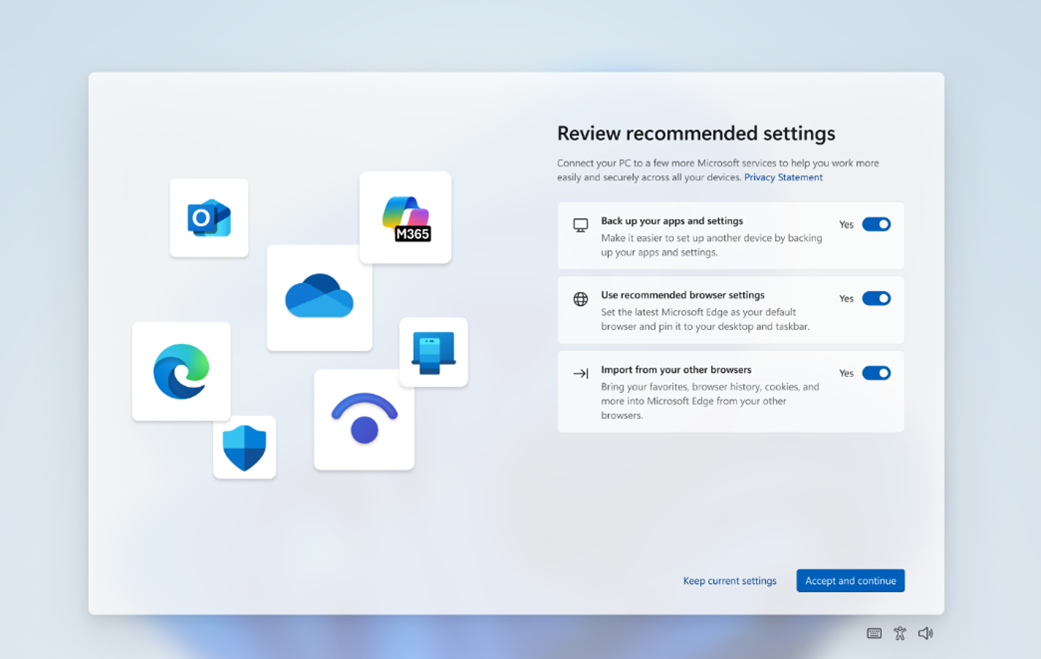
- Some Windows Insiders will see a refreshed SCOOBE screen (Second Chance Out of Box Experience) for reviewing recommended settings on your PC. This redesigned screen is meant to be more intuitive and streamlined, allowing you to choose the recommended settings you want for your PC without having to navigate through multiple setup screens. If you see this screen, let us know if you have any feedback via Feedback Hub.
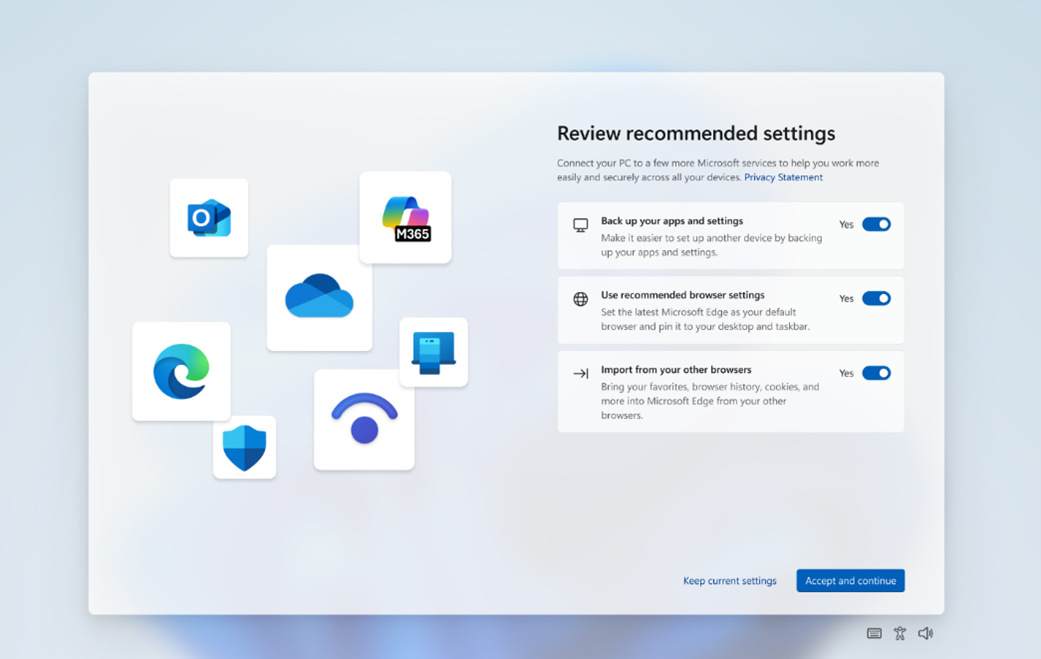
Refreshed SCOOBE screen for reviewing recommended settings.
Paint App update rolling out to Canary & Dev Channels
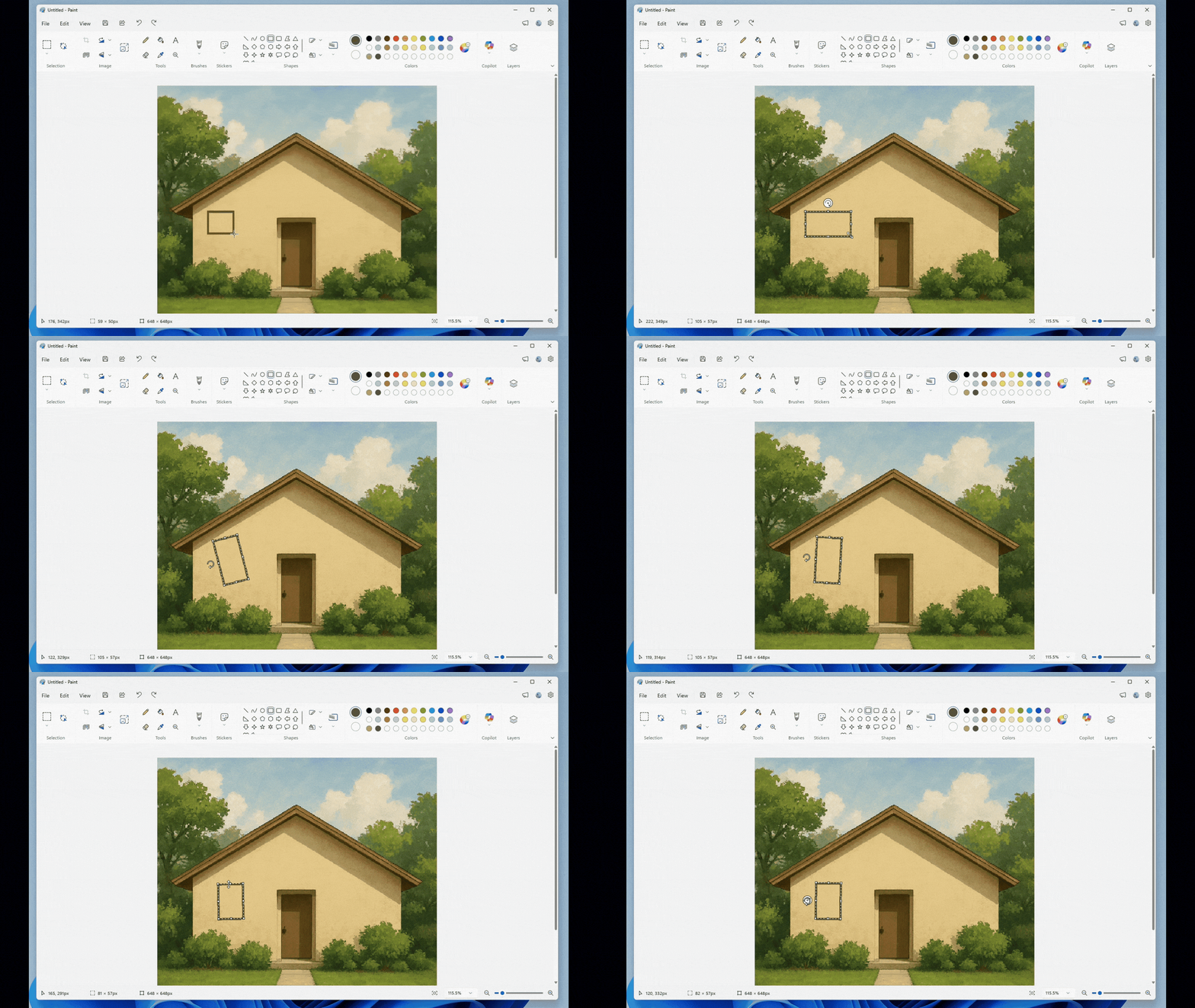
- With Paint version 11.2601.391.0, we’re excited to introduce freeform rotate, a highly requested feature that gives you more control when editing your artwork. You can now rotate shapes, text, and any active selection to any angle. To get started, open Paint and select a shape, text, or selection. When the object is active, use the rotate handle above it to rotate freely in any direction. For more precise control, you can also choose Custom rotate from the Rotate menu and enter a specific angle. Try using freeform rotate in your artwork to adjust elements exactly the way you want and add more flexibility to your creative workflow.

Use Freeform Rotate feature in Paint app on Windows 11
This tutorial will show you how to use the freeform rotate feature on an image in the Paint app in Windows 11. The Paint app included in Windows 11 is a simple and powerful graphics editor with a range of uses. You can edit images quickly or create masterpieces with the tools in this app. Once...
www.elevenforum.com

Paint App GIF showing freeform rotate. - FEEDBACK: Please file feedback in Feedback Hub (WIN + F) under Apps > Paint.
Reminders for Windows Insiders in the Canary Channel
- These builds can be unstable and may be released with limited documentation. Join Windows Insider – Get early access to Windows 11 features & updates
- Many features in the Canary Channel are rolled out using Control Feature Rollout technology, starting with a subset of Insiders and ramping up over time as we monitor feedback to see how they land before pushing them out to everyone in this channel.
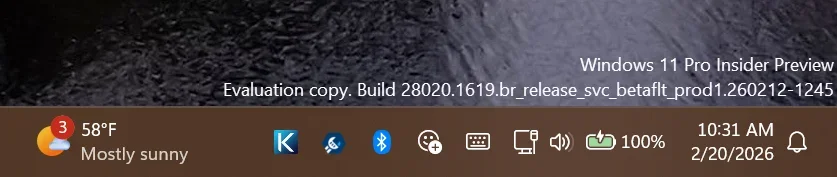
- The desktop watermark shown at the lower right corner of the desktop is normal for Windows Insider pre-release builds.
- Some features may show up in the Dev and Beta Channels first before showing up in the Canary Channel.
- Some features in active development we preview with Windows Insiders may not be fully localized and localization will happen over time as features are finalized. As you see issues with localization in your language, please report those issues to us via Feedback Hub.
- To get off the Canary Channel, a clean install of Windows 11 will be required. As a reminder – Insiders can’t switch to a channel that is receiving builds with lower build numbers without doing a clean installation of Windows 11 due to technical setup requirements.
- Check out Flight Hub for a complete look at what build is in which Insider channel.
Windows Insider Program Team
Source:
Announcing Windows 11 Insider Preview Build 28020.1619 (Canary Channel)
Hello Windows Insiders, today we are releasing Windows 11 Insider Preview Build 28020.1619 to the Canary Channel (KB 5077230) What’s new in Canary Build 28020.1619 Changes and Improvements gr
blogs.windows.com
Check Windows Updates
UUP Dump:
64-bit ISO download:
Select language for Windows 11 Insider Preview Feature Update (28020.1619) arm64
Select language for Windows 11 Insider Preview Feature Update (28020.1619) arm64 on UUP dump. UUP dump lets you download Unified Update Platform files, like Windows Insider updates, directly from Windows Update.
uupdump.net
ARM64 ISO download:
Select language for Windows 11 Insider Preview Feature Update (28020.1619) amd64
Select language for Windows 11 Insider Preview Feature Update (28020.1619) amd64 on UUP dump. UUP dump lets you download Unified Update Platform files, like Windows Insider updates, directly from Windows Update.
uupdump.net
UUP Dump - Download Windows Insider ISO
UUP Dump is the most practical and easy way to get ISO images of any Insider Windows 10 or Windows 11 version, as soon as Microsoft has released a new build. UUP Dump creates a download configuration file according to your choices, downloads necessary files directly from Microsoft servers, and...
www.elevenforum.com
Last edited: