UPDATE 5/08:
 www.elevenforum.com
As a reminder, Insiders in the Beta Channel have not yet begun moving to the new Beta experience. See the Windows Insider Blog for more details.
 www.elevenforum.com
 www.elevenforum.com
 www.elevenforum.com

The screenshot shows the ShareSheet with a row of suggested apps at the bottom, each labeled “Install.” A new “Settings” option is visible in the top-right overflow menu, allowing users to manage this experience.
Feedback: Share your thoughts in Feedback Hub (WIN + F) under Desktop Environment > Share.


 blogs.windows.com
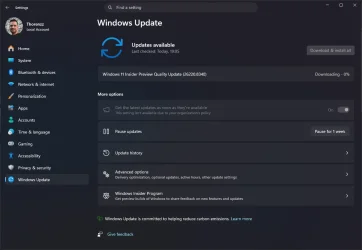
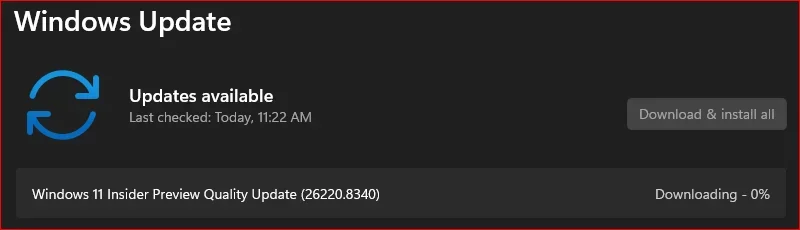
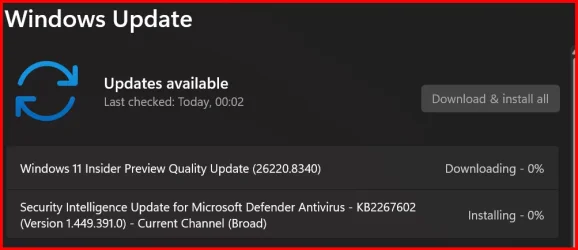
Check Windows Updates
ISO from Microsoft:
 www.elevenforum.com
UUP Dump:
64-bit ISO download:

ARM64 ISO download:
 www.elevenforum.com
Windows 11 Insider Beta (25H2) build 26220.8370 - May 8
Windows Insider Blog: Source: Check Windows Updates UUP Dump: 64-bit ISO download: https://uupdump.net/selectlang.php?id=1196be48-371b-4615-845e-b82a850fff2a ARM64 ISO download: https://uupdump.net/selectlang.php?id=47c891e7-4b11-43fb-a221-d3eee4eee67b...
www.elevenforum.com
Windows Insider Blog:
As a reminder, Insiders in the Beta Channel have not yet begun moving to the new Beta experience. See the Windows Insider Blog for more details.
Windows Insiders moving to Experimental and Beta on Windows 11
Windows Insider Program Blog: Hello Windows Insiders, Today is the day we’re beginning to move to the new Experimental and Beta channels as announced earlier this month. As a reminder, most Insiders, those who are in the Dev and Beta channels today will transition to the new channels over time...
www.elevenforum.com
Enable or Disable Get Latest Updates as soon as available in Windows 11
This tutorial will show you how to turn on or off "Get the latest updates as soon as they are available" in Windows 11. Starting with Windows 11 build 22621.1635, Microsoft added a new "Get the latest updates as soon as they are available" toggle under Settings > Windows Update. When you turn...
www.elevenforum.com
Changes and improvements gradually being rolled out*
[Windows Share]
- The Windows ShareSheet just got smarter for AAD users. You can now discover and install relevant apps right where you share - no need to jump to the Microsoft Store or interrupt your flow.
- Previously available only to MSA users, this experience now extends to AAD accounts, bringing greater flexibility and convenience. You’re also in control, with a simple setting to turn promotional app recommendations on or off. The result is a faster, more seamless, and user-controlled sharing experience with helpful app suggestions exactly when you need them.
Add or Remove Suggested Apps in Share dialog in Windows 11
This tutorial will show you how to turn on or off showing suggested apps in the Share dialog for your account in Windows 11. Windows Share in Windows 11 allows you to quickly share a link or file(s) with an app, email, nearby device, or phone. Starting with Windows 11 build 26100.9278 (24H2)...
www.elevenforum.com
The screenshot shows the ShareSheet with a row of suggested apps at the bottom, each labeled “Install.” A new “Settings” option is visible in the top-right overflow menu, allowing users to manage this experience.
Feedback: Share your thoughts in Feedback Hub (WIN + F) under Desktop Environment > Share.
[Storage]
- In the latest Insider builds, we’ve updated the dialog when creating a Dev Drive to now support specifying the size in GB instead of only MB. This has also been added when changing the size of volumes under Settings > System > Storage.

Create Dev Drive in Windows 11
This tutorial will show you how to create a Dev Drive using unallocated space on a disk or new virtual hard disk (VHD/VHDX) in Windows 11. Starting with Windows 11 version 22H2 KB5030310 Build 22621.2361,, Microsoft introduced Dev Drive. Dev Drive is a new form of storage volume available to...
www.elevenforum.com
[Other]
- Task Scheduler will now persist column width adjustments in task list view across sessions.
- Fixed accuracy of CPU speed display on the Performance page of Task Manager for VMs after resume from hibernate, so it doesn’t sometimes show unexpectedly high unrealistic numbers.
Reminders for Windows Insiders in the Beta Channel (Soon transitioning to the new Beta experience)
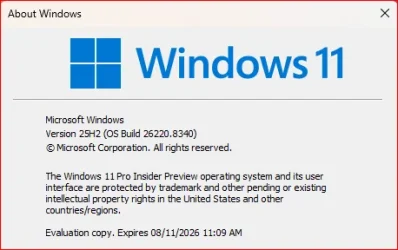
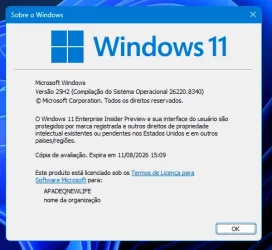
- Updates are based on Windows 11, version 25H2 via an enablement package (Build 26220.8340).
- Many features are rolled out using Controlled Feature Rollout technology, starting with a subset of Insiders and ramping up over time as we monitor feedback to see how they land before pushing them out to everyone in this channel.
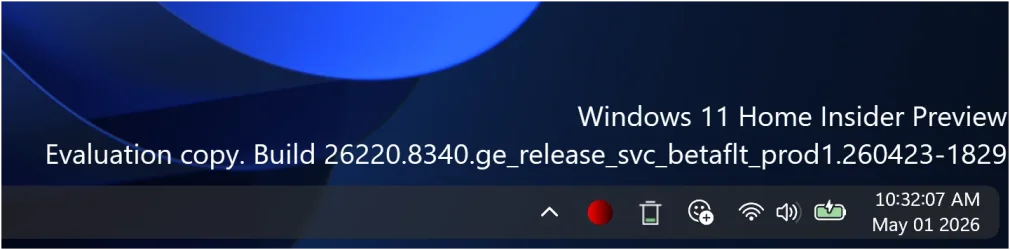
- The desktop watermark shown at the lower right corner of the desktop is normal for Windows Insider pre-release builds.
- For Windows Insiders who want to be the first to get features gradually rolled out to you, you can turn ON the toggle to get the latest updates as they are available via Settings > Windows Update*. Users can also use the Feature flags settings page to enable certain features. Over time, we will increase the rollouts of features to everyone with the toggle turned on. Should you keep this toggle off, new features will gradually be rolled out to your PC over time once they are ready.
- Features and experiences included in these builds may never get released as we try out different concepts and get feedback. Features may change over time, be removed, or replaced and never get released beyond Windows Insiders. Some of these features and experiences could show up in future Windows releases when they’re ready.
- Some features in active development we preview with Windows Insiders may not be fully localized and localization will happen over time as features are finalized. As you see issues with localization in your language, please report those issues to us via Feedback Hub.
- Check out Flight Hub for a complete look at what build is in which Insider channel.
Source:
Beta Preview Build 26220.8340 - Windows Insider Program
Release notes for Beta Preview Build 26220.8340
learn.microsoft.com
Announcing new builds for 1 May 2026 and extending ISO support
Hello Windows Insiders, Today we are expanding the rollout of the new Windows Insider experience improvements to Canary Channel 28000 series devices, which will begin to move to Experimental (26H1). As a r
blogs.windows.com
Check Windows Updates
ISO from Microsoft:
Download Official Windows 11 ISO file from Microsoft
This tutorial will show you how to download an official Windows Server or Windows 11 64-bit or ARM64 ISO file from Microsoft. Microsoft provides ISO files for Windows Server and Windows 11 to download. You can use these ISO files to clean install or in-place upgrade Windows 11. The Flight Hub...
www.elevenforum.com
UUP Dump:
64-bit ISO download:
Select language for Windows 11 Insider Preview Feature Update (26220.8340) amd64
Select language for Windows 11 Insider Preview Feature Update (26220.8340) amd64 on UUP dump. UUP dump lets you download Unified Update Platform files, like Windows Insider updates, directly from Windows Update.
uupdump.net
ARM64 ISO download:
Select language for Windows 11 Insider Preview Feature Update (26220.8340) arm64
Select language for Windows 11 Insider Preview Feature Update (26220.8340) arm64 on UUP dump. UUP dump lets you download Unified Update Platform files, like Windows Insider updates, directly from Windows Update.
uupdump.net
UUP Dump - Download Windows Insider ISO
UUP Dump is the most practical and easy way to get ISO images of any Insider Windows 10 or Windows 11 version, as soon as Microsoft has released a new build. UUP Dump creates a download configuration file according to your choices, downloads necessary files directly from Microsoft servers, and...
www.elevenforum.com
Last edited:

 Downloading.