Insider KB5089417 Windows 11 Insider Beta (25H2) build 26220.8370 - May 8


UPDATE 5/15:


 Windows Insider Blog:

As a reminder, Insiders in the Beta Channel have not yet begun moving to the new Beta experience. See the Windows Insider Blog for more details.


Changes and improvements gradually being rolled out with toggle on

[EDU]​

Free upgrade path to Windows 11 Pro Education for K-12

Windows Insiders in K–12 education environments can now experience a seamless upgrade path from Windows 11 Home to Windows 11 Pro Education edition—at no additional cost. This enables educational organizations to procure Windows 11 Home devices, upgrade them to Windows 11 Pro Education, and bring devices under school management.

Instructions:
  • Sign in to the device using a local account
  • Launch an elevated Command Prompt and initiate the upgrade by running Clipupgrade.exe
  • Sign in with your K–12 organization account to validate eligibility
  • The device prepares the upgrade and completes after a restart
Please note: This upgrade is one-way only. Reverting to Windows Home is not supported without a clean OS reinstall.

Feedback: Share your thoughts in Feedback Hub (WIN + F) under Windows Installation.

[Administrator Protection]​

  • Improved reliability of Japanese IME usage when Administrator Protection is enabled.

[Other]​

  • Fixed a WPN hang in the previous flight, which was leading to notification issues and certain apps hanging on launch.
  • Improved reliability of loading desktop app icon shortcuts.

Reminders for Windows Insiders in the Beta Channel (Soon transitioning to the new Beta experience)

  • Updates are based on Windows 11, version 25H2 via an enablement package (Build 26220.8340).
  • Many features are rolled out using Controlled Feature Rollout technology, starting with a subset of Insiders and ramping up over time as we monitor feedback to see how they land before pushing them out to everyone in this channel.
  • The desktop watermark shown at the lower right corner of the desktop is normal for Windows Insider pre-release builds.
  • For Windows Insiders who want to be the first to get features gradually rolled out to you, you can turn ON the toggle to get the latest updates as they are available via Settings > Windows Update*. Users can also use the Feature flags settings page to enable certain features. Over time, we will increase the rollouts of features to everyone with the toggle turned on. Should you keep this toggle off, new features will gradually be rolled out to your PC over time once they are ready.
  • Features and experiences included in these builds may never get released as we try out different concepts and get feedback. Features may change over time, be removed, or replaced and never get released beyond Windows Insiders. Some of these features and experiences could show up in future Windows releases when they’re ready.
  • Some features in active development we preview with Windows Insiders may not be fully localized and localization will happen over time as features are finalized. As you see issues with localization in your language, please report those issues to us via Feedback Hub.
  • Check out Flight Hub for a complete look at what build is in which Insider channel.


 Source:


Check Windows Updates


ISO from Microsoft:



UUP Dump:

64-bit ISO download:

ARM64 ISO download:

 
Last edited:
  • Like
Reactions: OAT
Why does Microsoft suggest Beta users who want to maintain all new features switch to Dev (soon to be Experimental)?

Aren't Dev/Experimental builds less stable than Beta?
 

My Computer My Computer

At a glance

Windows 11 Pro 26H2AMD Ryzen 9 9950X3D 16-Core Processor64GB Corsair DDR5 RAM @ 6000 MT/sASUS TUF Gaming GeForce RTX 4090 OC Edition 2...
OS
Windows 11 Pro 26H2
Computer type
PC/Desktop
Manufacturer/Model
Skytech / Central Computers
CPU
AMD Ryzen 9 9950X3D 16-Core Processor
Motherboard
Gigabyte X870E AORUS PRO ICE
Memory
64GB Corsair DDR5 RAM @ 6000 MT/s
Graphics Card(s)
ASUS TUF Gaming GeForce RTX 4090 OC Edition 24GB GDDR6X
Sound Card
Sound Blaster Audigy Fx V2
Monitor(s) Displays
Sony SDMU27M90 (DP HDR), Acer KA272, ASUS VG328QA1A
Screen Resolution
3840x2160 HDR
Hard Drives
Samsung SSD 990 PRO 4TB, Samsung SSD 860 EVO 1TB, Seagate ST8000DM004-2CX88 8TB
Case
Fractal Meshify 2
Cooling
Arctic Freezer III 360mm
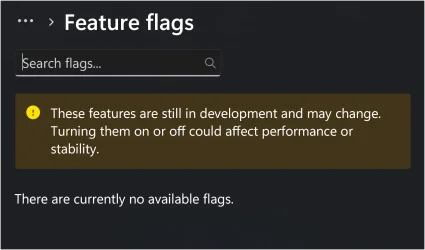
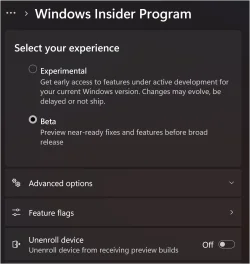
Smooth error free update with clean DISM/SFC scans. I was wondering when the Beta build would actually show any feature flags?

Screenshot 2026-05-08 125033.webpScreenshot 2026-05-08 130018.webp
 

My Computers My Computers

  • At a glance

    Windows 11 25H2Intel Core Ultra 9 275HX (24-Core)64GB DDR5 6400MT/sNVIDIA GeForce RTX 5080 and Intel UHD Graphics
    OS
    Windows 11 25H2
    Computer type
    Laptop
    Manufacturer/Model
    Alienware 18 Area-51
    CPU
    Intel Core Ultra 9 275HX (24-Core)
    Motherboard
    Alienware
    Memory
    64GB DDR5 6400MT/s
    Graphics Card(s)
    NVIDIA GeForce RTX 5080 and Intel UHD Graphics
    Sound Card
    Onboard, Realtek high-performance Audio chips (ALC3329 & ALC1708))
    Monitor(s) Displays
    300HZ 18-inch QHD 500 nit Comfort View+
    Screen Resolution
    2560 x 1600
    Hard Drives
    2TB NVMe M.2 PCIe Gen 5 SSD
    Case
    Magnesium Alloy
    Cooling
    Advanced Cryo-Tech Quad-Fan Cooling system & large vapor chamber
    Keyboard
    Cherry MX ultra low profile mechanical keyboard with per key AlienFX RGB lighting
    Mouse
    Logitech MX Master 4
    Browser
    Vivaldi (main), Firefox, Chrome, Edge
    Antivirus
    MS Defender and Malwarebytes Free
  • At a glance

    Windows 11 25H2Qualcomm Snapdragon X Elite (12 Core) ARM bas...16GB LPDDR5Qualcomm Adreno X1-85
    Operating System
    Windows 11 25H2
    Computer type
    Laptop
    Manufacturer/Model
    Microsoft Surface Laptop 7
    CPU
    Qualcomm Snapdragon X Elite (12 Core) ARM based CPU
    Motherboard
    Microsoft Corp.
    Memory
    16GB LPDDR5
    Graphics card(s)
    Qualcomm Adreno X1-85
    Sound Card
    Omnisonic speakers with Dolby Atmos spatial sound
    Monitor(s) Displays
    120 Hz 13.8-inch 600 nit PixelSense Flow touchscreen
    Screen Resolution
    2304x1536
    Hard Drives
    1TB NVMe Gen 4 SSD
    Case
    Anodized Aluminum
    Cooling
    Traditional active cooling fan system
    Keyboard
    Mechanical QWERTY, backlit when in use
    Mouse
    Logitech MX Master 4 and Surface Arc Mouse
    Browser
    Vivaldi (main), Firefox, Chrome, Edge
    Antivirus
    MS Defender and Malwarebytes Free
Why does Microsoft suggest Beta users who want to maintain all new features switch to Dev (soon to be Experimental)?

Aren't Dev/Experimental builds less stable than Beta?
I don't think they are, you have the choice of Experimental or Beta by checking the box of choice. And yes Dev is less stable but I think both channels will remain basically the same as they've always been.

Screenshot 2026-05-08 131044.webp
 

My Computers My Computers

  • At a glance

    Windows 11 25H2Intel Core Ultra 9 275HX (24-Core)64GB DDR5 6400MT/sNVIDIA GeForce RTX 5080 and Intel UHD Graphics
    OS
    Windows 11 25H2
    Computer type
    Laptop
    Manufacturer/Model
    Alienware 18 Area-51
    CPU
    Intel Core Ultra 9 275HX (24-Core)
    Motherboard
    Alienware
    Memory
    64GB DDR5 6400MT/s
    Graphics Card(s)
    NVIDIA GeForce RTX 5080 and Intel UHD Graphics
    Sound Card
    Onboard, Realtek high-performance Audio chips (ALC3329 & ALC1708))
    Monitor(s) Displays
    300HZ 18-inch QHD 500 nit Comfort View+
    Screen Resolution
    2560 x 1600
    Hard Drives
    2TB NVMe M.2 PCIe Gen 5 SSD
    Case
    Magnesium Alloy
    Cooling
    Advanced Cryo-Tech Quad-Fan Cooling system & large vapor chamber
    Keyboard
    Cherry MX ultra low profile mechanical keyboard with per key AlienFX RGB lighting
    Mouse
    Logitech MX Master 4
    Browser
    Vivaldi (main), Firefox, Chrome, Edge
    Antivirus
    MS Defender and Malwarebytes Free
  • At a glance

    Windows 11 25H2Qualcomm Snapdragon X Elite (12 Core) ARM bas...16GB LPDDR5Qualcomm Adreno X1-85
    Operating System
    Windows 11 25H2
    Computer type
    Laptop
    Manufacturer/Model
    Microsoft Surface Laptop 7
    CPU
    Qualcomm Snapdragon X Elite (12 Core) ARM based CPU
    Motherboard
    Microsoft Corp.
    Memory
    16GB LPDDR5
    Graphics card(s)
    Qualcomm Adreno X1-85
    Sound Card
    Omnisonic speakers with Dolby Atmos spatial sound
    Monitor(s) Displays
    120 Hz 13.8-inch 600 nit PixelSense Flow touchscreen
    Screen Resolution
    2304x1536
    Hard Drives
    1TB NVMe Gen 4 SSD
    Case
    Anodized Aluminum
    Cooling
    Traditional active cooling fan system
    Keyboard
    Mechanical QWERTY, backlit when in use
    Mouse
    Logitech MX Master 4 and Surface Arc Mouse
    Browser
    Vivaldi (main), Firefox, Chrome, Edge
    Antivirus
    MS Defender and Malwarebytes Free
I don't think they are, you have the choice of Experimental or Beta by checking the box of choice. And yes Dev is less stable.

View attachment 170916
"As a reminder, if you are in the Beta Channel and looking for best continuity of all existing features, we encourage you to consider moving to the Dev Channel prior to taking the new Beta experience. See the WIP changes rollout blog for more information."

Just seems kind of odd for them to encourage that.
 

My Computer My Computer

At a glance

Windows 11 Pro 26H2AMD Ryzen 9 9950X3D 16-Core Processor64GB Corsair DDR5 RAM @ 6000 MT/sASUS TUF Gaming GeForce RTX 4090 OC Edition 2...
OS
Windows 11 Pro 26H2
Computer type
PC/Desktop
Manufacturer/Model
Skytech / Central Computers
CPU
AMD Ryzen 9 9950X3D 16-Core Processor
Motherboard
Gigabyte X870E AORUS PRO ICE
Memory
64GB Corsair DDR5 RAM @ 6000 MT/s
Graphics Card(s)
ASUS TUF Gaming GeForce RTX 4090 OC Edition 24GB GDDR6X
Sound Card
Sound Blaster Audigy Fx V2
Monitor(s) Displays
Sony SDMU27M90 (DP HDR), Acer KA272, ASUS VG328QA1A
Screen Resolution
3840x2160 HDR
Hard Drives
Samsung SSD 990 PRO 4TB, Samsung SSD 860 EVO 1TB, Seagate ST8000DM004-2CX88 8TB
Case
Fractal Meshify 2
Cooling
Arctic Freezer III 360mm
"As a reminder, if you are in the Beta Channel and looking for best continuity of all existing features, we encourage you to consider moving to the Dev Channel prior to taking the new Beta experience. See the WIP changes rollout blog for more information."

Just seems kind of odd for them to encourage that.
Hmmm, that is a rather confusing statment.
 

My Computers My Computers

  • At a glance

    Windows 11 25H2Intel Core Ultra 9 275HX (24-Core)64GB DDR5 6400MT/sNVIDIA GeForce RTX 5080 and Intel UHD Graphics
    OS
    Windows 11 25H2
    Computer type
    Laptop
    Manufacturer/Model
    Alienware 18 Area-51
    CPU
    Intel Core Ultra 9 275HX (24-Core)
    Motherboard
    Alienware
    Memory
    64GB DDR5 6400MT/s
    Graphics Card(s)
    NVIDIA GeForce RTX 5080 and Intel UHD Graphics
    Sound Card
    Onboard, Realtek high-performance Audio chips (ALC3329 & ALC1708))
    Monitor(s) Displays
    300HZ 18-inch QHD 500 nit Comfort View+
    Screen Resolution
    2560 x 1600
    Hard Drives
    2TB NVMe M.2 PCIe Gen 5 SSD
    Case
    Magnesium Alloy
    Cooling
    Advanced Cryo-Tech Quad-Fan Cooling system & large vapor chamber
    Keyboard
    Cherry MX ultra low profile mechanical keyboard with per key AlienFX RGB lighting
    Mouse
    Logitech MX Master 4
    Browser
    Vivaldi (main), Firefox, Chrome, Edge
    Antivirus
    MS Defender and Malwarebytes Free
  • At a glance

    Windows 11 25H2Qualcomm Snapdragon X Elite (12 Core) ARM bas...16GB LPDDR5Qualcomm Adreno X1-85
    Operating System
    Windows 11 25H2
    Computer type
    Laptop
    Manufacturer/Model
    Microsoft Surface Laptop 7
    CPU
    Qualcomm Snapdragon X Elite (12 Core) ARM based CPU
    Motherboard
    Microsoft Corp.
    Memory
    16GB LPDDR5
    Graphics card(s)
    Qualcomm Adreno X1-85
    Sound Card
    Omnisonic speakers with Dolby Atmos spatial sound
    Monitor(s) Displays
    120 Hz 13.8-inch 600 nit PixelSense Flow touchscreen
    Screen Resolution
    2304x1536
    Hard Drives
    1TB NVMe Gen 4 SSD
    Case
    Anodized Aluminum
    Cooling
    Traditional active cooling fan system
    Keyboard
    Mechanical QWERTY, backlit when in use
    Mouse
    Logitech MX Master 4 and Surface Arc Mouse
    Browser
    Vivaldi (main), Firefox, Chrome, Edge
    Antivirus
    MS Defender and Malwarebytes Free
DISM and SFC clean.
 

My Computer My Computer

At a glance

Windows 11 Pro 26H2AMD Ryzen 9 9950X3D 16-Core Processor64GB Corsair DDR5 RAM @ 6000 MT/sASUS TUF Gaming GeForce RTX 4090 OC Edition 2...
OS
Windows 11 Pro 26H2
Computer type
PC/Desktop
Manufacturer/Model
Skytech / Central Computers
CPU
AMD Ryzen 9 9950X3D 16-Core Processor
Motherboard
Gigabyte X870E AORUS PRO ICE
Memory
64GB Corsair DDR5 RAM @ 6000 MT/s
Graphics Card(s)
ASUS TUF Gaming GeForce RTX 4090 OC Edition 24GB GDDR6X
Sound Card
Sound Blaster Audigy Fx V2
Monitor(s) Displays
Sony SDMU27M90 (DP HDR), Acer KA272, ASUS VG328QA1A
Screen Resolution
3840x2160 HDR
Hard Drives
Samsung SSD 990 PRO 4TB, Samsung SSD 860 EVO 1TB, Seagate ST8000DM004-2CX88 8TB
Case
Fractal Meshify 2
Cooling
Arctic Freezer III 360mm
Getting it now...

1778278446747.webp
 

My Computer My Computer

At a glance

Windows 11Intel® Xeon® X5690 3.47GHz Six-CoreG.Skill PC3-12800 1600MHz 24GBNVIDIA GeForce GTX 1050
OS
Windows 11
Computer type
PC/Desktop
Manufacturer/Model
Asus/Custom Build
CPU
Intel® Xeon® X5690 3.47GHz Six-Core
Motherboard
Asus P6T Deluxe v2
Memory
G.Skill PC3-12800 1600MHz 24GB
Graphics Card(s)
NVIDIA GeForce GTX 1050
Sound Card
SoundMAX ADI AD2000B HD Audio
Monitor(s) Displays
Acer T232HL Touch Screen
Screen Resolution
1920 x 1080 @ 60Hz
Hard Drives
6 Crucial MX500 SSD 1TB each.
PSU
Thermaltake Toughpower Gold 850W
Case
Thermaltake Armor VA8000SWA
Cooling
Thermaltake Air Cooling System
Keyboard
Illuminated Multimedia LED Keyboard
Mouse
M16 Dual Mode Illuminated Mouse - Bluetooth / 2.4 GHz Mode
Internet Speed
800 Mbps
Browser
Edge / Opera / Vivaldi / Chrome / Firefox / Brave
Antivirus
Windows Defender Security
Installation completed. No issues so far.
 

My Computers My Computers

  • At a glance

    windows 10 & 11AMD Ryzen 7X64GbRadeon RX 480 8Gb
    OS
    windows 10 & 11
    Computer type
    PC/Desktop
    Manufacturer/Model
    iBuyPower (special build)
    CPU
    AMD Ryzen 7X
    Motherboard
    Asus Prime x370 Pro
    Memory
    64Gb
    Graphics Card(s)
    Radeon RX 480 8Gb
    Monitor(s) Displays
    Samsung UHD 27 inch
    Screen Resolution
    UHD
    Hard Drives
    3 Samsung 1 TB SSD each; 1 Samsung PCIe M.2 at 2 TB
  • At a glance

    Windows 11 proAMD 9 5900X32 GbNvidia GeForce RTX 3080 Ti 12 GB GDDR6X
    Operating System
    Windows 11 pro
    Computer type
    PC/Desktop
    Manufacturer/Model
    IBuyPower
    CPU
    AMD 9 5900X
    Motherboard
    Asus x570 ROG Crosshair VIII Dark Hero WI-FI 6E ARGB
    Memory
    32 Gb
    Graphics card(s)
    Nvidia GeForce RTX 3080 Ti 12 GB GDDR6X
    Sound Card
    3D PREMIUM surround sound onboard
    Monitor(s) Displays
    Samsung 32 inch UHD curved monitor
    Screen Resolution
    UHD
    Hard Drives
    Samsung 980 pro 2 tb gen 4 NVMe ssd
    PSU
    850 watt consair RM850X
    Case
    Lian Li LANCOOL ONE tempered glass RGB gaming case
    Cooling
    DEEPCOOL GAMERSTORM RGB 240 mm CASTLE 240EX liquid cooler
    Keyboard
    Ares m.2 gaming keyboard
    Mouse
    Ares m.2 gaming optical mouse
    Internet Speed
    450
    Browser
    Firefox / Edge
    Antivirus
    Windows defender
    Other Info
    With all this gaming rig I am not a gamer!
Install went fine...

1778282596547.webp
 

My Computer My Computer

At a glance

Windows 11Intel® Xeon® X5690 3.47GHz Six-CoreG.Skill PC3-12800 1600MHz 24GBNVIDIA GeForce GTX 1050
OS
Windows 11
Computer type
PC/Desktop
Manufacturer/Model
Asus/Custom Build
CPU
Intel® Xeon® X5690 3.47GHz Six-Core
Motherboard
Asus P6T Deluxe v2
Memory
G.Skill PC3-12800 1600MHz 24GB
Graphics Card(s)
NVIDIA GeForce GTX 1050
Sound Card
SoundMAX ADI AD2000B HD Audio
Monitor(s) Displays
Acer T232HL Touch Screen
Screen Resolution
1920 x 1080 @ 60Hz
Hard Drives
6 Crucial MX500 SSD 1TB each.
PSU
Thermaltake Toughpower Gold 850W
Case
Thermaltake Armor VA8000SWA
Cooling
Thermaltake Air Cooling System
Keyboard
Illuminated Multimedia LED Keyboard
Mouse
M16 Dual Mode Illuminated Mouse - Bluetooth / 2.4 GHz Mode
Internet Speed
800 Mbps
Browser
Edge / Opera / Vivaldi / Chrome / Firefox / Brave
Antivirus
Windows Defender Security
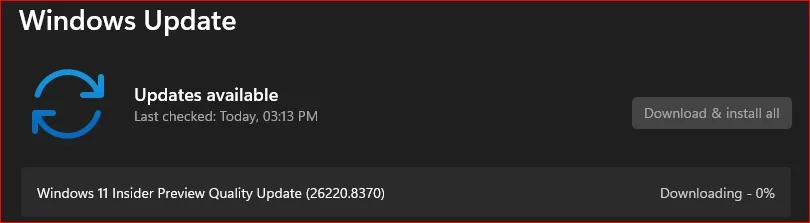
Downloading and installing.
1778289610095.webp

1778290186904.webp

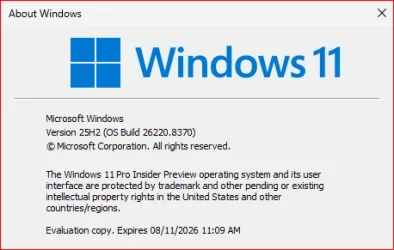
Done:

Edition Windows 11 Pro Insider Preview
Version 25H2
Installed on ‎2/‎27/‎2026
Evaluation expires on ‎8/‎11/‎2026 11:09 AM
OS build 26220.8370
Experience Windows Feature Experience Pack 1000.26100.370.0
 

My Computer My Computer

At a glance

Windows 11 Pro 25H2Intel I9-9900K64GBNVIDIA RTX 2060
OS
Windows 11 Pro 25H2
Computer type
PC/Desktop
Manufacturer/Model
Dell XPS 8930
CPU
Intel I9-9900K
Memory
64GB
Graphics Card(s)
NVIDIA RTX 2060
Sound Card
NVIDIA High Definition Audio
Monitor(s) Displays
4k Samsung
Screen Resolution
3840 x 2160
Hard Drives
512GB NVMe, ADATA SU 800, 2TB HDD
Updated ok.
 

My Computer My Computer

At a glance

Win 11 Pro 25H2 Beta 26220.8690AMD Ryzen 7 5700UCrucial 64GB DDR4 SDRAM PC4-25600AMD Radeon Vega Graphics 1.80 GHz - Adrenalin...
OS
Win 11 Pro 25H2 Beta 26220.8690
Computer type
PC/Desktop
Manufacturer/Model
Asus MiniPC PN51-E1
CPU
AMD Ryzen 7 5700U
Motherboard
Asus PN51-E1 - Bios Version 0505
Memory
Crucial 64GB DDR4 SDRAM PC4-25600
Graphics Card(s)
AMD Radeon Vega Graphics 1.80 GHz - Adrenalin Edition 23.9.2
Sound Card
USB to Sound Blaster Live (24bit External) to Firestone DAC to Event Studio Monitors
Monitor(s) Displays
Gigabyte 27" 165 hertz
Screen Resolution
2560 x 1440
Hard Drives
Samsung SSD 970 EVO Plus 2TB PCIE NVME
PSU
65 Watt
Case
Asus Mini
Cooling
Air
Keyboard
Logitech K810
Mouse
Logitech MX Master 2S
Internet Speed
Telstra Modem Wifi - NBN 50/18
Browser
Firefox
Antivirus
Microsoft
Other Info
This replaced my Linux Notebook. I've used Windows since V2, tried various Linux distros but Windows continues to win for me.
Install went smooth. Clean SFC and DISM.

Highly recommend enabling low latency mode with with VIVE tool. Makes hell of a difference when opening Settings, My computer, etc.

Code:
vivetool /enable /id:60716524,61391826
 

My Computer My Computer

At a glance

Win 11 Pro Insider Beta (26220.8690), Kali LinuxAMD Ryzen 5 5600H16GB (2x8GB) Dual ChannelNvidia RTX 3050
OS
Win 11 Pro Insider Beta (26220.8690), Kali Linux
Computer type
Laptop
Manufacturer/Model
HP Victus 15
CPU
AMD Ryzen 5 5600H
Memory
16GB (2x8GB) Dual Channel
Graphics Card(s)
Nvidia RTX 3050
Monitor(s) Displays
1080p IPS 144Hz (Laptop Screen) + 3x 1080p 60Hz screens
Screen Resolution
4x 1920x1080 monitors
Hard Drives
M.2 NVMe 512GB Samsung - PCIe 4.0x4 - Main system drive

USB-A and USB-C M.2 NVMe Enclosure with NVMe SSSTC 256GB - NVM Express 1.3 - Ventoy with all install files and all ISO images i use.

USB External SSD Kingston XS100 1TB - USB 3.2 Gen 2 - WindowsToGo (Clone of my existing Sytem), and all games I play.

USB External SSHD Seagate FireCuda 2TB - USB 3.0 - For Macrium system images, data, photos, stays always safe at home
PSU
200W
Cooling
Zalman ZM-NC3 Cooling pad
Keyboard
Dell KM7120W
Mouse
Dell KM7120W
Internet Speed
1Gb/s down / 500Mb/s up
Browser
Chrome
Antivirus
Windows Defender
Install went smooth. Clean SFC and DISM.

Highly recommend enabling low latency mode with with VIVE tool. Makes hell of a difference when opening Settings, My computer, etc.

Code:
vivetool /enable /id:60716524,61391826
Thanks for these, been waiting for them and just enabled on both RP and Beta machines to see how it does.
 

My Computers My Computers

  • At a glance

    Windows 11 25H2Intel Core Ultra 9 275HX (24-Core)64GB DDR5 6400MT/sNVIDIA GeForce RTX 5080 and Intel UHD Graphics
    OS
    Windows 11 25H2
    Computer type
    Laptop
    Manufacturer/Model
    Alienware 18 Area-51
    CPU
    Intel Core Ultra 9 275HX (24-Core)
    Motherboard
    Alienware
    Memory
    64GB DDR5 6400MT/s
    Graphics Card(s)
    NVIDIA GeForce RTX 5080 and Intel UHD Graphics
    Sound Card
    Onboard, Realtek high-performance Audio chips (ALC3329 & ALC1708))
    Monitor(s) Displays
    300HZ 18-inch QHD 500 nit Comfort View+
    Screen Resolution
    2560 x 1600
    Hard Drives
    2TB NVMe M.2 PCIe Gen 5 SSD
    Case
    Magnesium Alloy
    Cooling
    Advanced Cryo-Tech Quad-Fan Cooling system & large vapor chamber
    Keyboard
    Cherry MX ultra low profile mechanical keyboard with per key AlienFX RGB lighting
    Mouse
    Logitech MX Master 4
    Browser
    Vivaldi (main), Firefox, Chrome, Edge
    Antivirus
    MS Defender and Malwarebytes Free
  • At a glance

    Windows 11 25H2Qualcomm Snapdragon X Elite (12 Core) ARM bas...16GB LPDDR5Qualcomm Adreno X1-85
    Operating System
    Windows 11 25H2
    Computer type
    Laptop
    Manufacturer/Model
    Microsoft Surface Laptop 7
    CPU
    Qualcomm Snapdragon X Elite (12 Core) ARM based CPU
    Motherboard
    Microsoft Corp.
    Memory
    16GB LPDDR5
    Graphics card(s)
    Qualcomm Adreno X1-85
    Sound Card
    Omnisonic speakers with Dolby Atmos spatial sound
    Monitor(s) Displays
    120 Hz 13.8-inch 600 nit PixelSense Flow touchscreen
    Screen Resolution
    2304x1536
    Hard Drives
    1TB NVMe Gen 4 SSD
    Case
    Anodized Aluminum
    Cooling
    Traditional active cooling fan system
    Keyboard
    Mechanical QWERTY, backlit when in use
    Mouse
    Logitech MX Master 4 and Surface Arc Mouse
    Browser
    Vivaldi (main), Firefox, Chrome, Edge
    Antivirus
    MS Defender and Malwarebytes Free
Install went smooth. Clean SFC and DISM.

Highly recommend enabling low latency mode with with VIVE tool. Makes hell of a difference when opening Settings, My computer, etc.

Code:
vivetool /enable /id:60716524,61391826
To bad, I found a problem with these and had to disable them. When enabled both the Settings Advanced tab and the Accounts Sign-in options will not open and will freeze the Settings menu if these are enabled. Did it to three machines so will have to wait on them to fix bugs in this.
 

My Computers My Computers

  • At a glance

    Windows 11 25H2Intel Core Ultra 9 275HX (24-Core)64GB DDR5 6400MT/sNVIDIA GeForce RTX 5080 and Intel UHD Graphics
    OS
    Windows 11 25H2
    Computer type
    Laptop
    Manufacturer/Model
    Alienware 18 Area-51
    CPU
    Intel Core Ultra 9 275HX (24-Core)
    Motherboard
    Alienware
    Memory
    64GB DDR5 6400MT/s
    Graphics Card(s)
    NVIDIA GeForce RTX 5080 and Intel UHD Graphics
    Sound Card
    Onboard, Realtek high-performance Audio chips (ALC3329 & ALC1708))
    Monitor(s) Displays
    300HZ 18-inch QHD 500 nit Comfort View+
    Screen Resolution
    2560 x 1600
    Hard Drives
    2TB NVMe M.2 PCIe Gen 5 SSD
    Case
    Magnesium Alloy
    Cooling
    Advanced Cryo-Tech Quad-Fan Cooling system & large vapor chamber
    Keyboard
    Cherry MX ultra low profile mechanical keyboard with per key AlienFX RGB lighting
    Mouse
    Logitech MX Master 4
    Browser
    Vivaldi (main), Firefox, Chrome, Edge
    Antivirus
    MS Defender and Malwarebytes Free
  • At a glance

    Windows 11 25H2Qualcomm Snapdragon X Elite (12 Core) ARM bas...16GB LPDDR5Qualcomm Adreno X1-85
    Operating System
    Windows 11 25H2
    Computer type
    Laptop
    Manufacturer/Model
    Microsoft Surface Laptop 7
    CPU
    Qualcomm Snapdragon X Elite (12 Core) ARM based CPU
    Motherboard
    Microsoft Corp.
    Memory
    16GB LPDDR5
    Graphics card(s)
    Qualcomm Adreno X1-85
    Sound Card
    Omnisonic speakers with Dolby Atmos spatial sound
    Monitor(s) Displays
    120 Hz 13.8-inch 600 nit PixelSense Flow touchscreen
    Screen Resolution
    2304x1536
    Hard Drives
    1TB NVMe Gen 4 SSD
    Case
    Anodized Aluminum
    Cooling
    Traditional active cooling fan system
    Keyboard
    Mechanical QWERTY, backlit when in use
    Mouse
    Logitech MX Master 4 and Surface Arc Mouse
    Browser
    Vivaldi (main), Firefox, Chrome, Edge
    Antivirus
    MS Defender and Malwarebytes Free
To bad, I found a problem with these and had to disable them. When enabled both the Settings Advanced tab and the Accounts Sign-in options will not open and will freeze the Settings menu if these are enabled. Did it to three machines so will have to wait on them to fix bugs in this.
I dont have any issues at all. Advanced settings and account sign in options works as it should.
 

My Computer My Computer

At a glance

Win 11 Pro Insider Beta (26220.8690), Kali LinuxAMD Ryzen 5 5600H16GB (2x8GB) Dual ChannelNvidia RTX 3050
OS
Win 11 Pro Insider Beta (26220.8690), Kali Linux
Computer type
Laptop
Manufacturer/Model
HP Victus 15
CPU
AMD Ryzen 5 5600H
Memory
16GB (2x8GB) Dual Channel
Graphics Card(s)
Nvidia RTX 3050
Monitor(s) Displays
1080p IPS 144Hz (Laptop Screen) + 3x 1080p 60Hz screens
Screen Resolution
4x 1920x1080 monitors
Hard Drives
M.2 NVMe 512GB Samsung - PCIe 4.0x4 - Main system drive

USB-A and USB-C M.2 NVMe Enclosure with NVMe SSSTC 256GB - NVM Express 1.3 - Ventoy with all install files and all ISO images i use.

USB External SSD Kingston XS100 1TB - USB 3.2 Gen 2 - WindowsToGo (Clone of my existing Sytem), and all games I play.

USB External SSHD Seagate FireCuda 2TB - USB 3.0 - For Macrium system images, data, photos, stays always safe at home
PSU
200W
Cooling
Zalman ZM-NC3 Cooling pad
Keyboard
Dell KM7120W
Mouse
Dell KM7120W
Internet Speed
1Gb/s down / 500Mb/s up
Browser
Chrome
Antivirus
Windows Defender
I dont have any issues at all. Advanced settings and account sign in options works as it should.
After further digging that might not be the cause as those settings remain broke after disabling those codes so a new mystery bug for me to try to solve now.
 

My Computers My Computers

  • At a glance

    Windows 11 25H2Intel Core Ultra 9 275HX (24-Core)64GB DDR5 6400MT/sNVIDIA GeForce RTX 5080 and Intel UHD Graphics
    OS
    Windows 11 25H2
    Computer type
    Laptop
    Manufacturer/Model
    Alienware 18 Area-51
    CPU
    Intel Core Ultra 9 275HX (24-Core)
    Motherboard
    Alienware
    Memory
    64GB DDR5 6400MT/s
    Graphics Card(s)
    NVIDIA GeForce RTX 5080 and Intel UHD Graphics
    Sound Card
    Onboard, Realtek high-performance Audio chips (ALC3329 & ALC1708))
    Monitor(s) Displays
    300HZ 18-inch QHD 500 nit Comfort View+
    Screen Resolution
    2560 x 1600
    Hard Drives
    2TB NVMe M.2 PCIe Gen 5 SSD
    Case
    Magnesium Alloy
    Cooling
    Advanced Cryo-Tech Quad-Fan Cooling system & large vapor chamber
    Keyboard
    Cherry MX ultra low profile mechanical keyboard with per key AlienFX RGB lighting
    Mouse
    Logitech MX Master 4
    Browser
    Vivaldi (main), Firefox, Chrome, Edge
    Antivirus
    MS Defender and Malwarebytes Free
  • At a glance

    Windows 11 25H2Qualcomm Snapdragon X Elite (12 Core) ARM bas...16GB LPDDR5Qualcomm Adreno X1-85
    Operating System
    Windows 11 25H2
    Computer type
    Laptop
    Manufacturer/Model
    Microsoft Surface Laptop 7
    CPU
    Qualcomm Snapdragon X Elite (12 Core) ARM based CPU
    Motherboard
    Microsoft Corp.
    Memory
    16GB LPDDR5
    Graphics card(s)
    Qualcomm Adreno X1-85
    Sound Card
    Omnisonic speakers with Dolby Atmos spatial sound
    Monitor(s) Displays
    120 Hz 13.8-inch 600 nit PixelSense Flow touchscreen
    Screen Resolution
    2304x1536
    Hard Drives
    1TB NVMe Gen 4 SSD
    Case
    Anodized Aluminum
    Cooling
    Traditional active cooling fan system
    Keyboard
    Mechanical QWERTY, backlit when in use
    Mouse
    Logitech MX Master 4 and Surface Arc Mouse
    Browser
    Vivaldi (main), Firefox, Chrome, Edge
    Antivirus
    MS Defender and Malwarebytes Free
Install went smooth. Clean SFC and DISM.

Highly recommend enabling low latency mode with with VIVE tool. Makes hell of a difference when opening Settings, My computer, etc.

Code:
vivetool /enable /id:60716524,61391826
I've been seeing vids on YouTube that, while it does help speed things up, it takes a tremendous hit on CPU.

Is it really worth it?
 

My Computer My Computer

At a glance

Windows 11 Pro 26H2AMD Ryzen 9 9950X3D 16-Core Processor64GB Corsair DDR5 RAM @ 6000 MT/sASUS TUF Gaming GeForce RTX 4090 OC Edition 2...
OS
Windows 11 Pro 26H2
Computer type
PC/Desktop
Manufacturer/Model
Skytech / Central Computers
CPU
AMD Ryzen 9 9950X3D 16-Core Processor
Motherboard
Gigabyte X870E AORUS PRO ICE
Memory
64GB Corsair DDR5 RAM @ 6000 MT/s
Graphics Card(s)
ASUS TUF Gaming GeForce RTX 4090 OC Edition 24GB GDDR6X
Sound Card
Sound Blaster Audigy Fx V2
Monitor(s) Displays
Sony SDMU27M90 (DP HDR), Acer KA272, ASUS VG328QA1A
Screen Resolution
3840x2160 HDR
Hard Drives
Samsung SSD 990 PRO 4TB, Samsung SSD 860 EVO 1TB, Seagate ST8000DM004-2CX88 8TB
Case
Fractal Meshify 2
Cooling
Arctic Freezer III 360mm
I've been seeing vids on YouTube that, while it does help speed things up, it takes a tremendous hit on CPU.

Is it really worth it?
I rather use my cpu for snappier opening of things as file explorer, which been years always for some reason slow and absolutely unacceptable. It only pumps up cpu for a split of second and cant even see it to be honest. I have cpu clock in task bar with 100ms refresh rate (i think) and cant even notice the spike in frequency on my system. Still it should be this quick without using higher clock for a even a split of second. Still dont understand why is it such a difficult task. 🤔. But short answer: YES for me its definitely worth it.

 

My Computer My Computer

At a glance

Win 11 Pro Insider Beta (26220.8690), Kali LinuxAMD Ryzen 5 5600H16GB (2x8GB) Dual ChannelNvidia RTX 3050
OS
Win 11 Pro Insider Beta (26220.8690), Kali Linux
Computer type
Laptop
Manufacturer/Model
HP Victus 15
CPU
AMD Ryzen 5 5600H
Memory
16GB (2x8GB) Dual Channel
Graphics Card(s)
Nvidia RTX 3050
Monitor(s) Displays
1080p IPS 144Hz (Laptop Screen) + 3x 1080p 60Hz screens
Screen Resolution
4x 1920x1080 monitors
Hard Drives
M.2 NVMe 512GB Samsung - PCIe 4.0x4 - Main system drive

USB-A and USB-C M.2 NVMe Enclosure with NVMe SSSTC 256GB - NVM Express 1.3 - Ventoy with all install files and all ISO images i use.

USB External SSD Kingston XS100 1TB - USB 3.2 Gen 2 - WindowsToGo (Clone of my existing Sytem), and all games I play.

USB External SSHD Seagate FireCuda 2TB - USB 3.0 - For Macrium system images, data, photos, stays always safe at home
PSU
200W
Cooling
Zalman ZM-NC3 Cooling pad
Keyboard
Dell KM7120W
Mouse
Dell KM7120W
Internet Speed
1Gb/s down / 500Mb/s up
Browser
Chrome
Antivirus
Windows Defender
I've been seeing vids on YouTube that, while it does help speed things up, it takes a tremendous hit on CPU.

Is it really worth it?
From everything I've read the CPU burst are so brief that it's not enough to generate heat or cause any wear and tear on the CPU's. They are doing what they were designed for. Course this may be a subject of debate. It's also my understanding that Mac PC's and Android phones already use this technology and MS is just playing catch up.
 

My Computers My Computers

  • At a glance

    Windows 11 25H2Intel Core Ultra 9 275HX (24-Core)64GB DDR5 6400MT/sNVIDIA GeForce RTX 5080 and Intel UHD Graphics
    OS
    Windows 11 25H2
    Computer type
    Laptop
    Manufacturer/Model
    Alienware 18 Area-51
    CPU
    Intel Core Ultra 9 275HX (24-Core)
    Motherboard
    Alienware
    Memory
    64GB DDR5 6400MT/s
    Graphics Card(s)
    NVIDIA GeForce RTX 5080 and Intel UHD Graphics
    Sound Card
    Onboard, Realtek high-performance Audio chips (ALC3329 & ALC1708))
    Monitor(s) Displays
    300HZ 18-inch QHD 500 nit Comfort View+
    Screen Resolution
    2560 x 1600
    Hard Drives
    2TB NVMe M.2 PCIe Gen 5 SSD
    Case
    Magnesium Alloy
    Cooling
    Advanced Cryo-Tech Quad-Fan Cooling system & large vapor chamber
    Keyboard
    Cherry MX ultra low profile mechanical keyboard with per key AlienFX RGB lighting
    Mouse
    Logitech MX Master 4
    Browser
    Vivaldi (main), Firefox, Chrome, Edge
    Antivirus
    MS Defender and Malwarebytes Free
  • At a glance

    Windows 11 25H2Qualcomm Snapdragon X Elite (12 Core) ARM bas...16GB LPDDR5Qualcomm Adreno X1-85
    Operating System
    Windows 11 25H2
    Computer type
    Laptop
    Manufacturer/Model
    Microsoft Surface Laptop 7
    CPU
    Qualcomm Snapdragon X Elite (12 Core) ARM based CPU
    Motherboard
    Microsoft Corp.
    Memory
    16GB LPDDR5
    Graphics card(s)
    Qualcomm Adreno X1-85
    Sound Card
    Omnisonic speakers with Dolby Atmos spatial sound
    Monitor(s) Displays
    120 Hz 13.8-inch 600 nit PixelSense Flow touchscreen
    Screen Resolution
    2304x1536
    Hard Drives
    1TB NVMe Gen 4 SSD
    Case
    Anodized Aluminum
    Cooling
    Traditional active cooling fan system
    Keyboard
    Mechanical QWERTY, backlit when in use
    Mouse
    Logitech MX Master 4 and Surface Arc Mouse
    Browser
    Vivaldi (main), Firefox, Chrome, Edge
    Antivirus
    MS Defender and Malwarebytes Free
Back
Top Bottom