Insider KB5089507 Windows 11 Insider Beta (25H2) build 26220.8474 - May 15


UPDATE 5/22:


 Windows Insider Blog:

Changes and improvements being rolled out

[Windows Insider channel movement]​

  • As announced in the Windows Insider Blog, we will begin moving users in the Beta Channel to the new Beta experience.

[Voice access and Voice typing]​

  • Fluid Dictation is now available in Spanish & French for Windows Insiders! It makes voice-based dictation smoother and smarter by automatically correcting grammar, punctuation, and filler words as you speak, reducing the need for manual editing. This experience is powered by on-device small language models (SLMs) to ensure fast and private processing. You can try out fluid dictation from Windows voice access or Voice typing (Win +H).

[File Explorer]​

  • Fixed an issue in the previous flight where Properties wasn’t invoking correctly for the Recycle bin and some other scenarios.

[Other]​

  • This update improves the reliability of Simple Service Discovery Protocol (SSDP) notifications to help prevent the service from becoming unresponsive.
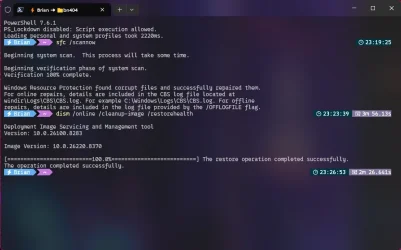
  • Improved reliability of running dism /online /cleanup-image /restorehealth command.

Known Issues

[Reset PC]​

  • Resetting your PC may get stuck when using “Reset this PC.” To complete the reset successfully, choose the cloud download option (Cloud PBR) instead of local.

Reminder for Windows Insiders in the Beta Channel

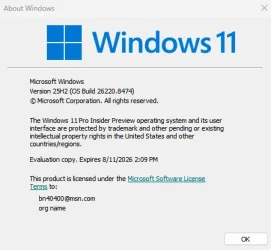
  • Updates are based on Windows 11, version 25H2 via an enablement package (Build 26220.8474).
  • The desktop watermark shown at the lower right corner of the desktop is normal for Windows Insider pre-release builds.
  • Features and experiences included in these builds may never get released as we try out different concepts and get feedback. Features may change over time, be removed, or replaced and never get released beyond Windows Insiders. Some of these features and experiences could show up in future Windows releases when they’re ready.
  • Some features in active development we preview with Windows Insiders may not be fully localized and localization will happen over time as features are finalized. As you see issues with localization in your language, please report those issues to us via Feedback Hub.
  • Check out Flight Hub for a complete look at what build is in which Insider channel.


 Source:


Check Windows Updates


ISO from Microsoft:



UUP Dump:

64-bit ISO download:

ARM64 ISO download:

 
Last edited:
Experimental is new Dev so it's Dev exclusive.
Right, but Microsoft stated one of the major changes coming to Insiders is the ability to switch back and forth between Beta and Experimental without having to reinstall and losing apps and data. Just wondering if that has started yet.
 

My Computer

System One

  • OS
    Windows 11 Pro 25H2
    Computer type
    PC/Desktop
    Manufacturer/Model
    Skytech / Central Computers
    CPU
    AMD Ryzen 9 9950X3D 16-Core Processor
    Motherboard
    Gigabyte X870E AORUS PRO ICE
    Memory
    64GB Corsair DDR5 RAM @ 6000 MT/s
    Graphics Card(s)
    ASUS TUF Gaming GeForce RTX 4090 OC Edition 24GB GDDR6X
    Sound Card
    Sound Blaster Audigy Fx V2
    Monitor(s) Displays
    Sony SDMU27M90 (DP HDR), Acer KA272, ASUS VG328QA1A
    Screen Resolution
    3840x2160 HDR
    Hard Drives
    Samsung SSD 990 PRO 4TB, Samsung SSD 860 EVO 1TB, Seagate ST8000DM004-2CX88 8TB
    Case
    Fractal Meshify 2
    Cooling
    Arctic Freezer III 360mm
Updated ok.
 

My Computer

System One

  • OS
    Win 11 Pro 25H2 Beta 26220.8544
    Computer type
    PC/Desktop
    Manufacturer/Model
    Asus MiniPC PN51-E1
    CPU
    AMD Ryzen 7 5700U
    Motherboard
    Asus PN51-E1 - Bios Version 0505
    Memory
    Crucial 64GB DDR4 SDRAM PC4-25600
    Graphics Card(s)
    AMD Radeon Vega Graphics 1.80 GHz - Adrenalin Edition 23.9.2
    Sound Card
    USB to Sound Blaster Live (24bit External) to Firestone DAC to Event Studio Monitors
    Monitor(s) Displays
    Gigabyte 27" 165 hertz
    Screen Resolution
    2560 x 1440
    Hard Drives
    Samsung SSD 970 EVO Plus 2TB PCIE NVME
    PSU
    65 Watt
    Case
    Asus Mini
    Cooling
    Air
    Keyboard
    Logitech K810
    Mouse
    Logitech MX Master 2S
    Internet Speed
    Telstra Modem Wifi - NBN 50/18
    Browser
    Firefox
    Antivirus
    Microsoft
    Other Info
    This replaced my Linux Notebook. I've used Windows since V2, tried various Linux distros but Windows continues to win for me.
Right, but Microsoft stated one of the major changes coming to Insiders is the ability to switch back and forth between Beta and Experimental without having to reinstall and losing apps and data. Just wondering if that has started yet.
Didn't see any option yet
 

My Computer

System One

  • OS
    W11 Pro and Insider Dev
    Computer type
    PC/Desktop
    Manufacturer/Model
    Home brewed
    CPU
    AMD Ryzen 9 7900x
    Motherboard
    ASROCK b650 PRO RS
    Memory
    2x16GB Kingston 6000MHz, Cl 32 @ 6200MHz Cl30
    Graphics Card(s)
    Gigabyte Rx 6600XT Gaming OC 8G Pro
    Sound Card
    MB, Realtek Ac1220p
    Monitor(s) Displays
    3 x 27"
    Screen Resolution
    1080p
    Hard Drives
    Kingston KC3000. 1TBSamsung 970 evo Plus 500GB, Crucial P1 NVMe 1TB, Lexar NVMe 2 TB, Silicon Power M.2 SATA 500GB
    PSU
    Seasonic 750W
    Case
    Custom Raidmax
    Cooling
    Arctic Liquid Freezer III 360mm
    Internet Speed
    20/19 mbps
This new beta build is AMAZINGLY fast and responsive. These must be the first results from Microsoft's new major optimization push.
 

My Computer

System One

  • OS
    Windows 11 Pro 25H2
    Computer type
    PC/Desktop
    Manufacturer/Model
    Skytech / Central Computers
    CPU
    AMD Ryzen 9 9950X3D 16-Core Processor
    Motherboard
    Gigabyte X870E AORUS PRO ICE
    Memory
    64GB Corsair DDR5 RAM @ 6000 MT/s
    Graphics Card(s)
    ASUS TUF Gaming GeForce RTX 4090 OC Edition 24GB GDDR6X
    Sound Card
    Sound Blaster Audigy Fx V2
    Monitor(s) Displays
    Sony SDMU27M90 (DP HDR), Acer KA272, ASUS VG328QA1A
    Screen Resolution
    3840x2160 HDR
    Hard Drives
    Samsung SSD 990 PRO 4TB, Samsung SSD 860 EVO 1TB, Seagate ST8000DM004-2CX88 8TB
    Case
    Fractal Meshify 2
    Cooling
    Arctic Freezer III 360mm
So I'm currently running Windows 11 insider build 26220.8370.ge release, and installed KB5089507 Windows 11 Insider Beta (25H2) build 26220.8474 - May 15th update. The desktop appeared fine at the login screen, however after logging in, my PC desktop was constantly flashing back and forth in rapid succession between a black screen and my wallpaper. I ended up restarting into safe mode and it happened there as well, even in safe mode. After repeated attempts to uninstall the update, each attempt led to a failure to uninstall. I ended up going the nuclear option and restoring my backup from earlier today and everything is fine now. If anyone has an idea, what could have caused this? Was it a driver issue, a bad/ corrupted install, or is the update just "borked" for my particular setup?
 

My Computer

System One

  • OS
    Windows 11 Professional 25H2; Linux Mint
    Computer type
    PC/Desktop
    Manufacturer/Model
    Acer
    CPU
    12th Gen Intel(R) Core(TM) i3-1215U 1.20 GHz
    Motherboard
    Acer Aspire C24-1700
    Memory
    16 GB
    Graphics Card(s)
    Video Card: Intel Arc UHD Graphics (Alder Lake-P 282 GT2) - Integrated Graphics Controller [ACER]
    Sound Card
    Intel Alder Lake-P PCH - cAVS (Audio, Voice, Speech)
    Monitor(s) Displays
    Acer [Unknown Model: ACR40B0]
    Screen Resolution
    1920x1080
    Hard Drives
    SSD: WDC PC SN530 SDBPNPZ-512G-1114
    SSD: TEAM TM8PS7512G
    HDD: WDC WD20JDRW-11C7VS0
    HDD: Seagate ST2000LM007-1R8174 HDD: Seagate ST1000LM035-1RK172
    Case
    Acer AIO
    Keyboard
    Razer Ornata V3 X
    Mouse
    Razer Basilisk V3
    Browser
    Brave, Chrome, Firefox, Edge
    Antivirus
    Microsoft Defender
So I'm currently running Windows 11 insider build 26220.8370.ge release, and installed KB5089507 Windows 11 Insider Beta (25H2) build 26220.8474 - May 15th update. The desktop appeared fine at the login screen, however after logging in, my PC desktop was constantly flashing back and forth in rapid succession between a black screen and my wallpaper. I ended up restarting into safe mode and it happened there as well, even in safe mode. After repeated attempts to uninstall the update, each attempt led to a failure to uninstall. I ended up going the nuclear option and restoring my backup from earlier today and everything is fine now. If anyone has an idea, what could have caused this? Was it a driver issue, a bad/ corrupted install, or is the update just "borked" for my particular setup?
Wow, that's wild. Good thing you had a backup.

I'd try running DISM and SFC on your current install to verify there's no problems:
DISM.exe /Online /Cleanup-image /Restorehealth
sfc /scannow

Then stop Windows Update services, delete contents of C:\Windows\SoftwareDistribution
Then try again.
 
Last edited:

My Computer

System One

  • OS
    Windows 11 Pro 25H2
    Computer type
    PC/Desktop
    Manufacturer/Model
    Skytech / Central Computers
    CPU
    AMD Ryzen 9 9950X3D 16-Core Processor
    Motherboard
    Gigabyte X870E AORUS PRO ICE
    Memory
    64GB Corsair DDR5 RAM @ 6000 MT/s
    Graphics Card(s)
    ASUS TUF Gaming GeForce RTX 4090 OC Edition 24GB GDDR6X
    Sound Card
    Sound Blaster Audigy Fx V2
    Monitor(s) Displays
    Sony SDMU27M90 (DP HDR), Acer KA272, ASUS VG328QA1A
    Screen Resolution
    3840x2160 HDR
    Hard Drives
    Samsung SSD 990 PRO 4TB, Samsung SSD 860 EVO 1TB, Seagate ST8000DM004-2CX88 8TB
    Case
    Fractal Meshify 2
    Cooling
    Arctic Freezer III 360mm
I'd try running DISM and SFC on your current install to verify there's no problems:
DISM.exe /Online /Cleanup-image /Restorehealth
sfc /scannow
Thanks for the info, I'm running them now. Going to reboot, looks like sfc found corrupt files. Should I consider try reinstalling the update, or just maybe skip out on this one and see what happens on the next update? I ask because restoring was frustrating to say the least - even safe mode didn't work. 😓

Screenshot 2026-05-15 232754.webp
 

My Computer

System One

  • OS
    Windows 11 Professional 25H2; Linux Mint
    Computer type
    PC/Desktop
    Manufacturer/Model
    Acer
    CPU
    12th Gen Intel(R) Core(TM) i3-1215U 1.20 GHz
    Motherboard
    Acer Aspire C24-1700
    Memory
    16 GB
    Graphics Card(s)
    Video Card: Intel Arc UHD Graphics (Alder Lake-P 282 GT2) - Integrated Graphics Controller [ACER]
    Sound Card
    Intel Alder Lake-P PCH - cAVS (Audio, Voice, Speech)
    Monitor(s) Displays
    Acer [Unknown Model: ACR40B0]
    Screen Resolution
    1920x1080
    Hard Drives
    SSD: WDC PC SN530 SDBPNPZ-512G-1114
    SSD: TEAM TM8PS7512G
    HDD: WDC WD20JDRW-11C7VS0
    HDD: Seagate ST2000LM007-1R8174 HDD: Seagate ST1000LM035-1RK172
    Case
    Acer AIO
    Keyboard
    Razer Ornata V3 X
    Mouse
    Razer Basilisk V3
    Browser
    Brave, Chrome, Firefox, Edge
    Antivirus
    Microsoft Defender
Thanks for the info, I'm running them now. Going to reboot, looks like sfc found corrupt files. Should I consider try reinstalling the update, or just maybe skip out on this one and see what happens on the next update? I ask because restoring was frustrating to say the least - even safe mode didn't work. 😓

View attachment 171668
Generally, you should run DISM first, then SFC, as one is supposed to follow the other.

If it's not too much trouble to restore, I'd say make sure contents of C:\Windows\SoftwareDistribution has been deleted and give it another try. If that's a hassle, no shame in pausing updates and waiting for the next flight.

Also, I noticed you may be running some mods. There's always a chance the new build doesn't like those.
 
Last edited:

My Computer

System One

  • OS
    Windows 11 Pro 25H2
    Computer type
    PC/Desktop
    Manufacturer/Model
    Skytech / Central Computers
    CPU
    AMD Ryzen 9 9950X3D 16-Core Processor
    Motherboard
    Gigabyte X870E AORUS PRO ICE
    Memory
    64GB Corsair DDR5 RAM @ 6000 MT/s
    Graphics Card(s)
    ASUS TUF Gaming GeForce RTX 4090 OC Edition 24GB GDDR6X
    Sound Card
    Sound Blaster Audigy Fx V2
    Monitor(s) Displays
    Sony SDMU27M90 (DP HDR), Acer KA272, ASUS VG328QA1A
    Screen Resolution
    3840x2160 HDR
    Hard Drives
    Samsung SSD 990 PRO 4TB, Samsung SSD 860 EVO 1TB, Seagate ST8000DM004-2CX88 8TB
    Case
    Fractal Meshify 2
    Cooling
    Arctic Freezer III 360mm
Also, I noticed you may be running some mods. There's always a chance the new build doesn't like those.
Yes, I am running a few mods, Posh for Powershell, Start11 and Wallpaper Engine through Steam - but never really had trouble before though. However I will be sure to delete the contents of C:\Windows\SoftwareDistribution, I'll disable those mods temporarily in the event they hook into the Windows API for whatever reason prior to trying again. I'll give it another go tomorrow as it's getting late right now. Also, should I rerun with DISM first then SFC or should I be okay? Thank you for the info and help!
 

My Computer

System One

  • OS
    Windows 11 Professional 25H2; Linux Mint
    Computer type
    PC/Desktop
    Manufacturer/Model
    Acer
    CPU
    12th Gen Intel(R) Core(TM) i3-1215U 1.20 GHz
    Motherboard
    Acer Aspire C24-1700
    Memory
    16 GB
    Graphics Card(s)
    Video Card: Intel Arc UHD Graphics (Alder Lake-P 282 GT2) - Integrated Graphics Controller [ACER]
    Sound Card
    Intel Alder Lake-P PCH - cAVS (Audio, Voice, Speech)
    Monitor(s) Displays
    Acer [Unknown Model: ACR40B0]
    Screen Resolution
    1920x1080
    Hard Drives
    SSD: WDC PC SN530 SDBPNPZ-512G-1114
    SSD: TEAM TM8PS7512G
    HDD: WDC WD20JDRW-11C7VS0
    HDD: Seagate ST2000LM007-1R8174 HDD: Seagate ST1000LM035-1RK172
    Case
    Acer AIO
    Keyboard
    Razer Ornata V3 X
    Mouse
    Razer Basilisk V3
    Browser
    Brave, Chrome, Firefox, Edge
    Antivirus
    Microsoft Defender
Yes, I am running a few mods, Posh for Powershell, Start11 and Wallpaper Engine through Steam - but never really had trouble before though. However I will be sure to delete the contents of C:\Windows\SoftwareDistribution, I'll disable those mods temporarily in the event they hook into the Windows API for whatever reason prior to trying again. I'll give it another go tomorrow as it's getting late right now. Also, should I rerun with DISM first then SFC or should I be okay? Thank you for the info and help!
Couldn't hurt to run them again in order. Just make sure you have a backup before you try again. Nothing worse then having to rescue data and rebuild.
 

My Computer

System One

  • OS
    Windows 11 Pro 25H2
    Computer type
    PC/Desktop
    Manufacturer/Model
    Skytech / Central Computers
    CPU
    AMD Ryzen 9 9950X3D 16-Core Processor
    Motherboard
    Gigabyte X870E AORUS PRO ICE
    Memory
    64GB Corsair DDR5 RAM @ 6000 MT/s
    Graphics Card(s)
    ASUS TUF Gaming GeForce RTX 4090 OC Edition 24GB GDDR6X
    Sound Card
    Sound Blaster Audigy Fx V2
    Monitor(s) Displays
    Sony SDMU27M90 (DP HDR), Acer KA272, ASUS VG328QA1A
    Screen Resolution
    3840x2160 HDR
    Hard Drives
    Samsung SSD 990 PRO 4TB, Samsung SSD 860 EVO 1TB, Seagate ST8000DM004-2CX88 8TB
    Case
    Fractal Meshify 2
    Cooling
    Arctic Freezer III 360mm
Couldn't hurt to run them again in order. Just make sure you have a backup before you try again. Nothing worse then having to rescue data and rebuild.
Thanks again @spectrumfox , I couldn't help but not give it another shot, and it worked! Please accept my high five as a token of gratitude! 🙌🏻

Screenshot 2026-05-16 020643.webp
 

My Computer

System One

  • OS
    Windows 11 Professional 25H2; Linux Mint
    Computer type
    PC/Desktop
    Manufacturer/Model
    Acer
    CPU
    12th Gen Intel(R) Core(TM) i3-1215U 1.20 GHz
    Motherboard
    Acer Aspire C24-1700
    Memory
    16 GB
    Graphics Card(s)
    Video Card: Intel Arc UHD Graphics (Alder Lake-P 282 GT2) - Integrated Graphics Controller [ACER]
    Sound Card
    Intel Alder Lake-P PCH - cAVS (Audio, Voice, Speech)
    Monitor(s) Displays
    Acer [Unknown Model: ACR40B0]
    Screen Resolution
    1920x1080
    Hard Drives
    SSD: WDC PC SN530 SDBPNPZ-512G-1114
    SSD: TEAM TM8PS7512G
    HDD: WDC WD20JDRW-11C7VS0
    HDD: Seagate ST2000LM007-1R8174 HDD: Seagate ST1000LM035-1RK172
    Case
    Acer AIO
    Keyboard
    Razer Ornata V3 X
    Mouse
    Razer Basilisk V3
    Browser
    Brave, Chrome, Firefox, Edge
    Antivirus
    Microsoft Defender
Right, but Microsoft stated one of the major changes coming to Insiders is the ability to switch back and forth between Beta and Experimental without having to reinstall and losing apps and data. Just wondering if that has started yet.
Yes, it has... Yesterday, I moved from the Beta channel in an upgrade install from 26220.8474 to the RP channel, where I wanted to be, build 26200.8514! (Moved me to 26200.8513 first, and then to 26200.8514) Now I understand why Microsoft moved me to the Beta channel directly from the old RP channel in the first place. It was to give me (and everyone else) the ability to move to a different channel without the necessity of a clean install--which is what the DR. ordered...;) Worked perfectly--be prepared for a lengthy install, possibly as long as 80 minutes, or so, to successfully "upgrade" you into a different channel! Good job Microsoft! That's nothing compared to having to reinstall all of your apps in a clean install, however.
 

My Computer

System One

  • OS
    Win11 Release Beta channel
    Computer type
    PC/Desktop
    Manufacturer/Model
    a cherry-picked assembly
    CPU
    AMD R7 7800X3D
    Motherboard
    MSI x870 Tomahawk Wi-Fi, 8-layer, 2 oz copper, server PCB
    Memory
    GSkill 2x16GB @ 6400MT/s
    Graphics Card(s)
    XFX 9070 XT SWIFT tri-fan (PCIe5.0)
    Sound Card
    Creative Labs G8 USB External Sound device, Gaming DAC, Sound Card & Earphone AMP.. HIGHLY RECOMMENDED, btw. Totally changed my opinion of external USB sound. I like!...;)
    Monitor(s) Displays
    Philips 43" Momentum DisplayHDR 1000-certified
    Screen Resolution
    3840x2160
    Hard Drives
    *Boot: Samsung 980 Pro 2 TB NVMe (PCIe4x4)
    *Samsung 980 EVO NVMe 500GB (PCIe 4x4)
    *Kingston SNV3S2000G 2TB NVMe (PCIe4x4)
    *Samsung 960 EVO 250GB NVMe(PCIe3x2)
    *8TB Toshiba x300 HDD
    *ST4000DM004 S3 4TB HDD
    PSU
    Gigabyte 850W Gold, Rev 2
    Case
    Lian Li Lancool 217, white, with wood trim, very nice looking--tired of black, 5-fans standard
    Cooling
    Air coutesy Lian Li
    Keyboard
    Cherry MX 2.0S RGB
    Mouse
    Razer Basilisk V3 24k DPI
    Internet Speed
    ~950Mbps down and up!
    Browser
    Firefox x64 DE
    Antivirus
    Defender
    Other Info
    Great New system. Exceeds my expectations by quite a bit, btw. I love the USB G8 SoundBlaster, it's quite an improvement over the G6!
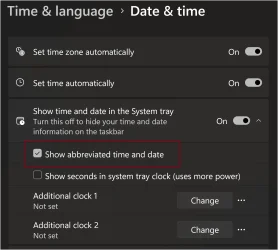
So I just the noticed with this build the abbreviated date and time is back. Maybe it's just for the new movable taskbar option that I enabled with vivetool so it can display on the vertical taskbars.

Screenshot 2026-05-16 095623.webp
 

My Computers

System One System Two

  • OS
    Windows 11 25H2
    Computer type
    Laptop
    Manufacturer/Model
    Alienware 18 Area-51
    CPU
    Intel Core Ultra 9 275HX (24-Core)
    Motherboard
    Alienware
    Memory
    64GB DDR5 6400MT/s
    Graphics Card(s)
    NVIDIA GeForce RTX 5080 and Intel UHD Graphics
    Sound Card
    Onboard, Realtek high-performance Audio chips (ALC3329 & ALC1708))
    Monitor(s) Displays
    300HZ 18-inch QHD 500 nit Comfort View+
    Screen Resolution
    2560 x 1600
    Hard Drives
    2TB NVMe M.2 PCIe Gen 5 SSD
    Case
    Magnesium Alloy
    Cooling
    Advanced Cryo-Tech Quad-Fan Cooling system & large vapor chamber
    Keyboard
    Cherry MX ultra low profile mechanical keyboard with per key AlienFX RGB lighting
    Mouse
    Logitech MX Master 4
    Browser
    Vivaldi (main), Firefox, Chrome, Edge
    Antivirus
    MS Defender and Malwarebytes Free
  • Operating System
    Windows 11 25H2
    Computer type
    Laptop
    Manufacturer/Model
    Microsoft Surface Laptop 7
    CPU
    Qualcomm Snapdragon X Elite (12 Core) ARM based CPU
    Motherboard
    Microsoft Corp.
    Memory
    16GB LPDDR5
    Graphics card(s)
    Qualcomm Adreno X1-85
    Sound Card
    Omnisonic speakers with Dolby Atmos spatial sound
    Monitor(s) Displays
    120 Hz 13.8-inch 600 nit PixelSense Flow touchscreen
    Screen Resolution
    2304x1536
    Hard Drives
    1TB NVMe Gen 4 SSD
    Case
    Anodized Aluminum
    Cooling
    Traditional active cooling fan system
    Keyboard
    Mechanical QWERTY, backlit when in use
    Mouse
    Logitech MX Master 4 and Surface Arc Mouse
    Browser
    Vivaldi (main), Firefox, Chrome, Edge
    Antivirus
    MS Defender and Malwarebytes Free
So I just the noticed with this build the abbreviated date and time is back. Maybe it's just for the new movable taskbar option that I enabled with vivetool so it can display on the vertical taskbars.

View attachment 171718

Nice, but I don't have it back yet in Experimental 25H2 build 26300.8493. :shawn:


My Computers

System One System Two

  • OS
    Windows 11 Pro for Workstations
    Computer type
    PC/Desktop
    Manufacturer/Model
    Custom self build
    CPU
    Intel i7-8700K 5 GHz
    Motherboard
    ASUS ROG Maximus XI Formula Z390
    Memory
    64 GB (4x16GB) G.SKILL TridentZ RGB DDR4 3600 MHz (F4-3600C18D-32GTZR)
    Graphics Card(s)
    ASUS ROG-STRIX-GTX1080TI-O11G-GAMING (11GB GDDR5X)
    Sound Card
    Integrated Digital Audio (S/PDIF)
    Monitor(s) Displays
    2 x Samsung Odyssey G75 27"
    Screen Resolution
    2560x1440
    Hard Drives
    1TB Samsung 990 PRO M.2,
    4TB Samsung 990 PRO M.2,
    TerraMaster F8 SSD Plus NAS
    PSU
    Seasonic Prime Titanium 850W
    Case
    Thermaltake Core P3 wall mounted
    Cooling
    Corsair Hydro H115i
    Keyboard
    Amazon Basics Wired Full Keyboard MD005
    Mouse
    Logitech MX Master 4
    Internet Speed
    2 Gbps Download and 100 Mbps Upload
    Browser
    Chrome and Edge
    Antivirus
    Microsoft Defender
    Other Info
    Logitech Z625 speaker system,
    Logitech BRIO 4K Pro webcam,
    HP Color LaserJet Pro MFP M477fdn,
    CyberPower CP1500PFCLCD
    Galaxy S23 Plus phone
  • Operating System
    Windows 11 Pro
    Computer type
    Laptop
    Manufacturer/Model
    Surface Laptop 7 Copilot+ PC
    CPU
    Snapdragon X Elite (12 core) 3.42 GHz
    Memory
    16 GB LPDDR5x-7467 MHz
    Monitor(s) Displays
    15" HDR
    Screen Resolution
    2496 x 1664
    Hard Drives
    1 TB SSD
    Internet Speed
    Wi-Fi 7 and Bluetooth 5.4
    Browser
    Chrome and Edge
    Antivirus
    Microsoft Defender
Nice, but I don't have it back yet in Experimental 25H2 build 26300.8493. :shawn:

Actually, it doesn't use the same abbreviated formatted when vertical so maybe not. Here is the vertical Taskbar format on the right side of the screen. That's with TranslucentTB and RoundedTB enabled by the way.

Screenshot 2026-05-16 101127.webp
 

My Computers

System One System Two

  • OS
    Windows 11 25H2
    Computer type
    Laptop
    Manufacturer/Model
    Alienware 18 Area-51
    CPU
    Intel Core Ultra 9 275HX (24-Core)
    Motherboard
    Alienware
    Memory
    64GB DDR5 6400MT/s
    Graphics Card(s)
    NVIDIA GeForce RTX 5080 and Intel UHD Graphics
    Sound Card
    Onboard, Realtek high-performance Audio chips (ALC3329 & ALC1708))
    Monitor(s) Displays
    300HZ 18-inch QHD 500 nit Comfort View+
    Screen Resolution
    2560 x 1600
    Hard Drives
    2TB NVMe M.2 PCIe Gen 5 SSD
    Case
    Magnesium Alloy
    Cooling
    Advanced Cryo-Tech Quad-Fan Cooling system & large vapor chamber
    Keyboard
    Cherry MX ultra low profile mechanical keyboard with per key AlienFX RGB lighting
    Mouse
    Logitech MX Master 4
    Browser
    Vivaldi (main), Firefox, Chrome, Edge
    Antivirus
    MS Defender and Malwarebytes Free
  • Operating System
    Windows 11 25H2
    Computer type
    Laptop
    Manufacturer/Model
    Microsoft Surface Laptop 7
    CPU
    Qualcomm Snapdragon X Elite (12 Core) ARM based CPU
    Motherboard
    Microsoft Corp.
    Memory
    16GB LPDDR5
    Graphics card(s)
    Qualcomm Adreno X1-85
    Sound Card
    Omnisonic speakers with Dolby Atmos spatial sound
    Monitor(s) Displays
    120 Hz 13.8-inch 600 nit PixelSense Flow touchscreen
    Screen Resolution
    2304x1536
    Hard Drives
    1TB NVMe Gen 4 SSD
    Case
    Anodized Aluminum
    Cooling
    Traditional active cooling fan system
    Keyboard
    Mechanical QWERTY, backlit when in use
    Mouse
    Logitech MX Master 4 and Surface Arc Mouse
    Browser
    Vivaldi (main), Firefox, Chrome, Edge
    Antivirus
    MS Defender and Malwarebytes Free
With the Taskbar icons positioned on top.

Screenshot 2026-05-16 103129.webp
 

My Computers

System One System Two

  • OS
    Windows 11 25H2
    Computer type
    Laptop
    Manufacturer/Model
    Alienware 18 Area-51
    CPU
    Intel Core Ultra 9 275HX (24-Core)
    Motherboard
    Alienware
    Memory
    64GB DDR5 6400MT/s
    Graphics Card(s)
    NVIDIA GeForce RTX 5080 and Intel UHD Graphics
    Sound Card
    Onboard, Realtek high-performance Audio chips (ALC3329 & ALC1708))
    Monitor(s) Displays
    300HZ 18-inch QHD 500 nit Comfort View+
    Screen Resolution
    2560 x 1600
    Hard Drives
    2TB NVMe M.2 PCIe Gen 5 SSD
    Case
    Magnesium Alloy
    Cooling
    Advanced Cryo-Tech Quad-Fan Cooling system & large vapor chamber
    Keyboard
    Cherry MX ultra low profile mechanical keyboard with per key AlienFX RGB lighting
    Mouse
    Logitech MX Master 4
    Browser
    Vivaldi (main), Firefox, Chrome, Edge
    Antivirus
    MS Defender and Malwarebytes Free
  • Operating System
    Windows 11 25H2
    Computer type
    Laptop
    Manufacturer/Model
    Microsoft Surface Laptop 7
    CPU
    Qualcomm Snapdragon X Elite (12 Core) ARM based CPU
    Motherboard
    Microsoft Corp.
    Memory
    16GB LPDDR5
    Graphics card(s)
    Qualcomm Adreno X1-85
    Sound Card
    Omnisonic speakers with Dolby Atmos spatial sound
    Monitor(s) Displays
    120 Hz 13.8-inch 600 nit PixelSense Flow touchscreen
    Screen Resolution
    2304x1536
    Hard Drives
    1TB NVMe Gen 4 SSD
    Case
    Anodized Aluminum
    Cooling
    Traditional active cooling fan system
    Keyboard
    Mechanical QWERTY, backlit when in use
    Mouse
    Logitech MX Master 4 and Surface Arc Mouse
    Browser
    Vivaldi (main), Firefox, Chrome, Edge
    Antivirus
    MS Defender and Malwarebytes Free
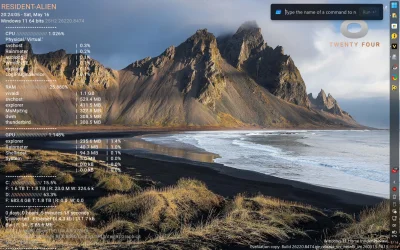
The streamlined Run dialog is back on Beta again. I had lost it last build.

Screenshot 2026-05-16 202438.webp
 

My Computers

System One System Two

  • OS
    Windows 11 25H2
    Computer type
    Laptop
    Manufacturer/Model
    Alienware 18 Area-51
    CPU
    Intel Core Ultra 9 275HX (24-Core)
    Motherboard
    Alienware
    Memory
    64GB DDR5 6400MT/s
    Graphics Card(s)
    NVIDIA GeForce RTX 5080 and Intel UHD Graphics
    Sound Card
    Onboard, Realtek high-performance Audio chips (ALC3329 & ALC1708))
    Monitor(s) Displays
    300HZ 18-inch QHD 500 nit Comfort View+
    Screen Resolution
    2560 x 1600
    Hard Drives
    2TB NVMe M.2 PCIe Gen 5 SSD
    Case
    Magnesium Alloy
    Cooling
    Advanced Cryo-Tech Quad-Fan Cooling system & large vapor chamber
    Keyboard
    Cherry MX ultra low profile mechanical keyboard with per key AlienFX RGB lighting
    Mouse
    Logitech MX Master 4
    Browser
    Vivaldi (main), Firefox, Chrome, Edge
    Antivirus
    MS Defender and Malwarebytes Free
  • Operating System
    Windows 11 25H2
    Computer type
    Laptop
    Manufacturer/Model
    Microsoft Surface Laptop 7
    CPU
    Qualcomm Snapdragon X Elite (12 Core) ARM based CPU
    Motherboard
    Microsoft Corp.
    Memory
    16GB LPDDR5
    Graphics card(s)
    Qualcomm Adreno X1-85
    Sound Card
    Omnisonic speakers with Dolby Atmos spatial sound
    Monitor(s) Displays
    120 Hz 13.8-inch 600 nit PixelSense Flow touchscreen
    Screen Resolution
    2304x1536
    Hard Drives
    1TB NVMe Gen 4 SSD
    Case
    Anodized Aluminum
    Cooling
    Traditional active cooling fan system
    Keyboard
    Mechanical QWERTY, backlit when in use
    Mouse
    Logitech MX Master 4 and Surface Arc Mouse
    Browser
    Vivaldi (main), Firefox, Chrome, Edge
    Antivirus
    MS Defender and Malwarebytes Free
The streamlined Run dialog is back on Beta again.
I was surprised to notice that it lists every item in the typed location.
 

My Computers

System One System Two

  • OS
    Windows 11 Pro
    Computer type
    PC/Desktop
    Manufacturer/Model
    ASUS ROG Strix
  • Operating System
    Windows 11 Pro
    Computer type
    Laptop
    Manufacturer/Model
    ASUS VivoBook
I was surprised to notice that it lists every item in the typed location.
Oh wow, sure enough, I just tried it after seeing your comment. I definitely haven't seen that before now.
 

My Computers

System One System Two

  • OS
    Windows 11 25H2
    Computer type
    Laptop
    Manufacturer/Model
    Alienware 18 Area-51
    CPU
    Intel Core Ultra 9 275HX (24-Core)
    Motherboard
    Alienware
    Memory
    64GB DDR5 6400MT/s
    Graphics Card(s)
    NVIDIA GeForce RTX 5080 and Intel UHD Graphics
    Sound Card
    Onboard, Realtek high-performance Audio chips (ALC3329 & ALC1708))
    Monitor(s) Displays
    300HZ 18-inch QHD 500 nit Comfort View+
    Screen Resolution
    2560 x 1600
    Hard Drives
    2TB NVMe M.2 PCIe Gen 5 SSD
    Case
    Magnesium Alloy
    Cooling
    Advanced Cryo-Tech Quad-Fan Cooling system & large vapor chamber
    Keyboard
    Cherry MX ultra low profile mechanical keyboard with per key AlienFX RGB lighting
    Mouse
    Logitech MX Master 4
    Browser
    Vivaldi (main), Firefox, Chrome, Edge
    Antivirus
    MS Defender and Malwarebytes Free
  • Operating System
    Windows 11 25H2
    Computer type
    Laptop
    Manufacturer/Model
    Microsoft Surface Laptop 7
    CPU
    Qualcomm Snapdragon X Elite (12 Core) ARM based CPU
    Motherboard
    Microsoft Corp.
    Memory
    16GB LPDDR5
    Graphics card(s)
    Qualcomm Adreno X1-85
    Sound Card
    Omnisonic speakers with Dolby Atmos spatial sound
    Monitor(s) Displays
    120 Hz 13.8-inch 600 nit PixelSense Flow touchscreen
    Screen Resolution
    2304x1536
    Hard Drives
    1TB NVMe Gen 4 SSD
    Case
    Anodized Aluminum
    Cooling
    Traditional active cooling fan system
    Keyboard
    Mechanical QWERTY, backlit when in use
    Mouse
    Logitech MX Master 4 and Surface Arc Mouse
    Browser
    Vivaldi (main), Firefox, Chrome, Edge
    Antivirus
    MS Defender and Malwarebytes Free
 

My Computers

System One System Two

  • OS
    Windows 11 Pro for Workstations
    Computer type
    PC/Desktop
    Manufacturer/Model
    Custom self build
    CPU
    Intel i7-8700K 5 GHz
    Motherboard
    ASUS ROG Maximus XI Formula Z390
    Memory
    64 GB (4x16GB) G.SKILL TridentZ RGB DDR4 3600 MHz (F4-3600C18D-32GTZR)
    Graphics Card(s)
    ASUS ROG-STRIX-GTX1080TI-O11G-GAMING (11GB GDDR5X)
    Sound Card
    Integrated Digital Audio (S/PDIF)
    Monitor(s) Displays
    2 x Samsung Odyssey G75 27"
    Screen Resolution
    2560x1440
    Hard Drives
    1TB Samsung 990 PRO M.2,
    4TB Samsung 990 PRO M.2,
    TerraMaster F8 SSD Plus NAS
    PSU
    Seasonic Prime Titanium 850W
    Case
    Thermaltake Core P3 wall mounted
    Cooling
    Corsair Hydro H115i
    Keyboard
    Amazon Basics Wired Full Keyboard MD005
    Mouse
    Logitech MX Master 4
    Internet Speed
    2 Gbps Download and 100 Mbps Upload
    Browser
    Chrome and Edge
    Antivirus
    Microsoft Defender
    Other Info
    Logitech Z625 speaker system,
    Logitech BRIO 4K Pro webcam,
    HP Color LaserJet Pro MFP M477fdn,
    CyberPower CP1500PFCLCD
    Galaxy S23 Plus phone
  • Operating System
    Windows 11 Pro
    Computer type
    Laptop
    Manufacturer/Model
    Surface Laptop 7 Copilot+ PC
    CPU
    Snapdragon X Elite (12 core) 3.42 GHz
    Memory
    16 GB LPDDR5x-7467 MHz
    Monitor(s) Displays
    15" HDR
    Screen Resolution
    2496 x 1664
    Hard Drives
    1 TB SSD
    Internet Speed
    Wi-Fi 7 and Bluetooth 5.4
    Browser
    Chrome and Edge
    Antivirus
    Microsoft Defender

Latest Support Threads

Back
Top Bottom