UPDATE 5/29:

 www.elevenforum.com
As a reminder, these release notes apply to those who are in the Experimental channel, formerly known as the Dev Channel. As we begin the transition to the new Windows Insider Program, all new build release notes will be labeled under the new channel names, even though Insiders in the Dev Channel may not yet find themselves having transitioned to Experimental. See the Windows Insider Blog for more details.
 www.elevenforum.com
 www.elevenforum.com
 www.elevenforum.com
 www.elevenforum.com

Screenshot showing where the voice isolation setting can be found.

Screenshot showing voice isolation setup.


 blogs.windows.com
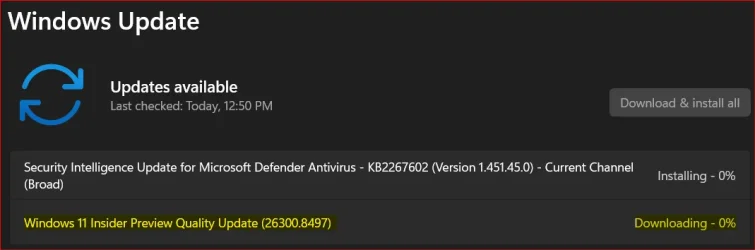
Check Windows Updates
ISO from Microsoft:
 www.elevenforum.com
UUP Dump:
64-bit ISO download:

ARM64 ISO download:
 www.elevenforum.com
Windows 11 Insider Experimental (25H2) build 26300.8553 - May 29
Windows Insider Blog: Check Windows Updates UUP Dump: 64-bit ISO download: https://uupdump.net/selectlang.php?id=9087bb22-cc58-4ff6-a220-961e4f5da0b8 ARM64 ISO download: https://uupdump.net/selectlang.php?id=2a135546-1b15-48f4-8c21-450d4b7c74dd...
www.elevenforum.com
Windows Insider Blog:
As a reminder, these release notes apply to those who are in the Experimental channel, formerly known as the Dev Channel. As we begin the transition to the new Windows Insider Program, all new build release notes will be labeled under the new channel names, even though Insiders in the Dev Channel may not yet find themselves having transitioned to Experimental. See the Windows Insider Blog for more details.
Microsoft improving your Windows Insider experience for Windows 11
Windows Insider Blog: Hello Windows Insiders, Today is the day we’re beginning to move to the new Experimental and Beta channels as announced earlier this month. As a reminder, most Insiders, those who are in the Dev and Beta channels today will transition to the new channels over time as...
www.elevenforum.com
Enable or Disable Get Latest Updates as soon as available in Windows 11
This tutorial will show you how to turn on or off "Get the latest updates as soon as they are available" in Windows 11. Starting with Windows 11 build 22621.1635, Microsoft added a new "Get the latest updates as soon as they are available" toggle under Settings > Windows Update. When you turn...
www.elevenforum.com
Changes and improvements gradually being rolled out
[Narrator]
Braille displays now connect instantly with Narrator- We're making refreshable braille displays easier to use in Windows. Narrator now supports displays that use the HID standard — an open industry standard for braille displays. If your display supports HID, simply connect it via USB and start reading — true plug-and-play with no additional setup required. For Bluetooth, pair your HID braille display in Settings > Bluetooth & devices just like any other accessory, and you can work wirelessly without being tethered to your PC.
- Compatible HID displays include models like the Orbit Reader 20, Orbit Slate 340, Freedom Scientific Focus 40, and APH Mantis Q40.
- HID braille displays now work during the initial Windows setup experience (OOBE) over USB — meaning users who are deaf-blind can set up their PC independently, right from the first screen. You can customize braille input and output options anytime in Settings > Accessibility > Narrator > Braille.
Install or Uninstall Braille Support for Narrator in Windows 11
This tutorial will show you how to install or uninstall braille support for Narrator for all users in Windows 11. Narrator is a screen reader included with Windows 11 that describes what's on your screen. Narrator lets you use your PC without a mouse to complete common tasks if you’re blind or...
www.elevenforum.com
Enable or Disable Braille Support for Narrator in Windows 11
This tutorial will show you how to turn on or off braille display support for Narrator for your account in Windows 11. Narrator is a screen reader included with Windows 11 that describes what's on your screen. Narrator lets you use your PC without a mouse to complete common tasks if you’re...
www.elevenforum.com
[Accessibility]
New accessibility setting: Screen tint- We're introducing screen tint, a new accessibility setting that applies a color overlay across your entire display, softening its intensity so it's easier on your eyes throughout the day. If bright, saturated screens leave you with tired or sensitive eyes by the end of a long session, screen tint can help.

Enable or Disable Screen Tint in Windows 11
This tutorial will show you how to turn on or off using Screen Tint for your account in Windows 11. Starting with Windows 11 build 26100.8737 (24H2), build 26200.8737 (25H2), and build 2800.2608 (26H1), Microsoft is introducing screen tint, a new accessibility setting that applies a color...
www.elevenforum.com

Change Screen Tint Color in Windows 11
This tutorial will show you how to change the Screen Tint color for your account in Windows 11. Starting with Windows 11 build 26100.8737 (24H2), build 26200.8737 (25H2), and build 2800.2608 (26H1), Microsoft is introducing screen tint, a new accessibility setting that applies a color overlay...
www.elevenforum.com

Change Screen Tint Color Strength in Windows 11
This tutorial will show you how to change the Screen Tint color strength for your account in Windows 11. Starting with Windows 11 build 26100.8737 (24H2), build 26200.8737 (25H2), and build 2800.2608 (26H1), Microsoft is introducing screen tint, a new accessibility setting that applies a color...
www.elevenforum.com

Reset Screen Tint to Default in Windows 11
This tutorial will show you how to completely reset Screen Tint back to default for your account in Windows 11. Starting with Windows 11 build 26300.8497 (Experimental), build 28120.2302 (Experimental 26H1), build 26220.8491 (Beta 25H2), build 28020.2298 (Beta 26H1), build 26100.8728 (RP 24H2)...
www.elevenforum.com

Screenshot showing UI for screen tint in Accessibility, with color presets and a strength slider. - To get started, open Settings > Accessibility (or press Win + U) and look for screen tint under the Vision section. From there you can:
- Pick from six preset colors or choose a custom color of your own.
- Adjust the tint strength slider from a subtle wash to full intensity.
- Night light warms your display to reduce blue light that can interfere with sleep. Screen tint reduces overall screen intensity to ease eye fatigue and light sensitivity during the day. They tackle different problems and you can use both at the same time, one working on warmth and the other on intensity.
- Note that turning on screen tint will disable color filters, and vice versa. If you currently rely on color filters, you may need to keep screen tint turned off.
[Magnifier]
- Touch bars for panning in Magnifier are now off by default. Hiding them gives you a cleaner, less distracting magnified view on touchscreen devices.
- If you use a touch screen device and prefer on-screen bars for navigating your magnified view, you can turn them back on anytime in Settings > Accessibility > Magnifier.

Enable or Disable Touch Bars on Touchscreen for Magnifier in Windows 11
This tutorial will show you how to turn on or off showing touch bars for Magnifier when using a touchscreen device for your account in Windows 11. Magnifier makes part or all of your screen bigger so you can see words and images better. Starting with Windows 11 build 26100.8973 (24H2), build...
www.elevenforum.com

Screenshot showing UI for Magnifier settings where touch panning bars are off by default.
[Windows Ready Print]
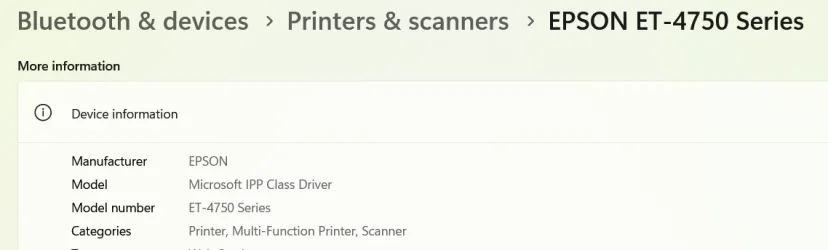
- Last month, we introduced a change where new printer installations use IPP by default when supported to simplify setup and improve reliability (see our third-party driver deprecation timeline: End of Servicing Plan for Third-Party Printer Drivers on Windows). This month, we're adding a new toggle in Settings > Bluetooth & devices > Printers & scanners > Default install printers using Windows Ready Print to give you control over this behavior.
Enable or Disable Windows Ready Print in Windows 11
This tutorial will show you how to enable or disable install printers using Windows Ready Print by default in Windows 11. In May 2026, Microsoft introduced a change where new printer installations use Internet Printing Protocol (IPP) by default when supported to simplify setup and improve...
www.elevenforum.com

Screenshot showing the ability to toggle Windows Ready Print in Printer preferences. - When enabled, Windows installs supported printers using IPP by default. When turned off, Windows may use other available installation methods.
- This experience is part of our modern print platform, now called Windows Ready Print, designed to deliver a more consistent, reliable, and simplified printing experience.
[Voice Access]
Voice Isolation in Voice Access- We're introducing Voice Isolation, a new option in Voice Access that helps it focus on your voice, even when others are speaking nearby. Whether you're in a shared office, an open floor plan, or at home with family around, Voice Isolation filters out other voices and background noise so Voice Access can better understand you. All processing happens privately on your device.
- Getting started
Voice Access now offers three speech recognition modes under Voice Access settings > Improve speech recognition:- Voice Isolation — Filters out other speakers and background noise (one-time voice setup required).
- Remove background noise only — Filters out non-speech sounds like typing or door slams. No additional setup needed.
- No filtering — Default microphone input with no additional processing.

Change Voice Access Speech Recognition Mode in Windows 11
This tutorial will show you how to change the speech recognition mode used to filter noise by Voice Access for your account in Windows 11. Voice access in Windows 11 enables everyone, including people with mobility disabilities, to control their PC and author text using their voice. For...
www.elevenforum.com
- To set up Voice Isolation, select it from the menu and follow the short, guided setup where you'll read a brief paragraph aloud so Voice Access can learn your voice. It only takes a minute, and your voice data never leaves your device.

Set Up Voice Isolation in Voice Access on Windows 11
This tutorial will show you how to set up Voice isolation in Voice Access for your account in Windows 11. Voice access in Windows 11 enables everyone, including people with mobility disabilities, to control their PC and author text using their voice. For example, you can open and switch between...
www.elevenforum.com
Screenshot showing where the voice isolation setting can be found.
Screenshot showing voice isolation setup.
[Input]
- Fixed an issue in the previous flight causing the IME candidate window not to display for some Insiders when typing in Japanese or Chinese.
[Other]
- If you were experiencing a cyclical explorer.exe crash after the previous flight (which may have looked like the screen or taskbar blinking and repeatedly refreshing), that should be resolved after updating to this build.
- Fixed issue causing the Energy Saver quick setting to show twice for some Insiders in recent flights.
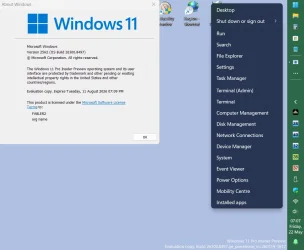
- Fixed issue causing Win + X / right-click on Start in Taskbar to not work for some Insiders in the previous flight.
- Fixed an issue resulting in the audio volume being unexpectedly muted on certain devices in recent flights.
- This update improves the reliability of Simple Service Discovery Protocol (SSDP) notifications to help prevent the service from becoming unresponsive.
- Improved reliability of running dism /online /cleanup-image /restorehealth command.
Known Issues
[Reset PC]
- Resetting your PC may get stuck when using "Reset this PC." To complete the reset successfully, choose the cloud download option (Cloud PBR) instead of local.

Reset Windows 11 PC
This tutorial will show you how to reset Windows 11 and Remove everything or Keep my files. You can reset Windows 11 when your PC isn’t working well and it’s been a while since you installed an app, driver, or update. Resetting reinstalls Windows 11, but lets you choose whether to keep your...
www.elevenforum.com
Reminders for Windows Insiders in the Experimental channel
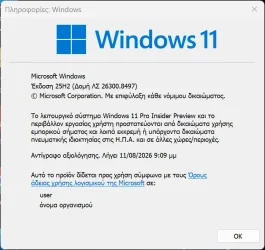
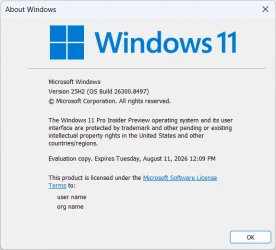
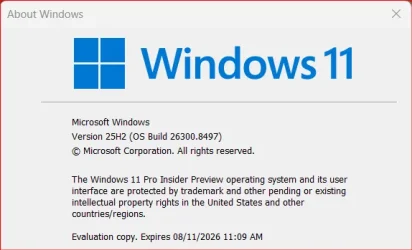
- Updates are based on Windows 11, version 25H2 via an enablement package (Build 26300.8497).
- Many features are rolled out using Controlled Feature Rollout technology, starting with a subset of Insiders and ramping up over time as we monitor feedback to see how they land before pushing them out to everyone in this channel.
- For Windows Insiders who want to be the first to try new features, see the available list of features to toggle on at the Feature flags page under Settings > Windows Update > Windows Insider Program.
- The desktop watermark shown at the lower right corner of the desktop is normal for Windows Insider pre-release builds.
- Features and experiences included in these builds may never get released as we try out different concepts and get feedback. Features may change over time, be removed, or replaced and never get released beyond Windows Insiders. Some of these features and experiences could show up in future Windows releases when they're ready.
- Some features in active development we preview with Windows Insiders may not be fully localized and localization will happen over time as features are finalized. As you see issues with localization in your language, please report those issues to us via Feedback Hub.
- Check out Flight Hub for a complete look at what build is in which Insider channel.
Source:
Experimental Preview Build 26300.8497 - Windows Insider Program
Release notes for Experimental Preview Build 26300.8497
learn.microsoft.com
Announcing new builds for 22 May 2026
Hello Windows Insiders, Today, we continue to expand the rollout of the new Windows Insider Program changes to devices in channels already announced. As a reminder, we have not yet begun moving devices in the Canary 29500 Series Channel
blogs.windows.com
Check Windows Updates
ISO from Microsoft:
Download Official Windows 11 ISO file from Microsoft
This tutorial will show you how to download an official Windows Server or Windows 11 64-bit or ARM64 ISO file from Microsoft. Microsoft provides ISO files for Windows Server and Windows 11 to download. You can use these ISO files to clean install or in-place upgrade Windows 11. The Flight Hub...
www.elevenforum.com
UUP Dump:
64-bit ISO download:
Select language for Windows 11 Insider Preview Feature Update (26300.8497) amd64
Select language for Windows 11 Insider Preview Feature Update (26300.8497) amd64 on UUP dump. UUP dump lets you download Unified Update Platform files, like Windows Insider updates, directly from Windows Update.
uupdump.net
ARM64 ISO download:
Select language for Windows 11 Insider Preview Feature Update (26300.8497) arm64
Select language for Windows 11 Insider Preview Feature Update (26300.8497) arm64 on UUP dump. UUP dump lets you download Unified Update Platform files, like Windows Insider updates, directly from Windows Update.
uupdump.net
UUP Dump - Download Windows Insider ISO
UUP Dump is the most practical and easy way to get ISO images of any Insider Windows 10 or Windows 11 version, as soon as Microsoft has released a new build. UUP Dump creates a download configuration file according to your choices, downloads necessary files directly from Microsoft servers, and...
www.elevenforum.com
Last edited: