UPDATE 6/19:
 www.elevenforum.com


 blogs.windows.com
Check Windows Updates
UUP Dump:
64-bit ISO download:

ARM64 ISO download:
 www.elevenforum.com
KB5095058 Windows 11 Insider Experimental (26H2) build 26300.8697 - June 19
UPDATE 6/26: https://www.elevenforum.com/t/windows-11-insider-experimental-26h2-build-26300-8758-june-26.47777/ Windows Insider Blog: Changes and improvements gradually being rolled out [General] With today’s build, Windows Insiders in the Experimental channel will see the versioning updated...
www.elevenforum.com
Windows Insider Blog:
Changes and improvements
[Widgets]
- We're working to make Widgets feel less distracting and overwhelming by making the experience quiet by default. To do this, we're releasing a new set of default settings designed to reduce unexpected alerts and visual interruptions. These changes include:
- Disabling Open on hover by default
Enable or Disable Open Widgets Board on Hover in Windows 11
This tutorial will show you how to turn on or off show widgets on hover for your account in Windows 11. Widgets in Windows are interactive elements that display dynamic content and provide quick access to various apps and features. You can view your location's current weather conditions...
www.elevenforum.com
- Turning off Taskbar badging by default
Enable or Disable Notification Badges for Widgets on Taskbar in Windows 11
This tutorial will show you how to turn on or off whether Widgets will show notification badging on the Widgets taskbar icon for your account in Windows 11. Widgets in Windows are interactive elements that display dynamic content and provide quick access to various apps and features. You can...
www.elevenforum.com
- Opening to widgets experience on first launch
Change Default Dashboard on Widgets Board in Windows 11
This tutorial will show you how to rearrange the order of dashboards to change the default dashboard on the Widgets board for your account in Windows 11. Widgets in Windows are interactive elements that display dynamic content and provide quick access to various apps and features. You can view...
www.elevenforum.com
- Placing Weather as the only default widget on the lockscreen
Add and Remove Widgets on Lock Screen in Windows 11
This tutorial will show you how to add and remove widgets on the lock screen for your account in Windows 11. You can stay informed and efficient with dynamic updates that bring weather, finance, sports, traffic, and app notifications right to your lock screen. Starting with Windows 11 build...
www.elevenforum.com
- Restricting the number of Taskbar alerts that can be sent daily
- Limiting Taskbar alerts until you choose to open and engage with the Widgets experience
Personalize Notifications for Widgets in Windows 11
This tutorial will show you how to personalize your notifications experience by turning on or off get notifications from widgets you want for your account in Windows 11. Widgets in Windows are interactive elements that display dynamic content and provide quick access to various apps and...
www.elevenforum.com
Enable or Disable Announcements from Feeds on Widgets Taskbar Icon in Windows 11
This tutorial will show you how to turn on or off showing badges and announcements from specific feeds on the Widgets icon on taskbar for your account in Windows 11. Widgets in Windows are interactive elements that display dynamic content and provide quick access to various apps and features...
www.elevenforum.com
- Disabling Open on hover by default
- As we continue to make Widgets feel less distracting, we've also made a small but meaningful visual update to taskbar badging. For those that have taskbar badging on, the badge color will now match your Windows accent color instead of always appearing red, reducing the sense of urgency that something needs your immediate attention.
- However, we still want it to be easy to find missed information so we now support badges on the icons in the Widget navigation bar that can show you the number of missed alerts from that specific dashboard; and badges clear automatically when you leave a dashboard, making it easy to track what's new. And if you don't want badges at all in your navigation bar, there's a setting to turn them off.
- We're also quieting down a user's experience based on their level of engagement, so that existing users also have a less distracting experience. For example, a user who barely engages with Widgets and would benefit from having the experience quieted down with taskbar badging turned off as it is for new users who experience it as quiet by default, as compared to a user who highly engages with Widgets and likely has their settings set to a state that works best for them and don't need some adjustments. You can also easily turn features like Taskbar badging on or off through Widgets settings, which is now a full screen experience that's easier to read.
- In pursuit of memory savings across the system, Widgets also now leverages device characteristics and user behavior patterns to optimize memory use. This includes things like a smaller default memory footprint, giving back memory faster when not in use, and limiting pre-launch on devices with lower memory capacity.
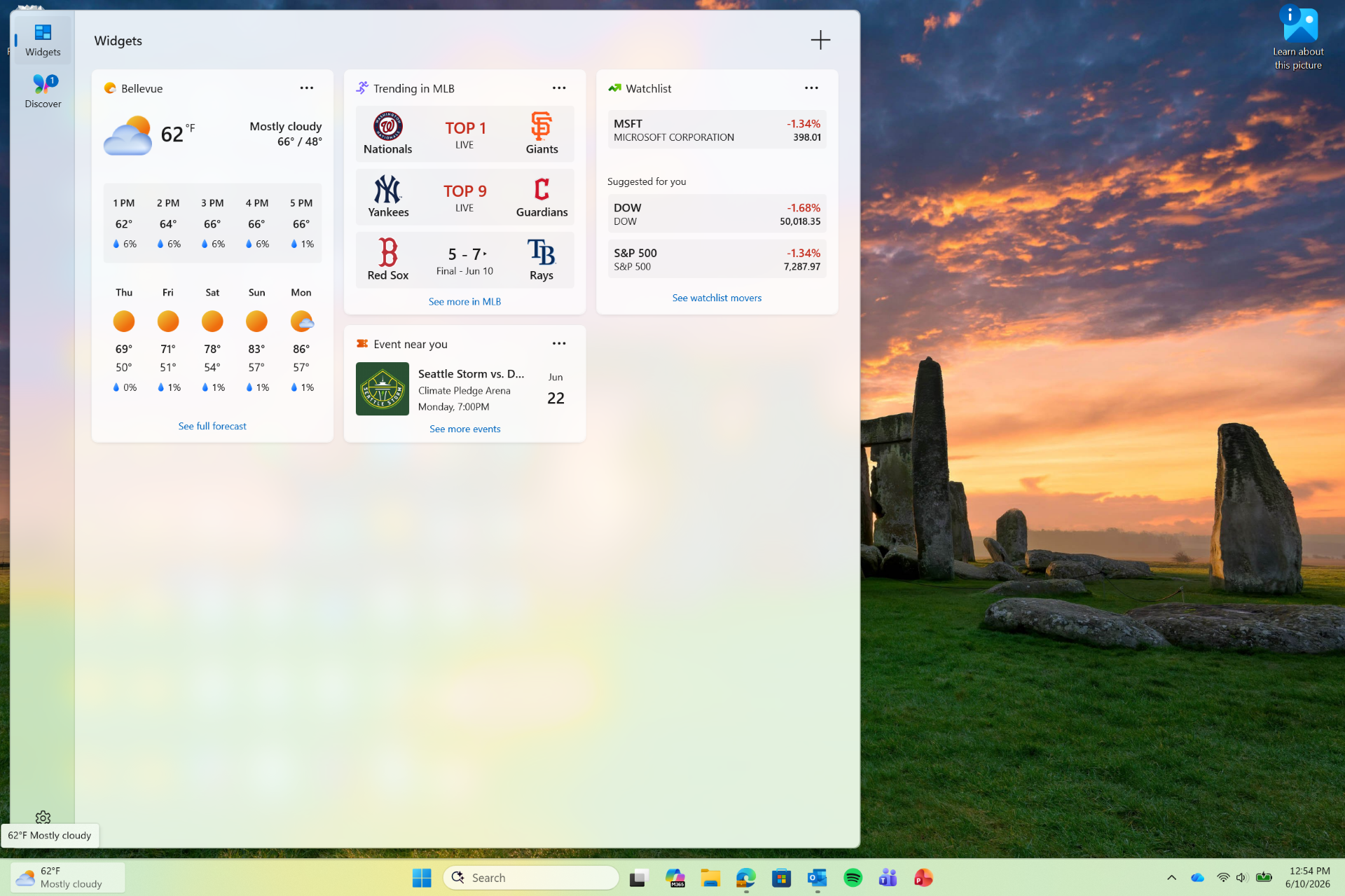
UI showing a quieter Widgets experience with simplified default content, reduced alerts, and updated taskbar badge behavior. - Please share your feedback to let us know how these changes are working for you or if you encounter any issues with your quieter Widgets experience. Feedback: Share your thoughts in Feedback Hub (WIN + F) under Widgets.
[Accessibility]
New accessibility setting: Screen tint- We're introducing screen tint, a new accessibility setting that applies a color overlay across your entire display, softening its intensity so it's easier on your eyes throughout the day. If bright, saturated screens leave you with tired or sensitive eyes by the end of a long session, screen tint can help.

Enable or Disable Screen Tint in Windows 11
This tutorial will show you how to turn on or off using Screen Tint for your account in Windows 11. Starting with Windows 11 build 26100.8737 (24H2), build 26200.8737 (25H2), and build 2800.2608 (26H1), Microsoft is introducing screen tint, a new accessibility setting that applies a color...
www.elevenforum.com

Change Screen Tint Color in Windows 11
This tutorial will show you how to change the Screen Tint color for your account in Windows 11. Starting with Windows 11 build 26100.8737 (24H2), build 26200.8737 (25H2), and build 2800.2608 (26H1), Microsoft is introducing screen tint, a new accessibility setting that applies a color overlay...
www.elevenforum.com

Change Screen Tint Color Strength in Windows 11
This tutorial will show you how to change the Screen Tint color strength for your account in Windows 11. Starting with Windows 11 build 26100.8737 (24H2), build 26200.8737 (25H2), and build 2800.2608 (26H1), Microsoft is introducing screen tint, a new accessibility setting that applies a color...
www.elevenforum.com

Screenshot showing UI for screen tint in Accessibility, with color presets and a strength slider. - To get started, open Settings > Accessibility (or press Win + U) and look for screen tint under the Visionsection. From there you can:
- Pick from six preset colors or choose a custom color of your own.
- Adjust the tint strength slider from a subtle wash to full intensity.
- Night light warms your display to reduce blue light that can interfere with sleep. Screen tint reduces overall screen intensity to ease eye fatigue and light sensitivity during the day. They tackle different problems and you can use both at the same time, one working on warmth and the other on intensity.
- Note that turning on screen tint will disable color filters, and vice versa. If you currently rely on color filters, you may need to keep screen tint turned off.
[Windows Magnifier]
- Magnifier now gives you more control over how you zoom. You can type an exact zoom percentage directly in the magnifier toolbar to land on precisely the level you need.
Change Magnifier Zoom Level in Windows 11
This tutorial will show you how to change the zoom level of Magnifier for your account in Windows 11. Magnifier makes part or all of your screen bigger so you can see words and images better. You can change the Magnifier zoom level to choose how much Magnifier enlarges the screen when turned...
www.elevenforum.com
- We've also added preset step increments (5%, 10%, 25%, 50%, 100%, 150%, 200%, and 400%) to the Settings dropdown, so you can jump to common levels in a single click. Whether you need a subtle boost or a dramatic close-up, Magnifier adapts to how you want to zoom.
Change Magnifier Zoom Increment in Windows 11
This tutorial will show you how to change the zoom increment of Magnifier for your account in Windows 11. Magnifier makes part or all of your screen bigger so you can see words and images better. You can change the Magnifier zoom increment to choose how much the screen enlargement level...
www.elevenforum.com

Enter an exact percentage or jump to preset steps —5% up to 400%.
Feedback: Share your thoughts in Feedback Hub (WIN + F) under Accessibility > Magnifier
[Input]
- Update: The emoji panel (Windows key + period (.)) now uses GIPHY as the GIF provider, delivering a smoother GIF browsing and sharing experience following the deprecation of Tenor.
Open Emoji Panel in Windows 11
This tutorial will show you how to open the Emoji Panel in Windows 11. An emoji is a pictogram, logogram, ideogram or smiley embedded in text. Windows 11 includes 3D Fluent emoji you can use from the Emoji Panel. Starting with Windows 11 build 22631.3810, Microsoft is adding support for Emoji...
www.elevenforum.com
[Remote Recovery Management]
- Adding recovery remote management plug-in for extending WinRE management capabilities for MDM providers
[File Explorer]
- The address bar now supports paths containing double backslashes and quotation marks (for example, C:\Users\user or "C:\Users\user"), improving compatibility with a wider range of inputs.
- Improved performance when mounting large ISO files by preventing File Explorer from becoming unresponsive during SmartScreen checks.
- The address bar suggestion dropdown is more reliable and now consistently closes after an item is selected.
- This update addresses an issue on File Explorer Home where OneDrive files could appear duplicated in the Favorites section.
- This update includes several refinements to the Rename experience:
- Addresses an issue where text was repeatedly selected when renaming items in folder views.
- Addresses an issue where case-only name changes were not immediately reflected in folder views for items stored locally or in the cloud.
[Windows Update]
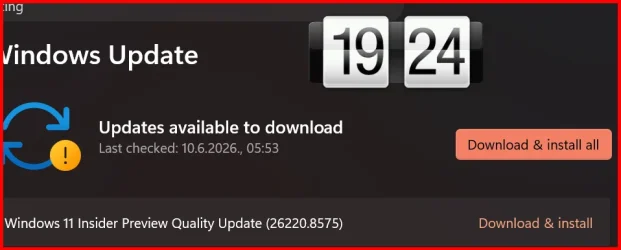
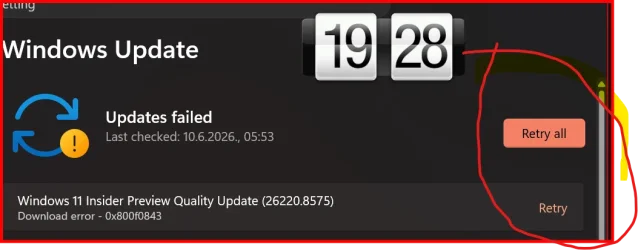
- If you were seeing error 0x800f0843 when attempting to install the previous update, that should be resolved now.
Reminders for Windows Insiders in the Beta Channel
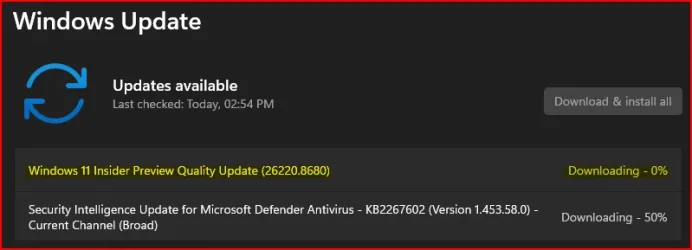
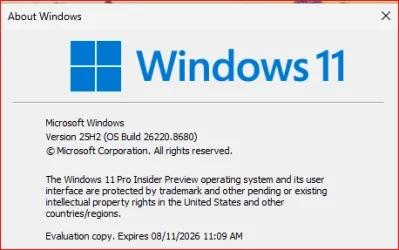
- Updates are based on Windows 11, version 25H2 via an enablement package (Build 26220.8680).
- The desktop watermark shown at the lower right corner of the desktop is normal for Windows Insider pre-release builds.
- Features and experiences included in these builds may never get released as we try out different concepts and get feedback. Features may change over time, be removed, or replaced and never get released beyond Windows Insiders. Some of these features and experiences could show up in future Windows releases when they're ready.
- Some features in active development we preview with Windows Insiders may not be fully localized and localization will happen over time as features are finalized. As you see issues with localization in your language, please report those issues to us via Feedback Hub.
- Check out Flight Hub for a complete look at what build is in which Insider channel.
Source:
Windows 11 Insider Beta Preview Build 26220.8680 - Windows Insider Program
Release notes for Windows 11 Insider Beta Preview Build 26220.8680
learn.microsoft.com
Announcing new builds for 12 June 2026
Hello Windows Insiders, We have a number of releases today with new builds across Beta, Experimental and Release Preview. Release notes for inbox Windows 11 apps Windows 11 inbox apps are now getting their own release notes sectio
blogs.windows.com
Check Windows Updates
UUP Dump:
64-bit ISO download:
Select language for Windows 11 Insider Preview Feature Update (26220.8680) amd64
Select language for Windows 11 Insider Preview Feature Update (26220.8680) amd64 on UUP dump. UUP dump lets you download Unified Update Platform files, like Windows Insider updates, directly from Windows Update.
uupdump.net
ARM64 ISO download:
Select language for Windows 11 Insider Preview Feature Update (26220.8680) arm64
Select language for Windows 11 Insider Preview Feature Update (26220.8680) arm64 on UUP dump. UUP dump lets you download Unified Update Platform files, like Windows Insider updates, directly from Windows Update.
uupdump.net
UUP Dump - Download Windows Insider ISO
UUP Dump is the most practical and easy way to get ISO images of any Insider Windows 10 or Windows 11 version, as soon as Microsoft has released a new build. UUP Dump creates a download configuration file according to your choices, downloads necessary files directly from Microsoft servers, and...
www.elevenforum.com
Last edited: