UPDATE 8/17:
 www.elevenforum.com
[Update 7 August 2026: Addition of Windows Search improvements]
See the in-depth blog for more information about Taskbar improvements.


 blogs.windows.com
Check Windows Updates
UUP Dump:
64-bit ISO download:

ARM64 ISO download:
 www.elevenforum.com
Windows 11 Insider Beta (25H2) build 26220.9202 - Aug. 17
Windows Insider Blog: Source: Check Windows Updates UUP Dump: 64-bit ISO download: https://uupdump.net/selectlang.php?id=f166fc4f-3e8d-41b9-8e6c-40b20ebe3098 ARM64 ISO download: https://uupdump.net/selectlang.php?id=01db1d90-7e4c-40c7-9d92-c7d141c3ed55...
www.elevenforum.com
Windows Insider Blog:
[Update 7 August 2026: Addition of Windows Search improvements]
Changes and improvements
[Certificate renewal for Windows Insiders]
- This build includes the renewed Windows Insider flight certificate. Windows Insider Preview builds use flight certificates that are renewed periodically to help ensure Insider devices remain on supported builds and continue receiving future Insider Preview updates. The current flight certificate expires on August 11, 2026, so please update your device to this build or a later one containing the renewed flight certificate before that date.
- For more information, see aka.ms/WIPCertExpiry.

Windows Insider Preview certificate renewal - Expiration: Aug 11, 2026
Microsoft Learn: What's happening Windows Insider Preview builds are code-signed with flight certificates used to securely sign Insider Preview builds and encourage devices to stay on up-to-date, supported versions of Windows. The current certificates are expiring on August 11, 2026, so we're...
www.elevenforum.com
Check Evaluation Expiration Date of Windows 11 Insider Preview Build
This tutorial will show you how to check the evaluation copy expiry date and time information for your Windows 11 Insider preview build. Windows 11 Insider builds have an expiration date. You will need to keep your Insider build updated to prevent it from expiring. You will see a notification...
www.elevenforum.com
[Taskbar]
- Alternate Taskbar Position
- You can now change the position of the taskbar on your screen. In Settings > Personalization > Taskbar > Taskbar behaviors, you can select the side of the screen where you want your taskbar: bottom, top, left, or right. In these other positions, tooltips, flyouts, and animations will still come from the taskbar, and most customization settings, such as never combining taskbar icons, will work with all locations.
Change Taskbar Position on Screen in Windows 11
This tutorial will show you how to change the taskbar position to any edge of the screen for your account in Windows 11. Starting with Windows 11 build 26100.9278 (24H2), build 26200.9278 (25H2), and build 2800.3086 (26H1), you can now change the position of taskbar on your screen. You can...
www.elevenforum.com
- Support for touch gestures, the Search box, and Ask Copilot in alternate locations is in progress. Auto-hidden and touch-optimized taskbars aren't currently supported. The smaller taskbar is currently supported only for top and bottom positions.

Screenshot of the taskbar in the left-aligned position.
- You can now change the position of the taskbar on your screen. In Settings > Personalization > Taskbar > Taskbar behaviors, you can select the side of the screen where you want your taskbar: bottom, top, left, or right. In these other positions, tooltips, flyouts, and animations will still come from the taskbar, and most customization settings, such as never combining taskbar icons, will work with all locations.
- Smaller Taskbar
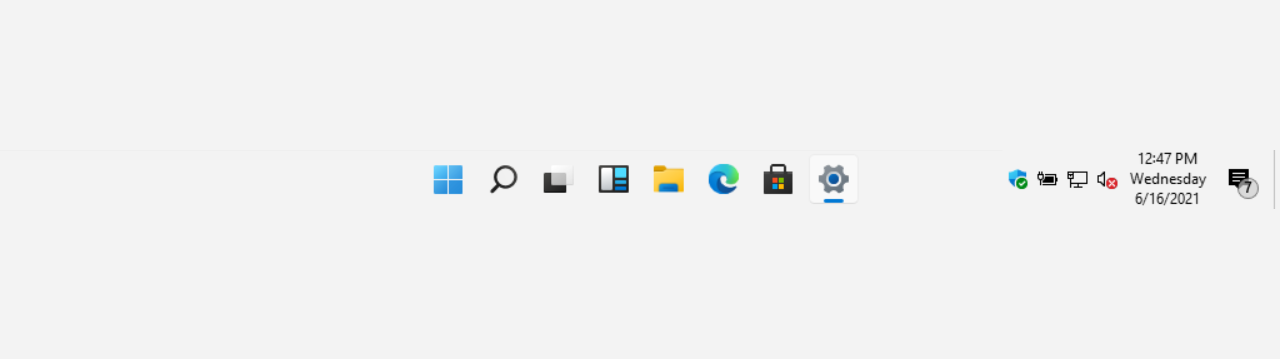
- We're introducing a smaller taskbar for users who want to maximize screen space, especially on smaller devices. While the default taskbar remains unchanged, this setting provides a more compact experience with smaller icons and a reduced taskbar height, giving you more room for your apps. Core elements like Start, Search, and the system tray scale appropriately to stay aligned and consistent.
- To change your taskbar size, go to Settings > Personalization > Taskbar > Taskbar behaviors > Taskbar size. When set to Small, both the icons and the taskbar height become smaller.
Change Size of Taskbar Icons in Windows 11
This tutorial will show you how to change when to show small icons on the taskbar for your account, all users, or specific users in Windows 11. Starting with Windows 11 build 26100.4484 (24H2), build 28120.2387 (Experimental 26H1), build 26220.9022 (Beta 25H2), and build 28020.2623 (Beta 26H1)...
www.elevenforum.com

Side-by-side comparison of the standard and smaller taskbar heights on the same device and resolution, showing the additional screen space gained.
See the in-depth blog for more information about Taskbar improvements.
[Settings]
- The Bluetooth quick settings page is now navigable using gamepad input.
[Windows Update]
- Fixed an issue causing some Insiders in Beta to experience rollbacks with error code 0xc1900101 when attempting to install the latest builds.
[Storage]
- This update fixes an issue that affects File History automatic backups to network shares using Server Message Block (SMB). Backups didn't work because Windows showed a false "invalid credentials" error when connecting to SMB shares.
[File Explorer]
- This update addresses an issue where files stored on a DFS mapped drive could be incorrectly treated as originating from the internet after the device started while disconnected from the network and later reconnected. This could cause File Explorer's Preview pane to display the message, "The file you are attempting to preview could harm your computer," or cause files copied from the DFS drive to receive an unexpected Mark of the Web.
[Search]
- The Windows Search Box has been updated to provide a cleaner, calmer look with a simpler search home, clearer labels showing each result's source (app, file, setting, or web), and more consistent previews so you can find what you need at a glance.
- Windows Search also improves app discovery, enhances settings and file ranking, and delivers improved reliability with fewer crashes and loading issues.
Reminders for Windows Insiders in the Beta Channel
- Updates are based on Windows 11, version 25H2 via an enablement package (Build 26220.9022).
- The desktop watermark shown at the lower right corner of the desktop is normal for Windows Insider pre-release builds.
- Features and experiences included in these builds might never get released as we try out different concepts and get feedback. Features might change over time, be removed, or replaced and never get released beyond Windows Insiders. Some of these features and experiences could show up in future Windows releases when they're ready.
- Some features in active development we preview with Windows Insiders might not be fully localized, and localization will happen over time as features are finalized. As you see issues with localization in your language, please report those issues to us via Feedback Hub.
- Check out Flight Hub for a complete look at what build is in which Insider channel.
Source:
Windows 11 Insider Beta Preview Build 26220.9022 - Windows Insider Program
Release notes for Windows 11 Insider Beta Preview Build 26220.9022
learn.microsoft.com
Announcing new builds for 31 July 2026
Hello Windows Insiders, We have new releases today with builds across Beta and Experimental, including refreshed security certificates across all new builds. Renewed Windows Insider flight certificates All builds this week contain
blogs.windows.com
Check Windows Updates
UUP Dump:
64-bit ISO download:
Select language for Windows 11 Insider Preview Feature Update (26220.9022) amd64
Select language for Windows 11 Insider Preview Feature Update (26220.9022) amd64 on UUP dump. UUP dump lets you download Unified Update Platform files, like Windows Insider updates, directly from Windows Update.
uupdump.net
ARM64 ISO download:
Select language for Windows 11 Insider Preview Feature Update (26220.9022) arm64
Select language for Windows 11 Insider Preview Feature Update (26220.9022) arm64 on UUP dump. UUP dump lets you download Unified Update Platform files, like Windows Insider updates, directly from Windows Update.
uupdump.net
UUP Dump - Download Windows Insider ISO
UUP Dump is the most practical and easy way to get ISO images of any Insider Windows 10 or Windows 11 version, as soon as Microsoft has released a new build. UUP Dump creates a download configuration file according to your choices, downloads necessary files directly from Microsoft servers, and...
www.elevenforum.com
Last edited: