UPDATE 7/21:
 www.elevenforum.com
As a reminder, these release notes apply to those who are in the Experimental (26H1) channel.
See the in-depth blog for more information about Taskbar improvements.


 blogs.windows.com
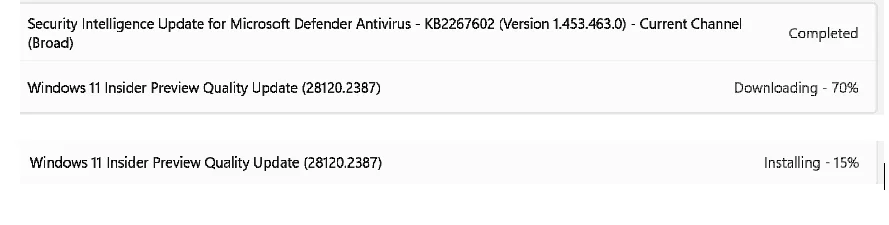
Check Windows Updates
ISO from Microsoft:
 www.elevenforum.com
UUP Dump:
64-bit ISO download:

ARM64 ISO download:
 www.elevenforum.com
Windows 11 Insider Experimental (26H1) build 28120.2546 - July 21
Windows Insider Blog: Hello Windows Insiders, Today we’re releasing build 28120.2546 for the Experimental (26H1) channel. Release notes can be found over in the Windows Insider Documentation Hub as usual, as well as below: Changes and improvements gradually being rolled out This update...
www.elevenforum.com
Windows Insider Blog:
As a reminder, these release notes apply to those who are in the Experimental (26H1) channel.
Changes and improvements gradually being rolled out
- This update includes a small set of general improvements and fixes that improve the overall experience for Insiders running this build on their PCs.
[Taskbar]
- Alternate Taskbar Position
- You can now change the position of taskbar on your screen. In Settings > Personalization > Taskbar > Taskbar Behaviors, you can select the side of the screen you want your taskbar on: bottom, top, left, or right. In these other positions, tooltips, flyouts, and animations will still come from the taskbar, and most customization settings like small taskbar and never combine taskbar icons will work with all locations.
- Support for touch gestures, Search box, and Ask Copilot in alternate locations is in progress. Auto-hidden taskbar and touch optimized taskbar are not yet supported.

Change Taskbar Size in Windows 11
This tutorial will show you how to change the size of the taskbar for your account in Windows 11. Starting with Windows 11 build 26300.8493 (Experimental 25H2) and build 28120.2387 (Experimental 26H1) for Insiders, Microsoft introduced a smaller taskbar for users who want to maximize screen...
www.elevenforum.com

Screenshot of the taskbar in the left-aligned position.
- Smaller Taskbar
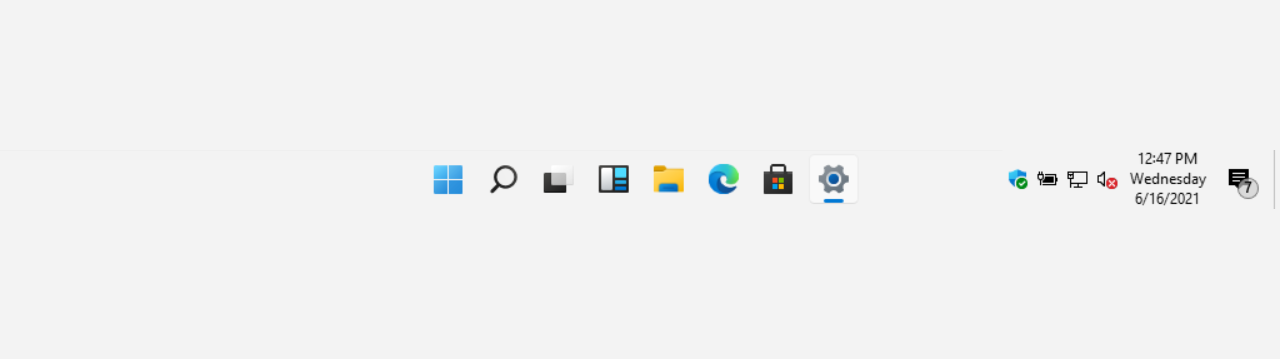
- We're introducing a smaller taskbar for users who want to maximize screen space, especially on smaller devices. While the default taskbar remains unchanged, this setting provides a more compact experience with smaller icons and a reduced taskbar height, giving you more room for your apps. Core elements like Start, Search, and the system tray scale appropriately to stay aligned and consistent.
- To change your taskbar size, go to Settings > Personalization > Taskbar > Taskbar behaviors > Show smaller taskbar buttons. When set to Always, both the icons and the taskbar height become smaller.
Change Size of Taskbar Icons in Windows 11
This tutorial will show you how to change when to show small icons on the taskbar for your account, all users, or specific users in Windows 11. Starting with Windows 11 build 26100.4484 (24H2) and build 28120.2387 (Experimental 26H1), Microsoft is rolling out taskbar icon scaling. The taskbar...
www.elevenforum.com

Side-by-side comparison of the standard and smaller taskbar heights on the same device and resolution, showing the additional screen space gained.
- We're also working on improving taskbar settings to make resizing easier; these enhancements are currently in progress.
See the in-depth blog for more information about Taskbar improvements.
[EDU]
- Free upgrade path to Windows 11 Pro Education for K-12.
- Windows Insiders in K-12 education environments can now experience a seamless upgrade path from Windows 11 Home to Windows 11 Pro Education edition, at no additional cost. This enables educational organizations to procure Windows 11 Home devices, upgrade them to Windows 11 Pro Education, and bring devices under school management.
- To get started:
- Sign in to the device using a local account.
- Launch an elevated Command Prompt and initiate the upgrade by running Clipupgrade.exe.
- Sign in with your K-12 organization account to validate eligibility.
- The device prepares the upgrade and completes after a restart.
- This upgrade is one-way only. Reverting to Windows Home is not supported without a clean OS reinstall.
[File Explorer]
- Fixed an issue where the OneDrive shortcut in File Explorer stops working when File Explorer is run in administrative mode.
[Other]
- If you were having issues with Outlook not responding to the close button last week, that should be addressed now.
Reminder for Windows Insiders in the Experimental (26H1) channel
- These builds can be unstable and may be released with limited documentation.
- Many features in the Experimental (26H1) channel are rolled out using Controlled Feature Rollout technology, starting with a subset of Insiders and ramping up over time as we monitor feedback to see how they land before pushing them out to everyone in this channel.
- The desktop watermark shown at the lower right corner of the desktop is normal for Windows Insider pre-release builds.
- Some features in active development we preview with Windows Insiders may not be fully localized and localization will happen over time as features are finalized. As you see issues with localization in your language, please report those issues to us via Feedback Hub.
Source:
Windows 11 Insider Experimental (26H1) Preview Build 28120.2387 - Windows Insider Program
Release notes for Windows 11 Insider Experimental (26H1) Preview Build 28120.2387
learn.microsoft.com
Announcing new builds for July 6 2026
Hello Windows Insiders, We have new releases today with builds across Beta and Experimental. New builds this week Today we are releasing new Windows 11 Insider Preview Builds. As a reminder, all Insiders can find the rel
blogs.windows.com
Check Windows Updates
ISO from Microsoft:
Download Official Windows 11 ISO file from Microsoft
This tutorial will show you how to download an official Windows Server or Windows 11 64-bit or ARM64 ISO file from Microsoft. Microsoft provides ISO files for Windows Server and Windows 11 to download. You can use these ISO files to clean install or in-place upgrade Windows 11. The Flight Hub...
www.elevenforum.com
UUP Dump:
64-bit ISO download:
Select language for Windows 11 Insider Preview Feature Update (28120.2387) amd64
Select language for Windows 11 Insider Preview Feature Update (28120.2387) amd64 on UUP dump. UUP dump lets you download Unified Update Platform files, like Windows Insider updates, directly from Windows Update.
uupdump.net
ARM64 ISO download:
Select language for Windows 11 Insider Preview Quality Update (28120.2387) arm64
Select language for Windows 11 Insider Preview Quality Update (28120.2387) arm64 on UUP dump. UUP dump lets you download Unified Update Platform files, like Windows Insider updates, directly from Windows Update.
uupdump.net
UUP Dump - Download Windows Insider ISO
UUP Dump is the most practical and easy way to get ISO images of any Insider Windows 10 or Windows 11 version, as soon as Microsoft has released a new build. UUP Dump creates a download configuration file according to your choices, downloads necessary files directly from Microsoft servers, and...
www.elevenforum.com
Last edited: