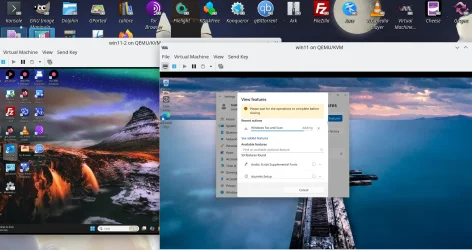
Its a long time since I used KVM/QEMU.
1) How is it installed or are there distros where it is built in?
2) Does it emulate TPM?
3) Does Linux Host need W11 compatible CPU
4) Is distro type important?
5) Do W11 guests need any special considerations to get all featiures e.g. sound?
6) Have you benchmarked vm speed against Hyper-V (I use passmark which is a reasonable benchmarking tool).
Hi there
1) simply install the KVM/QEMU package. The easiest distro currently is Fedora rel 43
good guide here: Hint -- for bridged networking use the cockpit and create a network bridge -- no setup needed - it does it all for you.
Comprehensive KVM setup guide for Linux. Covers installation, networking, drivers, and system-wide configuration for smooth virtualization.

sysguides.com
2) Yes -- usually you need to install SWTPM although some distros often include it. It runs TPM v2 emulation - “ut you can of course use a physical TPM if you want to if running a Linux HOST.
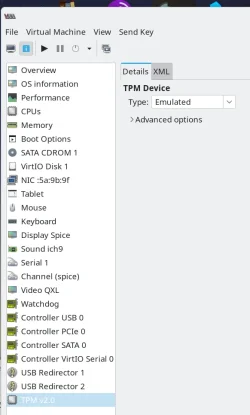
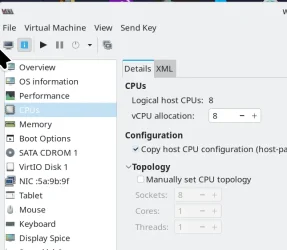
3) Not necessarily - in the VM setup (use the GUI Virtual Machine Manager) uncheck the physical Host CPU and then choose one from a drop down of options. It only takes a few mins to start W11 install and see if you get message about incompatible hardware.
4) Not really although some are easier than others -- Fedora is a doddle and since3 supported by RedHat / IBM works really well. RedHat / IBM have loads of commercial cloud / corporate users and Fedora is used before stuff gets ported to their servers.Debian is fine if you don't want leading edge distros.
5) No problem with sound on W11 Guests. So long as the HOST has a recogniseable sound system. Note also you can install native USB devices on a Guest so if your Linux box has sound issues then just install a usb->audio on the GUEST. Shouldn;t be necessary though.
6) Not compared yet with that type of tool - but just from user experience performance is fine. It's better too if you use "Virtio" for HDD and network. At W11 GUEST install time the windows installer will say "No disks found" -- Install driver -- then install from the virtio iso windows drivers on the guest. When Guest installed install the rest of the drivers - this acts like Vbox additions or Vmware tools in giving all video modes, better mouse control etc etc.
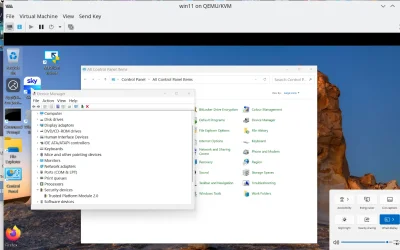
A good thing about running W11 Guests on Linux is that these don't run under a specific user -- so you can log off the HOST - so the VM still runs in the background and any authorised user can logon to your W11 Guest. This is also useful if you use the VM for file serving / backups / music / video streaming etc. Linux can read / write ntfs files.
Cheers
jimbo