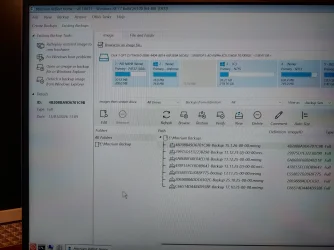
Macrium Can't See Image Backups Booting From Rescue USB.


Mitch

Well-known member
Member
Local time
9:58 AM
Posts
425
Location
Scotland
OS
Windows 11 Home
Hello, I was trying to restore a Macrium Image because of Windows Update problems. I use Macrium 8.1.8631. The image files show in the Macrium program under the correct Drive letter for the Ext hdd (E\Macrium Backup). When I boot from the Rescue USB in to Windows RE the Drive shows correctly but "there is nothing to show" . Browsing for an image doesn't allow me to access the image Ext hdd. I would be grateful for any help. Thanks Mitch.
 

My Computer

System One

  • OS
    Windows 11 Home
Is your image on an nvme drive?

Also drive letters can be different or missing.

Boot from usb, select C prompt and run

diskpart
list volumes
list partitions

and post image.
 

My Computer

System One

  • OS
    Windows 11 Pro + Win11 Canary VM.
    Computer type
    Laptop
    Manufacturer/Model
    ASUS Zenbook 14
    CPU
    I9 13th gen i9-13900H 2.60 GHZ
    Motherboard
    Yep, Laptop has one.
    Memory
    16 GB soldered
    Graphics Card(s)
    Integrated Intel Iris XE
    Sound Card
    Realtek built in
    Monitor(s) Displays
    laptop OLED screen
    Screen Resolution
    2880x1800 touchscreen
    Hard Drives
    1 TB NVME SSD (only weakness is only one slot)
    PSU
    Internal + 65W thunderbolt USB4 charger
    Case
    Yep, got one
    Cooling
    Stella Artois (UK pint cans - 568 ml) - extra cost.
    Keyboard
    Built in UK keybd
    Mouse
    Bluetooth , wireless dongled, wired
    Internet Speed
    900 mbs (ethernet), wifi 6 typical 350-450 mb/s both up and down
    Browser
    Edge
    Antivirus
    Defender
    Other Info
    TPM 2.0, 2xUSB4 thunderbolt, 1xUsb3 (usb a), 1xUsb-c, hdmi out, 3.5 mm audio out/in combo, ASUS backlit trackpad (inc. switchable number pad)

    Macrium Reflect Home V8
    Office 365 Family (6 users each 1TB onedrive space)
    Hyper-V (a vm runs almost as fast as my older laptop)
Hi @cereberus. I completely removed Macrium from the system, including data, remade boot menu and rescue USB and it has resolved the problem (I hope,). The drive letters in the Macrium program and in Windows RE are the same and the images are on a WD Ext HDD. Just before uninstalling Macrium in WIN RE a popup appeared saying Macrium had encountered a serious problem and to email the dump file to them. I'll see how it goes but i appreciate your advice. Thanks. Mitch17684937656812416372318658245151.webp
 

My Computer

System One

  • OS
    Windows 11 Home
I had a problem with restoring with the USB rescue disk. I have fully licensed Macrium Reflect X on my PC and older 8.1 free version on a dual booted external SSD. I have an X rescue disk and an 8.1 rescue disk. My PC's internal OS drive developed a boot problem and I was going to restore a full disk image backup, that had been made the day before. I tried booting from the X rescue disk but it too was corrupted (my fault) so I used the "free" 8.1 rescue disk. However my X created disk images were not recognized. No backups were found. A friend let me use his X rescue disk and I was able to recover. I now have 2 X rescue disks in case a rescue disk corruption happens again.
 

My Computer

System One

  • OS
    Windows 11 Pro
    Computer type
    Laptop
    Manufacturer/Model
    Dell Inspiron 16 5630
    CPU
    i7 1360P
    Motherboard
    Dell
    Memory
    16GB
    Graphics Card(s)
    Intel CPU
    Sound Card
    Realtek
    Monitor(s) Displays
    16" Touch Screen
    Screen Resolution
    1920X1080
    Hard Drives
    1TB Samsung NVME SSD
    PSU
    65 Watt Dell
    Case
    Dell
    Cooling
    Dell
    Keyboard
    Dell
    Mouse
    Trackpad
    Internet Speed
    Google Fiber
    Browser
    Edge
    Antivirus
    Defender and Malwarebytes
    Other Info
    Cakewalk by Bandlab and Presonus Studio One 4.6 Pro recording programs. MOTU recording interface
I used the "free" 8.1 rescue disk. However my X created disk images were not recognized.
Yes, Macrium changed the image format with Reflect X from their proprietary .mrimg to the Open Source .mrimgx. Reflect X can restore either, Reflect 8 cannot read the new format.


My Computers

System One System Two

  • OS
    Windows 11 Home
    Computer type
    Laptop
    Manufacturer/Model
    Acer Aspire 3 A315-23-R9VY
    CPU
    AMD Athlon Silver 3050U
    Memory
    8GB
    Graphics Card(s)
    Radeon Graphics
    Monitor(s) Displays
    laptop screen
    Screen Resolution
    1366x768 native resolution, up to 2560x1440 with Radeon Virtual Super Resolution
    Hard Drives
    1TB Samsung EVO 870 SSD (from April 2026: 250GB EVO 850)
    Internet Speed
    150 Mbps
    Browser
    Edge, Firefox
    Antivirus
    Defender
    Other Info
    fully 'Windows 11 ready' laptop. Windows 10 C: partition migrated from my old unsupported 'main machine' then upgraded to 11. A test migration ran Insider builds for 2 months. When 11 was released on 5th October 2021 it was re-imaged back to 10 and was offered the upgrade in Windows Update on 20th October. Windows Update offered the 22H2 Feature Update on 20th September 2022. It got the 23H2 Feature Update on 4th November 2023 through Windows Update, 24H2 on 3rd October 2024 through Windows Update by setting the Target Release Version for 24H2, and 25H2 on 30th September 2025 through Windows Update by setting the Target Release Version for 25H2.

    UPDATE - 11 April 2026: due to mechanical deterioration this PC has been retired from active duty. The OS with all software and files has been migrated to my System Seven below to carry on as my general purpose 'main machine'.

    My SYSTEM THREE is a Dell Latitude 5410, i7-10610U, 32GB RAM, 512GB NVMe ssd, supported device running Windows 11 Pro.

    My SYSTEM FOUR is a 2-in-1 convertible Lenovo Yoga 11e 20DA, Celeron N2930, 8GB RAM, 256GB ssd. Unsupported device: currently running Win10 Pro, plus Win11 Pro RTM and Insider Dev, Beta, and RP 24H2 as native boot vhdx.

    My SYSTEM FIVE is a Dell Latitude 3190 2-in-1, Pentium Silver N5030, 8GB RAM, 1TB NVMe ssd, supported device running Windows 11 Pro, plus Insider Beta, Dev, and Canary builds (and a few others) as a native boot .vhdx.

    My SYSTEM SIX is a Dell Latitude 5550, Core Ultra 7 165H, 64GB RAM, 1TB NVMe SSD, supported device, Windows 11 Pro 24H2, Hyper-V host machine. Updated to 25H2 on 30th September 2025.

    My SYSTEM SEVEN is a Lenovo Thinkpad T580, Intel Core i7-8650U, 16GB RAM, 512GB NVMe SSD + 2nd 512GB NVMe SSD, a supported device for Windows 11. This is my current general purpose 'main machine'. The installed Windows 11 Home from my System One has been migrated to this machine.
  • Operating System
    Windows 11 Pro
    Computer type
    Laptop
    Manufacturer/Model
    Dell Latitude E4310
    CPU
    Intel® Core™ i5-520M
    Motherboard
    0T6M8G
    Memory
    8GB
    Graphics card(s)
    (integrated graphics) Intel HD Graphics
    Screen Resolution
    1366x768
    Hard Drives
    500GB Crucial MX500 SSD
    Browser
    Firefox, Edge
    Antivirus
    Defender
    Other Info
    unsupported machine: Legacy bios, MBR, TPM 1.2, upgraded from W10 to W11 using W10/W11 hybrid install media workaround. In-place upgrade to 22H2 using ISO and a workaround. Feature Update to 23H2 by manually installing the Enablement Package. In-place upgrade to 24H2 using hybrid 23H2/24H2 install media. Upgraded to 25H2 by Enablement Package. Also running Insider Dev, and Canary builds and Windows 10 as native boot .vhdx.

    My SYSTEM THREE is a Dell Latitude 5410, i7-10610U, 32GB RAM, 512GB NVMe ssd, supported device running Windows 11 Pro.

    My SYSTEM FOUR is a 2-in-1 convertible Lenovo Yoga 11e 20DA, Celeron N2930, 8GB RAM, 256GB ssd. Unsupported device: currently running Win10 Pro, plus Win11 Pro RTM and Insider Dev, Beta, and RP 24H2 as native boot vhdx.

    My SYSTEM FIVE is a Dell Latitude 3190 2-in-1, Pentium Silver N5030, 8GB RAM, 1TB NVMe ssd, supported device running Windows 11 Pro, plus Insider Beta, Dev, and Canary builds (and a few others) as a native boot .vhdx.

    My SYSTEM SIX is a Dell Latitude 5550, Core Ultra 7 165H, 64GB RAM, 1TB NVMe SSD, supported device, Windows 11 Pro 24H2, Hyper-V host machine. Updated to 25H2 on 30th September 2025.

    My SYSTEM SEVEN is a Lenovo Thinkpad T580, Intel Core i7-8650U, 16GB RAM, 512GB NVMe SSD + 2nd 512GB NVMe SSD, a supported device for Windows 11. This is my current general purpose 'main machine'. The installed Windows 11 Home from my System One has been migrated to this machine.
@Bree I was looking in to Reflect X. A 4 pack of licences has a 50% discount costing around £73. Do you know if the 50% discount would still apply on renewal in 12 months? I appreciate that the price would increase with inflation but not sure if the discount is for 1 year only. Would appreciate some advice. Thanks.
 

My Computer

System One

  • OS
    Windows 11 Home
@Bree I was looking in to Reflect X. A 4 pack of licences has a 50% discount costing around £73. Do you know if the 50% discount would still apply on renewal in 12 months? I appreciate that the price would increase with inflation but not sure if the discount is for 1 year only. Would appreciate some advice. Thanks.
if you can, post a link to the discount offer.
 

My Computers

System One System Two

  • OS
    Windows 11 Pro 25H2
    Computer type
    PC/Desktop
    Manufacturer/Model
    PowerSpec B746
    CPU
    Intel Core i7-10700K
    Motherboard
    ASRock Z490 Phantom Gaming 4/ax
    Memory
    16GB (8GB PC4-19200 DDR4 SDRAM x2)
    Graphics Card(s)
    NVIDIA GeForce GTX 1050 TI
    Sound Card
    Realtek Audio
    Monitor(s) Displays
    #1. LG ULTRAWIDE 34" #2. AOC Q32G2WG3 32"
    Screen Resolution
    #1. 3440 X 1440 #2. 1920 x 1080
    Hard Drives
    NVMe WDC WDS100T2B0C-00PXH0 1TB
    Samsung SSD 860 EVO 1TB
    PSU
    750 Watts (62.5A)
    Case
    PowerSpec/Lian Li ATX 205
    Keyboard
    Logitech K270
    Mouse
    Logitech M185
    Browser
    Microsoft Edge and Firefox
    Antivirus
    Webroot SecureAnywhere CE 26.1
  • Operating System
    Windows 11 Canary Channel
    Computer type
    PC/Desktop
    Manufacturer/Model
    PowerSpec G156
    CPU
    Intel Core i5-8400 CPU @ 2.80GHz
    Motherboard
    AsusTeK Prime B360M-A
    Memory
    16 MB DDR 4-2666
    Monitor(s) Displays
    23" Speptre HDMI 75Hz
    Screen Resolution
    1920x1080
    Hard Drives
    Samsung 970 EVO 500GB NVMe
    Keyboard
    Logitek K270
    Mouse
    Logitek M185
    Browser
    Firefox, Edge and Edge Canary
    Antivirus
    Windows Defender
@Bree I was looking in to Reflect X. A 4 pack of licences has a 50% discount costing around £73. Do you know if the 50% discount would still apply on renewal in 12 months? I appreciate that the price would increase with inflation but not sure if the discount is for 1 year only. Would appreciate some advice. Thanks.
A 4-pack of licences has always been sold at a discount, though not always as much as 50%. That seems to be the current standard price.

1768506881300.webp
Macrium Reflect Home | The complete backup solution for personal use.

When Reflect X was released I traded in one v8 perpetual licence for a 3-year plan. Macrium said that there may be loyalty offers at the end of my term.

Trade in (your existing license will be deactivated after your new license is activated) your one-time license (which has one year of support from the date of purchase) and receive a 3-year Annual Plan at no extra cost. Macrium may make loyalty offers available at the end of your 3-year term
Latest Macrium Reflect X updates - post #1
 

My Computers

System One System Two

  • OS
    Windows 11 Home
    Computer type
    Laptop
    Manufacturer/Model
    Acer Aspire 3 A315-23-R9VY
    CPU
    AMD Athlon Silver 3050U
    Memory
    8GB
    Graphics Card(s)
    Radeon Graphics
    Monitor(s) Displays
    laptop screen
    Screen Resolution
    1366x768 native resolution, up to 2560x1440 with Radeon Virtual Super Resolution
    Hard Drives
    1TB Samsung EVO 870 SSD (from April 2026: 250GB EVO 850)
    Internet Speed
    150 Mbps
    Browser
    Edge, Firefox
    Antivirus
    Defender
    Other Info
    fully 'Windows 11 ready' laptop. Windows 10 C: partition migrated from my old unsupported 'main machine' then upgraded to 11. A test migration ran Insider builds for 2 months. When 11 was released on 5th October 2021 it was re-imaged back to 10 and was offered the upgrade in Windows Update on 20th October. Windows Update offered the 22H2 Feature Update on 20th September 2022. It got the 23H2 Feature Update on 4th November 2023 through Windows Update, 24H2 on 3rd October 2024 through Windows Update by setting the Target Release Version for 24H2, and 25H2 on 30th September 2025 through Windows Update by setting the Target Release Version for 25H2.

    UPDATE - 11 April 2026: due to mechanical deterioration this PC has been retired from active duty. The OS with all software and files has been migrated to my System Seven below to carry on as my general purpose 'main machine'.

    My SYSTEM THREE is a Dell Latitude 5410, i7-10610U, 32GB RAM, 512GB NVMe ssd, supported device running Windows 11 Pro.

    My SYSTEM FOUR is a 2-in-1 convertible Lenovo Yoga 11e 20DA, Celeron N2930, 8GB RAM, 256GB ssd. Unsupported device: currently running Win10 Pro, plus Win11 Pro RTM and Insider Dev, Beta, and RP 24H2 as native boot vhdx.

    My SYSTEM FIVE is a Dell Latitude 3190 2-in-1, Pentium Silver N5030, 8GB RAM, 1TB NVMe ssd, supported device running Windows 11 Pro, plus Insider Beta, Dev, and Canary builds (and a few others) as a native boot .vhdx.

    My SYSTEM SIX is a Dell Latitude 5550, Core Ultra 7 165H, 64GB RAM, 1TB NVMe SSD, supported device, Windows 11 Pro 24H2, Hyper-V host machine. Updated to 25H2 on 30th September 2025.

    My SYSTEM SEVEN is a Lenovo Thinkpad T580, Intel Core i7-8650U, 16GB RAM, 512GB NVMe SSD + 2nd 512GB NVMe SSD, a supported device for Windows 11. This is my current general purpose 'main machine'. The installed Windows 11 Home from my System One has been migrated to this machine.
  • Operating System
    Windows 11 Pro
    Computer type
    Laptop
    Manufacturer/Model
    Dell Latitude E4310
    CPU
    Intel® Core™ i5-520M
    Motherboard
    0T6M8G
    Memory
    8GB
    Graphics card(s)
    (integrated graphics) Intel HD Graphics
    Screen Resolution
    1366x768
    Hard Drives
    500GB Crucial MX500 SSD
    Browser
    Firefox, Edge
    Antivirus
    Defender
    Other Info
    unsupported machine: Legacy bios, MBR, TPM 1.2, upgraded from W10 to W11 using W10/W11 hybrid install media workaround. In-place upgrade to 22H2 using ISO and a workaround. Feature Update to 23H2 by manually installing the Enablement Package. In-place upgrade to 24H2 using hybrid 23H2/24H2 install media. Upgraded to 25H2 by Enablement Package. Also running Insider Dev, and Canary builds and Windows 10 as native boot .vhdx.

    My SYSTEM THREE is a Dell Latitude 5410, i7-10610U, 32GB RAM, 512GB NVMe ssd, supported device running Windows 11 Pro.

    My SYSTEM FOUR is a 2-in-1 convertible Lenovo Yoga 11e 20DA, Celeron N2930, 8GB RAM, 256GB ssd. Unsupported device: currently running Win10 Pro, plus Win11 Pro RTM and Insider Dev, Beta, and RP 24H2 as native boot vhdx.

    My SYSTEM FIVE is a Dell Latitude 3190 2-in-1, Pentium Silver N5030, 8GB RAM, 1TB NVMe ssd, supported device running Windows 11 Pro, plus Insider Beta, Dev, and Canary builds (and a few others) as a native boot .vhdx.

    My SYSTEM SIX is a Dell Latitude 5550, Core Ultra 7 165H, 64GB RAM, 1TB NVMe SSD, supported device, Windows 11 Pro 24H2, Hyper-V host machine. Updated to 25H2 on 30th September 2025.

    My SYSTEM SEVEN is a Lenovo Thinkpad T580, Intel Core i7-8650U, 16GB RAM, 512GB NVMe SSD + 2nd 512GB NVMe SSD, a supported device for Windows 11. This is my current general purpose 'main machine'. The installed Windows 11 Home from my System One has been migrated to this machine.
Question for you folks who have Macrium X. ( I still use 8.1) If the image format has changed in X, are you saying images created with 8/8.1 can not be restored using X? It's not backward compatible?
 

My Computers

System One System Two

  • OS
    Windows 11 Pro 25H2
    Computer type
    PC/Desktop
    Manufacturer/Model
    Dell Optiplex 7080
    CPU
    i9-10900 10 core 20 threads
    Motherboard
    DELL 0J37VM
    Memory
    32 gb
    Graphics Card(s)
    none-Intel UHD Graphics 630
    Sound Card
    Integrated Realtek
    Monitor(s) Displays
    Benq 27
    Screen Resolution
    2560x1440
    Hard Drives
    2x1tb Solidigm m.2 nvme /External drives 512gb Samsung m.2 sata+2tb Kingston m2.nvme
    PSU
    500w
    Case
    MT
    Cooling
    Dell Premium
    Keyboard
    Logitech wired
    Mouse
    Logitech wireless
    Internet Speed
    so slow I'm too embarrassed to tell
    Browser
    #1 Edge #2 Firefox
    Antivirus
    Defender+MWB Premium
  • Operating System
    Windows 11 Pro 24H2 26200.8457
    Computer type
    PC/Desktop
    Manufacturer/Model
    Beelink Mini PC SER5
    CPU
    AMD Ryzen 7 6800U
    Memory
    32 gb
    Graphics card(s)
    integrated
    Sound Card
    integrated
    Monitor(s) Displays
    Benq 27
    Screen Resolution
    2560x1440
    Hard Drives
    1TB Crucial nvme
    Keyboard
    Logitech wired
    Mouse
    Logitech wireless
    Internet Speed
    still too embarrassed to tell
    Browser
    Firefox
    Antivirus
    Defender
    Other Info
    System 3 is non compliant Dell 9020 i7-4770/24gb ram Win11 PRO 26200.8457
Question for you folks who have Macrium X. ( I still use 8.1) If the image format has changed in X, are you saying images created with 8/8.1 can not be restored using X? It's not backward compatible?
Macrium Reflect X can restore image backups created with Macrium Reflect 8.1.

This is fully supported and expected behavior. Macrium has always maintained backward compatibility for image formats. Reflect X is designed to replace Reflect 8, not strand users with older backups
 

My Computers

System One System Two

  • OS
    Windows 11 Pro
    Computer type
    Laptop
    Manufacturer/Model
    Dell XPS 16 DA16260
    CPU
    Intel Series 3 Core Ultra X9 388H
    Memory
    64GB LPDDR5x 9600 MT/s
    Graphics Card(s)
    Intel Arc graphics B390 Panther Lake
    Monitor(s) Displays
    16" 3.2K Tandem OLED Infinity Edge
    Screen Resolution
    3200 x 2000 16:10 236 PPI
    Hard Drives
    1 Terabyte M.2 PCIe NVMe SSD
    Case
    Black Anodized Aluminum
    Cooling
    Vapor Chamber Cooling
    Mouse
    None
    Internet Speed
    942 Mbps Netgear Mesh + 2 Satellites
    Browser
    Microsoft Edge (Chromium)
    Antivirus
    Windows Security (Defender)
    Other Info
    NPU delivering 67 TOPS
    Microsoft 365 subscription
    Microsoft OneDrive 1TB Cloud
    Microsoft Visual Studio
    Microsoft Visual Studio Code
    Microsoft Sysinternals Suite
    Microsoft BitLocker
    Microsoft Copilot
    Dell Support Assist
    Dell Command | Update
    Macrium Reflect X subscription
    1Password Password Manager
    Amazon Kindle for PC
    Lightroom/Photoshop subscription
    Interactive Brokers Trader Workstation
  • Operating System
    Windows 11 Pro
    Computer type
    Laptop
    Manufacturer/Model
    Microsoft Surface Laptop 7
    CPU
    Snapdragon® X Elite (12 Core) with Hexagon NPU delivering 45 TOPS
    Memory
    32GB LPDDR5x 8448 MT/s
    Graphics card(s)
    Integrated Adreno GPU
    Sound Card
    Omnisonic speakers with Dolby Atmos spatial sound
    Monitor(s) Displays
    13.8″ PixelSense Flow touchscreen 120 Hz 600 NIT
    Screen Resolution
    2304 × 1536 (201 PPI), 3:2 aspect ratio
    Hard Drives
    1 TB PCIe NVMe Gen 4 SSD
    Case
    Black Anodized Aluminum
    Cooling
    Vapor Chamber Cooling
    Mouse
    None
    Internet Speed
    942 Mbps Netgear Mesh + 2 Satellites
    Browser
    Microsoft Edge (Chromium)
    Antivirus
    Windows Security (Defender)
    Other Info
    Microsoft 365 subscription (Office)
    Microsoft OneDrive 1TB Cloud
    Microsoft Visual Studio 2026
    Microsoft Visual Studio Code
    Interactive Brokers Trader Workstation
    Lightroom/Photoshop subscription
    1Password Password Manager
    Microsoft Sysinternals
    Amazon Kindle for PC
    Microsoft BitLocker
    Microsoft Copilot
@TraderGary Greetings sir. A question I was wondering (and maybe others), have you actually had or tried to restore an olderversion macrium image using MAcrium X? I also have Macrium X and no longer have any older version backups. Just wondering.
 

My Computers

System One System Two

  • OS
    25H2 10.0.26200 26200.2584
    Computer type
    PC/Desktop
    Manufacturer/Model
    Beelink SER8 Mini
    CPU
    AMD Ryzen 7 8845HS
    Motherboard
    AZW SER8 AMD Promontory/Bixby FCH
    Memory
    DDR5-5600 / PC5-44800 DDR5 SDRAM SO-DIMM32G
    Graphics Card(s)
    AMD Radeon 780M
    Sound Card
    AMD Zen - Audio Processor - HD Audio Controller
    Monitor(s) Displays
    1 LG HDR 32"
    Screen Resolution
    2560x1440
    Hard Drives
    1TB Crucial NVMe
    2TB Crucial NVME
    WD 1TB SSD SATA to USB3
    1 Seagate BUP Slim 2TB SATA to USB3
    1 Seagate BUP Slim 4TB SATA to USB3
    Samsung SSD 1TB SATA to USB3
    Samsung 500G SATA to USB3
    500G Crucial SSD to USB3
    PSU
    Beelink Proprietary
    Case
    Beelink Proprietary
    Cooling
    Beelink Proprietary
    Keyboard
    Logitech Backlit USB
    Mouse
    Logitech M510
    Internet Speed
    T-Mobile 5G 500 T-Mobile Home Internet -Asus ZenWifi AX Mesh
    Browser
    Edge, Firefox, Chrome
    Antivirus
    Microsoft Security 1.451.235.0 version created 6-2-2026
    Other Info
    Macrium X Build 10.0.8843
    Minitool Pro Ultimate 13.6
    REVO Pro 5.5.0.0 Portable
    JAM Treesize 9.7.2.2203 Perpetual Outdated.
    JAM Ultrasearch Pro 4.9.1.1204 Perpetual Outdated.
    Malwarebytes Pro 5.5.7.255 Update 1.0.110434 Component 157.0.5633
    Screenpresso Pro 2.2.12.3 beta (.Net 4.8) 2026-5-026
    Hamrick Vue Scan Pro 9.8.51.13
    Visio 2021 Pro 2021 MSO (Version 2605 Build 16.0.20026.20076) 64-bit
    Droid Transfer-Android 26.2.26.0
    Thunderbird 151.0.1
    em Client 10.4.5326
    Affinity Suite 3.2.1
    Microsoft 365 MSO (Version 2605 Build 16.0.20026.20076) 64-bit
    Adobe Creative cloud Version 6911 Apps 6.9.0.618 CCLibrary 4.16.2 (Photo subscription)
    HXD Hex Editor Version 2.5.0.0
    DAW Software Reaper-Izotope Plugins
    TGRMN Software ViceVersa Pro Build 6015 and VVEngine 3 Build 3000
    ISOBuster Pro 5.8.0.0
    Microsoft Visio Pro 2021 Version 2605 Build 16.0.20026.20076
    Many Other free and paid applications
    WYSIWYG Web Builder 21.07
    Filezilla 3.70.5
    Putty .83 and Putty Gen .83
    System Informer 4.0.26144.416 Stable
    O&O Regedit Version12 Build 2172
    WINRAR 7.22
    Lockhunter 3.4.3.146. x64
    Advanced IP Scanner 2.5.1
    Epson Eco Tank Printers and Epson Scanners.
    Bluestacks for Ring Cameras
    PEAK DCA Transistor Graphical USB Interface for Viewing Transistor Operational Curves. Win 10 Version and has functioneded on Win11 perfectly. Version 1.1.1963.
    Games - Card Games -Microsoft FSX "Pro Gold Flight Sim with add ons. Still works perfectly.
    Still run a few older onese successfully on win11 as well with no graphic issue.
  • Operating System
    Win11 Pro OEM 25H2 OS Build 26200.7019
    Computer type
    PC/Desktop
    Manufacturer/Model
    Beelink
    CPU
    AMD Ryzen 7 8845HS
    Motherboard
    AMD
    Memory
    DDR5 32G
    Graphics card(s)
    Beelink SER7
    Sound Card
    Beelink SER7
    Monitor(s) Displays
    Dell
    Screen Resolution
    Native
    Hard Drives
    1TB Crucial NVMe SSD 2G SATA
    PSU
    Beelink Proprietary
    Case
    Beelink Proprietary
    Cooling
    Beelink Proprietary
    Keyboard
    gaming keyboard
    Mouse
    MS
    Internet Speed
    T-Mobile 5G
    Antivirus
    Defender Malwarebytes
    Other Info
    Microsoft 365 Family Office
    Macrium X Subscription1 Version 10
    Mini-Tool Ultimate 13.0 Lifetime
    Malwarebytes Premium w/VPN 5
    Revo Pro Portable Pro 5
    Roboform 9.7.7.
    Others. (All legit)
@glasskuter As far as I can see Reflect X can read and restore v7/8 images. I myself only use the most recent backup to restore to so don't need to go much further back than that but maybe Reflect X users can confirm compatibility. Thanks.
 

My Computer

System One

  • OS
    Windows 11 Home
@TraderGary Greetings sir. A question I was wondering (and maybe others), have you actually had or tried to restore an olderversion macrium image using MAcrium X? I also have Macrium X and no longer have any older version backups. Just wondering.
I make daily backup images alternating on two 4TB Samsung T9 Portable SSD drives. I store the last 30 days of images. When I upgraded to Macrium Reflect X, I did so with the knowledge that I could restore older images if necessary. It was never necessary. And after a month of daily Reflect X backups, the old versions were gradually replaced.
 

My Computers

System One System Two

  • OS
    Windows 11 Pro
    Computer type
    Laptop
    Manufacturer/Model
    Dell XPS 16 DA16260
    CPU
    Intel Series 3 Core Ultra X9 388H
    Memory
    64GB LPDDR5x 9600 MT/s
    Graphics Card(s)
    Intel Arc graphics B390 Panther Lake
    Monitor(s) Displays
    16" 3.2K Tandem OLED Infinity Edge
    Screen Resolution
    3200 x 2000 16:10 236 PPI
    Hard Drives
    1 Terabyte M.2 PCIe NVMe SSD
    Case
    Black Anodized Aluminum
    Cooling
    Vapor Chamber Cooling
    Mouse
    None
    Internet Speed
    942 Mbps Netgear Mesh + 2 Satellites
    Browser
    Microsoft Edge (Chromium)
    Antivirus
    Windows Security (Defender)
    Other Info
    NPU delivering 67 TOPS
    Microsoft 365 subscription
    Microsoft OneDrive 1TB Cloud
    Microsoft Visual Studio
    Microsoft Visual Studio Code
    Microsoft Sysinternals Suite
    Microsoft BitLocker
    Microsoft Copilot
    Dell Support Assist
    Dell Command | Update
    Macrium Reflect X subscription
    1Password Password Manager
    Amazon Kindle for PC
    Lightroom/Photoshop subscription
    Interactive Brokers Trader Workstation
  • Operating System
    Windows 11 Pro
    Computer type
    Laptop
    Manufacturer/Model
    Microsoft Surface Laptop 7
    CPU
    Snapdragon® X Elite (12 Core) with Hexagon NPU delivering 45 TOPS
    Memory
    32GB LPDDR5x 8448 MT/s
    Graphics card(s)
    Integrated Adreno GPU
    Sound Card
    Omnisonic speakers with Dolby Atmos spatial sound
    Monitor(s) Displays
    13.8″ PixelSense Flow touchscreen 120 Hz 600 NIT
    Screen Resolution
    2304 × 1536 (201 PPI), 3:2 aspect ratio
    Hard Drives
    1 TB PCIe NVMe Gen 4 SSD
    Case
    Black Anodized Aluminum
    Cooling
    Vapor Chamber Cooling
    Mouse
    None
    Internet Speed
    942 Mbps Netgear Mesh + 2 Satellites
    Browser
    Microsoft Edge (Chromium)
    Antivirus
    Windows Security (Defender)
    Other Info
    Microsoft 365 subscription (Office)
    Microsoft OneDrive 1TB Cloud
    Microsoft Visual Studio 2026
    Microsoft Visual Studio Code
    Interactive Brokers Trader Workstation
    Lightroom/Photoshop subscription
    1Password Password Manager
    Microsoft Sysinternals
    Amazon Kindle for PC
    Microsoft BitLocker
    Microsoft Copilot
Question for you folks who have Macrium X. ( I still use 8.1) If the image format has changed in X, are you saying images created with 8/8.1 can not be restored using X? It's not backward compatible?
I have one Reflect X licence (a 3-year plan), v8.1 perpetual licences: 4-pack + 1 more, and quite a few Reflect Free v8.0 installs (I have more machines than licences).

Reflect X is backward compatible. It can restore a v8 (or earlier) image, and will use the old format when appending to an existing old format image.

Can I try Reflect X before making a commitment to switch?

Reflect X is available for a free 30-day trial. Reflect X uses a new image file format - mrimgx. These files are not compatible with Reflect 8. However, Macrium Reflect X will continue to use the old mrimg file format when appending (incrementals and differentials) to existing Macrium Reflect 8 backup sets.
 
Last edited:

My Computers

System One System Two

  • OS
    Windows 11 Home
    Computer type
    Laptop
    Manufacturer/Model
    Acer Aspire 3 A315-23-R9VY
    CPU
    AMD Athlon Silver 3050U
    Memory
    8GB
    Graphics Card(s)
    Radeon Graphics
    Monitor(s) Displays
    laptop screen
    Screen Resolution
    1366x768 native resolution, up to 2560x1440 with Radeon Virtual Super Resolution
    Hard Drives
    1TB Samsung EVO 870 SSD (from April 2026: 250GB EVO 850)
    Internet Speed
    150 Mbps
    Browser
    Edge, Firefox
    Antivirus
    Defender
    Other Info
    fully 'Windows 11 ready' laptop. Windows 10 C: partition migrated from my old unsupported 'main machine' then upgraded to 11. A test migration ran Insider builds for 2 months. When 11 was released on 5th October 2021 it was re-imaged back to 10 and was offered the upgrade in Windows Update on 20th October. Windows Update offered the 22H2 Feature Update on 20th September 2022. It got the 23H2 Feature Update on 4th November 2023 through Windows Update, 24H2 on 3rd October 2024 through Windows Update by setting the Target Release Version for 24H2, and 25H2 on 30th September 2025 through Windows Update by setting the Target Release Version for 25H2.

    UPDATE - 11 April 2026: due to mechanical deterioration this PC has been retired from active duty. The OS with all software and files has been migrated to my System Seven below to carry on as my general purpose 'main machine'.

    My SYSTEM THREE is a Dell Latitude 5410, i7-10610U, 32GB RAM, 512GB NVMe ssd, supported device running Windows 11 Pro.

    My SYSTEM FOUR is a 2-in-1 convertible Lenovo Yoga 11e 20DA, Celeron N2930, 8GB RAM, 256GB ssd. Unsupported device: currently running Win10 Pro, plus Win11 Pro RTM and Insider Dev, Beta, and RP 24H2 as native boot vhdx.

    My SYSTEM FIVE is a Dell Latitude 3190 2-in-1, Pentium Silver N5030, 8GB RAM, 1TB NVMe ssd, supported device running Windows 11 Pro, plus Insider Beta, Dev, and Canary builds (and a few others) as a native boot .vhdx.

    My SYSTEM SIX is a Dell Latitude 5550, Core Ultra 7 165H, 64GB RAM, 1TB NVMe SSD, supported device, Windows 11 Pro 24H2, Hyper-V host machine. Updated to 25H2 on 30th September 2025.

    My SYSTEM SEVEN is a Lenovo Thinkpad T580, Intel Core i7-8650U, 16GB RAM, 512GB NVMe SSD + 2nd 512GB NVMe SSD, a supported device for Windows 11. This is my current general purpose 'main machine'. The installed Windows 11 Home from my System One has been migrated to this machine.
  • Operating System
    Windows 11 Pro
    Computer type
    Laptop
    Manufacturer/Model
    Dell Latitude E4310
    CPU
    Intel® Core™ i5-520M
    Motherboard
    0T6M8G
    Memory
    8GB
    Graphics card(s)
    (integrated graphics) Intel HD Graphics
    Screen Resolution
    1366x768
    Hard Drives
    500GB Crucial MX500 SSD
    Browser
    Firefox, Edge
    Antivirus
    Defender
    Other Info
    unsupported machine: Legacy bios, MBR, TPM 1.2, upgraded from W10 to W11 using W10/W11 hybrid install media workaround. In-place upgrade to 22H2 using ISO and a workaround. Feature Update to 23H2 by manually installing the Enablement Package. In-place upgrade to 24H2 using hybrid 23H2/24H2 install media. Upgraded to 25H2 by Enablement Package. Also running Insider Dev, and Canary builds and Windows 10 as native boot .vhdx.

    My SYSTEM THREE is a Dell Latitude 5410, i7-10610U, 32GB RAM, 512GB NVMe ssd, supported device running Windows 11 Pro.

    My SYSTEM FOUR is a 2-in-1 convertible Lenovo Yoga 11e 20DA, Celeron N2930, 8GB RAM, 256GB ssd. Unsupported device: currently running Win10 Pro, plus Win11 Pro RTM and Insider Dev, Beta, and RP 24H2 as native boot vhdx.

    My SYSTEM FIVE is a Dell Latitude 3190 2-in-1, Pentium Silver N5030, 8GB RAM, 1TB NVMe ssd, supported device running Windows 11 Pro, plus Insider Beta, Dev, and Canary builds (and a few others) as a native boot .vhdx.

    My SYSTEM SIX is a Dell Latitude 5550, Core Ultra 7 165H, 64GB RAM, 1TB NVMe SSD, supported device, Windows 11 Pro 24H2, Hyper-V host machine. Updated to 25H2 on 30th September 2025.

    My SYSTEM SEVEN is a Lenovo Thinkpad T580, Intel Core i7-8650U, 16GB RAM, 512GB NVMe SSD + 2nd 512GB NVMe SSD, a supported device for Windows 11. This is my current general purpose 'main machine'. The installed Windows 11 Home from my System One has been migrated to this machine.
@TraderGary Thanks. I do follow your info. My older ver 8.x backups also have not been used since X.
 

My Computers

System One System Two

  • OS
    25H2 10.0.26200 26200.2584
    Computer type
    PC/Desktop
    Manufacturer/Model
    Beelink SER8 Mini
    CPU
    AMD Ryzen 7 8845HS
    Motherboard
    AZW SER8 AMD Promontory/Bixby FCH
    Memory
    DDR5-5600 / PC5-44800 DDR5 SDRAM SO-DIMM32G
    Graphics Card(s)
    AMD Radeon 780M
    Sound Card
    AMD Zen - Audio Processor - HD Audio Controller
    Monitor(s) Displays
    1 LG HDR 32"
    Screen Resolution
    2560x1440
    Hard Drives
    1TB Crucial NVMe
    2TB Crucial NVME
    WD 1TB SSD SATA to USB3
    1 Seagate BUP Slim 2TB SATA to USB3
    1 Seagate BUP Slim 4TB SATA to USB3
    Samsung SSD 1TB SATA to USB3
    Samsung 500G SATA to USB3
    500G Crucial SSD to USB3
    PSU
    Beelink Proprietary
    Case
    Beelink Proprietary
    Cooling
    Beelink Proprietary
    Keyboard
    Logitech Backlit USB
    Mouse
    Logitech M510
    Internet Speed
    T-Mobile 5G 500 T-Mobile Home Internet -Asus ZenWifi AX Mesh
    Browser
    Edge, Firefox, Chrome
    Antivirus
    Microsoft Security 1.451.235.0 version created 6-2-2026
    Other Info
    Macrium X Build 10.0.8843
    Minitool Pro Ultimate 13.6
    REVO Pro 5.5.0.0 Portable
    JAM Treesize 9.7.2.2203 Perpetual Outdated.
    JAM Ultrasearch Pro 4.9.1.1204 Perpetual Outdated.
    Malwarebytes Pro 5.5.7.255 Update 1.0.110434 Component 157.0.5633
    Screenpresso Pro 2.2.12.3 beta (.Net 4.8) 2026-5-026
    Hamrick Vue Scan Pro 9.8.51.13
    Visio 2021 Pro 2021 MSO (Version 2605 Build 16.0.20026.20076) 64-bit
    Droid Transfer-Android 26.2.26.0
    Thunderbird 151.0.1
    em Client 10.4.5326
    Affinity Suite 3.2.1
    Microsoft 365 MSO (Version 2605 Build 16.0.20026.20076) 64-bit
    Adobe Creative cloud Version 6911 Apps 6.9.0.618 CCLibrary 4.16.2 (Photo subscription)
    HXD Hex Editor Version 2.5.0.0
    DAW Software Reaper-Izotope Plugins
    TGRMN Software ViceVersa Pro Build 6015 and VVEngine 3 Build 3000
    ISOBuster Pro 5.8.0.0
    Microsoft Visio Pro 2021 Version 2605 Build 16.0.20026.20076
    Many Other free and paid applications
    WYSIWYG Web Builder 21.07
    Filezilla 3.70.5
    Putty .83 and Putty Gen .83
    System Informer 4.0.26144.416 Stable
    O&O Regedit Version12 Build 2172
    WINRAR 7.22
    Lockhunter 3.4.3.146. x64
    Advanced IP Scanner 2.5.1
    Epson Eco Tank Printers and Epson Scanners.
    Bluestacks for Ring Cameras
    PEAK DCA Transistor Graphical USB Interface for Viewing Transistor Operational Curves. Win 10 Version and has functioneded on Win11 perfectly. Version 1.1.1963.
    Games - Card Games -Microsoft FSX "Pro Gold Flight Sim with add ons. Still works perfectly.
    Still run a few older onese successfully on win11 as well with no graphic issue.
  • Operating System
    Win11 Pro OEM 25H2 OS Build 26200.7019
    Computer type
    PC/Desktop
    Manufacturer/Model
    Beelink
    CPU
    AMD Ryzen 7 8845HS
    Motherboard
    AMD
    Memory
    DDR5 32G
    Graphics card(s)
    Beelink SER7
    Sound Card
    Beelink SER7
    Monitor(s) Displays
    Dell
    Screen Resolution
    Native
    Hard Drives
    1TB Crucial NVMe SSD 2G SATA
    PSU
    Beelink Proprietary
    Case
    Beelink Proprietary
    Cooling
    Beelink Proprietary
    Keyboard
    gaming keyboard
    Mouse
    MS
    Internet Speed
    T-Mobile 5G
    Antivirus
    Defender Malwarebytes
    Other Info
    Microsoft 365 Family Office
    Macrium X Subscription1 Version 10
    Mini-Tool Ultimate 13.0 Lifetime
    Malwarebytes Premium w/VPN 5
    Revo Pro Portable Pro 5
    Roboform 9.7.7.
    Others. (All legit)
costing around £73. Do you know if the 50% discount would still apply on renewal in 12 months?

Is that £73 per year ? That would be £365 over the next 5 years assuming it doesn't go up every year which it almost certainly will.

Don't rent, buy

For example, I have just seen hasleo is offering 5pcs lifetime upgrades for £80. It will be less for people not afflicted by 20% vat
 
Last edited:

My Computers

System One System Two

  • OS
    Win7,Win11
    Computer type
    PC/Desktop
    CPU
    i7-9700
    Motherboard
    gigabyte b365m ds3h
    Memory
    2x16gb 3600mhz
    Monitor(s) Displays
    benq gw2480
    PSU
    bequiet pure power 11 400CM
    Cooling
    cryorig m9i
  • Operating System
    win7,win11
    Computer type
    PC/Desktop
    CPU
    i5-8400
    Motherboard
    gigabyte b365m ds3h
    Memory
    2x8gb 3200
    PSU
    xfx pro 450
Hi @SIW2 Yes It's £73 per year. Macrium confirmed that the 50% discount will apply to renewals which is 4 licences for the price of 2. The base price may, and probably will, increase with inflation but the discount will continue. Leaving Macrium would be a wrench as it has always been reliable for me.
 

My Computer

System One

  • OS
    Windows 11 Home

Latest Support Threads

Back
Top Bottom