Meta News:
Takeaways
- Parents supervising Teen Accounts can now see the topics their teen has asked Meta AI about in the last seven days.
- We’re also providing conversation starters from experts to help parents talk to their teens about their experiences with AI.
- Meta is introducing its new AI Wellbeing Expert Council, whose members will provide expert input as we continue to develop valuable, age-appropriate AI experiences for teens.
Giving
Parents using supervision on Facebook, Messenger, or Instagram will now see a new Insights tab within supervision, both in-app and on web. From there, parents will be able to see the topics their teen has been asking Meta AI about in that specific app over the past week. Topics can range from School, Entertainment, and Lifestyle to Travel, Writing, and Health and Wellbeing, among others.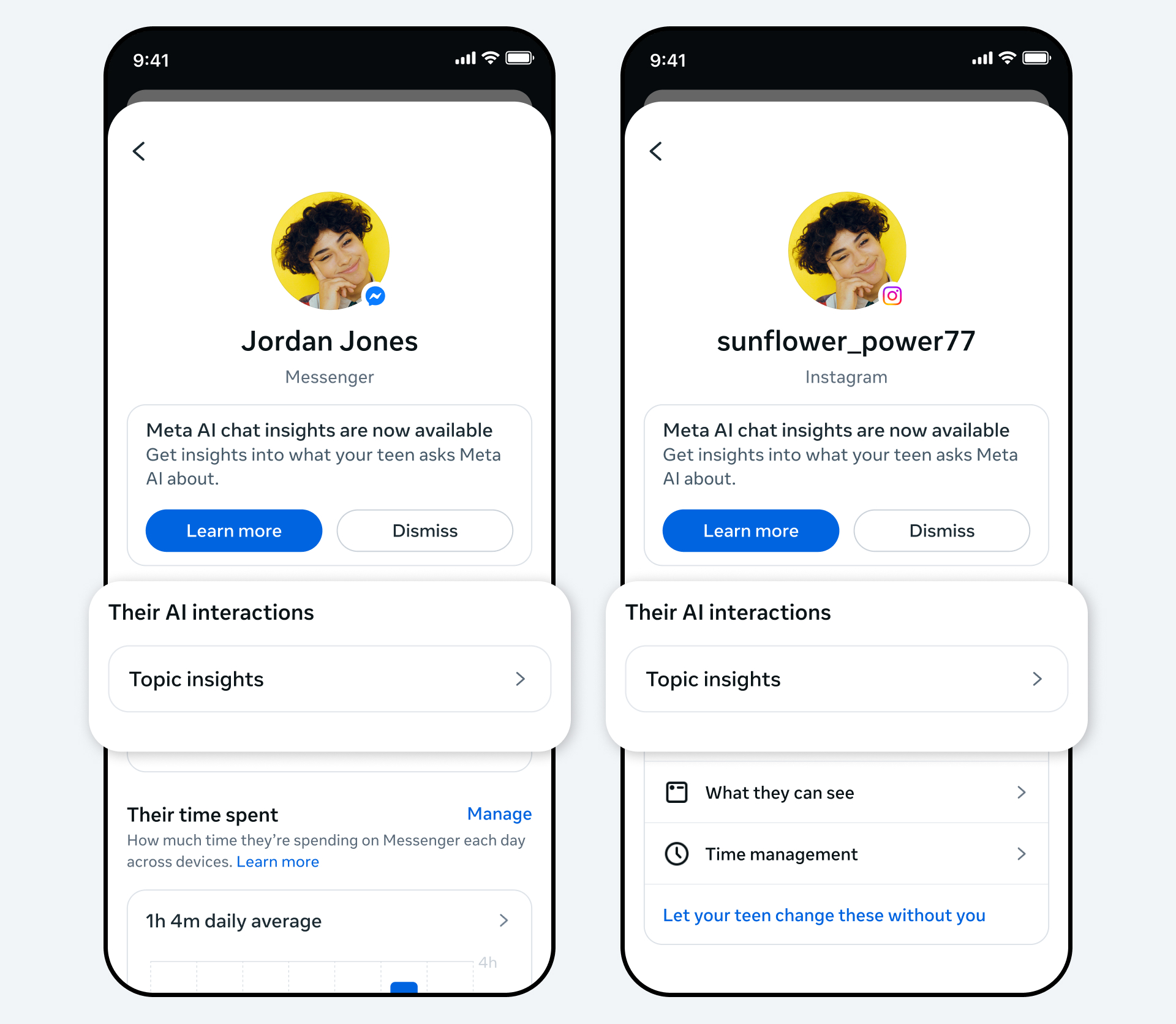
Parents can tap on a topic to see the different categories that fall within each one. For example, categories within Lifestyle include fashion, food, and holidays, and categories within Health and Wellbeing include fitness, physical health, and mental health.
This is just the starting point. As we roll out these insights to parents around the world, we’ll keep listening to feedback from both parents and experts, and explore ways to make them even more valuable.
Complementing
These new insights complement the safety protections already built into AI experiences for Teen Accounts. For example, our AI experiences have been inspired by 13+ movie ratings criteria and parent feedback, meaning Meta AI should not give age-inappropriate responses that would feel out of place in a 13+ movie. This means Meta AI may not answer certain questions, and in some cases may direct teens to resources instead. We’ll still show parents the topic their teen was asking about, even if Meta AI didn’t respond to the question.While the insights are designed to give parents greater visibility into the general topics their teens are asking Meta AI about, for sensitive issues related to suicide and self-harm, we’re going further. We recently announced that we’re developing new alerts to let parents know if their teen tries to engage in conversations related to suicide or self-harm with Meta AI — and we’ll have more to share on those alerts soon.
These new insights and proactive alerts are just some of the ways we’re working to make parental supervision even more valuable for parents. They build on the supervision features already available, which — among other things — allow parents to set time limits, schedule breaks, and see who their teen has been chatting to in the past seven days. We’re encouraged to see these tools are proving helpful to families, with the number of US teens enrolled in supervision more than doubling since last year.
Helping
We understand that AI is a new and evolving technology, and one that parents may not always feel confident talking about with their teens. That’s why we worked with the Cyberbullying Research Center to develop conversation starters: open-ended questions parents can ask their teens that are designed to help start non-judgmental conversations about their experiences with AI. Each question comes with guidance for parents, explaining what the specific question is designed to address, and how to approach it. These conversation starters are available on the Family Center website, and parents can also access them through a link in the new Insights tab.Introducing
Finally, we’re sharing more information about Meta’s new AI Wellbeing Expert Council, a group of experts who will provide ongoing input on our AI experiences for teens, to help make sure they continue to be safe and age-appropriate. We have a long history of working closely with experts to help inform our policies and products, including our existing AI experiences. Our Suicide and Self-Harm Advisors, Youth Advisors, and Body Image Experts also advise on specific issues, and we’re extremely grateful for their expertise.Our AI Wellbeing Expert Council is made up of members of these three existing advisory groups, as well as new members with specific expertise in responsible and ethical AI, who are affiliated with the National Council for Suicide Prevention, the University of Michigan, the University of Texas, and the University of Southern California, among others. Meta teams will meet with the AI Wellbeing Expert Council regularly to share updates on the latest AI experiences we’re building for teens and gather feedback for our policy and product teams. This work has already started, with the AI Wellbeing Expert Council providing valuable input in the development of the new insights for parents that we’re announcing today.
Source:

Helping Parents Understand the Conversations Their Teens Are Having With AI
We're introducing new tools for parents supervising Teen Accounts to help them understand how their teens are using AI.
 about.fb.com