Meta Introducing Threads Communities: Find Your People


 Meta News:

Takeaways​

  • We’re excited to introduce communities on Threads, casual spaces for you to see and share unique takes on topics like basketball or TV with other people who love them too.
  • We’ve evolved topic tags and custom feeds and are giving you dedicated spaces for diving deeper into conversations that matter to you.
  • We’re personalizing communities with custom Like emojis, exclusive for members, that represent the topics they discuss and add a distinct community identity.
Today, we’re introducing communities on Threads. Communities are public, casual spaces where you can exchange unique perspectives and join conversations about topics like basketball, TV, and more.

Communities, now being tested across more than 100 of the most popular topics on Threads, build on features like custom feeds and topic tags to help you meaningfully connect with people who share your interests.

Connecting With Your Community​

As Threads has grown, we’ve seen people come together to develop and share their passions and expertise. With communities, it’s now even easier to find and connect with your people — and stay up-to-date on conversations you care about.
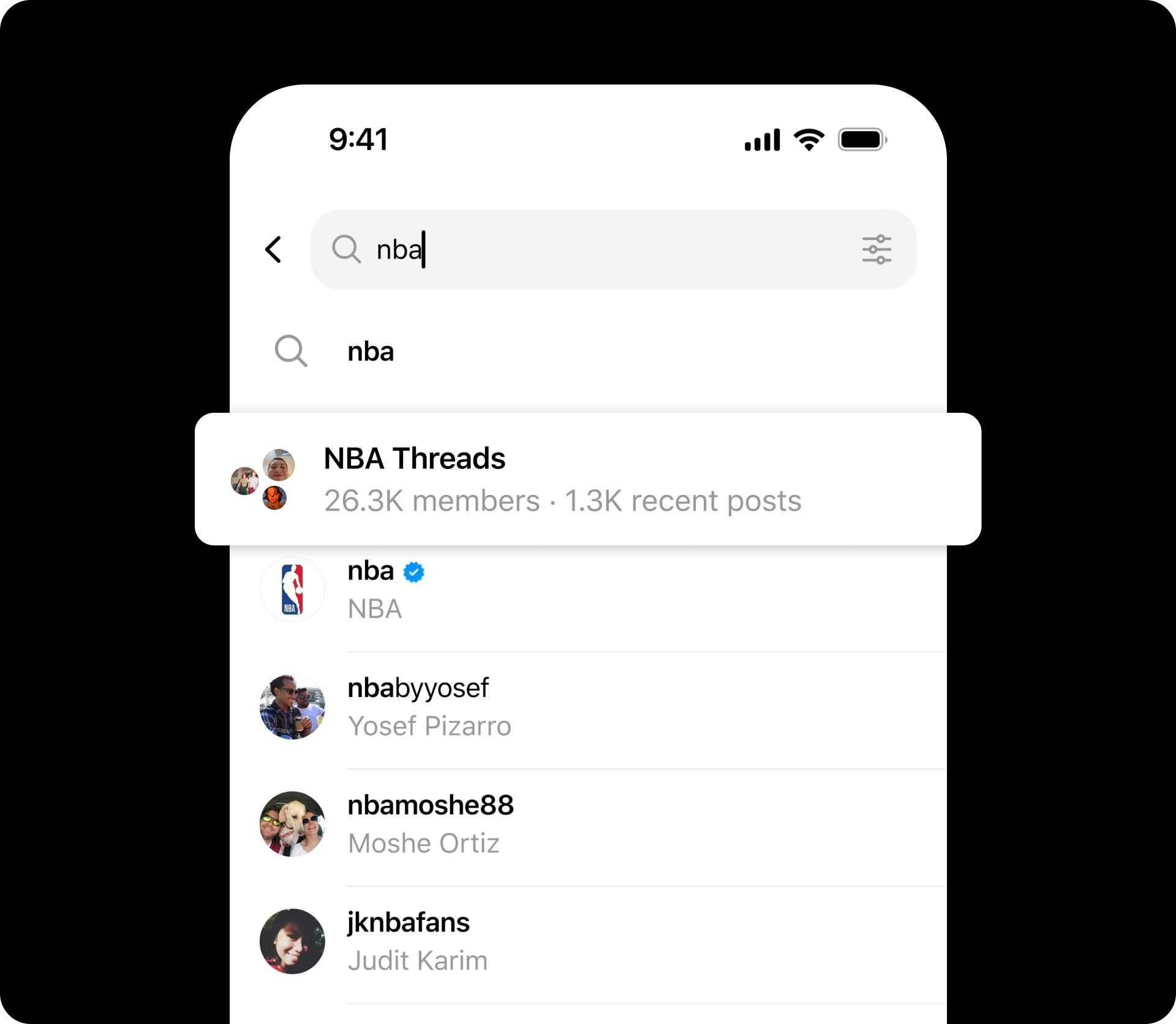
Searching for a community

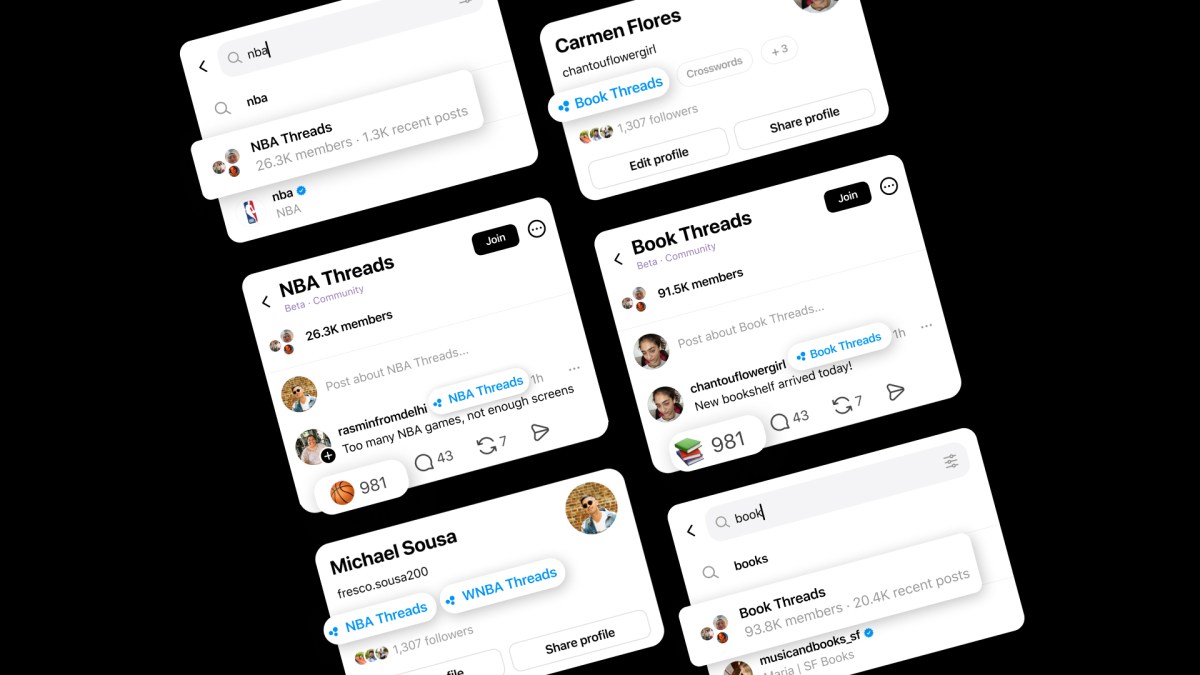
We’re testing communities with some of the most active interests on Threads, such as NBA/WNBA Threads, TV Threads, and KPop Threads. Your membership in communities is public: communities you join will automatically be pinned in your feeds menu and tagged on your profile, so people can see what you’re all about.
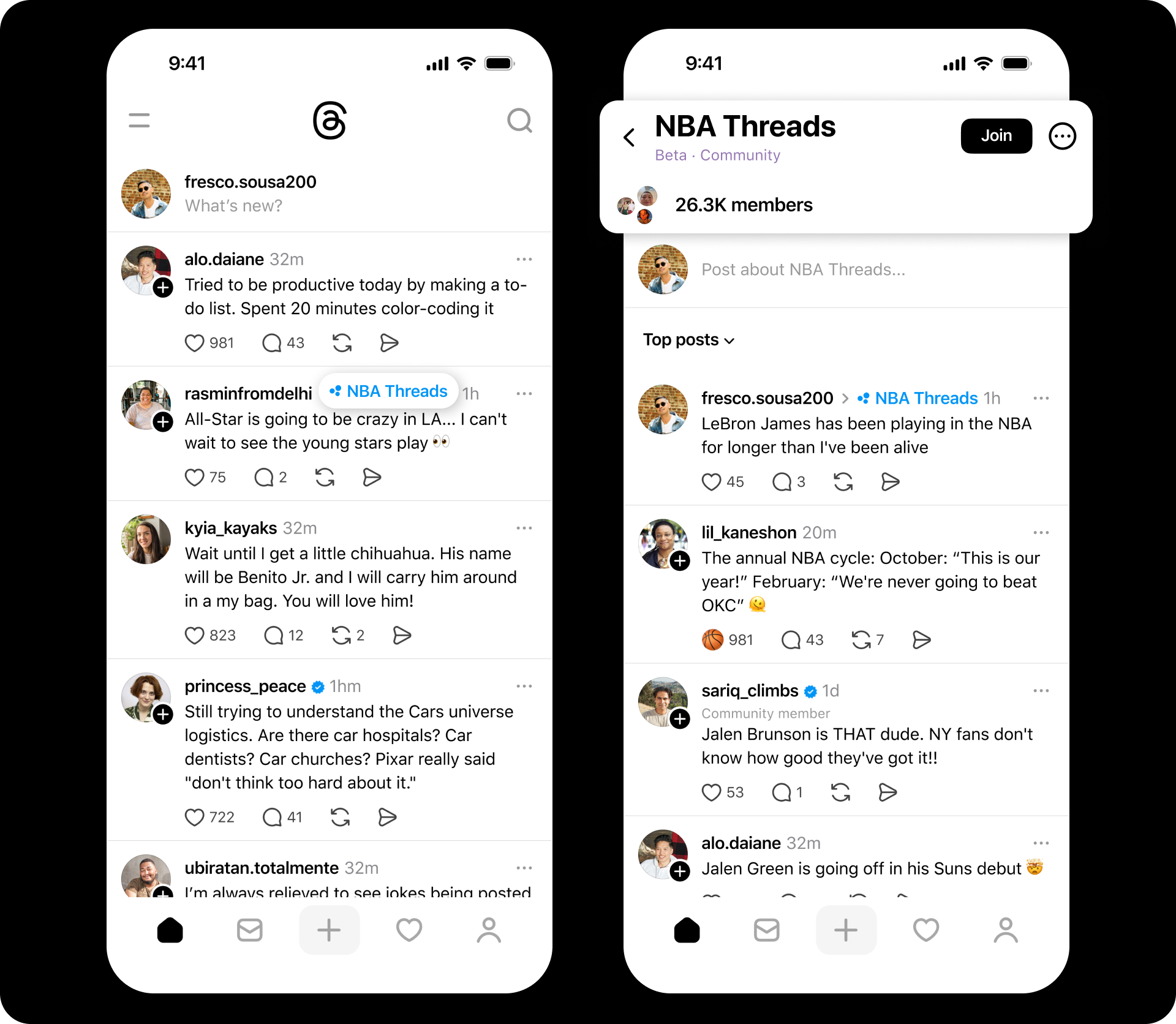
Interacting with and participating in communities


To personalize these spaces, each community has its own custom Like emoji — for example, a stack of books in Book Threads — adding a distinct sense of belonging to interactions between members.
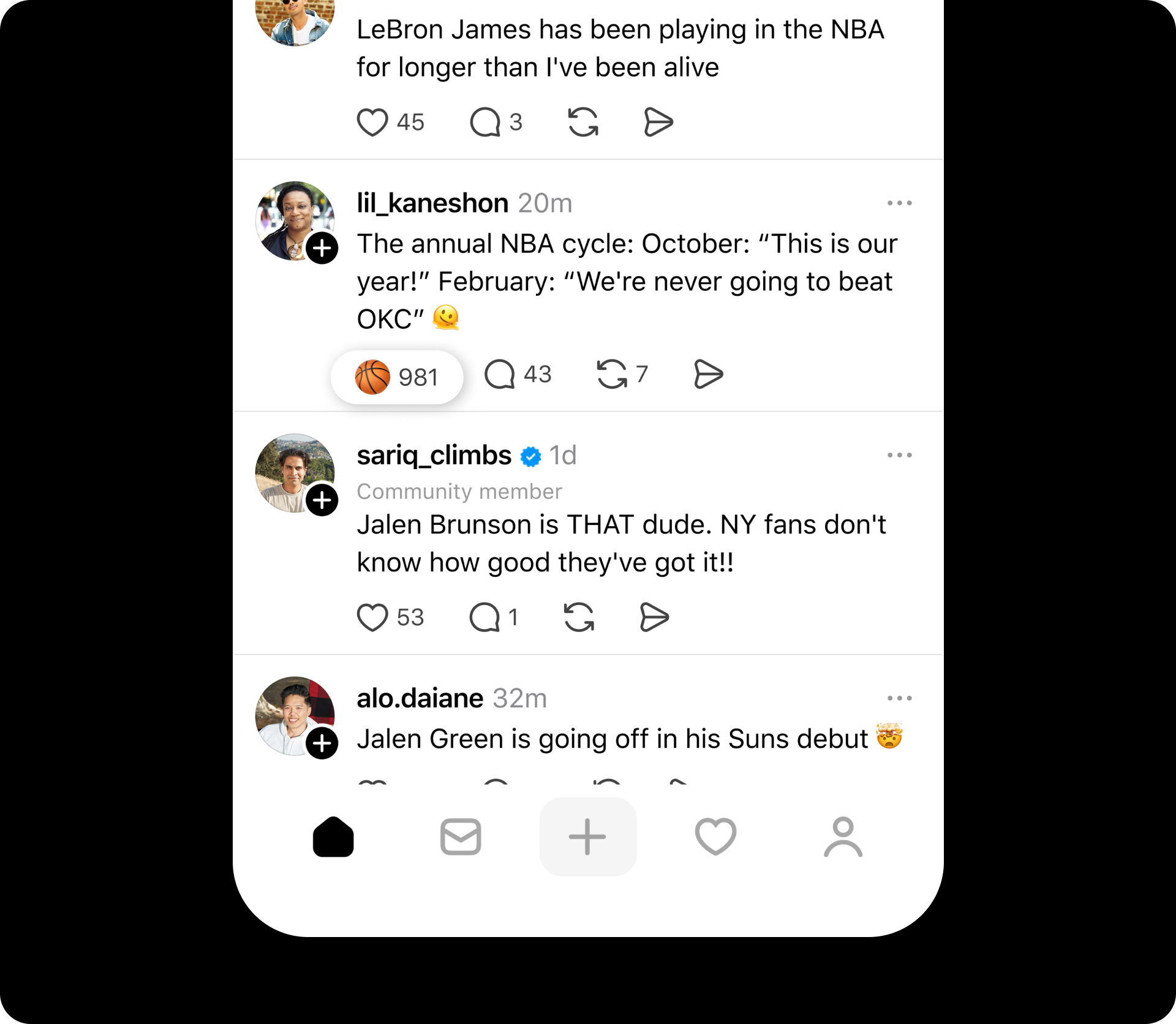
Custom Like button for basketball

Explore and Join Communities​

You can discover communities by searching for them by name or tapping a community tag on a post in your feed. A three-dot icon on a topic tag indicates that it has a dedicated community. To join, tap Join in the top right. Not every interest has a dedicated community yet, but there are already over 100 to explore, with more coming soon.

What’s Next​

Special badges will soon be introduced for standout community contributors. These individuals are among the most active and engaged users on the app and have helped establish communities around the most popular discussion topics. We’re also working on ranking within communities and the For You feed so that you see the most relevant posts first.

Stay tuned for more features that make it easier to connect in fun, meaningful ways around the topics you love.


 Source:
 
I'd be terrified of finding 'my people'.
 

My Computers

System One System Two

  • OS
    All Branches but Release
    Computer type
    Laptop
    Manufacturer/Model
    Acer Nitro ANV15-51
    CPU
    AMD Ryzen 7 7735HS 3200-4500 Mhz 8 cores x 2
    Motherboard
    Sportage_RBH
    Memory
    32 GB DDR5
    Graphics Card(s)
    Radeon Graphic / NVIDIA GeForce RTX 4060 8 GB GDDR6
    Sound Card
    AMD/Realtek(R) Audio
    Monitor(s) Displays
    Integrated Monitor (15.3"vis)
    Screen Resolution
    FHD 1920X1080 16:9 144Hz
    Hard Drives
    KINGSTON OM8SEP4512Q-AA 1TB
    Western Digital 256GB
    PSU
    19V DC 6.32 A 120 W
    Cooling
    Dual Fans
    Mouse
    MS Bluetooth
    Internet Speed
    Fiber 1GB Cox -us & 1GB Orange-fr
    Browser
    Edge Canary- Firefox Nightly-Chrome Dev-Chrome Dev
    Antivirus
    Windows Defender
  • Operating System
    Windows 11 Beta
    Computer type
    Laptop
    Manufacturer/Model
    Asus X751BP
    CPU
    AMD A9-9420
    Memory
    8 GB of DDR4
    Graphics card(s)
    AMD Radeon R5
    Screen Resolution
    1600x900
    Hard Drives
    Seagate 1 TB

My Computers

System One System Two

  • OS
    Windows 11 Pro for Workstations
    Computer type
    PC/Desktop
    Manufacturer/Model
    Custom self build
    CPU
    Intel i7-8700K 5 GHz
    Motherboard
    ASUS ROG Maximus XI Formula Z390
    Memory
    64 GB (4x16GB) G.SKILL TridentZ RGB DDR4 3600 MHz (F4-3600C18D-32GTZR)
    Graphics Card(s)
    ASUS ROG-STRIX-GTX1080TI-O11G-GAMING (11GB GDDR5X)
    Sound Card
    Integrated Digital Audio (S/PDIF)
    Monitor(s) Displays
    2 x Samsung Odyssey G75 27"
    Screen Resolution
    2560x1440
    Hard Drives
    1TB Samsung 990 PRO M.2,
    4TB Samsung 990 PRO M.2,
    TerraMaster F8 SSD Plus NAS
    PSU
    Seasonic Prime Titanium 850W
    Case
    Thermaltake Core P3 wall mounted
    Cooling
    Corsair Hydro H115i
    Keyboard
    Amazon Basics Wired Full Keyboard MD005
    Mouse
    Logitech MX Master 4
    Internet Speed
    2 Gbps Download and 100 Mbps Upload
    Browser
    Chrome and Edge
    Antivirus
    Microsoft Defender
    Other Info
    Logitech Z625 speaker system,
    Logitech BRIO 4K Pro webcam,
    HP Color LaserJet Pro MFP M477fdn,
    CyberPower CP1500PFCLCD
    Galaxy S23 Plus phone
  • Operating System
    Windows 11 Pro
    Computer type
    Laptop
    Manufacturer/Model
    Surface Laptop 7 Copilot+ PC
    CPU
    Snapdragon X Elite (12 core) 3.42 GHz
    Memory
    16 GB LPDDR5x-7467 MHz
    Monitor(s) Displays
    15" HDR
    Screen Resolution
    2496 x 1664
    Hard Drives
    1 TB SSD
    Internet Speed
    Wi-Fi 7 and Bluetooth 5.4
    Browser
    Chrome and Edge
    Antivirus
    Microsoft Defender
Back
Top Bottom