
Edit: Minitool support tells me that it's because of Bitlocker being on. That causes all bits to be backed up rather than just the used space.
I've just started using the trial version after having to replace a system. There isn't much as all on the 1TB SSD (C:) and the only thing I'm using the 1TB HDD (D:) for right now is backing up to. I've got the backup set to backup only the used sectors. Bitlocker is turned on. According to Windows Explorer, the space used is 116 GB on the C: drive. The backup file size on D: is almost 600 GB GB. Shadowmaker apparently displays a different value depending on where you look. Am I missing something here?
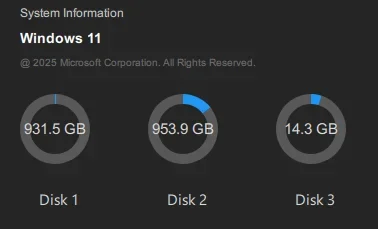
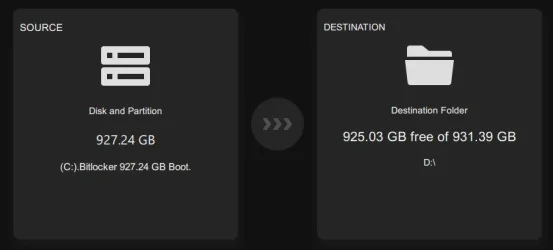
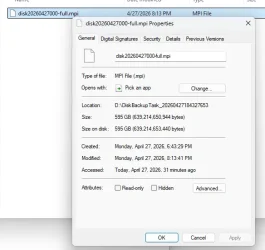
I've just started using the trial version after having to replace a system. There isn't much as all on the 1TB SSD (C:) and the only thing I'm using the 1TB HDD (D:) for right now is backing up to. I've got the backup set to backup only the used sectors. Bitlocker is turned on. According to Windows Explorer, the space used is 116 GB on the C: drive. The backup file size on D: is almost 600 GB GB. Shadowmaker apparently displays a different value depending on where you look. Am I missing something here?
- Windows Build/Version
- Windows 11 Home
Last edited:
My Computer
At a glance
Windows 11 Home
- OS
- Windows 11 Home
- Computer type
- PC/Desktop
- Manufacturer/Model
- Dell













