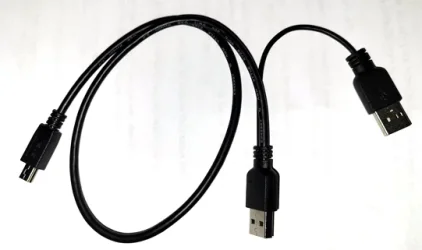
I have an external optical drive, ASUS SDRW-08U7M-U ZenDrive.
I’m trying to install a program using it but the drive just spins a few seconds & stops.
The drive does not appear in File Explorer.
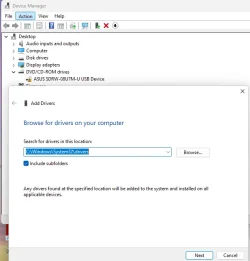
The device shows up in Control Panel > Device Manager. Looking at Device Properties > General, it says “Windows cannot load the device driver for this hardware. The driver may be corrupted or missing. (Code 39)“. I uninstalled the device but to no avail.
Updating the driver indicted I have the latest driver. The drive is plug & play and never needed a driver installed, and there is none listed on the ASUS website.
Windows Settings > Bluetooth & Devices > Devices shows it under Other Devices as Portable Super MultiDrive and with a Driver error.
Any ideas how to get the driver working?
Thanks
I’m trying to install a program using it but the drive just spins a few seconds & stops.
The drive does not appear in File Explorer.
The device shows up in Control Panel > Device Manager. Looking at Device Properties > General, it says “Windows cannot load the device driver for this hardware. The driver may be corrupted or missing. (Code 39)“. I uninstalled the device but to no avail.
Updating the driver indicted I have the latest driver. The drive is plug & play and never needed a driver installed, and there is none listed on the ASUS website.
Windows Settings > Bluetooth & Devices > Devices shows it under Other Devices as Portable Super MultiDrive and with a Driver error.
Any ideas how to get the driver working?
Thanks
My Computer
At a glance
Windows 11 Pro 25H2Intel i5-1450016 GBIntel
- OS
- Windows 11 Pro 25H2
- Computer type
- PC/Desktop
- Manufacturer/Model
- ASRock B760M Pro RS/D4 motherboard
- CPU
- Intel i5-14500
- Motherboard
- ASRock
- Memory
- 16 GB
- Graphics Card(s)
- Intel
- Hard Drives
- 1 TB Samsung M.2 SSD
1 TB WD HDD