Mouse Right click Home option


me75006

Member
Local time
4:28 AM
Posts
21
OS
windows 11
When browsing, W11 Edge browser, I would like a mouse right click HOME option, so that when it is clicked, the browser acts as if I had pressed the HOME key on my keyboard.
The result being the web page display goes all the way to the top of the web page. (not as if I had used the PgUp keyboard key). If there is an easy way to do this, all the better.
If it requires a Registry modification, I could do that, kind of a last resort.
Thanks in advance.
 

My Computer My Computer

At a glance

windows 11AMD Ryzen R7-1700 8-Core 3.0GHz16gbNVIDIA GeForce GTX1070
OS
windows 11
Manufacturer/Model
HP Omen 880-030
CPU
AMD Ryzen R7-1700 8-Core 3.0GHz
Memory
16gb
Graphics Card(s)
NVIDIA GeForce GTX1070
Hard Drives
ssd + ssd +HD
Internet Speed
100/100
Browser
Edge
Other Info
Macrium Reflect
When browsing, W11 Edge browser, I would like a mouse right click HOME option, so that when it is clicked, the browser acts as if I had pressed the HOME key on my keyboard.
The result being the web page display goes all the way to the top of the web page. (not as if I had used the PgUp keyboard key). If there is an easy way to do this, all the better.
If it requires a Registry modification, I could do that, kind of a last resort.
Thanks in advance.
What kind of mouse do you have?
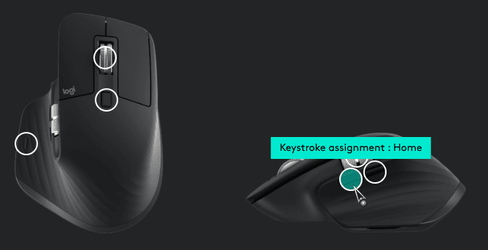
Re-mapping the right click button ain't so easy. But, assigning a keystroke to an auxiliary button is simple, in most cases.

0001831.png
 

My Computers My Computers

  • At a glance

    Windows 11 Pro
    OS
    Windows 11 Pro
    Computer type
    PC/Desktop
    Manufacturer/Model
    ASUS ROG Strix
  • At a glance

    Windows 11 Pro
    Operating System
    Windows 11 Pro
    Computer type
    Laptop
    Manufacturer/Model
    ASUS VivoBook
  • ASUS VivoBook 'Lite' ~ Windows 11 Home
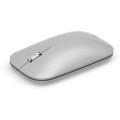
Thank you. It is a Microsoft Bluetooth Model 1679/1679C Mobile Surface Mouse


My Computer My Computer

At a glance

windows 11AMD Ryzen R7-1700 8-Core 3.0GHz16gbNVIDIA GeForce GTX1070
OS
windows 11
Manufacturer/Model
HP Omen 880-030
CPU
AMD Ryzen R7-1700 8-Core 3.0GHz
Memory
16gb
Graphics Card(s)
NVIDIA GeForce GTX1070
Hard Drives
ssd + ssd +HD
Internet Speed
100/100
Browser
Edge
Other Info
Macrium Reflect
Tried the setting Windows key and HOME however no success, I might be doing something wrong. :unsure:
 

My Computer My Computer

At a glance

windows 11AMD Ryzen R7-1700 8-Core 3.0GHz16gbNVIDIA GeForce GTX1070
OS
windows 11
Manufacturer/Model
HP Omen 880-030
CPU
AMD Ryzen R7-1700 8-Core 3.0GHz
Memory
16gb
Graphics Card(s)
NVIDIA GeForce GTX1070
Hard Drives
ssd + ssd +HD
Internet Speed
100/100
Browser
Edge
Other Info
Macrium Reflect
I suspect your options are somewhat limited with that mouse.
 

My Computers My Computers

  • At a glance

    Windows 11 Pro
    OS
    Windows 11 Pro
    Computer type
    PC/Desktop
    Manufacturer/Model
    ASUS ROG Strix
  • At a glance

    Windows 11 Pro
    Operating System
    Windows 11 Pro
    Computer type
    Laptop
    Manufacturer/Model
    ASUS VivoBook
  • ASUS VivoBook 'Lite' ~ Windows 11 Home
It might require a Registry modification, I can concede that.
 
Last edited:

My Computer My Computer

At a glance

windows 11AMD Ryzen R7-1700 8-Core 3.0GHz16gbNVIDIA GeForce GTX1070
OS
windows 11
Manufacturer/Model
HP Omen 880-030
CPU
AMD Ryzen R7-1700 8-Core 3.0GHz
Memory
16gb
Graphics Card(s)
NVIDIA GeForce GTX1070
Hard Drives
ssd + ssd +HD
Internet Speed
100/100
Browser
Edge
Other Info
Macrium Reflect

Latest Support Threads

Back
Top Bottom