Hi,
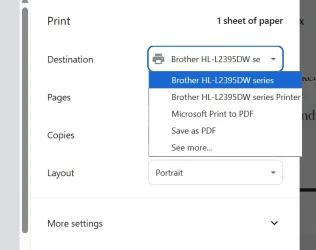
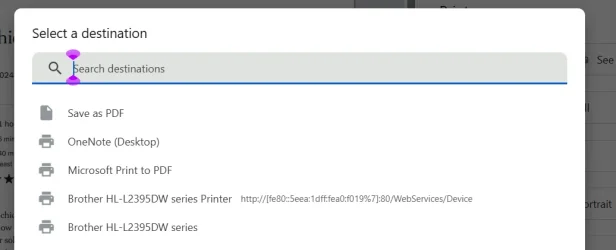
I have a new Alienware Laptop (16X Aurora). When I first tried to print a recipe I could not find the option to print to both sides. Got the latest drivers from the Brothers web site and it still doesn't offer that option. From a Lenovo tower machine I can print the same document on both sides. Any insight here on what could be wrong. BTW I have tried to ask Dell if they have any ideas but what a nightmare. (The dialog said someone would get in touch, but when I try to find the status of my report they seem to have never heard of it.)
Thanks, Bob
I have a new Alienware Laptop (16X Aurora). When I first tried to print a recipe I could not find the option to print to both sides. Got the latest drivers from the Brothers web site and it still doesn't offer that option. From a Lenovo tower machine I can print the same document on both sides. Any insight here on what could be wrong. BTW I have tried to ask Dell if they have any ideas but what a nightmare. (The dialog said someone would get in touch, but when I try to find the status of my report they seem to have never heard of it.)
Thanks, Bob
My Computers
-
At a glance
Windows 11 25H2 26200.746232GBNVIDIA GeForce RTX5060- OS
- Windows 11 25H2 26200.7462
- Computer type
- Laptop
- Manufacturer/Model
- Alienware 16X Aurora
- Memory
- 32GB
- Graphics Card(s)
- NVIDIA GeForce RTX5060
- Screen Resolution
- 4K
-
At a glance
Win11Intel Core i7-1270016GBGEFORCE RTX 3060Ti- Operating System
- Win11
- Computer type
- PC/Desktop
- Manufacturer/Model
- Lenovo Legion
- CPU
- Intel Core i7-12700
- Motherboard
- No Idea
- Memory
- 16GB
- Graphics card(s)
- GEFORCE RTX 3060Ti
- Monitor(s) Displays
- Samsung
- Screen Resolution
- 4K