
mm71
Well-known member
- Local time
- 3:02 AM
- Posts
- 137
- OS
- Windows 11 Home Edition Version 22H2 (OS Build 22621.3296)
I have bought a pair of new Bluetooth headphones Sony WHCH720N and they won't connect to my Windows 11 laptop, although they connected to my phone. My Bluetooth keyboard works fine, and also another pair of Bluetooth headphones.
What can I do? They are brand new...
(I have already tried many tips I found online, and nothing worked.)
Thank you!
What can I do? They are brand new...
(I have already tried many tips I found online, and nothing worked.)
Thank you!
- Windows Build/Version
- 22621.3737
My Computer
At a glance
Windows 11 Home Edition Version 22H2 (OS Buil...11th Generation Intel® Core™ i5-1135G7 Processor12GBIntel Iris Xe
- OS
- Windows 11 Home Edition Version 22H2 (OS Build 22621.3296)
- Computer type
- Laptop
- Manufacturer/Model
- Dell Inspiron 7506 2-in-1
- CPU
- 11th Generation Intel® Core™ i5-1135G7 Processor
- Memory
- 12GB
- Graphics Card(s)
- Intel Iris Xe
- Monitor(s) Displays
- 15.6-inch FHD (1920 x 1080) Truelife
- Screen Resolution
- 1920 x 1080
- Hard Drives
- 512GB M.2 PCIe NVMe Solid State Drive
- Keyboard
- English International Backlit Silver
- Mouse
- Microsoft HID Device
- Browser
- Microsoft Edge
- Antivirus
- Trial version of McAfee


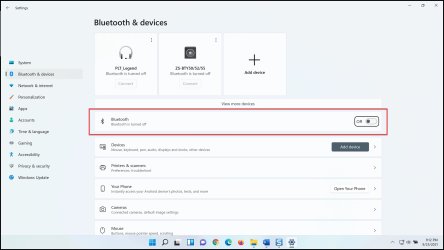
 I also tried diagnostics mode, but it would not connect to Bluetooth at all in diagnostics mode.






