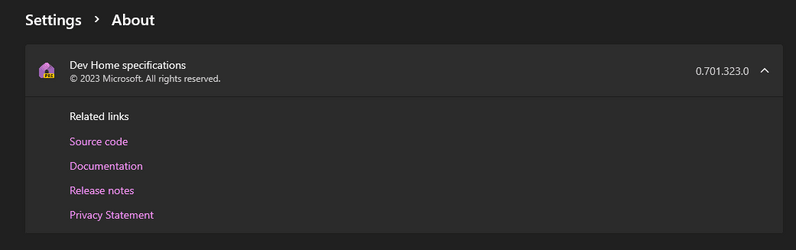
New Dev Home Preview app version 0.701.323.0 released for Windows 11


Welcome to version 0.7 of Dev Home! In this release, we focused on creating the Azure extension to add in ADO features to Dev Home. Here are our latest improvements:

Azure extension​

  • We've just released the Azure extension for Dev Home! The repository can be found here: GitHub - microsoft/DevHomeAzureExtension
  • Initial implementation includes repository cloning for Azure DevOps (ADO) and ADO widgets.

Accessibility fixes​

  • Text should now wrap rather than get clipped when text scaling is greater than 100% or the window is too narrow. (#1756) (#1782) (#1800) (#1808)
  • You can now keyboard navigate to all items in the navigation view. (#1804)
  • Narrator should now properly announce the components on the app installation page of Machine Configuration. (#1780)

Changes​

  • There's now an experimental features page in Settings. We don't have any experimental features yet, but now we have a place for them to be enabled once they're developed. (#1707)
  • Disabled widget sizes are now hidden from the context menu, rather than just appearing as disabled. (#1698)
  • You'll now be asked to sign in (if you haven't already) when attempting to clone a private repository by URL. (#1711)
  • There's now an option to report a documentation issue from the Feedback page (Thanks @hamnarauf!). (#1823)

Bug fixes​

  • When adding multiple repositories to clone, you can now select a different clone path when re-entering the repository selection dialog and the previously selected repos won't update their clone location. (#1766)
  • The title bar should now properly update its colors when changing theme. (#1759)
  • Zombie widgets should no longer stick around forever. (#1770) (#1810)
  • You can now actually customize a widget, rather than replacing the widget with a new one when clicking customize. (#1819)
  • Dev Home should no longer crash when clicking Add Widget. (#1831)
  • Child windows should now follow the parent's theme. (#1881)

Source:

See also:
 
1700593261441.png
 

My Computers My Computers

  • At a glance

    Windows 11 Pro 22631.3810/Windows 11 RP 24H2 VMIntel Celeron N4000 @ 1.10GHz Gemini Lake 14nm8GB RamIntel UHD Graphics 600 (Lenovo)
    OS
    Windows 11 Pro 22631.3810/Windows 11 RP 24H2 VM
    Computer type
    Laptop
    Manufacturer/Model
    Lenovo
    CPU
    Intel Celeron N4000 @ 1.10GHz Gemini Lake 14nm
    Motherboard
    LENOVO LNVNB161216 (U3E1)
    Memory
    8GB Ram
    Graphics Card(s)
    Intel UHD Graphics 600 (Lenovo)
    Sound Card
    Realtek High Definition Audio Intel Display Audio
    Monitor(s) Displays
    Generic PnP Monitor (1920x1080@60Hz)
    Screen Resolution
    1920x1080
    Hard Drives
    512GB Western Digital WDC PC SN530 SDBPMPZ-512G-1101 (Unknown (SSD))
    Keyboard
    Laptop Keyboard
    Mouse
    G5 Gaming Mouse
    Internet Speed
    50mbps/50mbps
    Browser
    Chrome/Edge
    Antivirus
    Microsoft Defender
  • At a glance

    Windows 11 RP 24H2 VMIntel Celeron N4000 @ 1.10GHz Gemini Lake 14nm8GB RamIntel UHD Graphics 600 (Lenovo)
    Operating System
    Windows 11 RP 24H2 VM
    Computer type
    Laptop
    Manufacturer/Model
    Lenovo
    CPU
    Intel Celeron N4000 @ 1.10GHz Gemini Lake 14nm
    Motherboard
    LENOVO LNVNB161216 (U3E1)
    Memory
    8GB Ram
    Graphics card(s)
    Intel UHD Graphics 600 (Lenovo)
    Sound Card
    Realtek High Definition Audio Intel Display Audio
    Monitor(s) Displays
    Generic PnP Monitor (1920x1080@60Hz)
    Screen Resolution
    1920x1080
    Keyboard
    Laptop Keyboard
    Mouse
    G5 Gaming Mouse
    Internet Speed
    50mbps/50mbps
    Browser
    Chrome/Edge
    Antivirus
    Microsoft Defender
This is a System components app that I have zero use for, ever. Uninstalled using Powershell.
 

My Computer My Computer

At a glance

Windows 11 Pro 25H2 (RP channel)AMD Ryzen 7 9800X3D 8-core64GB Corsair Titanium 6000/CL30MSI Suprim 5080 SOC
OS
Windows 11 Pro 25H2 (RP channel)
Computer type
PC/Desktop
Manufacturer/Model
MSI
CPU
AMD Ryzen 7 9800X3D 8-core
Motherboard
MEG X870E Godlike
Memory
64GB Corsair Titanium 6000/CL30
Graphics Card(s)
MSI Suprim 5080 SOC
Sound Card
Soundblaster AE-9
Monitor(s) Displays
ASUS TUF Gaming VG289Q
Screen Resolution
3840x2160
Hard Drives
Samsung 9100 Pro 4TB (gen 5 x4, system drive/games)
Samsung 990 Pro 2TB
Samsung 980 Pro 2TB
Samsung 870 Evo 4TB
Samsung 870 Evo 2TB
Samsung T9 4TB
PSU
Seasonic PX-2200
Case
Bequiet! Dark Base Pro 901
Cooling
Noctua NH-D15S Chromax black
Keyboard
Logitech G915 X (wired)
Mouse
Logitech G903 with PowerPlay charger
Internet Speed
900Mb/sec
Browser
Microsoft Edge
Antivirus
Windows Defender
Hi Griff79,
I'm one of the windows 11 users that really don't like how microsoft just installs things like this for people like myself who will probably never utilize it. The great thing about my computer is the fact that I utilize this great application that can uninstall virtually everything including any pieces of the application left behind. Bulk Crap Uninstaller - Remove large amounts of unwanted applications I'm not sure if the thanksgiving holiday is celebrated in your country or not, but I still wanted to state that we have a LOT to be thankful for.
 

My Computers My Computers

  • At a glance

    Windows11Pro (x64)Intel(R) Core(TM) i5-3470 CPU @ 3.20GHz 3.20 GHz8.00 GB (7.88 GB usable)
    OS
    Windows11Pro (x64)
    Computer type
    PC/Desktop
    Manufacturer/Model
    HP/HP8300EliteSFF
    CPU
    Intel(R) Core(TM) i5-3470 CPU @ 3.20GHz 3.20 GHz
    Memory
    8.00 GB (7.88 GB usable)
  • At a glance

    Windows11Pro(x64)Intel(R) Core(TM) i5-3320M CPU @ 2.60GHz 2.60...8.00 GB (7.82 GB usable)Intel (R) HD Graphics 4000
    Operating System
    Windows11Pro(x64)
    Computer type
    Laptop
    Manufacturer/Model
    Lenovo/T430
    CPU
    Intel(R) Core(TM) i5-3320M CPU @ 2.60GHz 2.60 GHz
    Motherboard
    Lenovo 2349KB7
    Memory
    8.00 GB (7.82 GB usable)
    Graphics card(s)
    Intel (R) HD Graphics 4000
    Sound Card
    Realtek High Definition Audio
    Hard Drives
    SSD 222.79 GB
  • Helpful
Reactions: OAT
I can't how this is useful to the average windows user. It's just taking up space on the drive. On the other hand I'm on an insider release so they can put it out in case somebody is interested. I don' see it has a place on the final release except for a download link for those that want it.
 

My Computer My Computer

At a glance

Windows 11 Pro 25H2 26200.8655Ryzen 5 760032 Gb DDR5 6000Hz Corsair VengeanceSapphire Pulse RX 7600
OS
Windows 11 Pro 25H2 26200.8655
Computer type
PC/Desktop
Manufacturer/Model
Home built
CPU
Ryzen 5 7600
Motherboard
Gigabyte B650M Aorus Elite AX Ice
Memory
32 Gb DDR5 6000Hz Corsair Vengeance
Graphics Card(s)
Sapphire Pulse RX 7600
Sound Card
Internal Realtek
Monitor(s) Displays
Samsung 32" Odyssey G5 G50D QHD
Screen Resolution
2560 x 1440
Hard Drives
WD Black SN 770 1Tb; SanDisk SDSSDA240G ; Seagate 2Tb HDD
PSU
MSI MAG A750GL
Case
Enermax Marbleshell MS21
Cooling
Thermaltake Peerless Assassin 120 White ARGB, 3 x 120 intake, 1 x 120 exhaust
Keyboard
Aukey KM-G12
Mouse
Razer Basilisk v3 Pro 35K
Internet Speed
1 Gb/s up & 800 Mb/s down
Browser
Brave / Edge
Antivirus
Windows / Malwarebytes
Back
Top Bottom