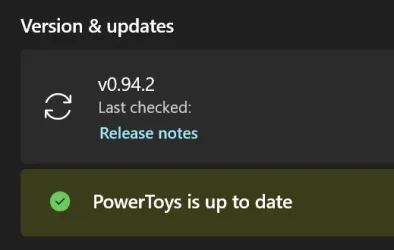
New Microsoft PowerToys version v0.94.2 for Windows 10 and Windows 11


 github PowerToys:

This is a patch release to fix issues in v0.94.2 we deemed important for stability based on incoming rates. See v0.94.0 for full release notes.

Installer Hashes​

DescriptionFilenamesha256 hash
Per user - x64PowerToysUserSetup-0.94.2-x64.exeCE6654859BBAEC0E2AA49FF2E4F5C1353C4204C85A2CFB15E1E5CEC51BF3B003
Per user - ARM64PowerToysUserSetup-0.94.2-arm64.exe1AD77D7D60D3D353C9F6A391759B4596F43F4F21549625BB8B22EF21CF7E1B55
Machine wide - x64PowerToysSetup-0.94.2-x64.exeA0C2A2E2EB8C86DCC6E42FE652490F41B61D9C4875F170A63EECA353E7CEBB8B
Machine wide - ARM64PowerToysSetup-0.94.2-arm64.exe2E59B5EBB86C9B7EECC57F902F709A67103AA7AA72396FEDEDC40BB6AA67AF20
  • #41853 - Installer: Fixed the missing vcruntime dependency error that blocked installations and caused the “Failed to load SilentFilesInUseBAFunction.dll (0x8007007e)” bootstrapper failure, restoring successful installs from GitHub, winget, and the Microsoft Store.


 Source:


See also:
 
Too many updates:

2025-09-24 18_04_28-PowerToys Settings.webp
 

My Computer

System One

  • OS
    Windows 10
    Computer type
    Laptop
    Manufacturer/Model
    Lenovo Yoga 7 Pro
    CPU
    Ultra Core Ultra 9 185H
    Motherboard
    Lenovo
    Memory
    32GB
    Graphics Card(s)
    Intel Arc
Lots of shortcut conflicts as reported by others as well on github:
1759173376194.webp
 

My Computer

System One

  • OS
    WindowsXP/7/8/8.1/10/11,Linux,Android,FreeBSD Unix
    Computer type
    Laptop
    Manufacturer/Model
    Dell XPS 15 9570
    CPU
    Intel® Core™ i7-8750H 8th Gen 2.2Ghz up to 4.1Ghz
    Motherboard
    Dell XPS 15 9570
    Memory
    64GB using 2x32GB CL16 Mushkin redLine modules
    Graphics Card(s)
    Intel UHD 630 & NVIDIA GeForce GTX 1050 Ti with 4GB DDR5
    Sound Card
    Realtek ALC3266-CG
    Monitor(s) Displays
    15.6" 4K Touch UltraHD 3840x2160 made by Sharp
    Screen Resolution
    3840x2160 4K UltraHD
    Hard Drives
    Samsung MZ-V9P4T0B/AM 990 PRO 4TB PCIe®4.0 NVMe™ M.2 SSD was Toshiba KXG60ZNV1T02 NVMe 1TB SSD
    PSU
    Dell XPS 15 9570
    Case
    Dell XPS 15 9570
    Cooling
    Stock
    Keyboard
    Stock
    Mouse
    SwitftPoint ProPoint
    Internet Speed
    Comcast/XFinity 1.44Gbps/42.5Mbps
    Browser
    Microsoft EDGE (Chromium based) & Google Chrome
    Antivirus
    Windows Defender that came with Windows
IME with AutoHotkey, most "conflicts" don't pose any problem to overriding the system meanings. At worst, the system command will take precedence if the keyboard focus belongs to an elevated process, but the override otherwise works. At least that's been my experience over the years. WRT the screenshot, I've been using Win+Ctrl+T for AlwaysOnTop for many years.

One exception that I can remember is Win+Alt+B, which that Xbox Game Bar thing outright stole with no way to disable except to uninstall it.

I don't use PowerToys so things might be different with it.
 

My Computer

System One

  • OS
    Windows 11
It seems to be a recent issue where they show this conflict screen on the homepage of PowerToys about shortcut conflicts, I never use hotkeys with PowerToys in the last 5+ years I have used it. If it wasn't there, it would not even be a major concern.
 

My Computer

System One

  • OS
    WindowsXP/7/8/8.1/10/11,Linux,Android,FreeBSD Unix
    Computer type
    Laptop
    Manufacturer/Model
    Dell XPS 15 9570
    CPU
    Intel® Core™ i7-8750H 8th Gen 2.2Ghz up to 4.1Ghz
    Motherboard
    Dell XPS 15 9570
    Memory
    64GB using 2x32GB CL16 Mushkin redLine modules
    Graphics Card(s)
    Intel UHD 630 & NVIDIA GeForce GTX 1050 Ti with 4GB DDR5
    Sound Card
    Realtek ALC3266-CG
    Monitor(s) Displays
    15.6" 4K Touch UltraHD 3840x2160 made by Sharp
    Screen Resolution
    3840x2160 4K UltraHD
    Hard Drives
    Samsung MZ-V9P4T0B/AM 990 PRO 4TB PCIe®4.0 NVMe™ M.2 SSD was Toshiba KXG60ZNV1T02 NVMe 1TB SSD
    PSU
    Dell XPS 15 9570
    Case
    Dell XPS 15 9570
    Cooling
    Stock
    Keyboard
    Stock
    Mouse
    SwitftPoint ProPoint
    Internet Speed
    Comcast/XFinity 1.44Gbps/42.5Mbps
    Browser
    Microsoft EDGE (Chromium based) & Google Chrome
    Antivirus
    Windows Defender that came with Windows
Back
Top Bottom