New Windows Terminal 1.23.20211.0 for Windows 11 and 10 - Jan. 23


 Github:

In advance of the coming 1.25 release, enjoy this modest servicing update.

Changes​

  • We have backported support for DECSET 2026 Synchronized Output from the Preview channel (#18826) (#18833)

Bug Fixes​

  • The caption buttons will (finally!) dim when the window is out of focus (#19668) (thanks @Aliremu!)
  • Compatibility with some popular Chinese and Japanese IMEs has been restored (#19738)
  • Many of our cross-thread UI operations have been hardened against use-after-free (#19752)
  • Terminal should no longer display an error dialog about "threading" when loading settings (#19755)
  • Terminal should no longer hang if you have the large paste warning dialog enabled and paste a lot of text (#19721)
  • The top-level WindowsTerminal process will now exit properly when the last window fails to tear down (#19743)
  • We've checked in a speculative fix for a XAML focus crash (#19753)
  • Terminal (Portable, Unpackaged) will no longer crash if you have a stray copy of Microsoft.UI.Xaml.dll on your %PATH% (#19268)
  • The Cut/Copy/Paste menu in the settings UI is now properly localized (#18908) (thanks @consvc!)
Binary files inside the unpackaged distribution archive bear the version number 1.23.260121001.


 Source and downloads:


Microsoft Store:

See also:
 
Odd this version did not appear on the Microsoft Store, installed via GitHub
 

My Computers

System One System Two

  • OS
    Windows 11 25H2
    Computer type
    PC/Desktop
    Manufacturer/Model
    Custom Built
    CPU
    Intel i9 14900KF
    Motherboard
    ASUS Z790 ProArt Creator WiFi
    Memory
    64GB Corsair Vengeance RGB
    Graphics Card(s)
    MSI 4090 Suprim X
    Sound Card
    Onboard
    Monitor(s) Displays
    1 x Asus 24". 1 x Asus 32"
    Screen Resolution
    1920 x 1080 & 2560 x 1440
    Hard Drives
    Multiple
    PSU
    Corsair 1200HX
    Case
    Corsair 7000D RGB
    Cooling
    Corsair H150I Capellix XT
    Keyboard
    Corsair K70 RGB PRO
    Mouse
    Corsair M55 RGB Pro
    Internet Speed
    1000Mbps
    Browser
    Edge
    Antivirus
    Windows Default
  • Operating System
    Windows 11 25H2
    Computer type
    PC/Desktop
    Manufacturer/Model
    Custom Built
    CPU
    Intel i7 6800K
    Motherboard
    ASUS Z99 Deluxe
    Memory
    32GB DDR4 (Corsair)
    Graphics card(s)
    ASUS GTX 1080ti
    Sound Card
    Onboard
    Monitor(s) Displays
    1x Viewsonic 24" 1x LG 19"
    Screen Resolution
    1920 x 1080 & 1600 x 900
    Hard Drives
    3 x SATA SSD
    PSU
    650W Gigabyte Bronze
    Case
    Coolermaster HAF-X
    Cooling
    Noctua NH-15 Chroma black
    Keyboard
    Generic RGB
    Mouse
    Microsoft Basic
    Internet Speed
    1000Mbps
    Browser
    Edge
    Antivirus
    Windows Default

My Computer

System One

  • OS
    Windows 11 25H2 Pro (RP Build 26200.8524)
    Computer type
    PC/Desktop
    Manufacturer/Model
    Alienware
It showed up later in the day on MS Store. :thumbsup:

View attachment 161214
HI, odd still does not appear on my other computers. I have had this before with Terminal, the update checking seems to break. Even for searching with in Termianl for updates showed nothing.
 

My Computers

System One System Two

  • OS
    Windows 11 25H2
    Computer type
    PC/Desktop
    Manufacturer/Model
    Custom Built
    CPU
    Intel i9 14900KF
    Motherboard
    ASUS Z790 ProArt Creator WiFi
    Memory
    64GB Corsair Vengeance RGB
    Graphics Card(s)
    MSI 4090 Suprim X
    Sound Card
    Onboard
    Monitor(s) Displays
    1 x Asus 24". 1 x Asus 32"
    Screen Resolution
    1920 x 1080 & 2560 x 1440
    Hard Drives
    Multiple
    PSU
    Corsair 1200HX
    Case
    Corsair 7000D RGB
    Cooling
    Corsair H150I Capellix XT
    Keyboard
    Corsair K70 RGB PRO
    Mouse
    Corsair M55 RGB Pro
    Internet Speed
    1000Mbps
    Browser
    Edge
    Antivirus
    Windows Default
  • Operating System
    Windows 11 25H2
    Computer type
    PC/Desktop
    Manufacturer/Model
    Custom Built
    CPU
    Intel i7 6800K
    Motherboard
    ASUS Z99 Deluxe
    Memory
    32GB DDR4 (Corsair)
    Graphics card(s)
    ASUS GTX 1080ti
    Sound Card
    Onboard
    Monitor(s) Displays
    1x Viewsonic 24" 1x LG 19"
    Screen Resolution
    1920 x 1080 & 1600 x 900
    Hard Drives
    3 x SATA SSD
    PSU
    650W Gigabyte Bronze
    Case
    Coolermaster HAF-X
    Cooling
    Noctua NH-15 Chroma black
    Keyboard
    Generic RGB
    Mouse
    Microsoft Basic
    Internet Speed
    1000Mbps
    Browser
    Edge
    Antivirus
    Windows Default
HI, odd still does not appear on my other computers. I have had this before with Terminal, the update checking seems to break. Even for searching with in Termianl for updates showed nothing.

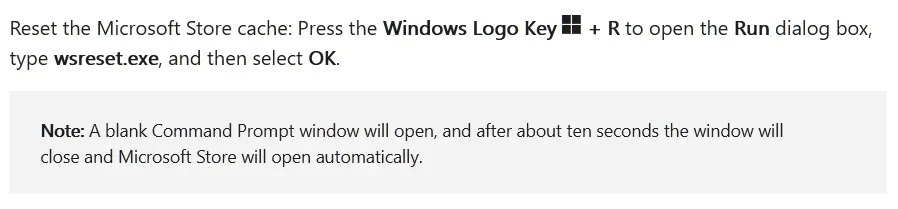
Try this, then I suggest you restart your PC and then try running MS Store again.

Screen Shot 01-27-26 at 05.37 PM.webp
 

My Computer

System One

  • OS
    Windows 11 25H2 Pro (RP Build 26200.8524)
    Computer type
    PC/Desktop
    Manufacturer/Model
    Alienware

Latest Support Threads

Back
Top Bottom