Github:
We kept Windows Terminal 1.24 out of the stable channel for an extra release cycle just to make sure it was up to par, and now it is. Welcome to 1.24.
1.24 brings a handful of new features and a load of bug fixes, including:
- Command Palette now searches simultaneously in English and your display language (unless that language is English).
- There is a new page in Settings where you can see and control extensions, including all of our automatic profile detectors and any fragment extensions you may have installed.
- Icons, background images, pixel shaders, and sounds can now use relative paths for both local settings and fragment extensions.
- Unfortunately, however, we have had to disallow the use of icons available via the web (http, https and ftp URIs) as well as on some network shares to prevent information leakage, tracking pixels and extension providers "phoning home".
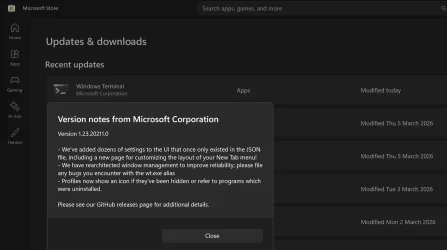
Please see the following release notes for additional details:
- Windows Terminal Preview v1.24.2372.0
- Windows Terminal Preview v1.24.2682.0
- Windows Terminal Preview v1.24.2812.0
- Windows Terminal Preview v1.24.3504.0
- Windows Terminal Preview v1.24.10212.0
Note
This version began rolling out to the Dev, Canary and Beta Windows Insider channels when this GitHub Release was created. Other channels will be released
as our reliability numbers indicate that we haven't broken anything. If you want to update to this release directly, download it below!
Why are there so many files? How do I choose?
Please visit our page documenting the different Windows Terminal Distributions!This release is simultaneously shipping with some fixes backported from the new 1.25 Preview release:
Changes
- In the Settings UI, we have moved color pickers into a lighter-weight flyout rather than a whole dialog; as a result, you can now type into them (#19572)
- We have once again enabled PGO, which should result in a 10-25% throughput increase on output (#19810)
Bug Fixes
- Previewed input actions will no longer stick around (forever!) after you dismiss the Command Palette (#19885)
- Terminal should no longer jump around frantically while you have an active search while printing output (#19775)
- Unfocused Acrylic once again works in the tab row (#19647) (thanks @AbhishekGiri04!)
- Terminal should no longer fail to launch applications on clean boots with error code 0xD000003A (#19901)
Source and downloads:
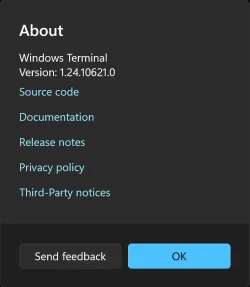
Release Windows Terminal v1.24.10621.0 · microsoft/terminal
We kept Windows Terminal 1.24 out of the stable channel for an extra release cycle just to make sure it was up to par, and now it is. Welcome to 1.24. 1.24 brings a handful of new features and a lo...
 github.com
Microsoft Store:
Windows Terminal - Free download and install on Windows | Microsoft Store
The Windows Terminal is a modern, fast, efficient, powerful, and productive terminal application for users of command-line tools and shells like Command Prompt, PowerShell, and WSL. Its main features include multiple tabs, panes, Unicode and UTF-8 character support, a GPU accelerated text...
apps.microsoft.com
See also:

Check Windows Terminal Version in Windows 11
This tutorial will show you how to check the current version of Windows Terminal in Windows 10 and Windows 11. Windows Terminal is a modern host application for the command-line shells you already love, like Command Prompt, PowerShell, and bash (via Windows Subsystem for Linux (WSL)). Its main...
 www.elevenforum.com
Last edited: