Solved Not sure what to do to upgrade from 23h2 to 24h2 and other questions I have


fleurdemer

New member
Local time
8:30 AM
Posts
3
OS
Windows 11 Home Single Language 23H2 (22631.6133)
Disclosure: I'm not very tech savvy.

I am well aware that next week is the end of support date for anyone in 23H2 (home editions), like myself. To be honest, the reasons I simply stayed on it are divided in "it looks like everything is working all right" (and all my cumulative updates installed quite nicely, not errors whatsoever), and "I have to back up my stuff first" (which is also the reason I am doing this very late, as I just recently was able to get an external drive). And, sure all the little negative things I read about 24h2 simply didn't make me trust in making a step to upgrade earlier this year.

At the time, I also received a notification that my laptop was able to make the upgrade, but I was suggested to use inControl to suspend that for the time being. I suppose that hasn't changed much, if I toggle it off or something.

Now, the one time I ever went through an upgrade, afaik, was with my previous laptop with Windows 10, like 5 years ago. I was basically forced since it was automatic and the laptop only had about a few days of use with the internet turned on (it was previously owned, had factory reset - gave me so much troubles later on, as it had issues of its own hardware that I was never notified before buying it and I had to find them myself :cautious:; it eventually had Microsoft Updates blocked by a computer technic, and I didn't move anything else there since). With previous Windows OS, I stayed as long as I did as such with Windows XP, and especially Windows 7, under older computers I used back then. So, I never had the "honor" to go through this upgrading process more "organically" in my adult years.

So, I'm painfully aware I'm asking this pretty much at last minute, but frankly, I feel like my head hurts while thinking in all of this, because I wanted this whole process to go smoothly, and I'm not even sure if it will be like that (I was also suggested elsewhere to do an in-place upgrade, if the EoS passes... but I feel even more lost with that).

So, questions:

  1. About inControl. My first language is not English (although I do understand it quite good), and I went through the GRC's website page to read what to eventually do to "give Windows control back", but... let's say I want to upgrade to 24h2, and stay in 24h2 for the time being (I also know 25h2 and 24h2 barely have differences in their systems right now, I'm not gonna question it at the moment), if I give control back to my computer so I receive the upgrade (?), I should simply edit the spaces where it says something like "11 / 24h2" like that? Should I still receive the free update before the EoS date arrives?

  2. I did some things in registry to edit some things that annoyed me (especially in regards to web searches in the start menu and such; I say "I'm not tech savvy" but I followed an easy guide and I did this all very early when I was just setting up my current laptop)... and I even was able to add Group Policy Editor (through command prompt, iirc). I later found out Group Policy Editor isn't a feature supposed to work with Home editions (it seemed to have worked in "disabling" Copilot, though). Does this affect anything during the upgrade or...?

  3. I suppose I shouldn't worry much about upgrading maybe affecting two profiles I have on my laptop (one is local, the other is connected to a Microsoft Account; both have "administrator" roles). But, in case an in-place upgrade is supposed to happen, are they still unaffected?

  4. I read elsewhere about Windows making a "backup" or something about the older OS version staying behind in case I change my mind in upgrading to 24h2. I have also seen that it supposedly takes over 30 GB of space or smth? What does it actually do? How I should "delete" it in case I don't go back?

  5. That being said, how long does it take (average) in upgrading? What does it depends on? Let's say I have 200 GB of files occupying space in my disk - does that affect the upgrade in any way?
 
Windows Build/Version
Windows 11 Home Single Language 23H2 (22631.6133)

My Computer My Computer

At a glance

Windows 11 Home Single Language 23H2 (22631.6...11th Gen Intel(R) Core(TM) i5-1135G7 @ 2.40GH...16.0 GB
OS
Windows 11 Home Single Language 23H2 (22631.6133)
Computer type
Laptop
Manufacturer/Model
HP 240 G8 Notebook PC
CPU
11th Gen Intel(R) Core(TM) i5-1135G7 @ 2.40GHz 2.42 G
Memory
16.0 GB
Browser
Firefox
Antivirus
Windows Defender
in answer to your questions

1. you can use windows update or download the windows ISO and upgrade from that directly
just double click the ISO to mount it and then click the exe file.

2. your registry and settings will remain the same if you do an upgrade.

3. both accounts on the system that you have will remain the same.

4. windows creates a windows.old folder which remains on the system until you delete or it deletes itself after 30 days.
a separate backup of all your data is always recommended.

5. normally about 15 to 20 minutes depending on your internet connection speed for windows update
and about 5 to 15 minutes for an in place upgrade using the windows ISO.
whichever you choose its not long for the upgrade its normally the updates after the upgrade that can take the time.

best of luck Steve ..
 

My Computers My Computers

  • At a glance

    Debian 13 KDE .. Windows 11 HomeRyzen 7 5825u64GB DDR4 3200Ryzen 7 5825u
    OS
    Debian 13 KDE .. Windows 11 Home
    Computer type
    PC/Desktop
    Manufacturer/Model
    HP 24" AiO
    CPU
    Ryzen 7 5825u
    Motherboard
    HP
    Memory
    64GB DDR4 3200
    Graphics Card(s)
    Ryzen 7 5825u
    Sound Card
    RealTek
    Monitor(s) Displays
    24" HP AiO
    Screen Resolution
    1920 x 1080 @60 Hz
    Hard Drives
    1TB WD Blue SN580 M2 SSD Partitioned.
    2x 1TB USB HDD External Backup/Storage.
    PSU
    90W external power brick
    Case
    24" All in One
    Cooling
    Default Air Cooling
    Keyboard
    HP WiFi UK extended
    Mouse
    HP WiFi 3 Button
    Internet Speed
    1GB full fibre
    Browser
    Edge & Firefox
    Antivirus
    AVG Internet Security/Windows Defender
    Other Info
    Mainly Open Source Software
  • At a glance

    Ubuntu 22.04.5 LTSi5 7200u16GB DDR4Intel
    Operating System
    Ubuntu 22.04.5 LTS
    Computer type
    Laptop
    Manufacturer/Model
    Dell 13" Latitude 2017
    CPU
    i5 7200u
    Motherboard
    Dell
    Memory
    16GB DDR4
    Graphics card(s)
    Intel
    Sound Card
    Intel
    Monitor(s) Displays
    13" Dell Laptop
    Hard Drives
    250GB Crucial 2.5" SSD
    Mouse
    Generic WiFi 3 button
    Internet Speed
    WiFi only
    Browser
    Firefox
    Antivirus
    ClamAV TK
    Other Info
    Mainly Open Source Software
Why not upgrade from 23h2 to 25h2?
I had some issues with 24h2 so I kept 23h2 till 25h2 release. I upgraded from 23h2 to 25h2 and have no issues.
 

My Computers My Computers

  • At a glance

    Windows 11 Pro - Windows 7 HP 64 - Lubuntui5 6600K - 800MHz to 4400MHz4+4G GSkill DDR4 3000IG - Intel 530
    OS
    Windows 11 Pro - Windows 7 HP 64 - Lubuntu
    Computer type
    PC/Desktop
    Manufacturer/Model
    custom build
    CPU
    i5 6600K - 800MHz to 4400MHz
    Motherboard
    GA-Z170-HD3P
    Memory
    4+4G GSkill DDR4 3000
    Graphics Card(s)
    IG - Intel 530
    Monitor(s) Displays
    Samsung 226BW
    Screen Resolution
    1680x1050
    Hard Drives
    (1) -1 SM951 – 128GB M.2 AHCI PCIe SSD drive for Win 11
    (2) -1 WD SATA 3 - 1T for Data
    (3) -1 WD SATA 3 - 1T for backup
    (4) -1 BX500 SSD - 256G for Windows 7 and Lubuntu
    PSU
    Thermaltake 450W TR2 gold
    Keyboard
    Old and good Chicony mechanical keyboard
    Mouse
    Logitech mX performance - 9 buttons (had to disable some)
    Internet Speed
    500 Mb/s
    Browser
    Firefox 64
  • At a glance

    Windows 11 Proi7-4500U 800- 3000MHz(4+4)G DDR3 1600IG intel 4400 + NVIDIA GeForce GT 745M
    Operating System
    Windows 11 Pro
    Computer type
    Laptop
    Manufacturer/Model
    Asus Q550LF
    CPU
    i7-4500U 800- 3000MHz
    Motherboard
    Asus Q550LF
    Memory
    (4+4)G DDR3 1600
    Graphics card(s)
    IG intel 4400 + NVIDIA GeForce GT 745M
    Sound Card
    Realtek
    Monitor(s) Displays
    LG Display LP156WF4-SPH1
    Screen Resolution
    1920 x 1080
    Hard Drives
    BX500 120G SSD for Windows and programs
    & 1T HDD for data
    Internet Speed
    500 Mb/s
    Browser
    Firefox 64
Letting Windows Update do its job might install 24H2 instead of 25H2, but then installing all the available updates, eventually it will install 25H2 Enabled Package and switch the version from 24H2 to 25H2. Since your computer is officially supported by Windows 11, you should have much less issues than us who have an unsupported system. Also make sure to check the disk after the upgrade, just in case it is automatically encrypted with BitLocker. In that case, I would decrypt it and disable Bitlocker. If you want to use it however, make sure you can recover using your Microsoft account, in case you are locked out and cannot access your data! If you manually update all drivers before the upgrade, there are less chances Setup will try to replace them and cause issues.
 

My Computers My Computers

  • At a glance

    Windows 11 Pro 23H2 (5699), 25H2 (8737)Mobile DualCore Intel Core 2 Duo T7250, 2000 MHz4GBMobile Intel(R) GMA 4500M (Mobile 4 series)
    OS
    Windows 11 Pro 23H2 (5699), 25H2 (8737)
    Computer type
    Laptop
    Manufacturer/Model
    Acer Extensa 5630EZ
    CPU
    Mobile DualCore Intel Core 2 Duo T7250, 2000 MHz
    Motherboard
    Acer Extensa 5630
    Memory
    4GB
    Graphics Card(s)
    Mobile Intel(R) GMA 4500M (Mobile 4 series)
    Sound Card
    Realtek ALC268 @ Intel 82801IB ICH9 - High Definition Audio Controller
    Monitor(s) Displays
    1
    Screen Resolution
    1280x800
    Hard Drives
    Samsung SSD 850 EVO 250GB SATA Device (250 GB, SATA-III)
    Internet Speed
    VDSL 50 Mbps
    Browser
    MICROSOFT EDGE
    Antivirus
    WINDOWS DEFENDER
    Other Info
    Legacy MBR installation, no TPM, no Secure Boot, no WDDM 2.0 graphics drivers, no SSE4.2, cannot get more unsupported ;) This is only my test laptop. I had installed Windows 11 here before upgrading my main PC. For my main PC I use everyday see my 2nd system specs.
  • At a glance

    Windows 11 Pro v25H2 (build 26200.8737)Intel Core-i7 3770 3.40GHz s1155 (3rd generat...2x Kingston Hyper-X Blu 8GB DDR3-1600GIGABYTE GeForce RTX 3050 WINDFORCE OC V2 6GB...
    Operating System
    Windows 11 Pro v25H2 (build 26200.8737)
    Computer type
    PC/Desktop
    Manufacturer/Model
    Custom-built PC
    CPU
    Intel Core-i7 3770 3.40GHz s1155 (3rd generation)
    Motherboard
    Asus P8H61 s1155 ATX
    Memory
    2x Kingston Hyper-X Blu 8GB DDR3-1600
    Graphics card(s)
    GIGABYTE GeForce RTX 3050 WINDFORCE OC V2 6GB (GV-N3050WF2OCV2-6GD)
    Sound Card
    Realtek HD audio (ALC887)
    Monitor(s) Displays
    Sony Bravia KDL-19L4000 19" LCD TV via VGA
    Screen Resolution
    1440x900 32-bit 60Hz
    Hard Drives
    WD Blue SA510 2.5 1000GB SSD as system disk, Western Digital Caviar Purple 4TB SATA III (WD40PURZ) as second
    PSU
    Thermaltake Litepower RGB 550W Full Wired
    Case
    SUPERCASE MIDI-TOWER
    Cooling
    Deepcool Gamma Archer CPU cooler, 1x 8cm fan at the back
    Keyboard
    Mitsumi 101-key PS/2
    Mouse
    Sunnyline OptiEye PS/2
    Internet Speed
    100Mbps
    Browser
    Microsoft Edge, Mozilla Firefox
    Antivirus
    Microsoft Windows Defender
    Other Info
    Legacy BIOS (MBR) installation, no TPM, no Secure Boot, WDDM 3.0 graphics drivers, WEI score 7.4
Letting Windows Update do its job might install 24H2 instead of 25H2, but then installing all the available updates, eventually it will install 25H2 Enabled Package and switch the version from 24H2 to 25H2. Since your computer is officially supported by Windows 11, you should have much less issues than us who have an unsupported system. Also make sure to check the disk after the upgrade, just in case it is automatically encrypted with BitLocker. In that case, I would decrypt it and disable Bitlocker. If you want to use it however, make sure you can recover using your Microsoft account, in case you are locked out and cannot access your data! If you manually update all drivers before the upgrade, there are less chances Setup will try to replace them and cause issues.

I mean, yeah, but frankly, I don't want to deal from a headache to another in just a day, haha. I want to see it myself and just maybe, moving to 25h2 under my own terms... I know I am not explaining fully myself, but I have been stressed this whole past month (many things fell onto my lap, the EoS date for 23h2 being one of them) and having to deal from one thing to another is, well, exhausting. That's why I was asking about GRC's inControl because I do find it as a nifty and easy program to let me move and upgrade under my own terms, and not being pushed by Windows in making the move.

(Also, I suppose asking this here is the best thing I can do right now, should I also turn off the "automatic updates as soon as they are online" option in Windows Updates? I have that thing turned on as well).

About the other two things in your response:

Would you suggest me to turn Bitlocker (or the encryption thing itself) off, just in case? I think what I understand by Bitlocker (as the program itself, I am suggested to move from Home to Pro) is that the disk is encrypted (and I think this was an automatic feature when I set up the computer at first with a Microsoft Account and, I mean, I do have a screenshot of the recovery key, but I just want to deal with this as smoothly as possible).

Captura de pantalla 2025-11-05 065438.webp
(In Spanish, but basically the device encryption thing? That is turned on.)

The drivers are another thing I have been thinking around, because I'm pretty much one of a regular user that is not familiar with what should be updated from the internal things of my laptop. Windows Updates did install stuff for a couple of drivers when I set the computer up, not to mention I think the latest (not related to HP's Software Component, which was installed last week) was a Realtek? Semiconductor related one, last year. For example, I know there's a latest HP Firmware version (or couple of versions?) that obviously wasn't made available to me because I'm still in 23H2 right now, as they are for 24h2 (and forward), and the only drivers I used to update in previous computers were all related to my drawing tablet. I'm quite ignorant about these, basically. What should I do in this case?
 

My Computer My Computer

At a glance

Windows 11 Home Single Language 23H2 (22631.6...11th Gen Intel(R) Core(TM) i5-1135G7 @ 2.40GH...16.0 GB
OS
Windows 11 Home Single Language 23H2 (22631.6133)
Computer type
Laptop
Manufacturer/Model
HP 240 G8 Notebook PC
CPU
11th Gen Intel(R) Core(TM) i5-1135G7 @ 2.40GHz 2.42 G
Memory
16.0 GB
Browser
Firefox
Antivirus
Windows Defender
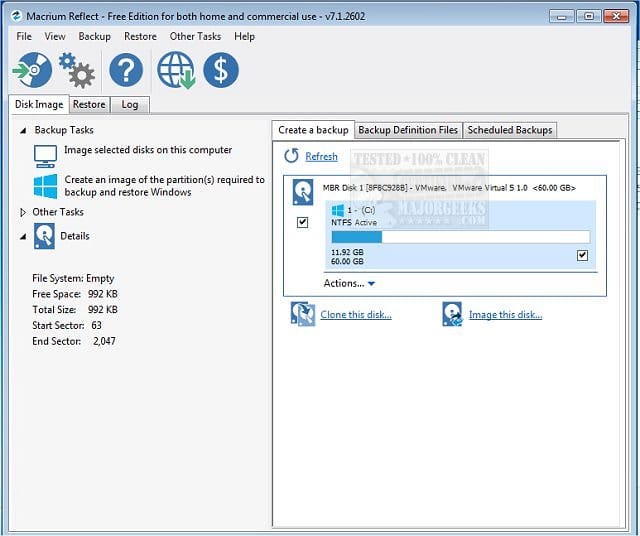
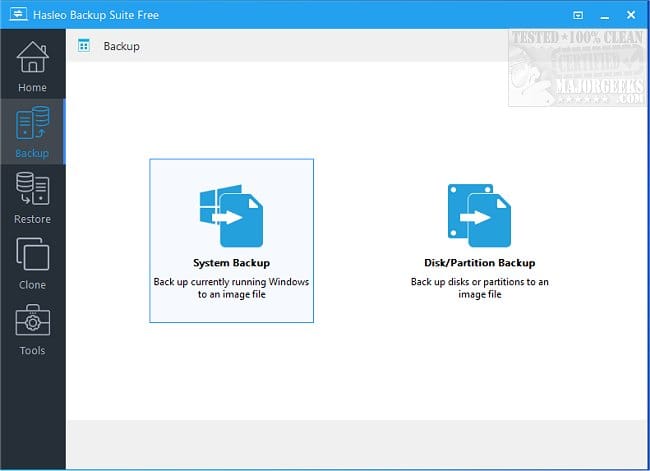
Well, as far as I know, Windows Update displays a message to upgrade to Windows 11, but it is not forced automatically, at least in Windows 10. I am not sure about Windows 11 23H2 to 25H2, because my computer is unsupported, I manually upgrade to each new version, I have no experience doing it from Windows Update. Hopefully it just displays the reminder message without forcing it automatically. Just in case you can delay updates for some days until you are ready. Backup the whole disk using a utility such as Macrium Reflect or Hasleo Backup Suite. Download all drivers from HP and install them. When ready let the upgrade begin, If anything happens you can restore from backup. If you have a spare disk, you can even clone the original disk on the spare, so if anything happens, no need to restore, just swap disks and keep working.


Latest Intel graphics drivers directly from Intel:

HP support site for your laptop:

I would first download latest BIOS and upgrade, restart. then install the chipset drivers, restart, then latest graphics directly from Intel. If you see a warning that you should download the graphics driver from HP, do that, otherwise proceed to install the official Intel drivers and then the rest drivers from HP.

PS: If you have nVidia graphics, download the appropriate mobile drivers directly from nVidia, unless again you see a warning when installing them. In general downloading the graphics drivers directly from the chip manufacturer gives you the latest, while the computer manufacturer usually provides an older version.
 

My Computers My Computers

  • At a glance

    Windows 11 Pro 23H2 (5699), 25H2 (8737)Mobile DualCore Intel Core 2 Duo T7250, 2000 MHz4GBMobile Intel(R) GMA 4500M (Mobile 4 series)
    OS
    Windows 11 Pro 23H2 (5699), 25H2 (8737)
    Computer type
    Laptop
    Manufacturer/Model
    Acer Extensa 5630EZ
    CPU
    Mobile DualCore Intel Core 2 Duo T7250, 2000 MHz
    Motherboard
    Acer Extensa 5630
    Memory
    4GB
    Graphics Card(s)
    Mobile Intel(R) GMA 4500M (Mobile 4 series)
    Sound Card
    Realtek ALC268 @ Intel 82801IB ICH9 - High Definition Audio Controller
    Monitor(s) Displays
    1
    Screen Resolution
    1280x800
    Hard Drives
    Samsung SSD 850 EVO 250GB SATA Device (250 GB, SATA-III)
    Internet Speed
    VDSL 50 Mbps
    Browser
    MICROSOFT EDGE
    Antivirus
    WINDOWS DEFENDER
    Other Info
    Legacy MBR installation, no TPM, no Secure Boot, no WDDM 2.0 graphics drivers, no SSE4.2, cannot get more unsupported ;) This is only my test laptop. I had installed Windows 11 here before upgrading my main PC. For my main PC I use everyday see my 2nd system specs.
  • At a glance

    Windows 11 Pro v25H2 (build 26200.8737)Intel Core-i7 3770 3.40GHz s1155 (3rd generat...2x Kingston Hyper-X Blu 8GB DDR3-1600GIGABYTE GeForce RTX 3050 WINDFORCE OC V2 6GB...
    Operating System
    Windows 11 Pro v25H2 (build 26200.8737)
    Computer type
    PC/Desktop
    Manufacturer/Model
    Custom-built PC
    CPU
    Intel Core-i7 3770 3.40GHz s1155 (3rd generation)
    Motherboard
    Asus P8H61 s1155 ATX
    Memory
    2x Kingston Hyper-X Blu 8GB DDR3-1600
    Graphics card(s)
    GIGABYTE GeForce RTX 3050 WINDFORCE OC V2 6GB (GV-N3050WF2OCV2-6GD)
    Sound Card
    Realtek HD audio (ALC887)
    Monitor(s) Displays
    Sony Bravia KDL-19L4000 19" LCD TV via VGA
    Screen Resolution
    1440x900 32-bit 60Hz
    Hard Drives
    WD Blue SA510 2.5 1000GB SSD as system disk, Western Digital Caviar Purple 4TB SATA III (WD40PURZ) as second
    PSU
    Thermaltake Litepower RGB 550W Full Wired
    Case
    SUPERCASE MIDI-TOWER
    Cooling
    Deepcool Gamma Archer CPU cooler, 1x 8cm fan at the back
    Keyboard
    Mitsumi 101-key PS/2
    Mouse
    Sunnyline OptiEye PS/2
    Internet Speed
    100Mbps
    Browser
    Microsoft Edge, Mozilla Firefox
    Antivirus
    Microsoft Windows Defender
    Other Info
    Legacy BIOS (MBR) installation, no TPM, no Secure Boot, WDDM 3.0 graphics drivers, WEI score 7.4

My Computers My Computers

  • At a glance

    Win7,Win11i7-97002x16gb 3600mhz
    OS
    Win7,Win11
    Computer type
    PC/Desktop
    CPU
    i7-9700
    Motherboard
    gigabyte b365m ds3h
    Memory
    2x16gb 3600mhz
    Monitor(s) Displays
    benq gw2480
    PSU
    bequiet pure power 11 400CM
    Cooling
    cryorig m9i
  • At a glance

    win7,win11i5-84002x8gb 3200
    Operating System
    win7,win11
    Computer type
    PC/Desktop
    CPU
    i5-8400
    Motherboard
    gigabyte b365m ds3h
    Memory
    2x8gb 3200
    PSU
    xfx pro 450
This is what he has in his computer specs. If indeed is 8th gen HP 250, then all the drivers are available at the link I provided.
 

My Computers My Computers

  • At a glance

    Windows 11 Pro 23H2 (5699), 25H2 (8737)Mobile DualCore Intel Core 2 Duo T7250, 2000 MHz4GBMobile Intel(R) GMA 4500M (Mobile 4 series)
    OS
    Windows 11 Pro 23H2 (5699), 25H2 (8737)
    Computer type
    Laptop
    Manufacturer/Model
    Acer Extensa 5630EZ
    CPU
    Mobile DualCore Intel Core 2 Duo T7250, 2000 MHz
    Motherboard
    Acer Extensa 5630
    Memory
    4GB
    Graphics Card(s)
    Mobile Intel(R) GMA 4500M (Mobile 4 series)
    Sound Card
    Realtek ALC268 @ Intel 82801IB ICH9 - High Definition Audio Controller
    Monitor(s) Displays
    1
    Screen Resolution
    1280x800
    Hard Drives
    Samsung SSD 850 EVO 250GB SATA Device (250 GB, SATA-III)
    Internet Speed
    VDSL 50 Mbps
    Browser
    MICROSOFT EDGE
    Antivirus
    WINDOWS DEFENDER
    Other Info
    Legacy MBR installation, no TPM, no Secure Boot, no WDDM 2.0 graphics drivers, no SSE4.2, cannot get more unsupported ;) This is only my test laptop. I had installed Windows 11 here before upgrading my main PC. For my main PC I use everyday see my 2nd system specs.
  • At a glance

    Windows 11 Pro v25H2 (build 26200.8737)Intel Core-i7 3770 3.40GHz s1155 (3rd generat...2x Kingston Hyper-X Blu 8GB DDR3-1600GIGABYTE GeForce RTX 3050 WINDFORCE OC V2 6GB...
    Operating System
    Windows 11 Pro v25H2 (build 26200.8737)
    Computer type
    PC/Desktop
    Manufacturer/Model
    Custom-built PC
    CPU
    Intel Core-i7 3770 3.40GHz s1155 (3rd generation)
    Motherboard
    Asus P8H61 s1155 ATX
    Memory
    2x Kingston Hyper-X Blu 8GB DDR3-1600
    Graphics card(s)
    GIGABYTE GeForce RTX 3050 WINDFORCE OC V2 6GB (GV-N3050WF2OCV2-6GD)
    Sound Card
    Realtek HD audio (ALC887)
    Monitor(s) Displays
    Sony Bravia KDL-19L4000 19" LCD TV via VGA
    Screen Resolution
    1440x900 32-bit 60Hz
    Hard Drives
    WD Blue SA510 2.5 1000GB SSD as system disk, Western Digital Caviar Purple 4TB SATA III (WD40PURZ) as second
    PSU
    Thermaltake Litepower RGB 550W Full Wired
    Case
    SUPERCASE MIDI-TOWER
    Cooling
    Deepcool Gamma Archer CPU cooler, 1x 8cm fan at the back
    Keyboard
    Mitsumi 101-key PS/2
    Mouse
    Sunnyline OptiEye PS/2
    Internet Speed
    100Mbps
    Browser
    Microsoft Edge, Mozilla Firefox
    Antivirus
    Microsoft Windows Defender
    Other Info
    Legacy BIOS (MBR) installation, no TPM, no Secure Boot, WDDM 3.0 graphics drivers, WEI score 7.4
My HP laptop is actually a HP 240 G8, so the drivers in the page that I was provided posts above were from a later? laptop model. I went my way with my own model's, but HP's support website for drivers is a little... I don't want to say it, but confusing? Because It doesn't really let me choose above Windows 11 22H2 for the OS version, throws me to a general Windows 11 section and I was slightly confused at what I had there for drivers to download.

I went ahead and was finally able to upgrade to 24H2, and I haven't noticed that much of a difference (besides some "updates" to File Explorer's right click menu), not much of a change was done, but I was relieved that my backing up really paid off, however. Even my system sounds are quite... clear? I don't know how to describe it - maybe it was me that was stressed out and had other things in the background making noise, but they sound very clear compared to before. Or could have been a thing from my audio driver in 23H2. Definitely not sure... I just think "the sounds kinda feel clearer than before".

That being said, the start sound when I turn the computer on and I'm greeted by the screen is silent, even though it always did a sound before. I'm not sure if it's that much of a "biggie", given that everything else in the sound sounds "fine" for me (even my speakers and headphones are rightfully identified), but it's a little distracting. I even had it turned on the Sounds' settings menu, so it feels a bit weird.
 

My Computer My Computer

At a glance

Windows 11 Home Single Language 23H2 (22631.6...11th Gen Intel(R) Core(TM) i5-1135G7 @ 2.40GH...16.0 GB
OS
Windows 11 Home Single Language 23H2 (22631.6133)
Computer type
Laptop
Manufacturer/Model
HP 240 G8 Notebook PC
CPU
11th Gen Intel(R) Core(TM) i5-1135G7 @ 2.40GHz 2.42 G
Memory
16.0 GB
Browser
Firefox
Antivirus
Windows Defender
From Google AI:

To enable the Windows 11 startup sound, go to Settings > Personalization > Themes, click on Sounds, and then check the box for "Play Windows Startup sound" in the Sound dialog box. Click Apply and then OK to save your changes.

Also I remind to any reader that all Windows Vista 64-bit or higher drivers work in Windows 10 64-bit and 11, all versions except Intel graphics drivers for Windows 7 64-bit that are locked by Intel to install only on Windows 7 64-bit. This means that even if there were no Windows 11 drivers, you could use Windows 10 64-bit or earlier drivers, so no worries there.
 

My Computers My Computers

  • At a glance

    Windows 11 Pro 23H2 (5699), 25H2 (8737)Mobile DualCore Intel Core 2 Duo T7250, 2000 MHz4GBMobile Intel(R) GMA 4500M (Mobile 4 series)
    OS
    Windows 11 Pro 23H2 (5699), 25H2 (8737)
    Computer type
    Laptop
    Manufacturer/Model
    Acer Extensa 5630EZ
    CPU
    Mobile DualCore Intel Core 2 Duo T7250, 2000 MHz
    Motherboard
    Acer Extensa 5630
    Memory
    4GB
    Graphics Card(s)
    Mobile Intel(R) GMA 4500M (Mobile 4 series)
    Sound Card
    Realtek ALC268 @ Intel 82801IB ICH9 - High Definition Audio Controller
    Monitor(s) Displays
    1
    Screen Resolution
    1280x800
    Hard Drives
    Samsung SSD 850 EVO 250GB SATA Device (250 GB, SATA-III)
    Internet Speed
    VDSL 50 Mbps
    Browser
    MICROSOFT EDGE
    Antivirus
    WINDOWS DEFENDER
    Other Info
    Legacy MBR installation, no TPM, no Secure Boot, no WDDM 2.0 graphics drivers, no SSE4.2, cannot get more unsupported ;) This is only my test laptop. I had installed Windows 11 here before upgrading my main PC. For my main PC I use everyday see my 2nd system specs.
  • At a glance

    Windows 11 Pro v25H2 (build 26200.8737)Intel Core-i7 3770 3.40GHz s1155 (3rd generat...2x Kingston Hyper-X Blu 8GB DDR3-1600GIGABYTE GeForce RTX 3050 WINDFORCE OC V2 6GB...
    Operating System
    Windows 11 Pro v25H2 (build 26200.8737)
    Computer type
    PC/Desktop
    Manufacturer/Model
    Custom-built PC
    CPU
    Intel Core-i7 3770 3.40GHz s1155 (3rd generation)
    Motherboard
    Asus P8H61 s1155 ATX
    Memory
    2x Kingston Hyper-X Blu 8GB DDR3-1600
    Graphics card(s)
    GIGABYTE GeForce RTX 3050 WINDFORCE OC V2 6GB (GV-N3050WF2OCV2-6GD)
    Sound Card
    Realtek HD audio (ALC887)
    Monitor(s) Displays
    Sony Bravia KDL-19L4000 19" LCD TV via VGA
    Screen Resolution
    1440x900 32-bit 60Hz
    Hard Drives
    WD Blue SA510 2.5 1000GB SSD as system disk, Western Digital Caviar Purple 4TB SATA III (WD40PURZ) as second
    PSU
    Thermaltake Litepower RGB 550W Full Wired
    Case
    SUPERCASE MIDI-TOWER
    Cooling
    Deepcool Gamma Archer CPU cooler, 1x 8cm fan at the back
    Keyboard
    Mitsumi 101-key PS/2
    Mouse
    Sunnyline OptiEye PS/2
    Internet Speed
    100Mbps
    Browser
    Microsoft Edge, Mozilla Firefox
    Antivirus
    Microsoft Windows Defender
    Other Info
    Legacy BIOS (MBR) installation, no TPM, no Secure Boot, WDDM 3.0 graphics drivers, WEI score 7.4
I disabled encryption and Bitlocker (for Pro) since I don't want the hassle of saving a key on a machine that stays at home all the time, anyway. Plus it's additional wear & tear on your SSD. My preference.
 

My Computers My Computers

  • At a glance

    Windows 11 Pro 25H2 build: (26200.7623)32GB
    OS
    Windows 11 Pro 25H2 build: (26200.7623)
    Computer type
    Laptop
    Manufacturer/Model
    Microsoft Surface Pro
    Memory
    32GB
  • At a glance

    Microsoft 25H2 ProIntel Core Ultra 764GBIntel Integrated Graphics
    Operating System
    Microsoft 25H2 Pro
    Computer type
    Laptop
    Manufacturer/Model
    Dell Pro 14 - PC14250
    CPU
    Intel Core Ultra 7
    Memory
    64GB
    Graphics card(s)
    Intel Integrated Graphics
    Hard Drives
    Micron 1TB SSD

Latest Support Threads

Back
Top Bottom