Pulled Out of Retirement


MrBeaujhangles

Member
Member
Local time
5:47 PM
Posts
47
OS
Windows 11 Pro
Started Building PCs in early 1990s because I couldn't find what I wanted for my engineering business; and over the years our home / office was "nerd central" for colleagues, employees, kids school chums, family whatever. Couple hundred builds were done on that build / test bench tho my wife still prefers to call it her "dining room table".

My last actual personal build was Win 7 Pro and I fought Win10 tooth and nail. My last Win 7 system WC build, ran 24 / 7 for 13 years acting as a Home / Office server and primary CAD box finally died this past September (dead CMOS) and didn't seem worth removing all the rads, hard piping and MoBo shield to bring back to life. Been using custom built laptops for simple email, web browsing and office apps for about 7 years. I basically "retired" from system building about 7 years ago as all those kids were taught how to build their own and I been too busy to participate.

That period took us from DOS to WFWGs to NT thru Win 7, almost always system builder bulk packs of Pro but an occasional Home when user insisted. Those Home builds that went out the door never came back so never actually did an "upgrade." For the wife and kids, always did a fresh install between XMas and NYs. The 2 older kids are out on their own but the youngest is back w/ us again. He has a Win 10 Pro system that he wants to move to 11 Pro

He never took a real interest in building, his older brother buuilt it for him. I don't expect any compatibility issues (see specs below)

CPU: 3.90 GH AMD Ryzen 7 3800X (Die Size 2x 70.6 mm)
MoBo: MSI MPG X570 GAMING PLUS (MS-7C37) 2.0
RAM 4 x 8GB Corsair DDR4-3600
GFX Card GTX 3080 10 GB
CPU Cooler: Corsair Nautilus 2 x 120mm (10.87"L x 4.72"W x 1.06"H)
GFX Card: nVIDIA GeForce RTX 3080 [Display adapter]
Storage: Samsung SSD 970 EVO 500GB
Samsung SSD 990 PRO with Heatsink 2TB
ST2000DX002 SSHD2 TB
Case: Corsair 680X
PSU: Corsair RM850x
Displays: Monitor (3560 x 1440) Acer XB270HUbprz 27.2" AHVA / IPS
Monitor (1920 x 1200) DELL U2410 24.0" IPS
Networking: Realtek On board PCIe GbE Family Controller
OS: OS: Windows 10 Professional (x64) Retail

His planned upgrade incudes:
MSI MPG X870E EDGE TI WIFI
Ryzen 9 9950X
CORSAIR VENGEANCE RGB 2x16GB
KRYOSHEET 33 X 33
Again, no apparent compatibility issues expected.


But I have two questions:

1. I remember reading that users could upgrade for free uo thru the end of support on Oct 14, 2025. I expect that upgrade path is still available however a search earlier today didn't provide any evidence to that effect.

2. As I mentioned, I always did fresh installs put curious as to whether MS has gotten to the point where this is no longer a necessity. I haven't checked but I am assuning the OS is on the 500 GB as most builds from that time had dual OS installations with the 2nd serving as a backup.
 

My Computer My Computer

At a glance

Windows 11 ProIntelUltra 9-275HX (OC'd)32 GB 262 pin DDR5 at 5600MHz (2 x 16)nVidia 5070 Ti
OS
Windows 11 Pro
Computer type
Laptop
Manufacturer/Model
Custom Built
CPU
IntelUltra 9-275HX (OC'd)
Motherboard
Clevo w/ HM870 ChipSet
Memory
32 GB 262 pin DDR5 at 5600MHz (2 x 16)
Graphics Card(s)
nVidia 5070 Ti
Sound Card
Soundblaster Hi-Def
Monitor(s) Displays
16" 240 Hz / G-Sync
Screen Resolution
2560 x 1600
Hard Drives
(2) 2TB Samsung 990 Pro SSD
PSU
Clevo
Case
Clevo
Cooling
Vapor Chamber Thermal Design w/ 2 Fans
Keyboard
Four Zone Multi-Color (15) Illum. full size w/ numeric pad
Mouse
Built in ClickPad w/ MS PTP multi-gesture / scrolling
Internet Speed
Intel Wi-Fi 7 BE200 M.2 BE 9.3 Gigabits Per Second
Browser
Mozilla
Antivirus
Kaspersky (Yes,I know)
Other Info
Been using Clevo laptops since last millenium
1. as far as i am aware you can still upgrade Win 10 to Win 11 free
but i would make a note of your Win 10 product key, just in case.

2. an in place upgrade from 10 to 11 works a majority of times
there is always the chance it might not and a clean install is necessary.
backups of data are essential before attempting either.

its been a few years since i built any PC from scratch but i do understand your problem with that work bench
my wife has the very same idea that its a kitchen table and i cant seem to convince her otherwise.

best of luck Steve ..
 

My Computers My Computers

  • At a glance

    Debian 13 KDE .. Windows 11 HomeRyzen 7 5825u64GB DDR4 3200Ryzen 7 5825u
    OS
    Debian 13 KDE .. Windows 11 Home
    Computer type
    PC/Desktop
    Manufacturer/Model
    HP 24" AiO
    CPU
    Ryzen 7 5825u
    Motherboard
    HP
    Memory
    64GB DDR4 3200
    Graphics Card(s)
    Ryzen 7 5825u
    Sound Card
    RealTek
    Monitor(s) Displays
    24" HP AiO
    Screen Resolution
    1920 x 1080 @60 Hz
    Hard Drives
    1TB WD Blue SN580 M2 SSD Partitioned.
    2x 1TB USB HDD External Backup/Storage.
    PSU
    90W external power brick
    Case
    24" All in One
    Cooling
    Default Air Cooling
    Keyboard
    HP WiFi UK extended
    Mouse
    HP WiFi 3 Button
    Internet Speed
    1GB full fibre
    Browser
    Edge & Firefox
    Antivirus
    AVG Internet Security/Windows Defender
    Other Info
    Mainly Open Source Software
  • At a glance

    Ubuntu 22.04.5 LTSi5 7200u16GB DDR4Intel
    Operating System
    Ubuntu 22.04.5 LTS
    Computer type
    Laptop
    Manufacturer/Model
    Dell 13" Latitude 2017
    CPU
    i5 7200u
    Motherboard
    Dell
    Memory
    16GB DDR4
    Graphics card(s)
    Intel
    Sound Card
    Intel
    Monitor(s) Displays
    13" Dell Laptop
    Hard Drives
    250GB Crucial 2.5" SSD
    Mouse
    Generic WiFi 3 button
    Internet Speed
    WiFi only
    Browser
    Firefox
    Antivirus
    ClamAV TK
    Other Info
    Mainly Open Source Software
I just upgraded two 'unsupported' PCs for a friend from W10 to W11 with no issues. Both were in place upgrades with no data or programs lost.
 

My Computer My Computer

At a glance

Windows 11 ProCore i7-13700K64 GB Kingston Fury Beast DDR5Gigabyte GeForce RTX 2060 Super Gaming OC 8G
OS
Windows 11 Pro
Computer type
PC/Desktop
Manufacturer/Model
Self build
CPU
Core i7-13700K
Motherboard
Asus TUF Gaming Plus WiFi Z790
Memory
64 GB Kingston Fury Beast DDR5
Graphics Card(s)
Gigabyte GeForce RTX 2060 Super Gaming OC 8G
Sound Card
Realtek S1200A
Monitor(s) Displays
Viewsonic VP2770 & Dell (secondary)
Screen Resolution
2560 x 1440
Hard Drives
Kingston KC3000 2TB NVME SSD & SATA HDDs & SSD
PSU
EVGA SuperNova G2 850W
Case
Nanoxia Deep Silence 1
Cooling
Noctua NH-D14
Keyboard
Microsoft Digital Media Pro
Mouse
Logitech Wireless
Internet Speed
80 Mb / s
Browser
Chrome
Antivirus
Defender, Malwarebytes Free & AdwCleaner
2. As I mentioned, I always did fresh installs put curious as to whether MS has gotten to the point where this is no longer a necessity. I haven't checked but I am assuning the OS is on the 500 GB as most builds from that time had dual OS installations with the 2nd serving as a backup.
I did an in-place upgrade from Windows 10 on an unsupported CPU. I only had the option to keep the data, but not the programs. It went flawlessly. I didn't have dual boot, and I had the PC connected to my Microsoft account, and it still is.
 

My Computer My Computer

At a glance

Windows 11 Pro 25H2
OS
Windows 11 Pro 25H2
Computer type
PC/Desktop
I remember reading that users could upgrade for free uo thru the end of support on Oct 14, 2025. I expect that upgrade path is still available however a search earlier today didn't provide any evidence to that effect.
Microsoft completely changed the way licencing works, starting with Windows 10. An activated system has a digital licence for the edition installed (Home or Pro), stored on Microsoft's activation servers and linked to the hardware ID of the PC. This means that, if you need to, you can later do a clean install without providing a key. It will activate from the existing digital licence as soon as it can contact the activation servers.

Microsoft made no changes to the digital licence for Windows 11. A digital licence will activate Windows 10 or Windows 11. An upgrade from 10 to 11 will activate from the existing digital licence.

A significant hardware change (eg: motherboard) will change the PC's hardware ID.


Should a hardware change loose the PC's activation, then the digital licence can be transferred from the old hardware to the new using the Activation Troubleshooter. To do this you need to have linked your old hardware's digital licence to your MS account.

Option Four
Reactivate Windows 11 after Hardware Change with Digital License using Troubleshoot in Settings
 

My Computers My Computers

  • At a glance

    Windows 11 HomeAMD Athlon Silver 3050U8GBRadeon Graphics
    OS
    Windows 11 Home
    Computer type
    Laptop
    Manufacturer/Model
    Acer Aspire 3 A315-23-R9VY
    CPU
    AMD Athlon Silver 3050U
    Memory
    8GB
    Graphics Card(s)
    Radeon Graphics
    Monitor(s) Displays
    laptop screen
    Screen Resolution
    1366x768 native resolution, up to 2560x1440 with Radeon Virtual Super Resolution
    Hard Drives
    1TB Samsung EVO 870 SSD (from April 2026: 250GB EVO 850)
    Internet Speed
    150 Mbps
    Browser
    Edge, Firefox
    Antivirus
    Defender
    Other Info
    fully 'Windows 11 ready' laptop. Windows 10 C: partition migrated from my old unsupported 'main machine' then upgraded to 11. A test migration ran Insider builds for 2 months. When 11 was released on 5th October 2021 it was re-imaged back to 10 and was offered the upgrade in Windows Update on 20th October. Windows Update offered the 22H2 Feature Update on 20th September 2022. It got the 23H2 Feature Update on 4th November 2023 through Windows Update, 24H2 on 3rd October 2024 through Windows Update by setting the Target Release Version for 24H2, and 25H2 on 30th September 2025 through Windows Update by setting the Target Release Version for 25H2.

    UPDATE - 11 April 2026: due to mechanical deterioration this PC has been retired from active duty. The OS with all software and files has been migrated to my System Seven in 'Other systems' to carry on as my general purpose 'main machine'.
  • At a glance

    Windows 11 ProIntel® Core™ i5-520M8GB(integrated graphics) Intel HD Graphics
    Operating System
    Windows 11 Pro
    Computer type
    Laptop
    Manufacturer/Model
    Dell Latitude E4310
    CPU
    Intel® Core™ i5-520M
    Motherboard
    0T6M8G
    Memory
    8GB
    Graphics card(s)
    (integrated graphics) Intel HD Graphics
    Screen Resolution
    1366x768
    Hard Drives
    500GB Crucial MX500 SSD
    Browser
    Firefox, Edge
    Antivirus
    Defender
    Other Info
    unsupported machine: Legacy bios, MBR, TPM 1.2, upgraded from W10 to W11 using W10/W11 hybrid install media workaround.

    In-place upgrade to 22H2 using ISO and a workaround.
    Feature Update to 23H2 by manually installing the Enablement Package.
    In-place upgrade to 24H2 using hybrid 23H2/24H2 install media.
    Upgraded to 25H2 by Enablement Package.

    Also running Insider Dev, and Canary builds and Windows 10 as native boot .vhdx.
  • My SYSTEM THREE is a Dell Latitude 5410, i7-10610U, 32GB RAM, 512GB NVMe ssd, supported device running Windows 11 Pro.

    My SYSTEM FOUR is a 2-in-1 convertible Lenovo Yoga 11e 20DA, Celeron N2930, 8GB RAM, 256GB ssd. Unsupported device: currently running Win10 Pro, plus Win11 Pro RTM and Insider Dev, Beta, and RP 24H2 as native boot vhdx.

    My SYSTEM FIVE is a Dell Latitude 3190 2-in-1, Pentium Silver N5030, 8GB RAM, 1TB NVMe ssd, supported device running Windows 11 Pro, plus Insider Beta, Dev, and Canary builds (and a few others) as a native boot .vhdx.

    My SYSTEM SIX is a Dell Latitude 5550, Core Ultra 7 165H, 64GB RAM, 1TB NVMe SSD, supported device, Windows 11 Pro 24H2, Hyper-V host machine. Updated to 25H2 on 30th September 2025.

    My SYSTEM SEVEN is a Lenovo Thinkpad T580, Intel Core i7-8650U, 16GB RAM, 512GB NVMe SSD + 2nd 512GB NVMe SSD, a supported device for Windows 11. This is my current general purpose 'main machine'. The installed Windows 11 Home from my System One has been migrated to this machine.
I have two questions:

1. I remember reading that users could upgrade for free uo thru the end of support on Oct 14, 2025. I expect that upgrade path is still available however a search earlier today didn't provide any evidence to that effect.

2. As I mentioned, I always did fresh installs put curious as to whether MS has gotten to the point where this is no longer a necessity. I haven't checked but I am assuning the OS is on the 500 GB as most builds from that time had dual OS installations with the 2nd serving as a backup.
On the Win 10 PC you can do a Win 10 upgrade to Win 11 or do a Win 11 clean install. As Bree has explained it will activate.
As the new PC has a different hardware you can try to Reactivate Windows 11 after Hardware Change with Digital License using Troubleshoot in Settings or just buy a cheap Win 11 license
 

My Computers My Computers

  • At a glance

    Windows 11 Pro - Windows 7 HP 64 - Lubuntui5 6600K - 800MHz to 4400MHz4+4G GSkill DDR4 3000IG - Intel 530
    OS
    Windows 11 Pro - Windows 7 HP 64 - Lubuntu
    Computer type
    PC/Desktop
    Manufacturer/Model
    custom build
    CPU
    i5 6600K - 800MHz to 4400MHz
    Motherboard
    GA-Z170-HD3P
    Memory
    4+4G GSkill DDR4 3000
    Graphics Card(s)
    IG - Intel 530
    Monitor(s) Displays
    Samsung 226BW
    Screen Resolution
    1680x1050
    Hard Drives
    (1) -1 SM951 – 128GB M.2 AHCI PCIe SSD drive for Win 11
    (2) -1 WD SATA 3 - 1T for Data
    (3) -1 WD SATA 3 - 1T for backup
    (4) -1 BX500 SSD - 256G for Windows 7 and Lubuntu
    PSU
    Thermaltake 450W TR2 gold
    Keyboard
    Old and good Chicony mechanical keyboard
    Mouse
    Logitech mX performance - 9 buttons (had to disable some)
    Internet Speed
    500 Mb/s
    Browser
    Firefox 64
  • At a glance

    Windows 11 Proi7-4500U 800- 3000MHz(4+4)G DDR3 1600IG intel 4400 + NVIDIA GeForce GT 745M
    Operating System
    Windows 11 Pro
    Computer type
    Laptop
    Manufacturer/Model
    Asus Q550LF
    CPU
    i7-4500U 800- 3000MHz
    Motherboard
    Asus Q550LF
    Memory
    (4+4)G DDR3 1600
    Graphics card(s)
    IG intel 4400 + NVIDIA GeForce GT 745M
    Sound Card
    Realtek
    Monitor(s) Displays
    LG Display LP156WF4-SPH1
    Screen Resolution
    1920 x 1080
    Hard Drives
    BX500 120G SSD for Windows and programs
    & 1T HDD for data
    Internet Speed
    500 Mb/s
    Browser
    Firefox 64
1. as far as i am aware you can still upgrade Win 10 to Win 11 free
but i would make a note of your Win 10 product key, just in case.

1st think I did after doing a build for someone, was run Belarc Advisor, print 2 copies; one I gave to user, other I filed.

Is the product key different from the "digital license" ? And since it's NOT a OEM system builder OS, but an actual confirmed retail copy, (confirmed via slmgr -dli script and Belarc Advisor), it was my understanding that hardware changes don't enter the equation.

Another person advised:

1. Turn om TPM 2.0 on BIOS

2. Upgrade to Win 11 Pro

3. Reboot and wait a day.

4. Uninstall old MoBo drivers

5. Swap out MoBo / CPU

6. Reboot

I think I'm starting to feel nostalgic about doing fresh installs. I always had the OS on it's own drive or it's own partition (not sure about this one). Then after a fresh install, just installed all programs over themselves. That can be troublesome I'd imagine tho when apps insist on putting stuff on C:\, tho never bit me back in the day.
 

My Computer My Computer

At a glance

Windows 11 ProIntelUltra 9-275HX (OC'd)32 GB 262 pin DDR5 at 5600MHz (2 x 16)nVidia 5070 Ti
OS
Windows 11 Pro
Computer type
Laptop
Manufacturer/Model
Custom Built
CPU
IntelUltra 9-275HX (OC'd)
Motherboard
Clevo w/ HM870 ChipSet
Memory
32 GB 262 pin DDR5 at 5600MHz (2 x 16)
Graphics Card(s)
nVidia 5070 Ti
Sound Card
Soundblaster Hi-Def
Monitor(s) Displays
16" 240 Hz / G-Sync
Screen Resolution
2560 x 1600
Hard Drives
(2) 2TB Samsung 990 Pro SSD
PSU
Clevo
Case
Clevo
Cooling
Vapor Chamber Thermal Design w/ 2 Fans
Keyboard
Four Zone Multi-Color (15) Illum. full size w/ numeric pad
Mouse
Built in ClickPad w/ MS PTP multi-gesture / scrolling
Internet Speed
Intel Wi-Fi 7 BE200 M.2 BE 9.3 Gigabits Per Second
Browser
Mozilla
Antivirus
Kaspersky (Yes,I know)
Other Info
Been using Clevo laptops since last millenium
1st think I did after doing a build for someone, was run Belarc Advisor, print 2 copies; one I gave to user, other I filed.

Is the product key different from the "digital license" ? And since it's NOT a OEM system builder OS, but an actual confirmed retail copy, (confirmed via slmgr -dli script and Belarc Advisor), it was my understanding that hardware changes don't enter the equation.

Another person advised:

1. Turn om TPM 2.0 on BIOS

2. Upgrade to Win 11 Pro

3. Reboot and wait a day.

4. Uninstall old MoBo drivers

5. Swap out MoBo / CPU

6. Reboot

I think I'm starting to feel nostalgic about doing fresh installs. I always had the OS on it's own drive or it's own partition (not sure about this one). Then after a fresh install, just installed all programs over themselves. That can be troublesome I'd imagine tho when apps insist on putting stuff on C:\, tho never bit me back in the day.
read post by @Bree before your post about digital licencing.
 

My Computer My Computer

At a glance

Windows 11 Pro + Win11 Canary VM.I9 13th gen i9-13900H 2.60 GHZ16 GB solderedIntegrated Intel Iris XE
OS
Windows 11 Pro + Win11 Canary VM.
Computer type
Laptop
Manufacturer/Model
ASUS Zenbook 14
CPU
I9 13th gen i9-13900H 2.60 GHZ
Motherboard
Yep, Laptop has one.
Memory
16 GB soldered
Graphics Card(s)
Integrated Intel Iris XE
Sound Card
Realtek built in
Monitor(s) Displays
laptop OLED screen
Screen Resolution
2880x1800 touchscreen
Hard Drives
1 TB NVME SSD (only weakness is only one slot)
PSU
Internal + 65W thunderbolt USB4 charger
Case
Yep, got one
Cooling
Stella Artois (UK pint cans - 568 ml) - extra cost.
Keyboard
Built in UK keybd
Mouse
Bluetooth , wireless dongled, wired
Internet Speed
900 mbs (ethernet), wifi 6 typical 350-450 mb/s both up and down
Browser
Edge
Antivirus
Defender
Other Info
TPM 2.0, 2xUSB4 thunderbolt, 1xUsb3 (usb a), 1xUsb-c, hdmi out, 3.5 mm audio out/in combo, ASUS backlit trackpad (inc. switchable number pad)

Macrium Reflect Home V8
Office 365 Family (6 users each 1TB onedrive space)
Hyper-V (a vm runs almost as fast as my older laptop)
1) What are you planning?

a) major hardware change

b) drive change

c) operating system change

d) combination of above


2) Consider making free or pay backup images:

(Acronis, Aoemi, EaseUS, Hasleo, Macrium, Paragon, etc.)


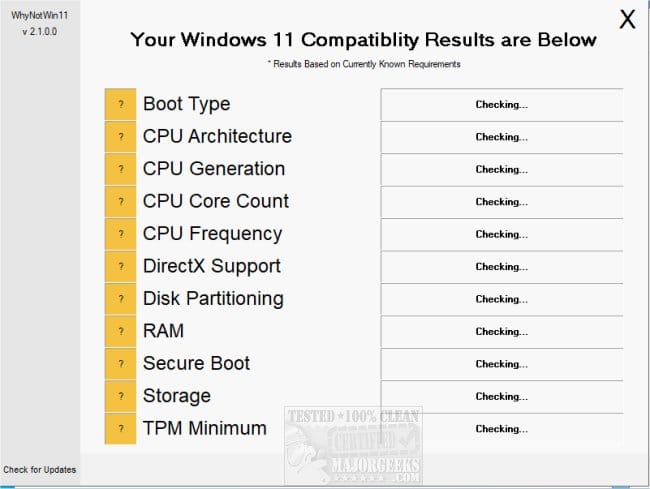
3) Run whynotwin11 > post a share link


My Computer My Computer

At a glance

Windows 10Intel(R) Core(TM) i7-4800MQ CPU @ 2.70GHz16 GB Total: Manufacturer : Samsung MemoryTyp...NVIDIA Quadro K3100M; Intel(R) HD Graphics 4600
OS
Windows 10
Computer type
Laptop
Manufacturer/Model
HP
CPU
Intel(R) Core(TM) i7-4800MQ CPU @ 2.70GHz
Motherboard
Product : 190A Version : KBC Version 94.56
Memory
16 GB Total: Manufacturer : Samsung MemoryType : DDR3 FormFactor : SODIMM Capacity : 8GB Speed : 1600
Graphics Card(s)
NVIDIA Quadro K3100M; Intel(R) HD Graphics 4600
Sound Card
IDT High Definition Audio CODEC; PNP Device ID HDAUDIO\FUNC_01&VEN_111D&DEV_76E0
Hard Drives
Model Hitachi HTS727575A9E364
Antivirus
Microsoft Defender
Other Info
Mobile Workstation
1st think I did after doing a build for someone, was run Belarc Advisor, print 2 copies; one I gave to user, other I filed.

Is the product key different from the "digital license" ? And since it's NOT a OEM system builder OS, but an actual confirmed retail copy, (confirmed via slmgr -dli script and Belarc Advisor), it was my understanding that hardware changes don't enter the equation.

Another person advised:

1. Turn om TPM 2.0 on BIOS

2. Upgrade to Win 11 Pro

3. Reboot and wait a day.

4. Uninstall old MoBo drivers

5. Swap out MoBo / CPU

6. Reboot

I think I'm starting to feel nostalgic about doing fresh installs. I always had the OS on it's own drive or it's own partition (not sure about this one). Then after a fresh install, just installed all programs over themselves. That can be troublesome I'd imagine tho when apps insist on putting stuff on C:\, tho never bit me back in the day.

1. Turn om TPM 2.0 on BIOS
yes recommended

2. Upgrade to Win 11 Pro
you have Win 10 pro so it should update to Win 11 pro

3. Reboot and wait a day.
never have i waited a day

4. Uninstall old MoBo drivers
not necessary but a backup of the driver folder is recommended

5. Swap out MoBo / CPU
if your MoBo and CPU are working fine i see no need to

6. Reboot
after any upgrade the system will restart anyway

i would use Rufus to create a bootable USB stick drive
you can upgrade from the USB stick drive or do a clean install from it
Rufus can bypass many problems when doing an upgrade or clean install

Rufus is available from the Microsoft store

best of luck Steve ..
 

My Computers My Computers

  • At a glance

    Debian 13 KDE .. Windows 11 HomeRyzen 7 5825u64GB DDR4 3200Ryzen 7 5825u
    OS
    Debian 13 KDE .. Windows 11 Home
    Computer type
    PC/Desktop
    Manufacturer/Model
    HP 24" AiO
    CPU
    Ryzen 7 5825u
    Motherboard
    HP
    Memory
    64GB DDR4 3200
    Graphics Card(s)
    Ryzen 7 5825u
    Sound Card
    RealTek
    Monitor(s) Displays
    24" HP AiO
    Screen Resolution
    1920 x 1080 @60 Hz
    Hard Drives
    1TB WD Blue SN580 M2 SSD Partitioned.
    2x 1TB USB HDD External Backup/Storage.
    PSU
    90W external power brick
    Case
    24" All in One
    Cooling
    Default Air Cooling
    Keyboard
    HP WiFi UK extended
    Mouse
    HP WiFi 3 Button
    Internet Speed
    1GB full fibre
    Browser
    Edge & Firefox
    Antivirus
    AVG Internet Security/Windows Defender
    Other Info
    Mainly Open Source Software
  • At a glance

    Ubuntu 22.04.5 LTSi5 7200u16GB DDR4Intel
    Operating System
    Ubuntu 22.04.5 LTS
    Computer type
    Laptop
    Manufacturer/Model
    Dell 13" Latitude 2017
    CPU
    i5 7200u
    Motherboard
    Dell
    Memory
    16GB DDR4
    Graphics card(s)
    Intel
    Sound Card
    Intel
    Monitor(s) Displays
    13" Dell Laptop
    Hard Drives
    250GB Crucial 2.5" SSD
    Mouse
    Generic WiFi 3 button
    Internet Speed
    WiFi only
    Browser
    Firefox
    Antivirus
    ClamAV TK
    Other Info
    Mainly Open Source Software
Started Building PCs in early 1990s because I couldn't find what I wanted for my engineering business; and over the years our home / office was "nerd central" for colleagues, employees, kids school chums, family whatever. Couple hundred builds were done on that build / test bench tho my wife still prefers to call it her "dining room table".

My last actual personal build was Win 7 Pro and I fought Win10 tooth and nail. My last Win 7 system WC build, ran 24 / 7 for 13 years acting as a Home / Office server and primary CAD box finally died this past September (dead CMOS) and didn't seem worth removing all the rads, hard piping and MoBo shield to bring back to life. Been using custom built laptops for simple email, web browsing and office apps for about 7 years. I basically "retired" from system building about 7 years ago as all those kids were taught how to build their own and I been too busy to participate.

That period took us from DOS to WFWGs to NT thru Win 7, almost always system builder bulk packs of Pro but an occasional Home when user insisted. Those Home builds that went out the door never came back so never actually did an "upgrade." For the wife and kids, always did a fresh install between XMas and NYs. The 2 older kids are out on their own but the youngest is back w/ us again. He has a Win 10 Pro system that he wants to move to 11 Pro

He never took a real interest in building, his older brother buuilt it for him. I don't expect any compatibility issues (see specs below)

CPU: 3.90 GH AMD Ryzen 7 3800X (Die Size 2x 70.6 mm)
MoBo: MSI MPG X570 GAMING PLUS (MS-7C37) 2.0
RAM 4 x 8GB Corsair DDR4-3600
GFX Card GTX 3080 10 GB
CPU Cooler: Corsair Nautilus 2 x 120mm (10.87"L x 4.72"W x 1.06"H)
GFX Card: nVIDIA GeForce RTX 3080 [Display adapter]
Storage: Samsung SSD 970 EVO 500GB
Samsung SSD 990 PRO with Heatsink 2TB
ST2000DX002 SSHD2 TB
Case: Corsair 680X
PSU: Corsair RM850x
Displays: Monitor (3560 x 1440) Acer XB270HUbprz 27.2" AHVA / IPS
Monitor (1920 x 1200) DELL U2410 24.0" IPS
Networking: Realtek On board PCIe GbE Family Controller
OS: OS: Windows 10 Professional (x64) Retail

His planned upgrade incudes:
MSI MPG X870E EDGE TI WIFI
Ryzen 9 9950X
CORSAIR VENGEANCE RGB 2x16GB
KRYOSHEET 33 X 33
Again, no apparent compatibility issues expected.


But I have two questions:

1. I remember reading that users could upgrade for free uo thru the end of support on Oct 14, 2025. I expect that upgrade path is still available however a search earlier today didn't provide any evidence to that effect.

2. As I mentioned, I always did fresh installs put curious as to whether MS has gotten to the point where this is no longer a necessity. I haven't checked but I am assuning the OS is on the 500 GB as most builds from that time had dual OS installations with the 2nd serving as a backup.
The Windows key for 10 Pro is the same as for 11 Pro, so you can format 10 and install the respective version of 11 and it will activate automatically using the digital license on Microsoft servers. Up until a couple of years ago, you could also use any Windows 7 Professional or Windows 8/8.1 Pro key to activate Windows 10/11. Now Microsoft has disabled this option and you need a new key if you upgrade from older Windows to 10/11.
 

My Computers My Computers

  • At a glance

    Windows 11 Pro 23H2 (5699), 25H2 (8655)Mobile DualCore Intel Core 2 Duo T7250, 2000 MHz4GBMobile Intel(R) GMA 4500M (Mobile 4 series)
    OS
    Windows 11 Pro 23H2 (5699), 25H2 (8655)
    Computer type
    Laptop
    Manufacturer/Model
    Acer Extensa 5630EZ
    CPU
    Mobile DualCore Intel Core 2 Duo T7250, 2000 MHz
    Motherboard
    Acer Extensa 5630
    Memory
    4GB
    Graphics Card(s)
    Mobile Intel(R) GMA 4500M (Mobile 4 series)
    Sound Card
    Realtek ALC268 @ Intel 82801IB ICH9 - High Definition Audio Controller
    Monitor(s) Displays
    1
    Screen Resolution
    1280x800
    Hard Drives
    Samsung SSD 850 EVO 250GB SATA Device (250 GB, SATA-III)
    Internet Speed
    VDSL 50 Mbps
    Browser
    MICROSOFT EDGE
    Antivirus
    WINDOWS DEFENDER
    Other Info
    Legacy MBR installation, no TPM, no Secure Boot, no WDDM 2.0 graphics drivers, no SSE4.2, cannot get more unsupported ;) This is only my test laptop. I had installed Windows 11 here before upgrading my main PC. For my main PC I use everyday see my 2nd system specs.
  • At a glance

    Windows 11 Pro v25H2 (build 26200.8655)Intel Core-i7 3770 3.40GHz s1155 (3rd generat...2x Kingston Hyper-X Blu 8GB DDR3-1600GIGABYTE GeForce RTX 3050 WINDFORCE OC V2 6GB...
    Operating System
    Windows 11 Pro v25H2 (build 26200.8655)
    Computer type
    PC/Desktop
    Manufacturer/Model
    Custom-built PC
    CPU
    Intel Core-i7 3770 3.40GHz s1155 (3rd generation)
    Motherboard
    Asus P8H61 s1155 ATX
    Memory
    2x Kingston Hyper-X Blu 8GB DDR3-1600
    Graphics card(s)
    GIGABYTE GeForce RTX 3050 WINDFORCE OC V2 6GB (GV-N3050WF2OCV2-6GD)
    Sound Card
    Realtek HD audio (ALC887)
    Monitor(s) Displays
    Sony Bravia KDL-19L4000 19" LCD TV via VGA
    Screen Resolution
    1440x900 32-bit 60Hz
    Hard Drives
    WD Blue SA510 2.5 1000GB SSD as system disk, Western Digital Caviar Purple 4TB SATA III (WD40PURZ) as second
    PSU
    Thermaltake Litepower RGB 550W Full Wired
    Case
    SUPERCASE MIDI-TOWER
    Cooling
    Deepcool Gamma Archer CPU cooler, 1x 8cm fan at the back
    Keyboard
    Mitsumi 101-key PS/2
    Mouse
    Sunnyline OptiEye PS/2
    Internet Speed
    100Mbps
    Browser
    Microsoft Edge, Mozilla Firefox
    Antivirus
    Microsoft Windows Defender
    Other Info
    Legacy BIOS (MBR) installation, no TPM, no Secure Boot, WDDM 3.0 graphics drivers, WEI score 7.4
Win 11 has some restrictions that Win 10 doesn't, like a EFI - GPT drive, TPM 2.0 etc.
As already suggested, download WhyNotWin11 and run it. It is a portable. Don't need to be installed.
 

My Computers My Computers

  • At a glance

    Windows 11 Pro - Windows 7 HP 64 - Lubuntui5 6600K - 800MHz to 4400MHz4+4G GSkill DDR4 3000IG - Intel 530
    OS
    Windows 11 Pro - Windows 7 HP 64 - Lubuntu
    Computer type
    PC/Desktop
    Manufacturer/Model
    custom build
    CPU
    i5 6600K - 800MHz to 4400MHz
    Motherboard
    GA-Z170-HD3P
    Memory
    4+4G GSkill DDR4 3000
    Graphics Card(s)
    IG - Intel 530
    Monitor(s) Displays
    Samsung 226BW
    Screen Resolution
    1680x1050
    Hard Drives
    (1) -1 SM951 – 128GB M.2 AHCI PCIe SSD drive for Win 11
    (2) -1 WD SATA 3 - 1T for Data
    (3) -1 WD SATA 3 - 1T for backup
    (4) -1 BX500 SSD - 256G for Windows 7 and Lubuntu
    PSU
    Thermaltake 450W TR2 gold
    Keyboard
    Old and good Chicony mechanical keyboard
    Mouse
    Logitech mX performance - 9 buttons (had to disable some)
    Internet Speed
    500 Mb/s
    Browser
    Firefox 64
  • At a glance

    Windows 11 Proi7-4500U 800- 3000MHz(4+4)G DDR3 1600IG intel 4400 + NVIDIA GeForce GT 745M
    Operating System
    Windows 11 Pro
    Computer type
    Laptop
    Manufacturer/Model
    Asus Q550LF
    CPU
    i7-4500U 800- 3000MHz
    Motherboard
    Asus Q550LF
    Memory
    (4+4)G DDR3 1600
    Graphics card(s)
    IG intel 4400 + NVIDIA GeForce GT 745M
    Sound Card
    Realtek
    Monitor(s) Displays
    LG Display LP156WF4-SPH1
    Screen Resolution
    1920 x 1080
    Hard Drives
    BX500 120G SSD for Windows and programs
    & 1T HDD for data
    Internet Speed
    500 Mb/s
    Browser
    Firefox 64
Win 11 has some restrictions that Win 10 doesn't, like a EFI - GPT drive, TPM 2.0 etc.
As already suggested, download WhyNotWin11 and run it. It is a portable. Don't need to be installed.
Officially yes, but they can all be circumvented. My main PC (unsupported 3rd generation Intel Core-i7) is running a Legacy BIOS installation without TPM and with Secure Boot disabled. The reason was because my first SSD was 120GB and I wanted to save valuable disk space by intentionally formatting the SSD in MBR mode rather than GPT mode which creates more system partitions. I even found a workaround to create a single NTFS partition on the disk without system partitions. The only thing that cannot be bypassed is the SSE4.2 requirement to run 24H2 and 25H2. However this means any CPU from first generation Intel Core-i3 or higher. Only very old Intel Core 2 Duo or earlier systems and equivalent AMD are not compatible at all and limited to Windows 10 or Windows 11 23H2.
 
Last edited:

My Computers My Computers

  • At a glance

    Windows 11 Pro 23H2 (5699), 25H2 (8655)Mobile DualCore Intel Core 2 Duo T7250, 2000 MHz4GBMobile Intel(R) GMA 4500M (Mobile 4 series)
    OS
    Windows 11 Pro 23H2 (5699), 25H2 (8655)
    Computer type
    Laptop
    Manufacturer/Model
    Acer Extensa 5630EZ
    CPU
    Mobile DualCore Intel Core 2 Duo T7250, 2000 MHz
    Motherboard
    Acer Extensa 5630
    Memory
    4GB
    Graphics Card(s)
    Mobile Intel(R) GMA 4500M (Mobile 4 series)
    Sound Card
    Realtek ALC268 @ Intel 82801IB ICH9 - High Definition Audio Controller
    Monitor(s) Displays
    1
    Screen Resolution
    1280x800
    Hard Drives
    Samsung SSD 850 EVO 250GB SATA Device (250 GB, SATA-III)
    Internet Speed
    VDSL 50 Mbps
    Browser
    MICROSOFT EDGE
    Antivirus
    WINDOWS DEFENDER
    Other Info
    Legacy MBR installation, no TPM, no Secure Boot, no WDDM 2.0 graphics drivers, no SSE4.2, cannot get more unsupported ;) This is only my test laptop. I had installed Windows 11 here before upgrading my main PC. For my main PC I use everyday see my 2nd system specs.
  • At a glance

    Windows 11 Pro v25H2 (build 26200.8655)Intel Core-i7 3770 3.40GHz s1155 (3rd generat...2x Kingston Hyper-X Blu 8GB DDR3-1600GIGABYTE GeForce RTX 3050 WINDFORCE OC V2 6GB...
    Operating System
    Windows 11 Pro v25H2 (build 26200.8655)
    Computer type
    PC/Desktop
    Manufacturer/Model
    Custom-built PC
    CPU
    Intel Core-i7 3770 3.40GHz s1155 (3rd generation)
    Motherboard
    Asus P8H61 s1155 ATX
    Memory
    2x Kingston Hyper-X Blu 8GB DDR3-1600
    Graphics card(s)
    GIGABYTE GeForce RTX 3050 WINDFORCE OC V2 6GB (GV-N3050WF2OCV2-6GD)
    Sound Card
    Realtek HD audio (ALC887)
    Monitor(s) Displays
    Sony Bravia KDL-19L4000 19" LCD TV via VGA
    Screen Resolution
    1440x900 32-bit 60Hz
    Hard Drives
    WD Blue SA510 2.5 1000GB SSD as system disk, Western Digital Caviar Purple 4TB SATA III (WD40PURZ) as second
    PSU
    Thermaltake Litepower RGB 550W Full Wired
    Case
    SUPERCASE MIDI-TOWER
    Cooling
    Deepcool Gamma Archer CPU cooler, 1x 8cm fan at the back
    Keyboard
    Mitsumi 101-key PS/2
    Mouse
    Sunnyline OptiEye PS/2
    Internet Speed
    100Mbps
    Browser
    Microsoft Edge, Mozilla Firefox
    Antivirus
    Microsoft Windows Defender
    Other Info
    Legacy BIOS (MBR) installation, no TPM, no Secure Boot, WDDM 3.0 graphics drivers, WEI score 7.4
1) What are you planning?

a) major hardware change
The current build and "plan" is in the 1st post ... upgraded includes
MSI MPG X870E EDGE TI WIFI
Ryzen 9 9950X
CORSAIR VENGEANCE RGB 2x16GB
KRYOSHEET 33 X 33
b) drive change

c) operating system change

d) combination of above

Everything else stays and "He has a Win 10 Pro system that he wants to move to 11 Pro"
 
Last edited:

My Computer My Computer

At a glance

Windows 11 ProIntelUltra 9-275HX (OC'd)32 GB 262 pin DDR5 at 5600MHz (2 x 16)nVidia 5070 Ti
OS
Windows 11 Pro
Computer type
Laptop
Manufacturer/Model
Custom Built
CPU
IntelUltra 9-275HX (OC'd)
Motherboard
Clevo w/ HM870 ChipSet
Memory
32 GB 262 pin DDR5 at 5600MHz (2 x 16)
Graphics Card(s)
nVidia 5070 Ti
Sound Card
Soundblaster Hi-Def
Monitor(s) Displays
16" 240 Hz / G-Sync
Screen Resolution
2560 x 1600
Hard Drives
(2) 2TB Samsung 990 Pro SSD
PSU
Clevo
Case
Clevo
Cooling
Vapor Chamber Thermal Design w/ 2 Fans
Keyboard
Four Zone Multi-Color (15) Illum. full size w/ numeric pad
Mouse
Built in ClickPad w/ MS PTP multi-gesture / scrolling
Internet Speed
Intel Wi-Fi 7 BE200 M.2 BE 9.3 Gigabits Per Second
Browser
Mozilla
Antivirus
Kaspersky (Yes,I know)
Other Info
Been using Clevo laptops since last millenium
The current build and "plan" is in the 1st post ... upgraded includes
MSI MPG X870E EDGE TI WIFI
Ryzen 9 9950X
CORSAIR VENGEANCE RGB 2x16GB
KRYOSHEET 33 X 33


Everything else stays and "He has a Win 10 Pro system that he wants to move to 11 Pro"
Your system is Windows 11 compliant. You should have no problems upgrading, assuming you have an UEFI mode installation with TPM 2.0 and Secure Boot enabled. In any other case, just bypass compatibility check to upgrade, no big deal.
 

My Computers My Computers

  • At a glance

    Windows 11 Pro 23H2 (5699), 25H2 (8655)Mobile DualCore Intel Core 2 Duo T7250, 2000 MHz4GBMobile Intel(R) GMA 4500M (Mobile 4 series)
    OS
    Windows 11 Pro 23H2 (5699), 25H2 (8655)
    Computer type
    Laptop
    Manufacturer/Model
    Acer Extensa 5630EZ
    CPU
    Mobile DualCore Intel Core 2 Duo T7250, 2000 MHz
    Motherboard
    Acer Extensa 5630
    Memory
    4GB
    Graphics Card(s)
    Mobile Intel(R) GMA 4500M (Mobile 4 series)
    Sound Card
    Realtek ALC268 @ Intel 82801IB ICH9 - High Definition Audio Controller
    Monitor(s) Displays
    1
    Screen Resolution
    1280x800
    Hard Drives
    Samsung SSD 850 EVO 250GB SATA Device (250 GB, SATA-III)
    Internet Speed
    VDSL 50 Mbps
    Browser
    MICROSOFT EDGE
    Antivirus
    WINDOWS DEFENDER
    Other Info
    Legacy MBR installation, no TPM, no Secure Boot, no WDDM 2.0 graphics drivers, no SSE4.2, cannot get more unsupported ;) This is only my test laptop. I had installed Windows 11 here before upgrading my main PC. For my main PC I use everyday see my 2nd system specs.
  • At a glance

    Windows 11 Pro v25H2 (build 26200.8655)Intel Core-i7 3770 3.40GHz s1155 (3rd generat...2x Kingston Hyper-X Blu 8GB DDR3-1600GIGABYTE GeForce RTX 3050 WINDFORCE OC V2 6GB...
    Operating System
    Windows 11 Pro v25H2 (build 26200.8655)
    Computer type
    PC/Desktop
    Manufacturer/Model
    Custom-built PC
    CPU
    Intel Core-i7 3770 3.40GHz s1155 (3rd generation)
    Motherboard
    Asus P8H61 s1155 ATX
    Memory
    2x Kingston Hyper-X Blu 8GB DDR3-1600
    Graphics card(s)
    GIGABYTE GeForce RTX 3050 WINDFORCE OC V2 6GB (GV-N3050WF2OCV2-6GD)
    Sound Card
    Realtek HD audio (ALC887)
    Monitor(s) Displays
    Sony Bravia KDL-19L4000 19" LCD TV via VGA
    Screen Resolution
    1440x900 32-bit 60Hz
    Hard Drives
    WD Blue SA510 2.5 1000GB SSD as system disk, Western Digital Caviar Purple 4TB SATA III (WD40PURZ) as second
    PSU
    Thermaltake Litepower RGB 550W Full Wired
    Case
    SUPERCASE MIDI-TOWER
    Cooling
    Deepcool Gamma Archer CPU cooler, 1x 8cm fan at the back
    Keyboard
    Mitsumi 101-key PS/2
    Mouse
    Sunnyline OptiEye PS/2
    Internet Speed
    100Mbps
    Browser
    Microsoft Edge, Mozilla Firefox
    Antivirus
    Microsoft Windows Defender
    Other Info
    Legacy BIOS (MBR) installation, no TPM, no Secure Boot, WDDM 3.0 graphics drivers, WEI score 7.4
5. Swap out MoBo / CPU
if your MoBo and CPU are working fine i see no need to

i would use Rufus to create a bootable USB stick drive
you can upgrade from the USB stick drive or do a clean install from it
Rufus can bypass many problems when doing an upgrade or clean install
He's upgrading the system, that's the only reason he's upgrading the OS. I' used Rufus before but curiosity was tweaked as to whether MS got their act together .... he did in place from 7 Pro to 10 pro to get where he is now. But back then he had a dual OS installation on a separate drives. Did a fresh installation on one drive and with all apps and games on other dries, just reinstalled all apps over themselves to set up registry so Not sureveryhing just worked .... not sure how things exist now.

And yes, all the compatibility checks have been done, only thing that came up was the TPM needing to be turned on.

Only reason I was waiting a day as I recalled that when moving the license from one machine to another it might still be tied do the old machine until their d/b updates. MoBo / CPU RAM this month and he's going to inherit a MSI 5070 TI Vanguard when his brother upgrades

Much thx to all ... will p[ost how it went
 

My Computer My Computer

At a glance

Windows 11 ProIntelUltra 9-275HX (OC'd)32 GB 262 pin DDR5 at 5600MHz (2 x 16)nVidia 5070 Ti
OS
Windows 11 Pro
Computer type
Laptop
Manufacturer/Model
Custom Built
CPU
IntelUltra 9-275HX (OC'd)
Motherboard
Clevo w/ HM870 ChipSet
Memory
32 GB 262 pin DDR5 at 5600MHz (2 x 16)
Graphics Card(s)
nVidia 5070 Ti
Sound Card
Soundblaster Hi-Def
Monitor(s) Displays
16" 240 Hz / G-Sync
Screen Resolution
2560 x 1600
Hard Drives
(2) 2TB Samsung 990 Pro SSD
PSU
Clevo
Case
Clevo
Cooling
Vapor Chamber Thermal Design w/ 2 Fans
Keyboard
Four Zone Multi-Color (15) Illum. full size w/ numeric pad
Mouse
Built in ClickPad w/ MS PTP multi-gesture / scrolling
Internet Speed
Intel Wi-Fi 7 BE200 M.2 BE 9.3 Gigabits Per Second
Browser
Mozilla
Antivirus
Kaspersky (Yes,I know)
Other Info
Been using Clevo laptops since last millenium
Some items that may cause upgrades to fail are known in advance (whynotwin11) others appear in upgrade failure logs (migration issues, partition sizes, etc.).

Uninstall non-Microsoft:
a) Antivirus
b) Firewall
c) Drive encryption

Upgrade the BIOS to the most up to date non-beta BIOS
 

My Computer My Computer

At a glance

Windows 10Intel(R) Core(TM) i7-4800MQ CPU @ 2.70GHz16 GB Total: Manufacturer : Samsung MemoryTyp...NVIDIA Quadro K3100M; Intel(R) HD Graphics 4600
OS
Windows 10
Computer type
Laptop
Manufacturer/Model
HP
CPU
Intel(R) Core(TM) i7-4800MQ CPU @ 2.70GHz
Motherboard
Product : 190A Version : KBC Version 94.56
Memory
16 GB Total: Manufacturer : Samsung MemoryType : DDR3 FormFactor : SODIMM Capacity : 8GB Speed : 1600
Graphics Card(s)
NVIDIA Quadro K3100M; Intel(R) HD Graphics 4600
Sound Card
IDT High Definition Audio CODEC; PNP Device ID HDAUDIO\FUNC_01&VEN_111D&DEV_76E0
Hard Drives
Model Hitachi HTS727575A9E364
Antivirus
Microsoft Defender
Other Info
Mobile Workstation
In theory moving the license to a new PC should deactivate Windows on the old once online. I am not sure, haven't done it.
 

My Computers My Computers

  • At a glance

    Windows 11 Pro 23H2 (5699), 25H2 (8655)Mobile DualCore Intel Core 2 Duo T7250, 2000 MHz4GBMobile Intel(R) GMA 4500M (Mobile 4 series)
    OS
    Windows 11 Pro 23H2 (5699), 25H2 (8655)
    Computer type
    Laptop
    Manufacturer/Model
    Acer Extensa 5630EZ
    CPU
    Mobile DualCore Intel Core 2 Duo T7250, 2000 MHz
    Motherboard
    Acer Extensa 5630
    Memory
    4GB
    Graphics Card(s)
    Mobile Intel(R) GMA 4500M (Mobile 4 series)
    Sound Card
    Realtek ALC268 @ Intel 82801IB ICH9 - High Definition Audio Controller
    Monitor(s) Displays
    1
    Screen Resolution
    1280x800
    Hard Drives
    Samsung SSD 850 EVO 250GB SATA Device (250 GB, SATA-III)
    Internet Speed
    VDSL 50 Mbps
    Browser
    MICROSOFT EDGE
    Antivirus
    WINDOWS DEFENDER
    Other Info
    Legacy MBR installation, no TPM, no Secure Boot, no WDDM 2.0 graphics drivers, no SSE4.2, cannot get more unsupported ;) This is only my test laptop. I had installed Windows 11 here before upgrading my main PC. For my main PC I use everyday see my 2nd system specs.
  • At a glance

    Windows 11 Pro v25H2 (build 26200.8655)Intel Core-i7 3770 3.40GHz s1155 (3rd generat...2x Kingston Hyper-X Blu 8GB DDR3-1600GIGABYTE GeForce RTX 3050 WINDFORCE OC V2 6GB...
    Operating System
    Windows 11 Pro v25H2 (build 26200.8655)
    Computer type
    PC/Desktop
    Manufacturer/Model
    Custom-built PC
    CPU
    Intel Core-i7 3770 3.40GHz s1155 (3rd generation)
    Motherboard
    Asus P8H61 s1155 ATX
    Memory
    2x Kingston Hyper-X Blu 8GB DDR3-1600
    Graphics card(s)
    GIGABYTE GeForce RTX 3050 WINDFORCE OC V2 6GB (GV-N3050WF2OCV2-6GD)
    Sound Card
    Realtek HD audio (ALC887)
    Monitor(s) Displays
    Sony Bravia KDL-19L4000 19" LCD TV via VGA
    Screen Resolution
    1440x900 32-bit 60Hz
    Hard Drives
    WD Blue SA510 2.5 1000GB SSD as system disk, Western Digital Caviar Purple 4TB SATA III (WD40PURZ) as second
    PSU
    Thermaltake Litepower RGB 550W Full Wired
    Case
    SUPERCASE MIDI-TOWER
    Cooling
    Deepcool Gamma Archer CPU cooler, 1x 8cm fan at the back
    Keyboard
    Mitsumi 101-key PS/2
    Mouse
    Sunnyline OptiEye PS/2
    Internet Speed
    100Mbps
    Browser
    Microsoft Edge, Mozilla Firefox
    Antivirus
    Microsoft Windows Defender
    Other Info
    Legacy BIOS (MBR) installation, no TPM, no Secure Boot, WDDM 3.0 graphics drivers, WEI score 7.4
Some items that may cause upgrades to fail are known in advance (whynotwin11) others appear in upgrade failure logs (migration issues, etc.).

Uninstall non-Microsoft:
a) Antivirus
b) Firewall
c) Drive encryption

Upgrade the BIOS to the most up to date non-beta BIOS
Upgrades fail due to drivers or application incompatibilities. To minimize the risk of failure, I update all drivers beforehand and I disconnect all peripherals and even disable some devices (LAN, audio, Bluetooth etc) so Setup won't try to upgrade their drivers. I also disconnect from the internet to prevent any Windows updates being installed which might cause incompatibilities. I can install any updates after I move from 10 to 11. I finally disable all startup applications and non-Microsoft services such as Google Update and others. I prefer the official Microsoft ISO, I don't trust any modified versions, especially those with removed components such as Tiny11. Also disable or remove any customization utilities (Open Shell, StartIsBack etc). You can reinstall them after the upgrade. The same goes if you upgrade from an older version of 11 to current version.
 

My Computers My Computers

  • At a glance

    Windows 11 Pro 23H2 (5699), 25H2 (8655)Mobile DualCore Intel Core 2 Duo T7250, 2000 MHz4GBMobile Intel(R) GMA 4500M (Mobile 4 series)
    OS
    Windows 11 Pro 23H2 (5699), 25H2 (8655)
    Computer type
    Laptop
    Manufacturer/Model
    Acer Extensa 5630EZ
    CPU
    Mobile DualCore Intel Core 2 Duo T7250, 2000 MHz
    Motherboard
    Acer Extensa 5630
    Memory
    4GB
    Graphics Card(s)
    Mobile Intel(R) GMA 4500M (Mobile 4 series)
    Sound Card
    Realtek ALC268 @ Intel 82801IB ICH9 - High Definition Audio Controller
    Monitor(s) Displays
    1
    Screen Resolution
    1280x800
    Hard Drives
    Samsung SSD 850 EVO 250GB SATA Device (250 GB, SATA-III)
    Internet Speed
    VDSL 50 Mbps
    Browser
    MICROSOFT EDGE
    Antivirus
    WINDOWS DEFENDER
    Other Info
    Legacy MBR installation, no TPM, no Secure Boot, no WDDM 2.0 graphics drivers, no SSE4.2, cannot get more unsupported ;) This is only my test laptop. I had installed Windows 11 here before upgrading my main PC. For my main PC I use everyday see my 2nd system specs.
  • At a glance

    Windows 11 Pro v25H2 (build 26200.8655)Intel Core-i7 3770 3.40GHz s1155 (3rd generat...2x Kingston Hyper-X Blu 8GB DDR3-1600GIGABYTE GeForce RTX 3050 WINDFORCE OC V2 6GB...
    Operating System
    Windows 11 Pro v25H2 (build 26200.8655)
    Computer type
    PC/Desktop
    Manufacturer/Model
    Custom-built PC
    CPU
    Intel Core-i7 3770 3.40GHz s1155 (3rd generation)
    Motherboard
    Asus P8H61 s1155 ATX
    Memory
    2x Kingston Hyper-X Blu 8GB DDR3-1600
    Graphics card(s)
    GIGABYTE GeForce RTX 3050 WINDFORCE OC V2 6GB (GV-N3050WF2OCV2-6GD)
    Sound Card
    Realtek HD audio (ALC887)
    Monitor(s) Displays
    Sony Bravia KDL-19L4000 19" LCD TV via VGA
    Screen Resolution
    1440x900 32-bit 60Hz
    Hard Drives
    WD Blue SA510 2.5 1000GB SSD as system disk, Western Digital Caviar Purple 4TB SATA III (WD40PURZ) as second
    PSU
    Thermaltake Litepower RGB 550W Full Wired
    Case
    SUPERCASE MIDI-TOWER
    Cooling
    Deepcool Gamma Archer CPU cooler, 1x 8cm fan at the back
    Keyboard
    Mitsumi 101-key PS/2
    Mouse
    Sunnyline OptiEye PS/2
    Internet Speed
    100Mbps
    Browser
    Microsoft Edge, Mozilla Firefox
    Antivirus
    Microsoft Windows Defender
    Other Info
    Legacy BIOS (MBR) installation, no TPM, no Secure Boot, WDDM 3.0 graphics drivers, WEI score 7.4

A Guy
 

My Computers My Computers

  • At a glance

    Windows 10 Home x64INTEL Core i5-11400KINGSTON HyperX Fury Black DDR4 16GB (2 x 8GB...EVGA GeForce GTX 750 Superclocked 1GB 128-Bit...
    OS
    Windows 10 Home x64
    Computer type
    PC/Desktop
    Manufacturer/Model
    Custom
    CPU
    INTEL Core i5-11400
    Motherboard
    ASUS PRIME H570-PLUS
    Memory
    KINGSTON HyperX Fury Black DDR4 16GB (2 x 8GB) 3200MHz, CL16
    Graphics Card(s)
    EVGA GeForce GTX 750 Superclocked 1GB 128-Bit GDDR5
    Monitor(s) Displays
    LG 32MA68HY 32" IPS
    Screen Resolution
    1920 x 1080
    Hard Drives
    SAMSUNG 250GB 970 EVO Plus NVMe, M.2 SSD, Crucial 250GB MX500, SEAGATE 500GB Barracuda® 7200.12, SATA 3 Gb/s, 7200 RPM, 16MB cache
    PSU
    CORSAIR RM550x 80 PLUS Gold 550W
    Case
    ANTEC P10 FLUX
    Cooling
    be quiet! Pure Rock 2, 5 x 120 mm Case Fans
    Internet Speed
    480 + Mbps Up/ 12+ Mbps Down
    Browser
    Vivaldi Snapshot
    Antivirus
    Avast
  • At a glance

    Windows 10 Home x64Intel Core i5-750Kingston HyperX Fury Black 8GB (2x4GB) DDR3-1...MSI GeForce GT 240 N240GT-MD1G/D5 1 GB DDR5
    Operating System
    Windows 10 Home x64
    Computer type
    PC/Desktop
    Manufacturer/Model
    Custom
    CPU
    Intel Core i5-750
    Motherboard
    ASUS P7P55D
    Memory
    Kingston HyperX Fury Black 8GB (2x4GB) DDR3-1600MHz CL8
    Graphics card(s)
    MSI GeForce GT 240 N240GT-MD1G/D5 1 GB DDR5
    Monitor(s) Displays
    LG 32MA68HY 32" IPS
    Screen Resolution
    1980x1040
    Hard Drives
    Samsung Electronics 840 EVO 120GB, SEAGATE 500GB Barracuda® 7200.12, SATA 3 Gb/s, 7200 RPM, 16MB cache
    PSU
    Antec TruePower New TP-550 550W
    Case
    Antec 300
    Cooling
    Cooler Master Hyper 212+, 4 Noctua NF-P12 120mm, 1 Noctua NF-P14 FLX
    Internet Speed
    480+ Mbps Down/12+Mbps Up
    Browser
    Vivaldi Snapshot
    Antivirus
    Avast
Back
Top Bottom