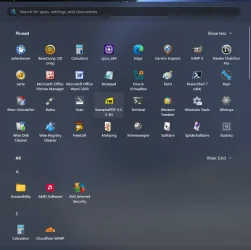
Solved Start Menu - clean Recommended Area of icons ?


If you are doing a Clean Install, you can choose "English (World)" for Currency during the install process and end up with a very clean Start Menu - How to install Windows 11 without Bloatware Apps. Understand that it doesn't remove those apps from my understanding - it just doesn't install them.

After, you will need to go back and change the currency to English for the Microsoft Store and other apps to work correctly.
Thanks, an interesting tip, but won't help with the Recommended area. Its programs & applications that will be installed over time after install that appear there, rather than initial bloatware.
If you see my example of SQL Server appearing in that area, it poses a security risk if users are able to suddenly launch an app like that and play around with it.
 

My Computer

System One

  • OS
    Windows 11 Pro / LTSC 2024
Explorer Patcher or Upgrade to Education Edition (Ed - can disable this via GPO & it works)
 

My Computer

System One

  • OS
    Windows 11 Pro
Yep, a few years and several million attempts later (not quite that many ;-)) we have a solution!!!!

So I found a post with some alternate registry keys that fool the Start Menu into believing it to be Education edition....
This finally works for me. I can only hope this helps others, maybe our lord and saviour @Brink might add these to the following tutorial as an additional solution :-)


Batch:
[HKEY_LOCAL_MACHINE\SOFTWARE\Microsoft\PolicyManager\current\device\Education]
"IsEducationEnvironment"=dword:00000001

[HKEY_LOCAL_MACHINE\SOFTWARE\Microsoft\PolicyManager\current\device\Start]
"HideRecommendedSection"=dword:00000001

[HKEY_LOCAL_MACHINE\SOFTWARE\Policies\Microsoft\Windows\Explorer]
"HideRecommendedSection"=dword:00000001
 
Last edited:

My Computer

System One

  • OS
    Windows 11 Pro / LTSC 2024
Yep, a few years and several million attempts later (not quite that many ;-)) we have a solution!!!!

So I found a post with some alternate registry keys that fool the Start Menu into believing it to be Education edition....
This finally works for me. I can only hope this helps others, maybe our lord and saviour @Brink might add these to the following tutorial as an additional solution :-)


Batch:
[HKEY_LOCAL_MACHINE\SOFTWARE\Microsoft\PolicyManager\current\device\Education]
"IsEducationEnvironment"=dword:00000001

[HKEY_LOCAL_MACHINE\SOFTWARE\Microsoft\PolicyManager\current\device\Start]
"HideRecommendedSection"=dword:00000001

[HKEY_LOCAL_MACHINE\SOFTWARE\Policies\Microsoft\Windows\Explorer]
"HideRecommendedSection"=dword:00000001

Hello mate, :alien:

Option Three below should remove the Recommended section on the Start Menu without having to trick W11 to be an Education edition.


My Computers

System One System Two

  • OS
    Windows 11 Pro for Workstations
    Computer type
    PC/Desktop
    Manufacturer/Model
    Custom self build
    CPU
    Intel i7-8700K 5 GHz
    Motherboard
    ASUS ROG Maximus XI Formula Z390
    Memory
    64 GB (4x16GB) G.SKILL TridentZ RGB DDR4 3600 MHz (F4-3600C18D-32GTZR)
    Graphics Card(s)
    ASUS ROG-STRIX-GTX1080TI-O11G-GAMING (11GB GDDR5X)
    Sound Card
    Integrated Digital Audio (S/PDIF)
    Monitor(s) Displays
    2 x Samsung Odyssey G75 27"
    Screen Resolution
    2560x1440
    Hard Drives
    1TB Samsung 990 PRO M.2,
    4TB Samsung 990 PRO M.2,
    TerraMaster F8 SSD Plus NAS
    PSU
    Seasonic Prime Titanium 850W
    Case
    Thermaltake Core P3 wall mounted
    Cooling
    Corsair Hydro H115i
    Keyboard
    Amazon Basics Wired Full Keyboard MD005
    Mouse
    Logitech MX Master 4
    Internet Speed
    2 Gbps Download and 100 Mbps Upload
    Browser
    Chrome and Edge
    Antivirus
    Microsoft Defender
    Other Info
    Logitech Z625 speaker system,
    Logitech BRIO 4K Pro webcam,
    HP Color LaserJet Pro MFP M477fdn,
    CyberPower CP1500PFCLCD
    Galaxy S23 Plus phone
  • Operating System
    Windows 11 Pro
    Computer type
    Laptop
    Manufacturer/Model
    Surface Laptop 7 Copilot+ PC
    CPU
    Snapdragon X Elite (12 core) 3.42 GHz
    Memory
    16 GB LPDDR5x-7467 MHz
    Monitor(s) Displays
    15" HDR
    Screen Resolution
    2496 x 1664
    Hard Drives
    1 TB SSD
    Internet Speed
    Wi-Fi 7 and Bluetooth 5.4
    Browser
    Chrome and Edge
    Antivirus
    Microsoft Defender
Hello mate, :alien:

Option Three below should remove the Recommended section on the Start Menu without having to trick W11 to be an Education edition.


Howdy,

That method just doesn't want to work for me with LTSC Enterprise 2024 IoT or Windows 11 Pro 22H2/23H2/24H2/25H2.
I have to use all 3 registry entries above for it to work.

Yet that method you mentioned does work for me in LTSC Enterprise 2024 without IoT.
I found another post somewhere with pictures that was highlighting the same issues I had so there are some weird subtle differences caused by something.
I don't know if it's because the ISO's I've been using came from the Action Pack (or whatever it is known as now) or that I'm using International English/ en-GB versions.

Thanks
 

My Computer

System One

  • OS
    Windows 11 Pro / LTSC 2024
Howdy,

That method just doesn't want to work for me with LTSC Enterprise 2024 IoT or Windows 11 Pro 22H2/23H2/24H2/25H2.
I have to use all 3 registry entries above for it to work.

Yet that method you mentioned does work for me in LTSC Enterprise 2024 without IoT.
I found another post somewhere with pictures that was highlighting the same issues I had so there are some weird subtle differences caused by something.
I don't know if it's because the ISO's I've been using came from the Action Pack (or whatever it is known as now) or that I'm using International English/ en-GB versions.

Thanks

Odd. It's working on my W11 Pro 25H2 26220.7653. Did you restart the explorer process afterwards to apply?
 

My Computers

System One System Two

  • OS
    Windows 11 Pro for Workstations
    Computer type
    PC/Desktop
    Manufacturer/Model
    Custom self build
    CPU
    Intel i7-8700K 5 GHz
    Motherboard
    ASUS ROG Maximus XI Formula Z390
    Memory
    64 GB (4x16GB) G.SKILL TridentZ RGB DDR4 3600 MHz (F4-3600C18D-32GTZR)
    Graphics Card(s)
    ASUS ROG-STRIX-GTX1080TI-O11G-GAMING (11GB GDDR5X)
    Sound Card
    Integrated Digital Audio (S/PDIF)
    Monitor(s) Displays
    2 x Samsung Odyssey G75 27"
    Screen Resolution
    2560x1440
    Hard Drives
    1TB Samsung 990 PRO M.2,
    4TB Samsung 990 PRO M.2,
    TerraMaster F8 SSD Plus NAS
    PSU
    Seasonic Prime Titanium 850W
    Case
    Thermaltake Core P3 wall mounted
    Cooling
    Corsair Hydro H115i
    Keyboard
    Amazon Basics Wired Full Keyboard MD005
    Mouse
    Logitech MX Master 4
    Internet Speed
    2 Gbps Download and 100 Mbps Upload
    Browser
    Chrome and Edge
    Antivirus
    Microsoft Defender
    Other Info
    Logitech Z625 speaker system,
    Logitech BRIO 4K Pro webcam,
    HP Color LaserJet Pro MFP M477fdn,
    CyberPower CP1500PFCLCD
    Galaxy S23 Plus phone
  • Operating System
    Windows 11 Pro
    Computer type
    Laptop
    Manufacturer/Model
    Surface Laptop 7 Copilot+ PC
    CPU
    Snapdragon X Elite (12 core) 3.42 GHz
    Memory
    16 GB LPDDR5x-7467 MHz
    Monitor(s) Displays
    15" HDR
    Screen Resolution
    2496 x 1664
    Hard Drives
    1 TB SSD
    Internet Speed
    Wi-Fi 7 and Bluetooth 5.4
    Browser
    Chrome and Edge
    Antivirus
    Microsoft Defender
I can't remember how I got rid of everything, but, this is mine...
... which is why I don't use it! :whistle:

0008405.webp
 

My Computers

System One System Two

  • OS
    Windows 11 Pro
    Computer type
    PC/Desktop
    Manufacturer/Model
    ASUS ROG Strix
  • Operating System
    Windows 11 Pro
    Computer type
    Laptop
    Manufacturer/Model
    ASUS VivoBook
Odd. It's working on my W11 Pro 25H2 26220.7653. Did you restart the explorer process afterwards to apply?
Rebooted, re-installed, tested many different installation and upgrade scenarios but nothing has ever worked as consistently as the combination of the 3 entries above.

The only version that worked correctly for me was LTSC Enterprise 2024 without IoT.

I just realised that the post I found on Reddit actually credits an original post to this site below: I'm definitely not alone in this weirdness. There is something unique in our setups but I have not stumbled upon it yet. I'm just glad that now I am finally rolling out Windows 11 that a solution is available.


My Computer

System One

  • OS
    Windows 11 Pro / LTSC 2024
I like the solution, but just don't like having to trick the OS into thinking it's an Education edition.
 

My Computers

System One System Two

  • OS
    Windows 11 Pro for Workstations
    Computer type
    PC/Desktop
    Manufacturer/Model
    Custom self build
    CPU
    Intel i7-8700K 5 GHz
    Motherboard
    ASUS ROG Maximus XI Formula Z390
    Memory
    64 GB (4x16GB) G.SKILL TridentZ RGB DDR4 3600 MHz (F4-3600C18D-32GTZR)
    Graphics Card(s)
    ASUS ROG-STRIX-GTX1080TI-O11G-GAMING (11GB GDDR5X)
    Sound Card
    Integrated Digital Audio (S/PDIF)
    Monitor(s) Displays
    2 x Samsung Odyssey G75 27"
    Screen Resolution
    2560x1440
    Hard Drives
    1TB Samsung 990 PRO M.2,
    4TB Samsung 990 PRO M.2,
    TerraMaster F8 SSD Plus NAS
    PSU
    Seasonic Prime Titanium 850W
    Case
    Thermaltake Core P3 wall mounted
    Cooling
    Corsair Hydro H115i
    Keyboard
    Amazon Basics Wired Full Keyboard MD005
    Mouse
    Logitech MX Master 4
    Internet Speed
    2 Gbps Download and 100 Mbps Upload
    Browser
    Chrome and Edge
    Antivirus
    Microsoft Defender
    Other Info
    Logitech Z625 speaker system,
    Logitech BRIO 4K Pro webcam,
    HP Color LaserJet Pro MFP M477fdn,
    CyberPower CP1500PFCLCD
    Galaxy S23 Plus phone
  • Operating System
    Windows 11 Pro
    Computer type
    Laptop
    Manufacturer/Model
    Surface Laptop 7 Copilot+ PC
    CPU
    Snapdragon X Elite (12 core) 3.42 GHz
    Memory
    16 GB LPDDR5x-7467 MHz
    Monitor(s) Displays
    15" HDR
    Screen Resolution
    2496 x 1664
    Hard Drives
    1 TB SSD
    Internet Speed
    Wi-Fi 7 and Bluetooth 5.4
    Browser
    Chrome and Edge
    Antivirus
    Microsoft Defender
like the solution, but just don't like having to trick the OS into thinking it's an Education edition.
Although you could regard setting the registry entry IsEducationEnvironment to 1 as a trick, you could also follow an MS documented method to set Education Policy CSP by creating a provisioning package with Windows Configuration Designer

whether or not you want to change your Pro to resemble Education edition depends on how you view the differences. For instance, you'll lose the opportunity to have Windows Spotlight as your lock screen, and I think that this may break consumer features for integrating mobile phone functions. Settings app allows you to 'Add or remove a provisioning package'
 

My Computers

System One System Two

  • OS
    Windows 11 25H2 Pro Build 26200
    Computer type
    PC/Desktop
    Manufacturer/Model
    MSI PRO ADL-U Cubi 5 (MS-B0A8)
    CPU
    i3-1215U
    Memory
    8GB
    Monitor(s) Displays
    Sony 43" 4k TV
    Screen Resolution
    3840x2160
    Hard Drives
    250GB NVMe M.2 PCIe Gen 3 SSD
    PSU
    External 65W
    Case
    Mini PC
    Browser
    FireFox
    Antivirus
    MS
  • Operating System
    Windows 11 Pro 25H2
    Computer type
    PC/Desktop
    Manufacturer/Model
    Dell Optiplex 3070 SFF
    CPU
    Intel i3-9100
    Memory
    16GB DDR4
    Monitor(s) Displays
    Dell S2721
    Screen Resolution
    3840 x 2160
    Hard Drives
    Samsung 500GB nvMe
    Case
    Dell small form factor
    Keyboard
    Cherry mechanical (Blue)
    Mouse
    Microsoft
    Antivirus
    MS Defender
just as an add on to all the above
the new Windows 11 start menu doesn't have a 'recommended' section

1769150292782.webp

best of luck Steve ..
 

My Computers

System One System Two

  • OS
    Debian Trixie KDE Windows 11 Home
    Computer type
    PC/Desktop
    Manufacturer/Model
    HP 24" AiO
    CPU
    Ryzen 7 5825u
    Motherboard
    HP
    Memory
    64GB DDR4 3200
    Graphics Card(s)
    Ryzen 7 5825u
    Sound Card
    RealTek
    Monitor(s) Displays
    24" HP AiO
    Screen Resolution
    1920 x 1080 @60 Hz
    Hard Drives
    1TB WD Blue SN580 M2 SSD Partitioned.
    2x 1TB USB HDD External Backup/Storage.
    PSU
    90W external power brick
    Case
    24" All in One
    Cooling
    Default Air Cooling
    Keyboard
    HP WiFi UK extended
    Mouse
    HP WiFi 3 Button
    Internet Speed
    1GB full fibre
    Browser
    Edge & Firefox
    Antivirus
    AVG Internet Security/Windows Defender
    Other Info
    Mainly Open Source Software
  • Operating System
    Ubuntu 22.04.5 LTS
    Computer type
    Laptop
    Manufacturer/Model
    Dell 13" Latitude 2017
    CPU
    i5 7200u
    Motherboard
    Dell
    Memory
    16GB DDR4
    Graphics card(s)
    Intel
    Sound Card
    Intel
    Monitor(s) Displays
    13" Dell Laptop
    Hard Drives
    250GB Crucial 2.5" SSD
    Mouse
    Generic WiFi 3 button
    Internet Speed
    WiFi only
    Browser
    Firefox
    Antivirus
    ClamAV TK
    Other Info
    Mainly Open Source Software
whether or not you want to change your Pro to resemble Education edition depends on how you view the differences. For instance, you'll lose the opportunity to have Windows Spotlight as your lock screen, and I think that this may break consumer features for integrating mobile phone functions. Settings app allows you to 'Add or remove a provisioning package'
That would actually be a desired result in my scenario. The more disabled the better.

just as an add on to all the above
the new Windows 11 start menu doesn't have a 'recommended' section

View attachment 160824

best of luck Steve ..
Thank goodness! I doubt it will end up in LTSC OOBE until 2027 (assuming they keep to the current 3 year cycle).

Out of interest, in the new Start Menu is the dreaded 'Get Started' app still there?
 

My Computer

System One

  • OS
    Windows 11 Pro / LTSC 2024
That would actually be a desired result in my scenario. The more disabled the better.

Thank goodness! I doubt it will end up in LTSC OOBE until 2027 (assuming they keep to the current 3 year cycle).

Out of interest, in the new Start Menu is the dreaded 'Get Started' app still there?

sorry some not very good news 'Get Started' hasn't gone anywhere its still there.
best of luck Steve ..
 

My Computers

System One System Two

  • OS
    Debian Trixie KDE Windows 11 Home
    Computer type
    PC/Desktop
    Manufacturer/Model
    HP 24" AiO
    CPU
    Ryzen 7 5825u
    Motherboard
    HP
    Memory
    64GB DDR4 3200
    Graphics Card(s)
    Ryzen 7 5825u
    Sound Card
    RealTek
    Monitor(s) Displays
    24" HP AiO
    Screen Resolution
    1920 x 1080 @60 Hz
    Hard Drives
    1TB WD Blue SN580 M2 SSD Partitioned.
    2x 1TB USB HDD External Backup/Storage.
    PSU
    90W external power brick
    Case
    24" All in One
    Cooling
    Default Air Cooling
    Keyboard
    HP WiFi UK extended
    Mouse
    HP WiFi 3 Button
    Internet Speed
    1GB full fibre
    Browser
    Edge & Firefox
    Antivirus
    AVG Internet Security/Windows Defender
    Other Info
    Mainly Open Source Software
  • Operating System
    Ubuntu 22.04.5 LTS
    Computer type
    Laptop
    Manufacturer/Model
    Dell 13" Latitude 2017
    CPU
    i5 7200u
    Motherboard
    Dell
    Memory
    16GB DDR4
    Graphics card(s)
    Intel
    Sound Card
    Intel
    Monitor(s) Displays
    13" Dell Laptop
    Hard Drives
    250GB Crucial 2.5" SSD
    Mouse
    Generic WiFi 3 button
    Internet Speed
    WiFi only
    Browser
    Firefox
    Antivirus
    ClamAV TK
    Other Info
    Mainly Open Source Software

Similar threads

Back
Top Bottom