In latest versions you need to create an account and sign in before you can use it. Also the remote computer must have the same version with you. If it has an older version there will be a message to upgrade. Not really helpful for inexperienced users that ask for our help. Every computer you connect to is added to your account and if you reach the limit (not sure which it is) your account might be locked unless you upgrade to a paid version. Also connecting too many times or too many hours on the same computer might be count as "commercial use". Same with AnyDesk and good old AMMYY, only limited computers and connection time for free use. A free alternative, so far, is RustDesk but recently requires using an account to connect to a public server before using. Alternatively you can use a Google or other service account. This happens once. The only issue is that connecting using Google or other service is not supported in the Windows x86 (32-bit) version, so you can connect to 32-bit computers but you cannot use a 32-bit computer to connect to others.
A workaround is to copy your already connected profile from a 64-bit computer to the 32-bit computer replacing the files. This will allow the 32-bit computer to connect to others since it will be already connected to the public server.
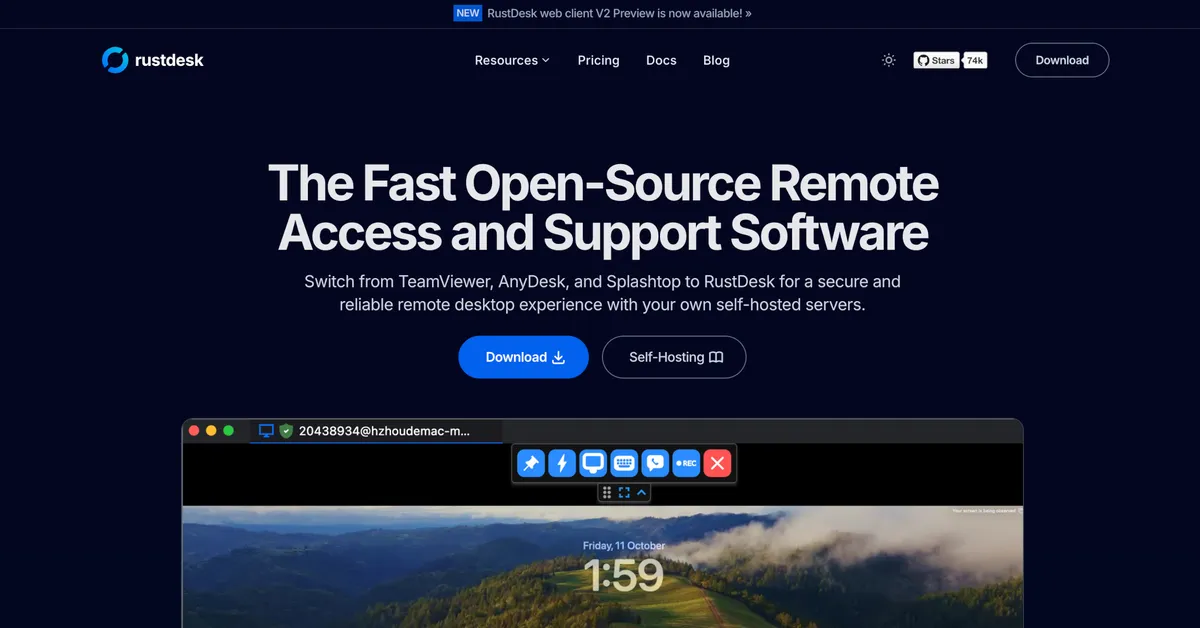
RustDesk is the best open-source remote desktop software. Secure alternative to TeamViewer and AnyDesk with self-hosted servers. Cross-platform support for Windows, macOS, Linux, and Android.
Samsung SSD 850 EVO 250GB SATA Device (250 GB, SATA-III)
Internet Speed
802.11g wireless 54 Mbps
Browser
MICROSOFT EDGE
Antivirus
WINDOWS DEFENDER
Other Info
Legacy MBR installation, no TPM, no Secure Boot, no WDDM 2.0 graphics drivers, no SSE4.2, cannot get more unsupported ;) This is only my test laptop. I had installed Windows 11 here before upgrading my main PC. For my main PC I use everyday see my 2nd system specs.
The free version is available for personal use only. This includes connecting between your personal devices or helping friends and family with remote support. Using TeamViewer for work-related purposes, within an organization, or any activity generating revenue (e.g., connecting to your work computer, supporting clients, or monitoring business devices) requires a commercial license.
Another alternative is to use Microsoft Quick Assist to temporarily connect to others to help them. If you want to connect to another computer without requiring a remote user to establish the connection you can use Remote Desktop Connection instead, but you have to do some configuration to the remote router and probably use a DDNS service. See Google AI instructions in the link I posted and also in this Microsoft site:
Samsung SSD 850 EVO 250GB SATA Device (250 GB, SATA-III)
Internet Speed
802.11g wireless 54 Mbps
Browser
MICROSOFT EDGE
Antivirus
WINDOWS DEFENDER
Other Info
Legacy MBR installation, no TPM, no Secure Boot, no WDDM 2.0 graphics drivers, no SSE4.2, cannot get more unsupported ;) This is only my test laptop. I had installed Windows 11 here before upgrading my main PC. For my main PC I use everyday see my 2nd system specs.
+1 for AnyDesk
Been using it for a few years, great for supporting friends and family, free for personal use
On security side, you can enable 2FA token and also lock clients so they only accept connections from your specific AnyDesk ID
Great for preventing anyone but you to connect or even reach the AnyDesk session on remote computers
Samsung SSD 850 EVO 250GB SATA Device (250 GB, SATA-III)
Internet Speed
802.11g wireless 54 Mbps
Browser
MICROSOFT EDGE
Antivirus
WINDOWS DEFENDER
Other Info
Legacy MBR installation, no TPM, no Secure Boot, no WDDM 2.0 graphics drivers, no SSE4.2, cannot get more unsupported ;) This is only my test laptop. I had installed Windows 11 here before upgrading my main PC. For my main PC I use everyday see my 2nd system specs.
You can use a free version of VNC server and viewer. They use the IP or the computer network name to connect to each other, unless you have enabled port forwarding in the router to connect from the internet. Also Quick Assist and Remote Desktop are good.
Samsung SSD 850 EVO 250GB SATA Device (250 GB, SATA-III)
Internet Speed
802.11g wireless 54 Mbps
Browser
MICROSOFT EDGE
Antivirus
WINDOWS DEFENDER
Other Info
Legacy MBR installation, no TPM, no Secure Boot, no WDDM 2.0 graphics drivers, no SSE4.2, cannot get more unsupported ;) This is only my test laptop. I had installed Windows 11 here before upgrading my main PC. For my main PC I use everyday see my 2nd system specs.
@PhilB
For local network, built-in RDP (remote desktop) is the simplest.
Enable it on the computers you want to connect to, and select the user account you allow to connect with.
Local account on the computer you want to connect to, so probably the account you use to login on that computer.
On the computer you want to connect from, run "Remote Desktop Connection" (mstsc) and enter the IP of the remote computer.
That's it, nothing to install because it's built-in, and no messing arround on router settings !
Remote Desktop connection works fine for local network. The router configuration is needed if you want to connect outside local network. AnyDesk and other third-party tools bypass the need to configure the router because they use their own ID. RDP and VNC don't have an ID, they use the local IP. The router configuration (port forwarding) maps the router public IP to a specific computer (local IP) so you can connect to it from the internet.
Samsung SSD 850 EVO 250GB SATA Device (250 GB, SATA-III)
Internet Speed
802.11g wireless 54 Mbps
Browser
MICROSOFT EDGE
Antivirus
WINDOWS DEFENDER
Other Info
Legacy MBR installation, no TPM, no Secure Boot, no WDDM 2.0 graphics drivers, no SSE4.2, cannot get more unsupported ;) This is only my test laptop. I had installed Windows 11 here before upgrading my main PC. For my main PC I use everyday see my 2nd system specs.
In latest versions you need to create an account and sign in before you can use it. Also the remote computer must have the same version with you. If it has an older version there will be a message to upgrade. Not really helpful for inexperienced users that ask for our help. Every computer you connect to is added to your account and if you reach the limit (not sure which it is) your account might be locked unless you upgrade to a paid version. Also connecting too many times or too many hours on the same computer might be count as "commercial use". Same with AnyDesk and good old AMMYY, only limited computers and connection time for free use. A free alternative, so far, is RustDesk but recently requires using an account to connect to a public server before using. Alternatively you can use a Google or other service account. This happens once. The only issue is that connecting using Google or other service is not supported in the Windows x86 (32-bit) version, so you can connect to 32-bit computers but you cannot use a 32-bit computer to connect to others.
A workaround is to copy your already connected profile from a 64-bit computer to the 32-bit computer replacing the files. This will allow the 32-bit computer to connect to others since it will be already connected to the public server.
RustDesk is the best open-source remote desktop software. Secure alternative to TeamViewer and AnyDesk with self-hosted servers. Cross-platform support for Windows, macOS, Linux, and Android.
One thing I noticed with RustDesk is that it blurs the image if the connection is weak and is difficult to see details or read small text. AnyDesk and others reduce the number of colors rather than blur the image. This is better. Color might suck if the connection is too slow, but at least you can use the screen, it's not a blurry mess as with RustDesk. Another alternative is AnyViewer but free version supports up to three devices in your account. I don't know if there is a duration limit, I haven't used it too much.
Get free remote desktop application download and set up connection to Windows 10, 11, 8, 7, or Windows Server from a computer, an iOS or Android device.
Samsung SSD 850 EVO 250GB SATA Device (250 GB, SATA-III)
Internet Speed
802.11g wireless 54 Mbps
Browser
MICROSOFT EDGE
Antivirus
WINDOWS DEFENDER
Other Info
Legacy MBR installation, no TPM, no Secure Boot, no WDDM 2.0 graphics drivers, no SSE4.2, cannot get more unsupported ;) This is only my test laptop. I had installed Windows 11 here before upgrading my main PC. For my main PC I use everyday see my 2nd system specs.
One thing I noticed with RustDesk is that it blurs the image if the connection is weak and is difficult to see details or read small text. AnyDesk and others reduce the number of colors rather than blur the image. This is better. Color might suck if the connection is too slow, but at least you can use the screen, it's not a blurry mess as with RustDesk. Another alternative is AnyViewer but free version supports up to three devices in your account. I don't know if there is a duration limit, I haven't used it too much.
Get free remote desktop application download and set up connection to Windows 10, 11, 8, 7, or Windows Server from a computer, an iOS or Android device.
Windows 11 ProIntel Core i9-10900XCorsair 64 GB (4 x 16 GB) CMW64GX4M4C3000C15 ...GIGABYTE GeForce GTX 1660 Super Mini ITX 6 GB OC
OS
Windows 11 Pro
Computer type
PC/Desktop
Manufacturer/Model
Stigg's Build
CPU
Intel Core i9-10900X
Motherboard
GIGABYTE X299X DESIGNARE 10G
Memory
Corsair 64 GB (4 x 16 GB) CMW64GX4M4C3000C15 Vengeance RGB Pro 3000Mhz DDR4
Graphics Card(s)
GIGABYTE GeForce GTX 1660 Super Mini ITX 6 GB OC
Sound Card
Realtek ALC1220
Monitor(s) Displays
Samsung 27" FHD LED FreeSync Gaming Monitor (LS27F350FHEXXY)
Screen Resolution
1920 x 1080
Hard Drives
Samsung 970 Pro Series 1TB M.2 2280 NVMe SSD
Western Digital Red Pro WD8003FFBX-68B9AN0 8 TB, 7200 RPM, SATA-III
Western Digital Red Pro WD8003FFBX-68B9AN0 8 TB, 7200 RPM, SATA-III
PSU
Corsair HX1200 1200W 80 Plus Platinum
Case
Fractal Design Define 7 Black Solid Case
Cooling
Noctua NH-D15 Chromax Black
Keyboard
Razer Ornata V2
Mouse
Razer DeathAdder Essential
Internet Speed
FTTN 100Mbps / 40Mbps
Browser
Mozilla Firefox
Antivirus
N/A
Other Info
Logitech BRIO 4k Ultra HD USB-C Webcam
At a glance
Windows 10 ProCore i7-8750HSK Hynix 32 GB (2 x 16 GB) HMA82GS6CJR8N-VK 1...NVIDIA GeForce GTX 1070
Operating System
Windows 10 Pro
Computer type
Laptop
Manufacturer/Model
ASUS ROG Zephyrus M GM501GS
CPU
Core i7-8750H
Motherboard
Zephyrus M GM501GS
Memory
SK Hynix 32 GB (2 x 16 GB) HMA82GS6CJR8N-VK 16 GB DDR4-2666 DDR4 SDRAM

 www.teamviewer.com