Transfer MS Mail emails (old PC,Vista) to New PC (Win 11) Outlook (2021)?


zinc

Member
Local time
5:31 PM
Posts
26
OS
Vista, Win 11, Win 11 Pro (main PC)
Before you laugh, I realize I'm late upgrading but at least I'm trying to do the right thing.

Is there any way I can move (transfer, export, whatever you call it) emails from my ancient PC Windows Mail program (~2009, Vista) to my new PC Win 11 Pro)? I'm probably going to use Outlook (the one that comes w/Office 2021 Home & Business).

If I CAN transfer those old emails I'd be open to a different email client other than Outlook.

Thank you
 

My Computer

System One

  • OS
    Vista, Win 11, Win 11 Pro (main PC)
    Computer type
    PC/Desktop
    Manufacturer/Model
    Custom
    CPU
    Intel i9-12900KF
    Motherboard
    ASUS Z690
    Memory
    32 GB DDR5
    Graphics Card(s)
    NVIDIA T-600 x 2
    Hard Drives
    2TB M.2 2280 NVMe x 2, 2TB SSD
    Cooling
    Liquid
Sure, you should be able to transfer your e-mail, but exactly how depends upon what you have now. For example, does your e-mail provider store your e-mails on their servers or is it all locally stored?

As an example, I have an OUTLOOK.COM e-mail address. All of my e-mails are stored on Microsoft servers. Because of this, I don't even have to move the e-mail. If I setup e-mail on a new system, it will have access to all my e-mail on the Microsoft servers.

However, I also have the option of either making a copy of the e-mail or moving it, to a local file. I do this with all my older e-mail. In that case, I simply need to copy that e-mail file to any new machine, or make a backup and restore it if I'm reinstalling Windows on my current machine.

This may vary depending upon who your provider is, but the point is simply that there should be an option to save your e-mail locally and restore it or even move it to another system, or it may already be located in the cloud in which case it would accessible without you having to make a copy or move it at all.
 

My Computers

System One System Two

  • OS
    Win11 Pro 25H2 (RTM+)
    Computer type
    PC/Desktop
    Manufacturer/Model
    Acemagic
    CPU
    Intel i7-14650HX
    Memory
    32 GB
    Graphics Card(s)
    No GPU - Built-in Intel Graphics
    Sound Card
    Integrated
    Monitor(s) Displays
    Varies as machine will often be moved to locations with different monitors
    Screen Resolution
    Varies
    Hard Drives
    1 x 1TB Gen 4 NVMe SSD
    PSU
    120W Power Brick
    Keyboard
    Corsair K70 Max RGB Magnetic Keyboard
    Mouse
    Logitech MX Master 3
    Internet Speed
    1Gb Up / 1 Gb Down
    Browser
    Edge
    Antivirus
    Windows Defender
  • Operating System
    Win11 Pro 25H2 (RTM+)
    Computer type
    Laptop
    Manufacturer/Model
    Lenovo ThinkBook 13x Gen 2
    CPU
    Intel i7-1255U
    Memory
    16 GB
    Graphics card(s)
    Intel Iris Xe Graphics
    Sound Card
    Realtek® ALC3306-CG codec
    Monitor(s) Displays
    13.3-inch IPS Display
    Screen Resolution
    WQXGA (2560 x 1600)
    Hard Drives
    2 TB 4 x 4 NVMe SSD
    PSU
    USB-C / Thunderbolt 4 Power / Charging
    Keyboard
    Backlit, spill resistant keyboard
    Mouse
    Buttonless Glass Precision Touchpad
    Internet Speed
    1Gb Up / 1Gb Down
    Browser
    Edge
    Antivirus
    Windows Defender
    Other Info
    WiFi 6e / Bluetooth 5.1 / Facial Recognition / Fingerprint Sensor / ToF (Time of Flight) Human Presence Sensor
Thank you for your reply.
I have an ancient Road Runner account. The emails are stored locally in my Windows Mail directories; some quite old so most no longer on the RR server.

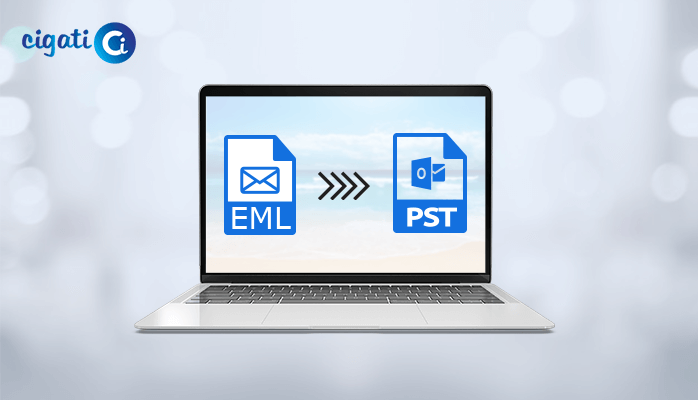
The emails are eml files. Outlook 2021 I believe uses pst files.

So I guess it comes down to finding a new email client that can read eml files or find a file converter (eml to pst).
 

My Computer

System One

  • OS
    Vista, Win 11, Win 11 Pro (main PC)
    Computer type
    PC/Desktop
    Manufacturer/Model
    Custom
    CPU
    Intel i9-12900KF
    Motherboard
    ASUS Z690
    Memory
    32 GB DDR5
    Graphics Card(s)
    NVIDIA T-600 x 2
    Hard Drives
    2TB M.2 2280 NVMe x 2, 2TB SSD
    Cooling
    Liquid

My Computers

System One System Two

  • OS
    Win11 Pro 25H2 (RTM+)
    Computer type
    PC/Desktop
    Manufacturer/Model
    Acemagic
    CPU
    Intel i7-14650HX
    Memory
    32 GB
    Graphics Card(s)
    No GPU - Built-in Intel Graphics
    Sound Card
    Integrated
    Monitor(s) Displays
    Varies as machine will often be moved to locations with different monitors
    Screen Resolution
    Varies
    Hard Drives
    1 x 1TB Gen 4 NVMe SSD
    PSU
    120W Power Brick
    Keyboard
    Corsair K70 Max RGB Magnetic Keyboard
    Mouse
    Logitech MX Master 3
    Internet Speed
    1Gb Up / 1 Gb Down
    Browser
    Edge
    Antivirus
    Windows Defender
  • Operating System
    Win11 Pro 25H2 (RTM+)
    Computer type
    Laptop
    Manufacturer/Model
    Lenovo ThinkBook 13x Gen 2
    CPU
    Intel i7-1255U
    Memory
    16 GB
    Graphics card(s)
    Intel Iris Xe Graphics
    Sound Card
    Realtek® ALC3306-CG codec
    Monitor(s) Displays
    13.3-inch IPS Display
    Screen Resolution
    WQXGA (2560 x 1600)
    Hard Drives
    2 TB 4 x 4 NVMe SSD
    PSU
    USB-C / Thunderbolt 4 Power / Charging
    Keyboard
    Backlit, spill resistant keyboard
    Mouse
    Buttonless Glass Precision Touchpad
    Internet Speed
    1Gb Up / 1Gb Down
    Browser
    Edge
    Antivirus
    Windows Defender
    Other Info
    WiFi 6e / Bluetooth 5.1 / Facial Recognition / Fingerprint Sensor / ToF (Time of Flight) Human Presence Sensor
Cool. I'll play with it.

Thanks!
 

My Computer

System One

  • OS
    Vista, Win 11, Win 11 Pro (main PC)
    Computer type
    PC/Desktop
    Manufacturer/Model
    Custom
    CPU
    Intel i9-12900KF
    Motherboard
    ASUS Z690
    Memory
    32 GB DDR5
    Graphics Card(s)
    NVIDIA T-600 x 2
    Hard Drives
    2TB M.2 2280 NVMe x 2, 2TB SSD
    Cooling
    Liquid

Latest Support Threads

Back
Top Bottom