Solved Type c hdmi hub not connected to dgpu after windows reset and performance issues


Local time
7:51 PM
Posts
7
OS
Windows 11
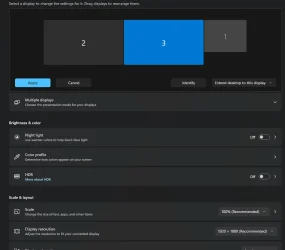
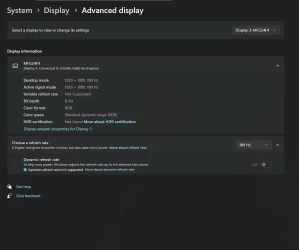
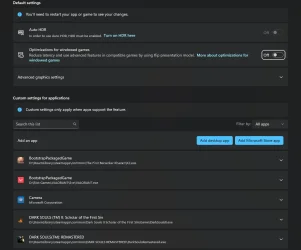
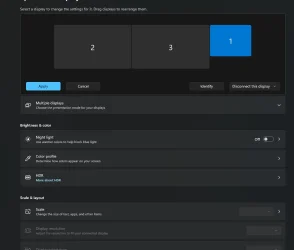
Ever since I reset my computer 2 days ago my two monitors are connected to my igpu and not my dgpu before the reset it was working just fine I have tried to update my bios and drivers for both nvidia and intel I also checked if optimus was enabled and it indeed is nothing about my computer has changed besides huge performance issues. elden ring is just straight up unplayable it spikes like crazy and since its not connected to the dgpu optimus is on stand by, also in the gaming setting I dont see the high performance mode is that normal ?

I am running on the latest build of windows 11 24H2 (KB5063878) (26100.4946

I would like to know if it is just straight up gone as an option and if so can I find a way to fix it cause as of now I canêt game on this thing
 
Windows Build/Version
windows 11 24H2 (KB5063878) build 26100.4946

Attachments
  • Screenshot 2025-08-13 105537.webp
    Screenshot 2025-08-13 105537.webp
    22.4 KB · Views: 2
  • Screenshot 2025-08-13 105616.webp
    Screenshot 2025-08-13 105616.webp
    25.2 KB · Views: 2
  • Screenshot 2025-08-13 105646.webp
    Screenshot 2025-08-13 105646.webp
    34 KB · Views: 2
  • Screenshot 2025-08-13 105717.webp
    Screenshot 2025-08-13 105717.webp
    43.7 KB · Views: 2

My Computer

System One

  • OS
    Windows 11
    Computer type
    Laptop
    Manufacturer/Model
    Acer Nitro 15
    CPU
    i9 12900H
    Memory
    32 GB
    Graphics Card(s)
    RTX 4060
    Monitor(s) Displays
    2
    Screen Resolution
    1080 180hz
    Hard Drives
    Samsun21T0 1TB
    LEXAR EQ790 2 TB
    Keyboard
    RK M75
    Mouse
    ROCCAT KONE
    Browser
    OPERA GX
Check if there is any newer BIOS for your system that could solve the issue. Also don't rely on Windows Update, manually download latest Intel and nVidia graphics drivers from manufacturer. I would also try the latest official driver directly from nVidia's website. Check the 3D settings in Intel and nVidia. Maybe they have been reset to default and performance is not optimal. Also make sure the power settings are set to maximum performance, at least when the charger is connected.
 

My Computers

System One System Two

  • OS
    Windows 11 Pro 23H2 (5699), 25H2 (8457)
    Computer type
    Laptop
    Manufacturer/Model
    Acer Extensa 5630EZ
    CPU
    Mobile DualCore Intel Core 2 Duo T7250, 2000 MHz
    Motherboard
    Acer Extensa 5630
    Memory
    4GB
    Graphics Card(s)
    Mobile Intel(R) GMA 4500M (Mobile 4 series)
    Sound Card
    Realtek ALC268 @ Intel 82801IB ICH9 - High Definition Audio Controller
    Monitor(s) Displays
    1
    Screen Resolution
    1280x800
    Hard Drives
    Samsung SSD 850 EVO 250GB SATA Device (250 GB, SATA-III)
    Internet Speed
    VDSL 50 Mbps
    Browser
    MICROSOFT EDGE
    Antivirus
    WINDOWS DEFENDER
    Other Info
    Legacy MBR installation, no TPM, no Secure Boot, no WDDM 2.0 graphics drivers, no SSE4.2, cannot get more unsupported ;) This is only my test laptop. I had installed Windows 11 here before upgrading my main PC. For my main PC I use everyday see my 2nd system specs.
  • Operating System
    Windows 11 Pro v25H2 (build 26200.8457)
    Computer type
    PC/Desktop
    Manufacturer/Model
    Custom-built PC
    CPU
    Intel Core-i7 3770 3.40GHz s1155 (3rd generation)
    Motherboard
    Asus P8H61 s1155 ATX
    Memory
    2x Kingston Hyper-X Blu 8GB DDR3-1600
    Graphics card(s)
    GIGABYTE GeForce RTX 3050 WINDFORCE OC V2 6GB (GV-N3050WF2OCV2-6GD)
    Sound Card
    Realtek HD audio (ALC887)
    Monitor(s) Displays
    Sony Bravia KDL-19L4000 19" LCD TV via VGA
    Screen Resolution
    1440x900 32-bit 60Hz
    Hard Drives
    WD Blue SA510 2.5 1000GB SSD as system disk, Western Digital Caviar Purple 4TB SATA III (WD40PURZ) as second
    PSU
    Thermaltake Litepower RGB 550W Full Wired
    Case
    SUPERCASE MIDI-TOWER
    Cooling
    Deepcool Gamma Archer CPU cooler, 1x 8cm fan at the back
    Keyboard
    Mitsumi 101-key PS/2
    Mouse
    Sunnyline OptiEye PS/2
    Internet Speed
    100Mbps
    Browser
    Microsoft Edge, Mozilla Firefox
    Antivirus
    Microsoft Windows Defender
    Other Info
    Legacy BIOS (MBR) installation, no TPM, no Secure Boot, WDDM 3.0 graphics drivers, WEI score 7.4
already put the bios to the latest version as of intel and nvidia drivers I always download them trough either the intel driver and support app or the nvidia app. I have already changed the setting in the manage 3D setting of nvidia to high performance gpu and to maximun performance same has already been done to power mode Im kinda used to reseting and installing new computers also in the device manager I have tried to disable the igpu it did nothing besides turn off my second screen I am currently rollbacking my window to version 23H2 to see if I experience any issues

PS if I put it to dgpu only instead of optimus the type c doensêt work anymore and my computer is eqquipped with a mux switch
 

My Computer

System One

  • OS
    Windows 11
    Computer type
    Laptop
    Manufacturer/Model
    Acer Nitro 15
    CPU
    i9 12900H
    Memory
    32 GB
    Graphics Card(s)
    RTX 4060
    Monitor(s) Displays
    2
    Screen Resolution
    1080 180hz
    Hard Drives
    Samsun21T0 1TB
    LEXAR EQ790 2 TB
    Keyboard
    RK M75
    Mouse
    ROCCAT KONE
    Browser
    OPERA GX
Probably some recent Windows update affected performance. Uninstall all recent updates and use Windows Automatic Update Manager (WAU Manager) to block them so they won't reinstall.


My Computers

System One System Two

  • OS
    Windows 11 Pro 23H2 (5699), 25H2 (8457)
    Computer type
    Laptop
    Manufacturer/Model
    Acer Extensa 5630EZ
    CPU
    Mobile DualCore Intel Core 2 Duo T7250, 2000 MHz
    Motherboard
    Acer Extensa 5630
    Memory
    4GB
    Graphics Card(s)
    Mobile Intel(R) GMA 4500M (Mobile 4 series)
    Sound Card
    Realtek ALC268 @ Intel 82801IB ICH9 - High Definition Audio Controller
    Monitor(s) Displays
    1
    Screen Resolution
    1280x800
    Hard Drives
    Samsung SSD 850 EVO 250GB SATA Device (250 GB, SATA-III)
    Internet Speed
    VDSL 50 Mbps
    Browser
    MICROSOFT EDGE
    Antivirus
    WINDOWS DEFENDER
    Other Info
    Legacy MBR installation, no TPM, no Secure Boot, no WDDM 2.0 graphics drivers, no SSE4.2, cannot get more unsupported ;) This is only my test laptop. I had installed Windows 11 here before upgrading my main PC. For my main PC I use everyday see my 2nd system specs.
  • Operating System
    Windows 11 Pro v25H2 (build 26200.8457)
    Computer type
    PC/Desktop
    Manufacturer/Model
    Custom-built PC
    CPU
    Intel Core-i7 3770 3.40GHz s1155 (3rd generation)
    Motherboard
    Asus P8H61 s1155 ATX
    Memory
    2x Kingston Hyper-X Blu 8GB DDR3-1600
    Graphics card(s)
    GIGABYTE GeForce RTX 3050 WINDFORCE OC V2 6GB (GV-N3050WF2OCV2-6GD)
    Sound Card
    Realtek HD audio (ALC887)
    Monitor(s) Displays
    Sony Bravia KDL-19L4000 19" LCD TV via VGA
    Screen Resolution
    1440x900 32-bit 60Hz
    Hard Drives
    WD Blue SA510 2.5 1000GB SSD as system disk, Western Digital Caviar Purple 4TB SATA III (WD40PURZ) as second
    PSU
    Thermaltake Litepower RGB 550W Full Wired
    Case
    SUPERCASE MIDI-TOWER
    Cooling
    Deepcool Gamma Archer CPU cooler, 1x 8cm fan at the back
    Keyboard
    Mitsumi 101-key PS/2
    Mouse
    Sunnyline OptiEye PS/2
    Internet Speed
    100Mbps
    Browser
    Microsoft Edge, Mozilla Firefox
    Antivirus
    Microsoft Windows Defender
    Other Info
    Legacy BIOS (MBR) installation, no TPM, no Secure Boot, WDDM 3.0 graphics drivers, WEI score 7.4
I went trough with the 23H2 instalation and it's now set on my dgpu and optimus is now active since I had it installed on my other drive I just had to connect to steam and without any updates it's running perfectly fine, I guess my computer has issues in version 24H2 I guess...
 

My Computer

System One

  • OS
    Windows 11
    Computer type
    Laptop
    Manufacturer/Model
    Acer Nitro 15
    CPU
    i9 12900H
    Memory
    32 GB
    Graphics Card(s)
    RTX 4060
    Monitor(s) Displays
    2
    Screen Resolution
    1080 180hz
    Hard Drives
    Samsun21T0 1TB
    LEXAR EQ790 2 TB
    Keyboard
    RK M75
    Mouse
    ROCCAT KONE
    Browser
    OPERA GX
"I dont see the high performance mode is that normal ?"

The manufacturer provides extra Power Modes, and GPU Working Modes.

On mine 4 Power modes, 3 are from the manufacturer, one of which is Performance mode, 1 standard Balanced(Windows).

GPU Working Modes are again provided by the manufacturer in an App.

I do not know about Acer, but it must have a similar App.

There are complications with USB-C Alt Graphics Modes regarding iGPU/dGPU, that you will have to look up with detailed specs of all your USB-C ports.

You said it was working fine, so why reset it ?
Nothing to do with 24H2, I have similar Laptop hardware it works fine.

For all drivers just use the ones provided by Acer and Windows updates.
Yet again, I have to say the bottom line is to get Recovery Media from Acer and do updates as suggested so you don't lose manufacturers provided system stuff.
 

My Computer

System One

  • OS
    Windows 11
"PS if I put it to dgpu only instead of optimus the type c doensêt work anymore and my computer is eqquipped with a mux switch"

That is because of complications with USB-C Alt Graphics modes, as mentioned, you need to look at detailed specs of all your USB-C ports.
 

My Computer

System One

  • OS
    Windows 11
"I dont see the high performance mode is that normal ?"

The manufacturer provides extra Power Modes, and GPU Working Modes.

On mine 4 Power modes, 3 are from the manufacturer, one of which is Performance mode, 1 standard Balanced(Windows).

GPU Working Modes are again provided by the manufacturer in an App.

I do not know about Acer, but it must have a similar App.

There are complications with USB-C Alt Graphics Modes regarding iGPU/dGPU, that you will have to look up with detailed specs of all your USB-C ports.

You said it was working fine, so why reset it ?
Nothing to do with 24H2, I have similar Laptop hardware it works fine.

For all drivers just use the ones provided by Acer and Windows updates.
Yet again, I have to say the bottom line is to get Recovery Media from Acer and do updates as suggested so you don't lose manufacturers provided system stuff.

Not in my case the batery mode on the control panel only has one option that being acer and in the windows setting there is only balaced power efficiency and best performance as of the nitro sense app for the alt modes there is only optimus or dgpu only which turns off the type c display port, there is 3 gpu modes silent default and performance and while I could've put it in performance it has a massive downside since it lock the fan speed at 8000 rpm it does give more fps since it basically pushes the gpu to always use 80% min, at the cost of hardware degradation and a jet engine in my room, but my issue was the fact that since my screens were connected to igpu and not the dgpu it stuttered like hell cause it cannot bypass the iris card but now since it's only using the 4060 it's fluid like never before I don't know why but for my computer the latest update screws the optimus and mux switch in my pc and since I knew that wasn't the case in version 23H2 I just rollback my windows for an easy solution.


Also I hinda needed it for the fact that they are both g sync monitors and I can't live without high refresh rate at this point
 

My Computer

System One

  • OS
    Windows 11
    Computer type
    Laptop
    Manufacturer/Model
    Acer Nitro 15
    CPU
    i9 12900H
    Memory
    32 GB
    Graphics Card(s)
    RTX 4060
    Monitor(s) Displays
    2
    Screen Resolution
    1080 180hz
    Hard Drives
    Samsun21T0 1TB
    LEXAR EQ790 2 TB
    Keyboard
    RK M75
    Mouse
    ROCCAT KONE
    Browser
    OPERA GX
For that complicated gaming setup, I would use a desktop computer with at least three display outputs and do it properly. Why use a laptop? Modern graphic cards even support 4 monitors. You don't have to use monitors with DP input, just use an adapter from DP to HDMI. Unless you need more than 4K resolution, you shouldn't have any issues.
 

My Computers

System One System Two

  • OS
    Windows 11 Pro 23H2 (5699), 25H2 (8457)
    Computer type
    Laptop
    Manufacturer/Model
    Acer Extensa 5630EZ
    CPU
    Mobile DualCore Intel Core 2 Duo T7250, 2000 MHz
    Motherboard
    Acer Extensa 5630
    Memory
    4GB
    Graphics Card(s)
    Mobile Intel(R) GMA 4500M (Mobile 4 series)
    Sound Card
    Realtek ALC268 @ Intel 82801IB ICH9 - High Definition Audio Controller
    Monitor(s) Displays
    1
    Screen Resolution
    1280x800
    Hard Drives
    Samsung SSD 850 EVO 250GB SATA Device (250 GB, SATA-III)
    Internet Speed
    VDSL 50 Mbps
    Browser
    MICROSOFT EDGE
    Antivirus
    WINDOWS DEFENDER
    Other Info
    Legacy MBR installation, no TPM, no Secure Boot, no WDDM 2.0 graphics drivers, no SSE4.2, cannot get more unsupported ;) This is only my test laptop. I had installed Windows 11 here before upgrading my main PC. For my main PC I use everyday see my 2nd system specs.
  • Operating System
    Windows 11 Pro v25H2 (build 26200.8457)
    Computer type
    PC/Desktop
    Manufacturer/Model
    Custom-built PC
    CPU
    Intel Core-i7 3770 3.40GHz s1155 (3rd generation)
    Motherboard
    Asus P8H61 s1155 ATX
    Memory
    2x Kingston Hyper-X Blu 8GB DDR3-1600
    Graphics card(s)
    GIGABYTE GeForce RTX 3050 WINDFORCE OC V2 6GB (GV-N3050WF2OCV2-6GD)
    Sound Card
    Realtek HD audio (ALC887)
    Monitor(s) Displays
    Sony Bravia KDL-19L4000 19" LCD TV via VGA
    Screen Resolution
    1440x900 32-bit 60Hz
    Hard Drives
    WD Blue SA510 2.5 1000GB SSD as system disk, Western Digital Caviar Purple 4TB SATA III (WD40PURZ) as second
    PSU
    Thermaltake Litepower RGB 550W Full Wired
    Case
    SUPERCASE MIDI-TOWER
    Cooling
    Deepcool Gamma Archer CPU cooler, 1x 8cm fan at the back
    Keyboard
    Mitsumi 101-key PS/2
    Mouse
    Sunnyline OptiEye PS/2
    Internet Speed
    100Mbps
    Browser
    Microsoft Edge, Mozilla Firefox
    Antivirus
    Microsoft Windows Defender
    Other Info
    Legacy BIOS (MBR) installation, no TPM, no Secure Boot, WDDM 3.0 graphics drivers, WEI score 7.4
Not in my case the batery mode on the control panel only has one option that being acer and in the windows setting there is only balaced power efficiency and best performance as of the nitro sense app for the alt modes there is only optimus or dgpu only which turns off the type c display port, there is 3 gpu modes silent default and performance and while I could've put it in performance it has a massive downside since it lock the fan speed at 8000 rpm it does give more fps since it basically pushes the gpu to always use 80% min, at the cost of hardware degradation and a jet engine in my room, but my issue was the fact that since my screens were connected to igpu and not the dgpu it stuttered like hell cause it cannot bypass the iris card but now since it's only using the 4060 it's fluid like never before I don't know why but for my computer the latest update screws the optimus and mux switch in my pc and since I knew that wasn't the case in version 23H2 I just rollback my windows for an easy solution.


Also I hinda needed it for the fact that they are both g sync monitors and I can't live without high refresh rate at this point
That's why I recommended to uninstall any recent updates and see if that fixes your issue. But you returned to 23H2. I bet if you install all updates in 23H2 you might have the same issue, so find them and hide them (block) with WAU Manager. See my previous post.
 

My Computers

System One System Two

  • OS
    Windows 11 Pro 23H2 (5699), 25H2 (8457)
    Computer type
    Laptop
    Manufacturer/Model
    Acer Extensa 5630EZ
    CPU
    Mobile DualCore Intel Core 2 Duo T7250, 2000 MHz
    Motherboard
    Acer Extensa 5630
    Memory
    4GB
    Graphics Card(s)
    Mobile Intel(R) GMA 4500M (Mobile 4 series)
    Sound Card
    Realtek ALC268 @ Intel 82801IB ICH9 - High Definition Audio Controller
    Monitor(s) Displays
    1
    Screen Resolution
    1280x800
    Hard Drives
    Samsung SSD 850 EVO 250GB SATA Device (250 GB, SATA-III)
    Internet Speed
    VDSL 50 Mbps
    Browser
    MICROSOFT EDGE
    Antivirus
    WINDOWS DEFENDER
    Other Info
    Legacy MBR installation, no TPM, no Secure Boot, no WDDM 2.0 graphics drivers, no SSE4.2, cannot get more unsupported ;) This is only my test laptop. I had installed Windows 11 here before upgrading my main PC. For my main PC I use everyday see my 2nd system specs.
  • Operating System
    Windows 11 Pro v25H2 (build 26200.8457)
    Computer type
    PC/Desktop
    Manufacturer/Model
    Custom-built PC
    CPU
    Intel Core-i7 3770 3.40GHz s1155 (3rd generation)
    Motherboard
    Asus P8H61 s1155 ATX
    Memory
    2x Kingston Hyper-X Blu 8GB DDR3-1600
    Graphics card(s)
    GIGABYTE GeForce RTX 3050 WINDFORCE OC V2 6GB (GV-N3050WF2OCV2-6GD)
    Sound Card
    Realtek HD audio (ALC887)
    Monitor(s) Displays
    Sony Bravia KDL-19L4000 19" LCD TV via VGA
    Screen Resolution
    1440x900 32-bit 60Hz
    Hard Drives
    WD Blue SA510 2.5 1000GB SSD as system disk, Western Digital Caviar Purple 4TB SATA III (WD40PURZ) as second
    PSU
    Thermaltake Litepower RGB 550W Full Wired
    Case
    SUPERCASE MIDI-TOWER
    Cooling
    Deepcool Gamma Archer CPU cooler, 1x 8cm fan at the back
    Keyboard
    Mitsumi 101-key PS/2
    Mouse
    Sunnyline OptiEye PS/2
    Internet Speed
    100Mbps
    Browser
    Microsoft Edge, Mozilla Firefox
    Antivirus
    Microsoft Windows Defender
    Other Info
    Legacy BIOS (MBR) installation, no TPM, no Secure Boot, WDDM 3.0 graphics drivers, WEI score 7.4
For that complicated gaming setup, I would use a desktop computer with at least three display outputs and do it properly. Why use a laptop? Modern graphic cards even support 4 monitors. You don't have to use monitors with DP input, just use an adapter from DP to HDMI. Unless you need more than 4K resolution, you shouldn't have any issues.
Money issues right now especially with how expensive parts are in my country right now I just don't have the time to make one but once I do that is the plan indeed.
 

My Computer

System One

  • OS
    Windows 11
    Computer type
    Laptop
    Manufacturer/Model
    Acer Nitro 15
    CPU
    i9 12900H
    Memory
    32 GB
    Graphics Card(s)
    RTX 4060
    Monitor(s) Displays
    2
    Screen Resolution
    1080 180hz
    Hard Drives
    Samsun21T0 1TB
    LEXAR EQ790 2 TB
    Keyboard
    RK M75
    Mouse
    ROCCAT KONE
    Browser
    OPERA GX
That's why I recommended to uninstall any recent updates and see if that fixes your issue. But you returned to 23H2. I bet if you install all updates in 23H2 you might have the same issue, so find them and hide them (block) with WAU Manager. See my previous post.
I couldn't unnistall recent updates since I hard reset the computer to nothing basically that was the issues since it was a fresh instalation I couldn't unnistal the only existing windows update... so I just rolled back to a older version that I knew worked.

The 23H2 updates don't afect the performace at all the 24H2 on the other hand do IDK why
 

My Computer

System One

  • OS
    Windows 11
    Computer type
    Laptop
    Manufacturer/Model
    Acer Nitro 15
    CPU
    i9 12900H
    Memory
    32 GB
    Graphics Card(s)
    RTX 4060
    Monitor(s) Displays
    2
    Screen Resolution
    1080 180hz
    Hard Drives
    Samsun21T0 1TB
    LEXAR EQ790 2 TB
    Keyboard
    RK M75
    Mouse
    ROCCAT KONE
    Browser
    OPERA GX
Some 24H2 updates affect how USB behaves and this affects many USB devices. They try to improve it but they screw it instead. "If it works, don't fix it", very wise practice.
 

My Computers

System One System Two

  • OS
    Windows 11 Pro 23H2 (5699), 25H2 (8457)
    Computer type
    Laptop
    Manufacturer/Model
    Acer Extensa 5630EZ
    CPU
    Mobile DualCore Intel Core 2 Duo T7250, 2000 MHz
    Motherboard
    Acer Extensa 5630
    Memory
    4GB
    Graphics Card(s)
    Mobile Intel(R) GMA 4500M (Mobile 4 series)
    Sound Card
    Realtek ALC268 @ Intel 82801IB ICH9 - High Definition Audio Controller
    Monitor(s) Displays
    1
    Screen Resolution
    1280x800
    Hard Drives
    Samsung SSD 850 EVO 250GB SATA Device (250 GB, SATA-III)
    Internet Speed
    VDSL 50 Mbps
    Browser
    MICROSOFT EDGE
    Antivirus
    WINDOWS DEFENDER
    Other Info
    Legacy MBR installation, no TPM, no Secure Boot, no WDDM 2.0 graphics drivers, no SSE4.2, cannot get more unsupported ;) This is only my test laptop. I had installed Windows 11 here before upgrading my main PC. For my main PC I use everyday see my 2nd system specs.
  • Operating System
    Windows 11 Pro v25H2 (build 26200.8457)
    Computer type
    PC/Desktop
    Manufacturer/Model
    Custom-built PC
    CPU
    Intel Core-i7 3770 3.40GHz s1155 (3rd generation)
    Motherboard
    Asus P8H61 s1155 ATX
    Memory
    2x Kingston Hyper-X Blu 8GB DDR3-1600
    Graphics card(s)
    GIGABYTE GeForce RTX 3050 WINDFORCE OC V2 6GB (GV-N3050WF2OCV2-6GD)
    Sound Card
    Realtek HD audio (ALC887)
    Monitor(s) Displays
    Sony Bravia KDL-19L4000 19" LCD TV via VGA
    Screen Resolution
    1440x900 32-bit 60Hz
    Hard Drives
    WD Blue SA510 2.5 1000GB SSD as system disk, Western Digital Caviar Purple 4TB SATA III (WD40PURZ) as second
    PSU
    Thermaltake Litepower RGB 550W Full Wired
    Case
    SUPERCASE MIDI-TOWER
    Cooling
    Deepcool Gamma Archer CPU cooler, 1x 8cm fan at the back
    Keyboard
    Mitsumi 101-key PS/2
    Mouse
    Sunnyline OptiEye PS/2
    Internet Speed
    100Mbps
    Browser
    Microsoft Edge, Mozilla Firefox
    Antivirus
    Microsoft Windows Defender
    Other Info
    Legacy BIOS (MBR) installation, no TPM, no Secure Boot, WDDM 3.0 graphics drivers, WEI score 7.4
Some 24H2 updates affect how USB behaves and this affects many USB devices. They try to improve it but they screw it instead. "If it works, don't fix it", very wise practice.
maybe it has happened to me before back on my old computer it screwed the usb 2.1 port on the left side in an update but that wasn't much of issue at the time but the thunderbolt type c one does screw me over because of my display hub it is what it is for now I am going to keep it like this just because I don't wanna bother myself with this mess right now but I know that in a few months I will have to find a way to get a desktop instead since at the time I was moving a lot so I kinda needed a laptop but now I don't really need one anymore it's just getting teedious for nothing.
 

My Computer

System One

  • OS
    Windows 11
    Computer type
    Laptop
    Manufacturer/Model
    Acer Nitro 15
    CPU
    i9 12900H
    Memory
    32 GB
    Graphics Card(s)
    RTX 4060
    Monitor(s) Displays
    2
    Screen Resolution
    1080 180hz
    Hard Drives
    Samsun21T0 1TB
    LEXAR EQ790 2 TB
    Keyboard
    RK M75
    Mouse
    ROCCAT KONE
    Browser
    OPERA GX
Your post is very confusing, mixing the various options of Power Modes and Graphics Modes.

"but my issue was the fact that since my screens were connected to igpu and not the dgpu it stuttered like hell cause it cannot bypass the iris card"

That should not be the case, in Optimus mode the 3D graphics calls should go via the Nvidia GPU
That is maybe a 10% speed penalty over the Nvidia only mode.
Also when in Optimus Mode it should switch automatically to Nvidia only mode when starting a game.

That Graphics Mode is called Hybrid Mode on mine.

You are expecting far too much of this type of Laptop, much better off with a Desktop + Graphics card for sure.

View attachment 142142


View attachment 142143
 

My Computer

System One

  • OS
    Windows 11

Latest Support Threads

Back
Top Bottom