Excel Blog:
Welcome to the August 2026 update. New this month for Copilot, chat history, chart/PivotTable skills, Python skill, as well as change history.
Excel for Windows, Mac, and web
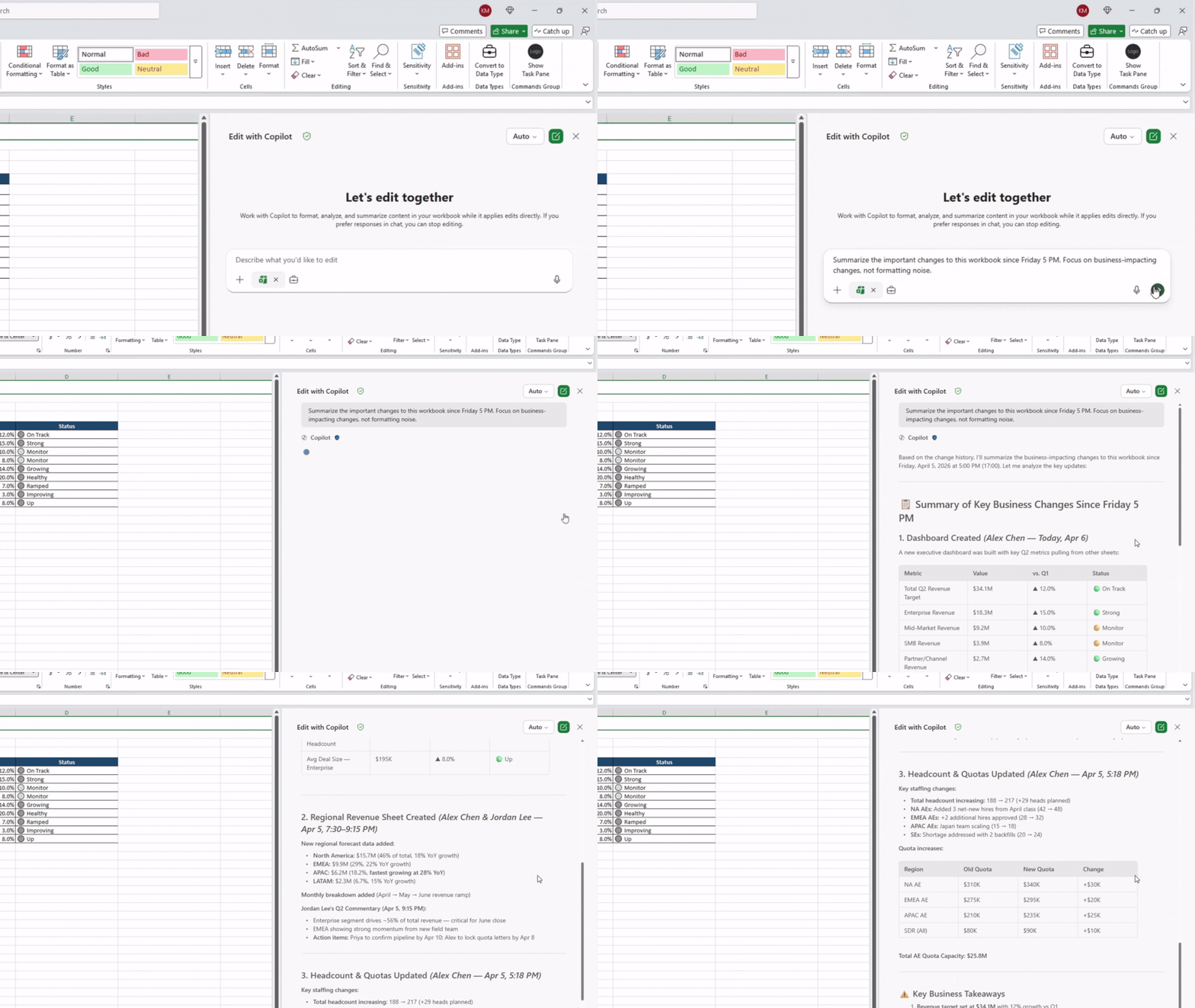
Excel in Excel: change history skill #FIAThe change history skill helps users understand how a workbook has evolved over time. Copilot can summarize recent changes, identify who made edits, and explain how both people and AI have modified the workbook. It can also help undo specific edits or restore formulas by returning the workbook to a previous working state. Read more here >
Copilot in Excel: chat history #FIA
Use the menu icon in the upper left corner of the Copilot in Excel pane to access your Copilot chat history. Conversations are listed based on recency, with your most recent chat at the top of the list. Select a conversation from the list to view it. Access to Copilot in Excel conversation history requires a Microsoft 365 Copilot commercial license.
Copilot in Excel: Chart and PivotTable skills
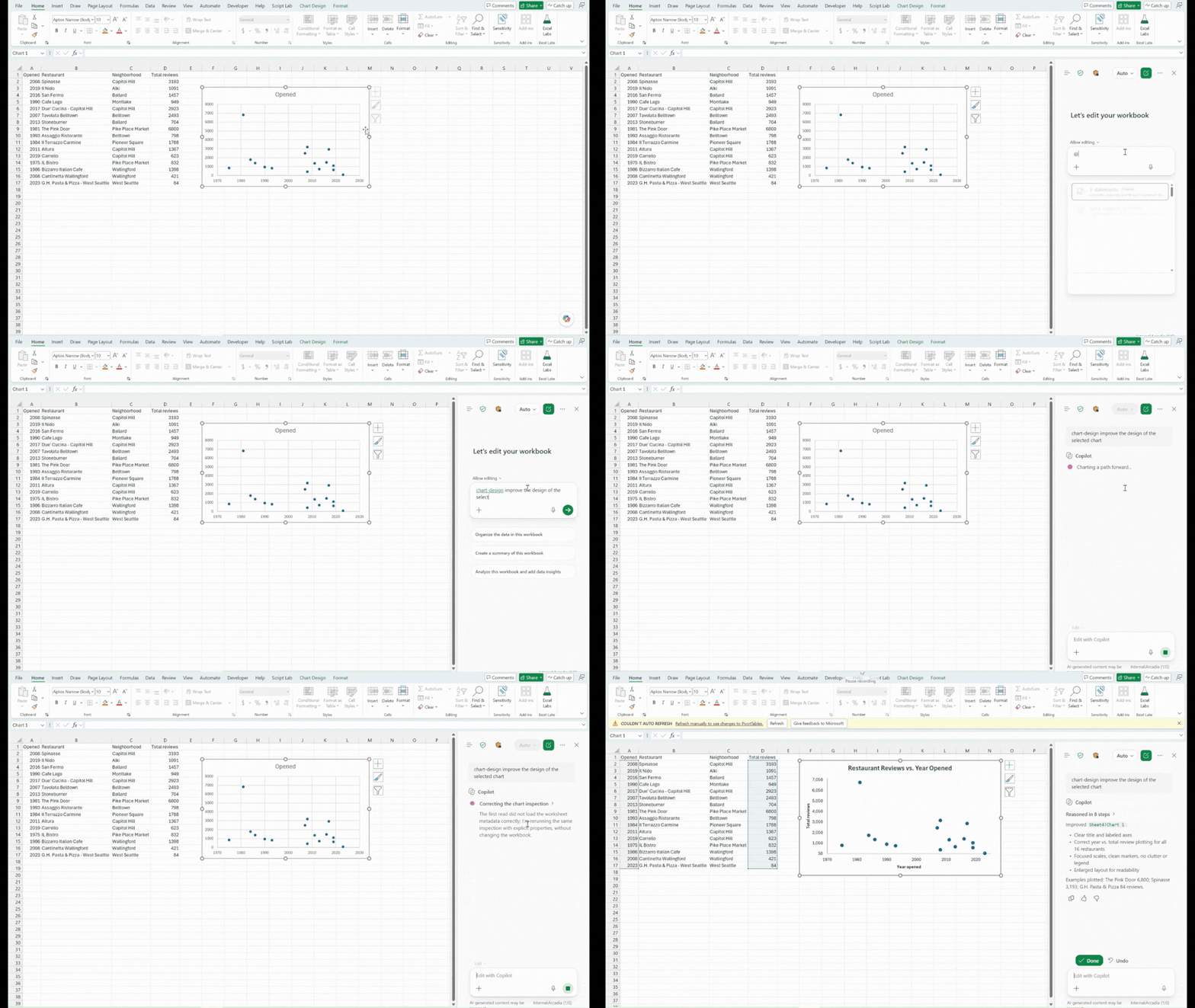
Turn complex data into clear, polished insights. Use @chart-design to improve visualizations and leverage built-in Copilot capabilities to create and organize PivotTables to summarize your data.
Copilot in Excel: Python skill (Insiders)
Analyze and visualize complex data with Python in Excel. Create editable, refreshable Python formulas and uncover deeper insights directly in your workbook. Start using @ python-in-excel to insert Python into your workbook today.
Many of these features are the result of your feedback. THANK YOU! Your continued Feedback in Action (#FIA) helps improve Excel for everyone. Please let us know how you like a particular feature and what we can improve upon—"Give a compliment" or "Make a suggestion". You can also submit new ideas or vote for other ideas via Microsoft Feedback.
Source: