Excel Blog:
Welcome to the July 2025 update. This month, we have several new features in Excel that enhance user productivity and collaboration across platforms.
Excel for Windows, Mac, and web
Compatibility VersionsCompatibility Versions are set per workbook. Version 1 reflects historical calculation behavior while Version 2 contains the improvements to text functions. Existing spreadsheets will be set to Version 1, so their calculations will remain consistent. Once a spreadsheet’s version has been set, it will not change unless you change it through the menu described above. Read more here >
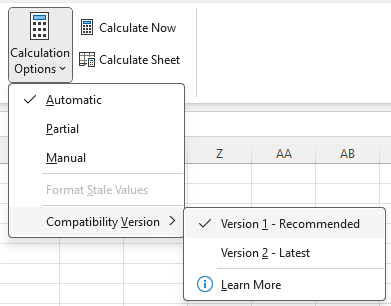
Picture showing the ability to view the Compatibility Version of the workbook.
Excel for Windows and Mac
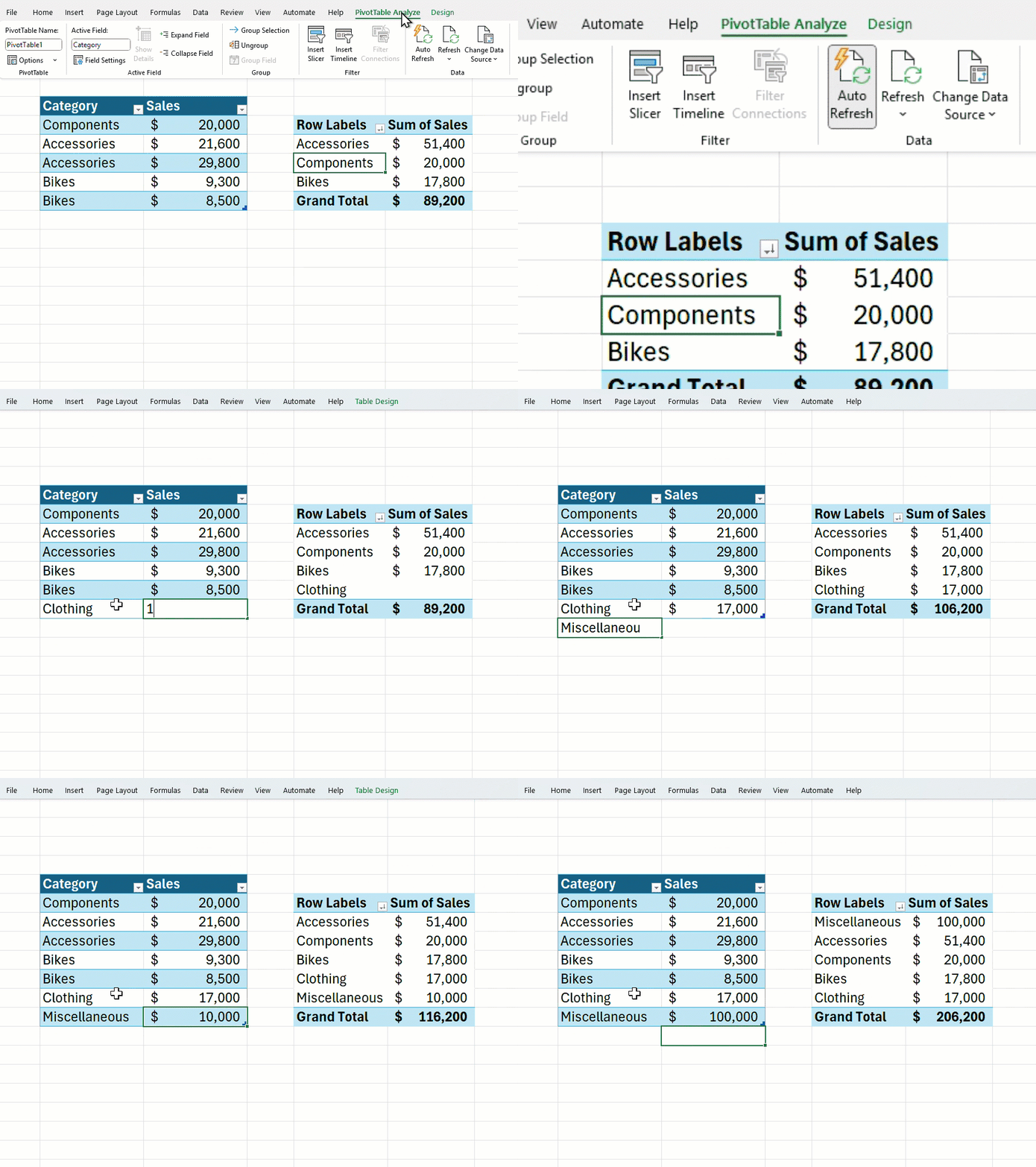
PivotTable Auto Refresh (Insiders) #FIAWith Auto Refresh, you no longer have to manually refresh your PivotTables as this allows you to keep your PivotTables up-to-date automatically. With Auto Refresh enabled, any updates to the source range – like new sales entries or corrections – are instantly reflected in the PivotTable, keeping it updated in real time. Read more here >
Excel for Windows
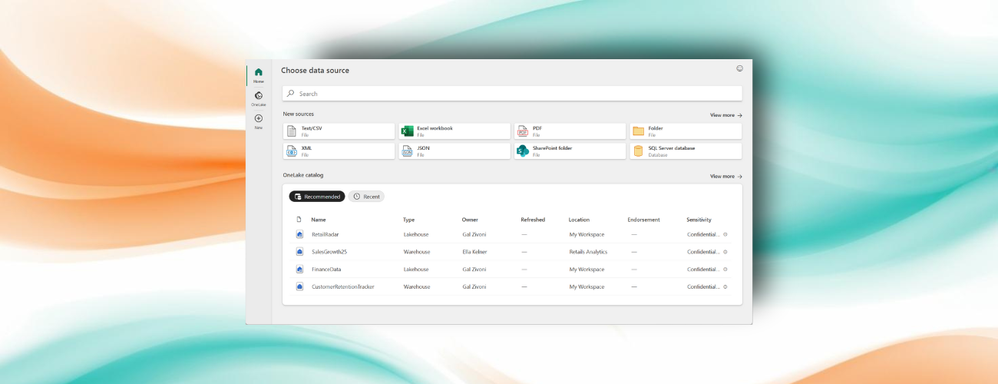
Get Data dialog and OneLake catalog (Insiders)We’re introducing a new way to connect to data in Microsoft Excel for Windows that will make finding and using external data sources faster, smarter, and more intuitive! The new Get Data dialog for Power Query brings together search and recommendations in a streamlined layout to help you quickly locate the right data source to bring data from. The new experience also gives you access to all the high-quality data from across your organization that’s stored in Fabric’s OneLake right within Excel. Read more here >
Excel for Mac
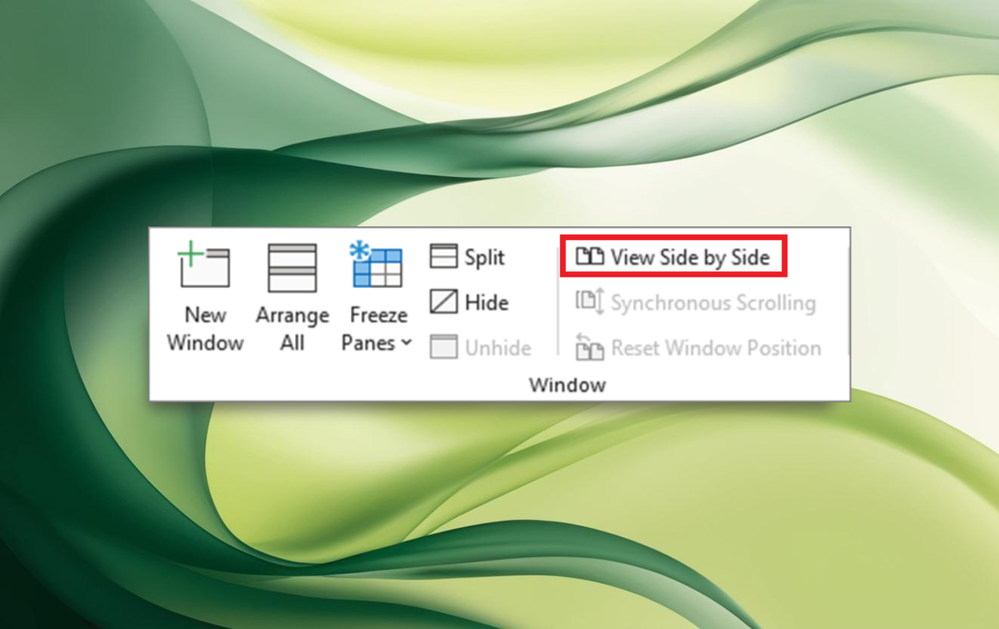
View multiple panes, sheets or workbooks side by sideYou can now quickly compare worksheets in the same workbook or in different workbooks by viewing them side by side with synchronous scrolling and reset window positioning, just like in Excel Windows. Read more here >
Excel for web
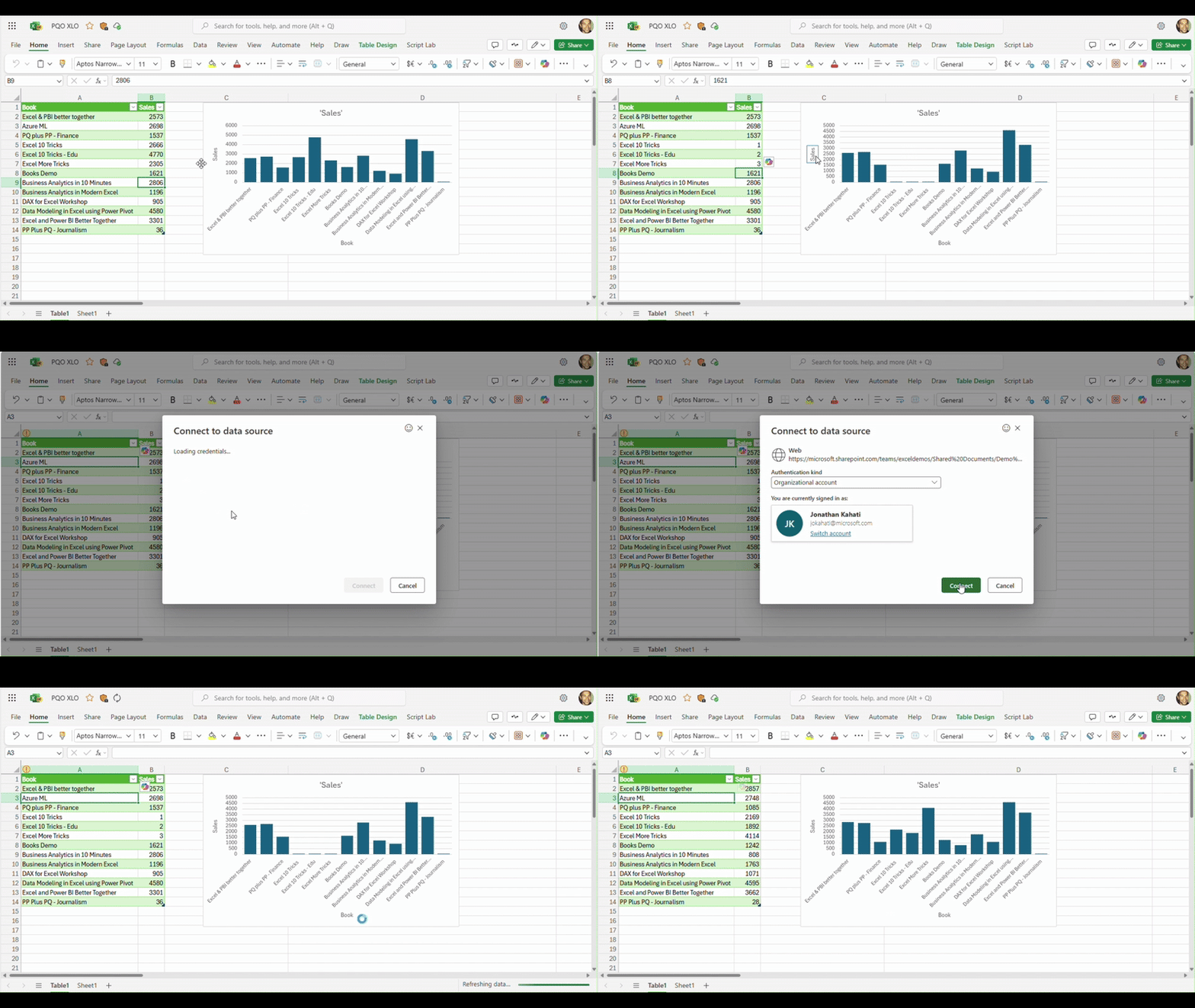
Power Query refresh & data source settings for authenticated data sourcesYou can now refresh the Power Query queries in your workbook that source data from a selection of authenticated data sources. When you refresh a query, if authentication is needed, you can select the relevant method – anonymous, user and password, or your organizational account. In addition, you can now view and manage data source credentials for the Power Query queries in your workbook using Data Source Settings. Read more here >
This capability has already been made available to all Windows and Mac users.
Request more access for Enterprise customers
Enterprise customers on the web with view-only permissions will now have the ability to request more access while in a file, unlocking productivity and collaboration with just a few clicks. Read more here >
Many of these features are the result of your feedback. THANK YOU! Your continued Feedback in Action (#FIA) helps improve Excel for everyone. Please let us know how you like a particular feature and what we can improve upon—"Give a compliment" or "Make a suggestion".. You can also submit new ideas or vote for other ideas via Microsoft Feedback.
Read more:

What's New in Excel (July 2025) | Microsoft Community Hub
PivotTable auto refresh is now available for Windows and Mac Insiders, new Power Query capabilities for Web users, and more in this month's What's New.
 techcommunity.microsoft.com