Microsoft Copilot Blog:
Welcome to the September 2026 edition of What's New in Microsoft Copilot! Every month, we highlight new features and enhancements to keep Microsoft 365 customers up to date with Copilot features that help your users be more productive and efficient in the apps they use every day.
We had some big announcements last week about how we’re introducing the new Copilot to connect the tools people rely on with the next generation of capabilities they’ll need to build, customize and scale AI across work. If you missed it, you can catch up on those announcements here: Introducing the new Copilot with Home, Code, and Autopilot.
Now let’s take a closer look at what else is new this month:
User capabilities:
- New design and functionality for Copilot Chat
- Plugins, connectors, and Work IQ enhancements to the Copilot App
- Teams Phone agent for Copilot in Teams Phone
- Citations and image modifications for Copilot in Word
- Skills and connectors for Copilot in PowerPoint
- General availability for Copilot in SharePoint
- General availability for Copilot in OneDrive
User capabilities
New design and functionality for Copilot Chat
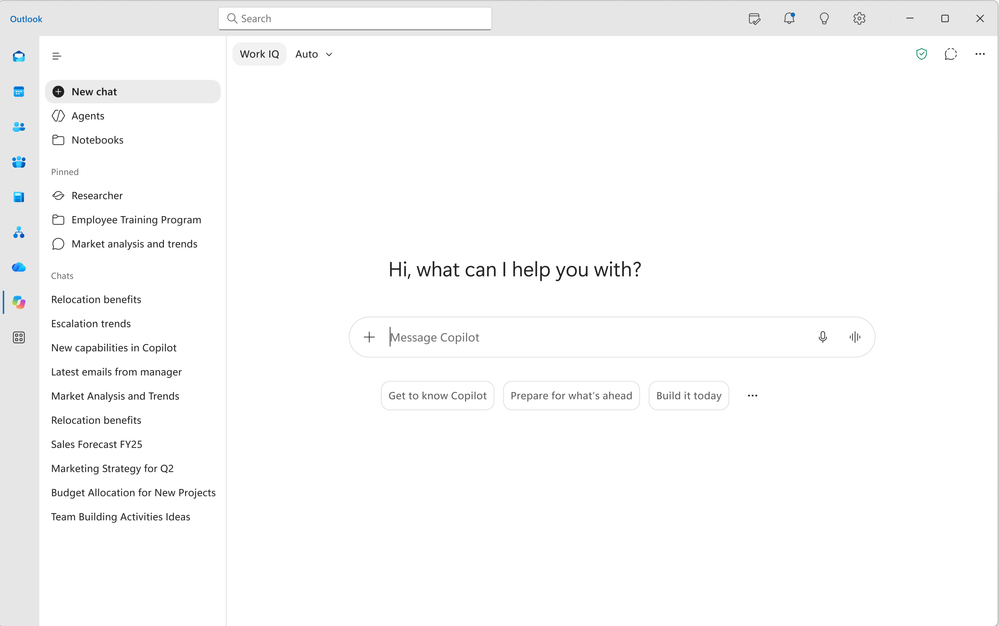
Copilot experiences in Teams and Outlook get a refreshed look aligned with the broader Copilot app design, simplifying Copilot navigation, streamlining the chat experience, and providing new ways for users to organize work. The updated design appears in both the full-screen Copilot experience in Teams and Outlook and the Copilot side pane. These updates rolled out in September.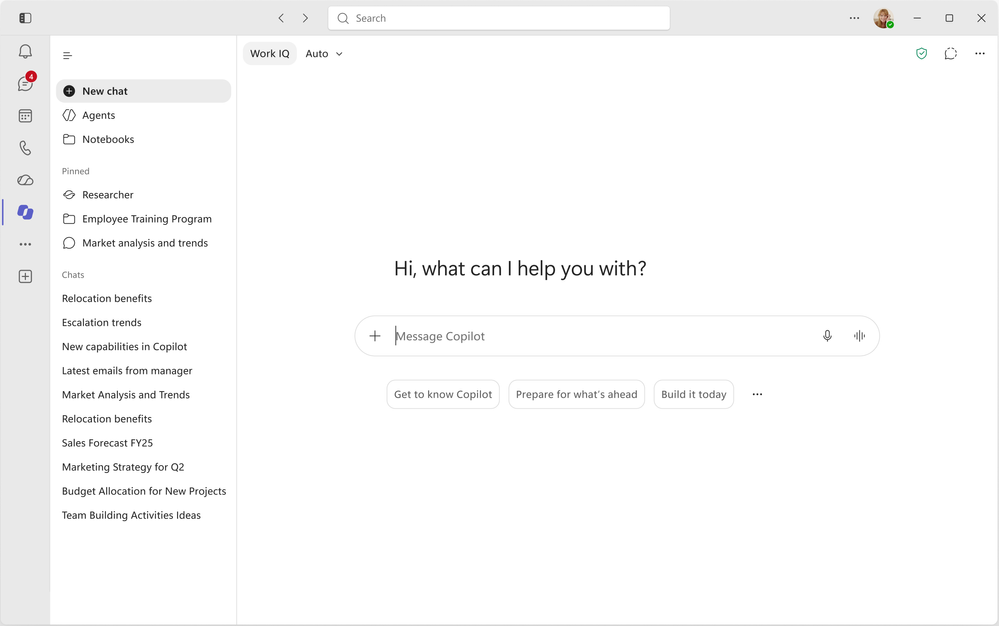
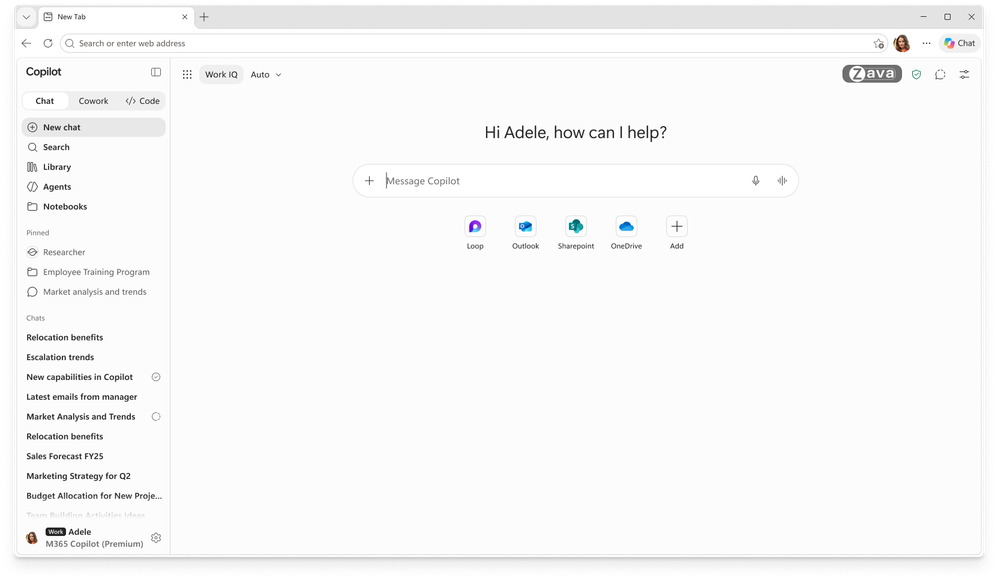
The upgraded Copilot new tab page in Edge brings search, chat, and web exploration together in a single search box. Copilot-suggested actions and curated work content sit alongside it, so users can move to the next task without hunting for the right entry point. This feature rolls out in October.
Users can now bring agents and skills directly into their prompts for specialized tasks. Users can call up agents or skills inline by typing ‘/’ (agents) or ‘@’ (skills). This enables uninterrupted work and the ability to compose prompts in one continuous flow. This feature rolled out in September.
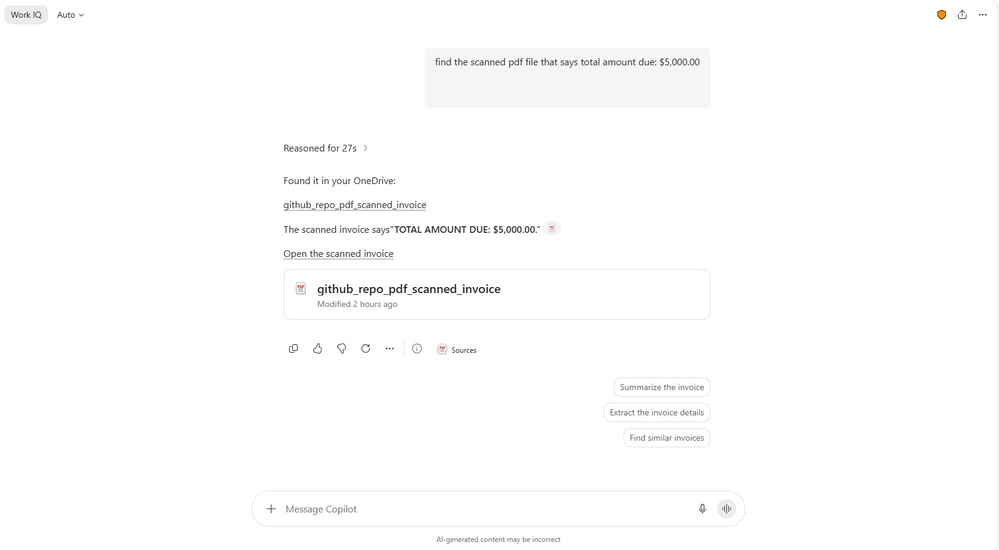
Copilot Chat now better matches search results from scanned PDFs. This enables users to quickly surface relevant information from more of their files, reducing the time spent manually searching through documents. These features rolled out in September.
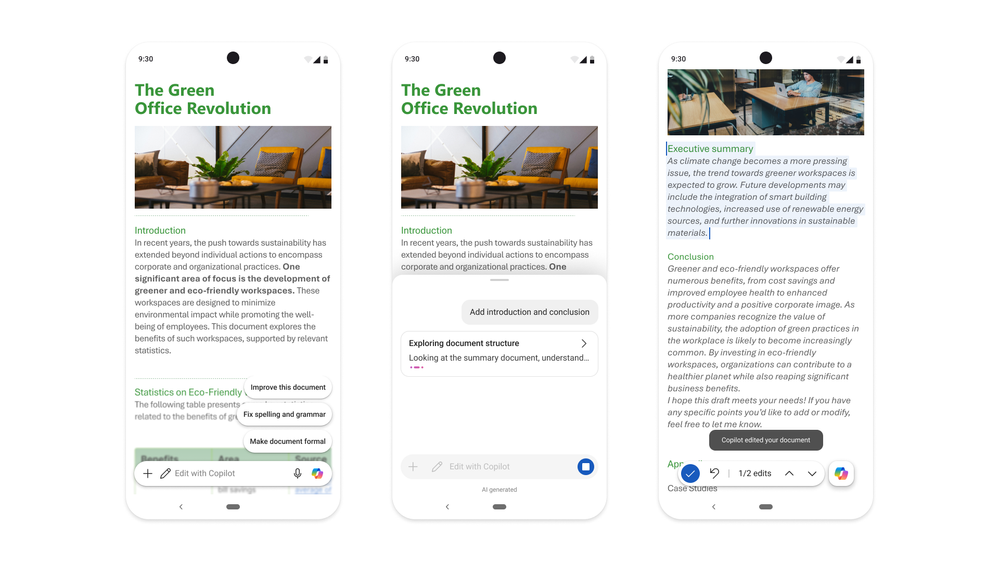
Copilot in Word, PowerPoint, and Excel on Android brings Copilot-powered editing to mobile devices. Users can now make changes with Copilot wherever they’re working. This creates a more seamless editing experience and makes it easier to stay productive on the go. This feature rolled out earlier this year on iOS, and rolled out on Android in September.
Plugins, connectors, and Work IQ enhancements to the Copilot App
New connectors, plugins, and agents help users get more value from Copilot by bringing relevant business data and industry knowledge into their everyday workflows. Additional new connectors, plugins, and agents across industries and functions include:- Industrial & Manufacturing: Autodesk, Resilinic, Vista Finance (by Trimble)
- Professional & Business Services: askpolly
- Financial Services: Fiscal AI, D&B Risk Analytics, D&B Finance Analytics, Zacks, MT Newswires, PrivCo, S&P Global Kensho, Square, Morningstar Credit Analytics
- Healthcare & Life Sciences: AMASS, Cortellis Regulatory Intelligence, SciLeads, Causaly, BioRender, ClinicalTrials.gov, PubMed, PopHive, bioRxiv, DrugBank, CAS, Open Targets, NPI Registry, MedlinePlus
- Energy & Resources: Rystad Energy
- Human Resources: TechWolf Analyst Agent
- Software & Technology: Webflow
- Retail & CPG: NielsenIQ, Cloudinary, Contentsquare
Apps built with SharePoint Framework can now include interactive UI directly in Copilot chat as UX components. This enables users to view information, interact with controls, and take action without leaving the conversation. This feature is rolling out to Frontier in September.
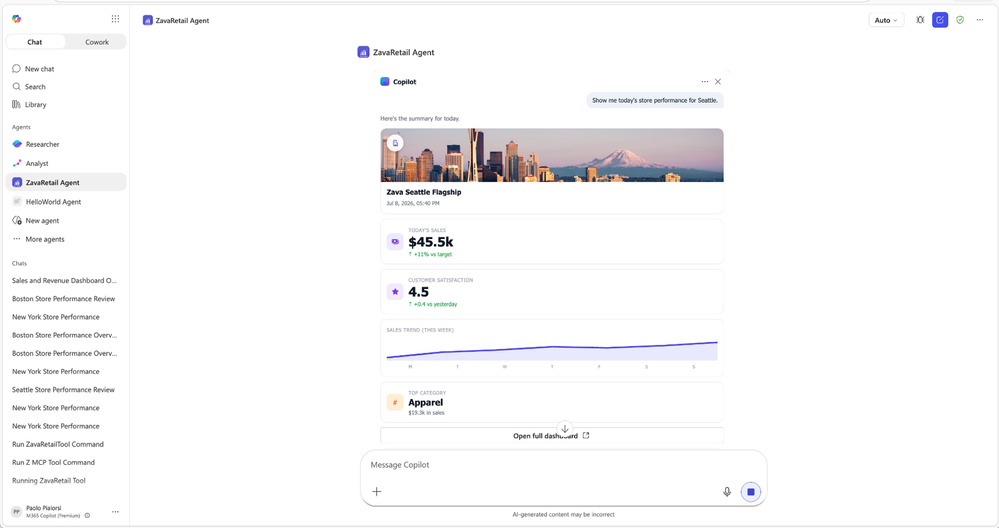
Soon, SharePoint content and action tools will be available in Work IQ, enabling Copilot to use SharePoint content intelligence and take action on that content. This feature is rolling out to Frontier in September.
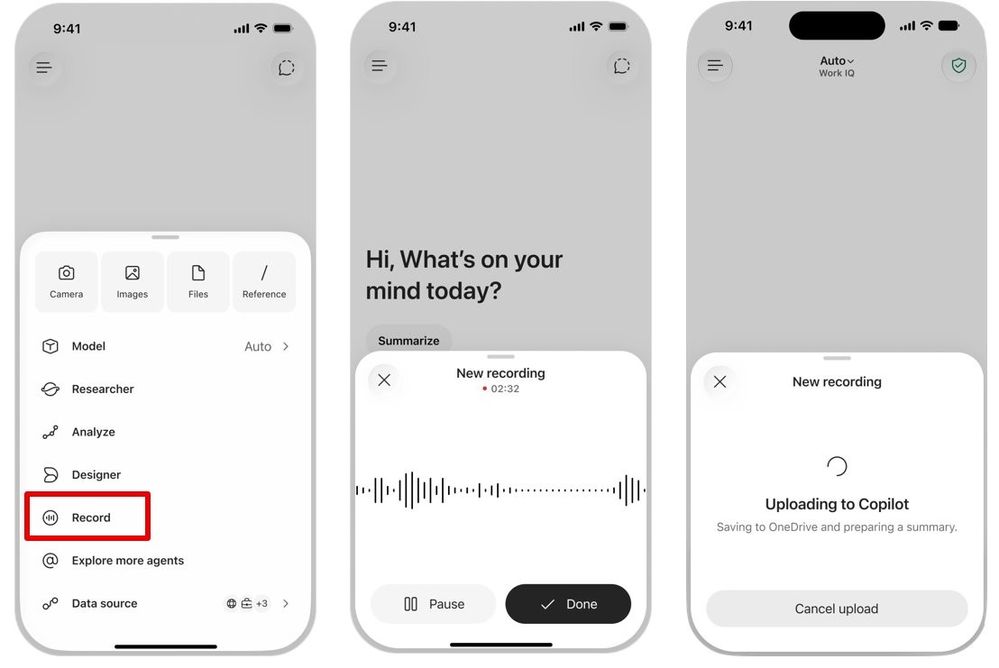
With Record in the Microsoft Copilot mobile app, users can capture in-person conversations and voice notes on the go and turn them into content they can act on. Record brings real-world audio into Copilot and provides an AI-generated transcript and summary in Copilot Chat, so users can easily preserve hallway conversations, customer visits, and ideas that might otherwise get lost. Users can ask follow-up questions, extract action items, or continue working with the content directly in Copilot. This feature rolled out in September.
Teams Phone agent for Copilot in Teams Phone
Copilot can now help customers get answers and the right support faster with Teams Phone Agent, the AI-powered calling receptionist. For customer-facing organizations and departments using Teams Phone, like bank branches or IT Help Desks, the Teams Phone Agent manages calls with repetitive requests, so employees can focus on the conversations that truly need a human touch. With support for over 60 languages, the Teams Phone Agent picks up incoming calls to help customers with answering common questions or booking and rescheduling appointments. Teams Phone Agent can also intelligently route callers to the right department or employee with an AI-generated summary of the conversation, so customers don't have to navigate phone menus or repeat themselves. This feature rolled out in September.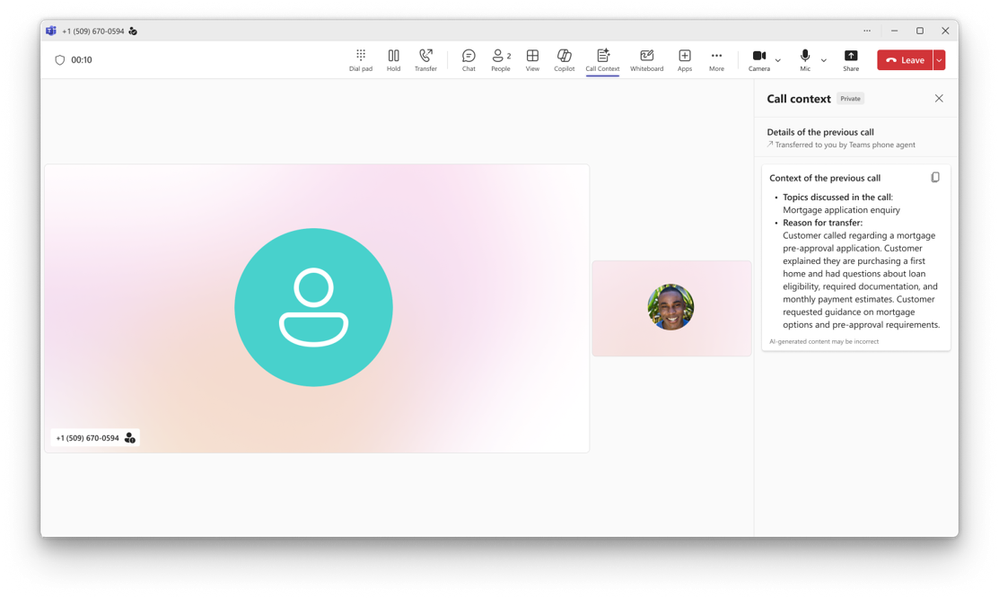
Citations and image modifications for Copilot in Word
Citations in Copilot responses in Word let users see the sources behind Copilot’s answers. Users can view citations to relevant web and work content directly in the response. This provides greater transparency and helps users understand where Copilot’s information comes from. This feature rolled out in September.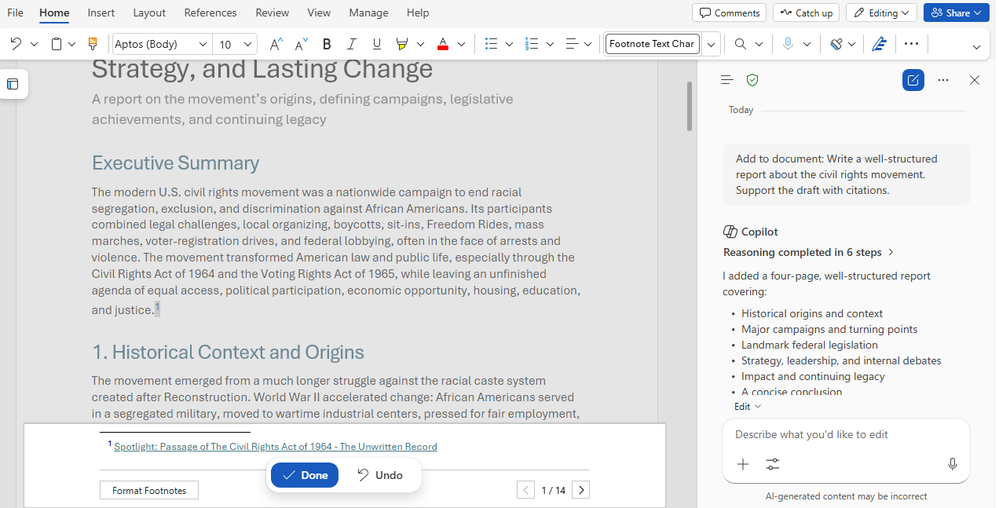
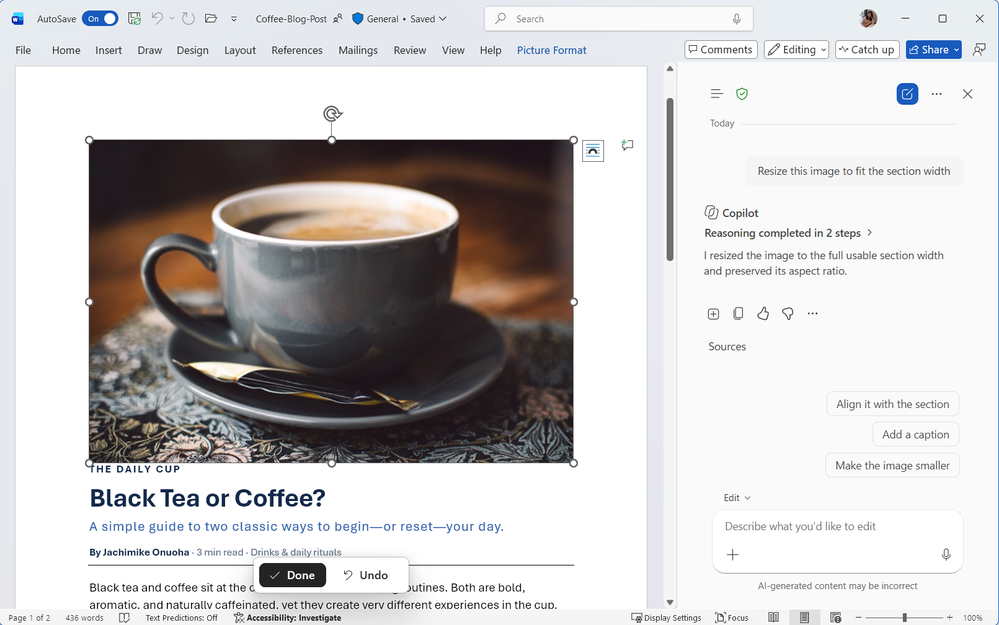
Now users can arrange and modify images and shapes directly within their Word documents. Copilot makes it easier to create layouts where visual elements look polished and well organized. This helps users create professional-looking documents with less manual effort. This feature rolled out in September.
Skills and connectors for Copilot in PowerPoint
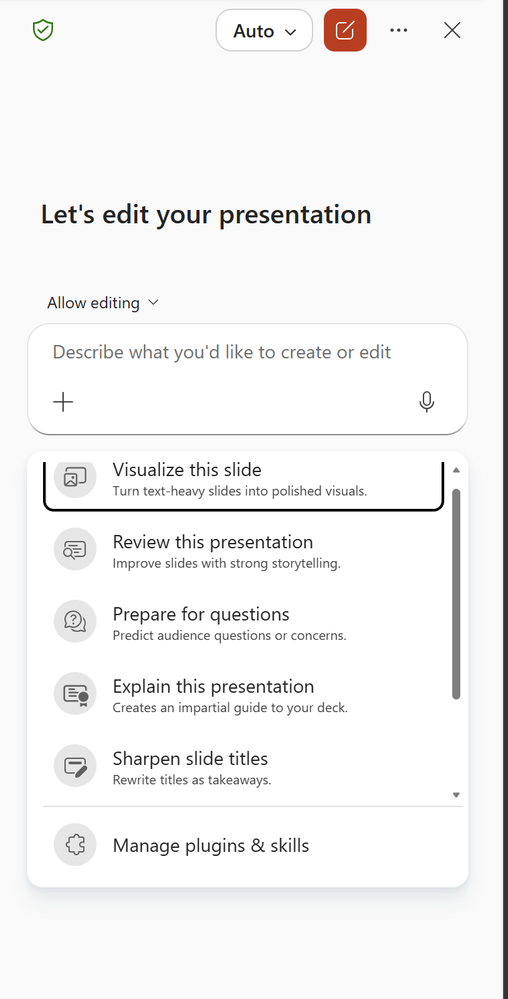
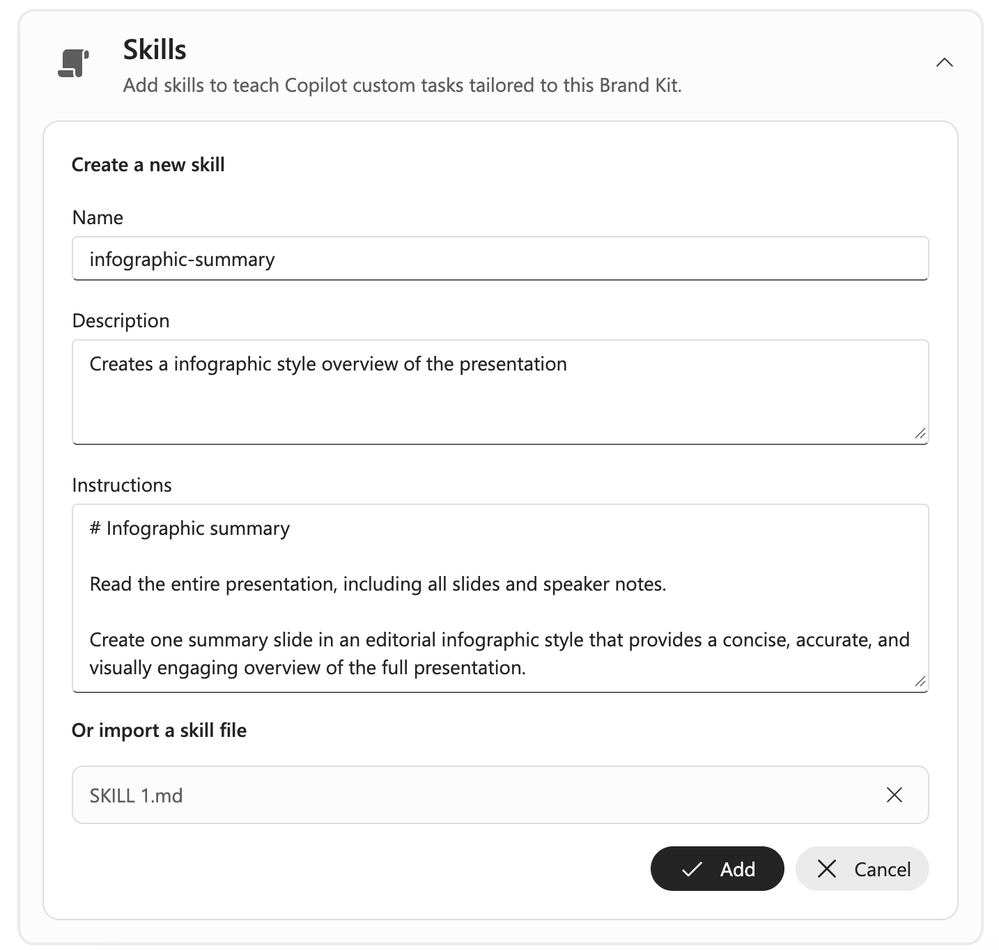
Skills in Copilot for PowerPoint package multi-step workflows into reusable capabilities. Users can call on a Skill to guide Copilot through each step instead of rebuilding the process prompt by prompt. This saves time and helps users produce more cohesive, consistent presentations. Learn more at Brand Kit and Skills in Copilot in PowerPoint.Prebuilt Skills in Copilot for PowerPoint help users improve presentations using ready-made capabilities for common tasks. Skills such as Explain this presentation can assess the overall narrative, audience fit, and flow, while Sharpen slide titles can rewrite titles to better summarize each slide. This helps users quickly refine their presentations without having to create detailed prompts or workflows from scratch. These skills rolled out in September.
Administrators can now publish approved Skills to specific users, groups, or the entire organization. This makes an organization’s workflows available directly in PowerPoint, without requiring each person create or upload them individually. This feature rolled out in September.
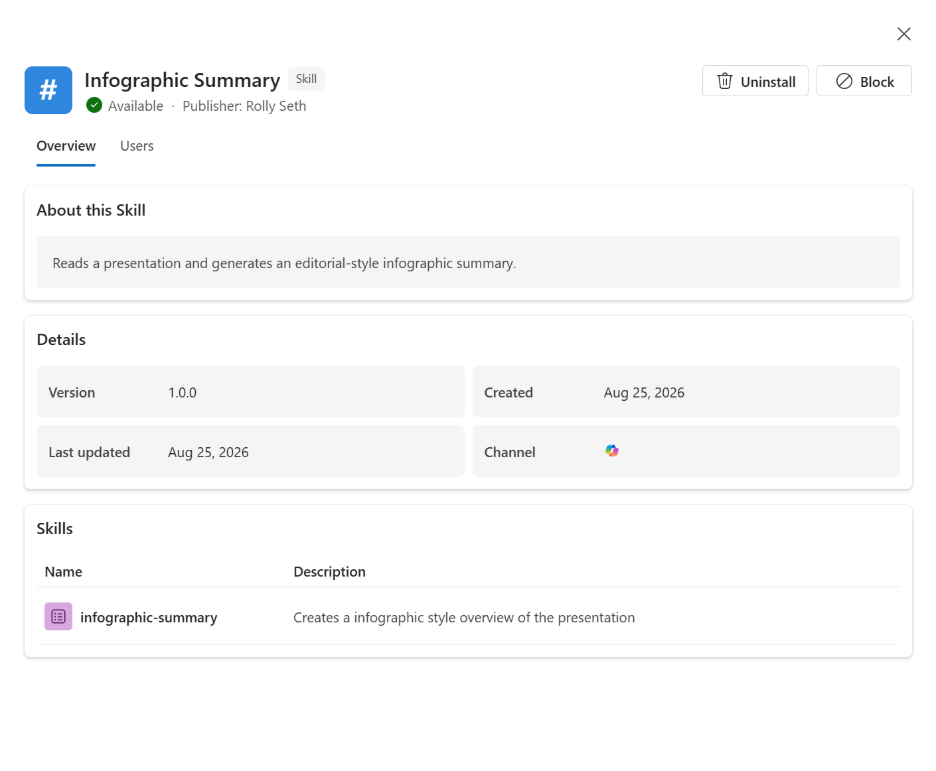
Brand Kit in PowerPoint can bring together your organization’s visual identity and reusable Skills for common presentation workflows. Brand managers can now include Skills that capture the processes teams use repeatedly alongside guidance for how presentations should look. This helps teams create presentations that are consistent with both the organization’s brand and its ways of working. Learn more at Brand Skill support for Copilot in PowerPoint. This feature rolls out in October.
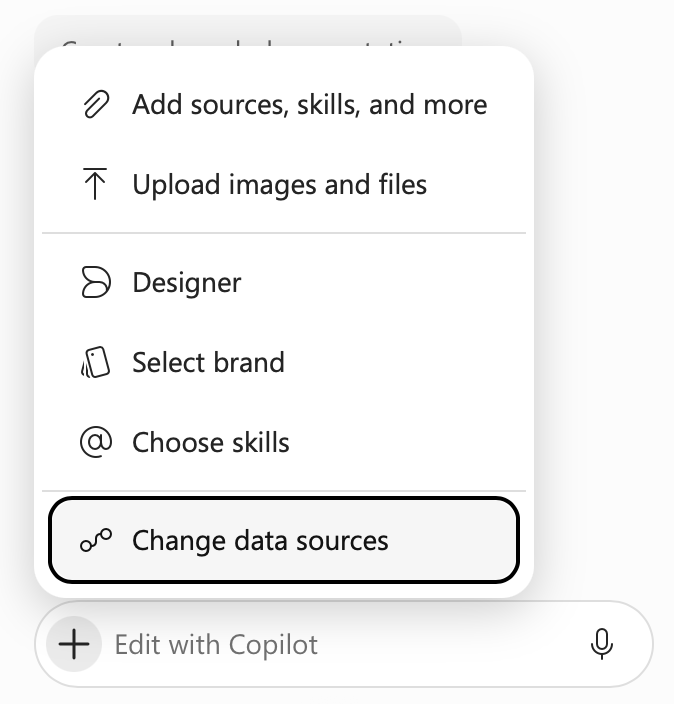
Connectors in Copilot for PowerPoint let users bring information from the apps and sources they already work with into their presentations. Users can incorporate relevant information from connected sources while building their slides, so they can easily create presentations grounded in the information they use across their work. These connectors rolled out in September.
Copilot in PowerPoint can now continue working on long-running tasks even after users leave PowerPoint, switch devices, go offline, or end their workday. Users can move on to other work without keeping PowerPoint open or monitoring the task, and notifications let them know when Copilot has finished or needs their attention. This gives users greater flexibility to work across desktop, web, and mobile while reducing the time spent waiting for Copilot to complete longer tasks. This feature rolls out in October.
General availability for Copilot in SharePoint
Copilot in SharePoint helps teams create and organize content, ask questions grounded in SharePoint, enrich libraries with AI-generated metadata, and build reusable skills for repeatable business processes. Users can now access advanced AI capabilities directly in SharePoint sites and document libraries, including image generation and editing, AI-generated site analytics reports, and near real-time metadata autofill. Together, these capabilities help organizations organize, understand, and turn content into actionable knowledge while handling more advanced content-management tasks with AI. Copilot in SharePoint rolled out in September.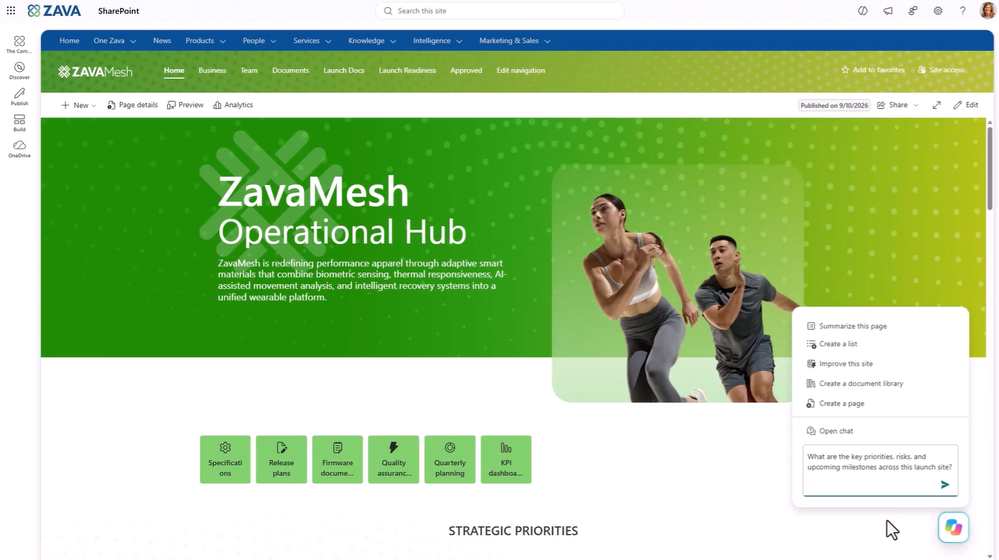
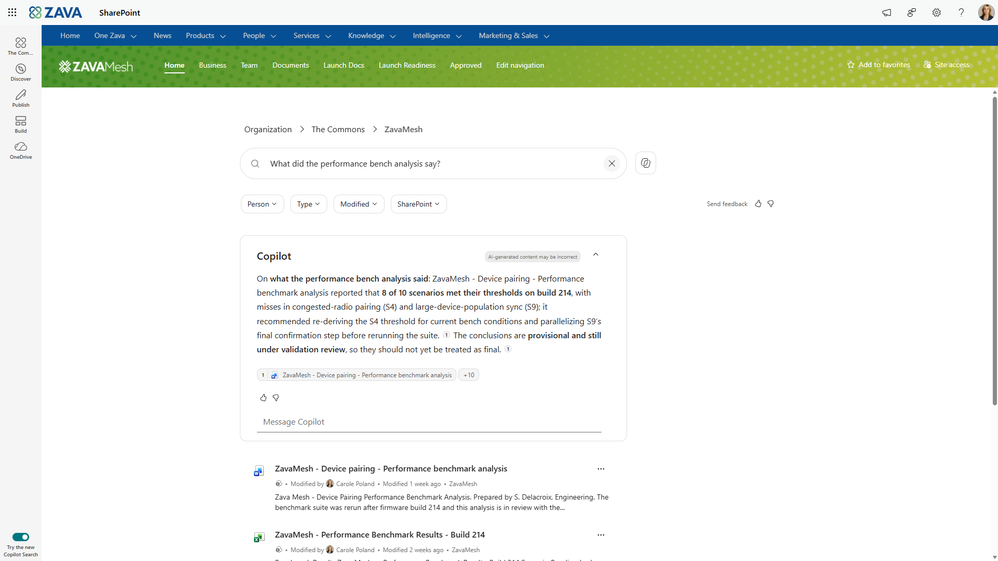
Copilot Search is becoming the default search experience across SharePoint and OneDrive. It combines natural language understanding, semantic retrieval, and AI-generated answers so people can ask questions naturally and receive grounded answers based on supported content they are authorized to access. This feature is rolling out to Frontier in September.
General availability for Copilot in OneDrive
Copilot in OneDrive has been rebuilt on the same foundation as Copilot in SharePoint, creating a more consistent experience for creating content, organizing information, and working with files wherever content lives. Copilot in OneDrive follows the same licensing approach as Copilot in SharePoint. Updated capabilities in Copilot in OneDrive rolled out in September.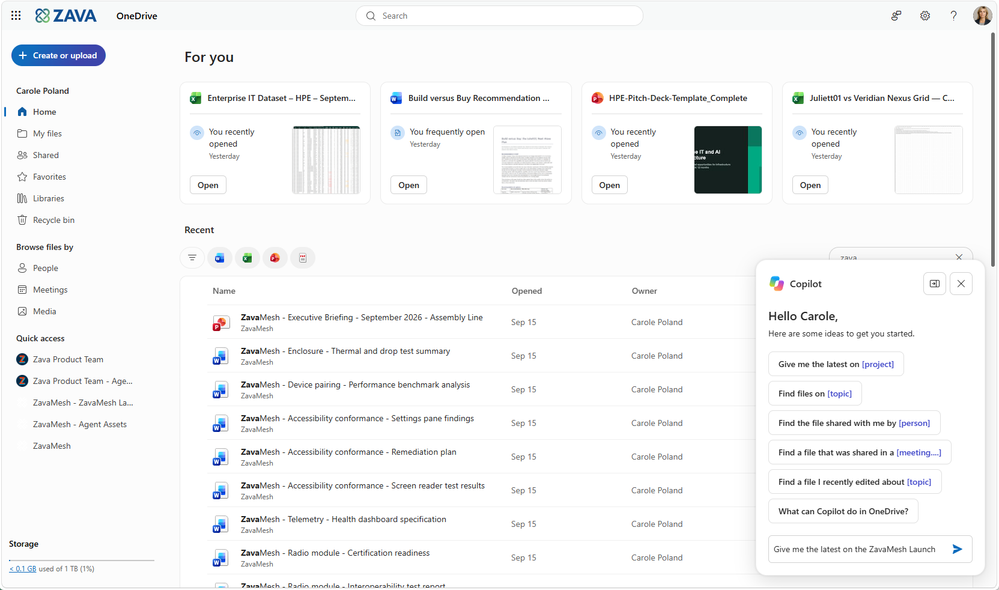
IT admin capabilities
Authoritative sources in the Microsoft 365 admin center
Admins can now manage authoritative sources for Copilot Search in the Microsoft 365 admin center. They can designate up to 100 SharePoint sites as authoritative, signaling that the sites contain verified, official content and helping improve the relevance and trustworthiness of Copilot Search and Chat results. From this centralized governance layer, admins can view, add, remove, and bulk import or export authoritative sources. This feature rolled out in September.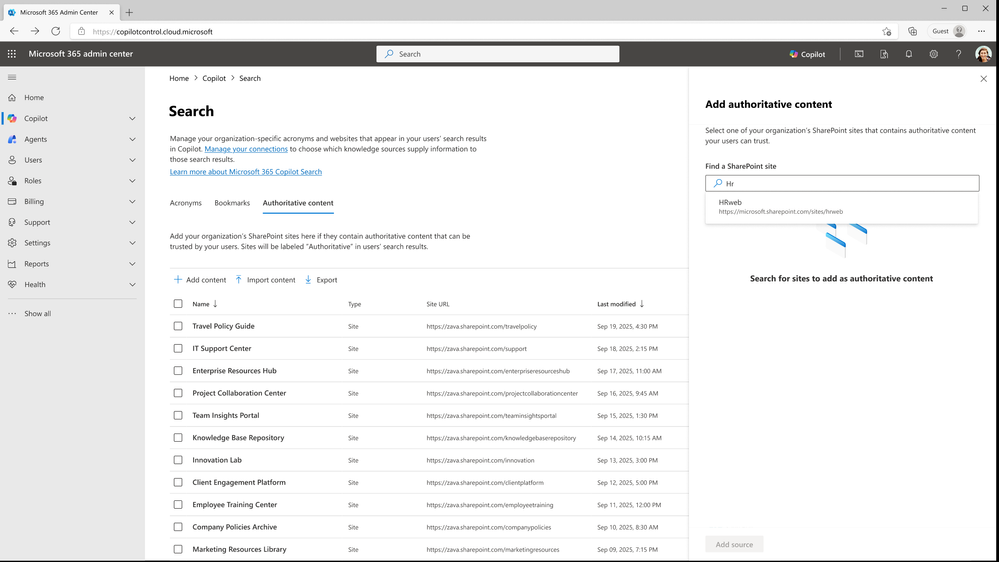
Targeted surveys in the Copilot Dashboard
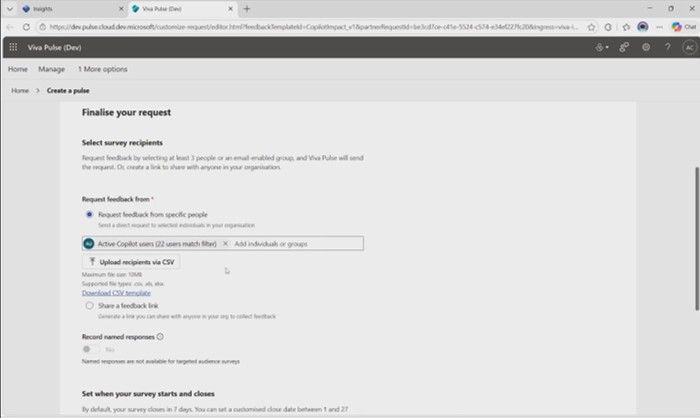
Leaders can now launch targeted Pulse surveys using dynamic survey lists to understand Copilot adoption and impact. The survey audiences are dynamically created from Copilot adoption data and can be filtered using existing criteria, eliminating the need to manually build and maintain lists. By bringing employee sentiment together with Copilot adoption insights, organizations can better understand how users are experiencing AI and identify opportunities to improve adoption and impact. Privacy is maintained through aggregated, population-level reporting rather than individual user visibility. This feature rolled out in September.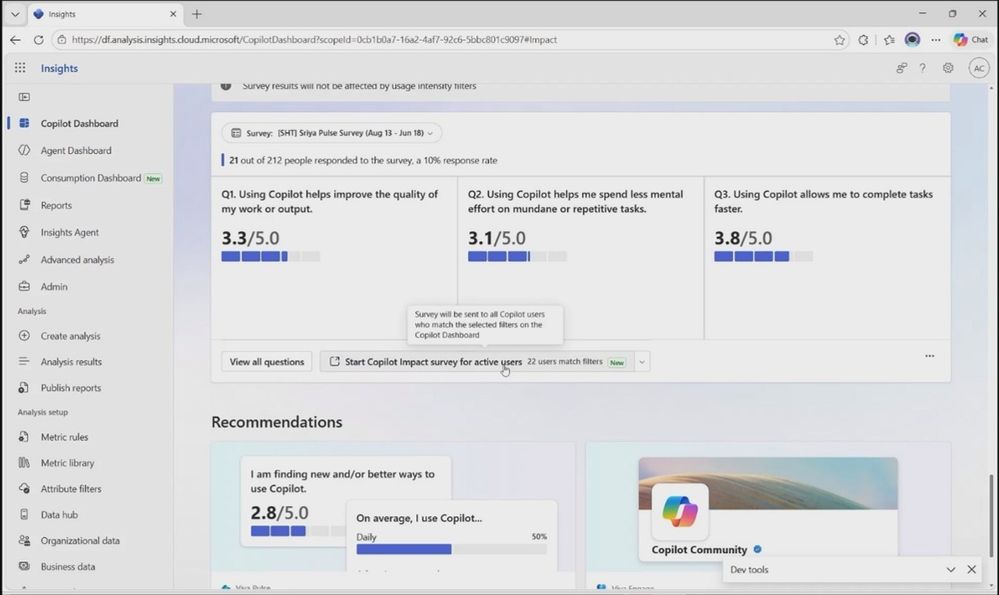
Did you know? The AI at Work Roadmap is where you can get the latest updates on productivity apps and intelligent cloud services. Microsoft Copilot release notes is where you can see the Microsoft Copilot features that are generally available and specific to each platform. Check back regularly to see what features are in development, coming soon and generally available. Please note that the dates mentioned in this article are tentative and subject to change.
Source:

What’s New in Microsoft Copilot | September 2026 | Microsoft Community Hub
Welcome to the September 2026 edition of What's New in Microsoft Copilot!
 techcommunity.microsoft.com
Last edited: