I was talking more about the Dell Pro 14 and like I said, I might change that to AHCI if I had more information
@Mark K kinda reinforced what I was thinking. Some new devices (like the surface)do not have AHCI as an option in bios so check your Dell to see if it does. If it does, then the below procedure should work.
except for the nagging using Edge instead of Firefox.
This should work to take care of that. It did for me.
This tutorial will show you how to disable the Microsoft Edge prompt asking to be the default browser for your account or all users in Windows 10 and Windows 11. The Microsoft Edge web browser is based on Chromium and was released on January 15, 2020. It is compatible with all supported...

www.elevenforum.com
How to Switch from Raid (or VMD) to AHCI
The simple condensed version of how I did this is here
SUPERUSER 3rd answer down.
But if you're interested in my own notes and cautions, see below. Overkill...maybe. But I took every precaution I could. Better safe than sorry, I say.
Cautions:
1, Always create a system image first.
2 NEVER do this if you have RAID configurated drives or Intel Optane.
3. I would also disable bitlocker or drive encryption before doing this. At very least have BL key handy.
4. YOU MUST HAVE YOUR SIGN-IN OPTIONS SET TO ACCEPT A PASSWORD to boot into safe mode. It will not accept a PIN. A workaround for this is to enable hidden administrator account.
1. from command prompt as admin type
bcdedit /set {current} safeboot minimal
(alternate method - use msconfig to boot to safe mode)
2. Restart the computer and enter BIOS Setup
3. Change the SATA Operation mode from RAID to AHCI.
4. Save changes and exit bios setup and Windows will automatically boot to Safe Mode.
5. In safe mode remove any Intel Rapid Storage
application.
6. From command prompt as admin type
bcdedit /deletevalue {current} safeboot
(alternate method - use msconfig to boot to normal mode)
7. Restart once more and Windows should start in normal mode using standard Microsoft NVME Express Controller Driver.
STUFF I LEARNED
Note 1: it's OK to stop here but the IRST drivers remain in your driver store.
I left the drivers in my driver store for quite a while but eventually removed them using DriverStoreExplorer (under storage controller drivers)in safe mode. Any/all of these are part of IRST dependent of the version of IRST for your system. Mine were the last 2.. (iaStor.sys, iaStorA.sys, iaStorF.sys, iaStorS.sys, iastorv.sys, iaStorAVC.sys, iaStorV.sys, iaStorAC.sys, iaStorAfs.sys)
So basically any driver starting with iaStor
Note 2: To this day on my newest machine from 2020, every time I use Dell Command Update to update my drivers, it offers me IRST drivers. I decline them. Maybe I missed removing an unused driver or maybe it's because DCU scans my drivers against what Dell shows came from the factory.
Note 3: FYI Nirsoft has a great portable utility called DriverView. You can use DriverView to display a list of all device drivers
currently loaded on your system. (
view>mark non MS drivers) DriverView: Loaded Windows Drivers List
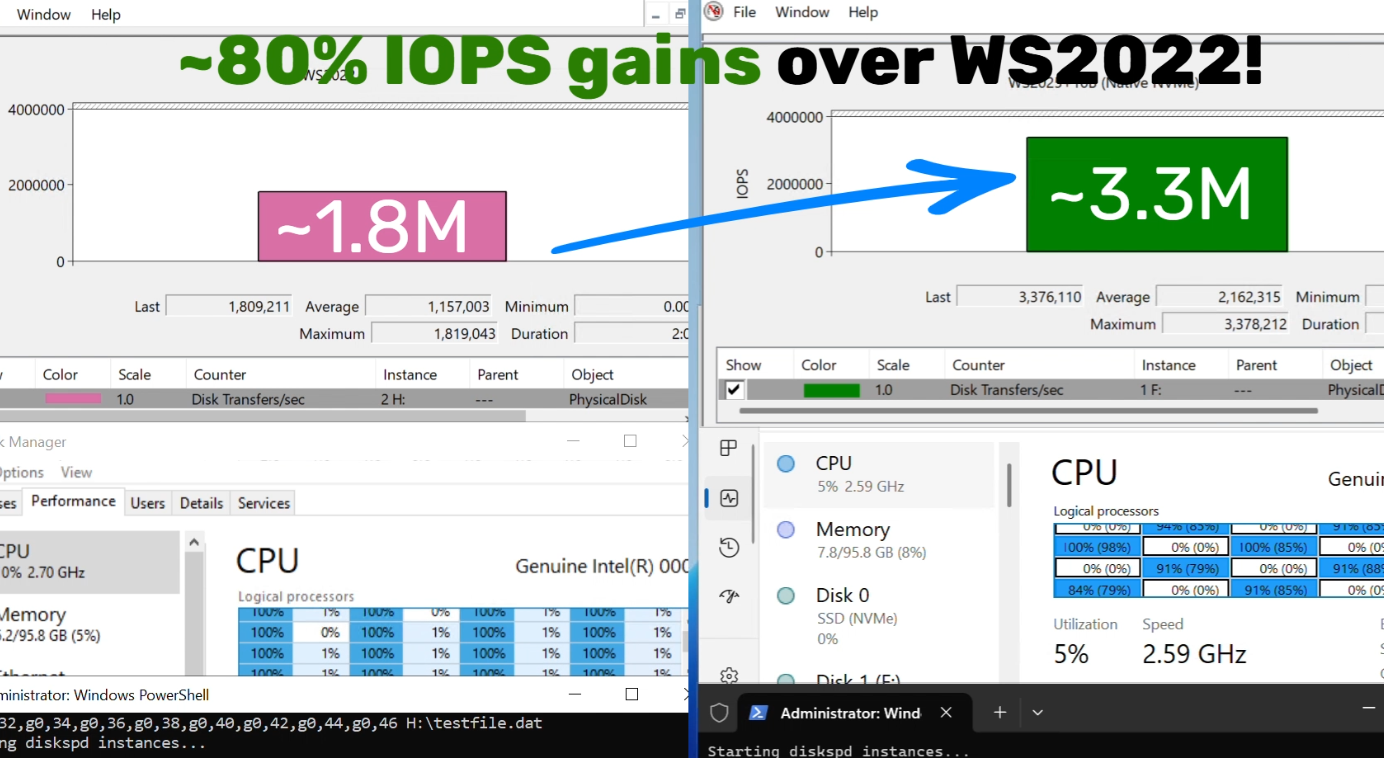
 techcommunity.microsoft.com