Windows 11 AI PC features to look for in 2026: A beginner’s guide


 Windows Learning Center:

If you’ve been following the buzz around AI PCs, you’ve probably heard big promises: smarter software, faster performance, and computers that understand what you need with far less effort. But what makes an AI PC different from a regular computer—and which features really matter in 2026?

Whether you’re an early adopter, a productivity‑focused power user, or simply curious about smarter operating systems, here’s what defines an AI PC and how to choose the right one.

What is an AI computer and why 2026 is the moment

An AI PC is a computer built from the ground up to run artificial intelligence features directly on the device—not just in the cloud. Instead of relying heavily on the cloud, AI PCs blend hardware, software, and operating system intelligence to deliver incredible speed, all-day battery life, and built-in AI experiences.

Most Windows PCs now ship with Windows 11, which has built-in AI-powered features to make it the best version of Windows yet. Experience real‑time help, smarter search, and intelligent automation across the system.

Think of it this way:
  • A traditional PC follows your commands
  • An AI PC anticipates your needs.
And no—AI is not here to replace you. AI is here to assist you by helping to remove friction, so everyday tasks feel smoother, faster, and more intuitive.

AI Built directly into the operating system

The power of AI is built into Windows 11 and accessible from your fingertips. An AI operating system (AI OS) understands your context—what you’re writing, searching, or juggling across apps. For example:
  • Copilot on Windows: Your built-in AI companion helps you find, create, summarize, and analyze content with ease. Speak, see, create with Copilot on Windows.
  • Recall: Search your digital memory by describing how you remember something. Instantly locate documents, emails, or web pages without needing exact filenames.
  • Live Captions with Translations: Translate live or recorded audio from over 40 languages into English captions across any app, even offline.
  • Windows Studio Effects: Enhance video calls with intelligent lighting, gaze correction, and voice clarity.
  • Photos: AI tools help you edit and enhance images effortlessly, ensuring your content looks its best.
An AI assistant that lowers the learning curve

If you're new to AI tools, good news: AI PCs now include an AI assistant that’s available across your entire PC. Meet Copilot in Windows, your AI assistant.

No more switching to a website. No more copy‑pasting content back and forth. Copilot works across your PC context (files, apps, and settings) so you can draft, plan, or recap without switching tools.

Just open Copilot and speak directly with it or type in your questions, for example:
  • “Hey Copilot, help me plan a last-minute family ski vacation over Christmas break at a resort with the best snow conditions this season.”
  • "Recap Tuesday's Teams meeting.”
  • "Explain the magic behind making sour dough bread.”
Copilot is conversational, visual, and voice-ready.

Hardware designed for AI: Meet the NPU

AI PCs are powered by a turbocharged neural processing unit (NPU)—a specialized computer chip powering Windows AI features to enrich your everyday life. The NPU performs more than 40 trillion operations per second (TOPS). With the NPU built for secure, on-device AI processing, you can count on your AI PC to help you work, create, and communicate more effectively.

This matters because:
  • AI tasks, like real-time translation, image generation, and intelligent search, run locally instead of requiring the cloud
  • Responses feel faster and smoother
  • Your battery lasts longer
  • Your data stays on your device, improving privacy
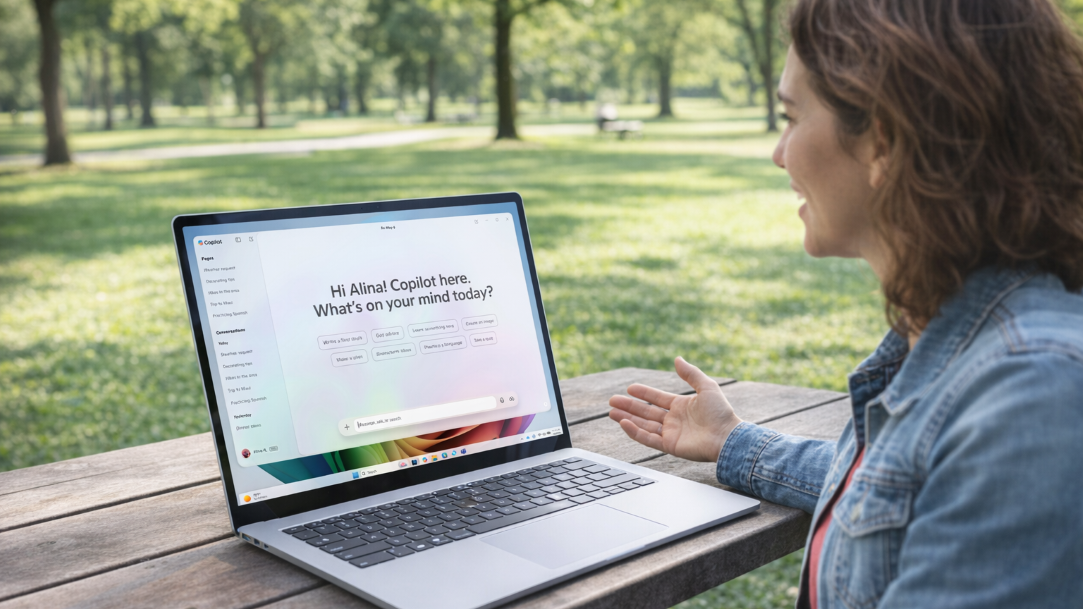
A woman in a park using a Copilot+ PC and having a conversation with Copilot

AI Art Created by Copilot

Local AI experiences that work offline

While older PCs send your data to distant servers to be processed, an AI PC does the heavy lifting right on your device. Local AI means important tasks still work offline. On‑device writing help, image editing, and system intelligence continue even without Wi‑Fi—so travel, patchy home internet, or campus dead zones don’t block you. Processing stays on your PC, which improves privacy and removes “internet lag,” so captioning a video or summarizing a PDF happens almost instantly.

Security, privacy, and clear data boundaries

In the era of AI, you don’t have to choose between having inspiring technology and security peace of mind. You can have both. AI PCs feature the highest standard of Windows 11 security, giving you layers of security measures to help keep your digital life in safe hands—yours. From the moment you turn on your AI PC, Windows 11 defends against potential risks to help make sure your credentials, photos, and files don’t fall into the wrong hands.

One of the powerful security measures is Microsoft Pluton security processor, the ultimate security built into the CPU. Microsoft Pluton safeguards sensitive information, such as passwords, online account credentials, and personal data.

Additional security features include:
  • TPM 2.0: A secure hardware vault that protects sensitive information like encryption keys, helping keep your data safe even if someone gains physical access to your device.
  • Windows Hello: Biometric recognition—such as your face or fingerprint—to let you sign in quickly and securely without relying on passwords.
  • Enhanced Sign‑in Security: An extra layer of protection by using hardware‑based safeguards that help block spoofing and unauthorized access during the sign‑in process.
What are Copilot+ PCs?

Copilot+ PCs are a class of AI PCs, laptops, and 2-in-1 PCs that deliver unmatched speed, turbocharged performance, all day battery life, and advanced AI features to help accelerate your productivity and creativity. Uniquely designed for secure AI performance, Copilot+ PCs help safeguard your most sensitive information.

A Copilot+ PC has the following hardware requirements:
  • NPUs: Specialized chips capable of at least 40 TOPS, enabling AI tasks like real-time translation, image generation, and intelligent search to run locally.
  • ARM-based processors: Many Copilot+ PCs are powered by Snapdragon® X Elite Plus processors, though support is expanding to Intel Core Ultra 200V series and AMD Ryzen AI 300 series processors.
  • Minimum specs: 16GB RAM, 256GB SSD, and Windows 11 version 24H2 or newer.
Copilot+ PCs are designed to support AI innovations of today and for tomorrow. Count on Copilot+ PCs to deliver the seamless integration of speed, security, and intelligence—from the professional who needs instant summaries to the student managing complex notes and online learning and to the creative using resource-intensive tools for video, images, and design work.

AI that solves real problems

When evaluating AI PCs, like Copilot+ PCs, the most meaningful capabilities to consider are the ones that support everyday work. For example, AI can help you:
  • Turn a rough draft into something you’re proud to submit.
  • Quickly find that document or message you know you worked on last week, without digging through endless folders.
  • Brighten up a poorly lit photo for your presentation—no fancy editing software or design skills required.
  • Keep your class notes, assignments, and files organized automatically, so you don't lose track of the important stuff.
AI PCs focus on delivering clear, useful benefits in specific moments, prioritizing helpfulness and simplicity over feature overload.

How to choose the right AI PC in 2026

To find the right AI PC, look for integrated AI architecture and select a device with a dedicated NPU to ensure peak local performance. Choosing a Copilot+ PC provides the most future-proof experience, offering native AI tools that are more efficient than third-party software. Ultimately, choose a Windows PC that streamlines your specific workflow through seamless, built-in AI capabilities.


 Source:

 
No thanks, I like using my brain and I don't need AI or Copilot to tell me how and what to do :p
 

My Computer

System One

  • OS
    Windows 11 Pro
    Computer type
    PC/Desktop
    Manufacturer/Model
    Custom Build
    CPU
    Intel Core i9 12900KF
    Motherboard
    ASUS ROG Maximus Z690 Hero
    Memory
    Corsair 64GB DDR5 Vengeance C40 5200Mhz
    Graphics Card(s)
    ASUS GeForce RTX 3090 ROG Strix OC 24GB
    Sound Card
    OnBoard
    Monitor(s) Displays
    Acer Predator XB323UGP 32" QHD G-SYNC-C 144Hz 1MS IPS LED
    Screen Resolution
    2560 x 1440
    Hard Drives
    1x Samsung 980 Pro Series Gen4 250GB M.2 NVMe
    1x Samsung 980 Pro Series Gen4 500GB M.2 NVMe
    2x Samsung 980 Pro Series Gen4 2TB M.2 NVMe
    PSU
    Corsair AX1200i 1200W 80PLUS Titanium Modular
    Case
    Corsair 4000D Black Case w/ Tempered Glass Side Panel
    Cooling
    Noctua NH-U12A Chromax Black CPU Cooler, 4x Noctua 120mm Fans
    Keyboard
    Logitech MK545
    Mouse
    Logitech MX Master 3
    Internet Speed
    Fixed Wireless 150mbps/75mbps
    Browser
    Firefox
    Antivirus
    Kaspersky
    Other Info
    Thrustmaster TS-PC RACER
    Fanatec CSL Elite Pedals with the Load Cell Kit
    Yamaha Amp with Bose Speakers
Security, privacy, and clear data boundaries

In the era of AI, you don’t have to choose between having inspiring technology and security peace of mind. You can have both. AI PCs feature the highest standard of Windows 11 security, giving you layers of security measures to help keep your digital life in safe hands—yours. From the moment you turn on your AI PC, Windows 11 defends against potential risks to help make sure your credentials, photos, and files don’t fall into the wrong hands.

One of the powerful security measures is Microsoft Pluton security processor, the ultimate security built into the CPU. Microsoft Pluton safeguards sensitive information, such as passwords, online account credentials, and personal data.

Additional security features include:
  • TPM 2.0: A secure hardware vault that protects sensitive information like encryption keys, helping keep your data safe even if someone gains physical access to your device.
  • Windows Hello: Biometric recognition—such as your face or fingerprint—to let you sign in quickly and securely without relying on passwords.
  • Enhanced Sign‑in Security: An extra layer of protection by using hardware‑based safeguards that help block spoofing and unauthorized access during the sign‑in process.
What are Copilot+ PCs?


I just had to log in.........
The text headline say Security, privacy, and clear data boundaries Where in this text above do they actually use the word Privacy that is included in the text headline :lmao:


But i will give credit for one thing... they do say one true thing in this article, i highlight the true part below. :-)(y)


Local AI experiences that work offline
While older PCs send your data to distant servers to be processed, an AI PC does the heavy lifting right on your device. Local AI means important tasks still work offline. On‑device writing help, image editing, and system intelligence continue even without Wi‑Fi—so travel, patchy home internet, or campus dead zones don’t block you. Processing stays on your PC, which improves privacy
:cool:


Sorry Brink😘, i couldn't resist, as MS just asked for it. 😇*lol*😅
I did leave out a comment about their "strong" security if someone get hold of the computer. :censored:
 

My Computers

System One System Two

  • OS
    Linux: Debian, Kali-linux, Alma, Win: 7, 8.1,2012R
    Manufacturer/Model
    HP Elitebook 840, AsusX53, Aspire E1-572. AsusUX32A, HP Pro3130mt+3010mt, HP Proliant ML150, 3xCustom-PC, i3, i5, i7
    CPU
    i3, i5 and i7 From 2gen to 9th gen... Server dual Xenon
    Hard Drives
    Sata, M.2, SAS
  • Operating System
    Retro: 2003server.XPpro, Win2000, Win98SE, Win95, Win3.11, MS-DOS, IBM-DOS
    Manufacturer/Model
    Commodore, AST, Fujitsu, Compaq, etc etc. etc Around 15 desktops and 20 laptops in the collection
    CPU
    Oldest intel 8088 up to P4 dual core
    Hard Drives
    MFM, IDE, SCSI
1771661910049.webp

NOOOOOOOOOOO!!!!!!!!!!!!!!!!!!!!!!!!!!!!!!!!
 

My Computer

System One

  • OS
    Windows 11
    Computer type
    PC/Desktop
    Manufacturer/Model
    Cooler master
    CPU
    I5
    Motherboard
    Gigabyte
    Memory
    Too much haha!
    Graphics Card(s)
    NVidia 1060
The one AI feature I look for is the off switch.
 

My Computer

System One

  • OS
    Windows 11 Pro + Win11 Canary VM.
    Computer type
    Laptop
    Manufacturer/Model
    ASUS Zenbook 14
    CPU
    I9 13th gen i9-13900H 2.60 GHZ
    Motherboard
    Yep, Laptop has one.
    Memory
    16 GB soldered
    Graphics Card(s)
    Integrated Intel Iris XE
    Sound Card
    Realtek built in
    Monitor(s) Displays
    laptop OLED screen
    Screen Resolution
    2880x1800 touchscreen
    Hard Drives
    1 TB NVME SSD (only weakness is only one slot)
    PSU
    Internal + 65W thunderbolt USB4 charger
    Case
    Yep, got one
    Cooling
    Stella Artois (UK pint cans - 568 ml) - extra cost.
    Keyboard
    Built in UK keybd
    Mouse
    Bluetooth , wireless dongled, wired
    Internet Speed
    900 mbs (ethernet), wifi 6 typical 350-450 mb/s both up and down
    Browser
    Edge
    Antivirus
    Defender
    Other Info
    TPM 2.0, 2xUSB4 thunderbolt, 1xUsb3 (usb a), 1xUsb-c, hdmi out, 3.5 mm audio out/in combo, ASUS backlit trackpad (inc. switchable number pad)

    Macrium Reflect Home V8
    Office 365 Family (6 users each 1TB onedrive space)
    Hyper-V (a vm runs almost as fast as my older laptop)
I'm leaving CoPIlot imprisoned in a web browser where it belongs!
 

My Computer

System One

  • OS
    Windows 11 Pro
    Computer type
    PC/Desktop
    Manufacturer/Model
    Self build
    CPU
    Core i7-13700K
    Motherboard
    Asus TUF Gaming Plus WiFi Z790
    Memory
    64 GB Kingston Fury Beast DDR5
    Graphics Card(s)
    Gigabyte GeForce RTX 2060 Super Gaming OC 8G
    Sound Card
    Realtek S1200A
    Monitor(s) Displays
    Viewsonic VP2770 & Dell (secondary)
    Screen Resolution
    2560 x 1440
    Hard Drives
    Kingston KC3000 2TB NVME SSD & SATA HDDs & SSD
    PSU
    EVGA SuperNova G2 850W
    Case
    Nanoxia Deep Silence 1
    Cooling
    Noctua NH-D14
    Keyboard
    Microsoft Digital Media Pro
    Mouse
    Logitech Wireless
    Internet Speed
    80 Mb / s
    Browser
    Chrome
    Antivirus
    Defender, Malwarebytes Free & AdwCleaner

My Computer

System One

  • OS
    Home26H2Can
    Computer type
    PC/Desktop
    CPU
    AMD Ryzen 5 8600G (07/24)
    Motherboard
    ASROCK B650M-HDV/M.2 (07/24) BIOS 4.21 AGESA ComboAM5 1.3.0.1 (04/26)
    Memory
    2x32GB Kingston FURY DDR5 5600 MHz CL36 @5200 CL36 (07/24)
    Graphics Card(s)
    ASROCK Radeon RX 6600 Challenger D 8G @48FPS (08/24)
    Sound Card
    Creative Sound BlasterX AE-5 Plus (05/24)
    Monitor(s) Displays
    24" Philips 24M1N3200ZS/00 (05/24)
    Screen Resolution
    1920×1080@165Hz via DP1.4
    Hard Drives
    Kingston KC3000 NVMe 2TB (05/24)
    ADATA XPG GAMMIX S11 Pro 512GB (07/19)
    PSU
    Seasonic Core GM 550 Gold (04/24)
    Case
    Fractal Design Define 7 Mini with 3x Noctua NF-P14s/12@555rpm (04/24)
    Cooling
    Noctua NH-U12S with Noctua NF-P12 (04/24)
    Keyboard
    HP Pavilion Wired Keyboard 300 (07/24) + Rabalux 76017 Parker (01/24)
    Mouse
    Logitech M330 Silent Plus (01/26)
    Internet Speed
    500/100 Mbps via RouterOS (05/21) & TCP Optimizer
    Browser
    Edge, Brave for YouTube, LibreWolf for FB
    Antivirus
    NextDNS blocking 1/3 Traffic
    Other Info
    Phone: Motorola Moto G86 (02/26)
    Backup: Hasleo Backup Suite (PreOS)
    Headphones: Sennheiser RS170 (09/10)
    Chair: Huzaro Force 4.4 Grey Mesh (05/24)
    Notifier: Xiaomi Mi Band 9 Milanese (10/24)
    FlexCore USB-C 3.2 Gen 1 (M) to LAN (F) (08/25)
I'm pretty sure I'd feel like a dork, sitting in a park talking to my Laptop!!! :unsure:

12420.webp
 

My Computers

System One System Two

  • OS
    Windows 11 Pro
    Computer type
    PC/Desktop
    Manufacturer/Model
    ASUS ROG Strix
  • Operating System
    Windows 11 Pro
    Computer type
    Laptop
    Manufacturer/Model
    ASUS VivoBook
Notably missing will be the option to completely remove the AI, because its real purpose is data mining and censorship. Privacy is the LAST thing Microsoft has any respect for.
 

My Computer

System One

  • OS
    Windows 11 22H2 Pro (X-lite Micro 11 version)
    Computer type
    Laptop
    Manufacturer/Model
    Dell/ Precision 7680
    CPU
    i7 13850HX (20 cores, 28 threads)
    Motherboard
    Dell
    Memory
    32GB DDR5
    Graphics Card(s)
    Intel UHD/ RTX 1000 ADA
    Sound Card
    Realtek
    Monitor(s) Displays
    4K UHD Touchscreen
    Screen Resolution
    3840 x 2400
    Hard Drives
    Samsung 512GB system drive
    WD Blue 1TB game drive
    PSU
    240W AC adapter, 1800W when docked
    Internet Speed
    1 gigabit symmetrical
    Browser
    Firefox, Librewolf
    Antivirus
    None. Manully configured so nobody except me can change any critical system files. (Don't ask how, it's probably against some rule somewhere)
People who feel the need to kvetch constantly and repeatedly about AI...


My Computer

System One

  • OS
    Windows 11 Pro 25H2
    Computer type
    PC/Desktop
    Manufacturer/Model
    Intel NUC12WSHi7
    CPU
    12th Gen Core i7-1260P
    Motherboard
    NUC12WSBi7
    Memory
    64 GB Micron PC4-25600
    Graphics Card(s)
    Intel Iris Xe Graphics
    Sound Card
    on-board Realtek HD Audio
    Monitor(s) Displays
    Dell U3219Q
    Screen Resolution
    3840 x 2160
    Hard Drives
    Samsung SSD 990 PRO 1TB
    Crucial MX500 2 TB
    Antivirus
    Microsoft Defender
'AI' is only as good as the quality of the training data used and has no inherent understanding of what information it is spouting
 

My Computer

System One

  • OS
    Windows 11 Pro
    Computer type
    PC/Desktop
    Manufacturer/Model
    Self build
    CPU
    Core i7-13700K
    Motherboard
    Asus TUF Gaming Plus WiFi Z790
    Memory
    64 GB Kingston Fury Beast DDR5
    Graphics Card(s)
    Gigabyte GeForce RTX 2060 Super Gaming OC 8G
    Sound Card
    Realtek S1200A
    Monitor(s) Displays
    Viewsonic VP2770 & Dell (secondary)
    Screen Resolution
    2560 x 1440
    Hard Drives
    Kingston KC3000 2TB NVME SSD & SATA HDDs & SSD
    PSU
    EVGA SuperNova G2 850W
    Case
    Nanoxia Deep Silence 1
    Cooling
    Noctua NH-D14
    Keyboard
    Microsoft Digital Media Pro
    Mouse
    Logitech Wireless
    Internet Speed
    80 Mb / s
    Browser
    Chrome
    Antivirus
    Defender, Malwarebytes Free & AdwCleaner

My Computers

System One System Two

  • OS
    Windows 11 Pro
    Computer type
    PC/Desktop
    Manufacturer/Model
    ASUS ROG Strix
  • Operating System
    Windows 11 Pro
    Computer type
    Laptop
    Manufacturer/Model
    ASUS VivoBook
I hate to say it, but, AI could have a significant impact on sites such as this one..., it's members and visitors!
It's been pretty tame around here in the last little while! :unsure:
 

My Computers

System One System Two

  • OS
    Windows 11 Pro
    Computer type
    PC/Desktop
    Manufacturer/Model
    ASUS ROG Strix
  • Operating System
    Windows 11 Pro
    Computer type
    Laptop
    Manufacturer/Model
    ASUS VivoBook
Back
Top Bottom