Windows IT Pro Blog:
Windows is committed to making sign-in simpler, quicker, and more secure for every user. Today, we’re excited to announce a major step forward in passwordless authentication: native support for passkey managers in Windows 11. This new capability empowers users to choose their favorite passkey manager — whether it’s Microsoft Password Manager or trusted third-party providers. It’s generally available with the Windows November 2025 security update.
By partnering closely with third-party managers, we’re delivering a more flexible, secure, and intuitive experience for Windows users everywhere, starting with 1Password today and other passkey managers coming soon.
“Working alongside the Windows Security team on the development of the passkey plugin API for Windows 11 has been a rewarding partnership.
As the first password manager to offer native passkey support in Windows 11, we’re proud to give customers a seamless passwordless experience inside and outside the browser. Together, we’ve ensured that 1Password and other third-party passkey providers can deliver a secure, standards-based experience natively on Windows, marking another major step towards a passwordless future.”
- Travis Hogan, End User Group Product Manager, 1Password
Why plugin passkey managers?
Passkeys are phish-resistant, less vulnerable to data breaches, and easier and faster to use than passwords. With plugin passkey manager support, you get:- Choice and flexibility: Use your preferred passkey manager natively on Windows.
- Easy authentication: Create and sign in with passkeys using Windows Hello.
- Passkeys everywhere: Your passkeys are synced between your Windows PCs and mobile devices. They go where you go.
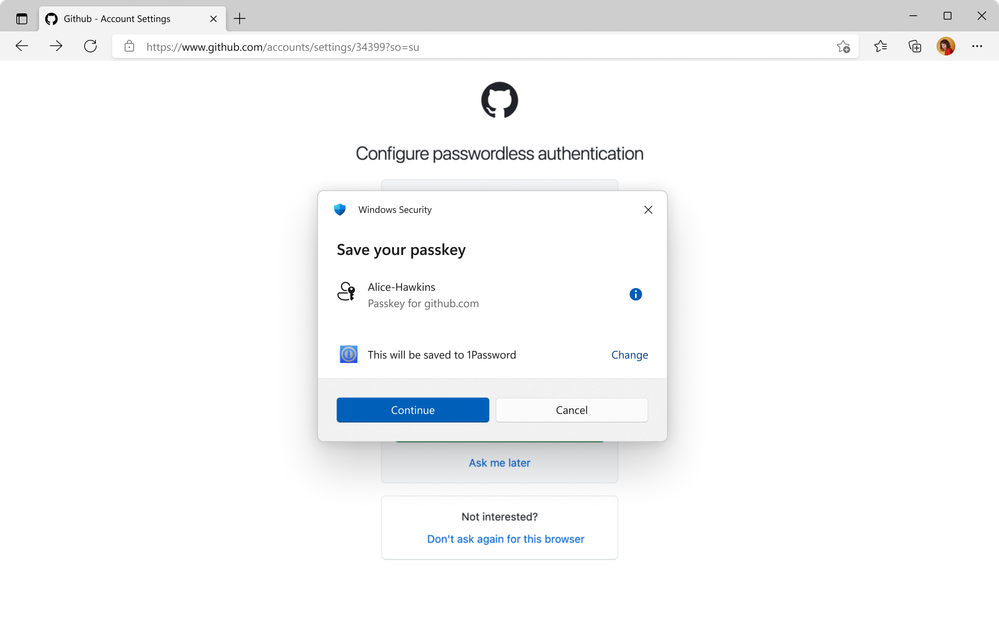
Saving a passkey to 1Password
Easier authentication, with Windows Hello
With plugin passkey manager support, packaged credential managers can integrate directly into Windows. Users can save, manage, and use passkeys across browsers and native apps — thanks to the new plugin provider capability. Setting up your credential manager is part of the passkey creation flow. Authentication uses Windows Hello — whether that is PIN, face, or fingerprint — so only you can access your credentials.
Enable or Disable Passkey Managers in Windows 11
This tutorial will show you how to turn on or off passkey managers available to save passkeys to for your account in Windows 11. Passkeys provide a more secure and convenient method to logging into websites and applications compared to passwords. Unlike passwords, which users must remember and...
 www.elevenforum.com
Microsoft Password Manager
We’ve integrated Microsoft Password Manager from Microsoft Edge natively into Windows as a plugin. That means you can use it in Microsoft Edge, other browsers, or any app that supports passkeys.
Microsoft Edge introduces passkey saving and syncing with Microsoft Password Manager
Microsoft Edge Blog: We’re thrilled to share that passkeys can now be securely saved and synced across your Windows desktop devices using Microsoft Password Manager in Edge. This update makes signing in easier and safer. Here’s how it works and why passkeys are the smart choice for protecting...
www.elevenforum.com
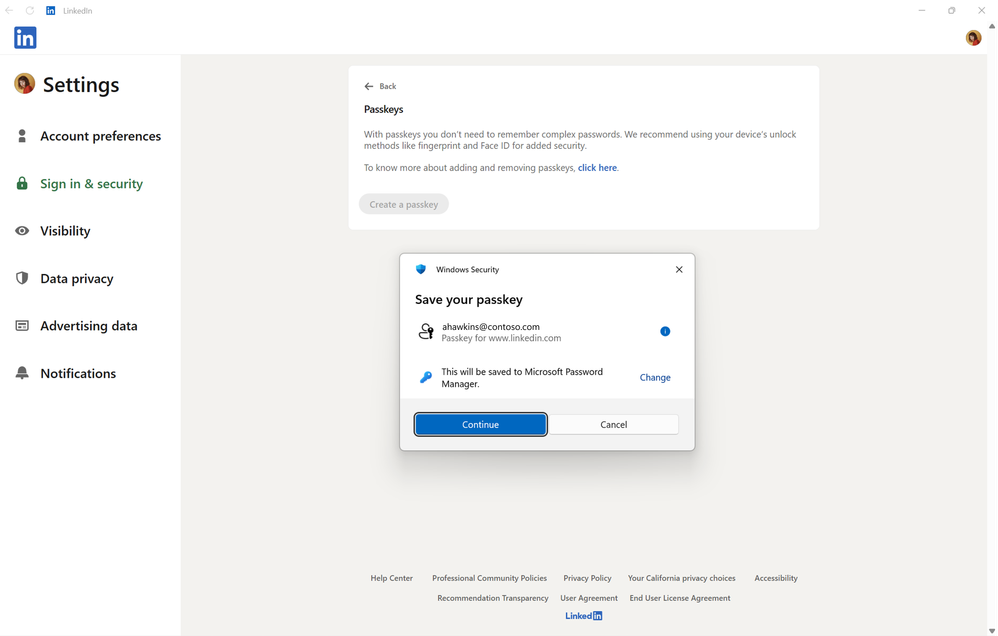
Saving a passkey to the Microsoft Password Manager plugin on Windows
This integration of Microsoft Password Manager from Microsoft Edge comes with added security benefits:
- Passkey operations (creation, authentication, and management) are protected by Windows Hello.
- Passkeys stored in Microsoft Password Manager will be synced and available on other Windows devices where the user is logged into Microsoft Edge with the same Microsoft account.
- Syncing is protected by your Microsoft Password Manager PIN and a cloud enclave solution.
- Azure Managed Hardware Security Modules (HSMs) help protect encryption keys.
- Sensitive operations are performed inside a hardware-isolated environment in Azure Confidential Compute.
- There is tamper-proof recovery with Azure Confidential Ledger.
Source:
Windows 11 expands passkey manager support - Windows IT Pro Blog
Smooth, secure, and passwordless: Try out native support for passkey managers in Windows 11.
 techcommunity.microsoft.com
Last edited: