UPDATE 12/11:

 www.elevenforum.com
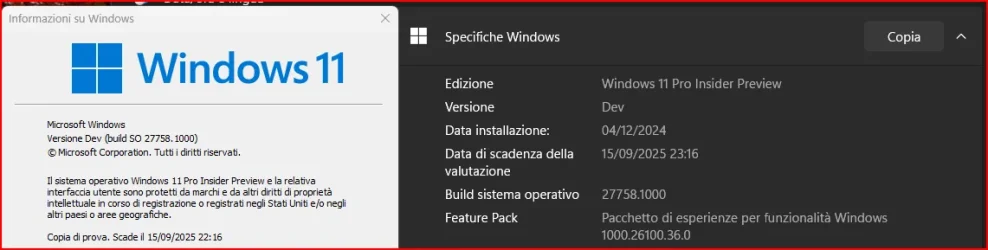
Hello Windows Insiders, today we are releasing Windows 11 Insider Preview Build 27758 to the Canary Channel.
We are also not planning to release SDKs for 27xxx series builds for the time being.
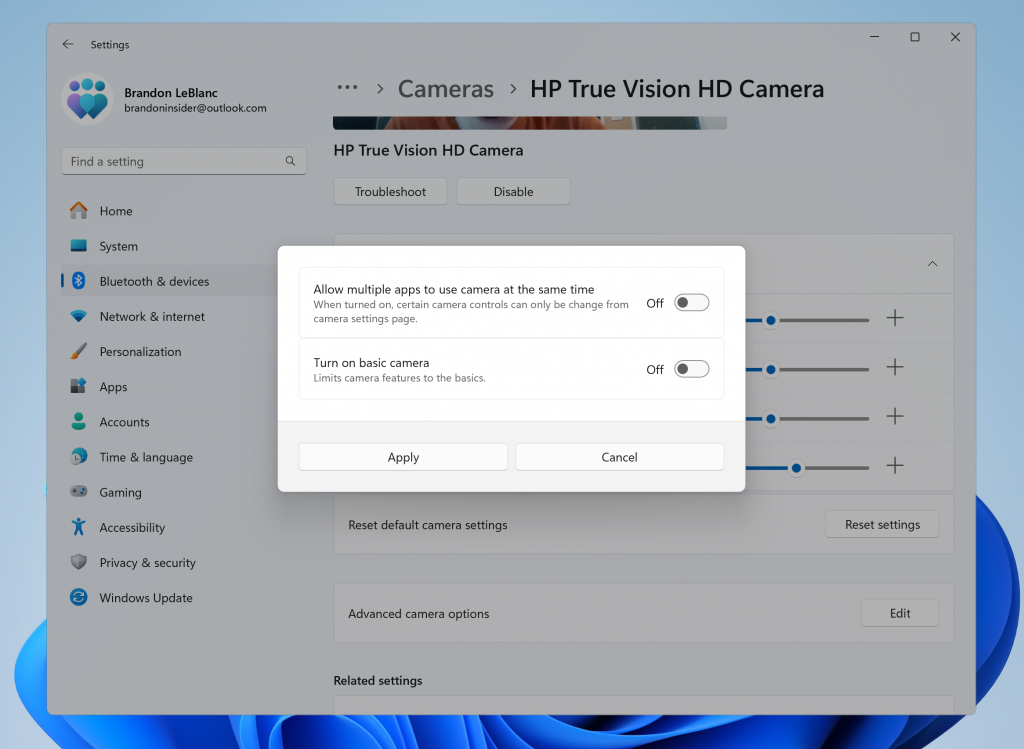
New advanced camera configurations page in Settings.
This new advanced camera options page will provide you with the following two configurations for your camera:
 www.elevenforum.com
FEEDBACK: Please file feedback in Feedback Hub (WIN + F) under Devices and Drivers > Device Camera or Webcams.
Windows 11 Insider Canary build 27764.1000 - Dec. 11
UPDATE 1/03: https://www.elevenforum.com/t/windows-11-insider-canary-build-27766-1000-jan-3.32033/ Windows Blogs: Hello Windows Insiders, today we are releasing Windows 11 Insider Preview Build 27764 to the Canary Channel. We are also not planning to release SDKs for 27xxx series builds for...
www.elevenforum.com
Windows Blogs:
Hello Windows Insiders, today we are releasing Windows 11 Insider Preview Build 27758 to the Canary Channel.
We are also not planning to release SDKs for 27xxx series builds for the time being.
What’s new in Build 27758
Windows Camera Advanced Configurations
We have introduced a new advanced camera options page in this build. Just navigate to a camera under Settings > Bluetooth & devices > Cameras and click the edit button for advanced camera options.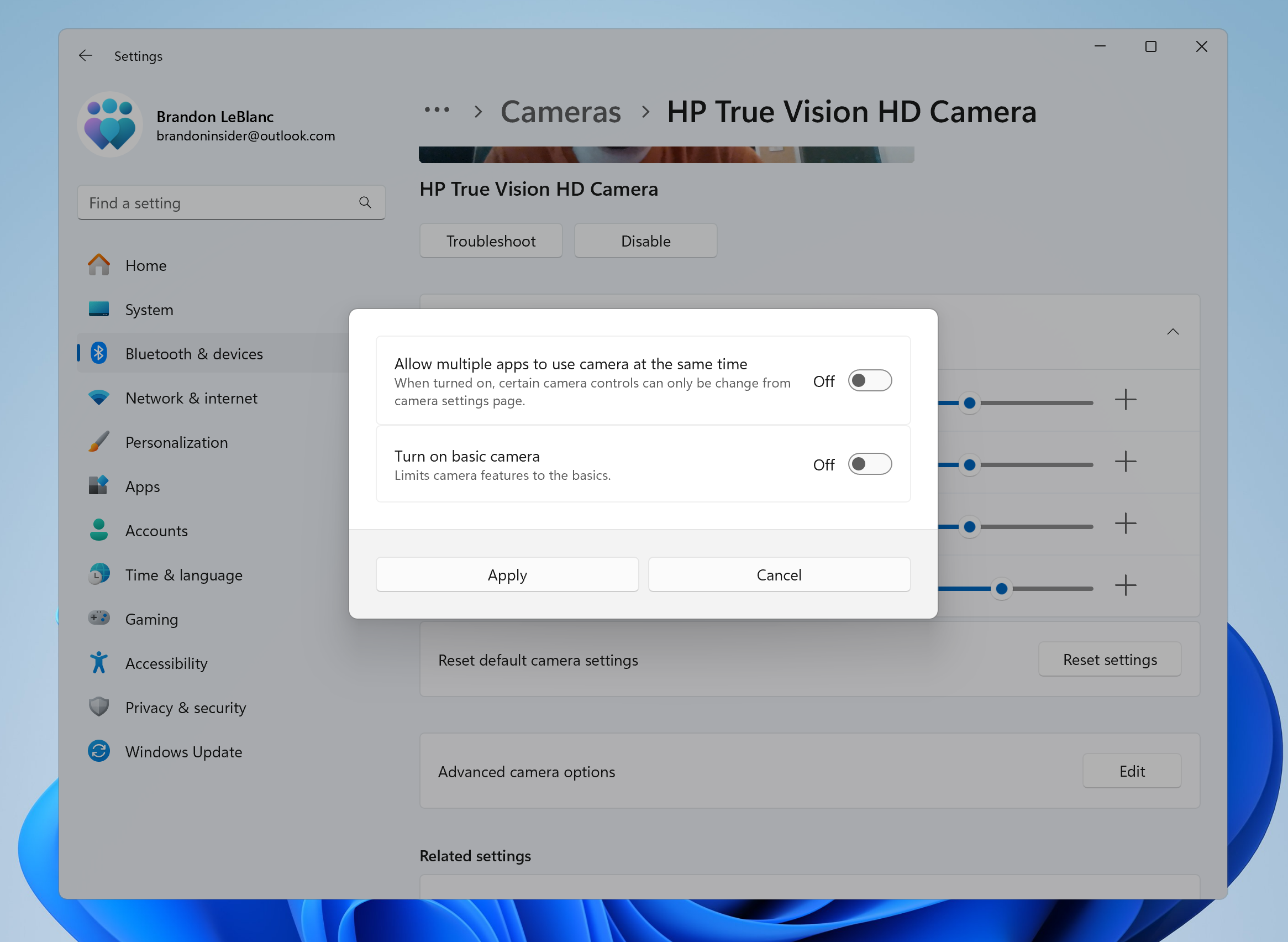
New advanced camera configurations page in Settings.
This new advanced camera options page will provide you with the following two configurations for your camera:
- Multi-app camera: Allows multiple applications to access the camera stream simultaneously, developed with the Hard-of-Hearing community to enable video streaming to both a sign language interpreter and the end audience at the same time.

Enable or Disable Multiple Apps to Use Camera in Windows 11
This tutorial will show you how to turn on or off allowing multiple apps to use camera at the same time for your account or all users in Windows 11. Starting with build 26100.8524 (24H2), build 26200.8524 (25H2), and build 28000.2340 (26H1), Microsoft added a new Advanced camera options section...
www.elevenforum.com
- Basic camera: Enables basic camera functionality for improved debugging, recommended as a last resort when your camera is not functioning correctly. This feature was developed in collaboration with Microsoft support agents.
Enable or Disable Basic Camera Mode in Windows 11
This tutorial will show you how to turn on or off camera basic mode for your account or all users in Windows 11. Starting with build 26100.8524 (24H2), build 26200.8524 (25H2), and build 28000.2340 (26H1), Microsoft added a new Advanced camera options section on the Cameras page in Settings...
www.elevenforum.com
Choose Media Type for Preferred Camera Resolution in Windows 11
This tutorial will show you how to change the media type to a specific camera resolution for your account in Windows 11. Microsoft added a new Advanced camera options section on the Cameras page in Settings. Microsoft added the Media type setting in Advanced camera options that will let you...
www.elevenforum.com
FEEDBACK: Please file feedback in Feedback Hub (WIN + F) under Devices and Drivers > Device Camera or Webcams.
Fixes
[File Explorer]
- Did some work so the search box in File Explorer shouldn’t draw off the end of the window anymore.
[Taskbar]
- Fixed an issue where right clicking on app icons in the taskbar might crash explorer.exe in the previous flight.
[Input]
- Fixed an issue for some people where the mouse cursor would become invisible when hovering over text fields in certain apps.
[Desktop]
- Fixed an issue where your desktop background might not show correctly sometimes with multiple monitors (showing big black areas).
[Task Manager]
- We are beginning to roll out a fix for the issue where if you resized Task Manager to be larger while settings was open, the Mica background wouldn’t align with the new window size.
[Narrator]
- Fixed an issue in the previous flight which caused Narrator to crash on launch if you used one of the natural voices (like Jenny).
Last edited: