UPDATE 5/23:
 www.elevenforum.com
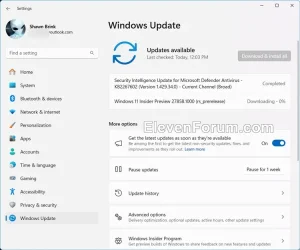
Hello Windows Insiders, today we are releasing Windows 11 Insider Preview Build 27858 to the Canary Channel.
We are also not planning to release SDKs for 27xxx series builds for the time being.
Windows 11 Insider Canary build 27863.1000 released - May 23
Windows Blogs: Source: Check Windows Updates UUP Dump: 64-bit ISO download: https://uupdump.net/selectlang.php?id=6ce17744-d411-4f9e-ba95-4cad5fb4271c ARM64 ISO download: https://uupdump.net/selectlang.php?id=a46684b6-7cf8-4bd7-904c-10af94398b48...
www.elevenforum.com
Windows Blogs:
Hello Windows Insiders, today we are releasing Windows 11 Insider Preview Build 27858 to the Canary Channel.
We are also not planning to release SDKs for 27xxx series builds for the time being.
Changes and Improvements
[Input]
- We are trying out a new experience to improve the discoverability of the emoji and more panel in Windows 11 with the introduction of a new system tray icon on the taskbar. With this new system tray icon, you can easily express yourself by using emojis, GIFs, Kaomoji etc. across all apps and surfaces in Windows in addition to using the WIN + . keyboard shortcut which is also now shown on the emoji and more panel. This new system tray icon for the emoji and more panel shows can be changed by right-clicking on the icon to go to taskbar settings page.

Show or Hide Emoji and More Icon on Taskbar System Tray in Windows 11
This tutorial will show you how to show or hide the emoji and more panel icon on the taskbar system tray for your account in Windows 11. The Emoji and more panel lets you insert emojis and symbols while you type. Starting with Windows 11 build 26100.3624 (24H2), a new experience to improve the...
www.elevenforum.com
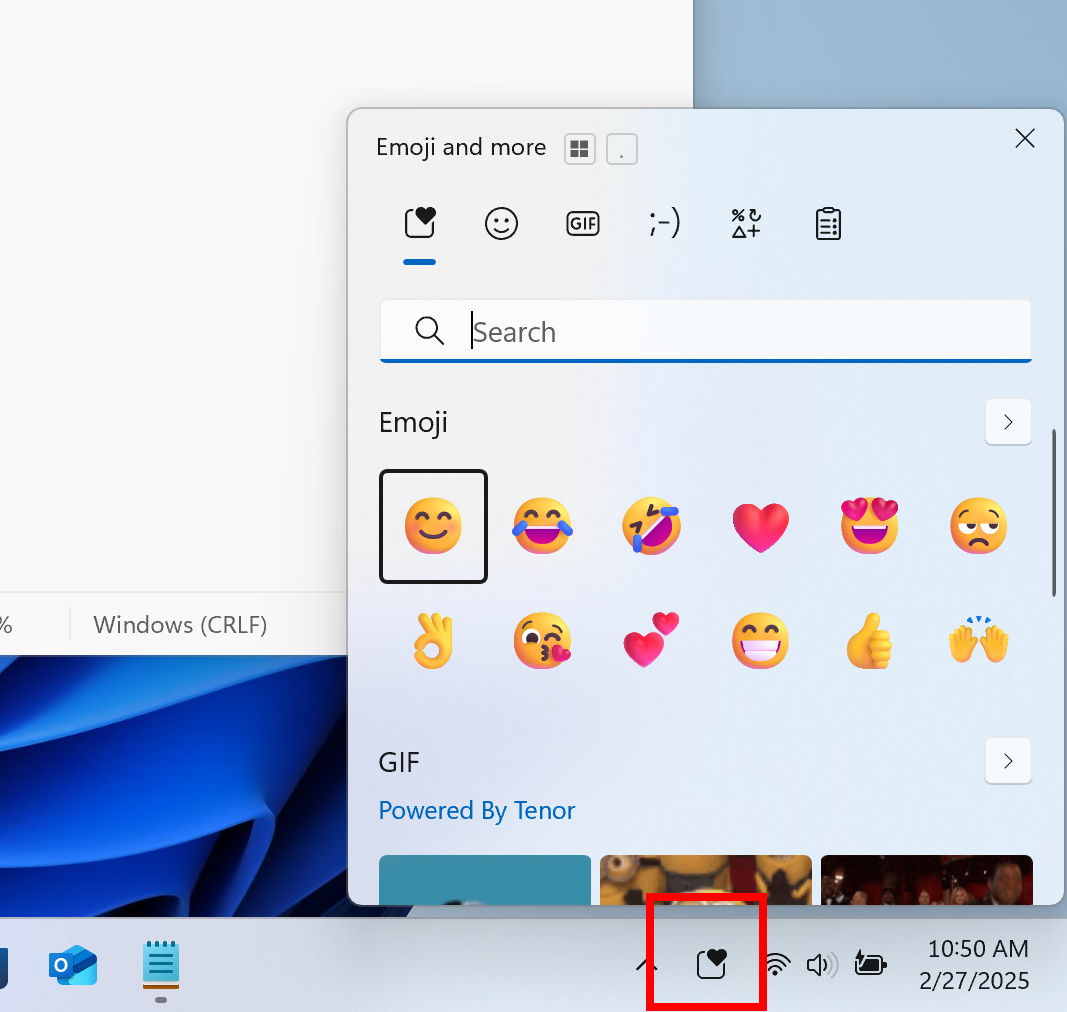
The new system tray icon for the emoji and more panel highlighted with a red box.
Fixes
[General]
- Fixed an issue which was causing some Insiders to see a black screen when upgrading to the previous flight.
- Fixed an issue causing text to disappear in places across the system after the previous flight.
[File Explorer]
- As part of our ongoing commitment to improving File Explorer accessibility, this release includes increased support for the text scaling (via Settings > Accessibility > Text size) across File Explorer, File Open/Save dialogs and the copy dialogs.
[Desktop icons]
- Updated the logic for apps pinned to the desktop, so that packaged apps no longer show an accent colored backplate (for example, if you were to drag and drop Snipping Tool from the apps list in Start to the desktop). In doing this, the icons should be bigger and easier to see now. Please note, you may need to create new shortcuts for this to take effect, if you already have something on your desktop.
[Input]
- Fixed an issue where voice typing wouldn’t start from the touch keyboard when using the Chinese (Simplified) narrow layout.
- Fixed a high hitting ctmon.exe crash, which could impact the ability to type.
[Windowing]
- Fixed an explorer.exe crash related to snap layouts which could happen when dragging a window or hovering over the maximize button in a window.
[Taskbar]
- Fixed an issue where the taskbar icons weren’t increasing in size as they should when using your PC in a tablet posture.
- Fixed an issue where when using Hebrew or Arabic as your display language, if you pressed WIN + T then arrow keys, focus through the taskbar icons would move in the opposite direction.
[Graphics]
- Fixed an issue causing night light to not work for some Insiders after the latest flights.
- Fixed an issue which was causing unexpected FPS caps for some Insiders in the previous flight.
[Network]
- Mitigated an issue believed to be the cause of reports that wi-fi stopped working for some Insiders after the previous flight.
Last edited: