UPDATE 8/20:

 www.elevenforum.com
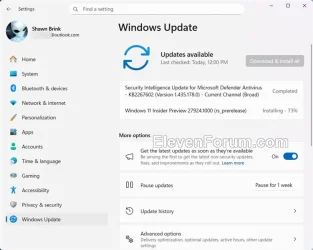
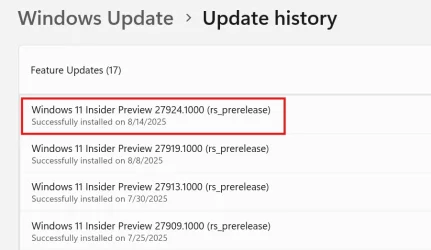
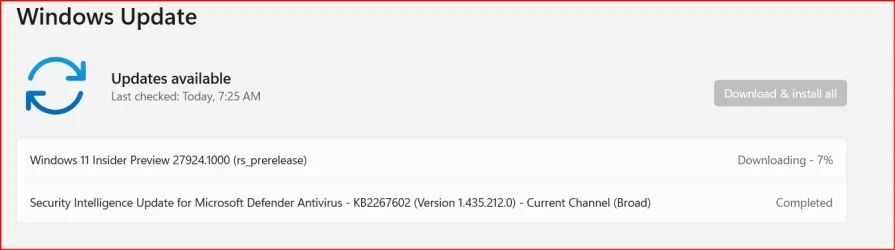
Hello Windows Insiders, today we are releasing Windows 11 Insider Preview Build 27924 to the Canary Channel. We are releasing ISOs for this build – they can be downloaded here.
As is normal for the Canary Channel, the quality of these features will not match the quality of the same features in the Dev or Beta Channels. Expect some of these features to not work quite right. We will try to document known issues for the most impactful issues for these features and one such issue regarding Click to Do is documented in the known issues below. As always, please file feedback on any issues you see when using these Copilot+ experiences via Feedback Hub.
Enable long paths allows you to remove MAX_PATH limitations from common Win32 file and directory functions. Virtual workspaces allow you to enable/disable virtual environments such as Hyper-V, Windows Sandbox, and more. File Explorer + version control provides the ability to display Git information directly inside File Explorer. Simply select your repository folder and File Explorer will display information such as your branch, diff count, last commit message, and more.
 www.elevenforum.com
 www.elevenforum.com
 www.elevenforum.com
 www.elevenforum.com
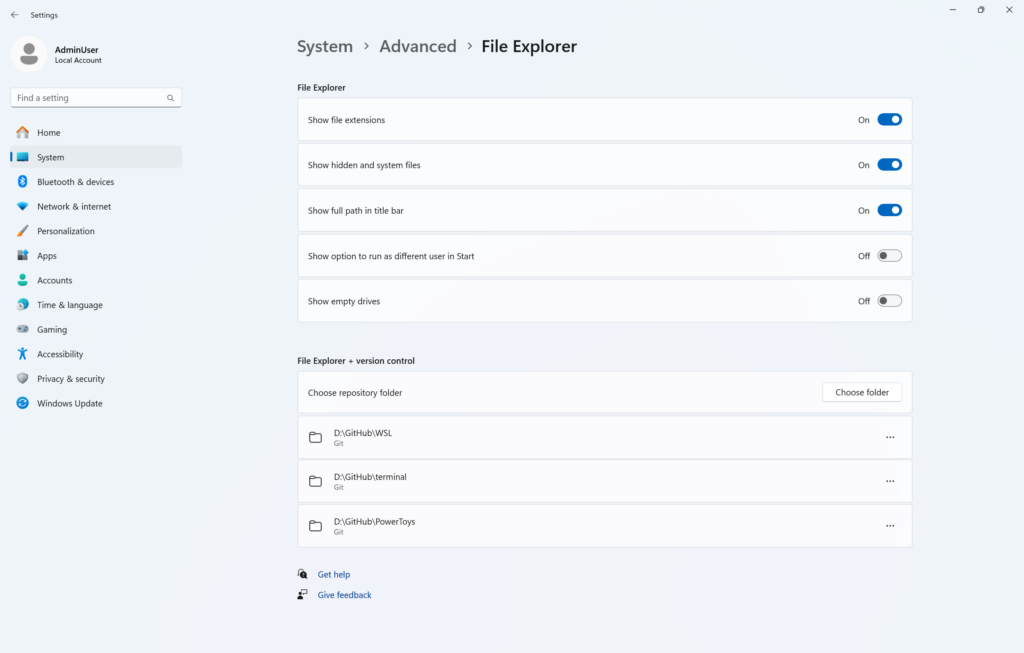
Advanced settings page for File Explorer.
FEEDBACK: Please file feedback on GitHub at microsoft/WindowsAdvancedSettings.
 www.elevenforum.com
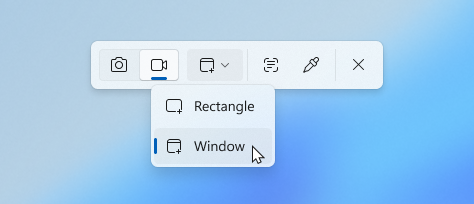
New option to set recording region by selecting a specific app window in the Snipping Tool toolbar.
When you select window mode, Snipping Tool will automatically size the recording region to tightly match the app window you choose, making setup quick and precise. Once recording begins, however, the region remains fixed—so if the app moves or gets covered by another window, the recording won’t follow it. This gives you a simple, focused way to record what’s happening in a defined space on your screen, without needing to crop or adjust later.

Screen recording setup of the Paint app window with UI denoting that screen recording is set to the position of that specific app window.
FEEDBACK: Please file feedback in Feedback Hub (WIN + F) under Apps > Snipping Tool.
Amanda & Brandon
*Functionality will vary by device and market; text actions will be available across markets in select character sets. See aka.ms/copilotpluspcs.

 blogs.windows.com
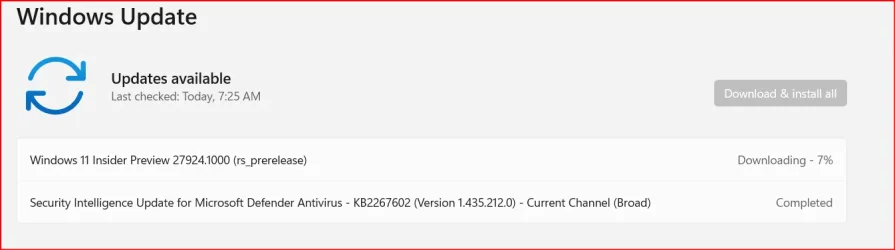
Check Windows Updates
ISO from Microsoft:
 www.elevenforum.com
UUP Dump:
64-bit ISO download:

ARM64 ISO download:
 www.elevenforum.com
Windows 11 Insider Canary build 27928.1 released - Aug. 20
Windows Insider Blog: Source: Check Windows Updates UUP Dump: 64-bit ISO download: https://uupdump.net/selectlang.php?id=77e605ec-b711-4996-8128-bec76698123e ARM64 ISO download: https://uupdump.net/selectlang.php?id=8c950947-309e-4038-93e7-210500fd74fd...
www.elevenforum.com
Windows Insider Blog:
Hello Windows Insiders, today we are releasing Windows 11 Insider Preview Build 27924 to the Canary Channel. We are releasing ISOs for this build – they can be downloaded here.
What’s new in Build 27924
Copilot+ PC experiences
We are beginning to enable many of the Copilot+ PC experiences* for Windows Insiders in the Canary Channel on Copilot+ PCs such as:- Recall (Preview)
- Click to Do (Preview)
- Improved Windows Search
- Live captions with real-time translation
- Agent in Settings
As is normal for the Canary Channel, the quality of these features will not match the quality of the same features in the Dev or Beta Channels. Expect some of these features to not work quite right. We will try to document known issues for the most impactful issues for these features and one such issue regarding Click to Do is documented in the known issues below. As always, please file feedback on any issues you see when using these Copilot+ experiences via Feedback Hub.
Advanced Settings
Advanced settings are now available via Settings > System > Advanced with some new features. The Advanced page is a redesign of the For Developers page, intending to make its settings easier to find for a broader audience. With the redesign of this page, we’ve added additional settings: Enable long paths, Virtual workspaces, and File Explorer + version control.Enable long paths allows you to remove MAX_PATH limitations from common Win32 file and directory functions. Virtual workspaces allow you to enable/disable virtual environments such as Hyper-V, Windows Sandbox, and more. File Explorer + version control provides the ability to display Git information directly inside File Explorer. Simply select your repository folder and File Explorer will display information such as your branch, diff count, last commit message, and more.
Enable or Disable Win32 Long Paths in Windows 11
This tutorial will show you how to enable or disable Win32 long paths for all users in Windows 10 and Windows 11. In the Windows API (with some exceptions), the maximum length for a path is MAX_PATH, which is defined as 260 characters. You can enable long paths to remove the MAX_PATH...
www.elevenforum.com
Enable or Disable Windows Sandbox in Windows 11
This tutorial will show you how to enable or disable the Windows Sandbox feature for all users in Windows 11 Pro, Enterprise, or Education. Windows Sandbox provides a lightweight desktop environment to safely run applications in isolation. Software installed inside the Windows Sandbox...
www.elevenforum.com
Enable or Disable Hyper-V in Windows 11
This tutorial will show you how to enable or disable the Hyper-V feature for all users in Windows 10 and Windows 11. Hyper-V enables running virtualized computer systems in parallel with a physical host. These virtualized systems can be used and managed just as if they were physical computer...
www.elevenforum.com
Add or Remove Repository Folders for File Explorer version control in Windows 11
This tutorial will show you how to add and remove repository folders used for File Explorer version control for your account in Windows 11. File Explorer version control integration provides version control information directly in File Explorer. File Explorer + version control provides the...
www.elevenforum.com
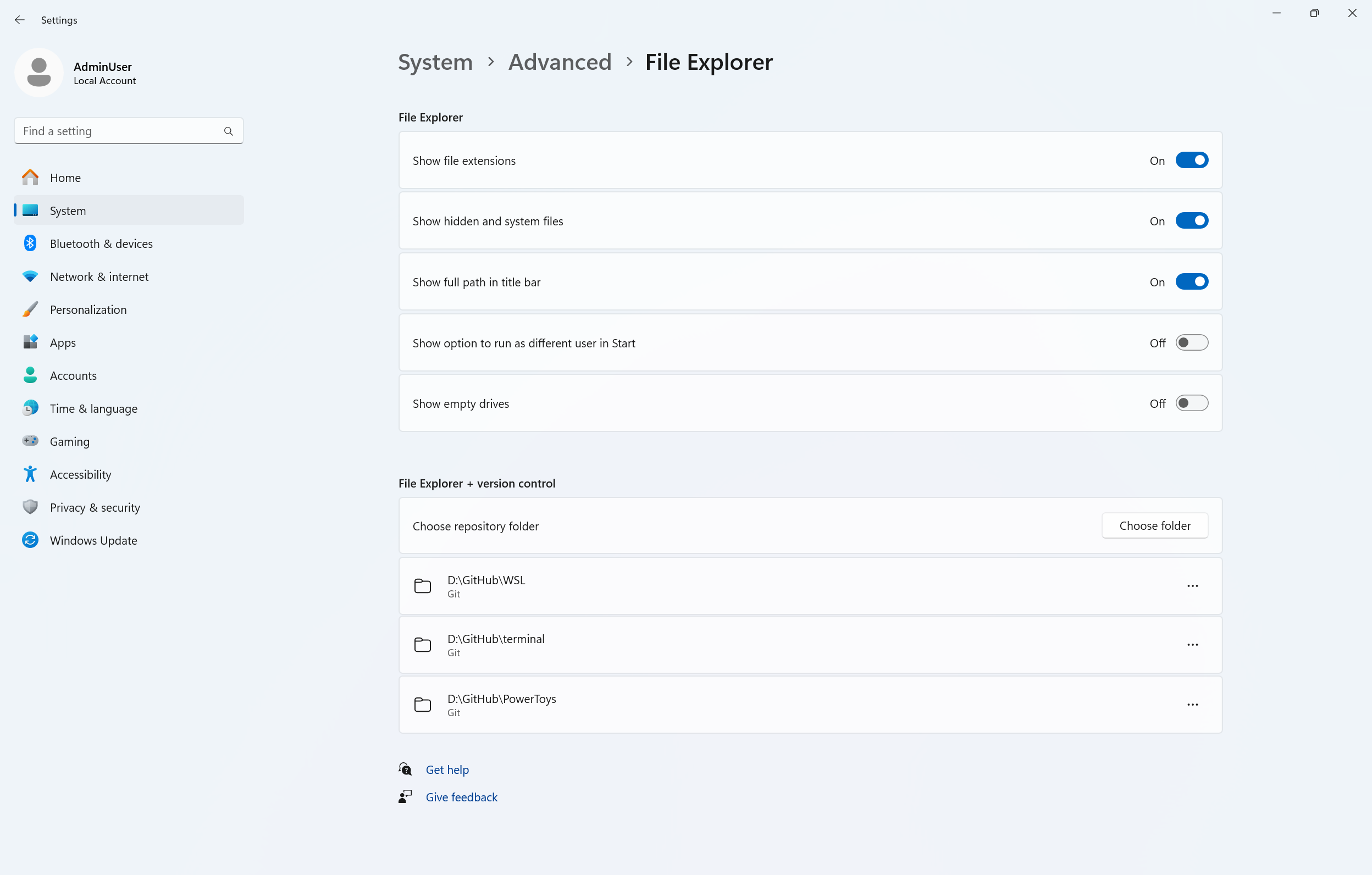
Advanced settings page for File Explorer.
FEEDBACK: Please file feedback on GitHub at microsoft/WindowsAdvancedSettings.
Changes and Improvements
[Input]
- Adjusted the pointer indicator to be a little more transparent, so it’s easier to see what’s under the crosshairs when it’s enabled.

Change Color of Mouse Pointer Indicator in Windows 11
This tutorial will show you how to change the mouse pointer crosshair indicator color for your account in Windows 11. Starting with Windows 11 build 26100.4202, Microsoft added a mouse pointer indicator feature that allows low vision users on Windows to now easily locate and use their cursor...
www.elevenforum.com
- For the time being we have changed the keyboard shortcut for the new pointer indicator from CTRL + WIN + X to CTRL + WIN + SHIFT + X, to help reduce accidental invocations.

Enable or Disable Mouse Pointer Indicator in Windows 11
This tutorial will show you how to enable or disable the mouse pointer crosshair indicator for your account in Windows 11. Starting with Windows 11 build 26100.4202, Microsoft added a mouse pointer indicator feature that allows low vision users on Windows to now easily locate and use their...
www.elevenforum.com
[Windows MIDI Services]
- The inbox preview MIDI Service and API has a feedback-driven breaking change to optionally allow for waiting for messages to be completely sent before returning from function calls. Any apps written against previous versions of the Windows MIDI Services MIDI 2.0 SDK will need to update to the latest preview available at https://aka.ms/midireleases and be recompiled to continue working properly. For more discussion and feedback, please join our discord server at https://aka.ms/mididiscord.
Fixes
[General]
- Fixed an issue where the progress wheel might show as a rectangle glyph instead of rendering correctly when upgrading to the latest builds.
[Widgets]
- Fixed an issue causing widgets to disappear or not work for some Insiders after the previous flight.
[Remote desktop]
- Fixed an issue in the latest flights where remote desktop only used your primary monitor even if it was configured to use multiple monitors.
[Other]
- Fixed an underlying webauth.dll crash in the previous flight which may have impacted the ability to use passkeys.
Known issues
[General]
- [IMPORTANT NOTE FOR COPILOT+ PCs] If you are joining the Canary Channel on a new Copilot+ PC from the Dev Channel, Release Preview Channel or retail, you will lose Windows Hello pin and biometrics to sign into your PC with error 0xd0000225 and error message “Something went wrong, and your PIN isn’t available”. You should be able to re-create your PIN by clicking “Set up my PIN”.
- You may see multiple error pop ups about unexpected elements when opening Group Policy Editor.
- There’s an underlying issue with dao360.dll in this build which may result in some apps crashing.
- [ADDED 8/15] We’re investigating reports that Settings > System > Storage > Temporary files is getting stuck when scanning files. We are also investigating previous Windows Installations also not showing.
[Click to Do (Preview)]
The following known issues will be fixed in future updates to Windows Insiders:- [NEW] Text and image actions in Click to Do may not work and Click to Do may crash. This issue will be fixed in the next flight.
[File Explorer]
- [ADDED 8/15] In dark mode, the red color used for a low space drive in This PC may be unexpectedly light colored in this build. Some of the other colors may also be incorrect, including that black is used for space remaining instead of a more visible color.
Snipping Tool Update
We are rolling out an update for Snipping Tool (version 11.2507.14.0 and higher) to Windows Insiders in the Canary and Dev Channels. In this update, we’re introducing window mode screen recording in Snipping Tool—an easy way to capture activity within a specific app window. To get started, toggle over to the Record option in the capture toolbar and click on the dropdown menu for Recording area to select window mode.
Record Screen with Snipping Tool app in Windows 11
This tutorial will show you how to use the Snipping Tool app for screen recording in Windows 11. The Snipping Tool app (version 11.2211.35.0) for Windows 11 includes a built-in screen recorder. You will be able to select and refine the part of your screen that you want to record before...
www.elevenforum.com
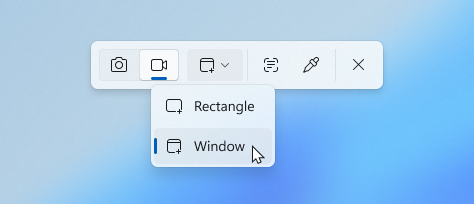
New option to set recording region by selecting a specific app window in the Snipping Tool toolbar.
When you select window mode, Snipping Tool will automatically size the recording region to tightly match the app window you choose, making setup quick and precise. Once recording begins, however, the region remains fixed—so if the app moves or gets covered by another window, the recording won’t follow it. This gives you a simple, focused way to record what’s happening in a defined space on your screen, without needing to crop or adjust later.
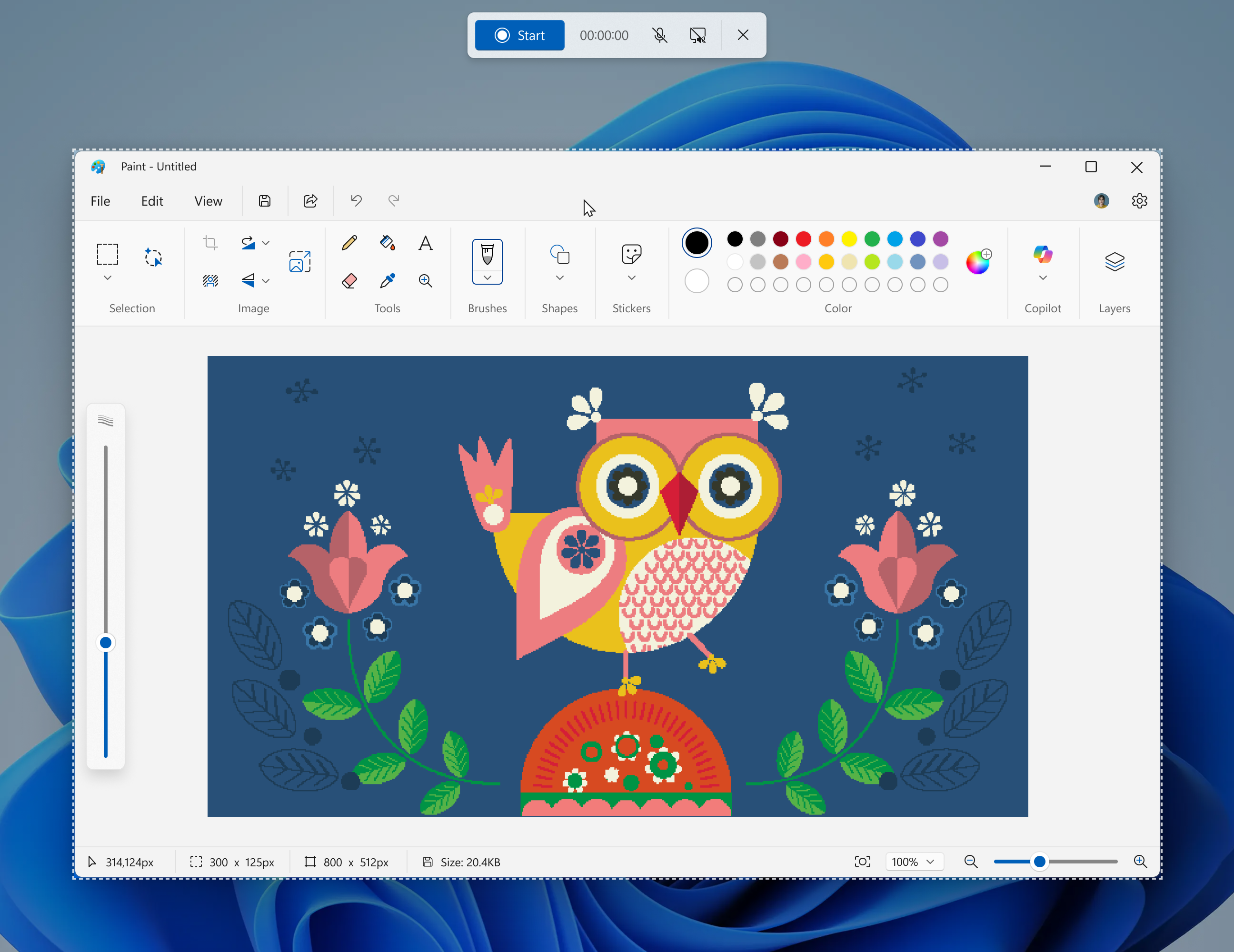
Screen recording setup of the Paint app window with UI denoting that screen recording is set to the position of that specific app window.
FEEDBACK: Please file feedback in Feedback Hub (WIN + F) under Apps > Snipping Tool.
Reminders for Windows Insiders in the Canary Channel
- The builds we release to the Canary Channel represent the latest platform changes early in the development cycle and should not be seen as matched to any specific release of Windows and features and experiences included in these builds may never get released as we try out different concepts and get feedback. Features may change over time, be removed, or replaced and never get released beyond Windows Insiders. Some of these features and experiences could show up in future Windows releases when they’re ready.
- Many features in the Canary Channel are rolled out using Control Feature Rollout technology, starting with a subset of Insiders and ramping up over time as we monitor feedback to see how they land before pushing them out to everyone in this channel.
- Some features may show up in the Dev and Beta Channels first before showing up in the Canary Channel.
- Some features in active development we preview with Windows Insiders may not be fully localized and localization will happen over time as features are finalized. As you see issues with localization in your language, please report those issues to us via Feedback Hub.
- To get off the Canary Channel, a clean install of Windows 11 will be required. As a reminder – Insiders can’t switch to a channel that is receiving builds with lower build numbers without doing a clean installation of Windows 11 due to technical setup requirements.
- The desktop watermark shown at the lower right corner of the desktop is normal for these pre-release builds.
- Check out Flight Hub for a complete look at what build is in which Insider channel.
Amanda & Brandon
*Functionality will vary by device and market; text actions will be available across markets in select character sets. See aka.ms/copilotpluspcs.
Source:
Announcing Windows 11 Insider Preview Build 27924 (Canary Channel)
Hello Windows Insiders, today we are releasing Windows 11 Insider Preview Build 27924 to the Canary Channel. We are releasing ISOs for this build – they can be downloaded here.
blogs.windows.com
Check Windows Updates
ISO from Microsoft:
Download Official Windows 11 ISO file from Microsoft
This tutorial will show you how to download an official Windows Server or Windows 11 64-bit or ARM64 ISO file from Microsoft. Microsoft provides ISO files for Windows Server and Windows 11 to download. You can use these ISO files to clean install or in-place upgrade Windows 11. The Flight Hub...
www.elevenforum.com
UUP Dump:
64-bit ISO download:
Select language for Windows 11 Insider Preview 27924.1000 (rs_prerelease) amd64
Select language for Windows 11 Insider Preview 27924.1000 (rs_prerelease) amd64 on UUP dump. UUP dump lets you download Unified Update Platform files, like Windows Insider updates, directly from Windows Update.
uupdump.net
ARM64 ISO download:
Select language for Windows 11 Insider Preview 27924.1000 (rs_prerelease) arm64
Select language for Windows 11 Insider Preview 27924.1000 (rs_prerelease) arm64 on UUP dump. UUP dump lets you download Unified Update Platform files, like Windows Insider updates, directly from Windows Update.
uupdump.net
UUP Dump - Download Windows Insider ISO
UUP Dump is the most practical and easy way to get ISO images of any Insider Windows 10 or Windows 11 version, as soon as Microsoft has released a new build. UUP Dump creates a download configuration file according to your choices, downloads necessary files directly from Microsoft servers, and...
www.elevenforum.com
Last edited: