Insider Windows 11 Insider Dev Build 25115.1000 (rs_prerelease) 22H2 - May 11


UPDATE 5/18:


Hello Windows Insiders, today we are releasing Windows 11 Insider Preview Build 25115 to the Dev Channel.

IMPORTANT: With this build getting released to the Dev Channel, the window closes for you to be able to switch from the Dev Channel to the Beta Channel since your device will be on a higher build number than what is provided in the Beta Channel. If your device installs this build and you decide you want to switch, you have 10 days or until we release a newer build to the Dev Channel to roll back and switch to the Beta Channel. If you do not roll back within 10 days or your device takes another new build, the only way to switch to the Beta Channel is to do a clean installation of the released version of Windows 11 on your device to switch to the Beta Channel.


TL;DR

  • This build will not be offered to ARM64 PCs. We hope to be able to offer a new build for Insiders on ARM64 PCs soon.
  • This build includes one new feature for Windows Insiders to try out called Suggested Actions.
  • We have a good set of general improvements and fixes in this build too.
  • We’re now previewing the new Sound Recorder with Windows Insiders in the Dev Channel.

What’s new in Build 25115

Suggested Actions


Windows Insiders can try out a new feature in this build for making everyday tasks quicker in Windows 11 through inline suggested actions. When you copy a date, time, or phone number, Windows will suggest actions relevant to you such as creating calendar events or making phone calls with your favorite apps.
  • On copying a phone number, Windows will pop up an inline light dismissible UI that suggests ways to call the phone number using Teams or other installed apps that offer click-to-dial call functions.
Inline suggested actions after copying a phone number.
  • On copying a date and/or time, Windows will pop up an inline light dismissible UI that suggests creating the event using supported calendar apps. Upon user selection of preference, the app is launched with its corresponding calendar event creation page with auto filled date and/or time.
Inline suggested actions after copying a date or time.

[UPDATE 5/12] This feature is currently only available to Windows Insiders in the U.S.

FEEDBACK: Please file feedback in Feedback Hub (WIN + F) under Desktop Environment > Suggested actions on copy.

Changes and Improvements

[General]

  • We updated the icons in the Windows Recovery Environment (WinRE) on this build.

Fixes

[General]

  • Updated the underlying speech platform to improve voice activity detection for voice access, live captions, and voice typing, as well as address some issues with how punctuation is recognized.

[Taskbar]

  • Fixed an issue related to loading the system tray icons in Settings > Personalization > Taskbar which could cause Settings to crash when opening that page recently. This issue may have also led to some explorer.exe crashes for impacted Insiders.

[File Explorer]

  • Fixed an issue leading to Insiders seeing error 0x800703E6 when copying files from Google Drive.
  • We made another change to help improve the performance of loading Home.
  • Fixed an issue where if you had ever opened the context menu, doing CTRL + ALT + DEL and cancelling would lead to explorer.exe crashing.
  • Fixed a sporadic explorer.exe crash when closing File Explorer windows.

[Settings]

  • Fixed an issue where if Settings suspended, it could lock up explorer.exe in certain cases.
  • Improved how Narrator reads out remaining space available in System > Storage.

[Task Manager]

  • Fixed some issues related to access key use in Task Manager, including that you weren’t able to directly press ALT + without first releasing the ALT key, and that displaying the access keys wouldn’t work after having used and dismissed them.
  • If the CPU reaches 100%, the CPU column header should no longer unexpectedly become unreadable in dark mode.

[Windows Security]

  • Fixed an issue which could result in Smart App Control unexpectedly blocking correctly signed applications.

[Other]

  • Addressed an issue which was leading to Memory Integrity unexpectedly getting turned off in some cases after rebooting.
  • Fixed an issue causing the Update Stack Package to show install error 0xc4800010.

Known issues

[General]

  • [NEW] Some games that use Easy Anti-Cheat may crash or cause your PC to bugcheck.

[Live captions]

  • Certain apps in full screen (e.g., video players) prevent live captions from being visible.
  • Certain apps positioned near the top of the screen and closed before live captions is run will re-launch behind the live captions window positioned at top. Use the system menu (ALT + Spacebar) while the app has focus to move the app’s window further down.

About the Dev [Updated!]

The Dev Channel receives builds that represent long lead work from our engineers with features and experiences that may never get released as we try out different concepts and get feedback. It is important to remember that the builds we release to the Dev Channel should not be seen as matched to any specific release of Windows and the features included may change over time, be removed, or replaced in Insider builds or may never be released beyond Windows Insiders to general customers. For more information, please read this blog post about how we plan to use the Dev Channel to incubate new ideas, work on long lead items, and control the states of individual features.

These aren’t always stable builds, and sometimes you will see issues that block key activities or require workarounds. It is important to make sure you read the known issues listed in our blog posts as we document many of these issues with each flight.

Build numbers are higher in the Dev Channel than the Windows 11 preview builds in the Beta and Release Preview Channels. You will not be able to switch from the Dev Channel to the Beta or Release Preview Channels without doing a clean install back to the released version of Windows 11 currently.

The desktop watermark you see at the lower right corner of your desktop is normal for these pre-release builds.

Important Insider Links

Thanks,
Amanda & Brandon

Source:


Check Windows Updates


UUP Dump:

64-bit ISO download:
Select language for Windows 11 Insider Preview 25115.1000 (rs_prerelease) amd64

ARM64 ISO download: Select language for Windows 11 Insider Preview 25115.1000 (rs_prerelease) arm64

 
Last edited:

And that is the point - for the first time in ages, we seem to have a build that updated with few issues, and seems stable, so we have nothing to talk about LOL.
🤔
I haven't had much to say about any of the last 10 builds or so...all working equally well for me. Sorry if I don't get your points as I can't relate in any way or form. 😄
 

My Computers My Computers

  • At a glance

    Win 11 Pro 25H2 26200.8894 / Linux Mint 22.3Ryzen 7 2700U Pro32GBiGPU Vega 10
    OS
    Win 11 Pro 25H2 26200.8894 / Linux Mint 22.3
    Computer type
    Laptop
    Manufacturer/Model
    Lenovo A485
    CPU
    Ryzen 7 2700U Pro
    Motherboard
    Lenovo (WiFi/BT module upgraded to Intel Wireless-AC-9260)
    Memory
    32GB
    Graphics Card(s)
    iGPU Vega 10
    Sound Card
    Realtek
    Monitor(s) Displays
    14" FHD (built-in) + 14" Lenovo Thinkvision M14t (touch+pen) + 32" Asus PB328
    Screen Resolution
    FHD + FHD + 1440p
    Hard Drives
    Intel 660p m.2 nVME PCIe3.0 x2 512GB
    PSU
    125W(Dock)/65W(Travel Adapter)
    Keyboard
    Thinkpad / Logitech MX Keys
    Mouse
    Logitech MX Master 2S
    Internet Speed
    1/1Gbit
    Browser
    Firefox
    Antivirus
    Windows Defender
    Other Info
    SecureBoot: Enabled
    TPM2.0: Enabled
    AMD-V: Enabled
  • At a glance

    Win 11 Pro 25H2 26200.8968(RP)i7-7700k @4.8GHz32GB 2x16GB 2133MHz CL15EVGA GTX1080Ti FTW 11GB
    Operating System
    Win 11 Pro 25H2 26200.8968(RP)
    Computer type
    PC/Desktop
    Manufacturer/Model
    Custom
    CPU
    i7-7700k @4.8GHz
    Motherboard
    Asus PRIME Z270-A
    Memory
    32GB 2x16GB 2133MHz CL15
    Graphics card(s)
    EVGA GTX1080Ti FTW 11GB
    Sound Card
    Integrated
    Monitor(s) Displays
    32" 10-bit Asus PB328Q
    Screen Resolution
    WQHD 2560x1440
    Hard Drives
    512GB ADATA SX8000NP NVMe PCIe Gen 3 x4
    PSU
    850W
    Case
    Fractal Design Define 7
    Cooling
    Noctua NH-D15 chromax.black
    Keyboard
    Logitech MX Keys
    Mouse
    Logitech MX Master 2S
    Internet Speed
    1/1Gbit
    Browser
    Firefox
    Antivirus
    Windows Defender
    Other Info
    AC WiFi Card
  • Asus U46SV (laptop), i5-2410M, 8GB RAM, 500GB SSD, 750GB HDD, Windows 10. (used as a local Minecraft server and data dump)

My Computers My Computers

  • At a glance

    Windows 11 Pro 25H2Intel Core i7-10700K16GB (8GB PC4-19200 DDR4 SDRAM x2)NVIDIA GeForce GTX 1050 TI
    OS
    Windows 11 Pro 25H2
    Computer type
    PC/Desktop
    Manufacturer/Model
    PowerSpec B746
    CPU
    Intel Core i7-10700K
    Motherboard
    ASRock Z490 Phantom Gaming 4/ax
    Memory
    16GB (8GB PC4-19200 DDR4 SDRAM x2)
    Graphics Card(s)
    NVIDIA GeForce GTX 1050 TI
    Sound Card
    Realtek Audio
    Monitor(s) Displays
    #1. LG ULTRAWIDE 34" #2. AOC Q32G2WG3 32"
    Screen Resolution
    #1. 3440 X 1440 #2. 1920 x 1080
    Hard Drives
    NVMe WDC WDS100T2B0C-00PXH0 1TB
    Samsung SSD 860 EVO 1TB
    PSU
    750 Watts (62.5A)
    Case
    PowerSpec/Lian Li ATX 205
    Keyboard
    Logitech K270
    Mouse
    Logitech M185
    Browser
    Microsoft Edge and Firefox
    Antivirus
    Webroot SecureAnywhere CE 26.1
  • At a glance

    Windows 11 Canary ChannelIntel Core i5-8400 CPU @ 2.80GHz16 MB DDR 4-2666
    Operating System
    Windows 11 Canary Channel
    Computer type
    PC/Desktop
    Manufacturer/Model
    PowerSpec G156
    CPU
    Intel Core i5-8400 CPU @ 2.80GHz
    Motherboard
    AsusTeK Prime B360M-A
    Memory
    16 MB DDR 4-2666
    Monitor(s) Displays
    23" Speptre HDMI 75Hz
    Screen Resolution
    1920x1080
    Hard Drives
    Samsung 970 EVO 500GB NVMe
    Keyboard
    Logitek K270
    Mouse
    Logitek M185
    Browser
    Firefox, Edge and Edge Canary
    Antivirus
    Windows Defender
I'm still waitin for the gutdim Desktop Stickers!!! :ffs:
 

My Computers My Computers

  • At a glance

    Windows 11 Pro
    OS
    Windows 11 Pro
    Computer type
    PC/Desktop
    Manufacturer/Model
    ASUS ROG Strix
  • At a glance

    Windows 11 Pro
    Operating System
    Windows 11 Pro
    Computer type
    Laptop
    Manufacturer/Model
    ASUS VivoBook
  • ASUS VivoBook 'Lite' ~ Windows 11 Home
Does anyone know where I can get 25115.1000_amd64_en-gb_professionaln now with UUPdownload broken right now?
 

My Computer My Computer

At a glance

Windows 11 [22H2] [22621.2428]Intel Core i9-14900K 3.2 GHz 24-Core ProcessorG.Skill Trident Z5 RGB 32 GB (2 x 16 GB) DDR5...AMD Radeon RX 6950 XT
OS
Windows 11 [22H2] [22621.2428]
Computer type
PC/Desktop
Manufacturer/Model
Culture-Virus v7.0
CPU
Intel Core i9-14900K 3.2 GHz 24-Core Processor
Motherboard
Asus ROG MAXIMUS Z790 APEX ENCORE ATX LGA1700 Motherboard
Memory
G.Skill Trident Z5 RGB 32 GB (2 x 16 GB) DDR5-7200 CL34 Memory
Graphics Card(s)
AMD Radeon RX 6950 XT
Monitor(s) Displays
AOC CQ27G2U/BK
Screen Resolution
2560x1440
Hard Drives
M.2 1: Samsung SSD 990 PRO 2TB
M.2 2: Samsung SSD 970 EVO Plus 2TB
PSU
Corsair RM1000X SHIFT
Case
Phanteks NV9
Cooling
Custom Water / Direct-Die Cooling
Keyboard
Corsair K95 RGB PLATINUM XT Wired Gaming Keyboard
Mouse
ROCCAT LEADR Optical
Internet Speed
500mb Direct Fiber
Browser
Chrome

My Computer My Computer

At a glance

Windows 11 Pro + Win11 Canary VM.I9 13th gen i9-13900H 2.60 GHZ16 GB solderedIntegrated Intel Iris XE
OS
Windows 11 Pro + Win11 Canary VM.
Computer type
Laptop
Manufacturer/Model
ASUS Zenbook 14
CPU
I9 13th gen i9-13900H 2.60 GHZ
Motherboard
Yep, Laptop has one.
Memory
16 GB soldered
Graphics Card(s)
Integrated Intel Iris XE
Sound Card
Realtek built in
Monitor(s) Displays
laptop OLED screen
Screen Resolution
2880x1800 touchscreen
Hard Drives
1 TB NVME SSD (only weakness is only one slot)
PSU
Internal + 65W thunderbolt USB4 charger
Case
Yep, got one
Cooling
Stella Artois (UK pint cans - 568 ml) - extra cost.
Keyboard
Built in UK keybd
Mouse
Bluetooth , wireless dongled, wired
Internet Speed
900 mbs (ethernet), wifi 6 typical 350-450 mb/s both up and down
Browser
Edge
Antivirus
Defender
Other Info
TPM 2.0, 2xUSB4 thunderbolt, 1xUsb3 (usb a), 1xUsb-c, hdmi out, 3.5 mm audio out/in combo, ASUS backlit trackpad (inc. switchable number pad)

Macrium Reflect Home V8
Office 365 Family (6 users each 1TB onedrive space)
Hyper-V (a vm runs almost as fast as my older laptop)
1652786757465.png
It had been a long time since I had seen such a quiet, hassle-free build😯😯
 

My Computer My Computer

At a glance

Windows 11 Pro Insider Preview DevAMD Ryzen™ 5 5600G with Radeon Graphics 3.90 GHz16,0 GBNVIDIA GeForce GT 720, NVIDIA compatible
OS
Windows 11 Pro Insider Preview Dev
Computer type
PC/Desktop
Manufacturer/Model
To be filled by O.E.M.
CPU
AMD Ryzen™ 5 5600G with Radeon Graphics 3.90 GHz
Motherboard
MSI B450 GAMING PLUS MAX
Memory
16,0 GB
Graphics Card(s)
NVIDIA GeForce GT 720, NVIDIA compatible
Sound Card
NVIDIA High Definition Audio
Monitor(s) Displays
BenQ GW2270 Color Profile.D6500
Screen Resolution
1920 x 1080
Hard Drives
Samsung SSD 850 EVO 250GB + CT1000BX500SSD1 + ST2000DM006-2DM164 + WDC WD5000AAKS-07TMA0 +WDC WD10EARX-00N0YB0
PSU
EVGA 600 W2, 80+ WHITE 600W, 3 Year Warranty, Power Supply 100-W2-0600-K2 (EU)
Case
RAIJINTEK Agos - mid tower - ATX
Cooling
Cooler Master Hyper 212 Evo heatsink + Fans: 2 front+1 back+1 up
Keyboard
Logitech Internet 350 Keyboard
Mouse
Logitech MX Revolution
Internet Speed
Download 159.29 Mbps - Upload 80.14 Mbps
Browser
Google Crome Dev
Antivirus
Microsoft Windows Security

My Computers My Computers

  • At a glance

    Win 11 Pro (25H2 RP)Intel(R) Core(TM) i5-9300H CPU @ 2.40GHz 2.40...32GBNvidia GeForce GTX 1650, Intel UHD 630
    OS
    Win 11 Pro (25H2 RP)
    Computer type
    Laptop
    Manufacturer/Model
    Acer AN515-54
    CPU
    Intel(R) Core(TM) i5-9300H CPU @ 2.40GHz 2.40 GHz
    Memory
    32GB
    Graphics Card(s)
    Nvidia GeForce GTX 1650, Intel UHD 630
    Monitor(s) Displays
    Acer CB272D
    Screen Resolution
    1920x1080
    Hard Drives
    256GB and 1T SSD
    Internet Speed
    500MB
    Browser
    Edge (Stable)
    Antivirus
    Microsoft Defender
  • At a glance

    Win 11 Pro (RP)Intel(R) Core(TM) Ultra 9 275HX (2.70 GHz)32GB DDR5-5600NVIDIA® GeForce RTX™ 5060 8GB
    Operating System
    Win 11 Pro (RP)
    Computer type
    Laptop
    Manufacturer/Model
    Lenovo Legion 5 16IAX10 - Type 83NX
    CPU
    Intel(R) Core(TM) Ultra 9 275HX (2.70 GHz)
    Memory
    32GB DDR5-5600
    Graphics card(s)
    NVIDIA® GeForce RTX™ 5060 8GB
    Monitor(s) Displays
    Acer CB272D
    Screen Resolution
    1920x1080 75Hz
    Hard Drives
    WD Green SN3000 (2TB)
    Samsung Portable T5 (2TB)
    Keyboard
    Logi MX Keys
    Mouse
    Logi MX Anywhere 3
    Internet Speed
    500MB
    Browser
    Edge
    Antivirus
    MS Defender
Does anyone know where I can get 25115.1000_amd64_en-gb_professionaln now with UUPdownload broken right now?
The bog standard download link seems to be working properly just unzip the download and run the windows command. Select UK English in the download options).


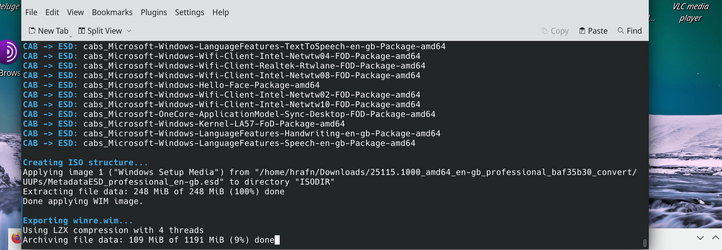
OK I'm on Linux - Modest HP i5 laptop Gen 6 8GB RAM -- won't run W11 but I'm only using for downloading and creating the ISO which I want to install on "Compliant hardware") but the downloaded files are all OK -- identical to Windows process, I'm away from my main machines at the moment,

creating the ISO without issue :

Screenshot_20220517_135010.png

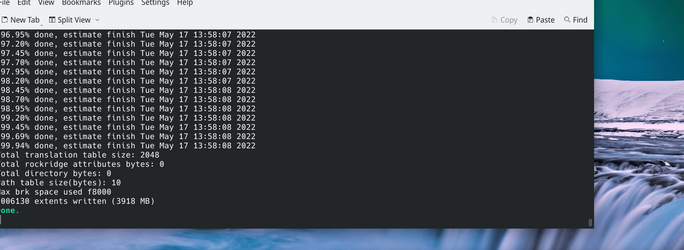
Iso created - start to finish (from download of the zip file to iso creation - times -- 6 mins (although I do have mega fast internet so that helps).
Screenshot_20220517_135925.png
cheers
jimbo
 

My Computer My Computer

At a glance

Windows XP,11 Linux Fedora Rawhide pre-releas...2 X Intel i7
OS
Windows XP,11 Linux Fedora Rawhide pre-release 45
Computer type
PC/Desktop
CPU
2 X Intel i7
Screen Resolution
4KUHD X 2
Can concur
Won't work for me on Clean install -- boots OK but can't do anything with it -- e.g can't even open the security dashboard withot some nonsense message "You'll need another app / link" or something. Update from 22621.1 "manually" i.e run the setup from the iso after booting into the older build works OK though

Cheers
jimbo
 

My Computer My Computer

At a glance

Windows XP,11 Linux Fedora Rawhide pre-releas...2 X Intel i7
OS
Windows XP,11 Linux Fedora Rawhide pre-release 45
Computer type
PC/Desktop
CPU
2 X Intel i7
Screen Resolution
4KUHD X 2
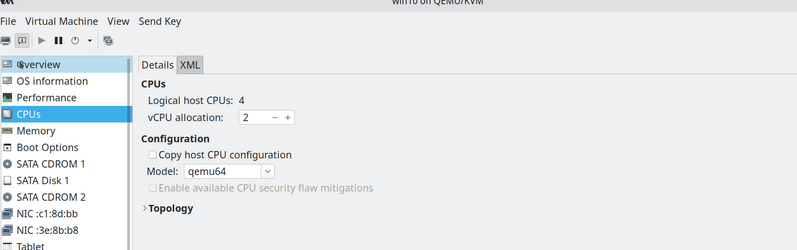
Why does this build install (update - not Clean / New) like "Greased lightning" on a VM on "Non compliant" hardware old QUAD XEON - 4 distinct physical processors on this box : (but powerful machine) - only "failed" physical install because of "Non supported CPU" -- set the CPU in the VM to "QEMU default which was accepted by the windows installer on a VM but takes forever and a day to install on a physical machine with decent spec using "Supported hardware" -- I just don't understand what's driving this process -- sometimes it seems Ms is doing 3 steps forward and two (usually) but sometimes FOUR backwards.

After 4 mins only running the install on my "Non Compliant" XEON system :

Screenshot_20220517_175530.png


I'm still looking at my "Compliant" system that's been running for nearly 45 mins for the same process !!! but not running as a VM.

BTW CPU for the VM :
Screenshot_20220517_175904.png

BTW in both cases - Updating from Windows 226xxx builds -- Install from new (Clean install) fails for me) - installs but as previously posted useless system due to loads of stuff requests "Need other app to run this application".

Cheers
jimbo
 

My Computer My Computer

At a glance

Windows XP,11 Linux Fedora Rawhide pre-releas...2 X Intel i7
OS
Windows XP,11 Linux Fedora Rawhide pre-release 45
Computer type
PC/Desktop
CPU
2 X Intel i7
Screen Resolution
4KUHD X 2
Update to my last post: i've confirmed that after the "Game security violation" error, playing is impossible.. if you wait for around 20 secs instead of closing the game, it shuts itself down with the same error dialog coming up simultaneously. So i really wouldn't recommend gamers to get Build 25115. I've submitted a bug report to EAC, even though Microsoft probably did, as they are aware of the EAC issues with this update.

Final update, they fixed it just now, with an update (new EasyAntiCheat.sys driver version signed 17th May) to accomodate this Insider Preview dev channel build. So for those that aren't suffering the alleged system crashes and bugchecks that MS talks about in relation to EAC, you got nothing to worry about, and it seems to be 1 step safer to use this build for gaming purposes.

The only connotations i have to that - don't install AMD driver update "May preview" as it caused tiny FPS freezes in my case (it claims to improve DX11 performance hugely) as its unclear if this is tied to us using the Insider Preview builds. Just stick to Adrenalin 22.5.1 WHQL.
 

My Computer My Computer

At a glance

Windows 11 Dev Channeli7-12700KF32GB DDR4 4600MHzMSI Radeon RX 6600 MECH 2X 8G
OS
Windows 11 Dev Channel
Computer type
PC/Desktop
Manufacturer/Model
Custom
CPU
i7-12700KF
Motherboard
ASUS PRIME Z790M-PLUS D4
Memory
32GB DDR4 4600MHz
Graphics Card(s)
MSI Radeon RX 6600 MECH 2X 8G
Sound Card
Logitech PRO X (USB DAC)
Monitor(s) Displays
AOC C27G1 240Hz
Screen Resolution
1920 x 1080
Hard Drives
1TB KC3000 PCIe 4.0 NVMe SSD
PSU
Seasonic Prima TX-650 (80+ Titanium)
Mouse
Razer Viper 8KHz
Internet Speed
300mb/s
Seems to be a new build.
 

My Computer My Computer

At a glance

Windows 11 Latest Dev BuildIntel(R) Core(TM) i5-3470T CPU @ 2.90GHz (Dua...6 GB DDR3-1600 / PC3-12800 DDR3 SDRAM SO-DIMM...Intel HD Graphics 2500 Intel Ivy Bridge-DT GT...
OS
Windows 11 Latest Dev Build
Computer type
PC/Desktop
Manufacturer/Model
Samsung DP700A3D-A01US AIO
CPU
Intel(R) Core(TM) i5-3470T CPU @ 2.90GHz (Dual Core)
Motherboard
(Unknown) UEFI BIOS version: Date: 02/13/2014 Version: P10KMS.076.140213.XJ
Memory
6 GB DDR3-1600 / PC3-12800 DDR3 SDRAM SO-DIMM Clock = 800 MHz
Graphics Card(s)
Intel HD Graphics 2500 Intel Ivy Bridge-DT GT1 - Integrated Graphics [E1/L1/N0/P0]
Sound Card
Intel Cougar Point PCH - High-Definition Audio Controller [B2]
Monitor(s) Displays
Display Name (Manuf) DM700A-D ID: Monitor\SEM0324
Screen Resolution
1920 x 1080 720p
Hard Drives
(Main) Samsung SSD 860 Pro 256GB Sata
(Backup Drive) WDC Wd20SPZX-60UA7T0 2TB
PSU
Integrated No UPS.
Case
SAMSUNG ELECTRONICS CO., LTD. All in One
Cooling
Integrated single fan.
Keyboard
Logitech K520
Mouse
Logitech M-U0007
Internet Speed
Up to 800 Mbps. 300 Mbps max on this PC.
Browser
Microsoft Edge Canary
Antivirus
Microsoft Defender
UPDATE:
 

My Computers My Computers

  • At a glance

    Windows 11 Pro for WorkstationsIntel i7-8700K 5 GHz64 GB (4x16GB) G.SKILL TridentZ RGB DDR4 3600...ASUS ROG-STRIX-GTX1080TI-O11G-GAMING (11GB GD...
    OS
    Windows 11 Pro for Workstations
    Computer type
    PC/Desktop
    Manufacturer/Model
    Custom self build
    CPU
    Intel i7-8700K 5 GHz
    Motherboard
    ASUS ROG Maximus XI Formula Z390
    Memory
    64 GB (4x16GB) G.SKILL TridentZ RGB DDR4 3600 MHz (F4-3600C18D-32GTZR)
    Graphics Card(s)
    ASUS ROG-STRIX-GTX1080TI-O11G-GAMING (11GB GDDR5X)
    Sound Card
    Integrated Digital Audio (S/PDIF)
    Monitor(s) Displays
    2 x Samsung Odyssey G75 27"
    Screen Resolution
    2560x1440
    Hard Drives
    1TB Samsung 990 PRO M.2,
    4TB Samsung 990 PRO M.2,
    TerraMaster F8 SSD Plus NAS
    PSU
    Seasonic Prime Titanium 850W
    Case
    Thermaltake Core P3 wall mounted
    Cooling
    Corsair Hydro H115i
    Keyboard
    Amazon Basics Wired Full Keyboard MD005
    Mouse
    Logitech MX Master 4
    Internet Speed
    2 Gbps Download and 100 Mbps Upload
    Browser
    Chrome and Edge
    Antivirus
    Microsoft Defender
    Other Info
    Logitech Z625 speaker system,
    Logitech BRIO 4K Pro webcam,
    HP Color LaserJet Pro MFP M477fdn,
    CyberPower CP1500PFCLCD
    Galaxy S23 Plus phone
  • At a glance

    Windows 11 ProSnapdragon X Elite (12 core) 3.42 GHz16 GB LPDDR5x-7467 MHz
    Operating System
    Windows 11 Pro
    Computer type
    Laptop
    Manufacturer/Model
    Surface Laptop 7 Copilot+ PC
    CPU
    Snapdragon X Elite (12 core) 3.42 GHz
    Memory
    16 GB LPDDR5x-7467 MHz
    Monitor(s) Displays
    15" HDR
    Screen Resolution
    2496 x 1664
    Hard Drives
    1 TB SSD
    Internet Speed
    Wi-Fi 7 and Bluetooth 5.4
    Browser
    Chrome and Edge
    Antivirus
    Microsoft Defender
Finaly.
Windows 11 Insider Dev Build 25120.1000 (rs_prerelease) 22H2 ... installed/updated OK on Vmware Pro 16.
 

My Computer My Computer

At a glance

Windows 11 21H2Ryzen 54GBGeForce
OS
Windows 11 21H2
Computer type
PC/Desktop
Manufacturer/Model
AMD
CPU
Ryzen 5
Motherboard
Asus
Memory
4GB
Graphics Card(s)
GeForce
Monitor(s) Displays
DELL
Keyboard
MS
Back
Top Bottom