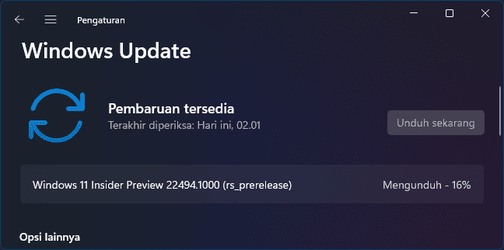
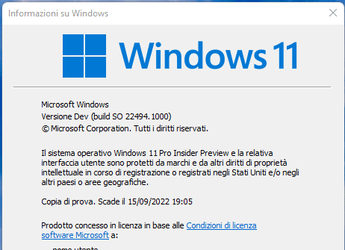
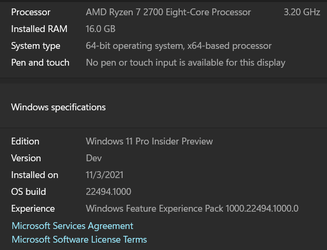
Insider Windows 11 Insider Preview Dev Build 22494 (rs_prerelease) - Nov. 3


UPDATE 11/10: Windows 11 Insider Preview Dev Build 22499 (rs_prerelease) - Nov. 10

Hello Windows Insiders, today we are releasing Windows 11 Insider Preview Build 22494 to the Dev Channel.

TL;DR

  • UPDATE 11/4: We added two known issues below.
  • We are beginning to roll out the ability to mute or unmute your microphone from the Taskbar starting with Microsoft Teams.
  • This build includes a good set of fixes for some impactful bugs but also adds a few known issues. Please read the fixes and known issues sections below!

What’s new in Build 22494

Easily mute and unmute your microphone directly from your taskbar during a Microsoft Teams call

No more awkward or embarrassing moments when you forget to unmute or mute your microphone. Starting with Microsoft Teams today, you’ll find a microphone icon automatically added to your taskbar when you’re actively in a call. You can see your call audio status, what app is accessing your microphone, and quickly mute and unmute your call at any time.

When you join a meeting, you will see the following icon instantly appear in your taskbar. The icon will be present throughout your call, so it is always accessible, no matter how many windows you have open on your screen.

Mute and unmute your calls with the microphone icon on the taskbar.

We are beginning to roll this experience out to a subset of Windows Insiders with Microsoft Teams for work or school installed and ramp it up over time. This means not everyone will see this right away with their Teams calls. We plan to bring this to Chat from Microsoft Teams (Microsoft Teams for home) later.

Other communications applications can also add this capability to their applications. The capability to mute or unmute your call applies only to your current call.

You can now communicate and collaborate with confidence & ease using the new call mute feature on Windows 11. We plan to enable this feature for all Windows 11 customers in a future serving update.

*Features and app availability may vary by region.

Changes and Improvements

  • We are trying out showing snap groups in ALT + TAB and Task View with some Windows Insiders just like when you hover open apps on the taskbar, and you see them there. This isn’t available to all Insiders just yet as we plan to monitor feedback and see how it lands before pushing it out to everyone.
  • If you’re searching for file type or link types under Settings > Apps > Default apps, we’ll now show a dropdown of options containing your current query without having to first press enter.
  • If needed, you can now launch the installed apps settings page under Settings > Apps > Installed apps directly via this URI: ms-settings:installed-apps.

  • Adjusted the names of the sort by options under Settings > Apps > Installed apps to help make them clearer and added a new option to sort from smallest to largest size.

Fixes

[Taskbar]
  • Tooltips should no longer appear in random places on the Taskbar after sliding your mouse over volume, battery, network, or other icons in the Taskbar corner.
  • Addressed an underlying issue that was leading to come unexpected duplication of certain icons in the Taskbar corner.
[File Explorer]
  • Addressed an issue that was causing the context menu to crash for some people if you tried to scroll it.
  • Did some work to help address an issue where in certain areas of the screen the context menu submenus would draw on top of the context menu instead of beside it (for example, if you hovered over New).
  • The context menu icons should be less blurry on systems with multiple monitors with mixed DPI now.
  • Addressed an issue that could cause selecting Open With in the context menu to unexpectedly just open the file in certain cases rather than actually opening the Open With dialog.
  • Renaming files on the desktop is back up and running in this flight.
  • Made another adjustment to the command bar underlying logic to help improve performance of command actions in File Explorer.
[Search]
  • Fixed a recent issue that was causing the indexer database to become too fragmented, leading to the indexer unexpectedly consuming a large amount of memory and CPU for a prolonged period of time. This was particularly noticeable for people that have large Outlook mailboxes.
[Input]
  • Mitigated an issue that was causing certain apps to hang when trying to drag something with the Shift or Ctrl key held down.
  • Fixed an issue that was causing the touch keyboard to not appear on tablets when tapping the text field if you were to try to reset your PIN from the login screen.
  • Improved reliability of the Pen menu.
[Windowing]
  • Fixed a few explorer.exe crashes related to using windowing features (snap, ALT + Tab, and Desktops).
  • If you open Task View on a system with multiple monitors, the background should now be acrylic on both monitors.
  • Addressed a couple UI issues with the window thumbnails in Task View and ALT + Tab, notably that the close button might get cut off if the app window was too thin.
[Settings]
  • Addressed an issue where Facial Recognition (Windows Hello) might be unexpectedly greyed out in Sign-in Settings in certain cases until closing and opening Settings.
  • Fixed an issue where Storage Sense wasn’t cleaning up C:\Windows\SystemTemp.
  • Standard users (aka non-admins) should now be able to change the time zone in Settings if Location access is not granted, rather than the dropdown going blank.
[Other]
  • Fixed an issue causing links to Windows Update, Recovery and For developers to show under the main Windows Update Settings page.
  • Fixed a bug where images had a yellow tonality in Adobe Photoshop, Adobe Lightroom and Adobe Lightroom Classic when in HDR mode.
  • Mitigated an issue related to DHCP that was causing unexpected power usage while the screen was off in recent builds for some Insiders.
  • Did some work to help address an issue where Service Host: WinHTTP Web Proxy Auto-Discovery Service would unexpectedly utilize a lot of CPU.
  • Fixed an issue that could cause some devices to have a black screen when coming out of sleep (where the lock screen wouldn’t display).
  • Addressed an underlying issue that was causing some users with ARM64 PCs to experience an increase in Microsoft Teams crashes in the last few Dev Channel builds.
  • We have increased the padding for selected items as seen by clicking Show More Options in the File Explorer context menu, or the menu options in Task Manager.
  • WSL: Fixed error 0x8007010b when accessing Linux distributions via `\\wsl.localhost` or `\\wsl$` (Issue #6995).
NOTE: Some fixes noted here in Insider Preview builds from the active development branch may make their way into the servicing updates for the released version of Windows 11 that became generally available on October5th.

Known issues

[General]
  • Users updating from Builds 22000.xxx, or earlier, to newer Dev Channel builds using the latest Dev Channel ISO, may receive the following warning message: The build you are trying to install is Flight Signed. To continue installing, enable flight signing. If you receive this message, press the Enable button, reboot the PC, and retry the update.
  • Some users may experience their screen and sleep timeouts being reduced. We’re investigating the potential impact that shorter screen and sleep timeouts could have on energy consumption.
  • [ADDED 11/4] We’re investigating an issue where some PCs are unable to install this build, or other updates. The PC may report an error code 0x80070002. If you are experiencing this issue, please reboot your PC and try again.
  • [ADDED 11/4] We’re investigating reports from some Insiders that the lights on their keyboards, for example for caps lock, are not working properly after upgrading to this build.
[Start]
  • In some cases, you might be unable to enter text when using Search from Start or the Taskbar. If you experience the issue, press WIN + R on the keyboard to launch the Run dialog box, then close it.
[Taskbar]
  • The Taskbar will sometimes flicker when switching input methods.
  • We’re investigating an issue in this build where the clock in the Taskbar can get stuck and not updated, particularly when accessing the PC via Remote Desktop.
[Input]
  • Clipboard history says it is empty even if it is enabled and should contain content. This is a UI issue we’re investigating – when a flight goes out with a fix, any pinned items should become available again.
[Search]
  • After clicking the Search icon on the Taskbar, the Search panel may not open. If this occurs, restart the “Windows Explorer” process, and open the search panel again.
[Quick Settings]
  • We’re investigating reports from Insiders that the volume and brightness sliders aren’t displaying properly in Quick Settings.

For developers

You can download the latest Windows Insider SDK at aka.ms/windowsinsidersdk.

SDK NuGet packages are now also flighting at NuGet Gallery | WindowsSDK which include:
These NuGet packages provide more granular access to the SDK and better integrate in CI/CD pipelines.

About the Dev Channel

We have moved the Dev Channel back to receiving builds from our active development branch (RS_PRERELEASE). These builds are from the earliest stage in a new development cycle with the latest work-in-progress code from our engineers. These aren’t always stable builds, and sometimes you will see issues that block key activities or require workarounds while flighting in the Dev Channel. It is important to make sure you read the known issues listed in our blog posts as we document many of these issues with each flight.

These builds are also not matched to a specific release. New features and OS improvements from these builds could show up in future Windows releases when they’re ready, and we may deliver them as full OS updates or servicing releases.

Build numbers are higher in the Dev Channel than the Windows 11 preview builds in the Beta and Release Preview Channels. You will not be able to switch from the Dev Channel to the Beta or Release Preview Channels without doing a clean install back to the released version of Windows 11 currently.

Are you not seeing any of the features listed for this build? Check your Windows Insider Settings to make sure you’re in the Dev Channel. Submit feedback here to let us know if things weren’t working the way you expected.


The desktop watermark you see at the lower right corner of your desktop is normal for these pre-release builds.

Important Insider Links

Thanks,
Amanda & Brandon


Source: Announcing Windows 11 Insider Preview Build 22494


UUP Dump:

64-bit ISO download:
Select language for Windows 11 Insider Preview 22494.1000 (rs_prerelease) amd64

ARM64 ISO download: Select language for Windows 11 Insider Preview 22494.1000 (rs_prerelease) arm64

 
Last edited:
Update failed twice. No clear message- error was present for Security update failed..

Now, Settings can't even open Windows update page :confused:

1635966630756.png
 

My Computers My Computers

  • At a glance

    Windows 10 Pro, Windows 11 DevIntel I3 1010016 GB DDR4 CrucialIntel on chip
    OS
    Windows 10 Pro, Windows 11 Dev
    Computer type
    PC/Desktop
    Manufacturer/Model
    Homebuilt
    CPU
    Intel I3 10100
    Motherboard
    ASUS B460M
    Memory
    16 GB DDR4 Crucial
    Graphics Card(s)
    Intel on chip
    Sound Card
    Realtek onboard
    Monitor(s) Displays
    ASUS 24, LG 24
    Screen Resolution
    Full HD x 2
    Hard Drives
    kingston A2000 NVMe PCIe 500 GB
    PSU
    LC Power 650W
    Case
    Noname
    Cooling
    Air 2x 120mm
    Keyboard
    Cherry G-81
    Mouse
    Logitech M500
    Internet Speed
    100/20
    Browser
    Firefox, Vivaldi
    Antivirus
    MS Defender
  • At a glance

    Windows 10 HomeRyzen 7 4700u8 GB DDR4AMD Vega
    Operating System
    Windows 10 Home
    Computer type
    Laptop
    Manufacturer/Model
    ASUS/Vivobook Flip 14
    CPU
    Ryzen 7 4700u
    Memory
    8 GB DDR4
    Graphics card(s)
    AMD Vega
    Sound Card
    Realtek onboard
    Monitor(s) Displays
    14"
    Screen Resolution
    FullHD
    Hard Drives
    512 Samsung NVMe PCIe
    PSU
    -
    Case
    Laptop
    Mouse
    Touchpad, Touchscreen
    Internet Speed
    100/20
    Browser
    Firefox, Vivaldi
    Antivirus
    MS Defender
Downloading...
1635966679618.png
 

My Computer My Computer

At a glance

Windows 11Intel(R) Core(TM) i5-3330 CPU @ 3.00GHz8GBAMD Radeon R7 200 Series
OS
Windows 11
Computer type
PC/Desktop
Manufacturer/Model
ASUS
CPU
Intel(R) Core(TM) i5-3330 CPU @ 3.00GHz
Motherboard
ASUS P8H61M-LX R2.0
Memory
8GB
Graphics Card(s)
AMD Radeon R7 200 Series
Screen Resolution
1366 x 768

My Computers My Computers

  • At a glance

    windows 10 & 11AMD Ryzen 7X64GbRadeon RX 480 8Gb
    OS
    windows 10 & 11
    Computer type
    PC/Desktop
    Manufacturer/Model
    iBuyPower (special build)
    CPU
    AMD Ryzen 7X
    Motherboard
    Asus Prime x370 Pro
    Memory
    64Gb
    Graphics Card(s)
    Radeon RX 480 8Gb
    Monitor(s) Displays
    Samsung UHD 27 inch
    Screen Resolution
    UHD
    Hard Drives
    3 Samsung 1 TB SSD each; 1 Samsung PCIe M.2 at 2 TB
  • At a glance

    Windows 11 proAMD 9 5900X32 GbNvidia GeForce RTX 3080 Ti 12 GB GDDR6X
    Operating System
    Windows 11 pro
    Computer type
    PC/Desktop
    Manufacturer/Model
    IBuyPower
    CPU
    AMD 9 5900X
    Motherboard
    Asus x570 ROG Crosshair VIII Dark Hero WI-FI 6E ARGB
    Memory
    32 Gb
    Graphics card(s)
    Nvidia GeForce RTX 3080 Ti 12 GB GDDR6X
    Sound Card
    3D PREMIUM surround sound onboard
    Monitor(s) Displays
    Samsung 32 inch UHD curved monitor
    Screen Resolution
    UHD
    Hard Drives
    Samsung 980 pro 2 tb gen 4 NVMe ssd
    PSU
    850 watt consair RM850X
    Case
    Lian Li LANCOOL ONE tempered glass RGB gaming case
    Cooling
    DEEPCOOL GAMERSTORM RGB 240 mm CASTLE 240EX liquid cooler
    Keyboard
    Ares m.2 gaming keyboard
    Mouse
    Ares m.2 gaming optical mouse
    Internet Speed
    450
    Browser
    Firefox / Edge
    Antivirus
    Windows defender
    Other Info
    With all this gaming rig I am not a gamer!
Don't understand why. Every dev insider update, it fails the first time with inaccessible boot device GSOD, then rolls back. I run the update again and it works. Very time consuming. working on he second pass now.
 

My Computers My Computers

  • At a glance

    Windows 11 ProIntel Core i9 14900K 5800/4500 P/E96GB (2x48) G.skill Ripjaws 6800Asus ROG Strix 4070 Ti OC
    OS
    Windows 11 Pro
    Computer type
    PC/Desktop
    Manufacturer/Model
    DIY Photoshop/Audio/Game/tinker
    CPU
    Intel Core i9 14900K 5800/4500 P/E
    Motherboard
    Asus ROG Maximus Z790 Dark Hero
    Memory
    96GB (2x48) G.skill Ripjaws 6800
    Graphics Card(s)
    Asus ROG Strix 4070 Ti OC
    Sound Card
    B&W 606 S3 speakers; Audiolabs 7000a integrated amp; RSL 10S Mk2 sub
    Monitor(s) Displays
    Eizo CG2730 ColorEdge, ViewSonic VP2768
    Screen Resolution
    2560 x 1440 x 2
    Hard Drives
    nvme: WDC SN850X 4TB, SN850 1TB, SK-Hynix 2 TB P41
    Spinners: Sabrent USB-C DS-SC5B 5-bay docking station, 6TB WDC Black, 6TB Ironwolf Pro 2x 2TB WDC Black
    PSU
    850W Seasonic Vertex PX-850
    Case
    FD North XL Mesh, Black Walnut
    Cooling
    EK Nucleus black 360 AIO w/Phanteks T30 fans; 2 Noctua NF-A14 Chromax ; T30 for memory
    Keyboard
    Keychron Q3 Max TKL w/GMK Redsuns Red Samuri keycaps
    Mouse
    Logitech G305 wireless gaming
    Internet Speed
    575 Mb/s down | 25 Mb/s up
    Browser
    Firefox
    Antivirus
    Defender, Macrium Reflect X
    Other Info
    Phangkey Amaterasu V2 Desk Mat
  • At a glance

    Apple M1
    Computer type
    Laptop
    Manufacturer/Model
    💻 Apple 13" Macbook Pro 2020 (m1)
    CPU
    Apple M1
    Screen Resolution
    2560x1600
    Browser
    Firefox
Screenshot_4.png
 

My Computers My Computers

  • At a glance

    Win 11 ProAMD Ryzen™ 7 7730U24GB Dual-Channel DDR4 @ 1596MHz (22-22-22-52)512MB ATI AMD Radeon Graphics (ASUStek Comput...
    OS
    Win 11 Pro
    Computer type
    Laptop
    Manufacturer/Model
    ASUS Vivobook
    CPU
    AMD Ryzen™ 7 7730U
    Motherboard
    M1605YA
    Memory
    24GB Dual-Channel DDR4 @ 1596MHz (22-22-22-52)
    Graphics Card(s)
    512MB ATI AMD Radeon Graphics (ASUStek Computer Inc)
    Monitor(s) Displays
    Generic PnP Monitor (1920x1200@60Hz) - P1 PLUS (1920x1080@59Hz)
    Screen Resolution
    1920 X 1200
    Hard Drives
    953GB Western Digital WD
    PSU
    45 Watts
    Mouse
    Lenovo Bluetooth.
    Internet Speed
    500 Mbps
    Browser
    Edge
    Antivirus
    Defender
  • At a glance

    Windows 11AMD Ryzen 7 5800H / 3.2 GHz32 GB DDR4 SDRAM 3200 MHzNVIDIA GeForce RTX 3060 6 GB GDDR6 SDRAM
    Operating System
    Windows 11
    Computer type
    Laptop
    Manufacturer/Model
    ACER NITRO
    CPU
    AMD Ryzen 7 5800H / 3.2 GHz
    Motherboard
    CZ Scala_CAS (FP6)
    Memory
    32 GB DDR4 SDRAM 3200 MHz
    Graphics card(s)
    NVIDIA GeForce RTX 3060 6 GB GDDR6 SDRAM
    Sound Card
    Realtek Audio. NVIDIA High Definition Audio
    Monitor(s) Displays
    15.6" LED backlight 1920 x 1080 (Full HD) 144 Hz
    Screen Resolution
    1920 x 1080 (Full HD)
    Hard Drives
    Samsung 970 Evo Plus 2TB NVMe M.2
    PSU
    180 Watt, 19.5 V
    Mouse
    Lenovo Bluetooth
    Internet Speed
    500 Mbps
    Browser
    Edge
    Antivirus
    Defender
Fast Download but the last three releases took hours to finish installing! Once installed no issues.
 

My Computer My Computer

At a glance

windows 11 proI7-7700k Intel32gbNvidia 1080
OS
windows 11 pro
Computer type
PC/Desktop
Manufacturer/Model
Home Built
CPU
I7-7700k Intel
Motherboard
MSI Z170A
Memory
32gb
Graphics Card(s)
Nvidia 1080
Sound Card
Built in
Monitor(s) Displays
dual LG
Screen Resolution
4K
Hard Drives
500 m2 and 1tb ssd
PSU
800 watt
Case
full size
Cooling
liquid
Keyboard
Razer gaming
Mouse
Logitech G903
Internet Speed
1Gb
Browser
Edge Canary
Antivirus
Malwarebytes and defender
Other Info
Vive headset
Did they fix the yahoo mail sync on this build? This issue was reported almost 2 months ago and still didn't get noticed or fixed.
After 6 years of using Mail app and Calendar i just switched to Thunderbird.
 

My Computer My Computer

At a glance

Win11, Ubuntu 22.04AMD Athlon 64 X2 5600+8GB DDR2Radeon HD 7770
OS
Win11, Ubuntu 22.04
Computer type
PC/Desktop
CPU
AMD Athlon 64 X2 5600+
Motherboard
ASRock 960GC-GS FX
Memory
8GB DDR2
Graphics Card(s)
Radeon HD 7770
Monitor(s) Displays
23 Inch Dell
Screen Resolution
1080
Hard Drives
512GB SSD
Internet Speed
Gigabit
Getting now.
 

My Computer My Computer

At a glance

Windows 11 Home(Beta) - 25H2 -26220.9022AMD Ryzen 5 5600GG.SKILL Ripjaws V Series 64GB 4x16Nvidia geforce gtx titan x
OS
Windows 11 Home(Beta) - 25H2 -26220.9022
Computer type
PC/Desktop
Manufacturer/Model
Banana Junior 5600-G Series
CPU
AMD Ryzen 5 5600G
Motherboard
Asus ROG Strix B550-F
Memory
G.SKILL Ripjaws V Series 64GB 4x16
Graphics Card(s)
Nvidia geforce gtx titan x
Monitor(s) Displays
28" ASUS VP28U 4k
Screen Resolution
4K
Hard Drives
Primary SAMSUNG 970 EVO Plus
PSU
EVGA BQ 700w 80+ Bronze
Case
Zalman i3 NEO
Cooling
ARCTIC Freezer 7 X
Keyboard
Corsair
Mouse
Amazon Generic with Cord
Internet Speed
Download: 295.11 mbps Upload: 65.35 mbps T-Mobile Internet
Browser
Firefox and Edge
Antivirus
MS - Defender
Other Info
Speakers: Klipsch ProMedia 2.1
Everything went well downloaded Build (y)
1635971564662.png
 

My Computer My Computer

At a glance

Windows 11 Pro Insider Preview DevAMD Ryzen™ 5 5600G with Radeon Graphics 3.90 GHz16,0 GBNVIDIA GeForce GT 720, NVIDIA compatible
OS
Windows 11 Pro Insider Preview Dev
Computer type
PC/Desktop
Manufacturer/Model
To be filled by O.E.M.
CPU
AMD Ryzen™ 5 5600G with Radeon Graphics 3.90 GHz
Motherboard
MSI B450 GAMING PLUS MAX
Memory
16,0 GB
Graphics Card(s)
NVIDIA GeForce GT 720, NVIDIA compatible
Sound Card
NVIDIA High Definition Audio
Monitor(s) Displays
BenQ GW2270 Color Profile.D6500
Screen Resolution
1920 x 1080
Hard Drives
Samsung SSD 850 EVO 250GB + CT1000BX500SSD1 + ST2000DM006-2DM164 + WDC WD5000AAKS-07TMA0 +WDC WD10EARX-00N0YB0
PSU
EVGA 600 W2, 80+ WHITE 600W, 3 Year Warranty, Power Supply 100-W2-0600-K2 (EU)
Case
RAIJINTEK Agos - mid tower - ATX
Cooling
Cooler Master Hyper 212 Evo heatsink + Fans: 2 front+1 back+1 up
Keyboard
Logitech Internet 350 Keyboard
Mouse
Logitech MX Revolution
Internet Speed
Download 159.29 Mbps - Upload 80.14 Mbps
Browser
Google Crome Dev
Antivirus
Microsoft Windows Security
All ok so far :)
 

My Computers My Computers

  • At a glance

    Windows 11 ProAMD Ryzen 7 7700X32GB Kingston Fury Beast DDR5 5600 @ 6200XFX SPEEDSTER MERC 310 AMD Radeon™ RX 7900 XT...
    OS
    Windows 11 Pro
    Computer type
    PC/Desktop
    Manufacturer/Model
    Self Build
    CPU
    AMD Ryzen 7 7700X
    Motherboard
    Asus B650E E-Gaming WiFi
    Memory
    32GB Kingston Fury Beast DDR5 5600 @ 6200
    Graphics Card(s)
    XFX SPEEDSTER MERC 310 AMD Radeon™ RX 7900 XTX Black Edition
    Sound Card
    Topping DX3Pro+ DAC into Topping A50S coming through Balanced HiFiMan Edition XS
    Monitor(s) Displays
    Samsung C49RG90
    Screen Resolution
    5120x1440
    Hard Drives
    OS - NVMe Samsung 980 Pro 250GB | Temp/Doc's - SATA Samsung 850 Evo 120GB | Games 1 - NVMe Samsung 970 Evo Plus 1TB | Games 2 - SATA Samsung 860 Evo 1TB | Games 3 - SATA Samsung 850 Evo 500GB | Storage - SATA Samsung 870 QVO 4TB
    PSU
    EVGA SuperNOVA 1000 P6, 80 Plus Platinum 1000W
    Case
    Lian Li O11-Dynamic XL
    Cooling
    CPU - Noctua NH-D15 | Case - 4x Noctua NF-A14 iPPC-3000 + 4x Noctua NF-F12 iPPC 3000
    Keyboard
    Wooting Two
    Mouse
    Daily - Logitech MX Ergo | Gaming 1 - Razer Viper 8K | Gaming 2 - Razer Deathadder v2
    Internet Speed
    1Gb Down | 50 Mb Up
    Browser
    MS Edge
    Antivirus
    Windows Security
  • At a glance

    Windows 11 ProIntel i9 9900k32GB G.Skill TridentZ 3866 DDR4Palit GTX 1080
    Operating System
    Windows 11 Pro
    Computer type
    PC/Desktop
    Manufacturer/Model
    Self Build TV & Media Server
    CPU
    Intel i9 9900k
    Motherboard
    MSI MEG Z390 ACE
    Memory
    32GB G.Skill TridentZ 3866 DDR4
    Graphics card(s)
    Palit GTX 1080
    Sound Card
    On Board
    Monitor(s) Displays
    Shared with System 1
    Hard Drives
    OS - NVMe Samsung 970 Evo Plus 500GB | Storage - SATA Toshiba N300 4TB HDD
    PSU
    Seasonic Focus 850 FX Gold
    Case
    Silverstone Temjin TJ-07
    Cooling
    CPU - Noctua NH-D14 | Case - 6x AccoustiFan 120 Ultra Quiet
    Keyboard
    Wooting One
    Mouse
    Logitech MX Ergo
    Other Info
    TV and Media Server
Installed after a lot of fails.

Looks like something with WU servers went wrong, as suddenly all went fine
 

My Computers My Computers

  • At a glance

    Windows 10 Pro, Windows 11 DevIntel I3 1010016 GB DDR4 CrucialIntel on chip
    OS
    Windows 10 Pro, Windows 11 Dev
    Computer type
    PC/Desktop
    Manufacturer/Model
    Homebuilt
    CPU
    Intel I3 10100
    Motherboard
    ASUS B460M
    Memory
    16 GB DDR4 Crucial
    Graphics Card(s)
    Intel on chip
    Sound Card
    Realtek onboard
    Monitor(s) Displays
    ASUS 24, LG 24
    Screen Resolution
    Full HD x 2
    Hard Drives
    kingston A2000 NVMe PCIe 500 GB
    PSU
    LC Power 650W
    Case
    Noname
    Cooling
    Air 2x 120mm
    Keyboard
    Cherry G-81
    Mouse
    Logitech M500
    Internet Speed
    100/20
    Browser
    Firefox, Vivaldi
    Antivirus
    MS Defender
  • At a glance

    Windows 10 HomeRyzen 7 4700u8 GB DDR4AMD Vega
    Operating System
    Windows 10 Home
    Computer type
    Laptop
    Manufacturer/Model
    ASUS/Vivobook Flip 14
    CPU
    Ryzen 7 4700u
    Memory
    8 GB DDR4
    Graphics card(s)
    AMD Vega
    Sound Card
    Realtek onboard
    Monitor(s) Displays
    14"
    Screen Resolution
    FullHD
    Hard Drives
    512 Samsung NVMe PCIe
    PSU
    -
    Case
    Laptop
    Mouse
    Touchpad, Touchscreen
    Internet Speed
    100/20
    Browser
    Firefox, Vivaldi
    Antivirus
    MS Defender
I decided to give UUPDump a try. I'm backing up my desktop and making the ISO file.
 

My Computers My Computers

  • At a glance

    Windows 11 Pro 25H2Intel Core i7-10700K16GB (8GB PC4-19200 DDR4 SDRAM x2)NVIDIA GeForce GTX 1050 TI
    OS
    Windows 11 Pro 25H2
    Computer type
    PC/Desktop
    Manufacturer/Model
    PowerSpec B746
    CPU
    Intel Core i7-10700K
    Motherboard
    ASRock Z490 Phantom Gaming 4/ax
    Memory
    16GB (8GB PC4-19200 DDR4 SDRAM x2)
    Graphics Card(s)
    NVIDIA GeForce GTX 1050 TI
    Sound Card
    Realtek Audio
    Monitor(s) Displays
    #1. LG ULTRAWIDE 34" #2. AOC Q32G2WG3 32"
    Screen Resolution
    #1. 3440 X 1440 #2. 1920 x 1080
    Hard Drives
    NVMe WDC WDS100T2B0C-00PXH0 1TB
    Samsung SSD 860 EVO 1TB
    PSU
    750 Watts (62.5A)
    Case
    PowerSpec/Lian Li ATX 205
    Keyboard
    Logitech K270
    Mouse
    Logitech M185
    Browser
    Microsoft Edge and Firefox
    Antivirus
    Webroot SecureAnywhere CE 26.1
  • At a glance

    Windows 11 Canary ChannelIntel Core i5-8400 CPU @ 2.80GHz16 MB DDR 4-2666
    Operating System
    Windows 11 Canary Channel
    Computer type
    PC/Desktop
    Manufacturer/Model
    PowerSpec G156
    CPU
    Intel Core i5-8400 CPU @ 2.80GHz
    Motherboard
    AsusTeK Prime B360M-A
    Memory
    16 MB DDR 4-2666
    Monitor(s) Displays
    23" Speptre HDMI 75Hz
    Screen Resolution
    1920x1080
    Hard Drives
    Samsung 970 EVO 500GB NVMe
    Keyboard
    Logitek K270
    Mouse
    Logitek M185
    Browser
    Firefox, Edge and Edge Canary
    Antivirus
    Windows Defender
I decided to give UUPDump a try. I'm backing up my desktop and making the ISO file.
I haven't had an issue with UUPDump to date.
 

My Computer My Computer

At a glance

Windows 11 Home(Beta) - 25H2 -26220.9022AMD Ryzen 5 5600GG.SKILL Ripjaws V Series 64GB 4x16Nvidia geforce gtx titan x
OS
Windows 11 Home(Beta) - 25H2 -26220.9022
Computer type
PC/Desktop
Manufacturer/Model
Banana Junior 5600-G Series
CPU
AMD Ryzen 5 5600G
Motherboard
Asus ROG Strix B550-F
Memory
G.SKILL Ripjaws V Series 64GB 4x16
Graphics Card(s)
Nvidia geforce gtx titan x
Monitor(s) Displays
28" ASUS VP28U 4k
Screen Resolution
4K
Hard Drives
Primary SAMSUNG 970 EVO Plus
PSU
EVGA BQ 700w 80+ Bronze
Case
Zalman i3 NEO
Cooling
ARCTIC Freezer 7 X
Keyboard
Corsair
Mouse
Amazon Generic with Cord
Internet Speed
Download: 295.11 mbps Upload: 65.35 mbps T-Mobile Internet
Browser
Firefox and Edge
Antivirus
MS - Defender
Other Info
Speakers: Klipsch ProMedia 2.1
This quoted "Note" below is from the first page of this thread...That tells me that Win 11 was half-baked when released on October 5, 2021. That explains understandably why I am not in hurry to install it on my only machine that has passed the PC health check until MS offers it to me via Windows Update.

Like the adage says: "The proof of the pudding is in the eating" and that is so true. For now, I will give this new build a try in Hyper-V VM with the help of UUPDump link in first page to see it it works. Last time, it did not with the previous build.

NOTE: Some fixes noted here in Insider Preview builds from the active development branch may make their way into the servicing updates for the released version of Windows 11 that became generally available on October5th.
 

My Computer My Computer

At a glance

Windows 10 and Win 11 in VMAMD Ryzen 9 3950X32GBNVIDIA GeForce RTX 2080Ti
OS
Windows 10 and Win 11 in VM
Computer type
PC/Desktop
Manufacturer/Model
Asus ROG Strix GA35DX
CPU
AMD Ryzen 9 3950X
Motherboard
ASUSTek COMPUTER INC.
Memory
32GB
Graphics Card(s)
NVIDIA GeForce RTX 2080Ti
Screen Resolution
1920 x 1080
Browser
Edge
Antivirus
Microsoft Defender
This quoted "Note" below is from the first page of this thread...That tells me that Win 11 was half-baked when released on October 5, 2021. That explains understandably why I am not in hurry to install it on my only machine that has passed the PC health check until MS offers it to me via Windows Update.

Like the adage says: "The proof of the pudding is in the eating" and that is so true. For now, I will give this new build a try in Hyper-V VM with the help of UUPDump link in first page to see it it works. Last time, it did not with the previous build.

I hope so as there is some broken functionality (ICC color profiles) in the released version that have been fixed in the dev version quite some time before October 5th. A show-stopper for me and why I am on dev still.

Up and running on this build. Backing up now.
 

My Computers My Computers

  • At a glance

    Windows 11 ProIntel Core i9 14900K 5800/4500 P/E96GB (2x48) G.skill Ripjaws 6800Asus ROG Strix 4070 Ti OC
    OS
    Windows 11 Pro
    Computer type
    PC/Desktop
    Manufacturer/Model
    DIY Photoshop/Audio/Game/tinker
    CPU
    Intel Core i9 14900K 5800/4500 P/E
    Motherboard
    Asus ROG Maximus Z790 Dark Hero
    Memory
    96GB (2x48) G.skill Ripjaws 6800
    Graphics Card(s)
    Asus ROG Strix 4070 Ti OC
    Sound Card
    B&W 606 S3 speakers; Audiolabs 7000a integrated amp; RSL 10S Mk2 sub
    Monitor(s) Displays
    Eizo CG2730 ColorEdge, ViewSonic VP2768
    Screen Resolution
    2560 x 1440 x 2
    Hard Drives
    nvme: WDC SN850X 4TB, SN850 1TB, SK-Hynix 2 TB P41
    Spinners: Sabrent USB-C DS-SC5B 5-bay docking station, 6TB WDC Black, 6TB Ironwolf Pro 2x 2TB WDC Black
    PSU
    850W Seasonic Vertex PX-850
    Case
    FD North XL Mesh, Black Walnut
    Cooling
    EK Nucleus black 360 AIO w/Phanteks T30 fans; 2 Noctua NF-A14 Chromax ; T30 for memory
    Keyboard
    Keychron Q3 Max TKL w/GMK Redsuns Red Samuri keycaps
    Mouse
    Logitech G305 wireless gaming
    Internet Speed
    575 Mb/s down | 25 Mb/s up
    Browser
    Firefox
    Antivirus
    Defender, Macrium Reflect X
    Other Info
    Phangkey Amaterasu V2 Desk Mat
  • At a glance

    Apple M1
    Computer type
    Laptop
    Manufacturer/Model
    💻 Apple 13" Macbook Pro 2020 (m1)
    CPU
    Apple M1
    Screen Resolution
    2560x1600
    Browser
    Firefox
Update failed twice. No clear message- error was present for Security update failed..

Now, Settings can't even open Windows update page :confused:

View attachment 12441
Mine was blank like that to, i ran the troubleshooter on Window Update & it fixed it.

Windows Update>Recovery>Fix problems without resetting>Other Troubleshooters>Windows Update
 

My Computer My Computer

At a glance

Windows 11
OS
Windows 11
Mine was blank like that to, i ran the troubleshooter on Window Update & it fixed it.

Windows Update>Recovery>Fix problems without resetting>Other Troubleshooters>Windows Update
Troubleshooter found nothing, as didn't sfc or anything else..

WU suddenly picked up defender update, and then new build...
 

My Computers My Computers

  • At a glance

    Windows 10 Pro, Windows 11 DevIntel I3 1010016 GB DDR4 CrucialIntel on chip
    OS
    Windows 10 Pro, Windows 11 Dev
    Computer type
    PC/Desktop
    Manufacturer/Model
    Homebuilt
    CPU
    Intel I3 10100
    Motherboard
    ASUS B460M
    Memory
    16 GB DDR4 Crucial
    Graphics Card(s)
    Intel on chip
    Sound Card
    Realtek onboard
    Monitor(s) Displays
    ASUS 24, LG 24
    Screen Resolution
    Full HD x 2
    Hard Drives
    kingston A2000 NVMe PCIe 500 GB
    PSU
    LC Power 650W
    Case
    Noname
    Cooling
    Air 2x 120mm
    Keyboard
    Cherry G-81
    Mouse
    Logitech M500
    Internet Speed
    100/20
    Browser
    Firefox, Vivaldi
    Antivirus
    MS Defender
  • At a glance

    Windows 10 HomeRyzen 7 4700u8 GB DDR4AMD Vega
    Operating System
    Windows 10 Home
    Computer type
    Laptop
    Manufacturer/Model
    ASUS/Vivobook Flip 14
    CPU
    Ryzen 7 4700u
    Memory
    8 GB DDR4
    Graphics card(s)
    AMD Vega
    Sound Card
    Realtek onboard
    Monitor(s) Displays
    14"
    Screen Resolution
    FullHD
    Hard Drives
    512 Samsung NVMe PCIe
    PSU
    -
    Case
    Laptop
    Mouse
    Touchpad, Touchscreen
    Internet Speed
    100/20
    Browser
    Firefox, Vivaldi
    Antivirus
    MS Defender
I hope so as there is some broken functionality (ICC color profiles) in the released version that have been fixed in the dev version quite some time before October 5th. A show-stopper for me and why I am on dev still.

Up and running on this build. Backing up now.

One is definitely better off now trying the active Dev branch in a non-production machine or a spare one with no strings attached if something bad happens. My problem is that I don't want to use my high end machine with the Insider program. That is why I am using a Hyper-V VM. Sometimes the Insider Builds work there and at other times not. For a while, they even updated via Windows Update without me having to use the help of UUPDump. As we speak, I am in the middle of trying the latter.
 

My Computer My Computer

At a glance

Windows 10 and Win 11 in VMAMD Ryzen 9 3950X32GBNVIDIA GeForce RTX 2080Ti
OS
Windows 10 and Win 11 in VM
Computer type
PC/Desktop
Manufacturer/Model
Asus ROG Strix GA35DX
CPU
AMD Ryzen 9 3950X
Motherboard
ASUSTek COMPUTER INC.
Memory
32GB
Graphics Card(s)
NVIDIA GeForce RTX 2080Ti
Screen Resolution
1920 x 1080
Browser
Edge
Antivirus
Microsoft Defender
Wow - my life has changed. Fancy being able to tell if your microphone is on or off. How did I ever cope before?
 

My Computer My Computer

At a glance

Windows 11 Pro + Win11 Canary VM.I9 13th gen i9-13900H 2.60 GHZ16 GB solderedIntegrated Intel Iris XE
OS
Windows 11 Pro + Win11 Canary VM.
Computer type
Laptop
Manufacturer/Model
ASUS Zenbook 14
CPU
I9 13th gen i9-13900H 2.60 GHZ
Motherboard
Yep, Laptop has one.
Memory
16 GB soldered
Graphics Card(s)
Integrated Intel Iris XE
Sound Card
Realtek built in
Monitor(s) Displays
laptop OLED screen
Screen Resolution
2880x1800 touchscreen
Hard Drives
1 TB NVME SSD (only weakness is only one slot)
PSU
Internal + 65W thunderbolt USB4 charger
Case
Yep, got one
Cooling
Stella Artois (UK pint cans - 568 ml) - extra cost.
Keyboard
Built in UK keybd
Mouse
Bluetooth , wireless dongled, wired
Internet Speed
900 mbs (ethernet), wifi 6 typical 350-450 mb/s both up and down
Browser
Edge
Antivirus
Defender
Other Info
TPM 2.0, 2xUSB4 thunderbolt, 1xUsb3 (usb a), 1xUsb-c, hdmi out, 3.5 mm audio out/in combo, ASUS backlit trackpad (inc. switchable number pad)

Macrium Reflect Home V8
Office 365 Family (6 users each 1TB onedrive space)
Hyper-V (a vm runs almost as fast as my older laptop)
Screenshot (1).png
 

My Computer My Computer

At a glance

Windows 11
OS
Windows 11
Back
Top Bottom