Windows Defender disabler,removers


First thread I came to, as I've come to the conclusion that Microsoft is primarily interested in invading your privacy, but does almost nothing to stop malware. I have completely removed Defender, Smartscreen, Edge, disabled all updates, and shut off the Waasmedicsvc, because I got really tired of driveby downloads from windows update breaking my applications. Funny thing is, 6 months in, and my system still boots in less than 3 seconds. Creating a stable OS is an apparent conflict of profit interest for MS. If you want your system to be stable and reliable, you have to do it yourself.
 

My Computer My Computer

At a glance

Windows 11 22H2 Pro (X-lite Micro 11 version)i7 13850HX (20 cores, 28 threads)32GB DDR5Intel UHD/ RTX 1000 ADA
OS
Windows 11 22H2 Pro (X-lite Micro 11 version)
Computer type
Laptop
Manufacturer/Model
Dell/ Precision 7680
CPU
i7 13850HX (20 cores, 28 threads)
Motherboard
Dell
Memory
32GB DDR5
Graphics Card(s)
Intel UHD/ RTX 1000 ADA
Sound Card
Realtek
Monitor(s) Displays
4K UHD Touchscreen
Screen Resolution
3840 x 2400
Hard Drives
Samsung 512GB system drive
WD Blue 1TB game drive
PSU
240W AC adapter, 1800W when docked
Internet Speed
1 gigabit symmetrical
Browser
Firefox, Librewolf
Antivirus
None. Manully configured so nobody except me can change any critical system files. (Don't ask how, it's probably against some rule somewhere)

My Computers My Computers

  • At a glance

    Windows 11 ProIntel Core i9-10900XCorsair 64 GB (4 x 16 GB) CMW64GX4M4C3000C15 ...GIGABYTE GeForce GTX 1660 Super Mini ITX 6 GB OC
    OS
    Windows 11 Pro
    Computer type
    PC/Desktop
    Manufacturer/Model
    Stigg's Build
    CPU
    Intel Core i9-10900X
    Motherboard
    GIGABYTE X299X DESIGNARE 10G
    Memory
    Corsair 64 GB (4 x 16 GB) CMW64GX4M4C3000C15 Vengeance RGB Pro 3000Mhz DDR4
    Graphics Card(s)
    GIGABYTE GeForce GTX 1660 Super Mini ITX 6 GB OC
    Sound Card
    Realtek ALC1220
    Monitor(s) Displays
    Samsung 27" FHD LED FreeSync Gaming Monitor (LS27F350FHEXXY)
    Screen Resolution
    1920 x 1080
    Hard Drives
    Samsung 970 Pro Series 1TB M.2 2280 NVMe SSD
    Western Digital Red Pro WD8003FFBX-68B9AN0 8 TB, 7200 RPM, SATA-III
    Western Digital Red Pro WD8003FFBX-68B9AN0 8 TB, 7200 RPM, SATA-III
    PSU
    Corsair HX1200 1200W 80 Plus Platinum
    Case
    Fractal Design Define 7 Black Solid Case
    Cooling
    Noctua NH-D15 Chromax Black
    Keyboard
    Razer Ornata V2
    Mouse
    Razer DeathAdder Essential
    Internet Speed
    FTTN 100Mbps / 40Mbps
    Browser
    Mozilla Firefox
    Antivirus
    N/A
    Other Info
    Logitech BRIO 4k Ultra HD USB-C Webcam
  • At a glance

    Windows 10 ProCore i7-8750HSK Hynix 32 GB (2 x 16 GB) HMA82GS6CJR8N-VK 1...NVIDIA GeForce GTX 1070
    Operating System
    Windows 10 Pro
    Computer type
    Laptop
    Manufacturer/Model
    ASUS ROG Zephyrus M GM501GS
    CPU
    Core i7-8750H
    Motherboard
    Zephyrus M GM501GS
    Memory
    SK Hynix 32 GB (2 x 16 GB) HMA82GS6CJR8N-VK 16 GB DDR4-2666 DDR4 SDRAM
    Graphics card(s)
    NVIDIA GeForce GTX 1070
    Sound Card
    Realtek ALC294
    Monitor(s) Displays
    AU Optronics B156HAN07.1 [15.6" LCD]
    Screen Resolution
    1920 x 1080
    Hard Drives
    Samsung MZVKW512HMJP-00000 512 GB, PCI-E 3.0 x4
    Samsung SSD 860 QVO 4TB 4 TB, SATA-III
    PSU
    N/A
    Case
    N/A
    Cooling
    N/A
    Keyboard
    PC/AT Enhanced PS2 Keyboard (101/102-Key)
    Mouse
    Razer DeathAdder Essential
    Internet Speed
    FTTN 100Mbps / 40Mbps
    Browser
    Mozilla Firefox
    Antivirus
    N/A
    Other Info
    USB2.0 HD UVC Webcam
Wise advice. Why trust random tools to remove things when it can be done manually by taking ownership of files and registry keys and giving yourself permission to delete them. Also don't change anything critical to windows unless you know exactly what will happen when you do.
 

My Computer My Computer

At a glance

Windows 11 22H2 Pro (X-lite Micro 11 version)i7 13850HX (20 cores, 28 threads)32GB DDR5Intel UHD/ RTX 1000 ADA
OS
Windows 11 22H2 Pro (X-lite Micro 11 version)
Computer type
Laptop
Manufacturer/Model
Dell/ Precision 7680
CPU
i7 13850HX (20 cores, 28 threads)
Motherboard
Dell
Memory
32GB DDR5
Graphics Card(s)
Intel UHD/ RTX 1000 ADA
Sound Card
Realtek
Monitor(s) Displays
4K UHD Touchscreen
Screen Resolution
3840 x 2400
Hard Drives
Samsung 512GB system drive
WD Blue 1TB game drive
PSU
240W AC adapter, 1800W when docked
Internet Speed
1 gigabit symmetrical
Browser
Firefox, Librewolf
Antivirus
None. Manully configured so nobody except me can change any critical system files. (Don't ask how, it's probably against some rule somewhere)
First thread I came to, as I've come to the conclusion that Microsoft is primarily interested in invading your privacy, but does almost nothing to stop malware. I have completely removed Defender, Smartscreen, Edge, disabled all updates, and shut off the Waasmedicsvc, because I got really tired of driveby downloads from windows update breaking my applications. Funny thing is, 6 months in, and my system still boots in less than 3 seconds. Creating a stable OS is an apparent conflict of profit interest for MS. If you want your system to be stable and reliable, you have to do it yourself.
Wise advice. Why trust random tools to remove things when it can be done manually by taking ownership of files and registry keys and giving yourself permission to delete them. Also don't change anything critical to windows unless you know exactly what will happen when you do.

And so do you have some kind of a tutorial about this?

Please read the pinned comment and reply from Sordum.


Yeah I get all that, but that seems like a big hassle to go through. Not to mention Sordum will no longer update it because of these issues.

Personally, I'd much rather MS Defender do heuristic scans for any changes to the system, instead of full scan monitoring which drags performance down. Much like what my ESET AV currently does heuristically on my other system.
 

My Computers My Computers

  • At a glance

    Windows 11 Pro 25H2 build: (26200.7623)32GB
    OS
    Windows 11 Pro 25H2 build: (26200.7623)
    Computer type
    Laptop
    Manufacturer/Model
    Microsoft Surface Pro
    Memory
    32GB
  • At a glance

    Microsoft 25H2 ProIntel Core Ultra 764GBIntel Integrated Graphics
    Operating System
    Microsoft 25H2 Pro
    Computer type
    Laptop
    Manufacturer/Model
    Dell Pro 14 - PC14250
    CPU
    Intel Core Ultra 7
    Memory
    64GB
    Graphics card(s)
    Intel Integrated Graphics
    Hard Drives
    Micron 1TB SSD
And so do you have some kind of a tutorial about this?
I do not, but I would be willing to share what changes I have made, provided I'm not breaking some rule somewhere.
 

My Computer My Computer

At a glance

Windows 11 22H2 Pro (X-lite Micro 11 version)i7 13850HX (20 cores, 28 threads)32GB DDR5Intel UHD/ RTX 1000 ADA
OS
Windows 11 22H2 Pro (X-lite Micro 11 version)
Computer type
Laptop
Manufacturer/Model
Dell/ Precision 7680
CPU
i7 13850HX (20 cores, 28 threads)
Motherboard
Dell
Memory
32GB DDR5
Graphics Card(s)
Intel UHD/ RTX 1000 ADA
Sound Card
Realtek
Monitor(s) Displays
4K UHD Touchscreen
Screen Resolution
3840 x 2400
Hard Drives
Samsung 512GB system drive
WD Blue 1TB game drive
PSU
240W AC adapter, 1800W when docked
Internet Speed
1 gigabit symmetrical
Browser
Firefox, Librewolf
Antivirus
None. Manully configured so nobody except me can change any critical system files. (Don't ask how, it's probably against some rule somewhere)
I do not, but I would be willing to share what changes I have made, provided I'm not breaking some rule somewhere.

Sure, I'd be willing to hear about it, thanks. 👍
 

My Computers My Computers

  • At a glance

    Windows 11 Pro 25H2 build: (26200.7623)32GB
    OS
    Windows 11 Pro 25H2 build: (26200.7623)
    Computer type
    Laptop
    Manufacturer/Model
    Microsoft Surface Pro
    Memory
    32GB
  • At a glance

    Microsoft 25H2 ProIntel Core Ultra 764GBIntel Integrated Graphics
    Operating System
    Microsoft 25H2 Pro
    Computer type
    Laptop
    Manufacturer/Model
    Dell Pro 14 - PC14250
    CPU
    Intel Core Ultra 7
    Memory
    64GB
    Graphics card(s)
    Intel Integrated Graphics
    Hard Drives
    Micron 1TB SSD
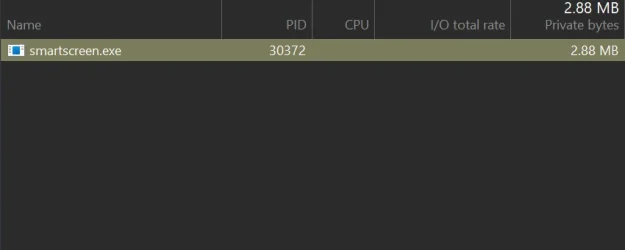
Anybody knows how to get rid of smartscreen.exe ? I feel like I've disabled all smartscreen defender components but smartscreen.exe still running somehow.
 

Attachments

  • 2.webp
    2.webp
    6.5 KB · Views: 5

My Computer My Computer

At a glance

WIN117900X32GB G-Skills Flare X5 6000mhz4090 RTX
OS
WIN11
Computer type
PC/Desktop
Manufacturer/Model
Custom
CPU
7900X
Motherboard
ASUS Rog Crosshair HERO x670E
Memory
32GB G-Skills Flare X5 6000mhz
Graphics Card(s)
4090 RTX
Sound Card
onboard
Monitor(s) Displays
LG-27GN950
Screen Resolution
4K
PSU
1300W
Case
Corsair 7000x
Cooling
H170i
Antivirus
NO Win Defender

My Computer My Computer

At a glance

WIN117900X32GB G-Skills Flare X5 6000mhz4090 RTX
OS
WIN11
Computer type
PC/Desktop
Manufacturer/Model
Custom
CPU
7900X
Motherboard
ASUS Rog Crosshair HERO x670E
Memory
32GB G-Skills Flare X5 6000mhz
Graphics Card(s)
4090 RTX
Sound Card
onboard
Monitor(s) Displays
LG-27GN950
Screen Resolution
4K
PSU
1300W
Case
Corsair 7000x
Cooling
H170i
Antivirus
NO Win Defender
Yeah already disabled everything in the registry but this exe still running
In my system is not running any smartsreen.exe after using this script:

1 - backup your current system

2 - if Windows Defender is installed/running to go into the Windows Defender Security Settings and Disable everything including Tamper Protection.

3 - run Defender Remover as Administrator

4 - restart PC

5 - run Powershell as Admin and remove SecHealth:

Powershell:
$remove_appx = @("SecHealthUI"); $provisioned = get-appxprovisionedpackage -online; $appxpackage = get-appxpackage -allusers; $eol = @()
$store = 'HKLM:\SOFTWARE\Microsoft\Windows\CurrentVersion\Appx\AppxAllUserStore'
$users = @('S-1-5-18'); if (test-path $store) {$users += $((dir $store -ea 0 |where {$_ -like '*S-1-5-21*'}).PSChildName)}
foreach ($choice in $remove_appx) { if ('' -eq $choice.Trim()) {continue}
  foreach ($appx in $($provisioned |where {$_.PackageName -like "*$choice*"})) {
    $next = !1; foreach ($no in $skip) {if ($appx.PackageName -like "*$no*") {$next = !0}} ; if ($next) {continue}
    $PackageName = $appx.PackageName; $PackageFamilyName = ($appxpackage |where {$_.Name -eq $appx.DisplayName}).PackageFamilyName
    ni "$store\Deprovisioned\$PackageFamilyName" -force >''; $PackageFamilyName 
    foreach ($sid in $users) {ni "$store\EndOfLife\$sid\$PackageName" -force >''} ; $eol += $PackageName
    dism /online /set-nonremovableapppolicy /packagefamily:$PackageFamilyName /nonremovable:0 >''
    remove-appxprovisionedpackage -packagename $PackageName -online -allusers >''
  }
  foreach ($appx in $($appxpackage |where {$_.PackageFullName -like "*$choice*"})) {
    $next = !1; foreach ($no in $skip) {if ($appx.PackageFullName -like "*$no*") {$next = !0}} ; if ($next) {continue}
    $PackageFullName = $appx.PackageFullName;
    ni "$store\Deprovisioned\$appx.PackageFamilyName" -force >''; $PackageFullName
    foreach ($sid in $users) {ni "$store\EndOfLife\$sid\$PackageFullName" -force >''} ; $eol += $PackageFullName
    dism /online /set-nonremovableapppolicy /packagefamily:$PackageFamilyName /nonremovable:0 >''
    remove-appxpackage -package $PackageFullName -allusers >''
  }
}

6 - restart PC

7 - install your AIO security or AV software ;-) or other way install Windows X-Lite 24H2 Pro v4.6, which have no Defender and other MS crap :-):
 

My Computer My Computer

At a glance

Windows 11
OS
Windows 11
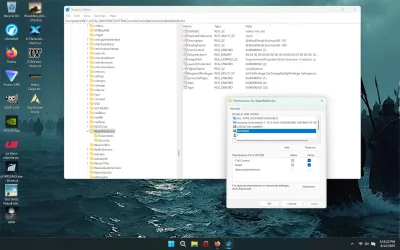
I got rid of smartscreen by taking ownership of the registry keys related to it, deleting them, then taking ownership and deleting the smartscreen.exe and .dll located in the system32 folder. To prevent future drive-by downloads of smartscreen, Edge and all the other unwanted features that have been removed, I shut off WaasMedicSvc (would not recommend unless you know how to quickly reinstall windows and have your files and programs on a separate drive) by taking ownership of the registry key, setting the start value to 4 and denying SYSTEM permissions.waas.webp

Again, DO NOT FOLLOW THIS ADVICE if you don't know how to quickly reinstall windows and have all of your important files and apps on a separate drive.
 

My Computer My Computer

At a glance

Windows 11 22H2 Pro (X-lite Micro 11 version)i7 13850HX (20 cores, 28 threads)32GB DDR5Intel UHD/ RTX 1000 ADA
OS
Windows 11 22H2 Pro (X-lite Micro 11 version)
Computer type
Laptop
Manufacturer/Model
Dell/ Precision 7680
CPU
i7 13850HX (20 cores, 28 threads)
Motherboard
Dell
Memory
32GB DDR5
Graphics Card(s)
Intel UHD/ RTX 1000 ADA
Sound Card
Realtek
Monitor(s) Displays
4K UHD Touchscreen
Screen Resolution
3840 x 2400
Hard Drives
Samsung 512GB system drive
WD Blue 1TB game drive
PSU
240W AC adapter, 1800W when docked
Internet Speed
1 gigabit symmetrical
Browser
Firefox, Librewolf
Antivirus
None. Manully configured so nobody except me can change any critical system files. (Don't ask how, it's probably against some rule somewhere)
I shut off WaasMedicSvc
What does that have to do with Defender?
WaaSMedicSVC is for repairing Windows Update.

The Windows Update Medic Service is a new Windows Service introduced in Windows 10. This Service has been introduced to repair Windows Update components from damage so that the computer can continue to receive updates.

Windows Update Medic Service (WaaSMedicSVC) enables remediation and protection of Windows Update components. This means that even if you disable Windows Update related Services, this service will at some point in time re-enable them.
 

My Computer My Computer

At a glance

Windows 11 Pro
OS
Windows 11 Pro
WaaSMedicSVC is for repairing Windows Update.
Exactly. WaasMedicSVC allows windows update to reinstall windows components that were manually removed, even when windows updates are turned off. Including Smartscreen, Edge (and its extremely intrusive AI). Which is why I have it turned off. I don't update until I know the update won't cause problems or break other applications. I happen to disagree with Microsoft in which components are essential and/or can be trusted. At the end of the day, I'm going to use the product I paid for regardless of TOS, as the legality of any agreement or contract stops where my right to privacy and ownership of my own hardware and anything else I paid for begins.
 

My Computer My Computer

At a glance

Windows 11 22H2 Pro (X-lite Micro 11 version)i7 13850HX (20 cores, 28 threads)32GB DDR5Intel UHD/ RTX 1000 ADA
OS
Windows 11 22H2 Pro (X-lite Micro 11 version)
Computer type
Laptop
Manufacturer/Model
Dell/ Precision 7680
CPU
i7 13850HX (20 cores, 28 threads)
Motherboard
Dell
Memory
32GB DDR5
Graphics Card(s)
Intel UHD/ RTX 1000 ADA
Sound Card
Realtek
Monitor(s) Displays
4K UHD Touchscreen
Screen Resolution
3840 x 2400
Hard Drives
Samsung 512GB system drive
WD Blue 1TB game drive
PSU
240W AC adapter, 1800W when docked
Internet Speed
1 gigabit symmetrical
Browser
Firefox, Librewolf
Antivirus
None. Manully configured so nobody except me can change any critical system files. (Don't ask how, it's probably against some rule somewhere)
In my system is not running any smartsreen.exe after using this script:

1 - backup your current system

2 - if Windows Defender is installed/running to go into the Windows Defender Security Settings and Disable everything including Tamper Protection.

3 - run Defender Remover as Administrator

4 - restart PC

5 - run Powershell as Admin and remove SecHealth:

Powershell:
$remove_appx = @("SecHealthUI"); $provisioned = get-appxprovisionedpackage -online; $appxpackage = get-appxpackage -allusers; $eol = @()
$store = 'HKLM:\SOFTWARE\Microsoft\Windows\CurrentVersion\Appx\AppxAllUserStore'
$users = @('S-1-5-18'); if (test-path $store) {$users += $((dir $store -ea 0 |where {$_ -like '*S-1-5-21*'}).PSChildName)}
foreach ($choice in $remove_appx) { if ('' -eq $choice.Trim()) {continue}
  foreach ($appx in $($provisioned |where {$_.PackageName -like "*$choice*"})) {
    $next = !1; foreach ($no in $skip) {if ($appx.PackageName -like "*$no*") {$next = !0}} ; if ($next) {continue}
    $PackageName = $appx.PackageName; $PackageFamilyName = ($appxpackage |where {$_.Name -eq $appx.DisplayName}).PackageFamilyName
    ni "$store\Deprovisioned\$PackageFamilyName" -force >''; $PackageFamilyName
    foreach ($sid in $users) {ni "$store\EndOfLife\$sid\$PackageName" -force >''} ; $eol += $PackageName
    dism /online /set-nonremovableapppolicy /packagefamily:$PackageFamilyName /nonremovable:0 >''
    remove-appxprovisionedpackage -packagename $PackageName -online -allusers >''
  }
  foreach ($appx in $($appxpackage |where {$_.PackageFullName -like "*$choice*"})) {
    $next = !1; foreach ($no in $skip) {if ($appx.PackageFullName -like "*$no*") {$next = !0}} ; if ($next) {continue}
    $PackageFullName = $appx.PackageFullName;
    ni "$store\Deprovisioned\$appx.PackageFamilyName" -force >''; $PackageFullName
    foreach ($sid in $users) {ni "$store\EndOfLife\$sid\$PackageFullName" -force >''} ; $eol += $PackageFullName
    dism /online /set-nonremovableapppolicy /packagefamily:$PackageFamilyName /nonremovable:0 >''
    remove-appxpackage -package $PackageFullName -allusers >''
  }
}

6 - restart PC

7 - install your AIO security or AV software ;-) or other way install Windows X-Lite 24H2 Pro v4.6, which have no Defender and other MS crap :-):
yeah I'm familiar with the defender remover. His script sometimes does break windows though. My win stopped receiving update or failed to install the update and sht. And it didnt even remove SecHealthUI app cuz sht was still loading with blank screen lol.

Does that win x-lite receice regular win update?
 

My Computer My Computer

At a glance

WIN117900X32GB G-Skills Flare X5 6000mhz4090 RTX
OS
WIN11
Computer type
PC/Desktop
Manufacturer/Model
Custom
CPU
7900X
Motherboard
ASUS Rog Crosshair HERO x670E
Memory
32GB G-Skills Flare X5 6000mhz
Graphics Card(s)
4090 RTX
Sound Card
onboard
Monitor(s) Displays
LG-27GN950
Screen Resolution
4K
PSU
1300W
Case
Corsair 7000x
Cooling
H170i
Antivirus
NO Win Defender
Does that win x-lite receice regular win update?
You can turn on windows updates in x-lite, if you choose, but that will probably result in a stock version of windows, with all the bloat that comes with it.. Looks like they're uploading updated versions every few months or so, for those who have decided not to trust updates.
 

My Computer My Computer

At a glance

Windows 11 22H2 Pro (X-lite Micro 11 version)i7 13850HX (20 cores, 28 threads)32GB DDR5Intel UHD/ RTX 1000 ADA
OS
Windows 11 22H2 Pro (X-lite Micro 11 version)
Computer type
Laptop
Manufacturer/Model
Dell/ Precision 7680
CPU
i7 13850HX (20 cores, 28 threads)
Motherboard
Dell
Memory
32GB DDR5
Graphics Card(s)
Intel UHD/ RTX 1000 ADA
Sound Card
Realtek
Monitor(s) Displays
4K UHD Touchscreen
Screen Resolution
3840 x 2400
Hard Drives
Samsung 512GB system drive
WD Blue 1TB game drive
PSU
240W AC adapter, 1800W when docked
Internet Speed
1 gigabit symmetrical
Browser
Firefox, Librewolf
Antivirus
None. Manully configured so nobody except me can change any critical system files. (Don't ask how, it's probably against some rule somewhere)
You can turn on windows updates in x-lite, if you choose, but that will probably result in a stock version of windows, with all the bloat that comes with it.. Looks like they're uploading updated versions every few months or so, for those who have decided not to trust updates.
Windows X-Lite creating own Updates, which have no MS bloatware etc. ;-) . See here: Update packs
 

My Computer My Computer

At a glance

Windows 11
OS
Windows 11
Windows X-Lite creating own Updates, which have no MS bloatware etc. ;-) . See here: Update packs

Uh no. Those are download links to the original MS KB's, you should hover over the button links.
Code:
https://catalog.sf.dl.delivery.mp.microsoft.com/filestreamingservice/files/481e196a-f580-4b50-afda-44ff25dcee2e/public/windows11.0-kb5064489-x64_6640d1a7a2a393bd2db6f97b7eb4fe3907806902.msu
https://catalog.sf.dl.delivery.mp.microsoft.com/filestreamingservice/files/2cf31dbf-ac4d-435b-8bc7-5a474dfad46e/public/windows11.0-kb5062553-x64_6fe34113fd31b773e8ecb31682dd95b1934be4c1.msu
https://catalog.sf.dl.delivery.mp.microsoft.com/filestreamingservice/files/107101f6-ddf6-4944-823d-53ce500f64a3/public/windows11.0-kb5060829-x64_144ba5be85931cb016a450a8ac17526146cdbdb1.msu
https://catalog.sf.dl.delivery.mp.microsoft.com/filestreamingservice/files/c64e871c-d486-4b61-9389-acb17989ced2/public/windows11.0-kb5063060-x64_96be31e3e3e1cbc216229abb83e5be9da4e08496.msu
https://catalog.sf.dl.delivery.mp.microsoft.com/filestreamingservice/files/d8b7f92b-bd35-4b4c-96e5-46ce984b31e0/public/windows11.0-kb5043080-x64_953449672073f8fb99badb4cc6d5d7849b9c83e8.msu
 

My Computer My Computer

At a glance

Windows 7
OS
Windows 7

Latest Support Threads

Back
Top Bottom