
Core Infrastructure and Security Blog:
Gain further insights into Windows Hello for Business across your endpoints
Hi folks – Mike Hildebrand here! Today, I bring you a short post about gaining more awareness of Windows Hello for Business (WHFB) configuration information from across your fleet of Windows PCs.Over time, we’ve improved the built-in "Authentication Methods" reporting in the Entra portal. As far as WHFB goes, at this point, the Entra Portal provides high-level counts of WHFB registration and usage:
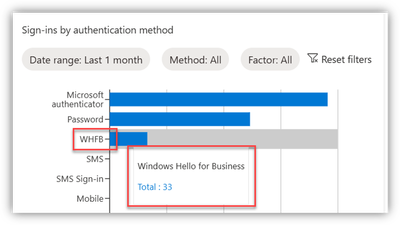
However, we IT Pros are a curious bunch, always looking for more information and more detail about what’s going on in our enterprise.
A while back, after being asked by numerous customers for a way to get more details about their WHFB deployment, I published a post about using Entra sign-in log data and a custom Log Analytics Workbook to obtain that information.
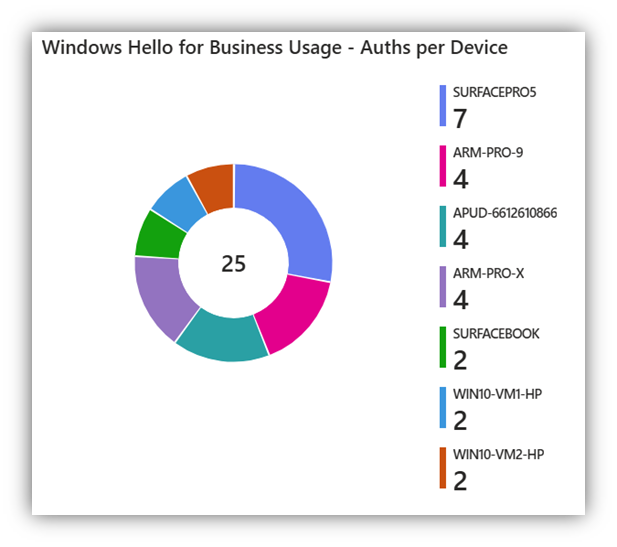
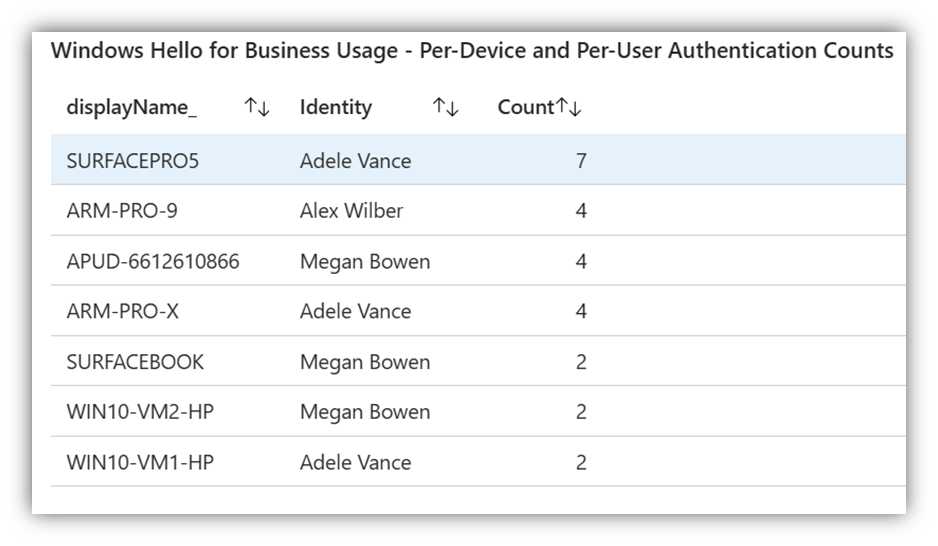
That post/report has proven helpful - from Entra sign in logs, we can determine who is using WHFB, from which device (and there’s even a map to show where in the world it’s happening).
Nice.
But that's only the 'cloud-side' of the situation - there are almost always two follow up questions that can only be answered from the endpoint:
- What WHFB methods has a user registered on the endpoint(s)? PIN only? PIN + fingerprint? Face?
- Which WHFB method was last used by a given user on a given endpoint?
Ask, and yee shall receive
Here are two easy/quick Intune Proactive Remediation detection scripts you can use that send configurations to a Windows endpoint and retrieve the local device details (via reg-values) around WH4B enrollment methods and the last-used WHFB method.- NOTE: In my 12 days of Christmas blog-a-thon, I posted about creative uses of Intune Proactive Remediations.
- Once again, thanks to Marius Wyss and his core scripts to collect the WHFB registration and 'last used' info from local endpoints. They’re the real magic here.
- There is PowerShell code involved here.
- Due diligence is required on your part.
- Raise your right hand and read this out loud: “Like everything else, I will thoroughly test this and all code/changes that I work with before I deploy to production. I will document the before-change state to ensure I can revert any changes I make.”
- REMINDER/NOTE - When using your scripting editing tool of choice, always be aware of any additional spaces or odd quotation marks or other issues that may result from edit/copy/paste.
“Enrollment Types
- The ‘Enrolled Methods’ script from Marius
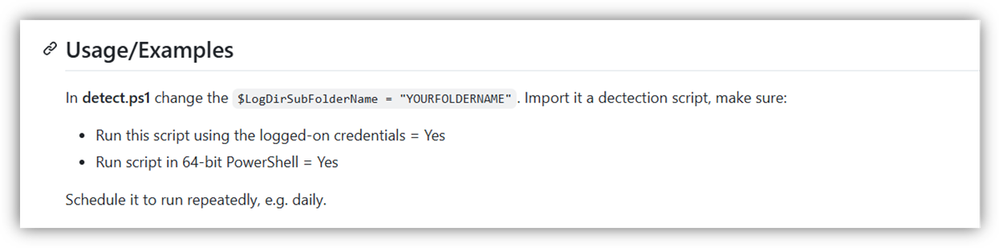
o My Remediation Script Settings:
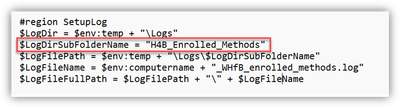
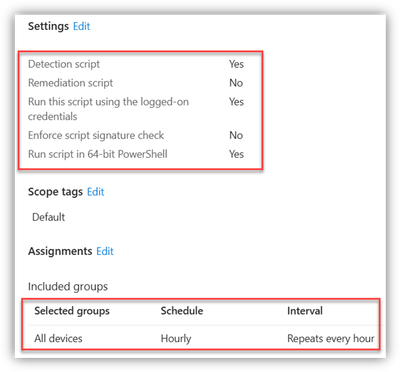
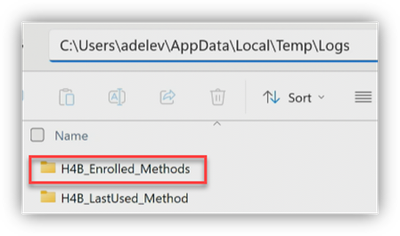
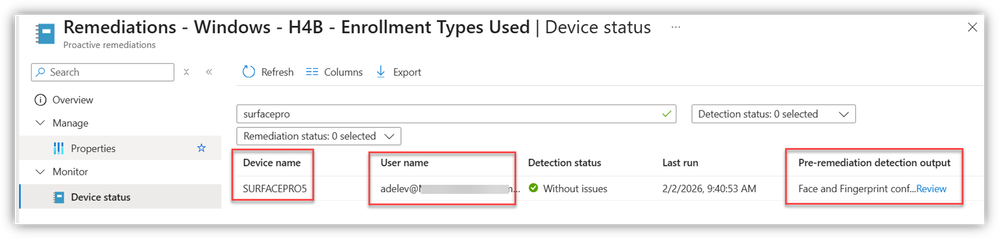
o My results:
- “As of 2/2/2026 at 9:40 AM, Adele registered a PIN (default/required) - a face - and a fingerprint - for WH4B on the SURFACEPRO5 device”
“Last Used Method
- The ‘Last Used Method’ script from Marius
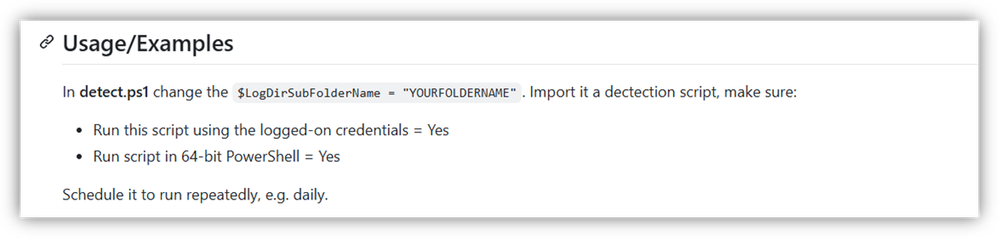
o My Remediation Settings:
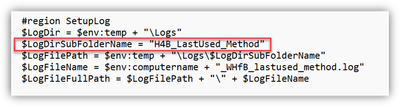
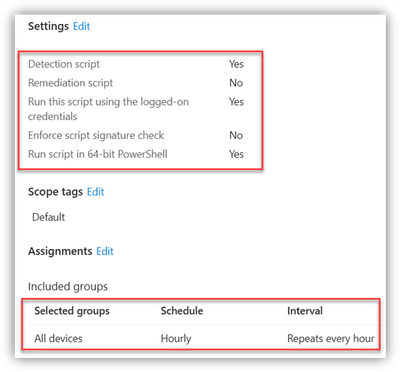
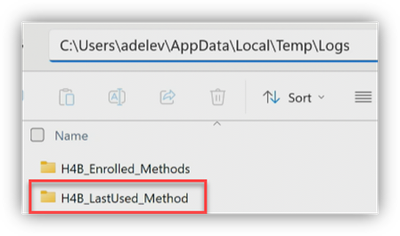
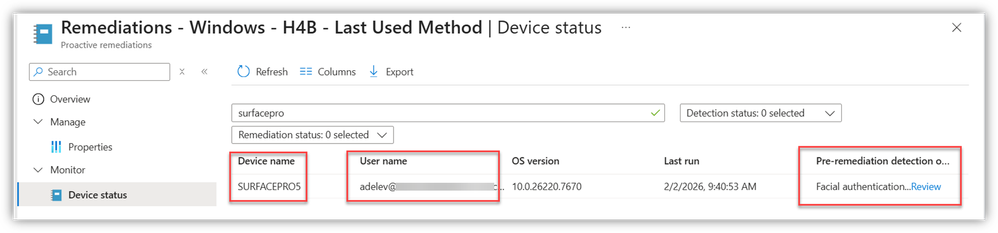
o My results:
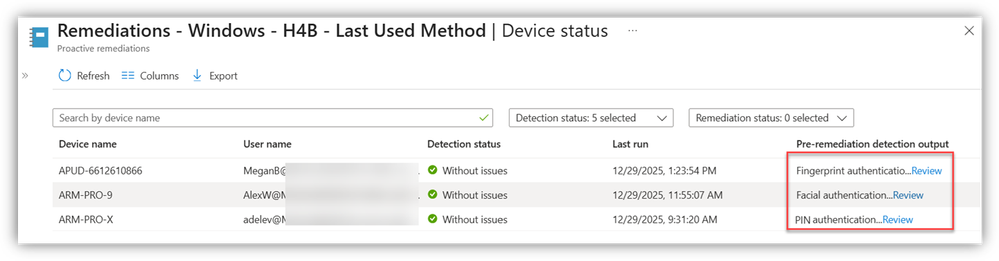
- “As of 2/2/2026 at 9:40 AM, Adele last used a face/camera for WHFB on the SURFACEPRO5 device”
Additional Examples of Results
- Enrollment Types Registered
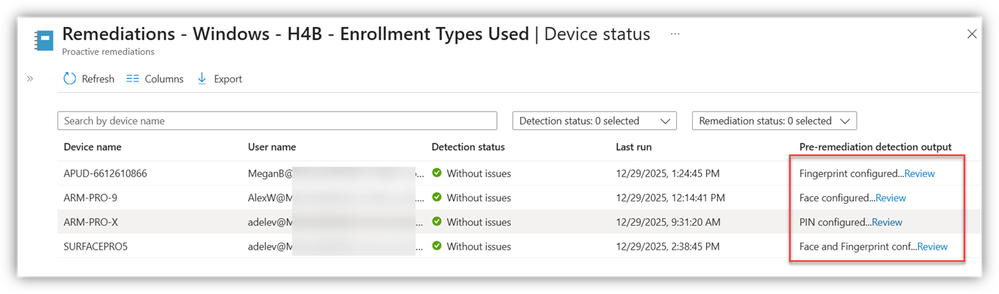
- Last-used method
There you have it folks - by combing these two Detection Scripts with the Log Analytics Workbook mentioned at the start of the post, you have a solid solution for ‘end to end’ WH4B reporting.
Hilde
Source:
Windows Hello for Business - Registered Methods and Last-used Method | Microsoft Community Hub
Hi folks – Mike Hildebrand here! Today, I bring you a short post about gaining more awareness of Windows Hello for Business (WHFB) configuration...
 techcommunity.microsoft.com






