UPDATE 10/10:

 www.elevenforum.com
Source:
 github.com

 www.elevenforum.com
 www.elevenforum.com
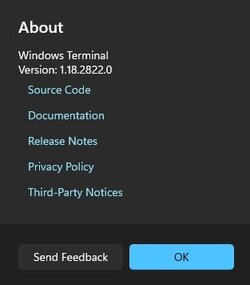
Windows Terminal 1.18.2822.0 for Windows 10 and Windows 11
This is a quick servicing release to fix some of the top issues in 1.18. Thanks to our Dev and Canary Windows Insiders for helping iron out the wrinkles in the previous 1.18 release! Note There is a cosmetic issue with the unpackaged or portable mode version numbers in this distribution. The...
www.elevenforum.com
Windows Terminal 1.18 is here, and with it comes the coolest set of features ever:
Please see the following release notes for additional details.
- You can finally pull tabs out of Terminal windows! You can also put other tabs back into other Terminal
windows. It's a whole thing.- A new new rendering engine that supports arbitrary glyph overhangs (including some new fixes backported from
1.19!)- An experimental (opt-in) right-click context menu (profile setting {profile}.rightClickContextMenu)
Note that scrollbar marks and shell integration features are still considered experimental and are not included in this stable release!
This version began rolling out to the Dev and Canary Windows Insider channels on 2023-09-26. Other channels will be released as our reliability numbers indicate that we haven't broken anything. If you want to update to this release directly, download it below!
Why are there so many packages? How do I choose?
Please visit our page documenting the different Windows Terminal Distributions!
This release also includes the following changes and bug fixes backported from Preview 1.19:
Changes
- wt -- foo will once again inherit the environment from its parent (#15897)
- You can customize this behavior with wt --inheritEnvironment or wt --reloadEnvironment on a per-tab/per-pane basis.
- You can also override this behavior with the profile setting {profile}.compatibility.reloadEnvironmentVariables (boolean, default true)
- We no longer load the Settings editor library on launch, saving you tens of kilobytes of memory (#15628) (#15631)
- You can now run profiles as Admin from the new tab menu by right-clicking them (#15679) (thanks @jamespack!)
- The profile preview in settings now shows you what a "powerline" font will look like when one is selected (#15365)
- We actually did fix the homoglyph thing this time; hovering a URL that is pretending to be someone else through funny characters will see right through it (#15488)
- For those of you debugging Terminal/the console with ETW, you can now group all API calls by originating process (#15737)
- If you are using Preview, Canary or Dev we will now set an appropriate JSON $schema so you can auto-complete new settings (#15856)
Bug Fixes
Accessibility
- We've added automation property names to the 'Delete Color Scheme' button (#15994)
- The key chord indicator in the command palette now has a background color (#15677) (thanks @RickleAndMortimer!)
- Settings now groups elements in their containers for screen readers (#15756)
- Screen reader users can now determine which color scheme is the current default (#15486)
- Default Terminal and Color Scheme ComboBoxes no longer crop at 200% text scale (#15762)
- Screen readers will now announce successful pane and tab moves (#15771)
VT and terminal emulation
- Hard Reset (RIS) no longer disables Win32 input mode or focus event mode for pty clients (like Terminal) (#15476) (thanks @j4james!)
Usability and UI
- We will no longer reload the settings as often when various OS knobs and switches change (#16004)
- You can once again restart the first pane in a split with Enter after it exits (#16001)
- All actions now remember which pane originated them, so things like "export text" and "Move tab to new window" and "Duplicate" no longer summon one of the Old Ones (#15773)
- The about dialog no longer tells you that you've got an update available to the same version you already have (#15378)
- When the tab close button is disabled, it will no longer randomly reappear to taunt you (#15914)
- The launch parameters (position, size) now properly support negative numbers (#15941) (thanks @codecruisedor!)
New Rendering Engine
- We no longer leave cursors all over the place (#15904)
- Fonts like JetBrains Mono that render their ligatures in reverse now appear in the right colors (#15810)
- We no longer invalidate more of the screen than we need to (#15929)
- It now works properly on Windows versions earlier than 10.0.14393.0 (#15485)
- Font features and axes work once again! (#15912)
- We no longer crash when trying to render to a 0x0 surface (#15615)
- DRCS soft fonts that are invalid (or have disappeared, or were never enabled) no longer crash the Terminal (#15889)
- Both rendering engines have been prepared for horizontal scrolling (???) (#15707)
Reliability
- We will no longer crash when checking for updates without a network (#16002)
- If you're the one person who marks HKCU\Console as read-only, we won't crash during save for you (#15916)
- Actions with an empty keys array no longer cause unexpected kinetic disassembly (#16003)
- Duplicating elevate: true tabs has been fixed to not blast terminal off into space (#15548)
- The backing console no longer hangs when resizing while scrolling (#15618)
- Instead of leaking memory for each window on Windows 10, we'll cache old windows and recycle them as needed (#15424)
- We introduced the leak to fix a crash in closing windows on Windows 10; this allows us to still leak the window but still be able to reclaim them.
Schema
- No longer is there a multiple schema conflict on "colorScheme" (#15748) (thanks @brandondong!)
Miscellaneous
With additional thanks to @floh96, @daverayment, @ushuz, and @LitoMore for documentation updates and @tusharsnx,
- The WPF control now delay-loads UIAutomationCore.dll because it's incomplete in Windows RS1 (#15614)
@Jvr2022, @Dan-Albrecht, @ebarnabas644, @jamespack for build system, project config, and compiler compatibility fixes.
Source:
Release Windows Terminal v1.18.2681.0 · microsoft/terminal
Windows Terminal 1.18 is here, and with it comes the coolest set of features ever: You can finally pull tabs out of Terminal windows! You can also put other tabs back into other Terminal windows. ...
github.com
Windows Terminal - Free download and install on Windows | Microsoft Store
The Windows Terminal is a modern, fast, efficient, powerful, and productive terminal application for users of command-line tools and shells like Command Prompt, PowerShell, and WSL. Its main features include multiple tabs, panes, Unicode and UTF-8 character support, a GPU accelerated text...
apps.microsoft.com
Get updates for apps and games in Microsoft Store in Windows 11
This tutorial will show you how to manually check for app and game updates to download and install in the Microsoft Store for your account in Windows 11. Microsoft redesigned the Microsoft Store from the ground up in Windows 11, making space for more content, keeping the user experience simple...
www.elevenforum.com
Check Windows Terminal Version in Windows 11
This tutorial will show you how to check the current version of Windows Terminal in Windows 10 and Windows 11. Windows Terminal is a modern host application for the command-line shells you already love, like Command Prompt, PowerShell, and bash (via Windows Subsystem for Linux (WSL)). Its main...
www.elevenforum.com
Last edited: