- Local time
- 11:25 AM
- Posts
- 117
- OS
- Windows 11 Pro 25H2 (WinMac v1.4.0)
WinMac - The Ultimate Windows and macOS hybrid
WinMac is a revolutionary customization project that brings together the best of both Windows and macOS operating systems, offering users unique and seamless Windows experience. This project includes installation/uninstallation PowerShell scripts, which deploy well and not well known applications with pre-configured settings.
WinMac was born out of growing pain towards UI/UX decision in Windows 11 and getting MacBook Pro from company I work for, which led me to apply some solutions from macOS to Windows, eventually inspiring me to create this project, which I started April 2024.
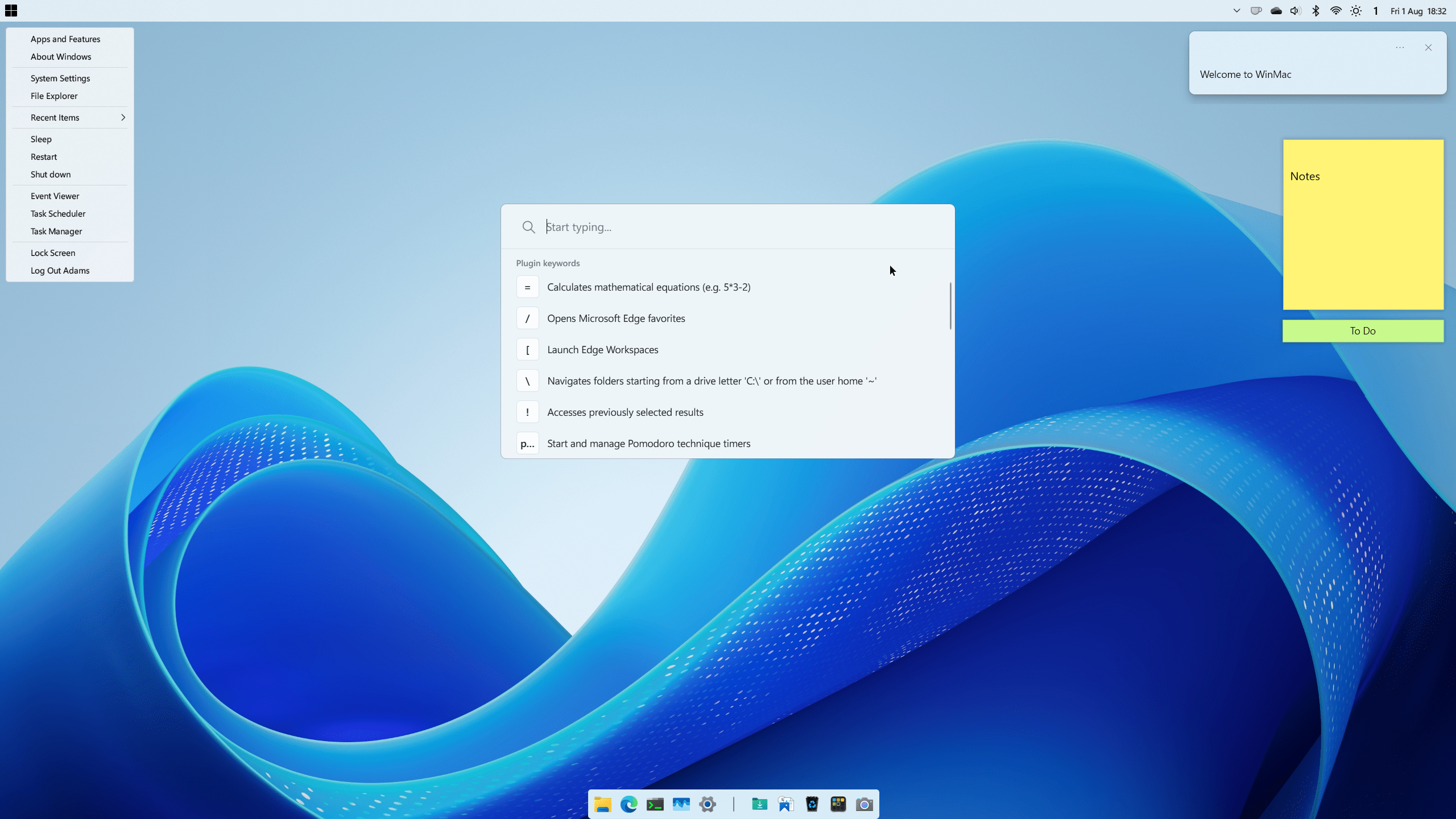
Light Mode
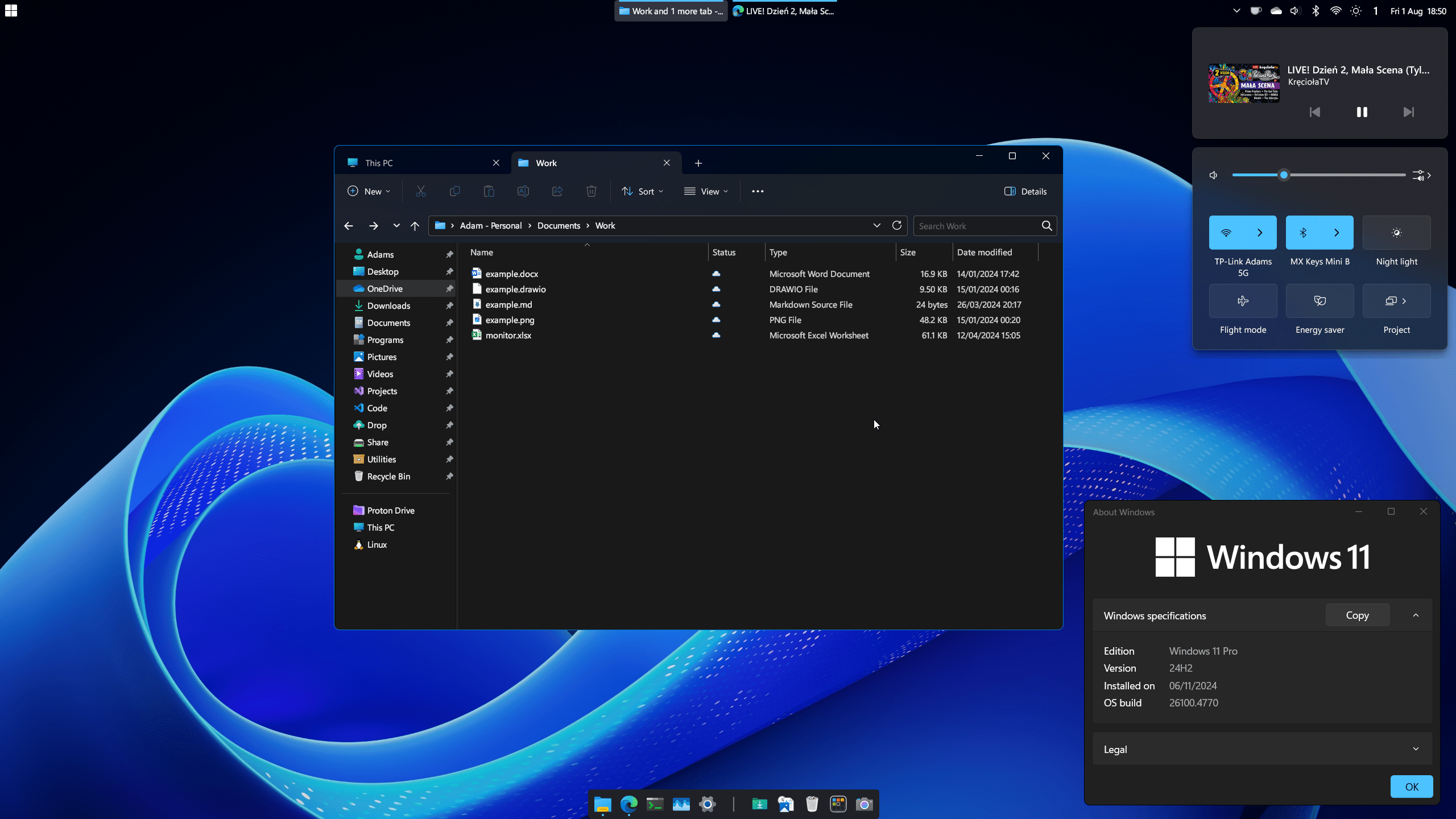
Dark Mode
Features
- WinMac Menu - Start Menu replaced with newly developed Win32 app to fully resemble functionality of Apple Menu
- [Coming Soon] WinMac Toolbar - highly customizable toolbar added to taskbar to resemble macOS Menu Bar
- Quick Launcher - Spotlight-like launcher for power users that provides instant access to files, folders, calculator functions, applications, and settings on your system, among many other features
- Dock - highly customizable and feature-rich dock application, used to achieve macOS-like dock experience
- Hot Corners - assign custom actions triggered when you hover your mouse cursor over the screen corners
- Enhanced Start Menu - additionally you can choose to replace default Start menu with enhanced Windows 7 start menu
- Enhanced Taskbar - legacy Taskbar put on top, with enhanced capabilities and looks to match Windows 11 design
- Enhanced File Explorer - improved File Explorer looks and cleaned up context menus, which makes File Explorer load fast and look clean
- Enhanced Terminal - custom prompt and a ton of new custom functions and aliases, bringing most commonly used macOS/Linux commands
- Enhanced Icons - refresh legacy and default Windows components with modern set of icons
- Keyboard Shortcuts - new keyboard shortcuts to enhance Windows 11 workflow
Download and more information on WinMac GitHub page, incl. Wiki documentation. Supported on Windows 11 and Windows 10 with some caveats.
Last edited:
My Computers
-
At a glance
Windows 11 Pro 25H2 (WinMac v1.4.0)Intel Core i5-12400F16 GB (DDR4, 3200 MHz)NVIDIA GeForce RTX 2070 Super- OS
- Windows 11 Pro 25H2 (WinMac v1.4.0)
- Computer type
- PC/Desktop
- CPU
- Intel Core i5-12400F
- Motherboard
- B760 GAMING X DDR4
- Memory
- 16 GB (DDR4, 3200 MHz)
- Graphics Card(s)
- NVIDIA GeForce RTX 2070 Super
- Screen Resolution
- 2560x1440 @ 240Hz
- Other Info
- I loved modding and customizing operating systems since very young age, gaining experience from all important systems, including Windows, Ubuntu, MacOS and Android, which led to creation of Windows 11 mod called WinMac. Seamlessly blending the elegance of macOS with the versatility of Windows, my customized interface elevates user experience through meticulously crafted modifications and UI enhancements.
With WinMac, every interaction with Windows 11 environment is imbued with a touch of sophistication, where the boundaries between the Windows and Mac universes blur, offering a sublime computing experience that transcends conventional limitations of Windows 11.
-
At a glance
macOS SonomaApple M3 Pro18 GB- Operating System
- macOS Sonoma
- Computer type
- Laptop
- Manufacturer/Model
- Apple MacBook Pro
- CPU
- Apple M3 Pro
- Memory
- 18 GB