would creating a disk using this tutorial allow me to re-installl Windows?


Olivia J

New member
Local time
12:10 AM
Posts
3
OS
Windows 11 Pro
Very basic question from a newbie...

Could I re-insall Windows using an emergency disk created using the procedure described here?

1. Even after carefully studying the tutorial, I am unsure whether an emergency disk created this way would re-insall Windows or just my files.
2. What size of a thumb drive do I need? (This is addressed, but I want a second opinion...)
 
Windows Build/Version
Windows 11 Pro 25H2

My Computer My Computer

At a glance

Windows 11 ProRadeon Graphics
OS
Windows 11 Pro
Computer type
Laptop
Manufacturer/Model
ThinkBook AMD Ryzen 7 7735HS
Graphics Card(s)
Radeon Graphics
No.
It's description says that it is used to restore a system image that you had previously made.
Whilst that would restore the pre-existing Windows, it will not reinstall it.

There are many third-party system imaging utilities for Windows 11.
MS told us not to use their Backup utility to make systems images about 8 years ago.​
There's a discussion about some system imaging utilities in
Macrium Reflect, AOMEI Backupper and Hasleo Backup Suite guides - ElevenForum
There's a discussion about choices of backup methods in
my ditty - File backup vs imaging, imaging utilities, backing up drivers [post #3] - TenForums
but my references to named system imaging utilities are out-of-date.


For reinstallation, see Clean Install Windows 11 - ElevenForumTutorials
ElevenForumTutorials are far better than AskLeo or anything of that type. ElevenForumTutorials start off as being excellent and then they benefit from reviews & improvements suggested by forum members.

Denis


Welcome to ElevenForum.

It's really worth making time to browse through the ElevenForum Tutorial index - there's a shortcut to it at the top of every ElevenForum page [within the Tutorials dropdown list].
- At the foot of the ElevenForum Tutorial index is a shortcut to download it as a spreadsheet.
- I download a new copy each month.
- By downloading it as a spreadsheet I can benefit from Excel's excellent filtering capabilities when I search for topics of interest.
- ElevenForum tutorials are also listed at Tutorials and there's a shortcut to that at the top of every page.

You can search ElevenForum using the search box in the top-right corner of all ElevenForum webpages or using Advanced Search - ElevenForum
You can also search ElevenForum threads in many general search engines, such as Google, by adding site:elevenforum.com after your search term. For example,
Taskbar setup site:elevenforum.com
 

My Computer My Computer

At a glance

Windows 11 Home x64 Version 25H2 Build 26200....
OS
Windows 11 Home x64 Version 25H2 Build 26200.8037
Great support! Thank you, thank you for answering my questions and for the link to the tutorials! I appreciate you sharing your time and expertise.
 

My Computer My Computer

At a glance

Windows 11 ProRadeon Graphics
OS
Windows 11 Pro
Computer type
Laptop
Manufacturer/Model
ThinkBook AMD Ryzen 7 7735HS
Graphics Card(s)
Radeon Graphics
Could I re-insall Windows using an emergency disk created using the procedure described here?


Welcome to Eleven Forum. :-)


You can Clean Install Windows like this...


Or you could do a Repair Install like this... use Option Two (ISO method)
You won't lose anything this way...


Here's some other things that you may find useful...


My Computers My Computers

  • At a glance

    Win 11 Home ♦♦♦26200.8655 ♦♦♦♦♦♦♦25H2AMD Ryzen 7 3700XG.Skill (F4-3200C14D-16GTZKW)EVGA RTX 2070 (08G-P4-2171-KR)
    OS
    Win 11 Home ♦♦♦26200.8655 ♦♦♦♦♦♦♦25H2
    Computer type
    PC/Desktop
    Manufacturer/Model
    Built by Ghot® [May 2020]
    CPU
    AMD Ryzen 7 3700X
    Motherboard
    Asus Pro WS X570-ACE (BIOS 5302)
    Memory
    G.Skill (F4-3200C14D-16GTZKW)
    Graphics Card(s)
    EVGA RTX 2070 (08G-P4-2171-KR)
    Sound Card
    Realtek ALC1220P / ALC S1220A
    Monitor(s) Displays
    Dell U3011 30"
    Screen Resolution
    2560 x 1600
    Hard Drives
    2x Samsung 860 EVO 500GB,
    WD 4TB Black FZBX - SATA III,
    WD 8TB Black FZBX - SATA III,
    DRW-24B1ST CD/DVD Burner
    PSU
    PC Power & Cooling 750W Quad EPS12V
    Case
    Cooler Master ATCS 840 Tower
    Cooling
    CM Hyper 212 EVO (push/pull)
    Keyboard
    Ducky DK9008 Shine II Blue LED
    Mouse
    Logitech Optical M-100
    Internet Speed
    300/300
    Browser
    Firefox (latest)
    Antivirus
    Bitdefender Total Security
    Other Info
    Speakers: Klipsch Pro Media 2.1
  • At a glance

    Windows XP Pro 32bit w/SP3AMD Athlon 64 X2 5000+ (OC'd @ 3.2Ghz)TWIN2X2048-6400C4DHX (2 x 1GB, DDR2 800)EVGA 256-P2-N758-TR GeForce 8600GT SSC
    Operating System
    Windows XP Pro 32bit w/SP3
    Computer type
    PC/Desktop
    Manufacturer/Model
    Built by Ghot® (not in use)
    CPU
    AMD Athlon 64 X2 5000+ (OC'd @ 3.2Ghz)
    Motherboard
    ASUS M2N32-SLI Deluxe Wireless Edition
    Memory
    TWIN2X2048-6400C4DHX (2 x 1GB, DDR2 800)
    Graphics card(s)
    EVGA 256-P2-N758-TR GeForce 8600GT SSC
    Sound Card
    Onboard
    Monitor(s) Displays
    ViewSonic G90FB Black 19" Professional (CRT)
    Screen Resolution
    up to 2048 x 1536
    Hard Drives
    WD 36GB 10,000rpm Raptor SATA
    Seagate 80GB 7200rpm SATA
    Lite-On LTR-52246S CD/RW
    Lite-On LH-18A1P CD/DVD Burner
    PSU
    PC Power & Cooling Silencer 750 Quad EPS12V
    Case
    Generic Beige case, 80mm fans
    Cooling
    ZALMAN 9500A 92mm CPU Cooler
    Keyboard
    Logitech Classic Keybooard 200
    Mouse
    Logitech Optical M-BT96a
    Internet Speed
    300/300
    Browser
    Firefox 3.x ??
    Antivirus
    Symantec (Norton)
    Other Info
    Still assembled, still runs. Haven't turned it on for 15 years?
What are the problems with the current installation after power on?

What occurred since the computer was last working properly?

What are the status of the important files (backed up / not backed up, etc.)?

Were system restore, reset save files or custom install unable to run or fix the computer?


My Computer My Computer

At a glance

Windows 10Intel(R) Core(TM) i7-4800MQ CPU @ 2.70GHz16 GB Total: Manufacturer : Samsung MemoryTyp...NVIDIA Quadro K3100M; Intel(R) HD Graphics 4600
OS
Windows 10
Computer type
Laptop
Manufacturer/Model
HP
CPU
Intel(R) Core(TM) i7-4800MQ CPU @ 2.70GHz
Motherboard
Product : 190A Version : KBC Version 94.56
Memory
16 GB Total: Manufacturer : Samsung MemoryType : DDR3 FormFactor : SODIMM Capacity : 8GB Speed : 1600
Graphics Card(s)
NVIDIA Quadro K3100M; Intel(R) HD Graphics 4600
Sound Card
IDT High Definition Audio CODEC; PNP Device ID HDAUDIO\FUNC_01&VEN_111D&DEV_76E0
Hard Drives
Model Hitachi HTS727575A9E364
Antivirus
Microsoft Defender
Other Info
Mobile Workstation
Ghot, great support! Thanks for the links. This is just the information I was looking for!

Zbook, great support! Thanks for letting me know I have options besides re-install. There is nothing wrong with my computer at this time...just want to be prepared. I paid $100 to have Windows re-installed once... I want to be equipped to do it for myself next time...
 

My Computer My Computer

At a glance

Windows 11 ProRadeon Graphics
OS
Windows 11 Pro
Computer type
Laptop
Manufacturer/Model
ThinkBook AMD Ryzen 7 7735HS
Graphics Card(s)
Radeon Graphics

There is nothing wrong with my computer at this time...just want to be prepared.
So now is the right time to start making system images.
Always make sure you make the boot disk for your chosen system imaging utility & that you test that boot disk by booting from it before putting it somewhere convenient yet safe. The boot disk ensures that you'll be able to restore your latest system image even if the computer has a serious problem such as a failed main disk.
This boot disk is made in addition to the system image itself.

And, since your own files [Word, Excel, ...] are likely to change much more rapidly than your Windows system itself, do consider separate backups for them.


Denis
 

My Computer My Computer

At a glance

Windows 11 Home x64 Version 25H2 Build 26200....
OS
Windows 11 Home x64 Version 25H2 Build 26200.8037
When Windows no longer is functioning properly or optimally there are three broad options:

a) clean install after manually backing up files

b) troubleshooting

c) restoring an image


Clean install, custom install, and reset save files all require the reinstallation of drivers and applications.

Restoring an image typically takes less than one hour.

Images can be saved on another disk drive or the cloud or both.


If there is malware, ransomware, registry or operating system corruption, problems related to Windows updates, failure to boot, etc. you then have the option to restore the image.

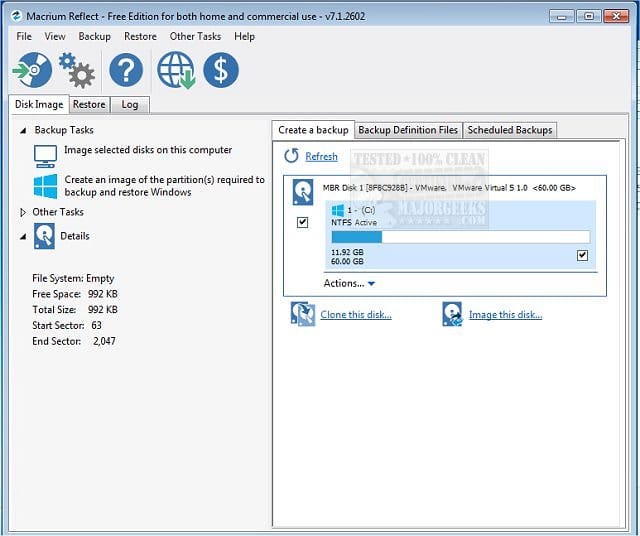
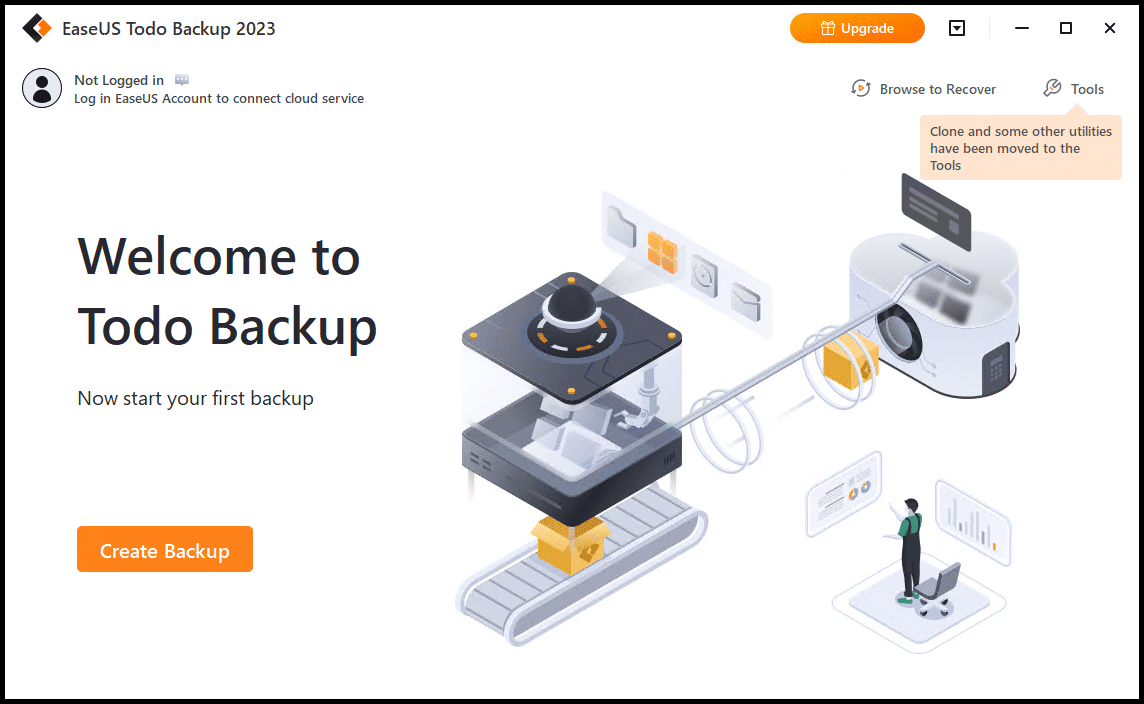
(Acronis, Aoemi, EaseUS, Hasleo, Macrium, Paragon, etc.)

Macrium is widely used in Ten Forums.

Macrium Software | Your Image is Everything


Backup and Restore with Macrium Reflect
 

My Computer My Computer

At a glance

Windows 10Intel(R) Core(TM) i7-4800MQ CPU @ 2.70GHz16 GB Total: Manufacturer : Samsung MemoryTyp...NVIDIA Quadro K3100M; Intel(R) HD Graphics 4600
OS
Windows 10
Computer type
Laptop
Manufacturer/Model
HP
CPU
Intel(R) Core(TM) i7-4800MQ CPU @ 2.70GHz
Motherboard
Product : 190A Version : KBC Version 94.56
Memory
16 GB Total: Manufacturer : Samsung MemoryType : DDR3 FormFactor : SODIMM Capacity : 8GB Speed : 1600
Graphics Card(s)
NVIDIA Quadro K3100M; Intel(R) HD Graphics 4600
Sound Card
IDT High Definition Audio CODEC; PNP Device ID HDAUDIO\FUNC_01&VEN_111D&DEV_76E0
Hard Drives
Model Hitachi HTS727575A9E364
Antivirus
Microsoft Defender
Other Info
Mobile Workstation

Latest Support Threads

Back
Top Bottom