"You are 78% there" malware hijack - solved, but from where did it come?


Yeah, some things are obvious, even to the OP.

You didn’t happen to note the info Malwarebytes gave?
 

My Computers

System One System Two

  • OS
    Windows 11 Pro 25H2 Build 26200.8524
    Computer type
    PC/Desktop
    Manufacturer/Model
    Sin-built 2013
    CPU
    Intel(R) Core(TM) i7-4770K CPU @ 3.50GHz
    Motherboard
    ASUS ROG Maximus VI Formula
    Memory
    32.0 GB of I forget and the box is in storage.
    Graphics Card(s)
    Gigabyte nVidia GeForce GTX 1660 Super OC 6GB
    Sound Card
    Onboard thingy
    Monitor(s) Displays
    5 x LG 25MS500-B - 1 x 24MK430H-B - 1 x Wacom Pro 22" Touch Screen Tablet
    Screen Resolution
    All over the place
    Hard Drives
    Too many to list.
    OS on Samsung 1TB 870 QVO SATA
    PSU
    Silverstone 1500
    Case
    NZXT Phantom 820 Full-Tower Case
    Cooling
    Noctua NH-D15 Elite Class Dual Tower CPU Cooler / 6 x EziDIY 120mm / 2 x Corsair 140mm somethings / 1 x 140mm Thermaltake something / 2 x 200mm Corsair.
    Keyboard
    Corsair K95 / Logitech diNovo Edge Wireless
    Mouse
    Logitech: G402 / G502 / Mx Masters / Mx Air Cordless
    Internet Speed
    2000/500Mbps
    Browser
    All sorts
    Antivirus
    Kaspersky Premium
    Other Info
    ㅤㅤㅤㅤㅤㅤㅤㅤㅤㅤㅤㅤㅤㅤㅤㅤㅤㅤㅤㅤㅤㅤㅤㅤㅤㅤㅤㅤㅤㅤㅤㅤㅤㅤㅤㅤㅤㅤㅤㅤ⠀⠀⠀⠀⠀⠀⠀⠀⠀⠀
    TP-Link BE9300 WiFi 7 Bluetooth 5.4 (Archer TBE550E)
    TP-Link TX201 V1 2.5GB Lan

    Grandstream HT812 - VoIP
    ASUS DSL-AX82U - Mesh
    ASUS RT-AC68U - Mesh
    ASUS RT-BE88U Router

    Brother MFC-L2880DW Printer

    I’m on a horse.
  • Operating System
    Windows 11 Pro 25H2 Build 26200.8524
    Computer type
    Laptop
    Manufacturer/Model
    LENOVO Yoga 7 14IRL8 - 7i EVO OLED 14" Touchscreen i5 12 Core 16GB/512GB
    CPU
    Intel Core 12th Gen i5-1240P Processor (1.7 - 4.4GHz)
    Memory
    16GB LPDDR5 RAM
    Graphics card(s)
    Intel Iris Xe Graphics Processor
    Sound Card
    Optimized with Dolby Atmos®
    Screen Resolution
    QHD 2880 x 1800 OLED
    Hard Drives
    M.2 512GB
    Antivirus
    Defender / Malwarebytes
    Other Info
    …still on a horse.
I’m as sharp as a wooden spoon.
 

My Computer

System One

  • OS
    Windows 11 Pro 25H2
    Computer type
    PC/Desktop
    Manufacturer/Model
    Intel NUC12WSHi7
    CPU
    12th Gen Core i7-1260P
    Motherboard
    NUC12WSBi7
    Memory
    64 GB Micron PC4-25600
    Graphics Card(s)
    Intel Iris Xe Graphics
    Sound Card
    on-board Realtek HD Audio
    Monitor(s) Displays
    Dell U3219Q
    Screen Resolution
    3840 x 2160
    Hard Drives
    Samsung SSD 990 PRO 1TB
    Crucial MX500 2 TB
    Antivirus
    Microsoft Defender
If it was the domain in the first post, its kind of fun going to it with Linux and cut just after the /qr/ I get redirected to Microsoft.
So is Microsoft the malware.:devilish: *LOL* 🤪
Jokes aside.. :-)

I'm at the wrong computer right now so i cant easy fake a win11/edge header to see if it does something else then just sending me to MS.. If you skip the /qr/ and just go on the domain it gives a 403 page.
The server is behind cloudflare so an classic nmap scan fails.. to many fingerprints on the domain and IP.
I found an disposal email address principaltomato virgilian com .. I found a name highly likely fake.. Beverly Smith... the dns servers was named kayden and rachel.
The person behind the domain have used publicdomainregistry com to register the domain. The domain in the first post was last changed 2 days ago

As for how the computer got infected. Its hundreds of ways.. social engendering is most common.. You get an e-mail, or visit a webpage with bad code, or fallen for a fake captcha.. or ended up on a 1-click exploit. etc etc etc.....
If you are lucky you can see when the bad files was created on your computer and then see in your logs what you did on that time, maybe browser history around that time... and so on.
 

My Computers

System One System Two

  • OS
    Linux: Debian, Kali-linux, Alma, Win: 7, 8.1,2012R
    Manufacturer/Model
    HP Elitebook 840, AsusX53, Aspire E1-572. AsusUX32A, HP Pro3130mt+3010mt, HP Proliant ML150, 3xCustom-PC, i3, i5, i7
    CPU
    i3, i5 and i7 From 2gen to 9th gen... Server dual Xenon
    Hard Drives
    Sata, M.2, SAS
  • Operating System
    Retro: 2003server.XPpro, Win2000, Win98SE, Win95, Win3.11, MS-DOS, IBM-DOS
    Manufacturer/Model
    Commodore, AST, Fujitsu, Compaq, etc etc. etc Around 15 desktops and 20 laptops in the collection
    CPU
    Oldest intel 8088 up to P4 dual core
    Hard Drives
    MFM, IDE, SCSI
I'm a "better safe than sorry" gal. I would wipe that drive and restore a known good image or clean install PDQ.
 

My Computers

System One System Two

  • OS
    Windows 11 Pro 25H2
    Computer type
    PC/Desktop
    Manufacturer/Model
    Dell Optiplex 7080
    CPU
    i9-10900 10 core 20 threads
    Motherboard
    DELL 0J37VM
    Memory
    32 gb
    Graphics Card(s)
    none-Intel UHD Graphics 630
    Sound Card
    Integrated Realtek
    Monitor(s) Displays
    Benq 27
    Screen Resolution
    2560x1440
    Hard Drives
    2x1tb Solidigm m.2 nvme /External drives 512gb Samsung m.2 sata+2tb Kingston m2.nvme
    PSU
    500w
    Case
    MT
    Cooling
    Dell Premium
    Keyboard
    Logitech wired
    Mouse
    Logitech wireless
    Internet Speed
    so slow I'm too embarrassed to tell
    Browser
    #1 Edge #2 Firefox
    Antivirus
    Defender+MWB Premium
  • Operating System
    Windows 11 Pro 24H2 26200.8457
    Computer type
    PC/Desktop
    Manufacturer/Model
    Beelink Mini PC SER5
    CPU
    AMD Ryzen 7 6800U
    Memory
    32 gb
    Graphics card(s)
    integrated
    Sound Card
    integrated
    Monitor(s) Displays
    Benq 27
    Screen Resolution
    2560x1440
    Hard Drives
    1TB Crucial nvme
    Keyboard
    Logitech wired
    Mouse
    Logitech wireless
    Internet Speed
    still too embarrassed to tell
    Browser
    Firefox
    Antivirus
    Defender
    Other Info
    System 3 is non compliant Dell 9020 i7-4770/24gb ram Win11 PRO 26200.8457
If it was the domain in the first post, its kind of fun going to it with Linux and cut just after the /qr/ I get redirected to Microsoft.
So is Microsoft the malware.:devilish: *LOL*

Important point, that the domain was msupdateservice.info - which did not strike me as a legitimate site, and I was right. The fact that it was telling me I needed the Authenticator app, which I already had on my phone, and was asking me to download the app from a website rather than the google play store on my Android phone was also concerning.
 

My Computer

System One

  • OS
    Windows 11
    Computer type
    PC/Desktop
    Manufacturer/Model
    LOOP AIO LP-270206
    CPU
    Intel® CoreTM i5-10400 Processor 12M Cache
    Motherboard
    Asus Pro H410T/CSM
    Memory
    16GB - Kingston DDR4 SODIMM, 2666
    Screen Resolution
    1920x1080
    Hard Drives
    Samsung MZ-V8V500B/AM 500 GB SSD (OS and apps)
    WD 1TB SSD (data)
    Antivirus
    Defender
You didn’t happen to note the info Malwarebytes gave?
Noting the things found under the history section of malwarebytes would help greatly here determining what it was.

I have seen bad ads cause this behavior in a browser, it launches full screen then shows this.

Usually alt + F4 will close it and then you can simply navigate away with no actual infection typically occurring.

But the fact that threats were found is much more interesting. As everyone already suggested, I would wipe the pc and restore from your latest backup.

Alternatively, If you pay for malwarebytes you can contact them and their support will help ensure your machine is clean.

You could also reach out to the folks at bleeping computer to see if they find any leftover infections.
 

My Computers

System One System Two

  • OS
    Windows 11 Pro
    Computer type
    PC/Desktop
    Manufacturer/Model
    Custom Built
    CPU
    Ryzen 7 5700 X3D
    Motherboard
    MSI MPG B550 GAMING PLUS
    Memory
    64 GB DDR4 3600mhz Gskill Ripjaws V
    Graphics Card(s)
    RTX 4070 Super , 12GB VRAM Asus EVO Overclock
    Monitor(s) Displays
    Gigabyte M27Q (rev. 2.0) 2560 x 1440 @ 170hz HDR
    Hard Drives
    2TB Samsung nvme ssd
    4TB Western Digital nvme ssd
    PSU
    CORSAIR RMx SHIFT Series™ RM750x 80 PLUS Gold Fully Modular ATX Power Supply
    Case
    CORSAIR 3500X ARGB Mid-Tower ATX PC Case – Black
    Cooling
    ID-COOLING FROSTFLOW X 240 CPU Water Cooler
    Keyboard
    Logitech G213
    Mouse
    Logitech G203
    Internet Speed
    1.2gbps Fiber 😎
  • Operating System
    Chrome OS
    Computer type
    Laptop
    Manufacturer/Model
    HP Chromebook
    CPU
    Intel Pentium Quad Core
    Memory
    4GB LPDDR4
    Monitor(s) Displays
    14 Inch HD SVA anti glare micro edge display
    Hard Drives
    64 GB emmc
Important point, that the domain was msupdateservice.info - which did not strike me as a legitimate site, and I was right. The fact that it was telling me I needed the Authenticator app, which I already had on my phone, and was asking me to download the app from a website rather than the google play store on my Android phone was also concerning.
This is another example of scammers creating new ways to scam - this one seeming to look official and presenting to the user to mess with an "authenticator app" which most people do not understand to begin with taking advantage of new security products being pushed by legitimate apps that the user may have come across.

I am at a loss at how the initial file got on your PC - maybe some convincing trick.

In the past, someone would receive an email from a seemingly legit sender (UPS, FedEx, IRS) with a "report" attached. Often it would be a zipped file containing what looked like a PDF file with an Adobe-like graphoc but it was not a PDF but instead a scr (script). The person would try to read the "report" agree to the User Account Control (UAC) message but instead of a "report" the program would run the script that would begin to encrypt their user data like Word documents, Excel sheets, PDF files, etc. Inside every directory this data encryption took place was an instruction on how to pay the crooks to decrypt the data. CryptoLocker, CTB-Locker were a couple of names I remember. I had some customers fall for this.

What you have (had) is something I have not yet encountered exactly. The initial exe extracted the program somewhere that is allowed like in your AppData Temp directories to be run at login. That image file with the 78% thing on it would be extracted in the same place. A delay occurred and then the image popped up. Since it seems to pint to a dead end, it also could be something old that no longer serves a purpose to its creators, no longer working as intended. Short lived.

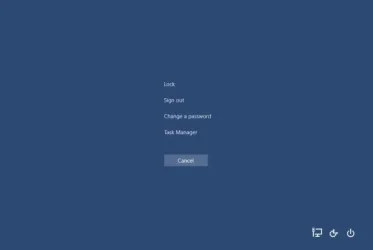
I've seen something similar that phones home when the user logs into Windows. Before I wiped her computer, I copied the image that was used to block her system from whoever was trying to remote back in. It looked rudimentary and comical to me but to her, it looked like something legit. I hit Ctrl-Alt-Delete to access Task Manager so I could close it and I realized it was a backdrop and I was fighting for control with an intruder who was able to log in. When I caught him, he was trying to use the Ctrl-Alt-Screen to change her password. we went back and forth for a few minutes until I finally gave up the jousting battle, unplugged and made the decision to wipe and reinstall.
1a (1).webp

2a.webp

3a (1).webp
 

My Computers

System One System Two

  • OS
    Windows 11 25H2
    Computer type
    Laptop
    Manufacturer/Model
    Lenovo Yoga 7 14ITL5 (82BH00DLUS)
    CPU
    Intel Core™ i7-1165G7 (4C / 8T, 2.8 / 4.7GHz, 12MB)
    Memory
    12GB Soldered DDR4-3200
    Graphics Card(s)
    Integrated Intel® Iris® Xe Graphics
    Monitor(s) Displays
    14" FHD (1920x1080) IPS 300nits Glossy, 72% NTSC, AGC Dragontrail™ Glass, Touch
    Screen Resolution
    1920x1080
    Hard Drives
    500 GB SSD
    Case
    Aluminum
    Cooling
    Single-fan
    Keyboard
    Backlit, internal
    Mouse
    Logitech M535
    Internet Speed
    With this laptop I usually test around 200/200 connected to UniFi UAP-AC-PRO ceiling units.
    Browser
    Chrome
    Antivirus
    Windows Security and my brain.
    Other Info
    I use this laptop mainly from my recliner. It's purpose is scheduling computer and TV services, closing TV work orders, remote customer support, research and recreation.

    Printers in the office room on my main floor were both acquired from business customers who upgraded equipment, had me handle the upgrade and then haul away the replaced hardware. I have not purchased a printer for myself in 15 years.

    Main: HP LaserJet P3010 (black & white, hardwired, networked)
    Aux: HP Color LaserJet MFP M281fdw (color laser, fax, hardwired, networked)

    Internet in my house is routed through a TP-Link AC3200 with radios disabled. Wireless access points are two (2) strategically-located UniFi UAP-AC-PRO ceiling units which cover my whole house including basement and front/back yards. Netgear gigabit switches and CAT6 cabling are used for wired purposes.
  • Operating System
    Windows 10 22H2
    Computer type
    PC/Desktop
    Manufacturer/Model
    Dell Optiplex 3010
    CPU
    Intel(R) Core(TM) i5-3470 CPU @ 3.20GHz 3.20 GHz
    Memory
    16 GB DDR3
    Graphics card(s)
    Intel(R) HD Graphics 2500
    Sound Card
    Onboard
    Monitor(s) Displays
    ACER KG271 (x2)
    Screen Resolution
    1920x1080
    Hard Drives
    WD 500GB SSD
    Keyboard
    Old Dell wireless
    Mouse
    Old Dell wired
    Internet Speed
    500/500
    Browser
    Chrome
    Antivirus
    Windows Security and my brain
    Other Info
    This computer was acquired from a customer who cleaned out her office. I upgraded it and now use it in my downstairs computer-repair office.

    My home office printer is an old HP LaserJet 3015. I acquired this after a customer passed away and his wife sold their house and downsized. She gave me all his equipment. I still help her with her tech issues.
For what it's worth, I am attaching the only malwarebytes scans done in 2026 to have found anything. One is from March 2, one from March 5, the day the problem appeared, one from this morning.
 

Attachments

My Computer

System One

  • OS
    Windows 11
    Computer type
    PC/Desktop
    Manufacturer/Model
    LOOP AIO LP-270206
    CPU
    Intel® CoreTM i5-10400 Processor 12M Cache
    Motherboard
    Asus Pro H410T/CSM
    Memory
    16GB - Kingston DDR4 SODIMM, 2666
    Screen Resolution
    1920x1080
    Hard Drives
    Samsung MZ-V8V500B/AM 500 GB SSD (OS and apps)
    WD 1TB SSD (data)
    Antivirus
    Defender
Ahhh.... so you have probably seen it..

Process: 1
Backdoor.RemoteAccessTrojan, C:\PROGRAMDATA\PATCHDIRSEC\CLIENT32.EXE, Quarantined, 6191, 1377722, 1.0.107762, , ame, , EE75B57B9300AAB96530503BFAE8A2F2, 06A0A243811E9C4738A9D413597659CA8D07B00F640B74ADC9CB351C179B3268

The file is "Client.32" and was deposited into C: ProgramData \ Patchdirsec. MB has detected that it was a "Remote Access Trojan" probably similar to what my customer above had. And the 78% "almost there" image was probably a backdrop curtain like I said. Whether someone DID actually suceed in accessing your computer remotely without your knowledge depends on if a scammer was monitoring to see if your system went online after it was "infected".

I would be interested to see if the Patchdirsec folder in AppData is still there and what Malwarebytes left in it. I'm guessing the wallpaper jpg might still be there. To view the AppData folder and its contents you need to unhide hidden items. On Windows 11, open File Explorer, click View, hover over Show and put a check in front of Hidden Items.

If the jpg or png "wallpaper image" is still there, I sure would like to have it for my collection. :)
 

My Computers

System One System Two

  • OS
    Windows 11 25H2
    Computer type
    Laptop
    Manufacturer/Model
    Lenovo Yoga 7 14ITL5 (82BH00DLUS)
    CPU
    Intel Core™ i7-1165G7 (4C / 8T, 2.8 / 4.7GHz, 12MB)
    Memory
    12GB Soldered DDR4-3200
    Graphics Card(s)
    Integrated Intel® Iris® Xe Graphics
    Monitor(s) Displays
    14" FHD (1920x1080) IPS 300nits Glossy, 72% NTSC, AGC Dragontrail™ Glass, Touch
    Screen Resolution
    1920x1080
    Hard Drives
    500 GB SSD
    Case
    Aluminum
    Cooling
    Single-fan
    Keyboard
    Backlit, internal
    Mouse
    Logitech M535
    Internet Speed
    With this laptop I usually test around 200/200 connected to UniFi UAP-AC-PRO ceiling units.
    Browser
    Chrome
    Antivirus
    Windows Security and my brain.
    Other Info
    I use this laptop mainly from my recliner. It's purpose is scheduling computer and TV services, closing TV work orders, remote customer support, research and recreation.

    Printers in the office room on my main floor were both acquired from business customers who upgraded equipment, had me handle the upgrade and then haul away the replaced hardware. I have not purchased a printer for myself in 15 years.

    Main: HP LaserJet P3010 (black & white, hardwired, networked)
    Aux: HP Color LaserJet MFP M281fdw (color laser, fax, hardwired, networked)

    Internet in my house is routed through a TP-Link AC3200 with radios disabled. Wireless access points are two (2) strategically-located UniFi UAP-AC-PRO ceiling units which cover my whole house including basement and front/back yards. Netgear gigabit switches and CAT6 cabling are used for wired purposes.
  • Operating System
    Windows 10 22H2
    Computer type
    PC/Desktop
    Manufacturer/Model
    Dell Optiplex 3010
    CPU
    Intel(R) Core(TM) i5-3470 CPU @ 3.20GHz 3.20 GHz
    Memory
    16 GB DDR3
    Graphics card(s)
    Intel(R) HD Graphics 2500
    Sound Card
    Onboard
    Monitor(s) Displays
    ACER KG271 (x2)
    Screen Resolution
    1920x1080
    Hard Drives
    WD 500GB SSD
    Keyboard
    Old Dell wireless
    Mouse
    Old Dell wired
    Internet Speed
    500/500
    Browser
    Chrome
    Antivirus
    Windows Security and my brain
    Other Info
    This computer was acquired from a customer who cleaned out her office. I upgraded it and now use it in my downstairs computer-repair office.

    My home office printer is an old HP LaserJet 3015. I acquired this after a customer passed away and his wife sold their house and downsized. She gave me all his equipment. I still help her with her tech issues.
I found an disposal email address principaltomato virgilian com .. I found a name highly likely fake.. Beverly Smith... the dns servers was named kayden and rachel.
The person behind the domain have used publicdomainregistry com to register the domain. The domain in the first post was last changed 2 days ago
The QR code in the Reddit example in post #11 points to the same msupdateservice.info domain, Whois says it was first registered by Beverly on 20 Jan 2026. Beverly's Washington address is a leafy residential suburb.
 

My Computers

System One System Two

  • OS
    Windows 11 Home
    Computer type
    Laptop
    Manufacturer/Model
    Acer Aspire 3 A315-23-R9VY
    CPU
    AMD Athlon Silver 3050U
    Memory
    8GB
    Graphics Card(s)
    Radeon Graphics
    Monitor(s) Displays
    laptop screen
    Screen Resolution
    1366x768 native resolution, up to 2560x1440 with Radeon Virtual Super Resolution
    Hard Drives
    1TB Samsung EVO 870 SSD (from April 2026: 250GB EVO 850)
    Internet Speed
    150 Mbps
    Browser
    Edge, Firefox
    Antivirus
    Defender
    Other Info
    fully 'Windows 11 ready' laptop. Windows 10 C: partition migrated from my old unsupported 'main machine' then upgraded to 11. A test migration ran Insider builds for 2 months. When 11 was released on 5th October 2021 it was re-imaged back to 10 and was offered the upgrade in Windows Update on 20th October. Windows Update offered the 22H2 Feature Update on 20th September 2022. It got the 23H2 Feature Update on 4th November 2023 through Windows Update, 24H2 on 3rd October 2024 through Windows Update by setting the Target Release Version for 24H2, and 25H2 on 30th September 2025 through Windows Update by setting the Target Release Version for 25H2.

    UPDATE - 11 April 2026: due to mechanical deterioration this PC has been retired from active duty. The OS with all software and files has been migrated to my System Seven below to carry on as my general purpose 'main machine'.

    My SYSTEM THREE is a Dell Latitude 5410, i7-10610U, 32GB RAM, 512GB NVMe ssd, supported device running Windows 11 Pro.

    My SYSTEM FOUR is a 2-in-1 convertible Lenovo Yoga 11e 20DA, Celeron N2930, 8GB RAM, 256GB ssd. Unsupported device: currently running Win10 Pro, plus Win11 Pro RTM and Insider Dev, Beta, and RP 24H2 as native boot vhdx.

    My SYSTEM FIVE is a Dell Latitude 3190 2-in-1, Pentium Silver N5030, 8GB RAM, 1TB NVMe ssd, supported device running Windows 11 Pro, plus Insider Beta, Dev, and Canary builds (and a few others) as a native boot .vhdx.

    My SYSTEM SIX is a Dell Latitude 5550, Core Ultra 7 165H, 64GB RAM, 1TB NVMe SSD, supported device, Windows 11 Pro 24H2, Hyper-V host machine. Updated to 25H2 on 30th September 2025.

    My SYSTEM SEVEN is a Lenovo Thinkpad T580, Intel Core i7-8650U, 16GB RAM, 512GB NVMe SSD + 2nd 512GB NVMe SSD, a supported device for Windows 11. This is my current general purpose 'main machine'. The installed Windows 11 Home from my System One has been migrated to this machine.
  • Operating System
    Windows 11 Pro
    Computer type
    Laptop
    Manufacturer/Model
    Dell Latitude E4310
    CPU
    Intel® Core™ i5-520M
    Motherboard
    0T6M8G
    Memory
    8GB
    Graphics card(s)
    (integrated graphics) Intel HD Graphics
    Screen Resolution
    1366x768
    Hard Drives
    500GB Crucial MX500 SSD
    Browser
    Firefox, Edge
    Antivirus
    Defender
    Other Info
    unsupported machine: Legacy bios, MBR, TPM 1.2, upgraded from W10 to W11 using W10/W11 hybrid install media workaround. In-place upgrade to 22H2 using ISO and a workaround. Feature Update to 23H2 by manually installing the Enablement Package. In-place upgrade to 24H2 using hybrid 23H2/24H2 install media. Upgraded to 25H2 by Enablement Package. Also running Insider Dev, and Canary builds and Windows 10 as native boot .vhdx.

    My SYSTEM THREE is a Dell Latitude 5410, i7-10610U, 32GB RAM, 512GB NVMe ssd, supported device running Windows 11 Pro.

    My SYSTEM FOUR is a 2-in-1 convertible Lenovo Yoga 11e 20DA, Celeron N2930, 8GB RAM, 256GB ssd. Unsupported device: currently running Win10 Pro, plus Win11 Pro RTM and Insider Dev, Beta, and RP 24H2 as native boot vhdx.

    My SYSTEM FIVE is a Dell Latitude 3190 2-in-1, Pentium Silver N5030, 8GB RAM, 1TB NVMe ssd, supported device running Windows 11 Pro, plus Insider Beta, Dev, and Canary builds (and a few others) as a native boot .vhdx.

    My SYSTEM SIX is a Dell Latitude 5550, Core Ultra 7 165H, 64GB RAM, 1TB NVMe SSD, supported device, Windows 11 Pro 24H2, Hyper-V host machine. Updated to 25H2 on 30th September 2025.

    My SYSTEM SEVEN is a Lenovo Thinkpad T580, Intel Core i7-8650U, 16GB RAM, 512GB NVMe SSD + 2nd 512GB NVMe SSD, a supported device for Windows 11. This is my current general purpose 'main machine'. The installed Windows 11 Home from my System One has been migrated to this machine.
Important point, that the domain was msupdateservice.info - which did not strike me as a legitimate site, and I was right. The fact that it was telling me I needed the Authenticator app, which I already had on my phone, and was asking me to download the app from a website rather than the google play store on my Android phone was also concerning.
I totally understand you got suspicious. :-)
I just dived in to it as i got curious. I collected virus and malware in the past as people collect stamps. 😅
And my joke about MS being the malware might have been less fun, but i joke about MS being a malware now and then. ;)

So the first trace you have is on March 2nd.. Then you can trace back in the windows logs and browser history to see when you might have picked it up.

I have a thumb rule.. Never trust a computer that have been infected.
So i think you should consider to back up all your personal files and then wipe and reinstall your computer.
Even if its only local malware, i would scan all devices in your network.... just as a safety measure. No more, no less. :-)
 

My Computers

System One System Two

  • OS
    Linux: Debian, Kali-linux, Alma, Win: 7, 8.1,2012R
    Manufacturer/Model
    HP Elitebook 840, AsusX53, Aspire E1-572. AsusUX32A, HP Pro3130mt+3010mt, HP Proliant ML150, 3xCustom-PC, i3, i5, i7
    CPU
    i3, i5 and i7 From 2gen to 9th gen... Server dual Xenon
    Hard Drives
    Sata, M.2, SAS
  • Operating System
    Retro: 2003server.XPpro, Win2000, Win98SE, Win95, Win3.11, MS-DOS, IBM-DOS
    Manufacturer/Model
    Commodore, AST, Fujitsu, Compaq, etc etc. etc Around 15 desktops and 20 laptops in the collection
    CPU
    Oldest intel 8088 up to P4 dual core
    Hard Drives
    MFM, IDE, SCSI
The QR code in the Reddit example in post #11 points to the same msupdateservice.info domain, Whois says it was first registered by Beverly on 20 Jan 2026. Beverly's Washington address is a leafy residential suburb.
Hi :-) Fun to run in to you in this kind of threads. :cool:
Okay, i have not looked on Reddit what they have written in there. But yes it was created then. :-)
I have a feeling this Beverly isn't the person to lynch for this though. 😅
 

My Computers

System One System Two

  • OS
    Linux: Debian, Kali-linux, Alma, Win: 7, 8.1,2012R
    Manufacturer/Model
    HP Elitebook 840, AsusX53, Aspire E1-572. AsusUX32A, HP Pro3130mt+3010mt, HP Proliant ML150, 3xCustom-PC, i3, i5, i7
    CPU
    i3, i5 and i7 From 2gen to 9th gen... Server dual Xenon
    Hard Drives
    Sata, M.2, SAS
  • Operating System
    Retro: 2003server.XPpro, Win2000, Win98SE, Win95, Win3.11, MS-DOS, IBM-DOS
    Manufacturer/Model
    Commodore, AST, Fujitsu, Compaq, etc etc. etc Around 15 desktops and 20 laptops in the collection
    CPU
    Oldest intel 8088 up to P4 dual core
    Hard Drives
    MFM, IDE, SCSI
There used to be a Beverly Harrison at Microsoft Research! Coincidence?! Yeah, probably.
 

My Computer

System One

  • OS
    Windows 11 Pro 25H2
    Computer type
    PC/Desktop
    Manufacturer/Model
    Intel NUC12WSHi7
    CPU
    12th Gen Core i7-1260P
    Motherboard
    NUC12WSBi7
    Memory
    64 GB Micron PC4-25600
    Graphics Card(s)
    Intel Iris Xe Graphics
    Sound Card
    on-board Realtek HD Audio
    Monitor(s) Displays
    Dell U3219Q
    Screen Resolution
    3840 x 2160
    Hard Drives
    Samsung SSD 990 PRO 1TB
    Crucial MX500 2 TB
    Antivirus
    Microsoft Defender
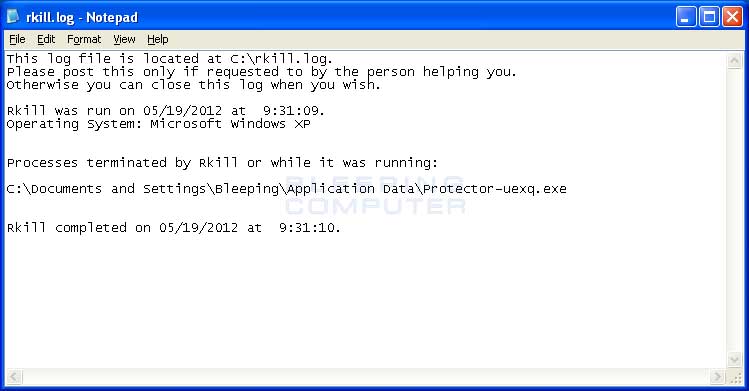
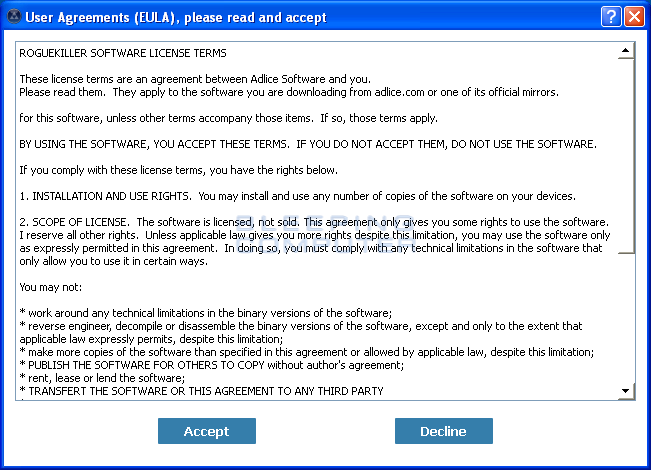
Suggest you run these 2 programs to try & stop the process that might still be running in the background. Better safe then sorry. Some viruses/malware don't go away easily.

The 1st is in older one but is highly effective, I've used it many times cleaning peoples PC's/Lappys.


NOTE:
As RKill only terminates a program's running process, and does not delete any files, after running it you should not reboot your computer as any malware processes that are configured to start automatically will just be started again. Instead, after running RKill you should immediately scan your computer using some sort of anti-malware or anti-virus program so that the infections can be properly removed.

Below are a list of RKill download links using different filenames. We offer RKill under different filenames because some malware will not allow processes to run unless they have a certain filename. Therefore when attempting to run RKill, if a malware terminates it please try a different filename offered below.

You may wish to give this one a try as well. I don't have much experience with this one but it has been effective in finding hidden processes.


My Computer

System One

  • OS
    Win 11 Pro, Win 10 pro, Win 13.7 Pro Chinese Ver
    Computer type
    PC/Desktop
    Manufacturer/Model
    It's a Dell Dude
    CPU
    12th Gen Intel(R) Core(TM) i9-12900 2.40 GHz
    Motherboard
    Father is bored too...
    Memory
    64.0 GB of transcendental dimensional RAM
    Graphics Card(s)
    NVIDIA GeForce RTX 3070 Ti
    Sound Card
    N/A
    Monitor(s) Displays
    27" Samsung Monitor/Alternative Dimensional Viewing Portal
    Screen Resolution
    Fuzzy after a couple drinks
    Hard Drives
    2 or 3, depending on if it's a night they're arguing about having a "split personality crisis" because I partitioned the drive.
    PSU
    Shockingly active
    Case
    Don't get on my case....man
    Cooling
    Scotch on the rocks on the weekends.
    Keyboard
    Steel Series Lighted Glow in the dark something or another
    Mouse
    Currently being stalked by the cat...
    Internet Speed
    DSL
    Browser
    Defeated by Mario...wait...OH...BRowser...
    Antivirus
    Yep
Ahhh.... so you have probably seen it..


The file is "Client.32" and was deposited into C: ProgramData \ Patchdirsec. MB has detected that it was a "Remote Access Trojan" probably similar to what my customer above had. And the 78% "almost there" image was probably a backdrop curtain like I said. Whether someone DID actually suceed in accessing your computer remotely without your knowledge depends on if a scammer was monitoring to see if your system went online after it was "infected".

I would be interested to see if the Patchdirsec folder in AppData is still there and what Malwarebytes left in it. I'm guessing the wallpaper jpg might still be there. To view the AppData folder and its contents you need to unhide hidden items. On Windows 11, open File Explorer, click View, hover over Show and put a check in front of Hidden Items.

If the jpg or png "wallpaper image" is still there, I sure would like to have it for my collection. :)
Good call. Yes, there is a patchdirsec folder, and it contained client.32, although no wallpaper.jpg that I could find.

Running malwarebytes again found these items:

Malwarebytes
www.malwarebytes.com

-Scan Details-
Process: 1
Backdoor.RemoteAccessTrojan, C:\PROGRAMDATA\PATCHDIRSEC\CLIENT32.EXE, Quarantined, 6181, 1377722, 1.0.107866, , ame, , EE75B57B9300AAB96530503BFAE8A2F2, 06A0A243811E9C4738A9D413597659CA8D07B00F640B74ADC9CB351C179B3268

Module: 1
Backdoor.RemoteAccessTrojan, C:\PROGRAMDATA\PATCHDIRSEC\CLIENT32.EXE, Quarantined, 6181, 1377722, 1.0.107866, , ame, , EE75B57B9300AAB96530503BFAE8A2F2, 06A0A243811E9C4738A9D413597659CA8D07B00F640B74ADC9CB351C179B3268

File: 1
Backdoor.RemoteAccessTrojan, C:\PROGRAMDATA\PATCHDIRSEC\CLIENT32.EXE, Quarantined, 6181, 1377722, 1.0.107866, , ame, , EE75B57B9300AAB96530503BFAE8A2F2, 06A0A243811E9C4738A9D413597659CA8D07B00F640B74ADC9CB351C179B3268


(end)
 

My Computer

System One

  • OS
    Windows 11
    Computer type
    PC/Desktop
    Manufacturer/Model
    LOOP AIO LP-270206
    CPU
    Intel® CoreTM i5-10400 Processor 12M Cache
    Motherboard
    Asus Pro H410T/CSM
    Memory
    16GB - Kingston DDR4 SODIMM, 2666
    Screen Resolution
    1920x1080
    Hard Drives
    Samsung MZ-V8V500B/AM 500 GB SSD (OS and apps)
    WD 1TB SSD (data)
    Antivirus
    Defender
Good call. Yes, there is a patchdirsec folder, and it contained client.32, although no wallpaper.jpg that I could find.

Running malwarebytes again found these items:
So the client32.exe seems to be regenerating at the command of something else. I've seen this happen before. I hope you have disconnected your computer from the Internet while investigating this. My suspicion is that the QR code thing is a secondary scam to try to get authentication credentials but also to keep the victim busy on their mobile phone while the scammer uses the backdoor trojan to access websites where passwords are filled in by a browser's password manager. Google (chrome)/Microsoft (edge) accounts, financial/banking, money app, email, online retailers can all be acessed by someone remoting in.

Any 2-factor notifications you did not initiate? To guard against the worst, I would closely monitor accounts, change passwords, make sure 2-factor is turned on with your phone number, change security questions. There is no way to know what a scammer may have accessed on your computer or even if he did at all.

AND do a wipe, reinstall.
 

My Computers

System One System Two

  • OS
    Windows 11 25H2
    Computer type
    Laptop
    Manufacturer/Model
    Lenovo Yoga 7 14ITL5 (82BH00DLUS)
    CPU
    Intel Core™ i7-1165G7 (4C / 8T, 2.8 / 4.7GHz, 12MB)
    Memory
    12GB Soldered DDR4-3200
    Graphics Card(s)
    Integrated Intel® Iris® Xe Graphics
    Monitor(s) Displays
    14" FHD (1920x1080) IPS 300nits Glossy, 72% NTSC, AGC Dragontrail™ Glass, Touch
    Screen Resolution
    1920x1080
    Hard Drives
    500 GB SSD
    Case
    Aluminum
    Cooling
    Single-fan
    Keyboard
    Backlit, internal
    Mouse
    Logitech M535
    Internet Speed
    With this laptop I usually test around 200/200 connected to UniFi UAP-AC-PRO ceiling units.
    Browser
    Chrome
    Antivirus
    Windows Security and my brain.
    Other Info
    I use this laptop mainly from my recliner. It's purpose is scheduling computer and TV services, closing TV work orders, remote customer support, research and recreation.

    Printers in the office room on my main floor were both acquired from business customers who upgraded equipment, had me handle the upgrade and then haul away the replaced hardware. I have not purchased a printer for myself in 15 years.

    Main: HP LaserJet P3010 (black & white, hardwired, networked)
    Aux: HP Color LaserJet MFP M281fdw (color laser, fax, hardwired, networked)

    Internet in my house is routed through a TP-Link AC3200 with radios disabled. Wireless access points are two (2) strategically-located UniFi UAP-AC-PRO ceiling units which cover my whole house including basement and front/back yards. Netgear gigabit switches and CAT6 cabling are used for wired purposes.
  • Operating System
    Windows 10 22H2
    Computer type
    PC/Desktop
    Manufacturer/Model
    Dell Optiplex 3010
    CPU
    Intel(R) Core(TM) i5-3470 CPU @ 3.20GHz 3.20 GHz
    Memory
    16 GB DDR3
    Graphics card(s)
    Intel(R) HD Graphics 2500
    Sound Card
    Onboard
    Monitor(s) Displays
    ACER KG271 (x2)
    Screen Resolution
    1920x1080
    Hard Drives
    WD 500GB SSD
    Keyboard
    Old Dell wireless
    Mouse
    Old Dell wired
    Internet Speed
    500/500
    Browser
    Chrome
    Antivirus
    Windows Security and my brain
    Other Info
    This computer was acquired from a customer who cleaned out her office. I upgraded it and now use it in my downstairs computer-repair office.

    My home office printer is an old HP LaserJet 3015. I acquired this after a customer passed away and his wife sold their house and downsized. She gave me all his equipment. I still help her with her tech issues.
So the client32.exe seems to be regenerating at the command of something else. I've seen this happen before. I hope you have disconnected your computer from the Internet while investigating this. My suspicion is that the QR code thing is a secondary scam to try to get authentication credentials but also to keep the victim busy on their mobile phone while the scammer uses the backdoor trojan to access websites where passwords are filled in by a browser's password manager. Google (chrome)/Microsoft (edge) accounts, financial/banking, money app, email, online retailers can all be acessed by someone remoting in.

Any 2-factor notifications you did not initiate? To guard against the worst, I would closely monitor accounts, change passwords, make sure 2-factor is turned on with your phone number, change security questions. There is no way to know what a scammer may have accessed on your computer or even if he did at all.

AND do a wipe, reinstall.
It appears that I have finally eliminated the problem, after Malwarebytes kept finding things - the same things I believe - after every restart. Pasting from google AI what I did:

Removing
client32.exe often involves dealing with a legitimate remote management tool (NetSupport Manager/School) that has been hijacked by malware (Remote Access Trojan). The file typically resides in C:\Program Files\NetSupport\NetSupport Manager or within user AppData folders.
Here is the recommended approach to remove client32.exe:

1. Immediate Isolation and Preparation
  • Disconnect from the Internet: Pull the Ethernet cable or turn off Wi-Fi immediately to stop data exfiltration by the malicious actor.
  • Enter Safe Mode: Restart your computer in Safe Mode to prevent the malicious process from running.

2. Manual Removal Process
  • Terminate the Process: Open Task Manager (Ctrl+Shift+Esc), locate client32.exe, right-click it, and select End Task.
  • Uninstall via Control Panel: Check for "NetSupport" or "Acer Classroom Manager" in the "Add/Remove Programs" section of the Windows Control Panel.
  • Delete Files and Folders: Search for and delete client32.exe and its surrounding folders, often found in AppData\Roaming or Program Files.
  • Clean Registry Keys: Open regedit, and remove entries related to NetSupport or client32.exe from HKEY_CURRENT_USER\SOFTWARE\Microsoft\Windows\CurrentVersion\Run.

In addition to client32.exe, there was another suspicious thing that I failed to note or screenshot, called "ocean audio," that had appeared on my computer on 2/26, a day before the first suspicious thing (a browser tab crash) happened, and I'd certainly never downloaded or installed this ocean audio thing.

Since then I've restarted at least twice, run malwarebytes multiple times during the sessions, and it's come up clean each time, versus before it was finding things after every restart.

Anything sensitive I have has 2FA set up, so I'll keep an eye on things, but feel like I'm good right now with no need to wipe. Hard to prove a negative, but only time will tell.
 

My Computer

System One

  • OS
    Windows 11
    Computer type
    PC/Desktop
    Manufacturer/Model
    LOOP AIO LP-270206
    CPU
    Intel® CoreTM i5-10400 Processor 12M Cache
    Motherboard
    Asus Pro H410T/CSM
    Memory
    16GB - Kingston DDR4 SODIMM, 2666
    Screen Resolution
    1920x1080
    Hard Drives
    Samsung MZ-V8V500B/AM 500 GB SSD (OS and apps)
    WD 1TB SSD (data)
    Antivirus
    Defender
Good job being persistent and thorough. Looks like you indeed got it!
 

My Computers

System One System Two

  • OS
    Windows 11 25H2
    Computer type
    Laptop
    Manufacturer/Model
    Lenovo Yoga 7 14ITL5 (82BH00DLUS)
    CPU
    Intel Core™ i7-1165G7 (4C / 8T, 2.8 / 4.7GHz, 12MB)
    Memory
    12GB Soldered DDR4-3200
    Graphics Card(s)
    Integrated Intel® Iris® Xe Graphics
    Monitor(s) Displays
    14" FHD (1920x1080) IPS 300nits Glossy, 72% NTSC, AGC Dragontrail™ Glass, Touch
    Screen Resolution
    1920x1080
    Hard Drives
    500 GB SSD
    Case
    Aluminum
    Cooling
    Single-fan
    Keyboard
    Backlit, internal
    Mouse
    Logitech M535
    Internet Speed
    With this laptop I usually test around 200/200 connected to UniFi UAP-AC-PRO ceiling units.
    Browser
    Chrome
    Antivirus
    Windows Security and my brain.
    Other Info
    I use this laptop mainly from my recliner. It's purpose is scheduling computer and TV services, closing TV work orders, remote customer support, research and recreation.

    Printers in the office room on my main floor were both acquired from business customers who upgraded equipment, had me handle the upgrade and then haul away the replaced hardware. I have not purchased a printer for myself in 15 years.

    Main: HP LaserJet P3010 (black & white, hardwired, networked)
    Aux: HP Color LaserJet MFP M281fdw (color laser, fax, hardwired, networked)

    Internet in my house is routed through a TP-Link AC3200 with radios disabled. Wireless access points are two (2) strategically-located UniFi UAP-AC-PRO ceiling units which cover my whole house including basement and front/back yards. Netgear gigabit switches and CAT6 cabling are used for wired purposes.
  • Operating System
    Windows 10 22H2
    Computer type
    PC/Desktop
    Manufacturer/Model
    Dell Optiplex 3010
    CPU
    Intel(R) Core(TM) i5-3470 CPU @ 3.20GHz 3.20 GHz
    Memory
    16 GB DDR3
    Graphics card(s)
    Intel(R) HD Graphics 2500
    Sound Card
    Onboard
    Monitor(s) Displays
    ACER KG271 (x2)
    Screen Resolution
    1920x1080
    Hard Drives
    WD 500GB SSD
    Keyboard
    Old Dell wireless
    Mouse
    Old Dell wired
    Internet Speed
    500/500
    Browser
    Chrome
    Antivirus
    Windows Security and my brain
    Other Info
    This computer was acquired from a customer who cleaned out her office. I upgraded it and now use it in my downstairs computer-repair office.

    My home office printer is an old HP LaserJet 3015. I acquired this after a customer passed away and his wife sold their house and downsized. She gave me all his equipment. I still help her with her tech issues.
Back
Top Bottom