Google Support:
Hi everyone,
We’re excited to share that we are officially rolling out Full Multiview Customization. We’ve heard your feedback that you wanted more flexibility to choose exactly what you’re watching, especially when it comes to balancing your favorite sports with the rest of your live lineup.
What is changing?
Starting now, we are moving beyond just top recommended channels to give you full control over your multiview experience. You can now use our new multiview builder to select any live content you want to see.
One of the most requested features we’re introducing is the ability to mix and match content across different packages. If you are a subscriber to a YouTube TV Plan and an add-on like NFL Sunday Ticket, you can now configure those streams together in a single multiview.
How to use the new multiview builder
When you start a multiview, you’ll see an updated builder flow designed to help you find content quickly. We’ve added filter chips so you can easily browse through different categories, including:
- Recommended (personalized based on your viewing habits)
- Sports
- News
- Shows
- Movies
- Other live content
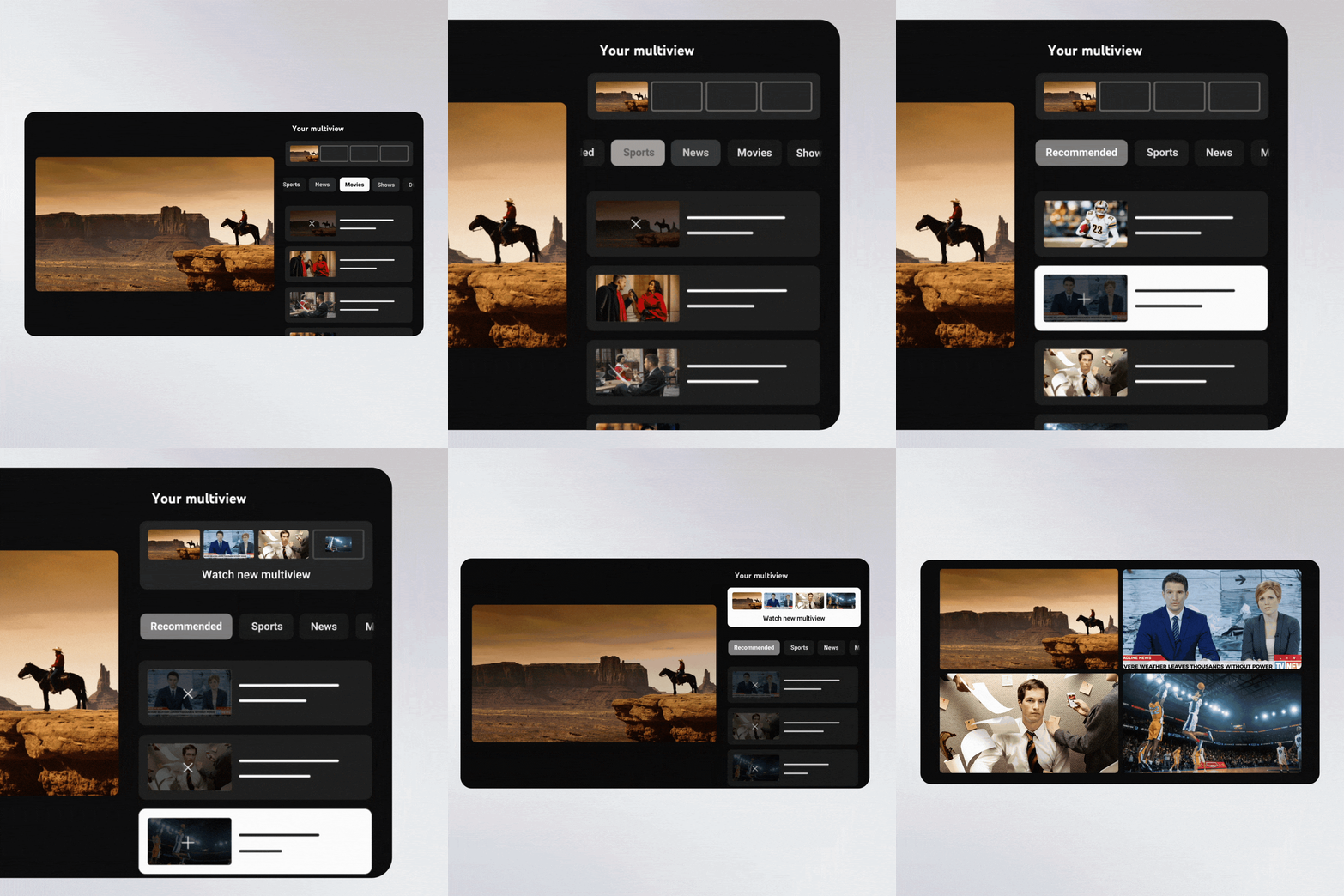
- Content Eligibility: Multiview is designed for live content only. At this time, VOD (Video on Demand) and DVR content cannot be added to a multiview. Additionally, select family friendly content is not eligible for multiview customization.
- Device Compatibility: This feature is rolling out to the vast majority of living room and mobile devices. However, a small subset of older devices (less than 5%) may not support the full customization UX. If you are on one of these devices, you will still have access to a multiview builder, but it will be focused on major "tentpole" events like the NFL or World Cup.
- Rob, TeamYouTube
Source: